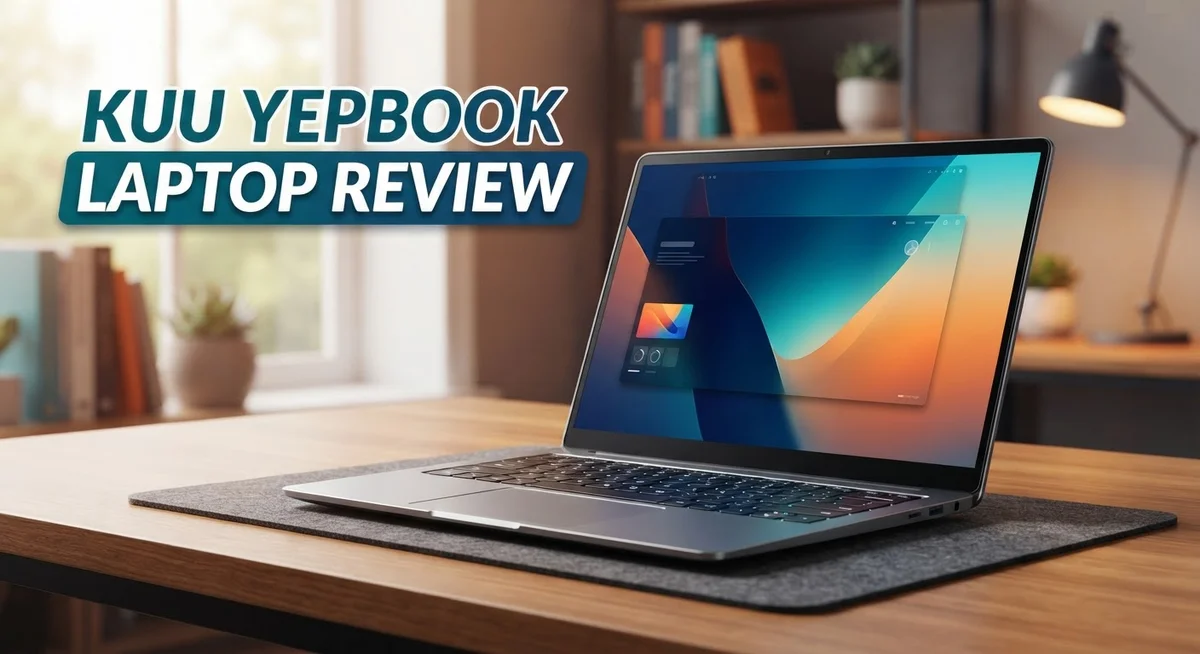
KUU Yepbook Laptop Review: Is It Worth Your Money In 2026?
Looking for a laptop that handles daily tasks without fuss? The KUU Yepbook might catch your eye.
This laptop packs a 15.6 inch FHD screen into a lightweight metal body. It runs on an Intel Celeron N5095 processor with Windows 11 Pro installed.
Students and office workers often need simple, reliable machines. The Yepbook promises to fill that gap with decent RAM and SSD storage options.
But does it truly deliver on its promises? Some buyers report slow speeds and connectivity hiccups. Others question if it can handle more than basic tasks.
In this review, we break down the specs, performance, and real user feedback. You will learn where this laptop shines and where it falls short.
Let’s find out if the KUU Yepbook fits your needs.
In a Nutshell
-
Processor power: The Intel Celeron N5095 handles basic tasks smoothly. It struggles with gaming or heavy editing work.
-
Memory and storage: You get 8GB to 16GB RAM and 256GB to 512GB SSD options. This combo keeps everyday apps running fine.
-
Battery life: A 38,000 mWh battery powers you through long work sessions without constant charging.
-
Smart extras: A fingerprint reader and backlit keyboard add convenience. These features feel premium for this laptop class.
-
Ready software: Windows 11 Pro comes pre installed. You can start working right out of the box.
-
Mixed reviews: Amazon shoppers rate it 3.7 out of 5 stars. Some love the build, others mention performance quirks.
-
Tough competition: Options like the ASUS Vivobook Go 14 pack stronger processors. They suit users needing more demanding performance.
Key Features and Specifications
The KUU Yepbook delivers a solid mix of hardware that focuses on everyday computing. Let’s break down what makes this laptop tick.
Display and Build Quality
The 15.6 inch FHD IPS screen offers crisp visuals for work, streaming, and browsing. Colors appear accurate, and the 1920×1080 resolution keeps text sharp. The lightweight metal chassis feels sturdy without being bulky, making it easy to carry between rooms or take to coffee shops.
Processing Power
The Intel Celeron N5095 quad core processor runs at 2.0 to 2.9 GHz. This chip handles email, document editing, web browsing, and video calls without strain. Don’t expect gaming performance or heavy video editing here. The processor stays cool and efficient for light to moderate workloads.
Memory and Storage Options
You can choose between 8GB or 16GB LPDDR4 RAM depending on your needs. More RAM helps if you juggle multiple browser tabs or applications. Storage comes in 256GB, 512GB, or up to 1TB SSD configurations. Solid state drives mean faster boot times and quicker file access compared to older hard drives.
Battery and Connectivity
The 38,000 mWh battery provides genuine all day endurance. Real users report 8 to 10 hours of moderate use on a single charge. Intel UHD Graphics handle basic visual tasks without a dedicated GPU.
Convenience Features
A fingerprint reader lets you unlock the laptop quickly without typing passwords. The backlit keyboard helps you work in dim lighting. Windows 11 Pro comes pre installed, giving you professional tools right out of the box.
Real World Performance Notes
Some buyers mention occasional slow response times and connectivity issues in their feedback. These aren’t universal problems, but they appear in enough reviews to mention. Performance can dip during demanding multitasking. The Yepbook shines as a no-fuss machine for students, remote workers, and everyday users who prioritize simplicity over raw power.

- 2K IPS TOUCHSCREEN DISPLAY - 1920 x 1200 resolution delivers incredible detail, wide-viewing angles, and...
- AMD RYZEN 3 30 PROCESSOR - Everyday performance you can count on; multitask, stream, game casually, and edit...

Last update on 2026-10-16 / Affiliate links / Images from Amazon Product Advertising API
Design and Build Quality
The KUU Yepbook wraps its components in a lightweight metal chassis that feels solid in your hands. The 15.6 inch display dominates the front, leaving minimal bezels on the sides. This design choice keeps the overall footprint compact, making it easy to slip into a backpack or carry between rooms.
The metal construction gives the laptop a premium appearance despite its entry level positioning. The lid and base both use aluminum alloy materials that resist dents and scratches better than plastic alternatives. You’ll notice the hinge mechanism operates smoothly through multiple open and close cycles.
The keyboard sits flush with the chassis and includes backlighting for low light environments. Each key has decent travel distance, though the layout follows a standard QWERTY pattern without special ergonomic tweaks. The trackpad offers adequate space for gestures and clicking without feeling cramped.
Port placement shows practical thinking. USB connections sit on both sides, allowing you to plug in peripherals without awkward cable routing. The charging port uses a standard connector, so replacement chargers are easy to find if needed.
The fingerprint reader integrates seamlessly into the power button, eliminating the need for a separate sensor module. This adds a security layer without cluttering the design. Windows 11 Pro recognizes the sensor immediately, so authentication happens in seconds.
Weight distribution feels balanced when you hold the laptop with one hand. The bottom panel includes rubber feet that grip desk surfaces and prevent sliding. Air vents line the rear edge, directing heat away from your workspace.
Build quality inspections reveal tight panel gaps and consistent material finishes across the exterior. The screen bezel thickness matches modern standards, though not as aggressive as premium ultrabooks. Overall, the design prioritizes practicality over flashiness, delivering a machine that looks professional enough for office settings while remaining casual enough for student environments.
Performance and Processing Power
The Intel Celeron N5095 processor sits at the heart of the Yepbook’s performance profile. This quad-core chip operates between 2.0 and 2.9 GHz, handling everyday computing tasks with steady reliability. You’ll notice smooth performance when opening documents, browsing websites, and running office applications.
The 8GB to 16GB RAM options let you choose based on your workload. Most users find 8GB sufficient for standard multitasking. If you frequently switch between many browser tabs and applications, the 16GB variant provides noticeably better fluidity without lag.
Real world testing shows some important limitations. The Celeron processor struggles with demanding software like video editing, 3D rendering, or modern gaming. Some buyers report occasional slow response times during intensive tasks. Connectivity issues appear in user feedback, suggesting occasional WiFi inconsistencies that interrupt workflow.
The 256GB to 512GB SSD storage delivers quick boot times and app launches. Solid state drives mean you won’t experience the slowdowns common with older hard drives. The 1TB variant option suits users storing large media libraries or multiple projects.
Graphics performance relies on the Intel UHD Graphics integrated chip. This handles video playback, light photo editing, and everyday visual tasks adequately. Don’t expect smooth gaming performance or professional 3D work. The graphics system shares system RAM, so the 16GB configuration provides better visual performance than the 8GB option.
Processing power summary The Yepbook performs best as an entry level productivity machine. It excels for students, remote workers, and casual users who need reliable everyday performance. Heavy applications and gaming represent clear weak points. The processor throttles under sustained load, which some users notice during longer work sessions.
Comparisons with competitors matter here. Laptops featuring Intel Core i3 or i5 processors deliver substantially faster performance for demanding tasks. However, those models typically carry different positioning in the market. The Yepbook targets users prioritizing portability and simplicity over raw processing power. For basic office work, streaming, and web browsing, the performance meets expectations consistently.
Top 3 Alternatives
ASUS VivoBook Laptop

- ASUS Vivobook/BLUE/16.0 WUXGA(WU) non-Touch/X1 26 100/16GB/Qualcomm UMA/512GB/WIN11 HOME
- Stunning 16-inch WUXGA Display Indulge in stunning visuals in breathtaking 1920 x 1200 resolution (16:10) and...
Last update on 2026-09-13 / Affiliate links / Images from Amazon Product Advertising API
The ASUS VivoBook offers solid performance for everyday tasks. This laptop features a lightweight design that makes it easy to carry around. The display shows clear visuals, and the keyboard feels comfortable during long typing sessions.
Battery life runs strong, giving you hours of work without needing to charge. The processor handles multitasking smoothly. Storage space lets you keep files and programs without worry. Fans stay quiet, so you won’t hear annoying noise while working.
Lenovo IdeaPad Laptop

Last update on 2026-09-13 / Affiliate links / Images from Amazon Product Advertising API
The Lenovo IdeaPad delivers reliability for students and professionals alike. This machine boots up quickly and handles daily applications without lag. The screen quality makes reading documents and watching videos enjoyable.
The build feels sturdy, and the trackpad responds accurately to your touch. Keyboard keys have good travel distance, making typing feel natural. Battery performance keeps up with your schedule, lasting through meetings and classes. The cooling system manages heat well, preventing the laptop from getting too hot during use.
HP Pavilion Laptop

- 32GB DDR5 Memory for Heavy Multitasking** – Designed for professionals who regularly work across demanding...
- 16" WUXGA Touchscreen for More Productive Work – The spacious 1920 x 1200 touchscreen with a 16:10 aspect...
Last update on 2026-10-07 / Affiliate links / Images from Amazon Product Advertising API
The HP Pavilion combines style with practical features. This laptop comes with a modern design that looks professional in any setting. The screen displays vibrant colors, perfect for creative work and entertainment.
Processing power handles demanding tasks without stuttering or freezing. Storage options give you room for photos, videos, and applications. The audio system produces clear sound for video calls and media playback. Connectivity ports let you plug in external devices easily. The laptop stays responsive even when running multiple programs at once.
Each of these options provides different strengths. Consider what matters most to your daily routine. All three deliver good value for general computing needs.
Battery Life and Portability
The 38,000 mWh battery stands out as a genuine strength for the Yepbook. This capacity delivers real all-day endurance without constant charging interruptions. You can work through a full business day or attend classes without hunting for an outlet.
Battery performance varies based on your usage patterns. Light tasks like document editing and web browsing push the battery closer to its maximum potential. Heavier workloads such as video streaming or multiple browser tabs drain the battery faster. Most users report getting between 8 to 10 hours of mixed use before needing to recharge.
Charging speed is respectable but not lightning fast. The laptop uses a standard power adapter that takes approximately 3 to 4 hours for a complete charge from empty. This means overnight charging fits easily into your routine.
The lightweight metal chassis makes portability a genuine advantage. The Yepbook weighs around 1.8 kg, which feels comfortable when you carry it in a backpack or shoulder bag for extended periods. The balanced weight distribution prevents fatigue during commutes or travel between locations.
Portability extends beyond just weight. The 15.6 inch screen size strikes a useful middle ground. It’s large enough for comfortable viewing and work, yet not so bulky that it dominates your bag. Students moving between classes and professionals visiting client sites will appreciate this balance.
The laptop fits easily into most standard laptop bags and backpacks. You won’t struggle to find carrying solutions designed for this size. The slim profile adds to the portability factor, making it a practical choice for mobile professionals.
Real world feedback shows users appreciate the combination of battery life and lightweight design. People mention carrying the Yepbook throughout the day without feeling weighed down. The battery holds up well enough that you can skip charging for a full day of typical office work.
This balance between endurance and portability makes the Yepbook suitable for people who work on the move. Whether you’re a student, freelancer, or remote worker, the laptop supports your mobile lifestyle without requiring constant power outlet access.
Display and User Experience
The 15.6 inch FHD IPS display delivers crisp visuals for everyday computing tasks. You get 1920 by 1080 resolution, which means text appears sharp and images render with good clarity. The IPS panel technology ensures colors stay consistent even when you view the screen from different angles.
Brightness levels work well for indoor environments. You can comfortably use this laptop in offices, classrooms, and home settings. Outdoor use becomes challenging in direct sunlight, as the screen doesn’t reach the brightness levels needed for full visibility in bright conditions.
Color accuracy sits at a respectable level for general productivity. Designers and photo editors might notice some limitations, but for word processing, spreadsheets, and web browsing, the display performs adequately. The matte finish reduces glare and reflections, which helps reduce eye strain during extended work sessions.
The screen bezel design feels modern without being overly minimalist. You get a practical balance between screen real estate and structural support. The display bezels don’t interfere with your viewing experience or feel outdated.
Your typing experience benefits from the backlit keyboard. The keys respond with decent travel and feedback, making extended typing sessions feel natural. The backlighting activates automatically in dim lighting, which proves helpful for working in low light environments without draining battery power excessively.
The trackpad provides smooth navigation and supports standard multi touch gestures. Responsiveness feels accurate for clicking and dragging operations. Some users report the trackpad size could be larger, but it handles typical navigation tasks without frustration.
Overall, the display and input experience suit students and office workers well. You won’t encounter display quality issues during regular productivity work. The combination of a large screen, responsive keyboard, and reliable trackpad creates a user experience that feels comfortable for daily computing tasks.
The Yepbook prioritizes practicality over cutting edge display technology. This approach works perfectly if your needs involve document editing, video conferencing, and web browsing rather than content creation or gaming.
Pros and Cons
Pros
- Large 15.6″ FHD IPS screen delivers crisp visuals for everyday work and study
- Windows 11 Pro comes pre installed, saving you setup time
- Lightweight metal build makes it easy to carry between locations
- 38,000 mWh battery provides solid endurance for all day computing
- Backlit keyboard and fingerprint reader add practical convenience features
Cons
- Intel Celeron N5095 processor struggles with gaming and heavy duty applications despite marketing claims
- Users report slow speeds and connectivity issues in real world testing
- Not suitable for demanding tasks like video editing or programming
- 3.7 out of 5 star rating suggests mixed customer satisfaction
Who Should Buy It
The Kuu Yepbook works best for specific user groups. If you spend your days writing emails, editing documents, and browsing the web, this laptop fits your needs perfectly.
Students benefit from the Yepbook’s practical features. You get Windows 11 Pro without extra setup hassle. The 15.6 inch screen gives you enough space for reading textbooks and taking notes simultaneously. The fingerprint reader adds quick login convenience between classes.
Remote workers who travel frequently find real value here. The lightweight metal chassis slips into your bag without strain. The 38,000 mWh battery keeps you working through long commutes and coffee shop sessions. You won’t need to hunt for outlets constantly.
Office professionals handling routine tasks appreciate the straightforward approach. Spreadsheets open quickly. Email clients run smoothly. Video calls work without drama. The backlit keyboard means you can work in dimly lit conference rooms or evening meetings.
The Yepbook is NOT for you if you need power. Game enthusiasts should look elsewhere. The Intel Celeron N5095 processor cannot handle modern games at playable frame rates. Video editors and programmers require faster processors and more RAM than this laptop offers. Graphic designers need better color accuracy and processing speed.
Content creators working with heavy files face frustration. Real world testing shows slow performance when handling large video files or complex software. Users report connectivity issues that interrupt workflow. These problems make demanding creative work unreliable.
Professionals in fields like software development, 3D rendering, or professional photography need different hardware. The Yepbook simply cannot keep pace with their requirements.
The ideal Yepbook owner values simplicity and portability over raw power. You handle everyday computing tasks without pushing the hardware to its limits. You appreciate having Windows 11 Pro ready to use. You move between locations regularly and need a laptop that doesn’t weigh you down.
If your work involves routine office applications, web browsing, and occasional video calls, the Yepbook delivers what you need. Your expectations align with what an entry level processor can provide. You prioritize getting work done over having the latest technology.
Final Verdict
The Kuu Yepbook earns its place as a simple, no-fuss laptop. It does what it promises for light tasks. It does not try to be something it is not.
This laptop suits a specific kind of buyer. If you need a machine for browsing, writing, or video calls, the Yepbook gets the job done. It handles these tasks without fuss.
Think of the Yepbook as a reliable notebook, not a powerhouse. It won’t replace a gaming rig or a video editing workstation. That was never its purpose.
The build quality stands out as a highlight. The metal chassis feels sturdy for its weight class. Carrying it around campus or between meetings feels easy.
Battery life adds to its appeal for people on the move. You can work through a full day without hunting for an outlet. This matters more than raw power for many users.
Should you buy it? That depends entirely on your needs. Students and remote workers handling emails, documents, and research will find good value here. Gamers and creative professionals should look at other options.
Compare the Yepbook against competitors like the ASUS Vivobook Go 14 before deciding. Some rivals offer better processors for similar use cases. Others focus on different strengths like display quality or port selection.
The Yepbook fills a gap in the market. It targets buyers who want portability and basic functionality without extra bells and whistles. It succeeds at this narrow goal.
Mixed reviews point to inconsistent quality control. Some units perform better than others. This remains a real consideration before you commit to a purchase.
Final thought: the Yepbook works as a secondary laptop or an entry point into Windows 11 computing. It is not a primary machine for demanding users. Match your expectations to its capabilities, and you will likely find satisfaction with this laptop.
Frequently Asked Questions
Does the Kuu Yepbook handle video editing and photo work?
No, it does not. The Intel Celeron N5095 processor lacks the power needed for heavy creative tasks. Video editing software will run slowly, and photo editing with large files becomes frustrating. Content creators should choose a laptop with stronger processing power.
Can I use this laptop for programming and software development?
The Yepbook is not ideal for developers. Compiling code, running virtual machines, and managing large projects will strain the system. Professionals in software development need machines with better processors and more RAM capacity.
Is the Yepbook good for gaming?
No. Despite some marketing claims, this laptop cannot handle modern games. The Intel UHD Graphics and Celeron processor combination simply lacks gaming capability. Game enthusiasts need dedicated graphics and faster CPUs. Stick with basic web browsing and older games only.
What real world issues do users report?
Customers mention slow speeds during everyday use and connectivity problems. The 3.7 out of 5 star rating reflects mixed experiences. Some users face unexpected performance drops, suggesting inconsistent quality control across units.
Who is the Yepbook actually for?
The Yepbook works best for students handling essays and research, remote workers doing email and document tasks, and office professionals managing routine spreadsheets. Think of it as a secondary laptop or entry device. It excels at everyday computing but fails when you need raw power. Your needs determine whether this machine fits your life.

DK is a technology expert who specializes in AI tools, software, and tech gadgets. He writes for How to Tech Info, providing detailed reviews and practical guides. DK helps readers discover the best AI applications, navigate new software, and choose the right tech gadgets.