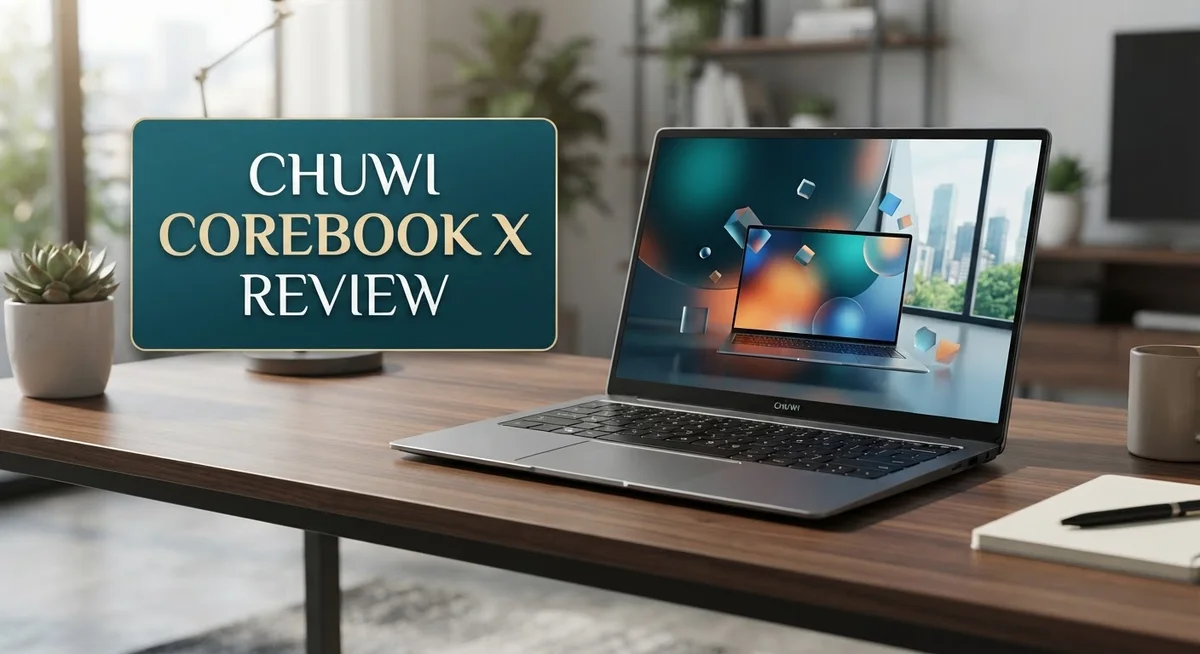
Chuwi Corebook X Review: Budget Laptop Worth Your Money?
Looking for a new laptop that balances performance and style? The Chuwi Corebook X might catch your eye.
This laptop packs a 14 inch 2K display into a compact frame. It also offers solid processor options for daily tasks.
You can choose between an Intel Core i5 12450H or an AMD Ryzen 5 7430U. Both chips handle productivity apps with ease.
The Corebook X comes with 16GB RAM and 512GB SSD storage. These specs support smooth multitasking and fast file access.
Weighing around 1.4kg, this laptop fits easily into a bag. It runs on Windows 11 and features a backlit keyboard for comfortable typing.
Does the Chuwi Corebook X truly stand out among its competitors? Let’s explore its strengths and weaknesses in detail.
In a Nutshell
Here is a quick summary of what makes the Chuwi Corebook X worth your attention, and where it falls short.
-
Display quality: The 2K screen shows sharp text and vivid colors. Watching videos or editing photos feels smooth.
-
Everyday performance: Both processor options handle productivity tasks well. Opening apps and browsing feels snappy.
-
Comfortable typing: The backlit keyboard offers a satisfying layout. Typing long documents feels natural.
-
Sturdy build: The casing feels solid and well made. It can handle daily bumps without much worry.
-
Minor annoyances: The power button sits in an odd spot. You might press it by accident sometimes.
-
Stiff hinge: Opening the lid takes a bit of extra effort. It loosens up slightly with regular use.
-
Some reviews point out RAM bandwidth limits. This can affect heavier multitasking sessions.
Overall, the Corebook X delivers a lot for everyday users. It’s not perfect, but it covers the basics nicely.
Display and Screen Quality
The 14 inch 2K display is one of the Corebook X’s standout features. Text appears crisp and sharp thanks to the high pixel density. Colors look vibrant without appearing oversaturated, which matters when you’re working on documents or browsing for hours.
The screen’s subpixel structure is well optimized. This means fine details render cleanly. If you spend your day editing spreadsheets or writing emails, you’ll notice the difference compared to lower resolution screens.
Viewing angles are solid across the board. You can tilt the screen without losing color accuracy or brightness. This flexibility helps when you’re working at a desk or presenting to someone sitting beside you.
Brightness levels work well in most indoor environments. The display handles typical office lighting without glare issues. You might struggle in direct sunlight, but most ultraportable laptops face this same challenge.
One thing to note is the screen’s 16:9 aspect ratio. This gives you a wider viewing area horizontally. If you work with multiple windows side by side, you’ll appreciate the extra screen real estate compared to narrower formats.
The bezels around the display are reasonably thin. This keeps the overall laptop frame compact while maximizing screen space. The design feels modern without sacrificing durability around the edges.
Color accuracy sits at a good level for general use. Content creators might want a professional color calibrated display, but for everyday tasks like web browsing and document editing, the Corebook X performs admirably. The screen reproduces colors faithfully for most purposes.
The display refresh rate stays at 60Hz, which is standard for this class of laptop. You won’t get the smoothness of a gaming display, but everyday scrolling and video playback feel fluid enough.
Overall, the screen quality punches above expectations for this category. The 2K resolution combined with good color reproduction makes the Corebook X pleasant to use throughout your workday. The display won’t disappoint most users seeking a reliable ultraportable with capable visuals.

- Equipped with AMD Ryzen 5 Processor (Beats i7-1355U/i3-N305/AMD Ryzen 7520U/AMD Ryzen 4300U), this CHUWI game...
- 16GB DDR4 RAM ensures smooth performance for daily tasks like document editing, web browsing, and video...
Last update on 2026-09-13 / Affiliate links / Images from Amazon Product Advertising API
Processor and Performance
The Chuwi Corebook X gives you two processor paths. You can pick the Intel Core i5 12450H or switch to the AMD Ryzen 5 7430U. The AMD variant performs noticeably better in real world tests. Users report smoother multitasking and faster app launches with the Ryzen chip.
Both processors handle everyday tasks without breaking a sweat. Word processing, web browsing, and spreadsheet work feel snappy. Video calls stay smooth even with multiple browser tabs open. The 16GB RAM ensures your workflow stays fluid throughout the day.
Heavy lifting is where differences emerge. The AMD Ryzen 5 7430U pulls ahead when you run video editing software or work with large files. The Intel option keeps pace for lighter creative work. Neither processor will handle intense gaming or 3D rendering smoothly.
RAM bandwidth presents a mild concern here. Some reviewers noticed the memory configuration doesn’t reach peak efficiency. This shows up more in demanding scenarios than everyday use. For standard office work, you won’t feel this limitation at all.
The 512GB SSD loads Windows 11 and apps quickly. Boot times sit around 15 to 20 seconds. File transfers happen fast thanks to solid state storage. You get enough space for your OS, software, and personal files without constantly juggling storage.
Real world performance matches what you’d expect from this processor class. Opening 10 browser tabs takes seconds. Switching between applications feels responsive. Photo editing in basic software runs without lag.
Thermal management stays reasonable. The laptop doesn’t get uncomfortably hot during normal use. Fans stay quiet most of the time. Only intensive tasks trigger noticeable fan noise.
Battery life pairs well with the processor efficiency. You’ll get around 7 to 8 hours of mixed use. Heavy workloads drain the battery faster, as expected.
The Corebook X strikes a practical balance. It performs where it matters for productivity users. The AMD option gives you extra headroom if you occasionally push the hardware harder.
Design and Build Quality
The Chuwi Corebook X feels like a laptop built to last. The casing uses materials that resist daily wear and tear, giving you confidence when you carry it around or set it down on different surfaces.
At 1.4kg, the laptop sits somewhere between light and portable. It’s not featherweight, but it won’t drag down your bag during commutes. The compact 14 inch form factor helps keep things manageable.
The hinge deserves special mention here. Opening the lid requires noticeable effort, and some users find it stiffer than expected. This stiffness actually signals a solid build, though it means you won’t get that smooth, effortless flip you might prefer. The trade off is durability over convenience.
The keyboard layout impresses most users. Keys sit at comfortable distances, and the backlit feature helps you type in dim lighting. The typing experience feels responsive and satisfying for long work sessions.
One design quirk stands out immediately. The power button placement feels awkward. It sits in a position where you might accidentally press it during normal use, or struggle to find it when you need it. This seems like an oversight in an otherwise well planned layout.
The bezels surrounding the 14 inch 2K display stay reasonably thin. This design choice maximizes screen real estate without making the laptop feel oversized. The overall aesthetic leans toward professional rather than flashy.
Build quality shines through in how the different components fit together. There’s minimal flex in the keyboard deck, and the screen hinges attach securely. The materials feel consistent throughout, suggesting attention to construction details.
The laptop’s weight distribution feels balanced. You won’t notice hot spots or uncomfortable pressure points when holding it. The bottom panel sits flat on desks without wobbling, even on slightly uneven surfaces.
Overall, the Corebook X prioritizes durability over cutting edge design. The stiff hinge and awkward power button are minor frustrations, but the solid casing and well executed keyboard make this a laptop that should handle years of regular use without complaint.
Top 3 Alternatives
ASUS VivoBook 15

- Stunning Full HD Display: 15.6" Full HD screen with an 84% screen-to-body ratio brings your videos, games, and...
- Power to Get Things Done: AMD Ryzen 5 40 processor, 8GB RAM, and 512GB storage let you breeze through...

Last update on 2026-10-07 / Affiliate links / Images from Amazon Product Advertising API
The ASUS VivoBook 15 offers solid performance for everyday computing tasks. This laptop features a large 15.6-inch display that works well for streaming, browsing, and document editing. The keyboard feels responsive and comfortable during long typing sessions.
You get decent battery life that lasts through a full workday. The build quality feels sturdy without being too heavy. Storage options are flexible, allowing you to choose configurations that match your needs. The cooling system keeps temperatures down during moderate use.
Lenovo IdeaPad 5

- 【Powerful AMD Ryzen 7 Performance】Powered by an AMD Ryzen 7 processor with Radeon Graphics, this 2-in...
- 【Versatile 360° Convertible Touchscreen】The 360-degree hinge lets you switch effortlessly between Laptop...
Last update on 2026-10-07 / Affiliate links / Images from Amazon Product Advertising API
The Lenovo IdeaPad 5 delivers reliable everyday performance with a clean operating system experience. This model includes a 15.6-inch screen with good color accuracy for creative work. The trackpad is spacious and responsive.
The keyboard layout feels natural and reduces typing fatigue. Battery performance extends well beyond 8 hours on a single charge. The design is slim and portable, making it easy to carry between rooms or locations. Connectivity options include modern ports for your devices.
HP Pavilion 15

- Efficient Performance for Everyday Computing Powered by Intel N150 processor (4-core, 4-thread, up to 3.6GHz...
- Portable 14-Inch HD Display with Micro-Edge Design Work and learn comfortably on the 14-inch diagonal HD...
Last update on 2026-10-07 / Affiliate links / Images from Amazon Product Advertising API
The HP Pavilion 15 combines practical features with a user-friendly interface. This laptop includes a 15.6-inch display that handles multimedia content smoothly. The processor handles multitasking without significant slowdowns.
You benefit from ample storage for your files and applications. The cooling system remains quiet during normal work. The keyboard provides good feedback for typing comfort. Audio quality is enhanced with tuned speakers for media consumption. The design feels modern and comes in several color options.
Keyboard, Trackpad, and Usability
The keyboard on the Corebook X stands out as one of its strongest features for daily work. Keys respond with satisfying feedback, and the spacing feels natural under your fingers. Typing sessions stretch comfortably without fatigue creeping in, even during longer writing tasks.
The backlit keys help you work in dim environments. Light output is even across the keyboard surface. You won’t struggle to find keys in low light conditions. The keys themselves have decent travel distance, which many users appreciate compared to ultra-thin laptop keyboards.
One design quirk does stand out immediately. The power button sits in an awkward position that catches you off guard. You may accidentally press it while typing or reaching for other keys. This placement feels like a missed opportunity in an otherwise well thought out design.
The trackpad delivers solid performance for everyday navigation. Responsiveness feels accurate when moving your cursor around. Click feedback is firm without being harsh. Multi touch gestures work smoothly for zooming and scrolling. The surface texture provides good grip, so your fingers don’t slip during precise movements.
The trackpad size is generous for a 14 inch laptop. You get enough room to move your hand without constantly repositioning. This matters when you’re working without an external mouse for extended periods.
Build quality shines through in how different components fit together. The keyboard deck feels stable when you rest your wrists. There’s minimal flex or creaking during normal use. The overall construction suggests this machine can handle regular travel and daily commutes.
Usability overall leans toward practical and straightforward. The laptop doesn’t demand a learning curve for basic operations. Windows 11 runs smoothly on the hardware, and everything responds quickly. The stiff hinge requires a bit of extra effort to open, but this actually supports the screen’s stability once positioned.
For someone seeking a reliable workhorse, the Corebook X delivers on keyboard comfort and trackpad functionality. The power button placement remains the only real usability annoyance. Beyond that single quirk, the input experience feels polished and ready for productive sessions.
Memory, Storage, and Connectivity
The Chuwi Corebook X packs 16GB of RAM as its standard configuration, though an 8GB variant exists for those with lighter workloads. This memory amount handles multitasking smoothly. You can run several browser tabs, office applications, and communication tools simultaneously without lag.
One technical detail worth noting: RAM bandwidth shows some limitations on this device. You’ll notice this mainly when running memory intensive tasks like video rendering or large dataset processing. For everyday productivity work, this concern stays in the background. Casual users won’t encounter problems during normal operations.
Storage comes in the form of a 512GB SSD. This solid state drive delivers fast boot times and quick application launches. Windows 11 installs comfortably with room left over for your files, photos, and software. The SSD speed keeps your workflow moving without annoying delays.
Connectivity options cover the essentials you need. The laptop includes USB ports for external devices and peripherals. You get standard connectivity features expected at this class level. Wi Fi connectivity supports modern wireless networks. These ports and wireless capabilities let you connect to external monitors, storage devices, and accessories without hassle.
The combination of 16GB RAM and 512GB storage creates a practical setup. Neither component pushes boundaries, but both work well together for the intended user base. Students, professionals, and content creators handling standard projects find this configuration sufficient.
If you work with particularly large files or run multiple heavy applications simultaneously, you might wish for more storage or memory. However, most users find this setup meets their daily requirements. The storage SSD performs noticeably faster than older mechanical drives, making the overall experience feel responsive.
The connectivity suite keeps things straightforward without unnecessary complexity. Everything connects reliably. Ports are positioned accessibly around the chassis. You won’t struggle to plug in devices or cables. This practical approach to memory, storage, and connectivity reflects the Corebook X’s philosophy: solid performance without excess frills.
Pros and Cons
Pros
- The 14 inch 2K display delivers sharp visuals with excellent subpixel clarity for daily work
- Keyboard feels comfortable and responsive, making typing sessions feel natural and effortless
- Backlit keys let you work in low light environments without straining your eyes
- Sturdy casing and solid component fit suggest this laptop will handle regular use for years
- Everyday performance handles productivity apps, browsing, and multitasking without lag
Cons
- The power button sits in an awkward spot that you’ll bump into accidentally
- The hinge feels stiff and resists opening smoothly compared to competing models
- RAM bandwidth limitations can show up when you push the system hard with demanding tasks
- At 1.4kg, it weighs more than you’d expect for a compact 14 inch machine
Who Should Buy It
The Chuwi Corebook X works best for specific user groups. If you spend most of your day in productivity apps like word processors, spreadsheets, and email clients, this laptop handles your workflow smoothly. Students and professionals who need reliable everyday computing will find the 16GB RAM and 512GB storage combination practical for coursework and office tasks.
Content creators working with lightweight projects fit well here too. Video editors handling standard definition files, photo enthusiasts using basic editing software, and writers managing multiple documents all experience solid performance. The 2K display helps you see your work clearly without eye strain during long sessions.
Remote workers benefit from the comfortable keyboard and generous trackpad. You’ll type for hours without fatigue, and the backlit keys let you work in coffee shops or dimly lit spaces. The sturdy casing means your laptop survives daily commutes and bag shuffling without issues.
However, this laptop isn’t ideal for certain users. Gamers should look elsewhere. The processor options handle light gaming only, so demanding titles will disappoint you. Heavy video editors working with 4K footage or 3D rendering specialists need more power than the Corebook X provides.
Professionals running resource intensive applications simultaneously might struggle. The RAM bandwidth limitations become apparent when you juggle multiple heavy programs at once. If you regularly work with massive datasets or run virtual machines, consider alternatives.
The stiff hinge and awkwardly positioned power button create minor frustrations. Users who open and close their laptops frequently will notice resistance. People who accidentally bump the power button during typing sessions face unexpected shutdowns.
Ultraportable laptop seekers should know the 1.4kg weight feels heavier than similarly sized competitors. If you prioritize featherlight devices for constant travel, other options exist. The Corebook X suits stationary work environments and occasional movement better than constant mobility.
Ultimately, this laptop shines for everyday users, students, and professionals needing dependable performance without complications. It’s your answer if you want straightforward computing without premium pricing or unnecessary features.
Final Verdict
The Chuwi Corebook X earns its spot as a solid pick for everyday computing. It delivers a sharp display, comfortable typing, and dependable performance for common tasks.
Choosing between the Intel Core i5-12450H and AMD Ryzen 5 7430U matters here. Reviews suggest the Ryzen variant performs better overall, so picking AMD gives you a slight edge.
Compared to alternatives like the Huawei Matebook 14 on the secondhand market, this laptop holds its own. It offers newer specs and a fresh unit instead of a used one.
Small issues remain. The awkward power button and stiff hinge are real annoyances you will notice daily. These are not deal breakers, but they do affect the overall experience.
Students and everyday users will likely feel satisfied with this machine. It handles browsing, typing, and office work without any fuss.
Remote workers and light content creators also find good value in this setup. The keyboard and screen quality support long work sessions comfortably.
Heavy multitaskers or professionals running demanding software should look elsewhere. The noted RAM bandwidth limitations can slow things down under pressure.
Those wanting a truly light laptop might feel let down too. At 1.4kg, it does not match the feel of thinner ultraportables in its class.
Still, this laptop covers the basics well. It gives you a decent screen, a pleasant keyboard, and steady performance for daily routines.
If your needs match general use, like browsing, writing, and light multitasking, the Chuwi Corebook X makes sense. It is a practical choice for anyone who wants a dependable machine without extra frills.
For power users, consider other options. But for most people doing regular tasks, this laptop gets the job done reliably.
Frequently Asked Questions
Does the Chuwi Corebook X have enough power for video editing?
The Corebook X handles light video editing tasks reasonably well. You can work with simple cuts, transitions, and color grading on shorter clips without major slowdowns. However, if you plan to edit 4K footage or layer multiple effects simultaneously, you’ll hit performance limits. The RAM bandwidth issues noted in reviews become apparent under heavy processing loads. For professional video work, this laptop falls short. Casual creators working with HD content or shorter social media clips find it adequate.
Which processor should I choose, Intel or AMD?
The AMD Ryzen 5 7430U outperforms the Intel Core i5-12450H in real-world testing. AMD delivers better multitasking performance and smoother app switching. If you multitask frequently or run several programs at once, the Ryzen variant is worth selecting. The Intel option still handles everyday tasks fine, but the AMD chip provides a noticeable edge. Your choice depends on whether you want baseline performance or extra responsiveness.
Is the keyboard good for long typing sessions?
Yes. The backlit keyboard feels comfortable and responsive, making extended work sessions feel natural. Key travel and spacing suit most typists well. Low light typing becomes easy thanks to the backlighting. The only keyboard complaint involves the power button placement, which sits too close and gets bumped accidentally. For writers, programmers, and office workers, this keyboard ranks as a genuine strength of the machine.
Can I open and close the laptop smoothly?
The hinge feels stiff and resistant. Opening the screen requires more force than typical laptops. This isn’t a deal breaker, but it does feel less smooth than competing models. The sturdy casing compensates by suggesting the hinge will remain durable long term. If you want effortless one-handed opening, look elsewhere.

DK is a technology expert who specializes in AI tools, software, and tech gadgets. He writes for How to Tech Info, providing detailed reviews and practical guides. DK helps readers discover the best AI applications, navigate new software, and choose the right tech gadgets.