
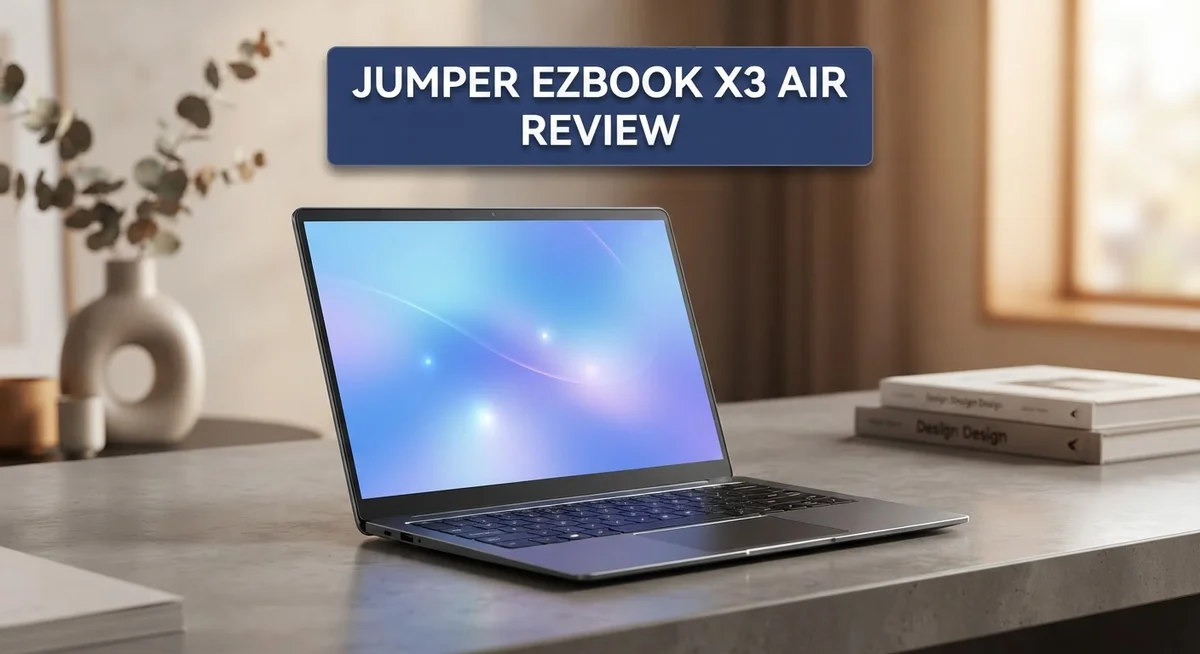
Jumper EZBook X3 Air Review: Lightweight Laptop Worth It?
Looking for a lightweight laptop that handles daily office work with ease? The Jumper EZBook X3 Air might catch your eye.
This laptop brings a slim aluminum body. It weighs just 930g. You can slide it into any bag without hassle.
The Full HD display shows sharp images and good colors. Typing feels comfortable too. The keyboard offers decent travel and the trackpad responds well.
Jumper ships this laptop with a clean operating system. You won’t find annoying bloatware here. It runs Excel, Salesforce, and Tableau smoothly.
But does this laptop hold up well over time? Does its build quality match its attractive looks?
We tested the EZBook X3 Air to find out. This review covers its design, performance, and everyday usability. Keep reading to see if this laptop fits your needs.
In a Nutshell
Here’s a quick summary of what this laptop offers:
-
Design and portability: The EZBook X3 Air weighs just 930g. Its thin profile makes it easy to carry anywhere.
-
Display quality: You get a Full HD screen with sharp details. Colors look vibrant for everyday tasks.
-
Software experience: This laptop comes with a clean operating system. You won’t find annoying bloatware slowing things down.
-
Office performance: It handles Excel, Salesforce, and Tableau smoothly. Daily office tasks feel effortless on this machine.
-
Build concerns: The casing shows warping issues over time. Some users report cracking noises during normal use.
-
Not for gamers: This laptop lacks power for gaming. It also offers limited scratch resistance on its surface.
Overall, the Jumper EZBook X3 Air suits people who need a portable work companion. It shines for basic productivity tasks. However, buyers should watch for durability issues. The attractive design doesn’t always match long term build quality. Think of it as a solid pick for light office work, not heavy duty tasks.
Design and Build Quality
The Jumper EZBook X3 Air features a design that balances form and function. Its aluminum chassis gives the laptop a premium feel when you first hold it. The slim profile measures just 7mm at the front and 14mm at the rear, making it exceptionally thin for a portable workstation.
At approximately 930g, this laptop sits comfortably in your bag or backpack. You can carry it all day without feeling the weight. The lightweight construction makes it ideal for professionals who move between offices, coffee shops, or client sites regularly.
The keyboard offers decent travel distance, so typing feels natural and responsive. Your fingers land with enough feedback to maintain accuracy during long work sessions. The trackpad responds well to gestures and provides smooth cursor control for spreadsheets and presentations.
Build quality shows both strengths and weaknesses. The aluminum frame feels solid initially. However, users have reported that the casing becomes prone to warping over extended use. This warping can lead to cracking noises when you open and close the lid. The chassis lacks scratch resistance, so minor bumps and daily handling leave visible marks on the surface.
All essential ports are present and properly positioned. You get USB connections, an audio jack, and video output options. This means you won’t struggle to connect peripherals or external displays for your work setup.
The overall design philosophy prioritizes portability over durability. The thin aluminum construction keeps weight minimal, but it sacrifices structural rigidity. This trade-off works fine if you handle the laptop carefully and use a protective case. The design suits office workers and mobile professionals who value lightness over ruggedness.
The attractive appearance makes a good first impression. Colleagues and clients notice the sleek design in meetings. However, the build quality concerns suggest this laptop performs best as a secondary device or for users with gentle handling habits. If you need something that withstands daily drops and rough treatment, this might not be your best choice.

- Please be attention that screen protector is flexible plastic film, Not Tempered Glass.
- TPU material with smooth surface, keep you a high touch sensitive and fast fingerprint recognition.
Last update on 2026-10-07 / Affiliate links / Images from Amazon Product Advertising API
Display and Visual Performance
The display on the Jumper EZBook X3 Air delivers solid visual performance for everyday computing tasks. You get a Full HD 1080p screen that produces sharp text and clear images. The resolution works well for office applications like spreadsheets and presentations.
Color accuracy stands out as a real strength here. The screen shows vibrant colors without appearing oversaturated or washed out. Reds, blues, and greens all render naturally. This matters when you’re working with design files or reviewing marketing materials.
Brightness levels perform adequately for indoor use. You can comfortably view the screen in standard office lighting. The display does struggle in direct sunlight, so outdoor work sessions may require some adjustments. Viewing angles remain consistent when you tilt the laptop slightly.
The screen size complements the laptop’s thin profile perfectly. At its current dimensions, the display feels spacious enough for multitasking. You can comfortably run two windows side by side without excessive squinting. The bezels are reasonably thin, maximizing screen real estate within the compact body.
Refresh rate sits at the standard 60Hz, which is typical for this class of machine. You won’t experience the smoothness of higher refresh rate displays, but everyday scrolling and web browsing feel responsive enough.
One important note: the display quality remains consistent throughout the laptop’s lifespan. Unlike some budget machines, the screen doesn’t degrade noticeably with age. This reliability makes the EZBook X3 Air a dependable choice for long term use.
The matte finish on the screen surface reduces glare effectively. Reflections from overhead lights or windows don’t interfere with your work. This coating also resists fingerprints better than glossy alternatives.
Overall, the visual performance hits the mark for its intended purpose. Office workers, students, and content consumers will find the display more than adequate. The combination of sharp resolution, good colors, and practical brightness creates a pleasant viewing experience. This screen won’t impress gamers or professional video editors, but it excels at supporting productive work throughout your day.
Keyboard, Trackpad, and Ports
The keyboard on the EZBook X3 Air delivers a satisfying typing experience for daily work. Keys offer decent travel distance, so your fingers feel comfortable pressing down without bottoming out too quickly. Typing for long hours doesn’t cause fatigue, which matters if you spend most of your day in applications like Excel or email.
The trackpad responds well to touch inputs and gestures. It covers a reasonable surface area for a thin laptop. Clicking feels responsive, and the pad tracks your finger movements smoothly across the screen. Multi-touch gestures work reliably, making navigation between windows and applications straightforward.
Port selection includes all the essentials you need for office work. You get USB connections for peripherals, an audio jack for headphones, and video output options. The ports sit in practical locations along the sides, so cables don’t obstruct your workspace. This means you can connect external mice, storage drives, and displays without awkward positioning.
However, the keyboard and trackpad show some durability concerns. Keys may develop loose feelings after extended use, and the trackpad surface can show wear marks over time. The aluminum surrounding these components feels sturdy at first, but the casing’s tendency to warp affects how components sit and function.
The overall input experience suits someone who types documents, manages spreadsheets, and uses cloud applications. The keyboard won’t impress mechanical keyboard enthusiasts, but it performs its job well for the laptop’s intended purpose. The trackpad handles most tasks without requiring an external mouse, though some users prefer adding one for precision work.
Port placement and selection make this laptop practical for office environments. You won’t struggle to connect your devices or peripherals. The combination of keyboard, trackpad, and ports works together to create a functional work setup that gets the job done efficiently for business and productivity tasks.
Top 3 Alternatives
ASUS VivoBook 15

- 【Processor】Intel Core 3 100U (6 cores, 8 threads, Max Boost Clock Up to 4.7Ghz, 10MB Cache) with Intel...
- 【Outstanding 15.6" Display】1920 x 1080 high resolution IPS LED screen provides you with a sharp and clear...

Last update on 2026-10-07 / Affiliate links / Images from Amazon Product Advertising API
The ASUS VivoBook 15 offers solid performance for everyday computing tasks. This laptop features a large 15.6-inch display that makes working on documents and watching videos enjoyable. The keyboard feels responsive, and the trackpad is smooth for navigation.
You get reliable processing power with modern processors that handle multitasking well. Battery life lasts through a full workday without needing frequent charging. The build quality feels sturdy, and the design looks professional for both office and casual use.
Storage options provide enough space for your files and applications. The display brightness works well in different lighting conditions. Connectivity includes USB ports and audio jacks you’ll actually use regularly.
Lenovo IdeaPad 3

- 【Lifetime Office】Pre-installed free activated Lifetime Microsoft Office Professional Plus. Including Word...
- 【Processor】 AMD Ryzen 5 40, 2.8 GHz up to 4.3 GHz, 4-Core.
Last update on 2026-07-15 / Affiliate links / Images from Amazon Product Advertising API
The Lenovo IdeaPad 3 delivers practical features at an accessible level. This 15-inch laptop handles email, browsing, and document editing without breaking a sweat. The screen provides clear visuals for your daily work.
Performance stays consistent during regular computing activities. You won’t experience lag when switching between applications. The keyboard has good key travel, making typing comfortable for extended periods.
Battery endurance gets you through a typical day of use. The design is lightweight enough for carrying to different rooms or locations. Ports include everything you need for connecting peripherals and external devices.
HP Pavilion 15

- Efficient Performance for Everyday Computing Powered by Intel N150 processor (4-core, 4-thread, up to 3.6GHz...
- Portable 14-Inch HD Display with Micro-Edge Design Work and learn comfortably on the 14-inch diagonal HD...
Last update on 2026-10-07 / Affiliate links / Images from Amazon Product Advertising API
The HP Pavilion 15 combines style with practical functionality. Its 15.6-inch display delivers vibrant colors for content consumption and work. The chassis feels solid and looks modern in any setting.
Processing capability handles standard tasks efficiently. You can stream videos, browse websites, and work on spreadsheets without performance issues. The cooling system keeps the laptop quiet during normal operation.
Battery performance supports a full workday of typical usage. The keyboard provides comfortable typing with good spacing between keys. Audio quality from the speakers sounds clear for calls and media playback.
Performance for Everyday Tasks
The Jumper EZBook X3 Air handles everyday tasks with solid performance. This laptop runs office applications smoothly. You can work with spreadsheets, emails, and web browsers without frustration. The system remains responsive when you switch between multiple windows.
Web browsing feels snappy on this machine. You can stream videos, check social media, and research information without delays. The Full HD display makes reading text and viewing content comfortable for hours at a time. Brightness levels work well in typical office environments and home setups.
Productivity work is where this laptop shines. Document creation, data entry, and basic photo editing all run without issues. The keyboard and trackpad combination supports efficient workflows. You won’t experience lag when typing reports or managing spreadsheets. Cloud applications like Google Workspace and Microsoft 365 perform reliably here.
The lightweight design makes everyday portability a real advantage. Carrying this laptop between meetings or rooms takes minimal effort. The thin profile means it fits easily into bags and backpacks. You can work from coffee shops, libraries, or client offices without strain.
Battery life supports a full workday of typical office tasks. The laptop keeps running through email sessions, document editing, and online meetings. You won’t need to hunt for a charger every few hours during standard use.
One consideration stands out for daily work. The aluminum casing develops warping issues over extended use. Repeated opening and closing can cause the frame to shift slightly. This doesn’t affect performance, but it changes how the lid closes. The cracking noises that appear over time may distract you during quiet work sessions.
Storage and memory handle everyday applications well. You can keep multiple programs open simultaneously. Document files, photos, and software install without capacity problems. The system doesn’t slow down during normal multitasking scenarios.
For professionals who need a portable work machine, this laptop delivers consistent performance. Content creators, office workers, and remote employees find it suitable for their daily routines. The combination of portability and processing power meets typical business computing needs effectively.
Portability and Weight
The Jumper EZBook X3 Air weighs approximately 930 grams, making it one of the lighter options in its class. You can easily slip this machine into a backpack or shoulder bag without feeling the burden. Most users appreciate how the weight never becomes an issue during commutes or travel.
The thickness profile measures just 7mm at the front edge and 14mm at the rear. This slim design means the laptop fits into tight spaces. Airplane seat trays, crowded desks, and compact bags all accommodate it without problems. The compact form factor doesn’t sacrifice screen real estate either.
Portability shines as a genuine strength for professionals on the move. The combination of light weight and thin profile creates a machine that travels well. You won’t experience fatigue from carrying this laptop throughout your day. The design philosophy clearly emphasizes taking your work anywhere without compromise.
The aluminum construction contributes to the lightweight feel while maintaining structural integrity. The material choice reflects smart engineering for portable computing. However, one trade off exists: the casing shows vulnerability to warping over time. Users report occasional cracking noises as the frame settles, which can feel concerning even if it doesn’t affect functionality.
Daily commuters find real value in this portability package. The laptop fits under airplane seats and into overhead compartments. Coffee shop work becomes comfortable since the machine doesn’t monopolize desk space. Video conference calls from various locations work smoothly thanks to the compact size.
The lightweight nature makes extended holding sessions feasible. You can work while standing or moving between rooms without strain. This flexibility appeals to professionals who need movement in their workday. The thin profile also means less visual bulk in professional settings.
One practical consideration: the portability advantage comes with durability trade offs. The lightweight materials and slim design prioritize mobility over ruggedness. Users who frequently toss their laptop into bags or pack it tightly should note this carefully. For careful users who value mobility above all else, the EZBook X3 Air delivers excellent portability performance.
Pros and Cons
Pros
- Attractive aluminum design that looks modern and professional
- Lightweight at 930g with a thin 7mm front profile, perfect for daily commuting
- Full HD display with good color accuracy and matte finish to reduce glare
- Clean operating system with no bloatware slowing you down
- Reliable performance for office work like spreadsheets, email, and cloud apps
Cons
- Aluminum casing tends to warp over time with regular use
- Produces cracking noises from the chassis during normal handling
- Limited scratch resistance on the surface finish
- Not suitable for gaming or graphics intensive work
Who Should Buy It
The Jumper EZBook X3 Air works best for specific user groups. If you spend your day in spreadsheets, emails, and cloud applications, this laptop fits your needs perfectly. Office professionals find real value in machines that stay out of the way and let work happen smoothly.
Daily commuters benefit most from this device. The 930 gram weight means you won’t feel it in your bag during your morning train ride. The thin profile slides easily into most laptop sleeves and backpacks. You can hold this machine comfortably for extended periods without arm fatigue.
Students and researchers who need a portable study companion should consider this option. The Full HD display shows documents and research materials clearly. The clean operating system runs without slowdowns from unnecessary software. Battery life supports a full day of classes or library sessions.
Remote workers who move between coffee shops and home offices find the portability genuinely useful. The lightweight design makes frequent movement practical. Port placement lets you connect to external monitors and peripherals without awkward cable routing.
Avoid this laptop if you work with graphics, video editing, or gaming. The hardware simply doesn’t support these tasks. Creative professionals need different specifications entirely.
This machine also isn’t ideal if you need extreme durability. The aluminum casing can warp with regular use. Cracking noises sometimes emerge from the chassis during normal handling. If your work environment involves rough handling or constant movement, this laptop may disappoint you over time.
Budget conscious professionals who prioritize portability over raw power find this device appealing. You get a functional work machine that handles everyday tasks without excess weight or bulk. The aluminum design looks modern in professional settings.
The Jumper EZBook X3 Air suits people who value lightweight design and clean software over gaming performance or maximum durability. It answers the needs of mobile workers, students, and office professionals who spend most time on web browsing, documents, and productivity applications. This laptop shines when portability matters more than processing power or structural toughness.
Final Verdict
The Jumper EZBook X3 Air leaves a mixed but clear impression. It wins on looks and ease of use. It loses some points on long term toughness.
Think of this laptop as a companion for simple tasks. It handles emails, documents, and browsing without fuss. It struggles when you push it harder.
Build quality remains the biggest question mark here. The shell feels premium at first touch. Over months of use, that feeling can fade as noises and flex appear.
Still, many buyers care more about weight and screen clarity than raw toughness. For them, this machine checks the right boxes. It fits easily into a bag and feels good to carry daily.
If you want a laptop that just works for basic computing, this fits the bill. Open it, log in, and get straight to typing or browsing. No extra software clutter slows you down.
On the flip side, anyone needing a long term workhorse should pause. Heavy daily handling may expose the casing issues faster than expected. Treat it gently and it should serve you well.
We see this laptop as a solid pick for specific lifestyles. It is not a universal solution for every computer user. Match your needs to its strengths first.
Simplicity defines its character. It skips flashy extras and focuses on core tasks done well. That approach suits many light users just fine.
In short, the Jumper EZBook X3 Air earns a cautious recommendation. Its design and portability shine bright. Its physical durability asks for a gentler hand.
Choose this laptop if you value style and light travel use. Skip it if your work demands rugged daily abuse or graphic horsepower. Know your use case, and this device can serve you reliably for a good stretch of time.
Frequently Asked Questions
Is the Jumper EZBook X3 Air good for video editing?
No, this laptop is not suitable for video editing. The processor and graphics capabilities fall short for handling demanding creative software. You’ll experience lag and slowdowns when working with large video files or rendering projects. Stick with this device for basic office tasks instead.
Can I use this laptop for gaming?
Gaming is not recommended on the Jumper EZBook X3 Air. The integrated graphics cannot handle modern games at playable frame rates. This machine focuses on productivity, not entertainment. If gaming matters to you, look elsewhere.
How durable is the aluminum casing?
The aluminum build looks premium but has real durability concerns. The casing tends to warp with regular use over time. You may also hear cracking noises from the chassis during normal handling. The surface scratches easily, so treat it carefully if you want it to stay looking new.
Who should actually buy this laptop?
The Jumper EZBook X3 Air works best for remote workers and daily commuters who value portability above all else. Students who need a lightweight study companion will appreciate the clean software and reliable performance for spreadsheets and research. Office professionals who move between locations find the 930g weight genuinely useful. If you work with graphics, video, or need extreme toughness, this is not your device.
Does it come with bloatware or unnecessary software?
No. The operating system arrives clean and ready to use. No junk software slows things down, which means faster boot times and more storage space for your files. You get exactly what you need, nothing more.

DK is a technology expert who specializes in AI tools, software, and tech gadgets. He writes for How to Tech Info, providing detailed reviews and practical guides. DK helps readers discover the best AI applications, navigate new software, and choose the right tech gadgets.


