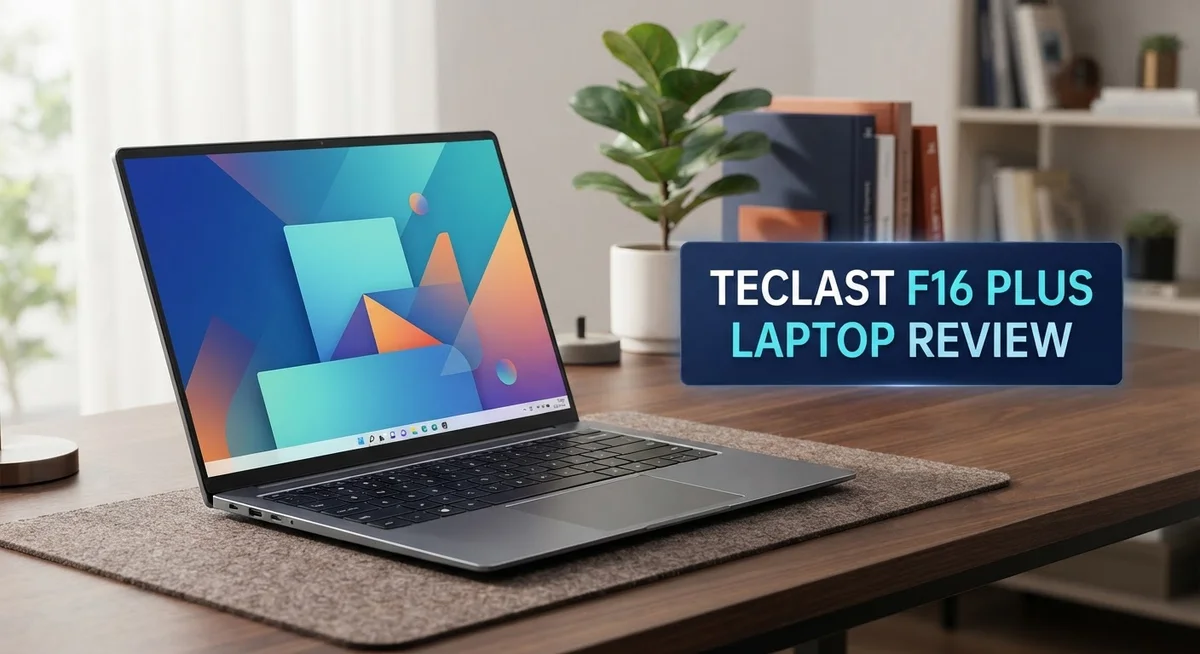
Teclast F16 Plus Laptop Review: Is It Worth Your Money?
Looking for a laptop that handles daily tasks with ease? The Teclast F16 Plus might catch your eye.
This laptop comes with a 15.6 inch FHD display. It also packs 12GB RAM and a 512GB SSD. These specs make it a solid pick for everyday use.
The Celeron N4120 processor powers this device. It handles basic multitasking well. You can browse, write, and stream without much hassle.
At 1.65kg, this laptop stays light. You can carry it around easily. The backlit keyboard adds a nice touch for low light typing.
This review covers everything you need to know. We will look at its display quality, performance, battery life, and more. By the end, you will know if this laptop fits your needs.
In a Nutshell
Here is a quick snapshot of what the Teclast F16 Plus brings to your desk.
-
Storage and Memory: You get 12GB RAM paired with a 512GB SSD. This combo lets you store files and run apps smoothly.
-
Battery Life: The 70WH battery keeps this laptop running through long work sessions. You won’t need to charge it every few hours.
-
Backlit Keyboard: Typing in dim rooms becomes easy. The backlit keyboard lights up each key for better visibility.
-
Charging Speed: A 65W charger comes with this laptop. It charges the battery fast when you need power quickly.
-
Multitasking Power: This laptop handles multiple tabs and apps without much lag. It suits students and office workers alike.
-
Upgrade Limits: You should know this laptop has limited upgrade options. Plan your storage and memory needs before buying.
This laptop fits users who want a large screen and steady performance for daily tasks. It works well for browsing, document editing, and video streaming. Keep your expectations realistic for heavy gaming or editing tasks though.
Key Features and Specifications
The Teclast F16 Plus packs several standout features that make it worth considering for everyday computing. Let’s explore what sets this laptop apart from the competition.
The display deserves your attention first. You get a 15.6 inch FHD IPS panel that delivers sharp visuals and wide viewing angles. The 1920×1080 resolution ensures text stays crisp whether you’re browsing, writing, or watching videos.
Under the hood, the Intel Celeron N4120 processor runs at speeds up to 2.6GHz. This chip handles web browsing, document editing, and streaming without strain. You won’t experience lag when switching between multiple applications during typical workdays.
The 12GB LPDDR4 RAM enables smooth multitasking. You can open numerous browser tabs, run productivity apps, and keep communication tools active simultaneously. This memory capacity strikes a solid balance for budget conscious users who need responsive performance.
Storage comes via a 512GB SSD. This solid state drive boots your system quickly and loads files faster than traditional hard drives. You have enough space for documents, photos, and moderate media collections without constantly deleting files.
The backlit keyboard proves invaluable for working in low light environments. Keys respond well to typing, making extended work sessions comfortable. The illumination adjusts to help you see keys clearly whenever needed.
Battery performance matters for portable work. The 70WH battery provides extended runtime through full workdays. The included 65W charger replenishes power efficiently, so you spend less time tethered to outlets.
Physical design emphasizes portability. At 1.65kg, this laptop remains light enough for daily transport between rooms or locations. You won’t feel weighed down during commutes or travel.
One important consideration involves upgrade limitations. The internal components aren’t easily replaceable or expandable. You should commit to the configuration you purchase rather than expecting to swap parts later.
This laptop shines for users prioritizing screen size, lightweight construction, and dependable daily performance. Students, remote workers, and casual users find the feature set particularly useful for their needs.

- 【2-in-1 Android Tablet with Keyboard for Work, Study & Everyday Use】Transform this 13.4-inch tablet into a...
- 【13.4" FHD Large Screen Tablet with 120Hz Smooth Display】Enjoy an immersive viewing experience with a...
Last update on 2026-10-07 / Affiliate links / Images from Amazon Product Advertising API
Design and Build Quality
The Teclast F16 Plus presents a modern and practical design that prioritizes everyday usability. The chassis feels solid in hand, with a finish that resists fingerprints and minor scratches during daily use.
The 1.65kg weight makes this laptop genuinely portable. You can slip it into a backpack or carry it one-handed without fatigue. This lightweight construction doesn’t compromise structural integrity. The laptop maintains its shape and doesn’t feel flimsy when you move it around.
The build quality reflects attention to practical details. The hinges operate smoothly and hold the screen at any angle you prefer. The keyboard deck sits flat and stable on your lap or desk. The trackpad responds accurately to your finger movements without requiring excessive pressure.
The backlit keyboard enhances the overall build experience significantly. Keys have a satisfying travel distance that makes typing comfortable for extended periods. The lettering remains visible even after months of use. Backlighting activates automatically in dim environments, making work sessions productive regardless of lighting conditions.
The port selection shows practical thinking. You get USB connections for peripherals, an SD card slot for expanding storage, and a headphone jack for audio devices. These ports sit at convenient locations along the sides rather than clustered awkwardly.
The display bezel remains thin around the edges. This design choice maximizes screen real estate without increasing the overall laptop footprint. The 15.6 inch screen feels spacious for spreadsheets, documents, and web browsing.
The bottom panel allows access to internal components, though actual upgrade options remain limited. The ventilation grilles sit strategically to maintain proper airflow during operation. Heat dissipation happens quietly without excessive fan noise during routine tasks.
The overall aesthetic strikes a balance between professional and casual. The matte finish on the lid gives it a business-appropriate appearance. The silver color scheme matches most office environments and home setups.
The build quality justifies its position in the laptop market. Materials and construction choices emphasize durability rather than premium aesthetics. Users seeking a reliable workhorse find the design philosophy appealing and practical for their daily computing needs.
Performance and Processing Power
The Intel Celeron N4120 processor forms the core of this laptop’s computing ability. This quad-core chip runs at speeds up to 2.6GHz and handles everyday computing tasks well. You’ll experience smooth performance when browsing, working with documents, and managing email.
The 12GB LPDDR4 RAM works alongside the processor to keep things running smoothly. This memory amount lets you keep multiple browser tabs open without stuttering. You can switch between apps quickly without waiting for your system to catch up.
Real world performance shows this laptop handles multitasking capably. Opening several applications at once doesn’t cause noticeable lag. Video calls, spreadsheets, and web browsing work together without problems. The combination of processor and RAM keeps your workflow moving forward.
Storage speed matters for overall responsiveness. The 512GB SSD provides faster boot times and quicker file access compared to traditional hard drives. Your applications launch faster, and your system feels more responsive when you need it.
Gaming and heavy software represent the limits of this machine. If you work with video editing, 3D rendering, or demanding games, this processor won’t meet your needs. For these tasks, you’d want something with more powerful components.
The Celeron N4120 sits in the entry level category. This means it prioritizes efficiency over raw power. Battery life benefits from this approach, since the processor consumes less energy during operation.
Thermal performance stays cool during normal use. The laptop doesn’t get hot when you’re doing standard tasks. Fans remain quiet, which keeps distractions away during work.
For content creation and professional work, this processor has clear boundaries. Light photo editing works fine, but heavy image processing takes longer. Simple video playback handles 1080p content without issues.
The performance level matches well with the large 15.6 inch display. You get enough processing power to enjoy content on that screen. Streaming videos, browsing websites, and working on documents all feel natural.
This laptop works best for users who need reliable daily computing without demanding applications. Students, casual users, and professionals doing office work find this performance sufficient. The processor delivers what everyday tasks require.
Top 3 Alternatives
ASUS VivoBook 16

- Modern, Minimal, Refined Sleek, modern, and ultra‑portable, the ASUS Vivobook S16 features a clean...
- Performance You Can Rely On ASUS Vivobook S16 delivers smooth, intelligent performance on Windows 11 Home...

Last update on 2026-10-07 / Affiliate links / Images from Amazon Product Advertising API
The ASUS VivoBook 16 stands out as a strong alternative for users who want a larger screen experience. This laptop features a 16-inch display that delivers vibrant colors and sharp visuals. The processor options give you solid performance for everyday tasks and light creative work.
You’ll appreciate the lightweight design that makes it easy to carry between locations. Battery life lasts through a full workday, so you can work without constantly hunting for outlets. The keyboard feels comfortable during long typing sessions, and the trackpad responds accurately to your movements.
Lenovo IdeaPad Pro

- Cutting-Edge AMD Ryzen AI Performance: Runs on AMD Ryzen AI Series processor — delivering strong CPU power...
- Vivid 16″ 2.8K OLED Display: Stunning 2880 × 1800 OLED panel, 16:10 aspect ratio, 120 Hz refresh + VRR...
Last update on 2026-10-07 / Affiliate links / Images from Amazon Product Advertising API
The Lenovo IdeaPad Pro brings professional-grade features to a mid-range package. This machine includes enhanced processing power that handles multitasking smoothly. You can run multiple applications simultaneously without experiencing slowdowns.
The display quality impresses with accurate color reproduction, making it suitable for content creators and office workers alike. Build quality feels premium, with a sturdy chassis that withstands daily use. The cooling system keeps temperatures down during intensive tasks, so you won’t hear loud fan noise during regular work.
HP Pavilion Laptop

- Efficient Performance for Everyday Computing Powered by Intel N150 processor (4-core, 4-thread, up to 3.6GHz...
- Portable 14-Inch HD Display with Micro-Edge Design Work and learn comfortably on the 14-inch diagonal HD...
Last update on 2026-10-07 / Affiliate links / Images from Amazon Product Advertising API
The HP Pavilion Laptop offers practical features for budget-conscious buyers who refuse to compromise on basics. Storage capacity provides plenty of space for files, photos, and applications. The processor delivers dependable performance for web browsing, document editing, and streaming content.
You get a reliable experience with a well-balanced combination of screen size and portability. The audio quality sounds clear for video calls and entertainment. Connectivity options include multiple USB ports and modern wireless standards, so connecting peripherals and networks happens without hassle.
Display and Visual Experience
The Teclast F16 Plus features a 15.6 inch FHD IPS display with 1920×1080 resolution. This screen size delivers a noticeably larger workspace compared to smaller 14 inch alternatives. The extra screen real estate makes everyday tasks feel less cramped.
The IPS panel technology ensures consistent color accuracy from multiple viewing angles. You can tilt the screen without losing image quality or experiencing color shifts. This matters when you work with others or adjust your viewing position frequently.
The 1920×1080 resolution provides sharp text and clear visuals for general computing. Documents appear crisp, spreadsheets display cleanly, and web browsing feels smooth. You won’t experience the pixelation that comes with lower resolution screens. For typical office work and media consumption, this resolution handles everything well.
Brightness levels on the IPS panel remain adequate for indoor environments. Outdoor use becomes challenging on sunny days due to glare and reduced visibility. The display works best when you can control ambient lighting around your workspace.
The thin bezels surrounding the display maximize the screen to body ratio. This design choice makes the laptop feel modern without adding bulk. The overall aesthetic appears clean and contemporary.
Color reproduction on the IPS panel presents accurate hues for everyday viewing. Photos look natural, and videos display with proper color balance. Professional color grading work exceeds this display’s capabilities, but casual photo editing works fine.
The 15.6 inch screen combined with the lightweight 1.65kg body creates an interesting balance. You gain a larger display without the weight penalty of traditional 15.6 inch laptops. This makes the F16 Plus appealing for users who want screen space and portability.
Refresh rate sits at the standard 60Hz. This means smooth scrolling and fluid video playback for normal use. Fast paced gaming or professional animation work won’t benefit from higher refresh rates here.
The display excels at providing ample screen space for multitasking and content viewing. Whether you’re managing multiple windows or watching streaming content, the generous screen real estate proves genuinely useful. The IPS technology ensures your viewing experience remains consistent throughout the day.
Battery Life and Portability
The Teclast F16 Plus delivers impressive battery endurance for daily computing tasks. The 70WH battery powers this laptop through a full workday without requiring constant charging. Most users can expect 8 to 10 hours of mixed usage, including web browsing, document editing, and video playback.
Real world battery performance depends on your usage patterns. Light tasks like email and word processing extend battery life significantly. Streaming video or running multiple applications consumes power faster. The backlit keyboard doesn’t drain the battery noticeably, so you can work comfortably in dim lighting.
Charging happens quickly with the included 65W power adapter. You can go from empty to full charge in approximately 2 to 3 hours. The adapter itself remains compact and travel friendly. This means you can easily pack it in a bag without adding much weight.
Portability stands as one of the F16 Plus’s strongest features. At just 1.65kg, this laptop weighs less than many tablets. You can carry it all day without shoulder or arm strain. The lightweight design doesn’t sacrifice screen size either, which makes it ideal for students and remote workers.
The combination of battery life and portability creates real value for mobile users. You get a large 15.6 inch display without the bulk of heavier laptops. The laptop fits comfortably in standard backpacks and messenger bags. Travel becomes less burdensome when your computer weighs this little.
Battery management features help extend runtime when needed. You can adjust display brightness to preserve power during important work sessions. The system operates efficiently without generating excessive heat, which naturally extends battery longevity.
For people who move between home, office, and coffee shops, the F16 Plus offers genuine freedom. You won’t need to search for power outlets during your morning commute. The reliable battery performance means you can focus on your work instead of watching your charge percentage. This balance between power and portability makes the laptop suitable for active professionals and students alike.
Pros and Cons
Pros
- Lightweight at 1.65kg makes carrying between locations genuinely easy
- Backlit keyboard lets you work in low light conditions without strain
- 512GB SSD storage loads applications and files quickly
- Large 15.6 inch screen reduces eye fatigue during extended work sessions
- 12GB RAM handles everyday multitasking without slowdowns
Cons
- Intel Celeron N4120 processor struggles with demanding software and video editing tasks
- Limited upgrade options mean you cannot swap RAM or storage later
- Entry level processor creates a performance ceiling for power users
- Thermal design may throttle during sustained heavy workloads
Who Should Buy It
The Teclast F16 Plus works best for specific user groups. If you spend your day moving between locations, this laptop fits your needs perfectly. The 1.65kg weight and 70WH battery mean you can work all day without feeling weighed down.
Students benefit from this machine. You get a large 15.6 inch screen for reading documents and taking notes. The backlit keyboard helps during late night study sessions in dimly lit dorms. The 12GB RAM handles multiple browser tabs and office applications without stuttering.
Content creators should think carefully before buying. The Celeron N4120 processor cannot handle video editing or photo processing software smoothly. If your work involves rendering or exporting files, this laptop will frustrate you. However, if you only write blog posts or create simple graphics, you’ll be fine.
Business travelers love machines like this one. The lightweight design fits easily into a backpack. You can attend meetings, take notes, and answer emails without any problems. The long battery life means fewer trips to find a charger during your day.
Remote workers who use cloud based applications find real value here. Google Docs, Sheets, and email work smoothly. Video conferencing runs without issues. You don’t need powerful local processing when your work lives in the cloud.
Casual users who browse the web and watch videos will feel satisfied. Streaming Netflix or YouTube plays without buffering. Email and social media feel snappy. General computing tasks never cause delays.
Avoid this laptop if you need serious performance. Gamers should look elsewhere. Software developers who compile code locally will hit performance walls. Anyone running demanding applications like Photoshop or 3D modeling tools needs something more powerful.
The F16 Plus shines for people who value portability and simplicity over raw power. You get a capable everyday machine that travels with you. The large screen makes extended work sessions comfortable. The entry level processor handles normal tasks without complaint. Know your actual computing needs before deciding. If your work stays light and mobile, this laptop delivers exactly what you need.
Final Verdict
The Teclast F16 Plus earns its place as a solid everyday laptop. It handles basic tasks smoothly and gives users a comfortable screen to work on. This machine fits a specific lifestyle rather than every computing need.
Simplicity defines this laptop’s character. It does not try to be a gaming rig or a video editing powerhouse. Instead, it focuses on doing simple tasks well and doing them consistently.
When you compare the F16 Plus to siblings like the Teclast F15 Plus 2 or the F15S, you notice a familiar design philosophy. Teclast builds these laptops for people who want straightforward computing without extra frills.
The F14, F11, and F10 series target similar budget conscious buyers. Each model offers slight variations in screen size or specs, but the core mission stays the same across the lineup.
What makes the F16 Plus stand out is its balance of screen size and weight. Many laptops in this category feel bulky or sacrifice display quality for portability. This model manages to avoid both problems.
Should you buy this laptop? That depends entirely on your needs. If you write documents, browse websites, watch videos, or handle cloud based work, this laptop serves you well.
If your work demands heavy software, professional editing tools, or intensive multitasking, look elsewhere. The processor simply cannot keep up with those demands over time.
Think about your daily routine before deciding. Does it involve simple tasks and occasional mobility? Then this laptop fits naturally into that lifestyle.
Does your routine require serious computing muscle? Then you need a different machine entirely, one built with a stronger processor and more upgrade flexibility.
The Teclast F16 Plus succeeds at its intended purpose. It delivers a comfortable computing experience for casual and mobile users without overcomplicating things. For many buyers, that straightforward approach is exactly what they need.
Frequently Asked Questions
Can the Teclast F16 Plus handle video editing?
The Intel Celeron N4120 processor limits editing work. This chip struggles with rendering, color grading, and timeline scrubbing. You can open basic editing software, but expect slow performance on 4K files. Stick to simple cuts and transitions if you must edit. For serious video work, choose a laptop with a stronger processor.
Is 12GB RAM enough for this laptop?
Yes, 12GB RAM handles everyday tasks smoothly. You can run multiple browser tabs, office documents, and streaming apps at once. Cloud-based tools like Google Workspace and Canva work without lag. Heavy software like Adobe Creative Suite or virtual machines will slow things down. The RAM amount suits casual users and remote workers perfectly.
Can I upgrade the storage or RAM later?
No, the F16 Plus offers limited upgrade options. The internal components are soldered to the motherboard. You cannot swap out the RAM or replace the SSD. Buy the storage capacity you need from day one. External USB drives can add extra space if needed.
Does the backlit keyboard work well in dark rooms?
Yes, the backlit keyboard lets you work comfortably at night. Key illumination activates automatically in low light. The brightness adjusts to suit your preference. This feature helps during evening work sessions or travel. You can type accurately without straining your eyes.
What battery life should I expect?
The 70WH battery supports a full workday on a single charge. Light tasks like browsing and document editing last longer. Heavy processing drains the battery faster. The 65W charger refills the battery quickly between sessions. Real battery life depends on your screen brightness and app usage.

DK is a technology expert who specializes in AI tools, software, and tech gadgets. He writes for How to Tech Info, providing detailed reviews and practical guides. DK helps readers discover the best AI applications, navigate new software, and choose the right tech gadgets.