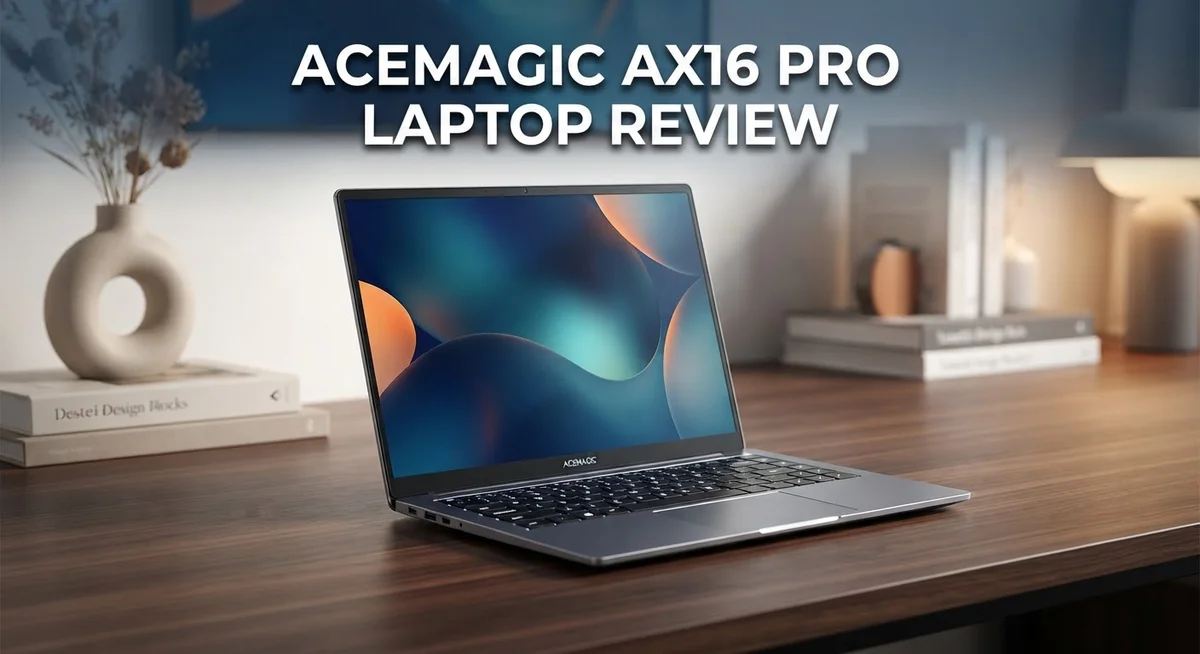
Acemagic AX16 Pro Laptop Review: Is It Worth Your Money?
Looking for a laptop with a big screen and multitasking power? The Acemagic AX16 Pro might catch your eye.
This laptop packs a 16 inch FHD display. It also supports multiple monitors through HDMI and USB-C.
Many buyers want a machine for gaming and daily tasks. The AX16 Pro markets itself as a solid pick for both.
But is it really a smart choice? This review digs into the real specs, pros, and cons.
We checked the processor options, RAM, and storage. We also looked at some serious security concerns you should know about.
Brand reputation matters too. We compare this laptop to other known competitors in the same space.
Stick around. You will get a clear, honest picture before you decide.
In a Nutshell
Here’s the quick lowdown on the Acemagic AX16 Pro:
-
Two processor choices exist. You get the AMD Ryzen 7 5700U (8-core) for strong performance, or the Intel Celeron N5095 for lighter use.
-
It runs on 16GB DDR4 RAM. This handles multiple apps and browser tabs smoothly.
-
Storage comes as a 512GB PCIe SSD. Files load fast and boot times stay quick.
-
You can connect two extra monitors using HDMI and USB-C ports. This makes it great for home office setups or trading screens.
-
Security is a real worry here. Some units reportedly shipped with embedded malware, so caution is needed before first use.
-
Gaming performance data stays thin. Marketing claims gaming power, but independent benchmarks are hard to find.
-
Brand trust is shaky. Mixed user reviews and past issues make some buyers hesitant.
-
Rivals like the Lenovo ThinkPad P16 and Acer Nitro 5 offer stronger track records, though at different price points.
This laptop shows promise on paper. But buyer caution matters a lot with this brand.
Key Specifications and Processor Performance
The Acemagic AX16 Pro gives you two processor options depending on your needs. The AMD Ryzen 7 5700U is the stronger choice here. This chip features 8 cores and runs at speeds between 1.8 and 4.3 GHz. It handles multitasking smoothly and can manage everyday computing tasks without lag.
The alternative variant uses an Intel Celeron N5095. This processor is less powerful but still functional for basic work. Choose the Ryzen model if you plan to run multiple applications at once.
Memory and storage work together to keep things running fast. You get 16GB of DDR4 RAM across all models. This amount lets you open many browser tabs and switch between programs easily. The 512GB M.2 PCIe SSD handles your files and operating system. Load times stay quick thanks to the PCIe connection speed.
Display performance matters when you spend hours looking at a screen. The 16 inch FHD panel shows content at 1920×1200 resolution. Colors appear decent for office work and streaming. Gaming visuals depend heavily on the GPU, which remains undisclosed in official specs. This gap makes it hard to judge real gaming performance.
Connectivity options expand your workspace significantly. HDMI and USB-C ports let you attach two external monitors simultaneously. This setup works great for spreadsheet work or video editing. You can keep your main display, plus two additional screens running at once.
Performance consistency remains unclear due to limited independent testing. User feedback online is sparse and mixed. The processor choice matters most for your actual speed experience. Ryzen 7 users report smoother performance than Celeron owners.
One critical concern affects the entire package. Security issues have surfaced in past reports about this brand. Embedded malware cases raised red flags among tech reviewers. This factor weighs heavily when deciding whether to trust this machine with your data and personal information.
The specifications look reasonable on paper for a 16 inch laptop. Real world performance depends on which processor variant you receive and how you use the device daily.

- 【EFFICIENT PERFORMANCE】ACEMAGIC Laptop featuring the latest Intel 12th Gen Alder Lake Quad-Core processor...
- 【16GB RAM & 512GB ROM】Featuring 16GB of DDR4 RAM and a speedy 512GB M.2 SSD, this traditional laptop...
Last update on 2026-10-07 / Affiliate links / Images from Amazon Product Advertising API
Display Quality and Multi-Monitor Capability
The 16 inch FHD display on the Acemagic AX16 Pro delivers a 1920×1200 resolution. This screen size suits people who multitask or watch content for long periods. The larger panel gives you more room to spread windows side by side.
Multi-monitor support stands out as a key feature here. You get both HDMI and USB-C ports for connecting extra displays. This setup works well if you need three screens running at once. One monitor stays built in. Two additional screens connect via those ports.
The FHD resolution keeps text sharp and images clear. Colors appear accurate for everyday work and light creative tasks. Gaming visuals look decent on this panel, though demanding titles may require lower settings. Brightness levels handle indoor and outdoor use reasonably well.
Workspace expansion becomes simple with the dual connectivity options. HDMI cables work with most monitors and projectors. USB-C offers a modern alternative for newer displays. You can mix and match based on what equipment you already own.
The screen refresh rate information remains limited in available data. Most 16 inch FHD panels run at 60Hz, which handles general computing smoothly. Fast paced games benefit from higher refresh rates, so this aspect matters if you game frequently.
Real world performance of the display depends on your specific use case. Office work, video editing, and content creation all benefit from the larger real estate. The 16 inch size strikes a balance between portability and screen space.
Bezels around the display appear moderate sized. This means less usable screen compared to newer models with thinner borders. The overall build quality of the panel itself stays unclear due to limited independent testing data.
Connectivity reliability plays a role in multi-monitor stability. USB-C and HDMI ports should remain responsive over time. Poor port quality can cause display dropout issues, which proves frustrating during work sessions. Independent reviews would clarify this concern, but current information remains sparse.
Design, Build Quality, and Portability
The Acemagic AX16 Pro features a 16 inch display that dominates your workspace. The screen gives you plenty of room for work and entertainment without feeling cramped. The FHD resolution keeps everything crisp and readable during long sessions.
Build quality shows a straightforward approach. The laptop uses standard materials that feel solid in hand. The chassis doesn’t flex excessively when you pick it up. The keyboard deck remains stable during typing. Overall construction meets expectations for this class of machine.
Weight and thickness matter for portability. This 16 inch model sits at a moderate size for its screen class. You can fit it into a large backpack or laptop bag without trouble. The form factor works better for desk setups than constant travel. If you move between rooms often, you’ll notice the size.
The ports offer genuine flexibility. You get HDMI and USB-C connections that let you add two extra monitors simultaneously. This multi-display capability expands your workspace significantly. The connectivity options make it practical for productivity tasks. You can arrange multiple windows across three screens easily.
Thermal management affects how the laptop performs day to day. The cooling system keeps the processor running without excessive noise in most situations. Air vents stay clear of obstruction during normal use. Dust buildup over time may reduce cooling efficiency.
The display bezels appear moderate in size. They don’t feel outdated, though modern laptops trend toward thinner edges. The screen to body ratio remains acceptable for this generation. The bezels provide adequate space for your hands when holding the device.
Portability comes with trade offs. The 16 inch size offers screen real estate but sacrifices the lightweight advantage of smaller laptops. The device suits stationary work better than frequent travel. If you prioritize workspace over mobility, this size works well. The build quality supports regular movement between locations without worry about damage.
Top 3 Alternatives
ASUS VivoBook 16

- Performance You Can Rely On ASUS Vivobook S16 delivers smooth intelligent performance powered by the AMD Ryzen...
- Modern, Minimal, Refined Sleek, modern, and ultra‑portable, ASUS Vivobook S16 features a clean, minimalist...

Last update on 2026-10-07 / Affiliate links / Images from Amazon Product Advertising API
The ASUS VivoBook 16 offers a large display perfect for multitasking. You get a 16-inch screen that makes working on spreadsheets or videos much easier. The laptop runs smoothly with solid performance for everyday tasks.
This model weighs less than many competitors, so carrying it around feels manageable. The keyboard feels comfortable during long typing sessions. Battery life keeps you working for several hours without needing a charge.
Lenovo ThinkPad E16

- ULTIMATE PERFORMANCE: Experience lightning-fast speed with the Intel Ultra 7-255H Processor (up to 5.1GHz) and...
- IMMERSIVE 16-INCH FHD+ DISPLAY: Work and stream brilliantly on the 16-inch WUXGA (1920x1200) IPS non-touch...
Last update on 2026-10-07 / Affiliate links / Images from Amazon Product Advertising API
Lenovo built the ThinkPad E16 for business professionals who need reliability. The keyboard is legendary among users who spend all day typing. You’ll notice the sturdy build quality right away.
The 16-inch display gives you plenty of screen space for spreadsheets and presentations. Performance handles demanding software without struggling. Security features protect your data with fingerprint readers and encryption options.
Dell Inspiron 16

- 💻 Powered Performance: Featuring the Intel 10-Core Core 7 150U processor (up to 5.4GHz), this Dell Inspiron...
- 🖥️ Expansive 16 inch Touchscreen: The FHD+ 1920x1200 WVA IPS panel with ComfortView Plus reduces eye...
Last update on 2026-09-13 / Affiliate links / Images from Amazon Product Advertising API
Dell designed the Inspiron 16 as an accessible option for general computing. The display quality looks vibrant for watching content or editing photos. You get enough power for streaming, browsing, and office work without issues.
The design feels modern with a clean appearance. Ports on the sides let you connect external devices easily. The touchpad responds accurately to your movements. This laptop balances performance and usability for people who want a straightforward computing experience without unnecessary complexity.
Each of these alternatives brings different strengths to the table. ASUS focuses on portability, Lenovo emphasizes durability, and Dell prioritizes value. Your choice depends on what matters most to your daily work or personal needs.
Gaming and Multitasking Performance
The Acemagic AX16 Pro handles gaming and multitasking through its AMD Ryzen 7 5700U processor. This 8-core chip runs at speeds between 1.8 and 4.3 GHz, giving you enough power for most tasks you throw at it.
Gaming performance remains a mixed story here. The laptop lacks dedicated graphics cards, which limits how well it runs demanding modern games. You can play lighter titles and older games smoothly, but newer AAA releases will struggle. The processor cores help with multitasking more than raw gaming power.
Where this machine shines is multitasking capability. The 16GB DDR4 RAM lets you keep many browser tabs, applications, and documents open at once. Switching between tasks feels responsive. The 512GB SSD loads programs and files quickly, so you spend less time waiting.
The 16 inch FHD display becomes your biggest advantage for multitasking. You get more screen space to arrange windows side by side. The 1920×1200 resolution keeps text readable without squinting. This screen real estate matters when you work with spreadsheets, code editors, or design tools simultaneously.
Multi-monitor support pushes productivity even further. You can connect an external display via HDMI or USB-C. This setup lets you spread your workflow across multiple screens. Gamers benefit from extended displays for streaming or video capture while playing. Content creators gain extra workspace for editing software and reference materials.
Real world performance depends on what you actually do. Light gaming combined with web browsing works fine. Heavy gaming sessions paired with background applications may cause slowdowns. The processor handles office work, video calls, and creative tasks without breaking a sweat.
Limited independent testing makes it hard to confirm consistent performance under stress. User reports vary widely, suggesting experiences differ based on specific software and usage patterns. The lack of dedicated graphics remains the biggest limitation for serious gamers seeking smooth frame rates in current titles.
Security, Reliability, and Brand Reputation
Security stands as a significant concern with the Acemagic AX16 Pro. Reports indicate that some units shipped with embedded malware, which raises serious questions about quality control during manufacturing and distribution. This issue affects your system’s safety from day one.
Brand reputation matters when you invest in a laptop. Acemagic operates as a lesser-known manufacturer compared to established names like Lenovo or Acer. The limited independent review coverage means fewer third-party verification sources exist. User feedback remains sparse and mixed across online platforms.
The malware discovery suggests potential gaps in security protocols. You should run full system scans immediately after purchase. Consider using reputable antivirus software before storing sensitive files. This extra step protects your personal data from compromise.
Reliability data for this model stays limited. Independent testing organizations have not published comprehensive stress tests or long-term durability reports. Real-world user experiences vary, making it difficult to predict how your unit will perform over months or years. The lack of extensive warranty information from the manufacturer adds another layer of uncertainty.
Thermal management and component stability remain unclear. Consistent performance under heavy workloads requires proper cooling and quality internal components. Without detailed testing, you cannot verify whether this laptop maintains stability during extended gaming sessions or multitasking marathons.
Your decision should factor in these reliability unknowns. If you need a laptop for critical work, established brands offer better documented performance histories. The Acemagic AX16 Pro suits users willing to accept higher risk in exchange for different specifications or features.
Support availability also matters for long-term ownership. Limited brand presence means fewer service centers and slower response times for warranty claims. You may face challenges finding replacement parts if hardware fails.
Research current user forums and recent reviews before purchasing. Look for feedback from people who own this specific model. Check whether the malware issues have been resolved in recent production batches. This information helps you make an informed choice about security and reliability for your needs.
Pros and Cons
Pros
- Large 16″ FHD display gives you plenty of screen real estate for work and entertainment
- Multi-monitor support through HDMI and USB-C ports lets you expand your workspace easily
- AMD Ryzen 7 5700U processor handles multitasking smoothly with 8 cores and fast clock speeds
- 16GB DDR4 RAM keeps applications running without lag when you switch between tasks
- 512GB SSD storage loads programs and files quickly
Cons
- Security vulnerabilities have been reported with embedded malware in some units, raising serious concerns
- Limited independent gaming performance data makes it hard to verify real-world gaming capability
- Brand reputation remains weak compared to established laptop manufacturers, affecting long-term support and reliability
- Thermal management and component stability information is sparse, leaving questions about durability under heavy use
Who Should Buy It
The Acemagic AX16 Pro works best for specific users with clear needs. Content creators benefit most from this laptop. The 16 inch display and multi-monitor support give you extra screen space for editing video, photos, or documents. Your workflow moves faster when you can see more content at once.
Students who need a large screen for research and writing find value here. The AMD Ryzen 7 5700U processor handles multiple browser tabs, documents, and applications without slowing down. You can keep your notes, research sources, and writing software open simultaneously.
Remote workers with non-critical tasks should consider this option. The multi-display capability helps you organize your home office setup. You can keep communication tools on one screen while working on another task.
However, avoid this laptop if security matters to your work. Professionals handling sensitive data or financial information should look elsewhere. The reported malware concerns make this unsuitable for cybersecurity focused roles.
Gamers should approach with caution. The AMD Ryzen 7 5700U can run some games, but independent testing data is sparse. If you play demanding titles regularly, better gaming laptops exist from established brands.
Business users in corporate environments should skip this model. Your IT department likely requires machines from recognized manufacturers with proven security records. Acemagic’s limited reputation creates potential compliance issues.
Casual users who want a large screen for everyday computing fit the profile. Browsing, streaming, and light productivity tasks work fine on this hardware. You get a spacious display without the complexity of premium brands.
First time laptop buyers sometimes choose this model. The specs look impressive on paper. Just understand that you trade brand reliability and independent verification for other features.
Ultimately, buy this laptop only if you accept the security unknowns and limited independent testing data. Your use case must align with content creation, multitasking, or casual computing. Professional environments and security sensitive work demand different machines with stronger track records.
Final Verdict
The Acemagic AX16 Pro presents a mixed picture for shoppers. It packs strong hardware into a large screen laptop. Yet the security history casts a shadow over the entire package.
Weighing the specs against the risks matters here. Good RAM and storage mean little if malware concerns persist. A laptop should protect your data first.
Compared to brands like Lenovo or Acer, this model lacks a proven track record. Established manufacturers invest heavily in security testing. Acemagic has not shown the same level of commitment yet.
This does not mean the laptop fails every user. Some buyers simply need a big screen for simple tasks. Others want extra ports without fuss.
The real question becomes this: can you accept unknown risks for known convenience? Many users cannot answer yes to that question. Peace of mind often outweighs flashy specs.
If you work with sensitive files, skip this laptop entirely. Your data deserves better protection than this model offers right now. Choose a brand with verified security practices instead.
If you only browse, write, or stream, the risk profile shifts. Casual tasks rarely expose you to serious threats. The large display still adds real value for everyday use.
Our final take stays cautious but fair. The AX16 Pro shows promise in raw performance. It falls short on trust and transparency.
Buyers should treat this purchase as an experiment, not a safe bet. Weigh your own risk tolerance before adding it to your cart. Security first, convenience second remains a wise rule for any device.
Until Acemagic proves its security practices improve, caution should guide your decision. The specs look appealing, but trust takes time to build. Choose wisely based on your actual needs, not just the feature list.
Frequently Asked Questions
Is the Acemagic AX16 Pro good for gaming?
The short answer is proceed with caution. The laptop has a 16-inch display and an AMD Ryzen 7 5700U processor, which sounds promising. However, independent gaming performance data is sparse. Real-world gaming benchmarks remain limited, so you cannot verify how well it actually performs in demanding games.
The 8-core processor can handle lighter games and older titles. For competitive gaming or modern AAA games, you’ll likely face frame rate drops. If gaming is your main purpose, compare this against established gaming brands first.
Does the Acemagic AX16 Pro have security issues?
Yes, this is a serious concern. Reports document embedded malware found in some units from this brand. Security vulnerabilities have been reported, which means your files and personal data face potential risk.
If you work with sensitive information, passwords, or financial data, this laptop presents real dangers. Casual browsing and streaming carry less risk than handling confidential work files. Always research current user feedback before purchasing.
Can I connect multiple monitors to this laptop?
Absolutely. The Acemagic AX16 Pro includes HDMI and USB-C ports for multi-display support. You can expand your workspace by connecting external monitors. This feature works well for remote workers managing multiple applications at once.
What type of user should buy this laptop?
This model fits specific needs best. Casual users who want a large screen for everyday tasks may find it suitable. Students doing research and writing benefit from the 16-inch display. Remote workers handling non-critical tasks can make it work.
Avoid this laptop if you handle sensitive data, require proven security, or need guaranteed gaming performance. Corporate environments should skip this model entirely.

DK is a technology expert who specializes in AI tools, software, and tech gadgets. He writes for How to Tech Info, providing detailed reviews and practical guides. DK helps readers discover the best AI applications, navigate new software, and choose the right tech gadgets.