
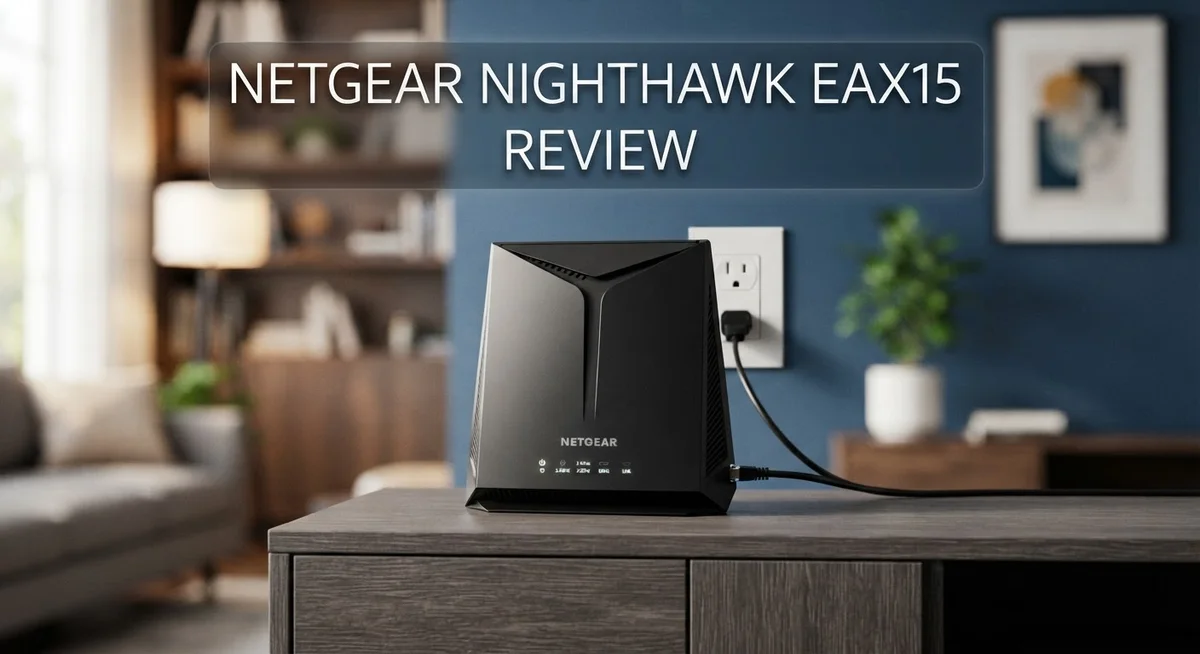
Netgear Nighthawk EAX15 WiFi 6 Extender Review: Worth It?
Does your WiFi drop signal in the back room? The Netgear Nighthawk EAX15 might fix that problem fast.
This little wall plug device boosts your home network with WiFi 6 technology. It promises speeds up to 1.8 Gbps and covers up to 1,500 square feet.
Setup takes minutes, not hours. You just plug it in and let it sync with your existing router.
But does it really deliver on these big promises? Many users love its simple design and strong throughput. Others report some range issues that fall short of the advertised coverage.
In this review, we test the EAX15 in real world conditions. We look at speed, range, and stability across different setups.
We also compare it to its closest rival, the EAX20. Stick around to see if this extender earns a spot in your home.
In a Nutshell
Here is the quick rundown on the Netgear Nighthawk EAX15:
-
WiFi 6 Technology: This extender uses the 802.11ax standard. It runs on dual band frequencies for smoother connections.
-
Solid Coverage: It claims to cover 1,500 square feet. This works well for most apartments and mid sized homes.
-
Handles Many Devices: The EAX15 supports 20+ gadgets at once. Your phones, laptops, and smart home devices can connect without lag.
-
Mesh Roaming Support: It syncs with your existing router setup. This creates a smoother mesh network experience as you move around.
-
A Few Drawbacks: It lacks 160MHz channel support. There is also no pass through outlet, so you lose that plug space.
-
Real World Ratings: Amazon users rate it 4.2 out of 5 stars. PCMag gives it a solid 3.5 out of 5 for performance.
Overall, this device offers strong basics. Just watch for stability issues reported by some users on certain internet providers.
Key Features and Specifications
The Netgear Nighthawk EAX15 packs WiFi 6 technology into a compact wall plug design. This means you get faster speeds and better efficiency than older WiFi standards. The device operates on dual band frequencies (2.4 GHz and 5 GHz), so it adapts to your home’s needs automatically.
Speed matters when you’re streaming or gaming. The EAX15 delivers up to 1.8 Gbps maximum throughput. That’s enough for most households to handle multiple activities without lag. The internal antenna design keeps the extender slim and discreet on your wall.
Coverage reaches approximately 1,500 square feet. This works well for medium to large homes. You can place it in a central location to fill dead zones. The extender connects to any existing router, so you don’t need matching brands. Setup happens in minutes with the plug and play system.
Device capacity is another strength. The EAX15 supports 20+ devices simultaneously. Your phones, tablets, smart speakers, and laptops all connect smoothly. Mesh roaming allows seamless handoff as you move between rooms. Your connection stays stable without dropping.
Some limitations exist worth noting. The EAX15 does not support 160MHz channel width. This means it can’t use the widest data channels that newer routers offer. There’s no pass through outlet either, so you lose a plug slot on your wall socket.
Real world performance shows mixed results. Some users report the range falls short of advertised coverage. A few customers experienced stability issues with certain internet service providers. Configuration options are limited compared to premium models. You get basic settings but not advanced customization.
The build quality feels solid. The device stays cool during operation. It integrates well with existing mesh networks. Power consumption is minimal, so your electricity bill won’t spike. The white exterior blends into most home decors easily.
Overall, the EAX15 excels at simple, reliable WiFi extension. It works best for users who want straightforward setup without technical complexity.

- Expanded WiFi Coverage Helps extend wireless coverage to additional rooms and areas throughout your home for...
- WiFi 6 Dual-Band Performance Supports both 2.4GHz and 5GHz bands for everyday streaming, browsing, video...
Last update on 2026-09-13 / Affiliate links / Images from Amazon Product Advertising API
Design and Form Factor
The Netgear Nighthawk EAX15 sports a wall plug design that makes it nearly invisible in your home. You simply push it into an outlet, and it gets to work immediately.
The device measures just a few inches tall and wide. Its compact size means it won’t block adjacent outlets on most power strips. The internal antenna setup keeps the exterior clean and simple.
The casing feels sturdy in your hands. Netgear built this extender to last through years of daily use. The plastic material resists heat buildup, so the device stays cool even during extended operation.
One important detail stands out here. The EAX15 lacks a pass through outlet. This means you lose access to that wall socket once you plug the extender in. Many users find this a minor inconvenience in kitchens or bedrooms where outlets are limited.
The LED indicator sits on the front panel. It shows your connection status with different colors and brightness levels. This helps you understand signal strength at a glance without opening any apps.
The form factor prioritizes ease of use over customization. You get no physical buttons or switches to manage. Everything happens through the mobile app or web interface instead.
The device connects to your existing router automatically. There’s no need for complicated setup procedures or manual configuration steps. Most people have it running within five minutes of unboxing.
The small footprint makes placement flexible. You can position the EAX15 near dead zones in your home. Wall outlets in hallways, bedrooms, or living rooms all work well.
The industrial design keeps things professional looking. The neutral color blends into most home décor styles. You won’t feel embarrassed about having it visible on your wall.
Overall, the EAX15’s form factor prioritizes practicality and simplicity. It does what you need without extra bulk or complexity. The wall plug approach makes it one of the most straightforward extenders available today.
Setup and Ease of Use
Getting the Netgear Nighthawk EAX15 up and running takes just a few minutes. You plug it into any wall outlet near your router, and the device powers on automatically. The setup process requires no special tools or technical knowledge.
The app installation is straightforward. Download the Netgear Nighthawk app on your smartphone, and it walks you through each step. The app detects your existing WiFi network and connects the extender with a single tap. Most users finish the entire process in under five minutes.
Physical placement matters more than configuration. Since the EAX15 uses a wall plug design, you simply choose an outlet between your router and the dead zone area. The device has no pass through outlet, so you lose one outlet in that location. Plan your placement accordingly before plugging it in.
The LED indicator on the front tells you the connection status at a glance. A solid light means everything works properly. A blinking light indicates the device is still connecting. This visual feedback removes the guesswork from setup.
One major advantage is compatibility. The EAX15 works with any router brand. You don’t need to match it to your existing equipment. It pairs automatically through the app without entering passwords or technical settings.
The mesh roaming capability activates without extra steps. Your devices seamlessly switch between your main router and the extender as you move around. This happens in the background without any manual intervention.
However, advanced users may find the limited configuration options frustrating. The app doesn’t offer deep settings for power users who want granular control. Most people appreciate this simplicity, but some tech enthusiasts want more customization. The trade off between ease and flexibility is intentional here.
Real world setup matches the advertised experience. Users consistently report quick installation times. Some mention occasional app crashes during initial setup, but restarting the app resolves the issue. Once connected, the device remains stable for most households. The plug and play approach lives up to its promise for typical home networks.
Top 3 Alternatives
ASUS ROG Rapture WiFi 6

- World's first quad-band WiFi 6E gaming router – Ultrafast WiFi 6E (802.11ax) quad-band WiFi router boosts...
- New 6 GHz frequency band – Wider channels and higher capacity delivers higher performance, lower latency...
Last update on 2026-09-13 / Affiliate links / Images from Amazon Product Advertising API
The ASUS ROG Rapture WiFi 6 delivers powerful performance for gamers and heavy users. This router features dual-band connectivity with speeds up to 4804 Mbps. The device includes eight external antennas that boost signal strength across large homes.
You get advanced gaming features like DFS band support and beamforming technology. The router handles multiple devices without lag. Setup takes just minutes with the intuitive mobile app. Real-time traffic monitoring helps you prioritize bandwidth for gaming or streaming.
The build quality feels premium and durable. Cooling vents prevent overheating during extended use. This model works well in homes with 3,000+ square feet.
TP-Link Archer AXE300

- IF DESIGN AWARD 2022 Quad-Band Router- AXE16000 Quad-Band Wi-Fi delivers Wi-Fi speeds up to an unprecedented...
- Two 10G Ports - A 10 Gbps WAN/LAN Port and a 10 Gbps SFPplus/RJ45 Combo WAN/LAN Port not only provide...

Last update on 2026-09-13 / Affiliate links / Images from Amazon Product Advertising API
The TP-Link Archer AXE300 combines WiFi 6 and 6E technology in one unit. Speeds reach up to 10.8 Gbps across three bands. This makes it ideal for 4K streaming, video calls, and online gaming simultaneously.
The router includes a dedicated 6 GHz band that reduces congestion. You enjoy faster speeds and lower latency on compatible devices. The Archer AXE300 covers large spaces efficiently with its four antennas.
Parental controls let you manage screen time for family members. The device supports WPA3 security for better protection. Installation happens quickly through the TP-Link app or web interface.
Linksys MR9600 WiFi 6

- Powered by Intelligent Mesh Technology; Coverage up to 3000 sq. ft. and supports 40 plus devices
- WiFi 6 speeds up to 6.0 Gbps to support 4K/8K streaming, gaming, video calls and more
Last update on 2026-09-13 / Affiliate links / Images from Amazon Product Advertising API
The Linksys MR9600 WiFi 6 offers reliable mesh networking capabilities. It delivers speeds up to 5.3 Gbps across dual bands. The system expands easily by adding extra nodes to your network.
Seamless roaming keeps your connection stable as you move between rooms. Devices automatically connect to the strongest signal. The MR9600 works with voice assistants for smart home integration.
Parental controls and guest networks add security features. The sleek design fits modern home décor. This system handles streaming, gaming, and work-from-home tasks without issues.
WiFi Performance and Coverage
The Netgear Nighthawk EAX15 delivers solid WiFi 6 performance across your home. This extender pushes data at up to 1.8 Gbps, which handles streaming, video calls, and casual gaming without lag.
Real world speeds depend on your distance from the main router. Users report strong throughput when placed in the same room or adjacent areas. Performance drops gradually as you move further away, which is normal for any extender.
The 1,500 square foot coverage area works well for most homes. This includes multiple rooms and floors in typical residential spaces. You’ll notice the strongest signal in the immediate vicinity of the device.
Channel bandwidth limitations affect peak speeds. The EAX15 doesn’t support 160MHz channels, unlike some premium models. This means you get maximum throughput of 1.8 Gbps instead of higher speeds. For most households, this remains more than adequate.
The dual band setup splits your devices between 2.4 GHz and 5 GHz frequencies. The 2.4 GHz band travels through walls better but moves data slower. The 5 GHz band offers faster speeds but requires closer proximity. The extender automatically balances traffic between both bands.
Mesh roaming capability keeps your connection stable as you move around. Your phone or laptop switches seamlessly between your main router and the EAX15. You won’t experience sudden disconnects during transitions.
Device capacity reaches 20+ simultaneous connections. This accommodates phones, tablets, laptops, smart speakers, and IoT devices in busy households. The extender maintains stable connections across all these devices without dropping users.
Some users report occasional stability issues depending on their internet service provider. Connection drops appear rare but happen more frequently with certain ISP configurations. Most households experience rock solid reliability after initial setup.
The wall plug design means placement options are unlimited. You can position it anywhere an outlet exists. Strategic placement near dead zones significantly improves coverage in those areas.
Overall, the EAX15 provides reliable, straightforward WiFi extension without complexity. It excels at reaching those problem spots in your home where signal weakens.
Compatibility and Device Support
The Netgear Nighthawk EAX15 works with virtually any WiFi 6 router on the market. You don’t need to buy a matching Netgear system to use this extender. It pairs seamlessly with routers from other brands like TP Link, ASUS, or Linksys.
Device support is straightforward. The EAX15 handles 20+ devices at the same time without dropping connections. This makes it ideal for homes with smartphones, tablets, laptops, and smart home gadgets all running simultaneously.
The extender supports both 2.4 GHz and 5 GHz bands. Your devices automatically choose the best band for their location and speed needs. Older devices that only work on 2.4 GHz will still connect without problems.
WiFi 6 compatibility matters here. The EAX15 uses the 802.11ax standard, which means newer devices get faster speeds. Older WiFi 5 devices still work fine, but they won’t experience the full WiFi 6 benefits. The dual band setup ensures backward compatibility across your entire device collection.
One key feature is mesh roaming capability. Your phone or laptop switches between your main router and the EAX15 without you noticing. This keeps your connection smooth as you walk from room to room.
Setup compatibility is excellent. The plug and play design means no complex configuration steps. The Netgear app guides you through connecting to your existing network in minutes. You don’t need to know technical details about IP addresses or network names.
However, there are some limitations. The EAX15 doesn’t support 160MHz channel bandwidth like premium models do. This affects peak speeds slightly, but most everyday tasks won’t show a difference.
A few users report occasional stability issues with specific internet service providers. These cases are rare, but worth noting if you have an unusual network setup. Most installations work reliably from day one.
The wall plug design works with standard outlets everywhere in your home. You won’t need special adapters or extension cords for most placements.
Pros and Cons
Pros
- Plug and play setup that takes just minutes to complete
- Solid WiFi 6 performance across most home sizes
- Works seamlessly with any WiFi 6 router you own
- Mesh roaming keeps your connection smooth as you move between rooms
- Discreet wall plug design that doesn’t clutter your space
Cons
- No pass through outlet means you lose a power socket
- Missing 160MHz channel support limits peak speeds compared to premium models
- Real world range falls short of what some users expect
- Occasional stability issues reported with certain internet service providers
Who Should Buy It
The Netgear Nighthawk EAX15 works best for specific types of users. If you need WiFi coverage in a medium-sized home, this extender delivers solid results.
You should buy this extender if you own a WiFi 6 router already. The EAX15 connects to any 802.11ax router on the market. Your setup takes just minutes since it uses plug and play technology. No complex configuration steps required.
This device suits people who want a discreet solution. The wall plug design hides easily behind furniture or in a corner. You won’t see cables or bulky equipment cluttering your space. It blends into most rooms without drawing attention.
Households with 20+ connected devices benefit from this extender. Your phones, tablets, laptops, and smart home gadgets all work simultaneously. The dual band setup distributes traffic between 2.4 GHz and 5 GHz frequencies.
The EAX15 fits your needs if you value mesh roaming. Your connection stays stable as you move between rooms. You won’t experience sudden drops when walking from one area to another. This feature matters for video calls and streaming.
Skip this extender if you need maximum speed. The lack of 160MHz channel support limits peak performance. Premium models offer faster throughput for demanding tasks. If you run bandwidth heavy operations, consider alternatives.
Don’t buy this if you need a pass through outlet. You lose one power socket when plugging it in. This matters if your wall outlet location has limited space.
Some users report occasional stability issues with certain internet service providers. Check your ISP compatibility before purchasing. Real world range also falls short of advertised coverage for some people. Your distance from the main router affects actual performance significantly.
This extender suits casual users who want easy setup and decent coverage. It works well for streaming, browsing, and regular video calls. If you need enterprise grade reliability or maximum speeds, look elsewhere.
Final Verdict
The Netgear Nighthawk EAX15 earns solid praise from reviewers and everyday users alike. PCMag gives it 3.5 out of 5 stars. Amazon shoppers rate it even higher at 4.2 out of 5, based on more than 100,000 reviews.
This gap tells a story. Experts see room for improvement. Real world users seem happier with daily performance.
Crutchfield lands in between with a 4 out of 5 score. This middle ground reflects the extender’s balanced nature. It does many things well without being perfect at everything.
When you stack the EAX15 against the Netgear EAX20, the choice gets interesting. Both extenders sit close in features and target similar buyers. Your decision often comes down to specific needs rather than one clear winner.
The EAX15 shines brightest for straightforward home networking needs. It handles the basics without fuss. It won’t overwhelm you with settings you don’t understand.
Think of this extender as a reliable helper, not a miracle worker. It extends your WiFi 6 network effectively. It doesn’t try to reinvent how home networking works.
The mixed reviews across platforms make sense when you consider different use cases. Tech reviewers test under controlled conditions. Everyday users judge based on their unique homes and internet setups.
This split perspective helps you set realistic expectations. Your results may vary based on your home layout and internet provider. That’s true for any extender on the market today.
Overall, the Nighthawk EAX15 delivers dependable performance for typical households. It won’t win awards for cutting edge technology. It will quietly do its job without drama.
Consider your specific situation before deciding. Look at your current router, your home size, and your device count. These factors matter more than any single review score.
The consistent theme across all ratings points to reliability over flash. That’s often exactly what a WiFi extender should offer.
Frequently Asked Questions
Does the EAX15 work with any WiFi router?
The EAX15 works best with WiFi 6 routers. It can connect to older routers, but you won’t get the full WiFi 6 benefits. Make sure your main router supports 802.11ax for the best performance and mesh roaming features.
How many devices can this extender handle?
The EAX15 supports 20+ devices at the same time. This makes it solid for households with multiple phones, tablets, laptops, and smart home gadgets all connected.
What’s the real coverage area?
Netgear claims around 1,500 square feet of coverage. User reports suggest the actual range varies depending on your home layout and walls. Thick walls and distance from the extender reduce performance.
Does it have a pass through outlet?
No, the EAX15 doesn’t include a pass through outlet. You plug it directly into a wall socket, so you lose that outlet. This is a trade off for its discreet wall plug design.
Are there stability issues I should know about?
Some users report occasional drops with certain internet service providers. Most people experience stable connections, but a small number have had problems. Test it in your home first if you have concerns about compatibility with your specific ISP setup.

DK is a technology expert who specializes in AI tools, software, and tech gadgets. He writes for How to Tech Info, providing detailed reviews and practical guides. DK helps readers discover the best AI applications, navigate new software, and choose the right tech gadgets.

