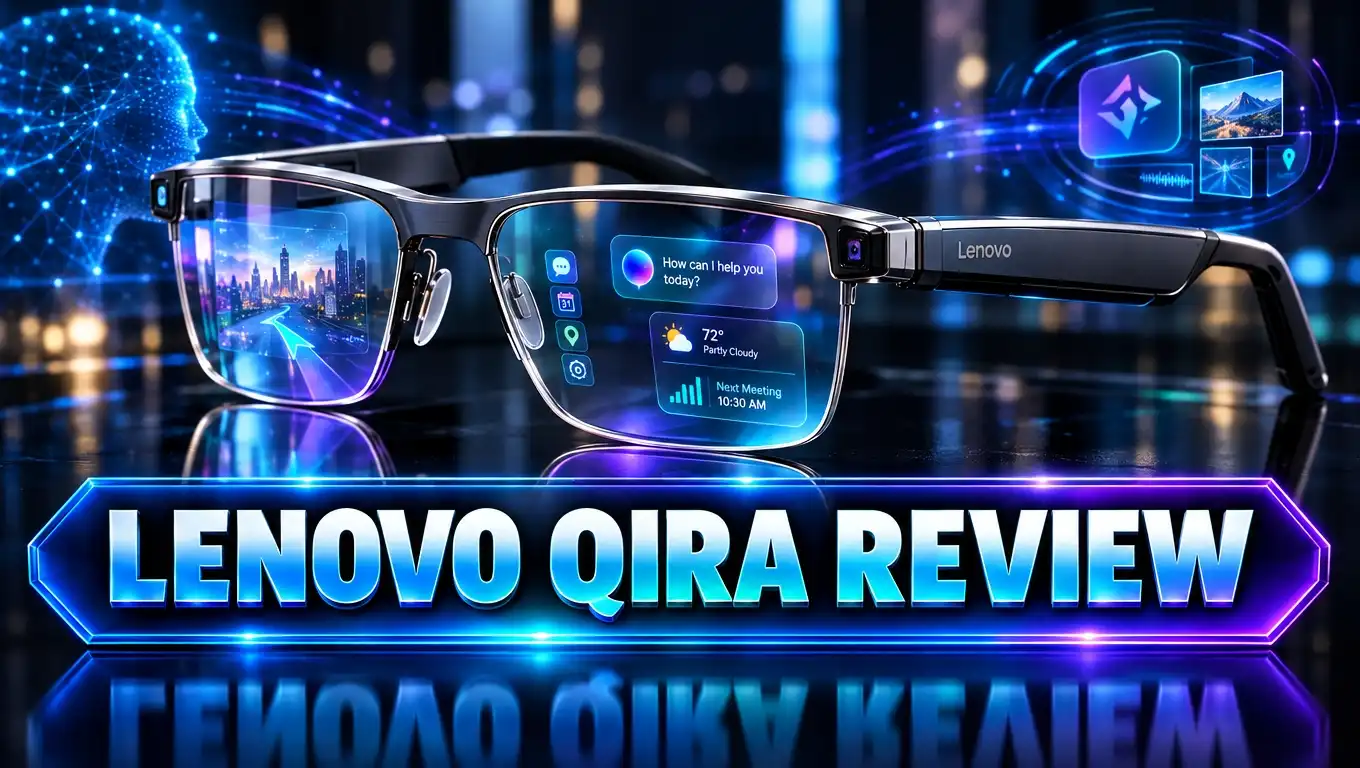
Lenovo Qira Review 2026: Lenovo’s Cross Device AI Worth It?
Your phone knows one thing. Your laptop knows another. Your tablet forgets everything. Sound familiar? Lenovo Qira wants to fix this problem with one AI that follows you across every screen.
Lenovo launched Qira at CES 2026 and has expanded it all year. It now runs on laptops, tablets, Motorola phones, and even a smartwatch. But does it actually help, or is it just another AI button?
In this Lenovo Qira review, we cover the features, privacy, bugs, price, and the best devices to try it on. By the end, you will know if Qira deserves a spot in your daily routine.
In a Nutshell
- What it is: Lenovo Qira is a free AI assistant built into select Lenovo and Motorola devices. Lenovo calls it a Personal Ambient Intelligence System. It works in the background and follows your tasks from phone to PC.
- Best features: Catch Me Up summarizes what you missed while you were away. Pay Attention transcribes and translates meetings. Write For Me drafts text inside any app you use.
- Price: Qira costs nothing extra. It comes bundled with supported hardware. You cannot buy it or install it on Apple, Samsung, or other brands.
- Privacy: Qira uses a hybrid setup. It processes as much data as possible on the device, then uses secure cloud services for heavier jobs. You decide which features it can use.
- Weak spots: It only works inside the Lenovo and Motorola family. Some users reported update bugs, fan noise, and install failures. A few features also feel less polished than standalone AI tools.
- Our verdict: Qira is a smart free bonus for Lenovo fans. It is not a reason to switch brands on its own.
What Is Lenovo Qira?
Lenovo Qira is a system level AI assistant. It lives inside your device, not inside one app. On Lenovo products it shows up as Lenovo Qira. On Motorola products it shows up as Motorola Qira.
Lenovo introduced Qira on January 6, 2026, at CES in Las Vegas. Dan Dery, Lenovo’s VP of AI Ecosystem, said Qira is “not another assistant.” He described it as a new way intelligence shows up across your devices.
The big idea is simple. Most AI tools wait for you to open them and type a prompt. Qira stays present in the background. It understands what you are doing, with your permission, and offers help at the right moment.
Lenovo builds Qira on three core ideas:
- Presence: Qira is always nearby. You can say “Hey Qira,” press a dedicated key, or tap a floating pill on the screen.
- Actions: Qira can do tasks for you inside apps and across devices. Some actions even work offline.
- Perception: Qira builds a personal knowledge base from your chosen memories, documents, and chats. It learns your habits over time.
Qira also replaced Lenovo AI Now. If your laptop had AI Now, Lenovo pushed Qira to it as an over the air upgrade. This made Qira the default AI layer on many new Lenovo PCs in 2026.
Lenovo Yoga Slim 7i Aura Edition: Best Laptop to Try Qira

- CREATE LIMITLESSLY – The Lenovo Slim 7i Aura Edition packs 17 hours of battery life in a lightweight chassis...
- READY FOR ANYTHING – Ultra-portable and perfect for creators on the move, the Lenovo Slim 7i Aura Edition is...

Last update on 2026-09-12 / Affiliate links / Images from Amazon Product Advertising API
You need the right hardware to use Qira. The Lenovo Slim 7i Aura Edition is one of the easiest ways to get started. It is a Copilot+ PC with a strong NPU, which Qira uses for its local AI tasks.
This laptop runs on the Intel Core Ultra 7 256V processor. It weighs about 2.82 pounds and promises up to 17 hours of battery life. That long battery matters, because background AI can drain power on weaker machines.
The Aura Edition line is where Lenovo puts its best AI features first. Qira fits right into this setup. You get Smart Connect for linking your phone and tablet, plus Qira’s cross device memory.
Here is why this laptop pairs well with Qira:
- Enough memory: Lenovo now supports Qira on eligible PCs with 16GB of RAM. This model meets that bar.
- Fast NPU: The chip handles local tasks like on device image creation and quick summaries.
- Portable design: You can carry it all day, which suits Qira’s “follow you everywhere” idea.
The OLED screen looks sharp and bright. The keyboard feels comfortable for long writing sessions with Write For Me. If you want the full Qira experience without paying ThinkPad prices, start here.
Key Features of Lenovo Qira
Qira packs a set of core tools. Each one targets a real daily need. Here is a quick look at every major feature.
Next Move gives you proactive suggestions. It looks at what you are doing and offers the next useful action. For example, it may suggest opening a file you used on your phone this morning.
Write For Me helps you write directly inside your apps. It works in emails, documents, messages, and notes. It adapts to your tone over time, so the drafts start to sound like you.
Live Interaction lets you talk to Qira while you share your screen or camera. You can show it something and ask questions about it. The experience feels more like a chat with a helper sitting next to you.
Catch Me Up is the fan favorite. Step away for a few hours, and Qira summarizes what happened. Reviewers at Agent Finder said this feature saved them 15 to 20 minutes a day during testing.
Pay Attention handles meetings. It gives real time transcription and translation, captures key points, and saves summaries. You can ask about past decisions later, and Qira pulls them up.
Creator Zone is a focused space for editing photos and making images. It uses Stability AI models that run on your device. That means unlimited private image creation without a cloud subscription.
Top 3 Alternative for Lenovo Qira
Qira only works on Lenovo and Motorola hardware. So the best alternatives are other AI laptops with their own smart assistants. These three picks give you strong AI tools without joining the Lenovo family.

- Ushering in a new era of AI - Unlock the potential of a Copilot+ PC with the new 10-core Snapdragon X Plus...
- Display - A brilliant, ultra-responsive touchscreen with the thinnest bezels of any Surface. Experience smooth...
Last update on 2026-06-17 / Affiliate links / Images from Amazon Product Advertising API
The Microsoft Surface Laptop 7 is a top Copilot+ PC. It runs on a Snapdragon X chip and delivers amazing battery life. You get Microsoft Copilot, Recall, Click to Do, and deep Microsoft 365 links. If you live in Word and Excel, this is a great pick.

- [WHY CHOOSE THIS HP OMNIBOOK X FLIP] Powered by an Intel Ultra 7 processor with Intel AI Boost (47 NPU TOPS...
- [2-IN-1 FLEXIBILITY – FLIP, FOLD, OR STAND] Four versatile modes – laptop, tent, stand, and tablet...
Last update on 2026-09-25 / Affiliate links / Images from Amazon Product Advertising API
The HP OmniBook X Flip is a 2 in 1 Copilot+ laptop with a 47 TOPS NPU. HP is rolling out its own ambient assistant called HP IQ, which competes directly with Qira. It runs a local AI model and aims for the same cross device goal.

- AI-POWERED PRODUCTIVITY & MOBILITY - Experience next-generation computing with the Samsung Galaxy Book4 Edge...
- POWERFUL PERFORMANCE - Powered by the Qualcomm Snapdragon X processor and integrated Qualcomm Adreno graphics...
Last update on 2026-09-25 / Affiliate links / Images from Amazon Product Advertising API
The Samsung Galaxy Book4 Edge suits Galaxy phone owners. It connects with Samsung phones and tablets for file sharing and continuity. You also get Copilot+ features and very long battery life from the Snapdragon X chip.
Each alternative has its own strength. Surface wins for Office users. HP is the closest match to Qira’s style. Samsung is best if you already carry a Galaxy phone.
Daily Use and Performance
So how does Qira feel in real life? Most early reviews call it useful but still growing. The core tools work well, but a few features need more polish.
Starting Qira is easy. You can press the dedicated Qira key, say “Hey Qira,” or tap the pill on screen. The prompt bar floats across apps, so you never leave your current window.
Context awareness is a real highlight. If you read a PDF and ask Qira to “summarize this,” it knows which file you mean. You do not need to copy and paste anything. This small detail saves lots of time.
Transcription accuracy is strong. Agent Finder measured about 92% accuracy for clear English audio. That puts Qira close to dedicated tools like Otter. Translation covers many languages, with a small but acceptable delay.
Learning takes time. Reviewers noticed Qira’s suggestions improved after two to three weeks of use. Write For Me picked up their writing style after about a week of edits. Lenovo says the system keeps improving after 30 days.
Not everything shines. Creator Zone works, but it cannot match tools like Midjourney or Canva. Some reviewers also felt the chat answers were basic next to top standalone AI assistants. Overall, Qira earns a solid 7 out of 10 for daily performance.
Privacy and Security
An AI that watches your screen raises fair questions. Lenovo knows this. It built Qira with privacy by design as a core promise.
Qira uses a hybrid AI system. It handles as much work as possible on your device’s NPU. This keeps personal data local. For heavier jobs, it uses secure cloud services with safeguards in place.
Lenovo states that Qira never collects customer data without your permission. Features like screen awareness and meeting capture are opt in. You can turn off specific data sharing features in the settings at any time.
Here are the key privacy points:
- Local processing first: The device NPU handles many tasks, including image creation and some summaries.
- User control: You choose which apps, files, and memories Qira can use.
- Encrypted sync: Cross device data moves through encrypted channels.
Still, stay careful. Some features, like Pay Attention, can feel a bit creepy at first. Always check what you allow. Also note that Lenovo faced the Superfish adware scandal back in 2015. The company has improved since then, but reading the privacy policy is a smart move. If you handle sensitive work files, review your company’s AI policy before turning on full screen awareness.
Partner Apps and Integrations
Qira does not work alone. Lenovo connects it with big partners to add more skills. This gives Qira more power than a basic built in assistant.
Microsoft provides the AI backbone through Windows Foundry and Azure. This supports smooth local to cloud tasks across Windows PCs, tablets, and phones.
Stability AI powers Creator Zone. It uses Stable Diffusion 3.5 Flash models for on device text to image creation. You can make images with no usage limits.
Notion lets Qira search your Notion workspace. It can read your notes and plans and use them as context. This is great for people who organize their lives in Notion.
Perplexity adds deeper research. Ask Qira a question, and it can give clear answers with sources. You can follow up without leaving your current app.
Expedia and Vrbo help with travel. Qira spots your travel plans and shows options. Then it hands you off to book when you are ready.
In September 2026, Lenovo added a new partner called Workato. This brings Qira support to Gmail, Google Calendar, Google Contacts, Slack, Outlook Mail, and Outlook Calendar. For busy workers, this is a big upgrade. Catch Me Up can now pull from the apps you actually use every day.
Lenovo ThinkPad X1 Carbon Gen 13 Aura Edition: Best Business Laptop for Qira

- The ThinkPad X1 Carbon Gen 13 Aura Edition weighs less than a kilogram, so you can manage it with one hand...
Last update on 2026-09-25 / Affiliate links / Images from Amazon Product Advertising API
Business users need a laptop that works hard and stays secure. The ThinkPad X1 Carbon Gen 13 Aura Edition is Lenovo’s premium pick for work. It is also one of the best machines for running Qira.
This model comes with up to 32GB of RAM and a sharp 2.8K OLED display. The extra memory helps Qira run its background tasks smoothly. You get fast performance even with many apps open.
The X1 Carbon is light and easy to carry. It also has the famous ThinkPad keyboard, which many people call the best laptop keyboard around. That helps when you draft long emails with Write For Me.
Why this laptop suits Qira users:
- More memory: 32GB gives Qira plenty of room for local AI work.
- Business security: ThinkPad devices include ThinkShield security features.
- Meeting ready: The 1080p IR camera and good microphones help Pay Attention capture clear audio.
If you attend lots of meetings, this is a strong combo. Qira transcribes your calls, and Catch Me Up briefs you after long sessions. For professionals, this laptop turns Qira into a real productivity tool. The price is higher, but the build quality lasts for years.
Compatibility and Price
Here is the good news. Qira is free. Lenovo bundles it with supported devices. There is no subscription, no premium tier, and no hidden fee right now.
Here is the catch. You need the right hardware. Qira only runs on select Lenovo and Motorola devices. You cannot download it for an iPhone, a Samsung phone, or a Dell laptop.
Lenovo rolled out Qira in stages:
- Q1 2026: Select Lenovo PCs got Qira first, including AI Now upgrades.
- Tablets: Lenovo added support for some tablets, like models in the Tab lineup.
- September 2026: Lenovo expanded support to eligible PCs with 16GB of memory. Before this, Qira needed higher memory setups.
- Motorola: Eligible edge, razr, and signature phones get Motorola Qira with the Android 17 upgrade.
- Wearables: The new moto watch ultra is the first watch to support Motorola Qira.
So the real “cost” is the hardware. A premium Lenovo laptop can cost well over $1,000. A Motorola flagship phone adds more. If you already plan to buy these devices, Qira is a great free extra. If not, switching brands just for Qira may not make sense. Availability also varies by country, model, and language, so check Lenovo’s support page before you buy.
Known Issues and Bugs
No review is complete without the problems. Qira is still young, and some users hit bumps along the way.
On Reddit, one user said their ThinkPad X1 2 in 1 Gen 10 died right after the Qira update from AI Now. Lenovo replaced the motherboard under warranty in about a week. The user admitted it might be a coincidence, but the timing raised eyebrows.
Other users shared smaller issues:
- Loud fans: One person said their fan ran “like a jet engine” after updating. They rolled Qira back.
- Boot problems: A Yoga 7i owner with 32GB RAM had to reset Windows after the install.
- Stuck app: Another user said Qira installed but would not get past the start screen.
These reports come from a small group. Many people use Qira with no trouble at all. Still, you should play it safe. Back up your files before any big update. Plug your laptop into power during the install. Keep your drivers and BIOS current through Lenovo Vantage.
Lenovo pushes regular fixes, and the software has improved over the year. Treat Qira like any new major software and give it time to mature. If something breaks, Lenovo support and warranty service are there to help.
Lenovo Qira vs Microsoft Copilot vs HP IQ
Qira has two big rivals. Microsoft Copilot works on any Windows PC. HP IQ is HP’s own ambient AI layer. Here is how they stack up.
Qira vs Copilot: Copilot lives inside Windows and Microsoft 365. It shines in Word, Excel, and PowerPoint. Qira cannot match Copilot for spreadsheet work or complex documents. But Qira wins at ambient help and cross device memory. Copilot mostly waits for you to ask. Qira watches, learns, and suggests.
Price also differs. Qira is free with your device. Copilot’s premium features for Microsoft 365 often require a paid plan. You can also use both on the same Lenovo Copilot+ PC.
Qira vs HP IQ: These two are very similar. Both run AI locally, work across devices, and aim to be always present. HP IQ uses a local model with about 20 billion parameters. Windows Central noted that Qira stands out because it can coordinate with other AI agents and act inside apps on both your PC and phone.
The biggest difference is the phone. Lenovo owns Motorola, so Qira reaches your pocket. HP does not make phones, so its cross device story is weaker on mobile.
In short, pick Copilot for Office work. Pick Qira for phone to PC continuity. Pick HP IQ if you love HP hardware.
Pros and Cons of Lenovo Qira
Here is a clear look at what we like and what we do not. Use this list to decide fast.
Pros:
- Free with your device. You pay nothing extra, and there is no monthly subscription.
- Real cross device memory. Qira remembers what you did on your phone when you open your laptop.
- Catch Me Up saves time. It gives a clear summary of missed emails, messages, and changes.
- Strong meeting tools. Pay Attention offers accurate transcription and live translation.
- Private image creation. Creator Zone makes images on device with no usage limits.
- Growing app support. Gmail, Slack, Outlook, Notion, and Perplexity now connect to Qira.
- Some offline features. The NPU handles certain tasks without internet.
Cons:
- Locked to Lenovo and Motorola. Mixed brand users only get half the experience.
- Some update bugs. A few users reported fan noise, boot trouble, and failed installs.
- Slow learning curve. Personal suggestions take two to three weeks to feel smart.
- Basic creative tools. Creator Zone trails dedicated apps like Midjourney.
- Privacy trade off. Screen awareness can feel invasive, so you must set limits.
- Regional limits. Features and languages vary by market and device.
Overall, the pros outweigh the cons for loyal Lenovo users. For everyone else, the lock in is the biggest drawback.
Who Should Use Lenovo Qira?
Qira is not for everyone. It fits one type of user best. Let us break it down.
You will love Qira if:
- You own a Lenovo laptop and a Motorola phone, or you plan to buy both.
- You switch between devices all day and often lose track of your work.
- You attend many meetings and want automatic notes and summaries.
- You prefer AI that helps quietly in the background.
- You care about on device processing for privacy.
You should skip Qira if:
- You use an iPhone or a Samsung phone. The phone half of Qira will not work.
- You need advanced AI for coding, research, or data analysis. Dedicated tools do better here.
- You want to pick your own AI model or customize deeply.
- You feel uneasy about any screen monitoring, even with permission.
Students can benefit too. Pay Attention can transcribe lectures, and Catch Me Up can sort group chats. A Lenovo tablet plus a Motorola phone makes a great study setup.
Small business owners also gain value. The new Gmail, Outlook, and Slack links turn Qira into a light personal assistant. It will not replace a full project tool, but it can clear your inbox faster.
Final Verdict: Is Lenovo Qira Worth It?
Lenovo Qira is one of the most ambitious AI assistants on consumer devices today. It tries something bold. It wants one AI to follow you across your laptop, tablet, phone, and watch.
For the most part, it delivers. Catch Me Up is a standout tool that every AI assistant should copy. Pay Attention handles meetings well. Write For Me learns your voice. And the price is unbeatable, because it is free.
The weak spots are real, though. The Lenovo and Motorola lock in limits who can enjoy it. Some users faced install bugs and fan noise. Creative tools and chat answers still trail the best standalone AI apps.
Our rating is 7.5 out of 10. We gave a small boost over early scores because the September 2026 update added Gmail, Slack, Outlook, and wider device support.
Here is our simple advice:
- Already own Lenovo gear? Turn Qira on and give it three weeks. You will likely keep it.
- Shopping for a new laptop? Qira is a nice bonus that can tip the scale to Lenovo.
- Deep in Apple or Samsung? Do not switch just for Qira. The alternatives above serve you better.
Qira is not magic yet, but it points to where personal AI is heading.
Frequently Asked Questions
Is Lenovo Qira free?
Yes. Lenovo Qira comes free on supported Lenovo and Motorola devices. There is no subscription or premium plan right now. You just need compatible hardware.
Which devices support Lenovo Qira?
Qira runs on select Lenovo PCs, including eligible models with 16GB of RAM, plus some Lenovo tablets. Eligible Motorola edge, razr, and signature phones get it with Android 17. The moto watch ultra is the first supported wearable.
Can I install Lenovo Qira on a non Lenovo device?
No. Qira only works on Lenovo and Motorola hardware. You cannot install it on Apple, Samsung, Dell, or HP devices.
Does Lenovo Qira work offline?
Partly. Some tasks run on the device NPU without internet, like certain local actions and on device image creation. Features like cloud research, translation, and cross device sync need a connection.
How do I open Lenovo Qira?
You have three options. Say “Hey Qira,” press the dedicated Qira key, or tap the floating pill on your screen.
Did Lenovo Qira replace Lenovo AI Now?
Yes. Lenovo upgraded AI Now users to Qira through an over the air update. Back up your files before you install it, just to be safe.
Is Lenovo Qira safe for my privacy?
Lenovo says Qira processes data on the device first and never collects data without your permission. You control which features stay on. Still, review the settings and privacy policy yourself.
Is Lenovo Qira better than Microsoft Copilot?
It depends on your needs. Copilot is better for Microsoft 365 work like Excel and Word. Qira is better for cross device memory and proactive help, especially if you use a Motorola phone.

DK is a technology expert who specializes in AI tools, software, and tech gadgets. He writes for How to Tech Info, providing detailed reviews and practical guides. DK helps readers discover the best AI applications, navigate new software, and choose the right tech gadgets.