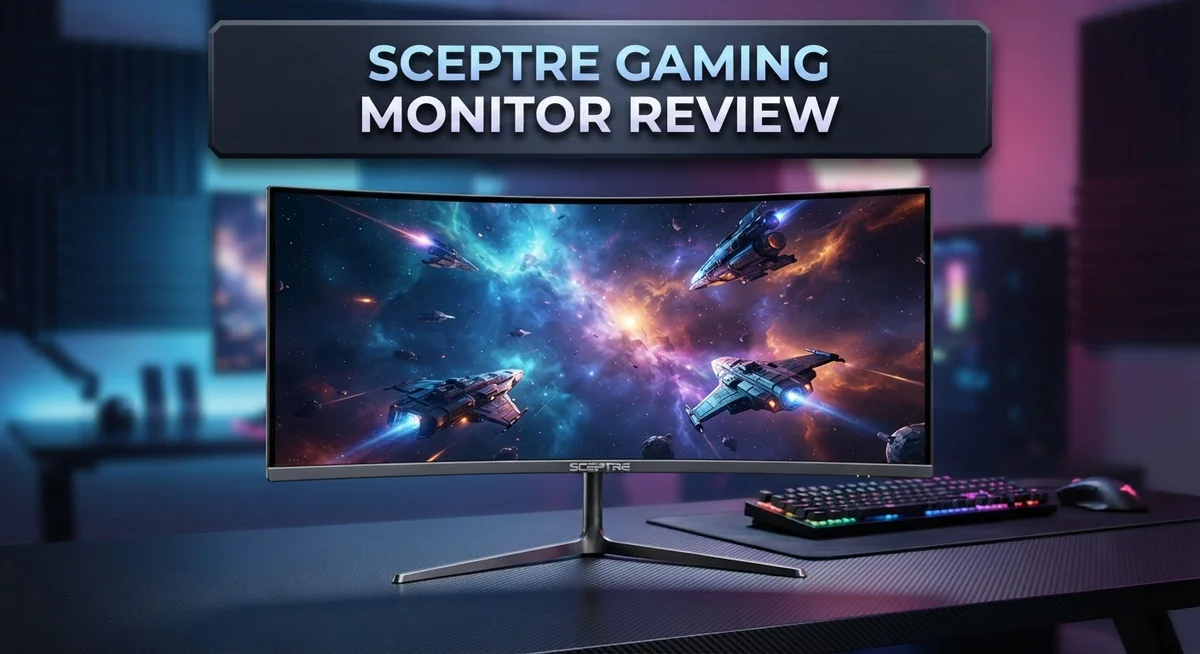
Sceptre Gaming Monitor Review: Is It Worth Your Money?
Looking for a new gaming monitor? Sceptre gaming monitors catch a lot of attention these days. They offer screens from 24 to 27 inches. You can also pick resolutions from crisp 1080p to sharp 1440p.
Gamers want speed. These monitors deliver refresh rates up to 165Hz. Some models even include Freesync Premium for smooth gameplay.
But do they really perform well? Many buyers ask this question before clicking “buy now.” Sceptre promises good color replication and a high contrast ratio. It also promises easy setup and a lightweight design.
This review digs deep into these claims. We will check the pros and cons honestly. You will learn if this monitor fits your gaming setup.
Let’s explore what makes this monitor a popular pick for gamers everywhere.
In a Nutshell
Here is a quick snapshot of what Sceptre gaming monitors bring to your desk.
-
Screen size and clarity: You get options between 24 and 27 inches. Resolution ranges from sharp 1080p to crisp 1440p, giving you flexibility based on your setup.
-
Smooth gameplay: Refresh rates stretch from 75Hz all the way to 165Hz. This means your games feel fluid, even during fast action scenes.
-
Visual quality: The IPS matte panel delivers accurate colors and reduces glare. A massive contrast ratio of 1,000,000:1 makes blacks look deep and whites pop.
-
Connection options: Most models include two HDMI ports. Select versions add a 1ms response time and Freesync Premium support for tear free visuals.
-
Build and setup: These monitors are thin and light. Setup takes just minutes, so you can start gaming fast.
-
Where it stands: Compared to brands like KTC, Sceptre still faces questions about long term reliability. Some models also offer entry level specs next to rivals.
Overall, this lineup suits gamers who want solid performance without complicated features getting in the way.
Display Specifications and Resolution Options
Sceptre gaming monitors come with display options that work for different gaming setups. You can choose between 24 inch and 27 inch screens depending on your desk space and viewing distance.
Resolution matters when you want sharp image quality. Sceptre offers 1080p FHD as the entry level choice and 1440p for gamers who want crisper details. The 1440p option delivers noticeably better clarity for competitive shooters and story driven games alike.
Refresh rates determine how smooth your games feel on screen. Sceptre’s lineup spans from 75Hz up to 165Hz models. The higher refresh rate options reduce motion blur during fast action sequences. This becomes important when you play battle royale games or fighting titles where split second reactions matter.
The IPS matte panel technology shapes your visual experience significantly. IPS panels give you wider viewing angles compared to TN panels. This means you see consistent colors even when sitting at an angle. The matte finish prevents annoying reflections from overhead lights or windows.
Contrast ratio tells you how deep the blacks appear on screen. Sceptre monitors achieve a 1,000,000:1 contrast ratio, which creates punchy visuals with strong separation between light and dark areas. This makes explosions pop and dark game environments feel immersive.
Response time sits at 1ms on select models. This speed matters for competitive gaming where ghosting can cost you matches. Faster response times mean your mouse movements translate to screen movement almost instantly.
Connectivity keeps things straightforward with 2x HDMI ports on most units. You can connect your PC or gaming console without hunting for adapters. Some models include additional ports for flexibility.
The build quality feels solid for the category. Sceptre designed these monitors with thin bezels and lightweight construction. Setup takes minutes instead of hours. The stands adjust smoothly without wobbling during gameplay.
Color accuracy comes from the IPS panel technology. Gamers get natural skin tones and realistic environment colors. This helps you spot enemies hiding in shadows more easily than on lower quality panels.

- 【INTEGRATED SPEAKERS】Whether you're at work or in the midst of an intense gaming session, our built-in...
- 【EASY ON THE EYES】 Protect your eyes and enhance your comfort with Blue-Light Shift technology. This...

Last update on 2026-09-13 / Affiliate links / Images from Amazon Product Advertising API
Refresh Rate and Response Time Performance
When you’re gaming, two things matter most: how fast the screen refreshes and how quickly it responds to your movements. Sceptre gaming monitors tackle both of these performance areas head on.
The refresh rate determines how many times per second your monitor updates the image. Sceptre offers models ranging from 75Hz up to 165Hz. Higher refresh rates mean smoother gameplay, especially in fast paced shooters and racing games. A 165Hz monitor refreshes the screen 165 times every single second, creating fluid motion that your eyes can actually perceive.
Response time measures how quickly a pixel changes color. Most Sceptre models deliver 1ms response times on select units. This speed matters because slower response times create ghosting, where moving objects leave faint trails behind them. At 1ms, you get crisp, clean motion without blur.
The IPS matte panel technology plays a key role here too. Unlike traditional glossy panels, the matte finish reduces glare from overhead lights and windows. This keeps your focus sharp during long gaming sessions. The panel also maintains consistent colors and contrast from different viewing angles, which helps when you’re leaning forward during intense moments.
Freesync Premium support appears on certain models in the lineup. This adaptive sync technology eliminates screen tearing by syncing your monitor’s refresh rate with your graphics card’s output. You’ll notice smoother gameplay without the jarring visual splits that happen when refresh rates mismatch.
The 1 million to 1 contrast ratio delivers deep blacks and bright whites. This contrast range helps you spot enemies hiding in dark corners or notice details in bright outdoor scenes. Better contrast means better visibility overall.
Sceptre monitors come in 24 inch and 27 inch sizes. The larger 27 inch option gives you more screen real estate while maintaining sharp visuals at 1440p resolution. The smaller 24 inch works perfectly if you prefer a tighter, more focused field of view.
These performance specs put Sceptre in a solid position for gamers seeking smooth, responsive gameplay without unnecessary complexity.
Design, Build Quality, and Physical Setup
Sceptre gaming monitors feature a slim, lightweight construction that makes setup quick and hassle free. The thin bezels around the display give these units a modern appearance on any desk or gaming station. You won’t struggle with bulky stands or complicated mounting systems here.
The physical frame uses quality materials that feel solid without unnecessary bulk. The matte finish on the panel reduces glare and reflections, which means you can game during daytime or under bright lighting without annoying screen shine. This practical design choice improves your viewing comfort during long gaming sessions.
Build durability holds up well for the category. The monitor stands remain stable even when you adjust the height or tilt angle. Cable management ports sit at the back, keeping your desk organized and clutter free. Most models weigh less than typical 27 inch displays, so repositioning or transporting them requires minimal effort.
The IPS panel technology contributes to the overall build quality. These panels resist color shift when you view the screen from different angles, which matters if multiple people watch gameplay or if you move around your gaming chair. The contrast ratio of 1,000,000:1 comes from panel engineering that separates bright whites from deep blacks effectively.
Connectivity setup remains straightforward on Sceptre monitors. Two HDMI ports come standard on most models, letting you connect gaming consoles, PCs, or streaming devices without adapter frustration. The 1ms response time on select models means your input translates to on screen action with minimal lag.
The overall design philosophy emphasizes function over unnecessary complexity. You get a monitor that performs its job well without excessive features that complicate the setup process. The lightweight build and simple connectivity make these units practical for gamers who want to focus on gameplay rather than wrestling with equipment.
Whether you choose a 24 inch or 27 inch model, the physical setup takes minutes rather than hours. This straightforward approach appeals to gamers seeking quick installation and reliable daily performance.
Top 3 Alternatives
ASUS VP28UQG Gaming Monitor

- 27-inch 2560 x 1440 HDR gaming monitor with ultrafast 180Hz refresh rate designed for professional gamers and...
- ASUS Fast IPS technology enables a 1ms response time (GTG) for sharp gaming visuals with high frame rates
Last update on 2026-09-13 / Affiliate links / Images from Amazon Product Advertising API
The ASUS VP28UQG brings 4K resolution to your gaming setup. This monitor features a 28-inch display that shows crisp visuals and sharp text. The 1ms response time keeps your gameplay smooth during fast-paced action.
The monitor includes AMD FreeSync technology. This feature reduces screen tearing when your frame rates drop. You get a 60Hz refresh rate, which works well for single-player games and casual play. The display uses a TN panel, so colors look vibrant from straight-on angles.
ASUS added picture-by-picture mode. You can view two different sources at once on the same screen. The monitor has multiple input options including HDMI and DisplayPort connections.
BenQ EW2880U Monitor

- 【SIMULATE PAPER TEXTURE ON-SCREEN】Nano Matte Panel with TUV anti-reflection certification ensures the high...
- 【Enchanting Visual Symphony】 Immerse yourself in an enchanting visual symphony with the BenQ SW272U. Every...
Last update on 2026-09-13 / Affiliate links / Images from Amazon Product Advertising API
The BenQ EW2880U offers a 28-inch 4K display for content creators and gamers. This monitor delivers accurate color reproduction with a 99% sRGB color gamut. The IPS panel ensures consistent colors from different viewing angles.
The 60Hz refresh rate suits both work and gaming. The monitor includes USB-C connectivity with power delivery, so you can charge your laptop while working. The stand allows height adjustment and pivot rotation for your preferred setup.
BenQ added their eye-care technology. This reduces blue light and flicker to minimize eye strain during long sessions. The monitor supports HDR content for enhanced contrast and brightness.
LG 27GP850 Gaming Monitor

- Vivid Colors and Sharp Details - Nano IPS technology supports the express high-fidelity color for reproducing...
- Gaming Innovation Beyond Boundaries - Complete your battle station with a premium LG UltraGear Gaming Monitor...
Last update on 2026-09-13 / Affiliate links / Images from Amazon Product Advertising API
The LG 27GP850 is a 27-inch gaming monitor with a 165Hz refresh rate. This higher refresh rate delivers smoother gameplay compared to 60Hz monitors. The 1ms response time eliminates ghosting during fast movements.
The monitor uses an IPS panel. Colors remain accurate even at wide viewing angles. LG added their NVIDIA G-Sync compatibility, which syncs your monitor with your graphics card for tear-free gaming.
The 1440p resolution balances visual quality with performance. You get excellent gaming performance without requiring extreme GPU power. The monitor includes USB ports and multiple connectivity options for your gaming setup.
Color Accuracy and Contrast Ratio Analysis
Color accuracy on Sceptre gaming monitors stems directly from the IPS panel technology that these displays use. IPS panels excel at reproducing colors consistently across wide viewing angles. This means the colors stay true whether you sit directly in front or view from the side.
The contrast ratio of 1,000,000:1 gives you a significant advantage when gaming. This ratio measures the difference between the brightest whites and deepest blacks your monitor can display. A higher contrast ratio creates more visual separation between light and dark areas. You’ll notice this especially in darker game scenes where shadow detail becomes critical.
What makes this contrast ratio matter for gaming? Deep blacks help you spot enemies hiding in shadows. Bright whites in explosions or spell effects pop off the screen with impact. The combination creates a more immersive visual experience overall.
The matte finish on Sceptre’s IPS panels plays a supporting role here too. Matte surfaces reduce glare and reflections that can wash out colors. This keeps your color accuracy consistent even under different lighting conditions in your room. You won’t see the annoying reflections that glossy screens sometimes produce.
Color reproduction on these monitors handles both competitive and visual gaming well. If you play fast paced shooters, the accurate colors help you identify targets quickly. If you enjoy story driven games with rich environments, the contrast ratio brings those worlds to life.
One important note: color accuracy performance varies slightly between the 24 inch and 27 inch models. Both use IPS technology, but larger panels sometimes show minor variations at extreme angles. For most gaming positions, these differences remain unnoticeable.
The combination of IPS panels, high contrast ratio, and matte finish creates a solid color experience. Sceptre monitors deliver consistent color performance without requiring extensive calibration. You get good color replication right out of the box. This makes them practical for gamers who want reliable visuals without extra setup complexity.
Connectivity and Compatibility Features
Sceptre gaming monitors pack dual HDMI ports that let you connect multiple devices without constant cable swapping. This setup works great if you want to switch between your PC and console quickly. The HDMI connections support the full range of resolutions and refresh rates across the lineup.
Response time sits at 1 millisecond on select models, which means your monitor reacts instantly to your mouse movements and keyboard inputs. This speed matters most in competitive games where split-second reactions determine wins and losses. You get smooth, tear-free gameplay that keeps up with your reflexes.
Freesync Premium support appears on certain Sceptre models in the lineup. This feature syncs your monitor’s refresh rate with your graphics card output, eliminating screen tearing and stuttering during intense gaming sessions. If your GPU supports Freesync, you unlock noticeably smoother visuals without extra cost.
The monitor’s compatibility extends across different gaming platforms. Whether you game on PC, PlayStation, or Xbox, the HDMI inputs accept signals from all major devices. The straightforward plug-and-play nature means you skip complicated driver installations or software configuration steps.
Physical connectivity remains clutter-free thanks to the streamlined port layout. Cable management becomes simple, and your desk stays organized. The rear panel houses all connections in logical positions that make access easy.
Sceptre monitors work well with both older and newer graphics cards. The HDMI standard ensures broad compatibility across GPU generations. You won’t face outdated technology issues that limit your upgrade path down the line.
The 24 inch and 27 inch models both share identical connectivity features. Your choice between sizes doesn’t affect how you connect peripherals or gaming devices. This consistency means you pick your screen size based purely on desk space and viewing distance preferences.
These connectivity options position Sceptre monitors as flexible gaming displays. You get reliable connections, fast response times, and adaptive refresh rate support that keeps your gaming experience smooth and responsive across different scenarios and gaming styles.
Pros and Cons
Pros
- IPS panels deliver accurate colors for both competitive shooters and story-driven games
- 1,000,000:1 contrast ratio helps you spot enemies in dark corners and shadows
- 1ms response time on select models keeps your gameplay smooth and reactive
- Lightweight, thin frame means you set up your monitor in minutes, not hours
- Dual HDMI ports let you connect multiple devices without constant cable swapping
Cons
- Limited track record compared to established gaming monitor brands raises reliability questions
- Entry-level specs fall behind competitors in the same category
- Detailed performance data remains hard to find from independent reviewers
Who Should Buy It
Sceptre gaming monitors work best for specific types of gamers. If you play competitive shooters like CS2 or Valorant, this monitor delivers what you need. The 1ms response time keeps your aim sharp, and the high contrast ratio helps you spot enemies in dark areas quickly.
Casual gamers benefit from these displays too. You get smooth gameplay without overpaying for features you won’t use. The IPS panels show colors accurately whether you’re playing story games or casual titles.
Console gamers should pay attention here. These monitors connect to PlayStation 5 and Xbox Series X through dual HDMI ports. You can switch between your gaming PC and console without unplugging cables constantly.
Budget conscious players find real value in Sceptre’s lineup. You get solid specs without paying for premium branding. The lightweight design makes setup simple if you move your setup around or travel for LAN events.
Esports enthusiasts might want to consider these monitors for practice sessions. The refresh rates up to 165Hz work well for fast paced games. However, professional players who demand absolute peak performance may want to explore other options first.
Streamers and content creators should think about the color accuracy. IPS technology means your on screen graphics look good to viewers. The thin frame also fits nicely in compact streaming setups.
Gamers new to high refresh rate monitors will appreciate the straightforward features. There’s no confusing software or complicated settings to learn. You plug it in and start playing within minutes.
One important note: buyers should research specific model reviews before purchasing. Sceptre has limited brand history compared to established gaming monitor makers. Independent reviewer data can help you confirm performance on the exact model you’re considering.
Players upgrading from older 60Hz displays will notice the biggest difference. The jump to 75Hz or higher feels noticeably smoother. This makes Sceptre a smart choice for your first high refresh rate experience.
Avoid these monitors if you need professional color grading tools or ultra competitive esports performance. Those use cases require different specifications entirely.
Final Verdict
Sceptre gaming monitors deliver solid performance for everyday gamers. The IPS panels and high contrast ratio make a real difference during gameplay. These monitors punch above their weight in several key areas.
Color accuracy stands out as a genuine strength. Games look vibrant and details pop on screen. This makes a noticeable difference during long gaming sessions.
The build quality surprises many first time buyers. Sceptre monitors feel sturdy despite their lightweight design. You get a display that holds up well over time.
Some concerns remain worth mentioning. Sceptre lacks the long history that brands like ASUS or LG carry. This means fewer reviews and less data on long term reliability.
Entry level specs also mean you won’t get every premium feature found on flagship monitors. Serious competitive players chasing every advantage might look elsewhere first.
That said, these gaps don’t overshadow what Sceptre does well. The monitor delivers where it counts for most gaming needs. Screen quality, response time, and setup all work smoothly together.
Should you buy a Sceptre gaming monitor? The answer depends on your priorities. If you want strong visuals and simple setup, this monitor fits well.
Casual gamers, students, and content creators will likely feel satisfied with their purchase. Those needing top tier performance for professional esports might want to compare other options first.
We recommend checking specific model reviews before you decide. Different Sceptre models offer different features and refresh rates. Matching the right model to your setup makes all the difference.
Overall, Sceptre proves that solid gaming monitors don’t need a big brand name. The combination of good specs and easy usability makes this a worthy contender. For most gamers, it delivers exactly what they need without unnecessary extras.
Give it a try if your gaming setup calls for reliable, everyday performance.
Frequently Asked Questions
Is a Sceptre gaming monitor good for console gaming?
Yes. Sceptre monitors work well with PlayStation 5 and Xbox Series X through dual HDMI ports. You get smooth gameplay without needing extra adapters or cables. The high contrast ratio helps you see enemies in dark scenes. These displays handle console frame rates without issues.
What refresh rates do Sceptre gaming monitors offer?
Sceptre offers options from 75Hz to 165Hz. Lower refresh rates work fine for casual play and everyday tasks. Higher refresh rates like 144Hz or 165Hz give you smoother motion in fast paced games. Pick the refresh rate that matches your gaming style and your graphics card’s output.
How does the response time affect gameplay?
Select Sceptre models feature 1ms response time. This means your monitor reacts almost instantly when you move your mouse or controller. Fast response times reduce ghosting and blur during intense action. For casual gamers, this matters less. For competitive play, it makes a real difference.
Do Sceptre monitors support Freesync?
Some models include Freesync Premium support. This feature syncs your monitor’s refresh rate with your graphics card. You get smoother gameplay and fewer visual glitches. Freesync works with AMD graphics cards. Not all Sceptre models have this, so check your specific model before buying.
What screen sizes are available?
Sceptre offers 24 inch and 27 inch displays. The 24 inch size fits smaller desks and gives you faster eye movement across the screen. The 27 inch option provides more screen real estate for immersive gaming. Both sizes come in various resolution and refresh rate combinations.

DK is a technology expert who specializes in AI tools, software, and tech gadgets. He writes for How to Tech Info, providing detailed reviews and practical guides. DK helps readers discover the best AI applications, navigate new software, and choose the right tech gadgets.