
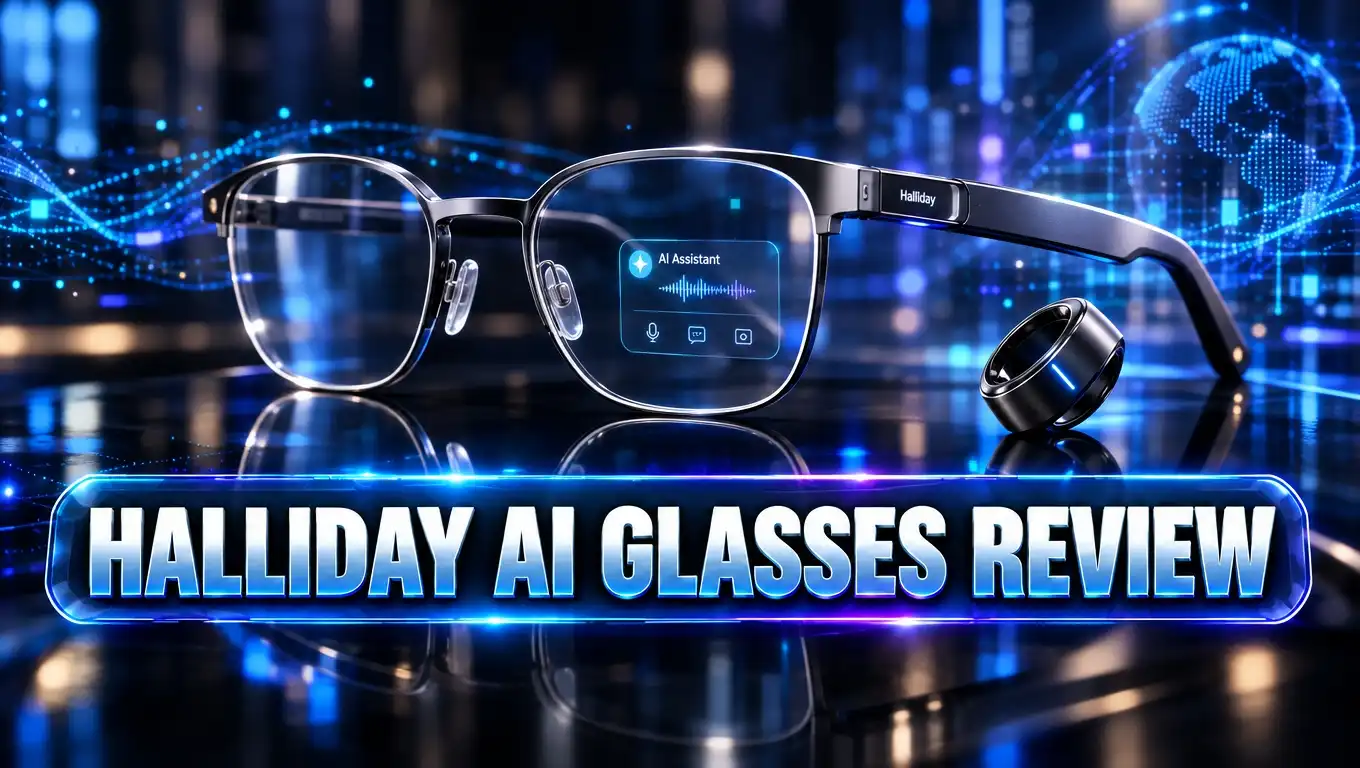
Halliday AI Glasses Review: Is the Halliday G2 Worth $599?
Imagine a meeting where your glasses quietly remind you who promised to do what. Picture live translations floating in front of your eyes while a friend speaks Spanish. That is the big promise of Halliday AI glasses.
Halliday had a rough start. Its first glasses got some of the harshest reviews of 2025. Now the company is back with the Halliday G2, a new pair with better screens, better audio, and a sharp focus on meetings.
So, did Halliday fix its mistakes? Should you spend $599 on them? This review covers the design, display, AI features, battery, privacy, price, and the best alternatives. Let’s find out if these glasses deserve a spot on your face.
In a Nutshell
- Halliday G2 costs $599 and includes free prescription lenses worth $199 during the launch special. The code LAUNCH50 takes another $50 off, and you get a free year of the Basic membership plan.
- The display got a huge upgrade. The G2 uses two MicroLED engines with 1,600 nits of brightness. The image appears in front of both eyes. The first model had one tiny screen that many reviewers found painful to read.
- Meeting Flow is the star feature. The AI tracks decisions, open tasks, and promises during your meetings. It also creates a summary and transcript afterward.
- There is no camera. Halliday built the G2 for privacy. People around you will not worry about secret photos or videos.
- Battery life is rated at 12 hours from a 210 mAh battery. A charging clip with pogo pins replaces the awkward charging port from the first model.
- The glasses are best for professionals. They suit people who sit in many meetings, give talks, or work across languages. Casual users may prefer cheaper camera glasses.
Halliday G2 AI Glasses: Quick Overview
No products found.
The Halliday G2 is the second pair of AI glasses from Halliday. It shows notifications, answers, captions, and translations right in your line of sight. The company calls it an all day companion.
These glasses look like normal eyewear. The lenses let through 98% of light, so they appear ordinary to people nearby. Only you can see the display.
The G2 connects to your phone through the Halliday app. You control it with a touchpad on the right arm. You can swipe, tap, or cover the pad with your whole hand for quick gestures.
Here are the key specs in plain words:
- Display: dual MicroLED engines, 600 x 300 resolution per eye, 1,600 nits peak brightness
- Microphones: four microphone array with a pickup range of about 2 meters
- Battery: 210 mAh, rated for 12 hours of regular use
- Weight: under 50 grams, per hands on reports
- Translation: more than 45 languages
- Camera: none
Halliday built the G2 around a few core tasks. These tasks include meetings, translation, teleprompting, calls, music, and notifications. The company skipped turn by turn directions on purpose. Its COO said directions are very hard to do well, so the team chose focus over feature count.
That focus is a smart move. The first model tried to do too much and did most of it poorly. The G2 aims to do fewer things with more polish.
The First Generation Story: What Went Wrong
You cannot review the G2 fairly without knowing about the first Halliday glasses. Their story explains almost every design choice in the new model.
Halliday first showed its glasses at CES in January 2025. The pitch was exciting. The glasses weighed about 35 grams and had an invisible display. A smart ring controlled them. The Kickstarter campaign raised more than $3.3 million from over 8,000 backers.
The first model used a display called DigiWindow. It was a 3.6 mm MicroLED module on a small arm above the right lens. It aimed to put a green image in your side vision.
In real use, the idea fell apart. Engadget gave the glasses a score of 54, one of its lowest ever. Android Police gave them 5 out of 10. Reviewers said the tiny screen was hard to read and caused eye strain, especially for people who already wear glasses.
Other complaints piled up:
- The plastic frame felt flimsy.
- The microphone sounded crunchy and old.
- The speakers were weak for music.
- The rubber cover on the charging port was hard to open.
- The proactive AI replied to every sentence, even “um” and “ah.”
Halliday COO Carter Hou admitted the company made “many mistakes.” He said the team did not do enough testing. He also said the team lacked factory experience. Halliday then rebuilt its engineering team and hired experienced supply chain managers.
That honesty matters. It shows the company listened. The G2 is a direct answer to those complaints.
Design and Comfort
The Halliday G2 looks like a regular pair of glasses. That is a big win. Many smart glasses still look bulky or techy. Halliday wants you to blend in at work, on the street, or at dinner.
Tom’s Guide tried the G2 at a hands on session. The reviewer said they felt as comfortable as Meta Ray Ban glasses and regular eyewear. The weight comes in under 50 grams. That puts it close to Meta Ray Ban (about 51 grams) and Rokid Glasses (about 48 grams).
It is heavier than the Even Realities G2, which weighs about 35 grams. So the Halliday G2 is not the lightest option. Still, it stays in a comfortable range for all day wear.
The controls moved from a ring to the frame. A touchpad runs along the right temple arm. There is also a power button. That button doubles as a trigger for a low light mode, which dims the screens in places like movie theaters.
Some things to know about the design:
- The old control ring from the first model does not work with the G2.
- The touchpad takes some practice to learn.
- The frame is ready for prescription lenses.
- There is no camera bump or front sensor.
Losing the ring may disappoint some fans. But it also means one less gadget to charge and carry. For most people, fewer parts means fewer headaches.
Overall, the design feels simple and grown up. The glasses do not shout “tech gadget.” That fits the brand’s privacy and subtlety goals very well.
Top 3 Alternative for Halliday AI Glasses
The Halliday G2 is not the only choice. Some buyers want a camera. Others want a lower price. Here are three strong alternatives on Amazon.
1. Meta Ray Ban (Gen 2) Wayfarer Smart AI Glasses

- #1 SELLING AI GLASSES - Tap into iconic style for men and women, and advanced technology with the newest...
- UP TO 8 HOURS OF BATTERY LIFE - On a full charge, these smart AI glasses can last 2x longer than previous...

Last update on 2026-06-09 / Affiliate links / Images from Amazon Product Advertising API
The Meta Ray Ban Gen 2 is the best known smart glasses model today. It costs about $379. It has a camera, open ear speakers, and Meta AI for hands free help.
It has no built in display. You hear answers instead of reading them. Choose this pair if you want photos, videos, and a famous style at a lower price.
2. Rokid AI Glasses Style (Non Display)

- World's 1st Dual AI Assistant Gemini and ChatGPT: Your hands-free knowledge partner for object recognition...
- 12MP First-Person Camera with EIS: Featuring a Sony IMX681 sensor with Electronic Image Stabilization (EIS) to...
Last update on 2026-09-25 / Affiliate links / Images from Amazon Product Advertising API
The Rokid AI Glasses Style costs about $299. It includes a 12MP camera, ChatGPT and Gemini support, and live audio translation.
It also skips the display. It is a good budget pick for travelers who want voice answers and translation on the go.
3. Domars Smart Glasses with AR Display

- 【AI Translation Glasses for Global Business & Travel】Communicate naturally across languages with premium...
- 【Private AR Display Glasses with Floating Visual Prompts】Experience information that appears before your...
Last update on 2026-09-25 / Affiliate links / Images from Amazon Product Advertising API
The Domars AR display glasses are closest to Halliday in features. They offer a teleprompter mode, live translation in 15 languages, and a visible display.
They cost about $639, which is more than the Halliday G2. Early Amazon reviews are mixed, so read the feedback before you buy.
Display Quality and Optics
The display is the biggest change in the G2. Halliday dropped the DigiWindow idea completely. The new model uses waveguide lenses in both eyes, fed by two MicroLED engines.
This fix matters a lot. The old screen floated just millimeters from your eye. The new image appears to hover a few feet in front of you. Tom’s Guide said this felt far more natural during conversations.
Here are the display numbers:
- Resolution: 600 x 300 pixels per eye
- Brightness: up to 1,600 nits
- Color: green monochrome
- Light transmission: 98%
Halliday also claims no rainbow effect and even brightness across the view. Rainbow glare is a common problem with waveguide glasses. If the claim holds up, it gives the G2 a clear edge.
The green color may feel basic next to the full color screen on the Meta Ray Ban Display. But green text is easy to read and saves battery. Even Realities and Rokid use similar green displays.
A brightness of 1,600 nits should work well outdoors. You can read notifications in daylight without cupping your hand over your eyes.
The lenses also look normal from the outside. People across the table will not see a glowing screen. That keeps your meetings and chats feeling natural.
For glasses wearers, this is great news. The old model struggled with prescription lenses. The G2 builds the display into the lens system, so it works better with your own prescription.
Meeting Flow: The Proactive AI
Meeting Flow is the heart of the Halliday G2. Halliday calls it “your proactive AI.” It listens to your meetings and shows helpful information while the meeting is still happening.
Most meeting AI tools only work after the meeting ends. They give you a summary later. Halliday wants to help you during the conversation. That is a fresh idea.
Meeting Flow runs several AI agents at once. Each one handles a different job:
- Quick Summary: catches you up if your mind drifts
- Quick Research: looks up facts based on the current topic
- Thread Tracker: follows how topics change so you can return to the main point
- Decision Confirmation: records decisions and flags open questions
- Commitment Check: reminds you to confirm who promised to do what
- Open Item Tracker: builds a checklist of unresolved items
- Summary and Transcript: sends a full recap to your app afterward
The four microphone array picks up voices within about 2 meters. That covers a normal meeting table.
The first Halliday AI had a big flaw. It treated every single sentence as a question and flooded your view with replies. The new agent system aims to be smarter about when to speak up.
Keep one thing in mind. Meeting Flow uses credits from your membership plan. Longer and busier meetings use more credits. Heavy users may need to upgrade from the Basic plan.
If you spend your day in meetings, this feature alone could justify the price. It works like a quiet assistant who never forgets anything.
Live Translation and Cheatsheet Teleprompter
Translation is one of the most useful features on the G2. The glasses support more than 45 languages, including English, Chinese, Japanese, and Korean.
Here is how it works. A person speaks to you. The glasses show the original words and the translation together in your line of sight. Halliday says translations appear in about one second.
This lets you keep eye contact. You do not need to stare at your phone screen. For travelers and international teams, that makes conversations feel much more human.
One limit is worth knowing. The glasses system and Halliday app only show English menus right now. The company says more menu languages will come in future updates. Translation itself still covers the full 45 plus languages.
The Cheatsheet feature works like a teleprompter. You load your notes or script into the app. The glasses show your script and scroll it automatically as you talk.
This is great for:
- Sales pitches
- Conference talks
- Wedding speeches
- Video calls where you want to look at the camera
The teleprompter supports multiple languages too. You can keep your head up and speak with confidence. Your audience will never know you have notes.
On the first model, reading long text on the tiny screen was hard. The new dual waveguide display should make teleprompting far more comfortable. Clear text is the whole point of a teleprompter, so this upgrade really matters.
Audio, Calls, and Notifications
Audio was a major weak spot on the first Halliday glasses. One reviewer compared the music quality to a broken record player heard through paper cups. The microphone sounded like an old radio broadcast.
The G2 aims to fix both problems. Halliday says the new open ear audio system gives richer sound, clearer voices, and less sound leakage. The COO claims audio quality now compares to Meta’s glasses.
Open ear audio means the speakers sit near your ears, not inside them. You hear your music or calls while still hearing the world around you. This is safer for walking and more polite in offices.
The G2 handles everyday tasks well on paper:
- Calls: take phone calls hands free
- Music: stream from your phone
- Notifications: preview messages without grabbing your phone
- Dashboard: see weather, time, and reminders at a glance
Better microphones matter more than you might think. Almost every G2 feature depends on voice. Meeting Flow, translation, and voice commands all need clean audio input. Halliday says it tuned the hardware to focus on voice.
Notifications are simple and quick. A message pops up in your view. You glance, read, and move on. You do not break your focus by unlocking your phone.
We still need long term tests to confirm the audio claims. But the direction is clearly right. Fixing sound was one of the most requested changes from first generation owners.
Battery Life and Charging
Halliday rates the G2 battery at 12 hours of regular use. The battery holds 210 mAh. That is strong for glasses with a display.
Twelve hours covers a full workday. You can wear them from morning coffee to evening dinner. Heavy use of Meeting Flow or translation may drain the battery faster, so real results will vary.
Charging got a smart redesign. The first model hid a charging port under a tiny rubber cover. One reviewer kept a paperclip nearby just to pry it open. That was not a good look.
The G2 uses a magnetic charging clip with pogo pins. You attach the clip to the glasses and plug it in. It is quick and simple.
The first model also needed a separate charger for its control ring. The G2 drops the ring. Now you only charge one device. That means:
- One charger to carry
- One battery to watch
- Less clutter in your bag
There is no charging case mentioned in the official specs. Some rivals, like Meta Ray Ban, use a case that charges the glasses on the go. If you travel a lot, you may want a small power bank in your bag.
Overall, battery life looks like a real strength for the G2. Twelve hours beats many display glasses on the market. The easier charging clip removes one of the most annoying parts of the old design.
Privacy: No Camera by Design
The Halliday G2 has no camera at all. No photos. No videos. This is a deliberate choice, and it may be the smartest one Halliday made.
Camera glasses make many people uneasy. People worry about being filmed without consent. Some offices, gyms, and schools ban camera glasses. Meta’s glasses have faced plenty of privacy criticism for this reason.
With the G2, you avoid that problem. You can wear them into meetings without making coworkers nervous. You can sit in a café without anyone wondering if you are recording.
Halliday also lists several data protections:
- Conversation context stays on your device.
- Encryption and anonymization protect your data.
- Strict access controls limit who can see information.
- Your conversations are not used to train AI without your permission.
- You choose what to keep and can delete data anytime.
One honest note: the glasses can record audio. Meeting Flow listens to conversations to work. So you should still tell people when you use it. Good manners matter, even with private tech.
Skipping the camera also helps the hardware. It keeps the frame lighter, helps battery life, and keeps the look more natural.
If you care about privacy, this is a big selling point. The G2 lets you get AI help without turning your face into a surveillance device.
Price, Membership Plans, and Value
The Halliday G2 retails for $599. That matches the price of the Even Realities G2. It is $200 less than the Meta Ray Ban Display glasses.
The launch special adds good value:
- $50 off with code LAUNCH50
- Free prescription lenses worth $199
- An exclusive launch pack
- One free year of the Basic membership plan
Owners of the first Halliday glasses can buy the G2 for $299, which is half price. That is a kind gesture to early backers who had a bad experience.
The membership plan is important to understand. Halliday offers Basic, Pro, and Max tiers. Features like Meeting Flow use credits that reset each month and do not roll over. Daily functions like Cheatsheet, Dashboard, Calls, Music, and Notifications are part of the plan too.
This means the true cost goes beyond $599. After the free year, you may pay a monthly or yearly fee. Heavy meeting users may need Pro or Max right away. Check the plan details before you buy.
Halliday offers a 12 month warranty. Orders without prescription lenses get free returns. Prescription orders take extra time and began shipping in October.
So, is it good value? For professionals who live in meetings, yes, it can be. For casual users who want music and photos, cheaper camera glasses make more sense.
Pros and Cons
Every product has strengths and weaknesses. Here is a clear look at both sides of the Halliday G2.
Pros
- Dual waveguide display is a big upgrade. The image floats in front of both eyes, so it is easier to read than the old single screen.
- Meeting Flow helps during meetings, not just after. It tracks decisions, tasks, and promises as they happen.
- No camera makes the glasses friendly for offices and public places. People nearby will feel more at ease.
- 12 hour battery life covers a full workday. The charging clip is much easier than the old port cover.
- Live translation in 45 plus languages shows the original and translated text together. You can keep eye contact while you talk.
- Free prescription lenses during the launch special save you about $199.
- Normal looking design blends in at work and in daily life.
Cons
- Membership credits add ongoing costs after the first free year. Heavy users may need a paid upgrade.
- Green monochrome display feels basic next to full color rivals like Meta Ray Ban Display.
- No turn by turn directions, which some rivals offer.
- Heavier than Even Realities G2 at just under 50 grams.
- Brand trust is still rebuilding after the poorly reviewed first model.
- App menus are English only for now.
Who Should Buy Halliday AI Glasses?
The Halliday G2 is not for everyone. It is built for a specific kind of user. Let’s see if that user is you.
You will love the G2 if you:
- Sit in several meetings every day
- Lead sales calls or client meetings
- Give presentations and want a hidden teleprompter
- Work with people who speak other languages
- Care deeply about privacy and dislike camera glasses
- Need prescription lenses and want them included
Managers, consultants, salespeople, and teachers may get the most value. Meeting Flow turns the glasses into a personal note taker and memory aid. Translation helps travelers and global teams.
You may want something else if you:
- Want to take photos or record videos
- Mainly want music and calls
- Need turn by turn directions
- Prefer a full color display
- Want to avoid monthly fees
Casual users will likely be happier with the Meta Ray Ban Gen 2 or Rokid AI Glasses Style. Both cost less and include cameras.
Early adopters should also think about risk. Halliday is a young company with a shaky first product. The COO says the company has funding support through its link with Moody Lenses. Still, new hardware brands carry more risk than giants like Meta.
If your work revolves around conversations, the G2 fits your life well. If you want a fun gadget for weekends, look at the alternatives above.
Final Verdict
The Halliday G2 is a comeback story. The first model had good ideas but poor execution. Reviewers called it flimsy, hard to read, and frustrating. Halliday listened and rebuilt almost everything.
The new glasses fix the biggest problems. The dual waveguide display replaces the painful tiny screen. The audio is improved. The charging clip replaces the awkward port. The confusing ring is gone.
Most importantly, Halliday found its focus. The G2 is built for meetings and conversations. Meeting Flow is a unique feature that no major rival offers in the same way. Live translation and the teleprompter add real daily value.
Some concerns remain. The membership credits add ongoing cost. The green display is basic. The brand still needs to earn back trust. Full long term reviews will show if the software lives up to the promises.
Here is our simple rating breakdown:
- Design: 8/10
- Display: 8/10
- AI Features: 8/10
- Battery: 8.5/10
- Privacy: 9.5/10
- Value: 7/10
Overall: 8/10. The Halliday G2 is a smart and focused pair of AI glasses for professionals. If you live in meetings and value privacy, it is well worth a close look. If you want a camera or a lower price, the alternatives above will serve you better.
Frequently Asked Questions
How much do Halliday AI glasses cost?
The Halliday G2 costs $599. During the launch special, code LAUNCH50 takes $50 off. You also get free prescription lenses and one free year of the Basic plan.
Do Halliday glasses have a camera?
No. The Halliday G2 has no camera. It cannot take photos or videos. Halliday made this choice to protect privacy and keep the glasses light.
How long does the Halliday G2 battery last?
Halliday rates the battery at 12 hours of regular use. Heavy use of translation or Meeting Flow may shorten that time.
Can I get Halliday glasses with prescription lenses?
Yes. The G2 supports prescription lenses. The launch special includes them for free. Prescription orders take longer to ship than non prescription orders.
How many languages does Halliday translation support?
Live translation and Meeting Flow support more than 45 languages. These include English, Chinese, Japanese, and Korean. The app menus are English only for now.
Does the Halliday G2 need a subscription?
The G2 includes a free year of the Basic plan with launch orders. Features like Meeting Flow use monthly credits. After the free year, you may need to pay for a plan to keep full access.
Does the old Halliday control ring work with the G2?
No. The ring from the first generation does not work with the G2. The new model uses a touchpad on the right arm instead.
Are Halliday G2 glasses better than Meta Ray Ban?
It depends on your needs. The Halliday G2 has a display, meeting tools, and no camera. Meta Ray Ban has a camera and costs less but has no display. Choose Halliday for work and privacy. Choose Meta for photos and casual use.
Is Halliday a trustworthy brand after its first model?
Halliday admitted its first glasses had many problems. It rebuilt its engineering team and improved testing. The G2 fixes the major complaints. Still, it is a young company, so read early owner reviews before you buy.

DK is a technology expert who specializes in AI tools, software, and tech gadgets. He writes for How to Tech Info, providing detailed reviews and practical guides. DK helps readers discover the best AI applications, navigate new software, and choose the right tech gadgets.


