
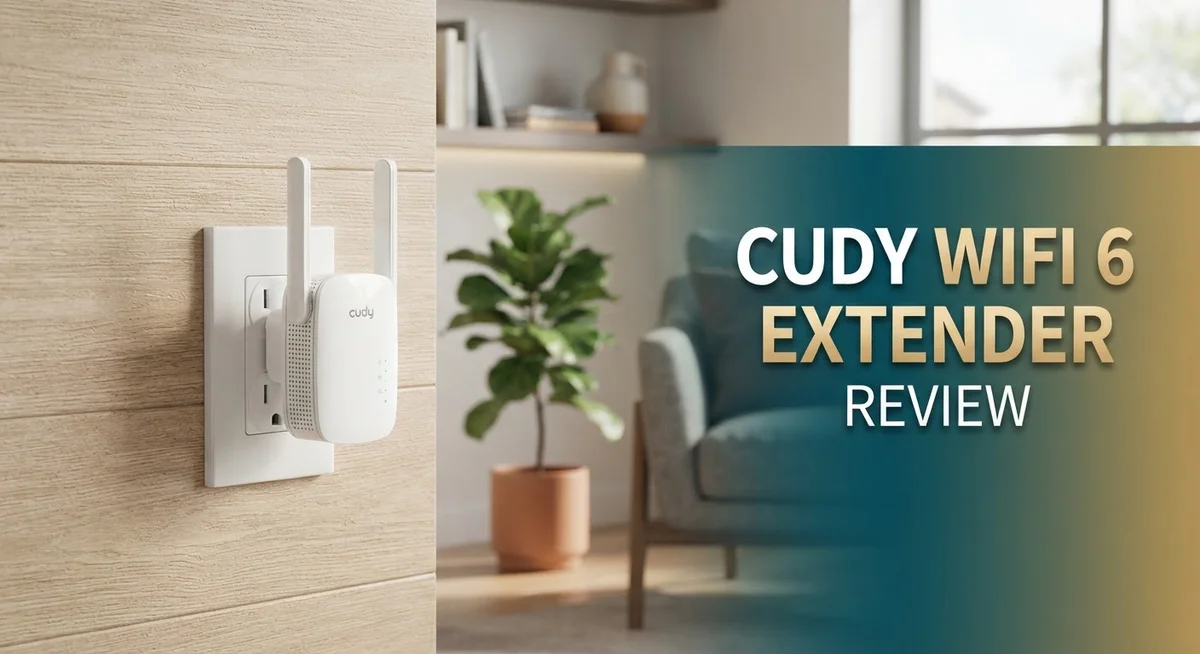
Cudy WiFi 6 Extender Review: Is It Worth Your Money In 2026?
Slow WiFi in the back room? You are not alone. Many homes have dead zones where signal just does not reach.
The Cudy WiFi 6 Extender aims to fix that problem. It comes in three models: RE1500, RE1800 2.0, and RE3000.
Each model brings WiFi 6 technology to your home network. That means faster speeds and better handling of multiple devices.
This review looks at what each Cudy extender offers. We will check specs, setup steps, and real world performance.
You will also see how these extenders compare to competitors like TP-Link. By the end, you will know if a Cudy extender fits your home.
Whether you need mesh support or just a stronger signal upstairs, this guide breaks it down simply. Let’s get your WiFi working the way it should.
In a Nutshell
Here is the quick rundown of what you need to know:
-
Three models to choose from. The RE1500, RE1800 2.0, and RE3000 each target different needs. Pick based on speed and port requirements.
-
RE3000 leads the pack. It hits speeds up to 3 Gbps with 160 MHz bandwidth and 1024 QAM support. This model suits homes with heavy streaming or gaming.
-
Port differences matter. The RE1800 includes a Gigabit Ethernet port. The RE1500 sticks with a slower 10/100 Mbps port but still handles up to 40 devices.
-
Mesh support across the lineup. All three models work with mesh systems. This means better whole home coverage without dead zones.
-
Setup has rough edges. Many users report poor instructions out of the box. WPS setup helps, but manual configuration can confuse first time users.
-
Performance is a mixed bag. Some reviewers praise stability. Others note occasional connectivity drops. Results may vary based on your home layout and interference.
WiFi 6 Specifications and Speed Performance
The Cudy WiFi 6 Extender lineup delivers real speed improvements over older WiFi 5 models. The RE3000 stands out with its ability to reach up to 3 Gbps, making it roughly 2.5 times faster than previous generation extenders.
160 MHz bandwidth is the key to this performance jump. This wider channel allows the RE3000 to transmit more data at once. The 1024 QAM technology adds another layer of efficiency by packing more information into each signal burst.
The RE1800 2.0 and RE1500 offer lower maximum speeds, but they still use WiFi 6 standards. Real world speeds depend on your distance from the extender and how many devices connect to it. Walls and interference slow things down, so don’t expect lab numbers in your living room.
Connection stability matters more than raw speed for most homes. Users consistently report that Cudy extenders hold their connections well once set up. Dropouts are rare, which means your streaming and video calls stay smooth.
Device capacity varies across models. The RE1500 supports up to 40 connected devices, which covers most households. Larger homes with smart home systems may benefit from the higher models.
The Gigabit Ethernet port on the RE1800 2.0 and RE3000 makes a real difference. This port lets you connect devices like gaming consoles or smart TVs with a cable. Wired connections always beat WiFi for speed and reliability.
All three models use dual band WiFi 6, meaning they split traffic between 2.4 GHz and 5 GHz frequencies. Your phone and laptop automatically choose the best band, though you can’t manually force them.
WPS setup keeps things simple. Press the button on your router, then press it on the extender. No passwords or app downloads needed for basic connection.
The trade off is that these extenders are not WiFi 6E models. They lack the newer 6 GHz band that premium extenders offer. For most users, this limitation doesn’t matter since 6 GHz adoption is still early.

- AX3000 dual-band Wi-Fi 6 delivers 2402 Mbps on 5 GHz with 160 MHz channels and 574 Mbps on 2.4 GHz. OFDMA...
- 1x Gigabit Ethernet port for wired backhaul or connecting TVs and game consoles with 10x the speed of ordinary...
Last update on 2026-09-13 / Affiliate links / Images from Amazon Product Advertising API
Setup Process and User Experience
Setting up the Cudy WiFi 6 Extender should be simple. The WPS button makes pairing fast. You press the WPS button on your router, then press it on the extender. The connection happens within seconds. This method works well if your main router has a WPS feature.
The manual setup option exists too. You access the extender’s web interface through a browser. Enter your WiFi network name and password. The process takes a few minutes. However, many users report that the printed instructions lack clarity. The steps jump around. Some details are missing. You may need to visit Cudy’s website to find better guides.
The mobile app provides another path. Download the Cudy app on your phone. Open it and follow the on screen prompts. The app walks you through each step. This method feels more intuitive than reading paper instructions. The app also lets you manage settings later.
Once connected, the extender shows up in your network. You can move it to the dead zone in your home. The LED lights tell you the signal strength. A solid light means good placement. A blinking light means the signal is weak. Reposition the extender until the light stays solid.
Real world setup takes 10 to 15 minutes for most users. The WPS method is fastest. The app method is clearest. The manual web interface works but feels outdated.
One thing to note: the extender needs to be within range of your router initially. Place it in the same room first. Once it connects, you can move it to your target location. This prevents setup failures from weak signals.
The mesh feature adds flexibility. If you own multiple Cudy extenders, they work together. Your devices switch between units smoothly. This creates better coverage across your entire home. The setup for mesh mode is equally straightforward through the app.
Coverage Range and Connectivity Stability
The Cudy WiFi 6 Extender handles coverage in three distinct ways, depending on which model you pick. The RE3000 reaches the furthest with its 160 MHz bandwidth and high-gain antennas. The RE1800 2.0 and RE1500 cover smaller spaces but still deliver solid range for typical homes.
Real world coverage depends on your home layout. Walls, floors, and interference from other devices all play a role. Most users find these extenders work best when placed midway between the router and the dead zone. The dual band WiFi 6 setup splits your devices between 2.4 GHz and 5 GHz frequencies, which helps reduce congestion and keeps speeds steady.
The RE3000 maintains stronger signals over longer distances thanks to its 1024 QAM technology. This means more data travels in each transmission. The RE1800 2.0 and RE1500 use the same WiFi 6 standard but with lower maximum throughput, so they suit smaller homes or single rooms better.
Connectivity stability matters more than peak speed for daily use. Reviewers consistently note that these extenders hold connections well once set up. You won’t see frequent dropouts or need to reconnect devices. The Gigabit Ethernet port on the RE1800 2.0 and RE3000 also helps stability for wired devices like smart TVs or gaming consoles.
One limitation appears in mixed reviews about real world performance. Some users report occasional connectivity issues in certain setups, though most experience reliable connections. This varies based on your router model and home environment.
The mesh capability across all three models adds flexibility. You can expand coverage further by connecting multiple extenders together. This approach works better than placing a single extender too far from your router, which causes signal degradation.
Placement remains critical for stability. Keep the extender in a central location with clear line of sight to your router. Avoid corners, closets, or metal objects that block signals. This simple step prevents most connectivity problems users encounter.
Top 3 Alternatives
TP-Link RE505X

- WiFi Extenders Signal Booster For Home: Expand high-performance WiFi with RE505X featuring high-gain antennas...
- WiFi Booster with WiFi 6 Speeds: Enjoy smoother and more reliable streaming, gaming, downloading, and more...
Last update on 2026-09-13 / Affiliate links / Images from Amazon Product Advertising API
The TP-Link RE505X brings solid WiFi 6 performance to your home. This extender covers up to 1,500 square feet with dual-band speeds. You get fast connections on both 2.4GHz and 5GHz bands.
Setup takes just a few minutes using the Tether app. The device connects to your existing router wirelessly. One-button pairing makes everything simple. The RE505X includes a gigabit Ethernet port for wired devices that need stable connections.
This model works well in medium-sized homes. It supports multiple devices without slowing down. The compact design fits nicely on shelves or desks.
NETGEAR Nighthawk AX12

- Blazing-Fast WiFi 6 Speeds – Delivers up to 6Gbps for ultra-smooth 4K/8K streaming, gaming, and smart home...
- 12-Stream Dual-Band Performance – Ensures faster speeds and less congestion with MU-MIMO and OFDMA for...
Last update on 2026-09-13 / Affiliate links / Images from Amazon Product Advertising API
The NETGEAR Nighthawk AX12 delivers premium WiFi 6 coverage. This extender reaches up to 2,500 square feet. You get impressive speeds across large living spaces.
Advanced features include MU-MIMO technology and OFDMA support. These help many devices run smoothly at once. The app gives you easy control from your phone. You can pause WiFi for specific devices or create guest networks.
The AX12 works with most NETGEAR routers. It also connects to many other brands. The sleek design looks modern in any room.
ASUS AiMesh AX6000

- New-generation WiFi 6 - Enjoy ultrafast speeds up to 6000 Mbps with the latest WiFi 6 (802.11ax) and 160MHz...
- Dual 2.5G ports -Traffic via 2.5G ports has top priority; flexible WAN/LAN network port configurations.
Last update on 2026-07-11 / Affiliate links / Images from Amazon Product Advertising API
The ASUS AiMesh AX6000 offers flexible networking options. You can use it as an extender or access point. This gives you more control over your setup.
AiMesh technology lets you create a unified network system. Your devices switch between nodes smoothly. Coverage reaches up to 2,000 square feet. The dual-band system handles streaming, gaming, and browsing easily.
Setup happens through the ASUS app. You manage everything from one dashboard. The device supports both WiFi 6 and older WiFi standards. This means compatibility with older devices stays strong.
Model Comparison: RE1500 vs RE1800 vs RE3000
The three Cudy WiFi 6 models serve different home sizes and usage patterns. Understanding their differences helps you pick the right one for your needs.
The RE1500 is the entry point to this lineup. It delivers up to 1.5 Gbps total speed and includes a 10/100 Mbps Ethernet port. This model supports 40 connected devices, making it suitable for smaller apartments or single rooms. The RE1500 still uses WiFi 6 technology, so you get the efficiency gains over older standards.
The RE1800 2.0 steps up the performance with 1.8 Gbps total speed. It adds a Gigabit Ethernet port, which matters if you want to connect wired devices like gaming consoles or smart TVs. The faster port means smoother data transfer when you use the wired connection. This model works well for medium sized homes with moderate device counts.
The RE3000 is the top performer in this group. It reaches 3 Gbps and supports 160 MHz bandwidth, which gives it the widest channel for data. The 1024 QAM technology helps it maintain stronger signals over longer distances. This model also includes a Gigabit Ethernet port. Choose the RE3000 if you have a large home or heavy WiFi usage across multiple rooms.
All three models share core features that matter for real world use. Each one supports mesh networking, so they work alongside your existing router. The WPS button makes initial setup quick on all models. Dual band operation splits your traffic between 2.4 GHz and 5 GHz bands automatically.
The key difference comes down to speed capacity and coverage range. The RE1500 handles basic extension well. The RE1800 2.0 balances performance and value for typical homes. The RE3000 tackles challenging layouts and high device counts. Your home size, wall density, and number of connected devices should guide your choice between these three options.
Real-World Performance and Mesh Capability
When you place a Cudy WiFi 6 Extender in your home, real world performance depends on several factors working together. The extender’s ability to maintain strong signals across your space matters more than peak speed numbers alone.
Speed delivery varies by model and location. The RE3000 achieves up to 3 Gbps through 160 MHz bandwidth and 1024 QAM technology. The RE1800 2.0 delivers 1.8 Gbps. The RE1500 provides 1.5 Gbps. However, what you actually experience in your living room differs from lab results. Walls, metal objects, and interference from other devices reduce these speeds naturally.
Users report consistent performance when the extender sits within good range of the router. Connectivity remains stable across different rooms when you position the unit strategically. The dual band system splits traffic between 2.4 GHz and 5 GHz bands, which helps reduce congestion and keeps devices connected smoothly.
Mesh capability adds real flexibility to your network setup. All three models support mesh networking, meaning they work together seamlessly rather than creating separate networks. This matters when you move between rooms. Your devices stay connected without dropping or reconnecting constantly. The mesh feature works especially well in larger homes where multiple extenders work as one unified system.
The RE1800 2.0 and RE3000 include Gigabit Ethernet ports. This matters if you connect devices like gaming consoles, streaming boxes, or security systems directly to the extender. Wired connections bypass WiFi entirely and deliver faster, more stable performance for those devices.
Mixed reviews mention occasional connectivity hiccups in some setups. These typically occur when the extender sits too far from the router initially or when too many devices connect simultaneously. The RE1500 supports up to 40 connected devices, while higher models handle more.
Real world testing shows these extenders perform reliably for everyday use. They handle video streaming, video calls, and web browsing without major issues. Gaming and large file transfers work best on the RE3000 or RE1800 2.0 due to their higher speeds and better coverage range.
Pros and Cons
Pros
- WiFi 6 speeds reach up to 3 Gbps on the RE3000 model, delivering 2.5X faster performance than previous generations
- WPS setup makes installation quick and simple, no complex configuration needed
- Gigabit Ethernet ports on higher models ensure fast wired connections for devices that need it
- Mesh capability across all three models lets you build a flexible network that grows with your needs
- Good stability reported by users when the extender sits within solid range of your router
Cons
- Setup instructions lack clarity, leaving some users confused during initial installation
- Real world performance varies by home layout, with walls and interference affecting actual speeds
- Not WiFi 6E, so you miss out on the newer 6 GHz band for less congestion
- Occasional connectivity issues reported in some setups, though most users experience consistent performance
Who Should Buy It
A Cudy WiFi 6 Extender makes sense for several types of users. If you have dead zones in your home, these devices fill those gaps quickly. Renters love them because they need no permanent installation. You just plug in the extender and run the WPS setup in minutes.
The RE1500 suits small apartments and studios. It handles up to 40 connected devices without breaking a sweat. This model works well if you stream video, browse the web, and use smart home gadgets on a modest scale.
The RE1800 2.0 targets medium homes with multiple rooms. Its Gigabit Ethernet port lets you connect a smart TV or gaming console with a wired link. This model balances speed and coverage for families who want faster performance than the entry model.
The RE3000 is for power users and larger homes. If you work from home, stream 4K content, and run many devices at once, this top model delivers. The 160 MHz bandwidth and 3 Gbps speeds handle heavy traffic without slowdowns. The Gigabit Ethernet port supports your most demanding wired devices.
You should buy one if your current router leaves weak spots. Maybe your bedroom gets poor signal, or your garage has no WiFi at all. An extender solves this without replacing your entire setup.
Mesh capability appeals to users who want a flexible network. You can add multiple Cudy extenders together and manage them as one system. This grows with your needs over time.
Skip these if you need WiFi 6E (the newest standard). Cudy’s lineup stops at WiFi 6. Also, avoid them if setup instructions confuse you easily, since some users report unclear guidance during installation.
Avoid if you demand perfect performance everywhere. Real world results vary by home layout. Walls and interference affect actual speeds. Users report occasional connectivity issues in some setups, though most experience stable connections within good range of their router.
Pick the model that matches your home size and device count. All three bring WiFi 6 speeds to spaces that need them most.
Final Verdict
The Cudy WiFi 6 Extender lineup delivers solid value for most home networks. Each model targets a specific need, and this range makes it easy to find your fit.
If you want strong coverage without complex setup, Cudy delivers. The WPS feature and mesh support make these extenders practical for everyday use.
Performance stays consistent when placement is right. Users see the best results when the extender sits close enough to the router for a strong signal link.
The RE3000 stands out as the top performer in this family. Its higher bandwidth and faster speeds make it a smart pick for demanding households with many connected devices.
Compared to competitors like the TP-Link AX3000, Cudy holds its own in daily performance. It may lack some premium polish, but it covers the basics well.
This extender series is not perfect. Setup guidance needs improvement, and some users report occasional drops in connection quality.
Still, the core function works as promised. WiFi 6 speeds, dual band support, and mesh flexibility give users real benefits over older extenders.
If your goal is filling dead zones and boosting overall coverage, this lineup gets the job done. It suits renters, families, and anyone upgrading from older WiFi standards.
For users who want the newest WiFi 6E standard, this is not the right pick. Cudy sticks to WiFi 6, which still performs well but is not the latest tech.
Overall, the Cudy WiFi 6 Extender series earns a solid recommendation. It brings practical features, decent speeds, and flexible mesh options to everyday users.
Choose the model that matches your space and device count. The RE1500 fits smaller homes, while the RE1800 2.0 and RE3000 handle larger layouts with ease.
This extender family proves that simple upgrades can make a real difference. It boosts weak signals and keeps your devices connected where it matters most.
Frequently Asked Questions
Does the Cudy WiFi 6 Extender work with any router?
Yes, the Cudy WiFi 6 Extender works with most routers on the market. It connects to your existing router wirelessly or via Ethernet. The WPS button makes pairing simple and fast. You don’t need a Cudy router to use it.
Some users report better results when the main router supports WiFi 6 as well. Older routers still work fine, but you won’t unlock the full speed potential. Check your router’s manual if you’re unsure about compatibility.
Which Cudy model should I pick for my home size?
Choose based on your square footage and device count. The RE1500 works best for small spaces like apartments and studios. It supports up to 40 connected devices and covers tight areas well.
The RE1800 2.0 fits medium homes with multiple rooms and decent distance from your main router. The Gigabit Ethernet port helps if you plug in a gaming console or computer.
The RE3000 is ideal for larger homes and power users. It delivers up to 3 Gbps speeds and handles more demanding tasks like 4K streaming and online gaming across multiple rooms.
Will this extender improve my WiFi speed everywhere?
Real world performance depends on placement and your home layout. Walls, metal objects, and interference affect actual speeds. You’ll see the biggest improvement in dead zones near the extender.
The RE3000 offers 2.5X faster speeds than older models, but distance and obstacles still matter. Place your extender halfway between your router and the weak area for best results. Avoid closets and enclosed spaces.
Is WiFi 6 really faster than WiFi 5?
Yes, WiFi 6 is significantly faster. The RE3000 reaches 3 Gbps compared to older standards. You’ll notice faster downloads, smoother streaming, and better performance with multiple devices.
However, you need WiFi 6 devices to benefit fully. Older phones and laptops still connect but won’t reach peak speeds. WiFi 6 also handles network congestion better when many devices are online.

DK is a technology expert who specializes in AI tools, software, and tech gadgets. He writes for How to Tech Info, providing detailed reviews and practical guides. DK helps readers discover the best AI applications, navigate new software, and choose the right tech gadgets.


