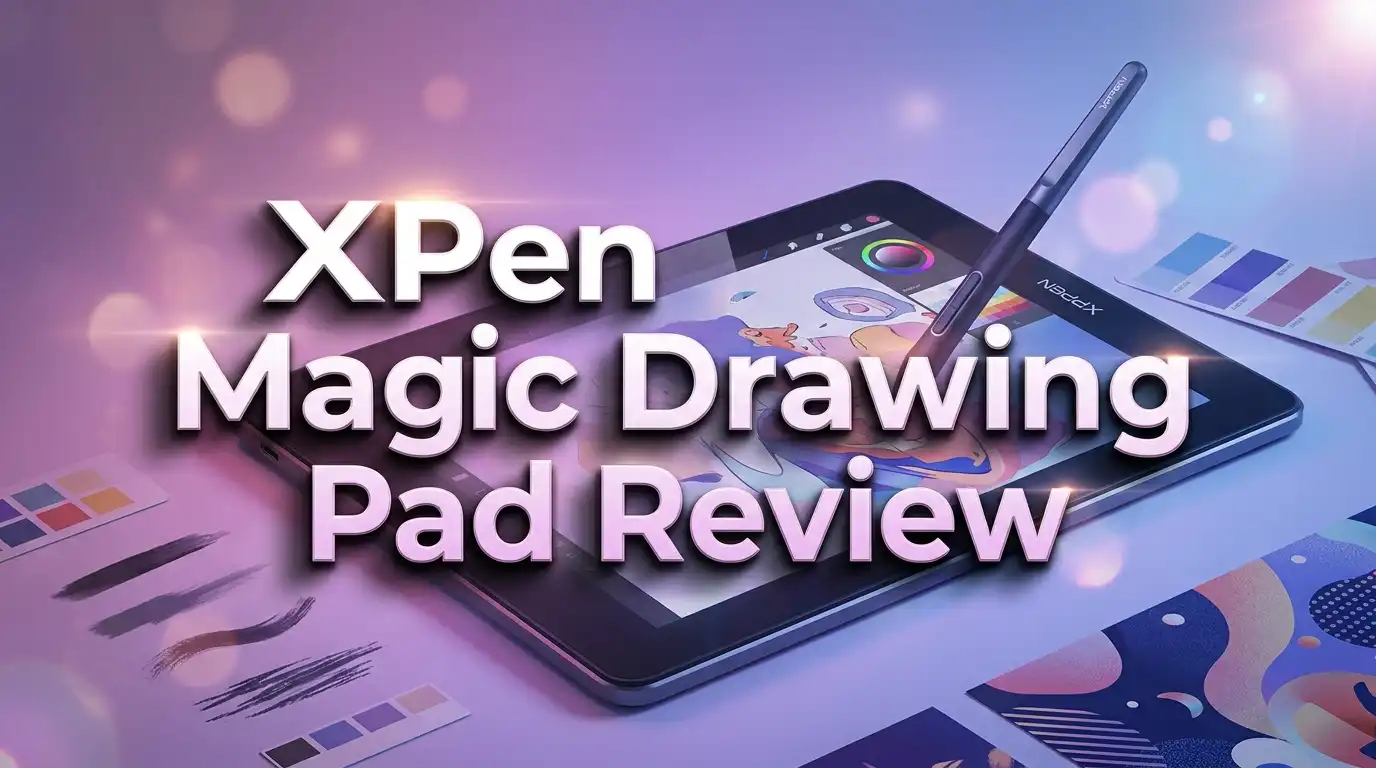
XPPen Magic Drawing Pad Review 2026: Worth Your Money?
Are you a digital artist searching for a standalone drawing tablet that won’t drain your wallet? The XPPen Magic Drawing Pad might be exactly what you need. This 12.2 inch Android powered tablet promises a professional drawing experience without the need for a computer. It packs 16,384 levels of pressure sensitivity, a beautiful matte display, and up to 12 hours of battery life into a slim, lightweight body.
But does it truly deliver on those promises? I spent weeks testing this tablet for drawing, sketching, note taking, and general use. In this review, I break down every detail, from the display quality and stylus performance to the software experience and battery life.
Whether you are a professional illustrator, a student, or a hobbyist, this review will help you decide if the XPPen Magic Drawing Pad deserves a spot in your creative toolkit.
Keep reading to find out if this tablet is worth your money.
Key Takeaways: XPPen Magic Drawing Pad at a Glance
Here are the most important things you should know about this tablet before you buy:
- The XPPen Magic Drawing Pad is a standalone Android tablet with a 12.2 inch display, 8GB of RAM, and 256GB of storage. You do not need a computer to use it. It runs Android 14 and supports apps from the Google Play Store.
- The X3 Pro Slim stylus offers 16,384 levels of pressure sensitivity. This is the highest pressure level available in any consumer drawing tablet pen. The stylus is battery free, meaning you never need to charge it.
- The matte display reduces glare and provides a paper like drawing feel right out of the box. You do not need to buy a separate screen protector. The display covers 109% sRGB and delivers sharp visuals at 2160 x 1440 resolution.
- Battery life lasts up to 12 hours on a single charge. The tablet barely drains power in standby mode. It charges fully in about three hours using the included USB C cable.
- The biggest limitations are the Android app ecosystem and the lack of tilt support on the original stylus. Pro apps like Procreate and Photoshop for iPad are not available. However, Clip Studio Paint, ibisPaint, and MediBang Paint work very well on this device.
- At around $399 to $499, the XPPen Magic Drawing Pad offers strong value compared to an iPad Pro or Samsung Galaxy Tab S9 for digital art purposes.
XPPen Magic Drawing Pad: Overview and First Impressions

- 16K Pressure Sensitive Stylus: XPPen magic drawing pad introducing X3 Pro slim stylus is a breakthrough...
- Natural pen-on-screen experience: The 12.2-inch standalone drawing tablet is crafted with AG-etched...
Last update on 2026-06-21 / Affiliate links / Images from Amazon Product Advertising API
The XPPen Magic Drawing Pad arrives in a well packed box with everything you need to start drawing immediately. Inside, you get the tablet itself, the X3 Pro stylus, a USB C charging cable, a power adapter, extra pen nibs, a drawing glove, and a protective case.
My first impression was how light and thin this tablet feels. At just 499 grams and 0.69 cm thick, it is noticeably lighter than most tablets in this price range. Picking it up for the first time felt like holding a premium device.
The build quality is solid. The back panel has a smooth, clean finish. The edges are rounded and comfortable to hold for long drawing sessions. XPPen clearly paid attention to ergonomics here.
Turning it on for the first time takes just a few minutes of setup. The Android 14 interface loads quickly. You can sign into your Google account and start downloading drawing apps right away. The included apps, ibisPaint and MediBang Paint, are pre installed and ready to go.
The overall unboxing experience feels premium for a device in this price bracket. XPPen has done a great job making this tablet feel like a serious creative tool from the moment you open the box.
Display Quality: Sharp, Bright, and Artist Friendly
The 12.2 inch IPS display on the XPPen Magic Drawing Pad is one of its strongest features. It delivers a resolution of 2160 x 1440 pixels with a 3:2 aspect ratio. This ratio is ideal for drawing because it gives you a more square canvas compared to the typical 16:9 widescreen format.
The display covers 109% of the sRGB color gamut, which means colors look vivid and accurate. For most digital art work, sRGB coverage at this level is more than enough. The screen also displays 16.77 million colors, giving you smooth gradients and rich tones.
One standout feature is the matte finish. Unlike glossy screens that create harsh reflections, the matte glass on this tablet reduces glare significantly. This makes it one of the best tablets for drawing outdoors or in brightly lit rooms.
Brightness tops out at 300 nits. This is decent for indoor use and acceptable for shaded outdoor conditions. However, direct sunlight will still wash out the screen, as with most tablets.
The 3:2 aspect ratio also helps with productivity. In landscape mode, you get enough room for both your canvas and your app toolbar. In portrait mode, the screen feels like a natural sketchpad. It’s a smart design choice by XPPen.
X3 Pro Stylus Performance: Precision at Your Fingertips
The X3 Pro Slim stylus is a key highlight of the XPPen Magic Drawing Pad. It offers 16,384 levels of pressure sensitivity, which is the highest available in any drawing tablet stylus right now. This means the pen can detect even the lightest touch and the heaviest press with extreme accuracy.
The stylus uses EMR (Electromagnetic Resonance) technology. This means it requires no battery and no charging. You simply pick it up and start drawing. There is no pairing process or Bluetooth connection required.
The pen itself is slim and lightweight. It feels natural in your hand, similar to a real pencil. The barrel has a single button that you can use to switch to the eraser function. The grip is comfortable enough for extended drawing sessions without hand fatigue.
In practice, the pressure sensitivity is impressive. Light strokes produce thin, delicate lines. Heavier pressure creates bold, thick strokes. The transition between pressure levels is smooth and consistent. This makes tasks like shading, inking, and blending feel very natural.
One downside on the original model is the lack of tilt support. Tilt allows artists to shade by angling the pen, similar to turning a real pencil on its side. The 2025 update has addressed this with added tilt sensitivity. If tilt is important to your workflow, make sure you check which version you are buying.
Hardware Specs: What Powers the XPPen Magic Drawing Pad
Under the hood, the XPPen Magic Drawing Pad runs on the MediaTek Helio G99 (MT8771) processor. This is an 8 core midrange chip paired with an ARM Mali G57 MC2 GPU. It handles drawing apps, web browsing, video streaming, and multitasking with ease.
The tablet comes with 8GB of RAM and 256GB of internal storage. This is generous for an Android drawing tablet. You can store thousands of high resolution art files without worrying about space. If you need more, a MicroSD card slot supports up to 512GB of additional storage.
Connectivity options include WiFi 802.11 a/b/g/n/ac (dual band 2.4GHz and 5GHz) and Bluetooth 5.1. There is a USB C 2.0 port for charging and data transfer. The tablet does not have a headphone jack, so you will need a USB C adapter or wireless headphones.
The camera setup includes an 8MP front facing camera and a 13MP rear camera. Both are decent for video calls and scanning reference images. Four built in speakers provide good audio for watching tutorials or listening to music while you draw.
The processor handles drawing apps like Clip Studio Paint and ibisPaint without noticeable lag on standard canvas sizes. Very large canvases with many layers may cause some slowdown, but this is expected at this hardware level.
Top 3 Alternatives for XPPen Magic Drawing Pad
If you want to explore other options before making your decision, here are three strong alternatives to consider:
1. Samsung Galaxy Tab S9 FE

- A SCREEN FOR ALL YOUR ADVENTURES: Start every adventure with a large, beautiful 10.9" screen*. Whether...
- BUILT FOR ADVENTURE: An IP68 rating makes Galaxy Tab S9 FE one of the only water- and dust-resistant** tablets...
Last update on 2026-06-09 / Affiliate links / Images from Amazon Product Advertising API
The Samsung Galaxy Tab S9 FE is a solid Android tablet with S Pen support included. It features a 10.9 inch display, water resistance, and access to the full Samsung ecosystem. It’s a great all around tablet for both art and everyday use.
2. HUION Kamvas 13 Gen 3

- Please note: Kamvas 13 (Gen 3) Pen Display is not a standalone product, this device must be connected to a...
- All-new Canvas Glass 2.0: HUION Kamvas 13 (Gen 3) drawing tablet for pc features a fully laminated 13.3-inch...
Last update on 2026-06-21 / Affiliate links / Images from Amazon Product Advertising API
The HUION Kamvas 13 Gen 3 is a pen display with a 13.3 inch full laminated screen and 16,384 levels of pressure sensitivity. It requires a computer connection but delivers an excellent drawing experience at a lower price point.
3. Wacom Cintiq 16

- Creative Pen Display: Animation tablet features optimized display and premium pen technology ideal for...
- Precision Pen Performance: Included Pro Pen 2 features tilt recognition, virtually lag-free tracking...
Last update on 2026-06-22 / Affiliate links / Images from Amazon Product Advertising API
The Wacom Cintiq 16 is a trusted name in professional digital art. It features a 15.4 inch Full HD display with Wacom’s legendary pen technology. It also requires a computer but provides a smooth, reliable drawing surface for professionals.
Drawing Experience: How It Feels to Create Art on This Tablet
The actual drawing experience on the XPPen Magic Drawing Pad is where this tablet truly shines. The combination of the matte screen, responsive stylus, and 3:2 aspect ratio creates a natural and enjoyable creative workflow.
The matte glass surface provides a slight texture under the pen tip. It feels much closer to drawing on paper than drawing on a glossy screen. You do not need to apply a separate paper like screen protector. This saves you money and eliminates the hassle of dealing with bubbles and alignment issues.
Palm rejection works well in most drawing apps. The included drawing glove helps improve accuracy even further. Your hand glides smoothly across the screen without triggering unwanted touch inputs.
Lag is minimal. Strokes appear on screen almost instantly, even with complex brushes. This is important for maintaining a natural drawing flow. Any noticeable delay between your pen stroke and the screen response can break your creative rhythm.
Using Clip Studio Paint on this device is a fantastic experience. The app supports the full range of pressure levels and offers a desktop class feature set. You can import custom brushes, adjust workspace layouts, and work with multiple layers without performance issues.
For quick sketching and illustration, apps like ibisPaint and Sketchbook also perform beautifully. The tablet handles them without any stutter or frame drops. Whether you are doing detailed line work or loose gestural sketches, the Magic Drawing Pad keeps up with your hand.
Software and App Ecosystem: What Can You Run?
The XPPen Magic Drawing Pad runs Android 14 with a lightly customized skin from XPPen. The interface is clean and easy to use. You get full access to the Google Play Store, which opens up a large library of apps.
For drawing, the most important apps available are Clip Studio Paint, ibisPaint, MediBang Paint, Sketchbook, ArtRage, and Krita. These cover a wide range of art styles and skill levels.
Clip Studio Paint stands out as the most professional option. It costs around $26 per year on Android. It includes features like vector layers, 3D model posing, comic panel tools, and an advanced brush engine. If you use CSP on your desktop, you can sync your workspace and brushes to the tablet version.
ibisPaint is a great free option for beginners. It has a huge brush library and an active community. MediBang Paint is also free and works well for comic artists.
The biggest software limitation is the absence of iOS exclusive apps. You cannot run Procreate, Adobe Fresco, or the full version of Photoshop for iPad on this device. This is a deal breaker for some artists who rely on those specific tools.
Windows exclusive apps like Corel Painter and Rebelle are also unavailable. However, for the majority of digital art tasks, the available Android apps get the job done well. The app gap is narrowing, and Clip Studio Paint on Android is a very capable professional tool.
Battery Life: All Day Creative Power
Battery life is one of the XPPen Magic Drawing Pad’s best features. XPPen claims up to 12 hours of use on a single charge, and real world testing confirms this is close to accurate for typical drawing sessions.
With screen brightness set to around 50% and WiFi active, you can expect roughly 8 to 10 hours of continuous drawing. If you reduce brightness further and turn off WiFi, you can push past 10 hours easily.
Standby drain is extremely low. Users report leaving the tablet in a bag for a week and losing only a few percent of battery. This makes it a reliable travel companion. You do not need to worry about charging it every night.
Charging from empty to full takes approximately three hours using the included USB C cable and power adapter. This is reasonable and means you can top off the battery quickly between sessions.
The smart brightness feature also helps conserve battery by adjusting the screen brightness based on ambient light. Some users have reported minor glitches with this feature, but it works well most of the time.
For artists who work on the go, at cafes, on flights, or during classes, this battery performance is a major selling point. You can easily get through a full day of drawing without reaching for a charger.
Build Quality and Portability: Light, Slim, and Travel Ready
The XPPen Magic Drawing Pad weighs just 499 grams (about 1.1 pounds). It is only 0.69 cm thick. These numbers make it one of the lightest and thinnest standalone drawing tablets available.
The slim profile fits easily into a backpack, messenger bag, or even a large purse. The included protective case adds minimal bulk and keeps the screen safe during transport. A built in pen holder on the case means you won’t lose your stylus.
The construction feels solid and well made. There is no flex or creaking in the body. The edges are smooth and rounded, making it comfortable to hold in both landscape and portrait orientation.
Heat management is excellent. Even during long drawing sessions or video playback, the tablet stays cool to the touch. There is no noticeable hotspot on the back or sides.
For artists who travel frequently or attend life drawing sessions and workshops, this level of portability is hard to beat. The iPad Pro is a close competitor in size and weight, but the Magic Drawing Pad costs significantly less for a comparable drawing experience.
The overall design is understated and professional. It does not scream “gaming tablet” or look like a toy. It looks like a serious creative tool, which it is.
XPPen Magic Drawing Pad for Beginners and Students
If you are new to digital art, the XPPen Magic Drawing Pad is an excellent starting point. It provides a professional grade drawing experience at a price that students and beginners can afford.
The standalone nature of this tablet is a big advantage. You do not need to own a computer. You do not need to deal with drivers, cables, or software compatibility issues. You turn it on, open a drawing app, and start creating.
The included apps, ibisPaint and MediBang Paint, are both free and beginner friendly. They include tutorials, large brush libraries, and active online communities where you can learn and share your work.
The 16,384 levels of pressure sensitivity might sound like overkill for beginners. But it actually helps new artists develop better pen control from the start. You learn to vary your pressure naturally, which is a critical skill for digital art.
At $399 to $499, the Magic Drawing Pad sits in a sweet spot between cheap, low quality tablets and expensive pro devices. It gives you room to grow. As your skills improve, you won’t feel limited by the hardware for a long time.
For art students in particular, the portability and battery life make this tablet practical for classroom use. You can take it to lectures, draw during breaks, and use it for reference images and notes.
XPPen Magic Drawing Pad for Professional Artists
Professional digital artists will find a lot to like about the XPPen Magic Drawing Pad, especially as a secondary or travel device. It is not meant to replace a desktop workstation with a large Wacom display. But it fills a very specific and valuable role.
The Clip Studio Paint experience on this tablet is excellent. You get nearly all the features of the desktop version. You can work on layered illustrations, ink comics, paint characters, and create finished pieces directly on the tablet.
The file workflow is smooth. You can export your work as layered PSD files, save them to cloud storage, and continue working on your desktop when you return to the studio. This makes it easy to start a piece on the road and finish it at home.
The matte screen is a huge advantage for professionals who work outdoors or in varied lighting conditions. Glossy screens on iPads and other tablets can be frustrating in bright environments. The Magic Drawing Pad handles these situations much better.
The main limitation for professionals is the Android app ecosystem. If your workflow depends on Procreate, Adobe Fresco, or desktop class Photoshop, this tablet cannot replace those tools. However, if you can adapt to Clip Studio Paint on Android, you will find this device highly capable and reliable.
At its price point, it offers incredible value as a portable sketchbook that can also produce professional quality work. Many pros already own expensive desktop setups. Adding this tablet as a travel companion is an affordable and practical choice.
Pros and Cons: The Honest Summary
What the XPPen Magic Drawing Pad does well:
The 16,384 pressure level stylus is best in class. The matte display reduces glare and feels great under the pen. The 3:2 aspect ratio is perfect for drawing. Battery life easily lasts a full day. The tablet is incredibly light and portable at just 499 grams. Storage at 256GB with MicroSD expansion is generous. The price is competitive compared to iPads and Samsung tablets for art use.
Where it falls short:
The Android app ecosystem limits your software choices. Procreate and Adobe Fresco are not available. The original stylus lacks tilt support, though the 2025 update addresses this. Auto brightness can be inconsistent at times. There is no headphone jack. The processor is midrange, so extremely large canvases with many layers may cause slowdowns.
The display, while good, does not match AMOLED screens found on Samsung Galaxy tablets or OLED screens on newer iPads. Colors are accurate but lack the deep blacks and contrast that OLED provides.
Overall, the pros outweigh the cons for most artists. The value proposition is strong, and the drawing experience is genuinely enjoyable.
Who Should Buy the XPPen Magic Drawing Pad?
This tablet is an ideal choice for several types of users. If you fall into one of these categories, the XPPen Magic Drawing Pad is worth serious consideration.
Digital art beginners who want a standalone device with no computer required will love this tablet. It offers a smooth entry into digital art with professional quality hardware at a reasonable price.
Students benefit from the portability, long battery life, and affordable price point. It doubles as a general purpose tablet for notes, web browsing, and entertainment.
Traveling professional artists who need a lightweight device for sketching and creating on the go will appreciate the matte screen, slim design, and strong Clip Studio Paint performance.
Hobbyists and casual artists who draw for fun will find this tablet provides more than enough power and features for their needs.
Who might want to look elsewhere? Artists who rely on Procreate, Adobe Fresco, or Photoshop should stick with an iPad. Those who need a large screen display for detailed professional work should consider a Wacom Cintiq or XPPen Artist Pro pen display with a desktop computer.
If you can work within the Android ecosystem and value portability, battery life, and affordability, the Magic Drawing Pad is a fantastic purchase.
- 16K Pressure Sensitive Stylus: XPPen magic drawing pad introducing X3 Pro slim stylus is a breakthrough...
- Natural pen-on-screen experience: The 12.2-inch standalone drawing tablet is crafted with AG-etched...
Last update on 2026-06-21 / Affiliate links / Images from Amazon Product Advertising API
Final Verdict: Is the XPPen Magic Drawing Pad Worth It?
The XPPen Magic Drawing Pad delivers an impressive drawing experience in a portable, affordable package. It hits the right notes on hardware quality, stylus performance, display design, and battery life.
For $399 to $499, you get a standalone creative device that rivals tablets costing twice as much in pure drawing capability. The 16,384 pressure level stylus, matte glass display, and 3:2 aspect ratio create one of the best pen on screen experiences available at this price.
The Android limitation is real but manageable. Clip Studio Paint on Android is a powerful, professional tool that makes this tablet viable for serious art work. The app gap between Android and iOS continues to shrink.
If you want a dedicated drawing tablet that you can take anywhere without needing a computer, the XPPen Magic Drawing Pad is one of the best options on the market right now. It earns a strong recommendation for artists at every skill level.
Frequently Asked Questions
Does the XPPen Magic Drawing Pad need a computer to work?
No. The XPPen Magic Drawing Pad is a standalone Android tablet. It runs Android 14 with its own processor, RAM, and storage. You can draw, browse the web, and use apps without connecting to any computer. Simply turn it on and start creating.
Can I use Procreate on the XPPen Magic Drawing Pad?
No. Procreate is an iOS exclusive app and only works on Apple iPads. The Magic Drawing Pad runs Android, so Procreate is not available. However, you can use alternatives like Clip Studio Paint, ibisPaint, MediBang Paint, and Sketchbook, which offer similar features.
How long does the battery last on the XPPen Magic Drawing Pad?
The battery lasts up to 12 hours with moderate use. During active drawing sessions with WiFi on and medium brightness, expect around 8 to 10 hours. Standby drain is very low, so the tablet holds its charge well when not in use.
Does the XPPen Magic Drawing Pad stylus need charging?
No. The X3 Pro Slim stylus uses EMR technology and does not require any battery or charging. It works passively with the tablet’s electromagnetic field. You never need to worry about the pen running out of power.
Is the XPPen Magic Drawing Pad good for professional artists?
Yes, especially as a portable secondary device. With Clip Studio Paint, you can create professional quality illustrations, comics, and paintings. It works best as a travel companion alongside a desktop setup. The matte screen, pressure sensitivity, and battery life make it excellent for on the go professional work.
Can I expand the storage on the XPPen Magic Drawing Pad?
Yes. The tablet has a MicroSD card slot that supports up to 512GB of additional storage. Combined with the built in 256GB, you can have up to 768GB of total storage for your art files, apps, and media.

DK is a technology expert who specializes in AI tools, software, and tech gadgets. He writes for How to Tech Info, providing detailed reviews and practical guides. DK helps readers discover the best AI applications, navigate new software, and choose the right tech gadgets.