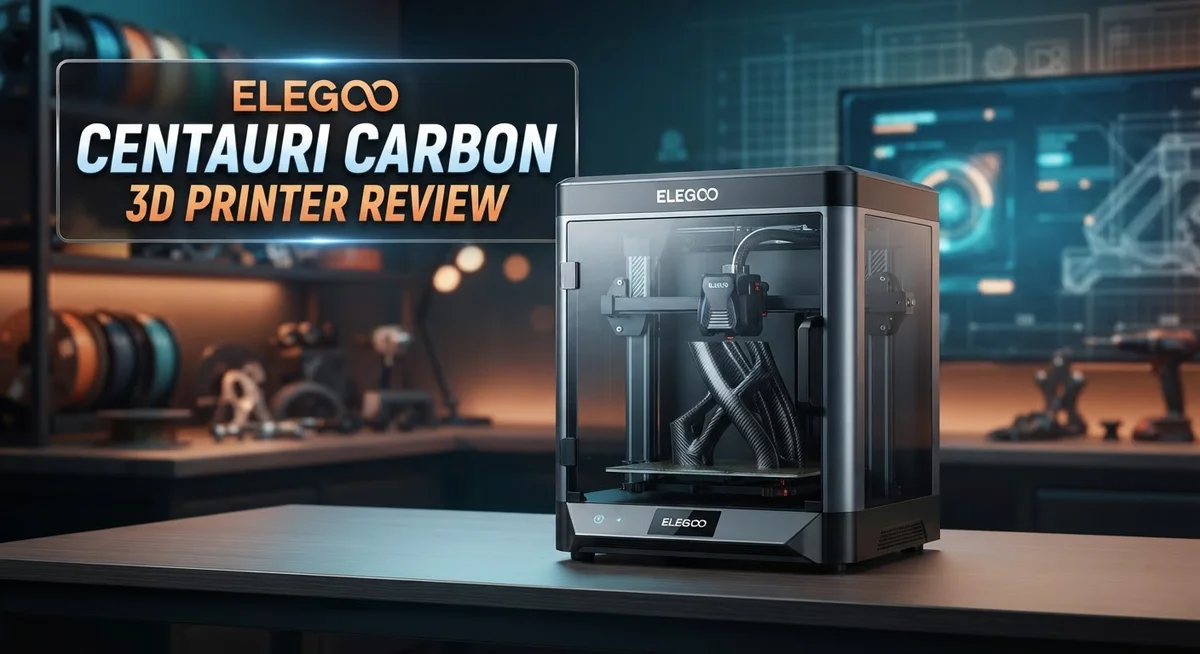
Elegoo Centauri Carbon 3D Printer Review: Worth Your Money?
Want a 3D printer that just works? The Elegoo Centauri Carbon might be your answer.
This printer comes nearly pre-assembled. You can start printing within minutes of unboxing.
It features a CoreXY design and reaches speeds up to 500 mm/s. That means faster prints without sacrificing quality.
The dual-sided flexible bed makes print removal simple. Automatic leveling takes the guesswork out of setup too.
A 5-inch touchscreen and real-time camera let you monitor prints with ease. You stay in control from start to finish.
Beginners love this machine for its simplicity. Experienced users appreciate the room to tune and improve results.
Is the Centauri Carbon the right fit for your workspace? Let’s explore what makes this printer stand out from the crowd.
In a Nutshell
Here is what you need to know about the Elegoo Centauri Carbon at a glance.
-
Build Space: You get a generous 256×256×256 mm build area. This gives you room for bigger projects.
-
Smart Leveling: The bed levels itself automatically. You skip the manual calibration hassle.
-
Hardened Nozzle: A 0.4mm hardened steel nozzle handles tough filaments well. Swapping it does need some hands on effort though.
-
Fast Acceleration: This printer hits 20,000 mm/s² acceleration. Your prints finish quicker without sacrificing much detail.
-
Simple by Design: The build keeps things simple rather than over engineered. This makes it easy to understand but less feature packed than rivals like the Bambu Lab P1S.
-
Tuning Pays Off: Print quality matches top competitors once you tune the settings right. Patience during setup rewards you with great results.
-
Support Gap: Manufacturer support stays limited compared to bigger brands. You may need to troubleshoot issues on your own sometimes.
This printer suits makers who enjoy hands on learning and steady improvement.
Build Volume and Print Speed Specifications
The Elegoo Centauri Carbon gives you a solid build volume that works well for most projects. You get 256×256×256 mm of print space. That’s roughly 10 inches on each side, which handles miniatures, prototypes, and small functional parts without trouble.
Speed matters when you’re waiting for prints to finish. This machine reaches a maximum print speed of 500 mm/s. The acceleration hits 20,000 mm/s², which means the printer moves fast and changes direction smoothly without sacrificing accuracy.
Real world printing speed depends on more than just raw numbers. Your actual print time varies based on layer height, infill percentage, and model complexity. The Centauri Carbon’s CoreXY design helps it maintain consistent speed throughout your print. You won’t see dramatic slowdowns in corners or tight curves.
The dual sided flexible bed speeds up your workflow too. You print on one side while removing the finished part from the other. This feature cuts down on idle time between prints. The automatic leveling system ensures your first layer sticks properly every time you swap sides.
The 0.4mm hardened steel nozzle handles various filament types without wearing out quickly. Standard nozzles degrade faster with abrasive materials like carbon fiber or metal filled filaments. This one keeps performing well over time.
Print quality at maximum speed requires some setup work. You’ll get best results after tuning your settings for your specific filament and environment. Many users report that taking time to dial in these parameters brings results on par with more expensive competitors.
The touchscreen and real time camera let you monitor progress without hovering over the printer. You can catch issues early and adjust settings mid print if needed. This hands on control appeals to makers who want to understand their machine better.
For makers building a collection of prints, this speed and volume combination handles most tasks efficiently. Whether you’re prototyping designs or producing multiple parts, the Centauri Carbon keeps your workflow moving forward.

- Easy from Start to Finish: Whether you’re a beginner or an experienced maker, automatic calibration and...
- Designed for Speed: Turn hours of waiting into finished creations with speeds up to 500 mm/s and 20,000 mm/s...

Last update on 2026-10-07 / Affiliate links / Images from Amazon Product Advertising API
Design and Hardware Quality
The Elegoo Centauri Carbon stands out for its straightforward construction. The CoreXY motion system keeps the design clean and reliable. You won’t find unnecessary complexity here, which appeals to users who value simplicity.
The frame uses aluminum extrusions that feel solid during operation. The build platform sits on a dual sided flexible plate system. This design choice makes print removal quick and painless. You simply flex the plate, and your finished part pops right off.
The nozzle assembly uses a hardened steel 0.4mm nozzle. This material resists wear from abrasive filaments like carbon fiber composites. Swapping nozzles requires some hands on work, but the process stays manageable for most users. You’ll need basic tools and a few minutes of your time.
Thermal management gets handled through a simple cooling fan setup. The hot end maintains consistent temperatures during long print jobs. The bed heats evenly across its entire surface. Temperature stability directly impacts your print quality and layer adhesion.
The 5 inch touchscreen provides an intuitive interface for navigation. Icons are large and buttons respond quickly to your touch. The real time camera feed streams directly to the display. You can monitor your print without leaving your desk or workshop.
Cable routing stays organized with clips and channels built into the frame. This keeps wires away from moving parts and reduces snag risks. The power supply mounts securely beneath the printer base. All connectors use standard types that you can replace easily if needed.
The automatic bed leveling system uses sensor technology to map your print surface. This removes the guesswork from manual leveling. The system runs before each print cycle. Consistent first layer results follow from this automatic adjustment.
Build quality feels solid without being over engineered. Every component serves a clear purpose. The printer arrives nearly assembled, so you spend less time on setup and more time printing. This practical approach appeals to makers who want to start creating immediately rather than spending weeks fine tuning a complex machine.
Print Quality and Calibration
Print quality from the Elegoo Centauri Carbon depends heavily on how well you calibrate the machine. Out of the box, you’ll get decent results, but tuning the settings makes a real difference.
The automatic bed leveling system handles the first major step for you. This sensor technology maps your print surface and adjusts the nozzle height automatically. You still need to verify the leveling is correct by running test prints. Many users find that a single sheet of paper under the nozzle provides a good baseline check.
Nozzle distance from the bed matters most during those first layers. If the nozzle sits too high, filament won’t stick properly. If it’s too low, the nozzle can scratch your bed or clog. The hardened steel 0.4mm nozzle handles most standard filaments well, but you’ll want to dial in your first layer speed and temperature for each material type.
Temperature control affects how your filament flows onto the bed. The Centauri Carbon lets you adjust these settings through the touchscreen interface. Start with the filament manufacturer’s recommended temperature, then make small adjustments based on what you see in your prints. Stringing, warping, and layer separation all signal temperature issues.
Print speed plays a role in final quality too. Running at maximum speed (500 mm/s) works great for faster turnarounds, but slower speeds often produce cleaner details. The 20,000 mm/s² acceleration keeps movements smooth even at high speeds. You can reduce speed for detailed sections while keeping faster speeds for fill areas.
The real time camera helps you catch problems early. Watch your first few layers to spot adhesion issues before they ruin a long print. This monitoring capability saves wasted filament and time.
Most users report that print quality matches top competitors once they invest time in tuning. The learning curve isn’t steep. You’ll spend a few test prints dialing things in, but the process teaches you how different settings affect your results. This hands on approach appeals to makers who want to understand their equipment better.
Top 3 Alternatives
Creality Ender 3 V3

- 250MM/S HIGH-SPEED PRINTING: Ender 3 V3 SE 3d printer can print at up to 250mm/s speed with...
- START PRINTING WITHIN 20Mins: Creality Ender 3 V3 SE 3D printer is easy to put together in 3 steps within...
Last update on 2026-07-22 / Affiliate links / Images from Amazon Product Advertising API
The Ender 3 V3 offers fast printing speeds that appeal to makers who want quick results. This printer uses a direct drive extruder, which gives you better control over filament. The heated bed reaches temperature quickly, so you spend less time waiting and more time printing.
Setup takes about an hour for most users. The printer works well with common materials like PLA and PETG. You get a large build platform, which means you can print bigger objects in one go.
Anycubic Kobra 2

- 【Out-of-the-Box Multicolor】 The Anycubic Kobra S1 ACE 2 Pro combo makes multicolor 3d printing effortless...
- 【Quiet 44dB Environment】Work or sleep without interruption. Powered by 4 independent brushless motors and...
Last update on 2026-10-07 / Affiliate links / Images from Amazon Product Advertising API
The Kobra 2 stands out because of its automatic leveling system. You don’t need to manually adjust the bed every time you start a print. This saves frustration and reduces failed prints from improper leveling.
The printer includes a touchscreen interface that feels intuitive. Print quality comes out smooth and consistent. The machine heats up fast and maintains stable temperatures throughout your project. Users report that assembly is straightforward, even for beginners.
Prusa MK4S

- [REWARDING DIY BUILD EXPERIENCE] Assemble your own high-performance 3D printer with a detailed step-by-step...
- [HIGH-SPEED FDM PERFORMANCE] Delivers fast, precise printing with excellent surface quality, optimized for...
Last update on 2026-09-13 / Affiliate links / Images from Amazon Product Advertising API
The MK4S delivers professional-grade results for serious hobbyists. This printer features advanced sensors that monitor print quality in real time. The live nozzle pressure feedback adjusts automatically, preventing common problems like under-extrusion.
Build quality feels solid and durable. The printer works with various materials and handles complex designs without issues. Prusa’s software provides helpful features like print time estimates and material recommendations. You get excellent customer support if questions arise during your printing journey.
Ease of Setup and User Interface
The Elegoo Centauri Carbon arrives nearly ready to print. Most assembly work is already done for you at the factory. You unbox the printer, place it on a flat surface, and load filament. This approach means you spend less time building and more time creating.
The 5 inch touchscreen gives you direct control without complicated menu systems. You tap icons, adjust settings, and start prints with simple gestures. The interface uses clear labels and logical grouping. New users find the controls intuitive within their first session.
Getting your first print right requires attention to leveling. The automatic bed leveling system handles this task for you. The sensor maps your print surface and adjusts nozzle height across the bed. This removes one of the biggest frustrations beginners face. You still need to monitor early layers through the real time camera, but the machine does the heavy lifting.
The CoreXY design keeps the printer stable during operation. You won’t experience wobbling or vibration issues that plague other budget models. The aluminum frame feels solid without unnecessary complexity. Everything serves a purpose.
Software setup stays simple too. You connect the printer to your computer or use the touchscreen directly. File transfer happens through USB or SD card. The printer accepts standard file formats. You don’t need special software to prepare your designs.
Nozzle changes require some hands on work. You’ll need to heat the nozzle, unscrew the old one, and install a new one. This process takes five minutes once you learn it. The hardened steel nozzle resists wear, so replacements stay infrequent.
Cable management uses built in clips and channels. Wires stay organized and out of moving parts. This design choice prevents tangling and keeps your workspace clean.
The real time camera lets you monitor prints from your phone or computer. You catch issues before they ruin a project. This feature gives you confidence, especially during longer prints.
Overall, the Elegoo Centauri Carbon removes setup barriers. You get printing quickly and learn the machine through actual use. The straightforward design means fewer things to troubleshoot when problems arise.
Real-Time Monitoring and Camera Features
The real time camera on the Elegoo Centauri Carbon gives you a direct view into your print job. You can watch layers build up without standing next to the machine. This feature matters because early detection of problems saves both time and material.
The camera streams to your phone or computer through the printer’s network connection. Setup takes just a few minutes once you connect the device to your WiFi. The feed updates smoothly, so you see what’s happening in near real time rather than delayed snapshots.
Monitoring from another room becomes practical with this setup. You can check on your print while working at your desk or doing other tasks. If something goes wrong, you catch it quickly instead of discovering a failed print hours later.
The 5 inch touchscreen works alongside the camera system to give you complete control. You navigate menus directly on the printer itself without needing a computer nearby. The interface stays intuitive, so you don’t spend time hunting for settings you need.
Layer adhesion problems show up immediately on camera. Watch the first few layers closely to confirm your bed leveling worked correctly. If you see gaps or poor contact, you can pause and adjust before wasting more filament.
The camera also helps you dial in your print speed settings. You observe how fast the nozzle moves and whether the filament keeps up with the motion. This visual feedback guides your tuning process more effectively than guessing.
Storage of video footage works through the printer’s built in memory or cloud options. You can save time lapses of successful prints for reference. These recordings help you troubleshoot future jobs by comparing what you see.
The monitoring system reduces anxiety about leaving prints unattended overnight. You gain confidence that the machine will complete the job properly. For makers running multiple prints throughout the week, this peace of mind adds real value to the printing experience.
Pros and Cons
Pros
- Nearly arrives ready to print with minimal assembly needed
- Easy to use software and 5 inch touchscreen keep the learning curve low
- Real time camera lets you monitor prints from your phone or computer
- CoreXY design keeps the printer stable during operation
- Good print quality once you spend time calibrating and tuning
Cons
- Limited manufacturer support compared to larger brands
- Changing the nozzle requires hands on work and some mechanical skill
- Print quality depends heavily on your calibration effort rather than out of box performance
- Simplistic design means fewer features than over engineered competitors
Who Should Buy It
The Elegoo Centauri Carbon fits best with people who want to start 3D printing without overwhelming complexity. Beginners benefit most because the printer arrives nearly assembled and ready to use.
You should buy this printer if you value hands-on learning. The machine teaches you core printing skills like bed leveling and nozzle calibration. You’ll understand how your printer works instead of treating it like a black box.
Hobbyists and makers find this printer practical for prototyping and small projects. The 256×256×256 mm build volume handles most hobby prints. You can create functional parts, miniatures, and design iterations without needing a massive workspace.
Students and educators should consider this option. The straightforward design makes it easier to teach printing fundamentals. Troubleshooting becomes a learning opportunity rather than a frustration point.
People who monitor their prints remotely will appreciate the real-time camera. If you want to check on your work from another room or while away from your desk, this feature works well. The 5-inch touchscreen gives you immediate control when adjustments are needed.
You’re also a good fit if you’re comfortable with hands-on maintenance. Changing the nozzle requires mechanical work and some patience. You’ll handle these tasks yourself rather than waiting for support.
This printer works well for people who don’t need constant manufacturer handholding. You should be willing to troubleshoot problems through online communities and documentation. The limited support means you’ll solve most issues independently.
Skip this printer if you want zero assembly or setup. You also shouldn’t buy it if you need extensive customer support for every question. People who demand perfect out-of-box print quality should look elsewhere, since tuning and calibration matter significantly here.
The Centauri Carbon suits anyone building a printing workflow around learning and experimentation. You get reliable performance once you invest time in understanding your machine. This printer rewards patience and curiosity with solid results.
Final Verdict
The Elegoo Centauri Carbon stands as a solid choice for anyone starting their 3D printing journey. It combines simple setup with strong print results once you invest time in calibration.
This printer does not try to compete with Bambu Lab or Prusa on raw feature count. Instead, it focuses on core functions that work well for everyday printing tasks.
You get a machine that respects your time. The CoreXY design and automatic leveling reduce common frustrations that beginners face with other budget printers.
The trade off comes from reduced manufacturer backing. You will rely more on community forums and your own troubleshooting skills than on dedicated customer service lines.
This is not a flaw, but a mindset shift. Makers who enjoy learning through trial and error will find this approach rewarding rather than frustrating.
Compare this printer to its rivals, and you see a clear pattern. Competitors often add complexity to justify extra features. The Centauri Carbon skips this path and keeps things straightforward.
This makes it a smart entry point for students, educators, and hobbyists who want reliable results without a steep learning curve. It also suits makers who already enjoy hands on tinkering with their machines.
If you want a printer that handles automation and monitoring without asking for constant supervision, this model delivers on that promise. The camera and touchscreen work together to give you confidence in your print quality.
Final thought: choose the Elegoo Centauri Carbon if you want dependable performance paired with room to grow your skills. Skip it if you expect premium support or zero learning curve.
For most new printer owners, this machine offers a fair balance of simplicity and capability. It rewards patience and curiosity more than blind convenience.
In short, the Centauri Carbon earns its place among solid beginner friendly 3D printers. It asks you to learn a little, but gives back consistent results in return.
Frequently Asked Questions
What build volume does the Elegoo Centauri Carbon offer?
The Elegoo Centauri Carbon gives you a 256×256×256 mm build space. That’s roughly 10 inches on each side. This size works well for small to medium parts, prototypes, and miniatures. You can print multiple small objects in one session.
How fast does this printer work?
Maximum print speed reaches 500 mm/s with acceleration up to 20,000 mm/s². This means faster prints compared to many budget alternatives. Speed depends on your material and quality settings though. You can slow things down for better detail or push for quicker results.
Does the Elegoo Centauri Carbon level automatically?
Yes, it features automatic bed leveling. The dual-sided flexible plate makes removing prints easier too. You spend less time fighting with manual adjustments and more time actually printing. This reduces one of the biggest frustrations new users face.
Can you watch prints remotely?
The real-time camera lets you monitor your prints from your phone or computer. You don’t need to hover over the machine. This feature gives you peace of mind during longer print jobs. You check in whenever you want without interrupting your day.
What nozzle comes standard?
The printer includes a 0.4mm hardened steel nozzle. Changing it requires hands-on work and some mechanical skill. You’re not locked into one option though. Different nozzle sizes let you adjust print speed and detail level based on your project needs.

DK is a technology expert who specializes in AI tools, software, and tech gadgets. He writes for How to Tech Info, providing detailed reviews and practical guides. DK helps readers discover the best AI applications, navigate new software, and choose the right tech gadgets.