
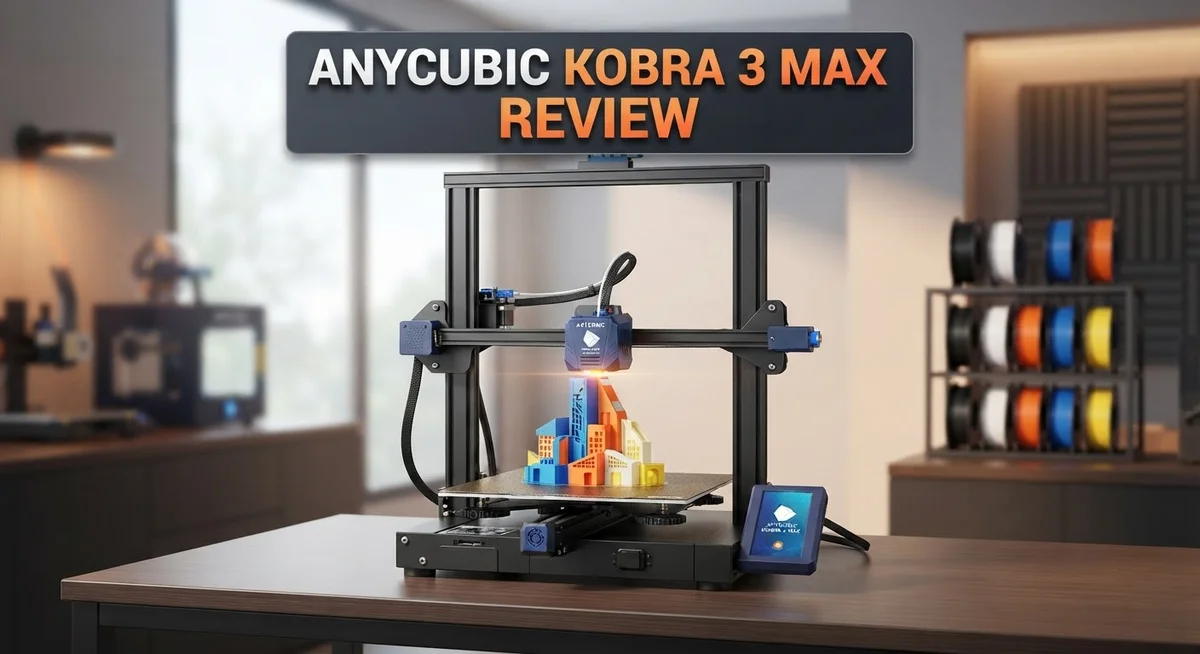
Anycubic Kobra 3 Max Review: Is It Worth Your Money?
Want to print big projects without splitting them into parts? The Anycubic Kobra 3 Max might be your answer.
This printer offers a massive 420×420×500mm build volume. You can create large props, cosplay gear, or house decor in one go.
It also prints fast. Speeds reach up to 600mm/s, so you spend less time waiting and more time creating.
The 800W AC hotbed heats up quickly too. It jumps from 25°C to 60°C in just 125 seconds.
Want colorful prints? The ACE Pro 8 color system adds multicolor capability without much hassle.
But does this printer live up to its specs in real use? We tested the Kobra 3 Max to find out.
In this review, we cover performance, build quality, and common issues. You will learn if this printer fits your needs.
Let’s jump in and see what makes this machine tick.
In a Nutshell
Here’s the quick rundown on the Kobra 3 Max before you dive into the full details:
-
Build quality feels solid, and assembly is simple. You won’t need hours to set it up.
-
Auto leveling works well. Combined with input shaping, prints come out smooth and accurate.
-
Some units show quality control issues. A few buyers reported parts that needed fixing right out of the box.
-
Layer adhesion can be inconsistent. This shows up more on larger or complex prints.
-
Customer support has a declining reputation. EU users especially report slow responses and warranty headaches.
-
Compared to rivals like Bambu Lab, this printer trades some polish for its huge build volume.
-
If you print big projects often, the size advantage alone might outweigh the drawbacks.
-
But if reliable support matters more to you, weigh the Kobra 2 Max or other competitors first.
Bottom line: The Kobra 3 Max delivers big prints fast, but quality control and support need improvement. It’s a strong option for hobbyists who don’t mind occasional DIY fixes.
Build Volume and Print Speed
The 420×420×500mm build volume gives you plenty of room to work with. You can print large objects without splitting them into multiple parts. This size is genuinely useful for makers who tackle bigger projects regularly.
Speed is where the Kobra 3 Max shines. The printer reaches up to 600mm/s, which means your prints finish faster than many competitors in this class. Fast printing saves time, especially when you’re running multiple jobs back to back.
The hotbed heats quickly too. Its 800W AC system goes from room temperature to 60°C in just 125 seconds. Quick heating means less waiting around and more printing. This matters when you’re eager to start your next project.
Real world performance tells a different story than the specs alone. Users report that while the printer can hit those speeds, layer adhesion sometimes suffers at maximum velocity. Slowing down slightly often improves print quality. You’ll likely find your sweet spot somewhere between maximum speed and perfect results.
The combination of size and speed creates an interesting trade off. You get a generous build area with rapid output, but you need to monitor quality closely. Input shaping technology helps reduce vibration, which supports faster printing without sacrificing detail.
One thing to note: achieving consistent results requires some attention. The auto leveling system works well, but layer adhesion issues pop up occasionally across user reports. This suggests that speed alone doesn’t guarantee perfect prints. You may need to adjust settings based on your specific filament and project type.
For users printing large functional parts, this speed and volume combo is hard to beat. Prototyping becomes faster. Production runs become more practical. The printer handles the workload without complaints, assuming you keep an eye on quality during the printing process.
If you prioritize getting big prints done quickly, this machine delivers. Just remember that maximum speed isn’t always the best choice for every project.
No products found.
Heating System and Multicolor Capability
The 800W AC hotbed on the Kobra 3 Max stands out as a genuine strength. It reaches 60°C from room temperature in just 125 seconds. This speed matters because you spend less time waiting and more time printing.
Fast heating also helps with bed adhesion. When the bed warms quickly and evenly, your first layer sticks better. This reduces failed prints and wasted material.
The multicolor system deserves attention here. The ACE Pro 8 color system lets you print in multiple colors without stopping the machine. You load different filament colors into the system, and it switches between them automatically during the print.
This opens creative possibilities. You can print logos with brand colors, create detailed miniatures, or add visual interest to functional parts. No more painting prints by hand unless you want to.
However, real world results vary. Some users report the color transitions leave visible seams on prints. The system works, but perfection takes practice. You may need to adjust settings or test prints to get smooth color changes.
The combination of rapid heating and multicolor capability makes this printer appealing for hobbyists and small businesses. You get production speed plus creative flexibility. The hotbed performance is reliable across most units tested.
One note: the multicolor system adds complexity. More moving parts mean more things to maintain. You’ll need to clean nozzles between color changes occasionally. The learning curve is gentle, but it exists.
For users who want big prints with color variation, this machine delivers what competitors charge extra for. The heating system performs consistently. The color system works as advertised, though results depend on your skill level.
If you print mostly single color parts, the multicolor system sits unused. That’s fine. The hotbed speed and build volume remain valuable regardless. You get a capable machine for large projects, with bonus features if you need them.
Auto-Leveling and Print Quality
The auto-leveling system on the Kobra 3 Max performs reliably during normal operation. This feature saves you time before each print session. You don’t need to manually adjust the nozzle height repeatedly.
The leveling mechanism works with input shaping technology. Together, these systems reduce vibration and improve surface finish. The printer compensates for minor bed irregularities automatically.
Print quality depends heavily on your setup and material choices. The large 420×420×500mm build volume gives you freedom to print bigger objects. However, this size comes with a trade off. Larger prints take longer, and consistency becomes harder to maintain across the entire bed.
Layer adhesion remains a concern for some users. The first layer sticks well when conditions are right. Bed temperature and nozzle distance matter significantly here. The 800W hotbed reaches 60°C in just 125 seconds, which helps with adhesion. But rushing the warm up process can cause problems.
Print speed reaches up to 600mm/s, which is fast for this printer class. Moving this quickly sometimes sacrifices detail quality. Fine details may lose sharpness at maximum speed settings. You’ll get better results by reducing speed for intricate sections.
The multicolor ACE Pro 8 color system adds complexity to the printing process. Color transitions can show visible seams on your finished parts. Quality control issues reported by some owners affect final output consistency. These problems aren’t just about the printer itself, they also reflect assembly quality.
Real world performance shows that achieving consistent results requires attention to detail. You may need to adjust settings between different material types. The printer responds well to these tweaks when you take time to dial things in.
Surface finish improves when you use appropriate speed settings for your project type. Functional parts print reliably at standard speeds. Decorative pieces benefit from slower, more careful printing. The combination of reliable auto leveling and rapid heating creates a solid foundation for quality prints, but operator skill still plays a major role in final results.
Top 3 Alternatives
Creality Ender 3 S1

- 【250mm/s High-speed Printing】Creality Ender 3 V3 SE 3d printer supports a maximum printing speed of...
- 【Powerful ""Sprite"" Direct Extruder】Ender 3 V3 SE is the upgrade of ender 3, ender 3 v2, ender 3 pro...
Last update on 2026-09-13 / Affiliate links / Images from Amazon Product Advertising API
The Creality Ender 3 S1 offers reliable 3D printing for hobbyists and professionals. This printer features a direct extruder system that improves filament control. You get consistent print quality without complicated setup steps.
The heated bed reaches temperature quickly. This means your prints stick properly and reduce warping issues. The printer comes with a user-friendly interface. New users find it easy to navigate the settings and start printing within minutes.
Prusa MK3S Plus

- [REWARDING DIY EXPERIENCE] Master your 3D printer by building it yourself with our detailed step-by-step...
- [PRO-GRADE SPEED & QUALITY] Elevate your workshop with this high-speed CoreXY professional 3d printer. The...

Last update on 2026-09-13 / Affiliate links / Images from Amazon Product Advertising API
The Prusa MK3S Plus delivers high-precision printing with exceptional reliability. This machine includes automatic nozzle leveling. You spend less time adjusting and more time creating quality prints.
The printer features a heated chamber option for advanced users. Print speeds remain consistent throughout your projects. Support from Prusa is outstanding. Their community forum helps solve problems quickly. The build quality feels solid and lasts for years.
Bambu Lab X1 Carbon

- Up to 16 Colors: Bring your designs to life with vibrant multi-color/multi-material printing capabilities...
- 500mm/s and 20000 mm/s² Acceleration True High Speed: Don't wait around for your masterpieces. Lightning-fast...
Last update on 2026-09-13 / Affiliate links / Images from Amazon Product Advertising API
The Bambu Lab X1 Carbon brings speed and accuracy to your workshop. This printer uses multi-material printing capabilities. You can create complex designs with different colors in one print job.
The enclosed design keeps temperatures stable. This reduces print failures and improves final results. The camera system lets you monitor prints from your phone. Smart features make printing convenient. The machine handles various filament types without constant adjustments. Bambu Lab provides regular software updates that add new features and improve performance over time.
Assembly and Setup Experience
Getting the Anycubic Kobra 3 Max ready for your first print is straightforward. The assembly process follows a logical flow. Most users report finishing setup in under an hour without major complications.
The printer arrives partially assembled. You’ll connect the main components like the gantry, extruder head, and bed frame. The instruction manual provides clear steps. Hardware feels solid throughout the process. Bolts and connectors fit snugly without requiring excessive force.
Cable management is simple here. The wiring harness connects to the mainboard with clear labeling. You won’t struggle with confusing connector types. Power connections are color coded. This reduces the chance of mistakes during setup.
The build plate installation deserves attention. You mount it onto the Z axis mechanism using straightforward clips. The process takes just a few minutes. Make sure it sits level before proceeding to calibration.
Auto-leveling takes the guesswork out of bed preparation. Once you power on the machine, the system automatically probes multiple points across the build surface. You don’t need manual leveling tools or experience with dial gauges. The sensor completes this task in about two minutes. This feature saves time and frustration for beginners.
The hotbed reaches operating temperature quickly. This matters for your first print. You can start printing sooner rather than waiting around. The rapid heating also means less idle time between jobs during a printing session.
First print setup involves loading filament into the extruder. The feeder mechanism grips material securely. Threading filament through the hot end happens smoothly. The printer includes a loading guide that helps with this step.
One thing to note: quality control varies between units. Some users encounter minor alignment issues. These typically require small adjustments to get perfect results. Checking your specific machine early catches any problems. Taking time during setup to verify everything sits properly prevents headaches later.
The overall experience feels user friendly. Anycubic designed this printer with new users in mind. Most people complete assembly and calibration without calling support.
Quality Control and Reliability Issues
Quality control inconsistencies stand out as a genuine concern with the Kobra 3 Max. Several users report receiving units with minor alignment problems right out of the box. Some machines arrive with bed leveling sensors that need recalibration before first use.
The warranty support experience varies significantly depending on your location. EU customers especially report slower response times and difficulty getting replacements for defective parts. Anycubic’s customer service team has faced criticism for not addressing known manufacturing flaws promptly.
Layer adhesion issues affect some units more than others. While the hotbed heats rapidly and the auto-leveling system works reliably, certain machines still struggle with first layer consistency. This suggests inconsistent quality during assembly rather than a design flaw. Users experiencing adhesion problems often need to apply DIY solutions like adjusting nozzle offsets or recalibrating sensors manually.
The multicolor ACE Pro system introduces additional failure points. Some users encounter issues with color switching accuracy or filament detection problems. These problems require technical troubleshooting that support staff doesn’t always handle quickly.
Real world reliability improves significantly after initial setup. Once you dial in the machine properly, most users report stable performance over extended use. The printer handles long print jobs well, though some users experience occasional nozzle clogs or extruder jams under heavy use.
Many owners resort to community forums and YouTube tutorials to fix problems that warranty support should address. This DIY culture around the Kobra 3 Max indicates that Anycubic expects users to solve certain issues independently.
The build quality itself feels solid and durable. The frame construction and mechanical components show good engineering. The problem lies in quality assurance during manufacturing and final testing before shipment.
If you purchase this printer, budget extra time for calibration and potential troubleshooting. Join user communities online to learn from others’ experiences. Expect to invest effort into getting your specific unit running optimally. This investment typically pays off with reliable performance afterward, but it’s not a plug and play experience for everyone.
Pros and Cons
Pros
- Large 420×420×500mm build volume lets you print bigger projects compared to smaller consumer printers
- Print speeds reach up to 600mm/s, making this one of the faster options in its class
- Hotbed heats from 25°C to 60°C in just 125 seconds, so you start printing faster
- Auto-leveling system removes guesswork from bed preparation and works well with input shaping technology
- Straightforward assembly and simple cable management get you printing quickly with minimal setup hassle
Cons
- Quality control varies between units, with some owners experiencing alignment issues and layer adhesion problems that need fixing
- Warranty support and customer service have faced complaints, especially from EU customers dealing with unaddressed defects
- The 8 color ACE Pro multicolor system adds complexity and introduces more potential failure points during printing
- Layer adhesion remains inconsistent for some users, requiring extra calibration and troubleshooting beyond standard setup
Who Should Buy It
The Anycubic Kobra 3 Max works best for makers who want a large build volume without sacrificing speed. If you print bigger models regularly, the 420×420×500mm platform gives you real room to work. You won’t feel cramped like you would on smaller machines.
This printer suits experienced users who enjoy tinkering. Quality control issues mean some units arrive with minor alignment problems. You’ll need patience and basic troubleshooting skills to get the best results. Newcomers might find this frustrating, but hobbyists often see it as part of the process.
The multicolor ACE Pro system appeals to creators who want vibrant prints without post-processing. If you design colorful miniatures, artwork, or educational models, this feature saves time. Just know that additional color channels mean more potential maintenance points.
Fast print speeds up to 600mm/s attract users with tight deadlines. Prototypers and small business owners benefit from finishing projects quickly. The rapid hotbed heating also means less waiting between print jobs.
Consider this machine if you’re comfortable with community support. Warranty experiences vary by location, and some users report slow official responses. However, active online communities share solutions and modifications freely. You’ll find plenty of YouTube guides and forum posts addressing common issues.
This printer isn’t ideal for absolute beginners seeking hassle-free operation. If you want a machine that works perfectly out of the box with minimal calibration, look elsewhere. The Bambu Lab models offer better reliability if support and consistency matter most to you.
The Kobra 3 Max shines for makers who value large printing capacity and speed over hand-holding support. You should buy it if you have problem-solving skills and appreciate learning your equipment deeply. Budget extra time for initial setup and calibration. If you’re willing to invest effort upfront, you get a capable machine with impressive capabilities for serious hobbyists and small-scale producers.
Final Verdict
The Anycubic Kobra 3 Max delivers a lot for makers who want big prints done fast. Its large build volume and quick print speeds make it stand out in a crowded market.
However, this printer asks for patience. You need to accept some quality control risks and handle troubleshooting yourself.
Bambu Lab printers offer more consistent quality control if reliability matters most to you. They cost more but reduce the guesswork.
The Kobra 2 Max works well if you want a proven predecessor with fewer multicolor complications. It skips the ACE Pro system entirely.
Flashforge M5 appeals to users who want a middle ground between speed and dependability. It offers solid performance without extreme print sizes.
The base Kobra 3 suits makers who don’t need the extra build volume. It shares core technology with the Max version but comes in a smaller footprint.
Should you buy the Kobra 3 Max? That depends on your priorities.
Choose this printer if you print large projects regularly and value speed. You should feel comfortable researching fixes online when issues arise.
Skip this printer if you want guaranteed quality control and responsive warranty support. Beginners who need hassle free printing right out of the box may find better options elsewhere.
This machine rewards hands on makers. It punishes those who expect flawless performance from day one.
The hardware itself shows real potential. Anycubic built a capable machine with genuine strengths in speed and capacity.
The support experience lets some buyers down. This gap between hardware quality and customer service remains the biggest hurdle.
Weigh your tolerance for DIY problem solving against your need for size and speed. That decision will tell you if this printer fits your workflow.
For makers who enjoy the process and don’t mind a learning curve, the Kobra 3 Max earns its place. For those who want plug and play reliability, other options serve you better.
Frequently Asked Questions
Does the Anycubic Kobra 3 Max have multicolor printing?
Yes, it does. The printer includes the ACE Pro 8-color system for multicolor printing. This lets you create vibrant, multi-hued prints without needing post-processing or manual filament swaps between layers.
The system works smoothly on most prints. However, some users report occasional complications with color transitions. If multicolor printing matters to you, test with simple two-color projects first before attempting complex designs.
How fast does this printer actually print?
The Kobra 3 Max reaches speeds up to 600mm/s. This makes it one of the faster consumer-grade printers available. You’ll notice quicker print times compared to standard machines.
Higher speeds can sometimes affect detail quality. Slower speeds produce sharper results. Most users find the sweet spot around 400mm/s for balanced speed and precision.
What’s the build volume, and is it really that large?
The build volume measures 420×420×500mm. This is genuinely spacious for a consumer printer. You can print large objects or multiple smaller items in one session without splitting projects across multiple runs.
Larger build volumes mean fewer restarts and better project efficiency. This appeals to makers handling bigger designs regularly.
Is the auto-leveling system reliable?
The auto-leveling works well and pairs nicely with input shaping technology. Most users report solid bed preparation without manual intervention. You skip the frustrating guesswork of manual leveling.
That said, some units experience occasional alignment drift over time. Regular checks keep everything running smoothly. The system isn’t perfect, but it performs better than manual alternatives.
Should I buy this if I’m a complete beginner?
This printer works best for experienced users who enjoy tinkering. Absolute beginners might find the setup process challenging. Customer support has faced complaints, especially in EU regions, so you’ll rely heavily on community forums for help.
If you prefer hands-on learning and troubleshooting, you’ll thrive with this machine. If you want zero-hassle operation, consider other options first.

DK is a technology expert who specializes in AI tools, software, and tech gadgets. He writes for How to Tech Info, providing detailed reviews and practical guides. DK helps readers discover the best AI applications, navigate new software, and choose the right tech gadgets.

