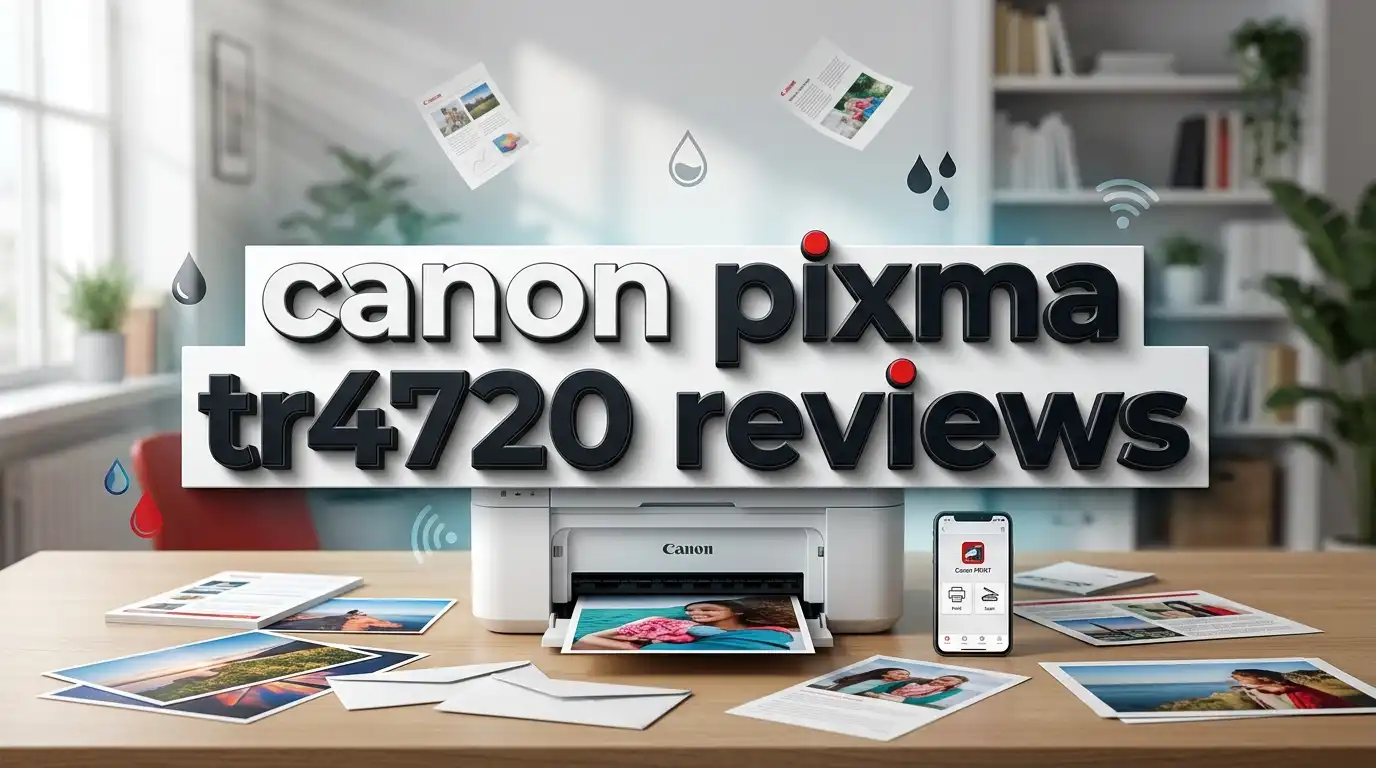
Canon PIXMA TR4720 Review: All in One Printer Worth Buying?
The Canon PIXMA TR4720 is one of the most popular budget printers on Amazon right now. It promises to print, scan, copy, and fax from one small machine. Many home users want a cheap printer that just works. This review looks at what this Canon model does well and where it falls short.
You will learn about print quality, ink costs, wireless setup, and daily use. We tested the facts and read real owner feedback. By the end, you will know if the Canon PIXMA TR4720 fits your home or small office. Let us start with the quick summary below.
In A Nutshell
Here is a fast look at the Canon PIXMA TR4720 before we go deeper into the review:
- True 4 in 1 machine: It prints, copies, scans, and faxes. You get four functions in one compact body for a low price.
- Very affordable price: The printer often sells for around 60 to 70 dollars, which makes it one of the cheapest all in one options on the market.
- Wireless and mobile printing: It supports Wi-Fi, AirPrint, and the Canon PRINT app. You can print from a phone or laptop with no cables.
- Good photo quality: The two cartridge design gives sharp text and surprisingly nice photos for such a budget model.
- High ink cost is the weak point: The small cartridges run out fast. Long term ink spending is the biggest drawback of this printer.
- Best for light users: This machine suits people who print a few pages each week, not heavy daily printing.
Keep reading to see the full breakdown of features, performance, and value.
What Is The Canon PIXMA TR4720?
The Canon PIXMA TR4720 is a budget all in one inkjet printer made for home use. Canon built it for people who need basic printing without spending much money. It handles four main jobs from one small unit.

- PRINT, COPY, SCAN, FAX: The PIXMA TR4720 is a true 4-in-1 printer that is compact, versatile and easy-to-use
- EASY SETUP: Enjoy simple setup through the Canon PRINT Inkjet/SELPHY app[1].

Last update on 2026-07-22 / Affiliate links / Images from Amazon Product Advertising API
This printer prints, copies, scans, and faxes. That fax feature is rare on cheap printers today, so it stands out. The machine has a small 20 sheet automatic document feeder on top. This lets you copy or scan a few pages at once.
The TR4720 uses two ink cartridges. One is black and one holds three colors. Canon calls them the PG-275 and CL-276 cartridges. The two cartridge setup keeps the printer body cheap and simple.
It connects through Wi-Fi, USB, and Wi-Fi Direct. You can print from a computer or a mobile device. The printer works with Apple AirPrint and the Mopria service too. This gives you many ways to send a job.
The body is compact and light. It fits on a small desk or shelf with ease. Canon aimed this model at students, families, and light home office users. It is not built for busy offices with high page counts. For simple home tasks, it does the core job well.
Design And Build Quality
The Canon PIXMA TR4720 has a small and neat design. It measures about 17 inches wide and weighs close to 12 pounds. This makes it one of the more compact all in one printers you can buy.
The body is matte black plastic. It feels light but not cheap. The rear paper tray folds up when you need it. The front output tray pulls out for finished pages. When closed, the printer takes up little space.
On top sits the automatic document feeder. You load pages here for copying or scanning. The control panel is simple, with small buttons and a basic single line screen. This screen shows only text, not a color display.
Some users find the screen too small and plain. You cannot preview scans or see much detail on it. The buttons work fine but feel a little cramped. For a budget printer, this is normal.
The rear feed holds around 100 sheets of plain paper. That is decent for home use. There is no front paper cassette, so all paper loads from the top. Dust can settle on paper left in the open tray.
Build quality feels solid for the price. Nothing wobbles or creaks during use. It will not survive rough handling, but for a home desk it holds up well. The compact footprint is one of its best design traits.
Print Quality And Performance
The Canon PIXMA TR4720 delivers good print quality for its price. Text comes out sharp and clean on plain paper. Most home documents look crisp and easy to read.
The printer reaches a resolution of 4800 by 1200 dpi. This helps it print clear photos and graphics. Reviewers often praise the photo output on this budget model. Colors look bright and natural on photo paper.
Print speed is average. It prints about 8.8 pages per minute in black and around 4.4 pages per minute in color. These numbers suit light home use. Heavy users will find the speed slow for big jobs.
The first page can take a few seconds to start. This is common with small inkjet printers. Once it warms up, it keeps a steady pace. Borderless photo prints up to 8.5 by 11 inches are possible.
The single cartridge for all three colors has one flaw. If one color runs low, you must replace the whole color cartridge. This wastes ink and money over time. Text only users will not notice this much.
Copies and scans look fine for daily needs. Scan quality is clear enough for documents and forms. For casual photos and school reports, the print quality is strong. It is a fair result for a machine this cheap.
Top 3 Alternative For Canon PIXMA TR4720
If the ink costs worry you, these three models offer strong value. Each one fixes a common complaint about the TR4720. Look at these picks before you decide.

- Innovative Cartridge-Free Printing ― High-capacity ink tanks mean no more tiny, expensive ink cartridges...
- Dramatic Savings on Replacement Ink ― Save up to 90% with replacement ink bottles vs. ink cartridges...
Last update on 2026-06-17 / Affiliate links / Images from Amazon Product Advertising API

Last update on 2026-07-22 / Affiliate links / Images from Amazon Product Advertising API

- EcoTank ET-2850 All-in-One Supertank Printer - White
- Prints up to 10.5 pages per minute (ppm) in black and 5 ppm in color.
Last update on 2026-06-17 / Affiliate links / Images from Amazon Product Advertising API
The Epson EcoTank ET-2800 uses refillable ink tanks instead of cartridges. This slashes long term ink cost by a huge amount. It is the best choice if you print often and want cheap ink for years.
The HP DeskJet 2755 is even smaller and cheaper than the Canon. It suits very light users who print only now and then. It works with the HP Instant Ink service for easy refills.
The Epson EcoTank ET-2850 adds a color screen and faster speed. It costs more up front but saves money on ink over time. This model fits families who print photos and documents each week.
Ink Costs And Cartridge Details
Ink cost is the biggest weakness of the Canon PIXMA TR4720. The printer is cheap, but the ink is not. This is where many owners feel frustrated.
The TR4720 uses two cartridges. The PG-275 black and the CL-276 color are the standard versions. The standard black yields only about 100 pages. The standard color yields even fewer pages.
Canon also sells XL versions called PG-275XL and CL-276XL. These hold more ink and last longer. The XL black reaches around 400 pages, and the XL color hits about 300 pages. The XL packs cost more but give better value.
A value pack of XL cartridges can cost near 90 dollars. That is more than the printer itself in some cases. This high cost adds up fast if you print a lot. Light users feel the pinch less.
You can buy third party cartridges to save money. Many brands make compatible PG-275 and CL-276 refills. These cost far less than Canon originals. Quality varies, so read reviews before you buy.
The math is simple. If you print rarely, the ink lasts a while and the cost feels fine. If you print daily, the cost per page climbs quickly. For heavy printing, a tank printer saves much more money.
Wireless And Connectivity Features
The Canon PIXMA TR4720 offers solid wireless options for a budget printer. You can print without any cables in most cases. This makes it easy to use around the home.
It connects through Wi-Fi and Wi-Fi Direct. Wi-Fi Direct lets you print straight from a device without a router. There is also a USB port for a wired link to a computer. You have flexible ways to connect.
The printer supports Apple AirPrint for iPhone and Mac users. It also works with the Mopria Print Service on Android. These built in tools mean you often print with no extra app.
Canon offers the PRINT Inkjet SELPHY app for phones and tablets. This app lets you print, scan, and check ink levels. It makes mobile printing simple for most users. Setup through the app is quick.
One thing to note is the 2.4 GHz Wi-Fi limit. The printer does not support 5 GHz networks. You must connect it to the 2.4 GHz band on your router. Most home routers offer this band, so it is rarely a problem.
Some users report occasional Wi-Fi drops. Moving the printer closer to the router usually fixes this. Once connected, the wireless link stays stable for most people. The connectivity set covers all common home needs well.
How To Set Up The Canon PIXMA TR4720
Setting up the Canon PIXMA TR4720 is quick and simple. Most users finish in about 15 minutes. Canon designed the process to be easy for beginners.
First, remove all the orange tape and packing material. This step matters, since leftover tape can jam the printer. Then plug in the power cord and turn it on. The screen will guide your next steps.
Next, install the two ink cartridges. Open the front cover and snap them into place. The black goes on one side and the color on the other. Close the cover and let the printer prime the ink.
For wireless, press the Setup button on the panel. Choose Wi-Fi setup and pick your network name. Enter your Wi-Fi password using the buttons. The printer then joins your home network.
You can also use Easy Wireless Connect through the Canon app. This method sends your network details from your phone. It skips typing the password by hand. Many users find this the fastest way.
Load paper in the rear tray to finish. Print a test page to check everything works. Canon provides clear online guides and videos too. The whole setup feels smooth even for first time printer owners.
Copy, Scan, And Fax Functions
The Canon PIXMA TR4720 shines with its four in one design. It does more than print. You get copy, scan, and fax tools in one small machine.
The automatic document feeder holds up to 20 pages. This lets you copy or scan a stack without feeding one page at a time. It saves time for multi page documents. The feeder is a rare perk at this price.
Copies come out clear and fast enough for home use. You can adjust the copy density on the panel. The machine makes plain black or color copies with ease. Quality is good for forms, receipts, and school work.
Scanning works through the flatbed or the feeder. Scans reach a decent resolution for documents. You can scan to a computer or a phone. The scans save as PDF or image files.
The fax feature is the surprise here. Very few cheap printers still offer fax. This helps people who send legal or medical forms. It also works for small offices that need fax now and then.
One limit is the feeder handles single sided pages only. It does not flip pages for two sided scans. Still, the mix of functions gives strong value. For a budget unit, this four in one set is hard to beat.
Who Should Buy The Canon PIXMA TR4720?
The Canon PIXMA TR4720 fits specific types of users best. It is not for everyone. Knowing your needs helps you decide if it is right for you.
This printer suits light home users well. If you print a few pages each week, it works great. Students, families, and casual users get the most value. The low price makes it easy to own.
It is a smart pick for people who need fax at home. Few cheap printers still offer this. If you send forms or documents by fax, this model saves you a trip. That feature alone draws many buyers.
The compact size fits small desks and tight spaces. Apartment renters and dorm students love this. It tucks away when not in use. The light weight makes it easy to move.
Photo hobbyists on a budget may like it too. The photo quality is good for the price. You can print family pictures at home without a pro printer. Just watch the ink use on color prints.
Who should skip it? Heavy daily printers will hate the ink costs. Busy offices need faster and cheaper machines. If you print hundreds of pages a month, a tank printer saves more money. For light and simple needs, the TR4720 is a fine choice.
Pros And Cons Of The Canon PIXMA TR4720
Every printer has strong points and weak points. The Canon PIXMA TR4720 is no different. Here is a balanced look at both sides.
On the good side, the low price stands out first. This is one of the cheapest all in one printers you can buy. It also packs four functions into one small body. Print, copy, scan, and fax all work from one unit.
The photo quality is strong for a budget model. Text prints look sharp and clean. The wireless features cover all common needs. Setup is quick and beginner friendly. The compact size fits almost any desk.
Now for the downsides. The high ink cost is the main complaint. Small cartridges run out fast and cost a lot. The color cartridge wastes ink when one color runs low.
The slow print speed frustrates heavy users. The single line screen feels basic and small. There is no 5 GHz Wi-Fi support. The feeder handles only single sided scans.
Some users report Wi-Fi drops now and then. The printer also lacks a memory card slot. These flaws matter more for power users. For light home use, the pros outweigh the cons at this price. It offers real value for the right buyer.
Real User Feedback And Reviews
Owner reviews of the Canon PIXMA TR4720 are mixed but mostly fair. Buyers praise the price and the features. They also warn about the ink cost. Reading real feedback helps set your expectations.
Many users love how easy the setup is. They say the printer connects to Wi-Fi with little effort. First time printer owners find it simple. This is a common bright spot in reviews.
People also like the compact size and photo quality. Parents use it for school work and family photos. They feel it does the job for the low cost. The fax feature earns thanks from a small group of users.
The main complaint is always the ink. Users say the cartridges empty too fast. They feel the ink costs more than the printer over time. Some switch to third party ink to save money.
A few owners report connection issues. The Wi-Fi can drop and need a reset. Others mention the slow speed on large jobs. These problems bother heavy users the most.
Overall, most buyers feel the TR4720 is worth the low price. They accept the ink cost as the trade off. Light users tend to rate it higher. Heavy users often wish they bought a tank printer. The reviews match what our testing found.
Comparison With Other Budget Printers
The Canon PIXMA TR4720 competes with many cheap all in one printers. Two big rivals are Epson and HP. Seeing how it stacks up helps you choose wisely.
Against the Epson EcoTank ET-2800, the Canon wins on price up front. But the Epson uses refillable ink tanks. This makes the Epson far cheaper on ink over time. Heavy users should lean toward the EcoTank.
Compared to the HP DeskJet series, the Canon offers more features. Many HP DeskJet models drop the fax and feeder. The TR4720 gives you four functions for a similar price. This is a clear edge for Canon.
The HP Envy line adds nicer screens and duplex printing. The Canon lacks auto two sided printing. If you want double sided pages, the Envy may fit better. But it often costs more than the TR4720.
The Epson WorkForce printers aim at small offices. They print faster and hold more paper. The Canon cannot match office speed. For true office work, those models win.
The TR4720 finds its spot as a cheap home all rounder. It beats rivals on the low entry price and the fax feature. It loses to tank printers on ink cost. Pick based on how much you print each month.
Final Verdict On The Canon PIXMA TR4720
The Canon PIXMA TR4720 is a solid budget printer with clear strengths and flaws. It gives you four functions at a very low price. For the right user, it offers strong value.
The best parts are the low cost, small size, and photo quality. The fax and feeder add rare value at this price. Setup is easy and wireless printing works well. These traits make it a great pick for light home users.
The main flaw is the high ink cost. The small cartridges empty fast and cost a lot. Heavy users will spend more on ink than on the printer. This is the one thing to weigh before you buy.
If you print a few pages a week, this printer fits you well. Students, families, and casual users get the most from it. If you print daily, a tank printer like the Epson EcoTank saves more money long term.
Our verdict is simple. The Canon PIXMA TR4720 earns a fair recommendation for light home use. Know that ink will cost you over time. For the low price and full feature set, it remains a smart choice for the right buyer.
Frequently Asked Questions
Does the Canon PIXMA TR4720 print in color?
Yes, the Canon PIXMA TR4720 prints in full color. It uses a three color cartridge for color jobs. You can print documents, graphics, and photos. The photo quality is good for a budget printer.
What ink does the Canon PIXMA TR4720 use?
The printer uses two cartridges. It takes the PG-275 black and the CL-276 color. Canon also sells XL versions that hold more ink. Third party compatible cartridges are available too.
Can the Canon PIXMA TR4720 print wirelessly?
Yes, it supports Wi-Fi and Wi-Fi Direct. You can print from a phone, tablet, or laptop. It works with Apple AirPrint and the Canon PRINT app. Note that it only uses 2.4 GHz Wi-Fi.
Does the Canon PIXMA TR4720 have a fax feature?
Yes, the TR4720 includes a built in fax. This is a rare feature on cheap printers. It helps people who send forms or legal papers. The fax works well for home and small office use.
Is the Canon PIXMA TR4720 good for home use?
Yes, it is a good home printer for light use. It fits students, families, and casual users. The main downside is the ink cost. For a few pages a week, it offers great value.
How do I connect the Canon PIXMA TR4720 to Wi-Fi?
Press the Setup button and choose Wi-Fi setup. Pick your network and enter the password. You can also use Easy Wireless Connect through the Canon app. Setup takes about 15 minutes.
Is the ink expensive for the Canon PIXMA TR4720?
Yes, ink is the biggest drawback of this printer. The small cartridges run out fast. XL versions and third party ink help cut costs. Heavy users may find a tank printer cheaper over time.

DK is a technology expert who specializes in AI tools, software, and tech gadgets. He writes for How to Tech Info, providing detailed reviews and practical guides. DK helps readers discover the best AI applications, navigate new software, and choose the right tech gadgets.