
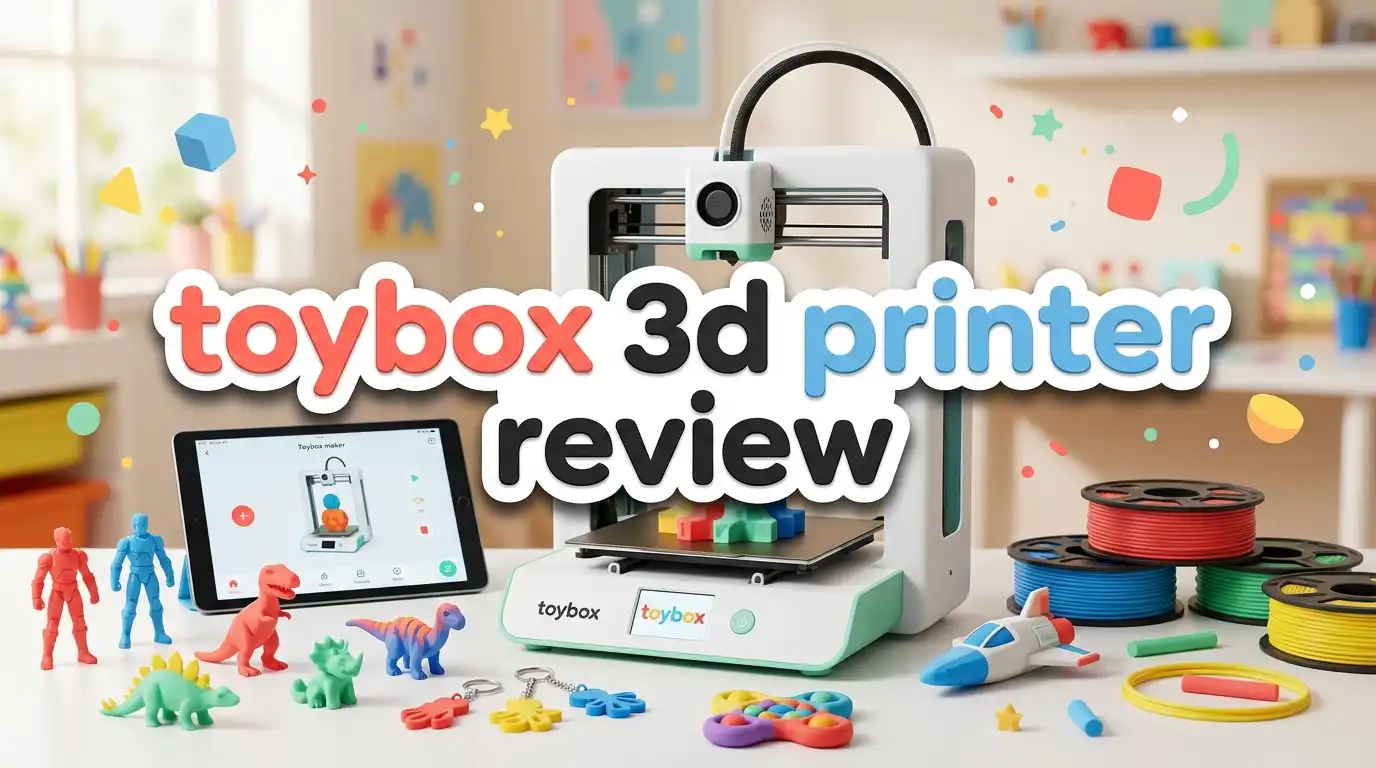
Toybox 3D Printer Review: Friendly Printer Worth Buying?
The Toybox 3D printer promises something simple. Your kids press one button, and a toy appears. That sounds like magic to a five year old. It also sounds like a dream to parents who want screen free, hands on fun at home.
But does it actually work that way? Can a young child really print a toy without help? And is the price fair for what you get?
I dug into the specs, real user feedback, and expert reviews to answer these questions. This full Toybox 3D printer review covers the good, the bad, and everything in between. By the end, you will know if this little machine belongs in your home.
In A Nutshell
Here is a quick summary before we go deeper. This section gives you the core facts fast.
- The Toybox is built for kids aged 5 and up. It uses a one touch printing system that removes the hard parts of 3D printing.
- The print area is small. You get roughly 70 x 80 x 90 mm of build space, so this machine makes small toys, not large models.
- It uses PLA filament only. Toybox sells special Printer Food rolls, but you can also use standard 1.75mm PLA.
- The Toybox Catalog holds thousands of ready made toys. Kids browse, tap, and print without any design skills needed.
- The price sits around $249 to $374. That is higher per gram than most beginner printers, mainly due to the small filament spools.
- It is safe and enclosed. The design keeps little fingers away from hot parts, which gives parents peace of mind.
Keep reading for the full breakdown of features, print quality, costs, and the top alternatives.
What Is The Toybox 3D Printer?
The Toybox 3D printer is a compact machine made just for children. Toybox Labs created it as the first of its kind printer aimed at kids rather than hobbyists or engineers. The whole product focuses on ease and fun.
Most 3D printers need you to slice files, level beds, and tweak settings. The Toybox skips all of that. Your child picks a toy from an app or website, taps a button, and the printer starts working. No technical skill is needed at all.
The machine is small and light. It weighs about 9 pounds and measures close to 8 inches on each side. This size fits easily on a desk or kitchen counter. It does not dominate a room like larger printers do.
The Toybox connects through Wi Fi. Kids can send print jobs from a tablet, phone, or computer. This wireless setup makes the whole process feel modern and simple.
The core idea is clear. Toybox wants to make 3D printing feel like using an Easy Bake Oven. You do not need to understand the science. You just enjoy the result. This approach is why so many families choose it as their first ever 3D printer.
No products found.
Toybox 3D Printer Key Features And Specs
Let us look at what this printer offers under the hood. The specs tell you what the machine can and cannot do.
The build volume is roughly 70 x 80 x 90 mm. That is small. You can print little figures, keychains, and small toys, but nothing large. This limit is the biggest thing to understand before buying.
The printer uses FDM technology with PLA filament. PLA is a safe, plant based plastic. It melts at a lower temperature, which makes it safer around children. The Toybox is a PLA only machine, so you cannot use tougher materials like ABS.
The one touch printing system is the headline feature. It removes slicing and setup. Kids tap a toy and print it. This is what sets the Toybox apart from every other printer.
Here are the main specs at a glance:
- Print area: around 70 x 80 x 90 mm
- Filament type: 1.75mm PLA (Printer Food rolls)
- Connectivity: Wi Fi
- Weight: about 9 pounds
- Recommended age: 5 years and up
The Wi Fi connection works well for sending files. The Toybox Catalog and Creator Space give kids endless design options. These software tools are simple and clean, which matches the kid friendly goal.
How Easy Is The Toybox To Set Up?
Setup is where the Toybox truly shines. Most 3D printers take an hour or more to assemble and calibrate. The Toybox arrives ready to use in minutes.
You take it out of the box. You load the filament. You connect it to Wi Fi. That is nearly the whole process. Loading and unloading filament is very easy, which many reviewers confirm.
There is no bed leveling headache. Many beginner printers force you to level the print bed by hand. This step frustrates new users. The Toybox handles this in a way that hides the difficulty from kids.
The app guides you through each step with clear pictures. A child can follow along with a little parent help the first time. After that, most kids run it alone.
This ease of use is the main reason parents pick the Toybox. You do not need to learn a new hobby just to help your child print a toy. Everything is built to work right away. For families who want zero fuss, this setup process is a big win.
Print Quality And Speed
Print quality on the Toybox is fine for toys. It is not designed for detailed, professional models. The small nozzle and PLA filament produce decent, playable results for children.
The prints hold up well as toys. One teacher review noted that the plastic toys did not break easily during normal play. PLA is weaker than ABS, but it works fine for the light use most kids give their creations.
Speed is moderate. Small toys print in a reasonable time, though larger items in the small build area still take a while. A simple keychain or figure may finish within an hour or two. Bigger designs take longer.
Do not expect crisp, ultra detailed prints. The Toybox trades fine detail for simplicity and safety. This is a fair trade for the target audience. Kids care about fun, not perfect layer lines.
The results are good enough to excite children and keep them engaged. When a child sees a toy they picked come to life, the quality feels perfect to them. For the intended use, the print quality does its job well.
Top 3 Alternatives For The Toybox 3D Printer
The Toybox is great, but it is not the only choice. If you want more build space, better detail, or a lower cost per print, these options are worth a look. Each one suits a slightly different family need.
The Bambu Lab A1 Mini offers larger prints and faster speeds. It is still beginner friendly but gives you more room to grow. Older kids and teens often love this one.
The FlashForge Adventurer 3 is an enclosed, safe printer with a camera and Wi Fi. It handles bigger models and works well for schools and families alike.
A fully assembled mini printer starter kit gives budget minded families a simple entry point. It comes with filament and preloaded designs, so kids can start printing fast.

- High-Speed Precision: Experience unparalleled speed and precision with the Bambu Lab A1 Mini 3D Printer. With...
- Multi-Color Printing with AMS lite: Unlock your creativity with vibrant and multi-colored 3D prints. The Bambu...
Last update on 2026-07-22 / Affiliate links / Images from Amazon Product Advertising API

- No Leveling Printing
- Removable Nozzle
Last update on 2026-07-22 / Affiliate links / Images from Amazon Product Advertising API

- COMPLETE STARTER KIT: Everything is included, just bring the imagination. This 3D printer starter kit comes...
- FULLY ASSEMBLED PRINTER: Unlike other 3D printers that may malfunction if not meticulously assembled...
Last update on 2026-07-22 / Affiliate links / Images from Amazon Product Advertising API
Each alternative has trade offs. The Bambu costs more but prints better. The FlashForge is a strong middle ground. The mini kit is cheap but basic. Pick the one that fits your budget and your child’s age.
The Toybox Catalog And App Experience
The software is a huge part of the Toybox appeal. The Toybox Catalog holds thousands of ready made toys. Kids scroll through, find something they like, and print it with a tap.
This catalog removes the design barrier. Most young children cannot create 3D models from scratch. With the catalog, they do not need to. They just choose and print. This keeps them engaged and reduces frustration.
The app is clean and simple. Buttons are big. The layout is easy for young eyes to follow. Kids learn to use it fast, often without reading any instructions.
There is also a Creator Space for older kids. This tool lets them draw and design their own toys. They can turn a doodle into a real object. This feature adds a creative layer for kids who want more.
The app works on tablets, phones, and computers. This flexibility means kids can print from wherever they feel comfortable. The wireless system feels smooth and modern.
The catalog is what makes the Toybox feel endless. New toys get added over time, so kids never run out of ideas. This steady stream of content keeps the printer fun for months.
Filament And Running Costs
Now for the part parents must understand. The Toybox uses small filament spools called Printer Food. These spools hold around 220 grams each.
Here is the catch. These small rolls cost about $10 each. When you compare this to standard 1kg spools, the cost per gram is nearly double. Over time, this adds up.
You are not fully locked in, though. Toybox says you can use other 1.75mm PLA filament. This gives you a way to lower your costs if you shop around. Standard PLA spools cost much less per gram.
Still, the official Printer Food is the recommended choice. Toybox says it works best with their machine. Some parents stick with it for reliability, while others switch to cheaper PLA to save money.
Factor these ongoing costs into your budget. The printer price is only the start. Kids print a lot once they get going, so filament use climbs fast.
My advice is simple. Start with the official filament to learn the machine. Then try standard PLA to cut costs once you feel confident. This balance keeps both quality and your wallet happy.
Safety Features For Kids
Safety is a top concern for any product aimed at children. The Toybox handles this well. The design keeps little hands away from hot and moving parts.
The machine uses PLA filament, which melts at a lower temperature than other plastics. This lowers the burn risk. Lower heat means a safer machine for young users.
The build is compact and stable. It does not tip over easily during use. This matters when curious kids lean in to watch their toy print.
The whole product is designed with kids in mind. Toybox built it for children aged 5 and up, so safety was part of the plan from the start. Parents can feel comfortable letting kids use it with light supervision.
That said, no 3D printer is fully hands off for very young kids. The nozzle still gets hot. Teach your child not to touch the print head while it works. A quick safety chat solves this.
For its target age group, the Toybox is one of the safest 3D printers you can buy. This safety focus is a strong reason it stays popular with families.
Who Should Buy The Toybox 3D Printer?
The Toybox is not for everyone. Knowing who it fits helps you decide fast. Let us break down the ideal buyer.
This printer is perfect for families with young kids. If you have children aged 5 to 12 who love toys, the Toybox brings joy. The one touch system matches their skill level.
It also suits parents who do not want a technical hobby. If you have no interest in learning slicing software or bed leveling, the Toybox removes all of that. You get results without the learning curve.
Teachers and schools also benefit. The Toybox works well in classrooms for young students. Its safety and ease make it a smart pick for group settings.
Who should skip it? Hobbyists and older teens may find it too limited. The small build area and higher filament cost frustrate users who want big, detailed prints. These people should look at the alternatives instead.
Budget focused buyers who print often may also want to compare costs. The filament price adds up. If you plan to print daily, a machine with cheaper filament may serve you better over time.
Pros And Cons Of The Toybox 3D Printer
Let us sum up the strengths and weaknesses in one clear place. This helps you weigh the machine at a glance.
The pros are strong for its audience:
- One touch printing makes it truly kid friendly.
- The huge catalog gives endless toy options.
- Setup is fast and simple with no bed leveling stress.
- Safety features suit kids aged 5 and up.
- The Wi Fi app works on many devices.
The cons are worth knowing too:
- The build area is small, so no large prints.
- Filament costs nearly double per gram with official rolls.
- Print detail is basic, not professional grade.
- It is PLA only, so no tough materials.
- The price is higher than many beginner printers.
The Toybox trades power for ease. This is the core trade off. If you value simplicity and fun over raw capability, the pros win. If you want a serious printer, the cons matter more. Knowing your priorities makes the choice clear.
Toybox 3D Printer Vs Standard Beginner Printers
How does the Toybox compare to normal beginner printers like the Ender 3? This is a common question. The answer depends on what you want.
Standard printers like the Ender 3 cost less. They also offer bigger build areas and cheaper filament. But they demand real effort. You must assemble, level, and tweak them. Many beginners find this hard.
The Toybox flips this. It costs more and prints smaller. But it removes all the difficulty. A child can use it alone. An Ender 3 needs an adult who is willing to learn.
Experts often say this directly. One reviewer noted that you should not buy a low end printer like the Ender 3 expecting a kid to use it, because it takes real effort. The Toybox exists for people who want zero effort.
Build size is another gap. Standard printers offer far more room, often 220 x 220 x 250 mm. The Toybox stays tiny by comparison. If you want large models, a standard printer wins.
The choice comes down to this. Pick the Toybox for a young child and pure ease. Pick a standard printer if you or an older child want power, size, and lower running costs.
Is The Toybox 3D Printer Worth The Price?
The big question is value. The Toybox sits around $249 to $374 depending on the bundle. Is that fair? The answer depends on your goals.
For a young child’s first printer, yes. The ease, safety, and catalog justify the cost for families. You pay for a smooth, frustration free experience. Many parents feel that is worth every dollar.
For a serious maker, the value drops. You can get more build space and cheaper filament from other printers at similar prices. Power users will feel the limits fast.
The filament cost is the real long term factor. The small spools raise your ongoing spend. If you print a lot, this eats into the value over months.
Still, think about what you are really buying. You are buying hours of screen free fun and a spark of creativity for your child. That value is hard to measure in dollars alone.
My honest take is this. The Toybox is worth it for the right buyer. If you want a simple, safe, fun printer for a young child, it delivers. If you want a capable machine for detailed work, look elsewhere.
Frequently Asked Questions
What age is the Toybox 3D printer for?
The Toybox is made for children aged 5 years and up. The one touch system suits young kids who cannot handle complex software. Older kids can use the Creator Space to design their own toys too.
Can you use regular filament in the Toybox?
Yes. While Toybox sells its own Printer Food rolls, you can also use standard 1.75mm PLA filament. This helps you lower running costs. Toybox recommends its own rolls for the best results, but the choice is yours.
How big can the Toybox print?
The build area is small, around 70 x 80 x 90 mm. This means the Toybox makes small toys, figures, and keychains. It cannot print large models. Keep this limit in mind before you buy.
Is the Toybox 3D printer safe for kids?
Yes, it is one of the safest options for young users. It uses low temperature PLA and an enclosed design that keeps hands away from hot parts. Still, teach kids not to touch the nozzle while it prints.
Does the Toybox need a computer?
No, it does not need a full computer. The Toybox connects over Wi Fi and works with a tablet, phone, or computer. Kids can send prints from the app on almost any device they like.
How much does the Toybox 3D printer cost?
The price ranges from about $249 to $374 depending on the bundle. Starter bundles cost less, while full kits with extras cost more. Factor in filament costs for your long term budget.
Is the Toybox worth it compared to an Ender 3?
It depends on your needs. The Toybox is far easier and safer for kids, while the Ender 3 offers more size and cheaper filament but needs real effort. Pick the Toybox for young children and simplicity.
Final Thoughts
The Toybox 3D printer does exactly what it promises. It turns 3D printing into simple, safe fun for kids. The one touch system and huge catalog make it a joy for young makers.
It is not the most powerful printer. The small build area, basic detail, and higher filament cost are real limits. But for its target audience, these trade offs make sense.
If you want a first printer for a child aged 5 and up, the Toybox is a strong pick. It sparks creativity and keeps kids engaged for months. For that goal, it earns its place on your desk.

DK is a technology expert who specializes in AI tools, software, and tech gadgets. He writes for How to Tech Info, providing detailed reviews and practical guides. DK helps readers discover the best AI applications, navigate new software, and choose the right tech gadgets.


