
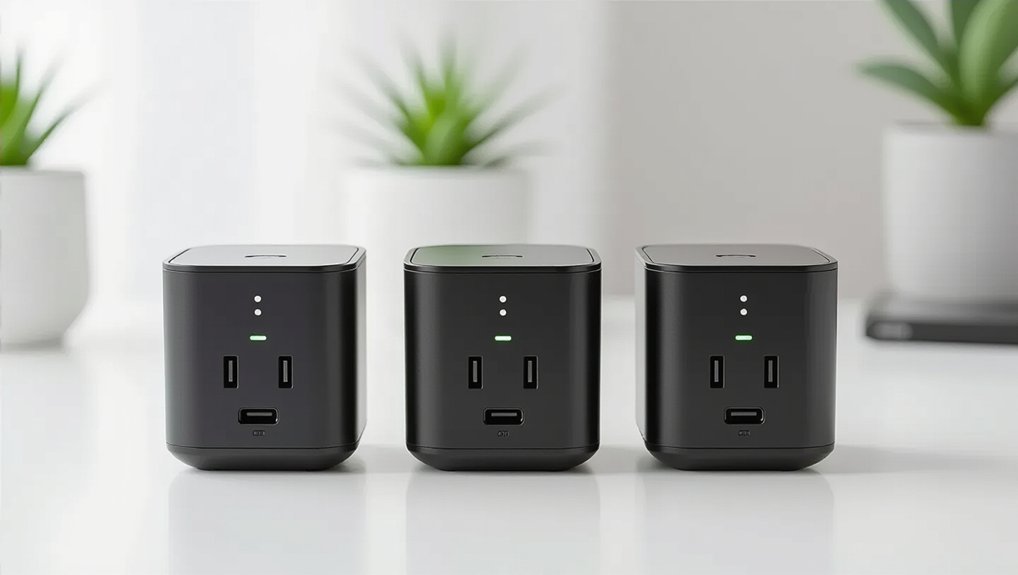
3 Best Smart Plugs for Energy Monitoring in 2026
If you’re considering smarter ways to manage home energy, choosing the right smart plug matters. Whether it’s the TP-Link Tapo, Kasa Matter, or Emporia model, each offers accurate energy tracking, user-friendly setup, and seamless integration with voice assistants. Their real-time data, easy setup, and safety standards make them reliable choices—yet, not all plugs deliver similar performance across environments. Curious about which model fits your needs best? Let’s explore what sets the top contenders apart.
TP-Link Tapo Smart Plug 4-Pack

- 【Insightful Energy Tracking】Track your plug's energy use with clear and easy-to-understand statistics and...
- 【Estimate Your Energy Bill】 Enhance energy management by integrating with billing systems for clear cost...

Last update on 2026-06-09 / Affiliate links / Images from Amazon Product Advertising API
If you want to keep track of your energy use and have an easy way to control your devices, check out the TP-Link Tapo Smart Plug 4-Pack. These plugs work with Alexa, Google Assistant, and Samsung SmartThings. You can turn your devices on or off with just your voice or the Tapo app. No need to crawl behind furniture to reach the switch! The plugs also show you how much energy your devices use with simple charts. This can help you save electricity and money. You can set schedules so devices turn on or off at certain times. That way, you save energy during off-peak hours. The plugs have safety features like auto-shutoff, which prevent overloads and keep your home safe.
Best For: People who want to control multiple devices, see their energy use, and stay safe with smart plugs.
Pros:
- Works with Alexa, Google Assistant, and Samsung SmartThings for easy voice control.
- Shows energy use with easy-to-read charts.
- Lets you set schedules to save energy.
- Compact size makes it easy to plug in many devices.
- Simple app makes setup quick.
Cons:
- Only works on 2.4 GHz Wi-Fi, which may limit options.
- Supports up to 15A/1800W, so it may not handle very high-power appliances.
- Auto-shutoff depends on proper setup and device support.
This smart plug makes controlling your home simple, helps you save energy, and keeps things safe.
Kasa Matter Smart Plug with Energy Monitoring (4-Pack)

- 【Matter-Compatible Smart Home Integration】Works with Matter-certified platforms such as Apple Home, Amazon...
- 【Energy Monitoring】Tracks energy usage over time to help you understand consumption patterns and make...
Last update on 2026-07-01 / Affiliate links / Images from Amazon Product Advertising API
The Kasa Matter Smart Plug with Energy Monitoring (4-Pack) is a good choice for people who want to keep track of their energy use. It supports the Matter protocol, so it works easily with Apple Home, Alexa, Google Home, and SmartThings. You can control every plug from one app. The energy monitoring feature shows you real-time data. This helps you see which appliances use a lot of power. You can then reduce energy waste and save money.
The plugs are small and safe. They are UL-approved and can be used both indoors and outside. Setting up the plugs is quick. You can also turn them on or off manually if needed. This makes managing your devices simple and stress-free.
Best For: People who want easy device control, energy tracking, and compatible smart home gadgets for indoors and outdoors.
Pros:
- Works with many smart home systems thanks to the Matter protocol
- Shows how much energy your devices use
- Small size and safe for indoor and outdoor use
Cons:
- Setting up the app might be tricky for some
- Energy data depends on Wi-Fi and app connection
- Only controls appliances that work with smart plugs and don’t use too much power
This smart plug helps you keep your home connected and save energy. It makes life easier and greener at the same time.
Emporia Energy Monitoring Smart Plug (4 Pack)

- Control Your Appliances and Devices: Control lights, fans, lamps, humidifiers, and any other appliances or...
- Monitor Your Home Energy Like a Pro: Emporia smart plugs let you stay on top of energy used by your devices...
Last update on 2026-07-11 / Affiliate links / Images from Amazon Product Advertising API
Looking to see how much energy your home appliances use? Want an easy way to control your devices remotely? The Emporia Energy Monitoring Smart Plug (4 Pack) can help. It works with standard 120V outlets and can handle up to 10A all the time. It can also peek at 15A for an hour each day.
You can set schedules to turn devices on or off. Use the app to create rules based on time, sunrise, or sunset. This makes managing your home simple and automatic. The app shows real-time energy data. You can see your usage daily, weekly, or monthly. The smart plugs work with Alexa and Google Home. They are weather-resistant, so you can use them inside or outside.
If you want to keep track of energy and control your plugs easily, this kit is a good choice. It helps you save energy and makes your home smarter. Just keep in mind that these plugs are not for very heavy appliances. Some users may have connection problems at first. Also, since they store data in the cloud, there might be ongoing costs or updates needed in the future.
Factors to Consider When Choosing Smart Plugs for Energy Monitoring
When choosing a smart plug, you’ll want to check if it’s compatible with your devices—nothing more frustrating than finding out late that it doesn’t fit your smart home system. Pay close attention to energy monitoring features, like real-time consumption data, since not all plugs give you the fine details you need to cut costs effectively. finally, consider how easy it is to set up, control via apps or voice commands, and whether your Wi-Fi connection stays strong—because a smart plug is only as good as its reliability.
Compatibility With Devices
Ever wonder if your smart plug will work well with your device setup? Compatibility is very important. You need a device that easily connects with your smart home system. Check if it works with Alexa, Google Assistant, Apple Home, or Samsung SmartThings. Look for the Matter protocol support. It helps different smart devices talk to each other easily.
Make sure the smart plug uses the 2.4 GHz Wi-Fi frequency. This frequency is more stable and less likely to drop connections. You might also need a specific app, like Kasa or Tapo, to see features such as energy use. Some apps are necessary to access all functions.
Think about control options too. A smart plug that can be controlled locally, without internet, stays reliable even if your Wi-Fi goes out. Having these features makes your smart home setup smoother and less frustrating.
Energy Monitoring Features
Energy monitoring is an important feature that helps you see how much electricity your devices use. Look for smart plugs that show real-time data. They should have easy-to-understand charts or reports in their app. These visuals help you see which devices use the most power. Some smart plugs keep track of energy use daily, weekly, or monthly. This can help you find patterns, like chargers left on or appliances that run too much. If the smart plug can connect to your bills or show costs, you can see how your habits affect your electric bill. Some advanced models can even turn off devices automatically when they use too much energy. This helps save energy without any extra work from you.
App & Voice Control
Smart plugs that you can control with an app or voice make managing your devices easier. They work well with voice assistants like Alexa, Google Assistant, or Siri. This means you can turn off your lamp or appliance just by asking. Check if the app is easy to use. It should work with your phone’s operating system and let you manage devices from anywhere. Good apps also have features like scheduling your devices, seeing energy use, and setting up automatic controls. Make sure the device gets regular updates. Updates fix bugs and add new features, keeping your device safe and useful. Easy voice commands, quick responses, and simple setup make your experience better. You don’t want to spend a lot of time trying to figure out how to turn on a light. These things help you control your devices smoothly and keep track of energy use easily.
Setup & Installation Ease
When you pick a smart plug, the setup should be quick and easy. You don’t want to read long instructions or spend a lot of time fixing problems. Look for plugs that connect fast using your phone app or with just your voice. Clear guides that show you what to do step-by-step help a lot. Some smart plugs can find your Wi-Fi on their own or have simple setup steps. This makes connecting easier and faster. Most models just need you to plug them in, tap some buttons, and you are all set. Some smart plugs let you set schedules or check energy use during setup. That way, you can control your device easily from the start.
Connectivity Stability
Having a stable internet connection is very important when choosing smart plugs for energy monitoring. If your connection isn’t steady, commands can get missed, or the data might be wrong. You want your smart plug to respond quickly when you turn on a light or check energy use. Look for smart plugs that support steady Wi-Fi, especially on the 2.4 GHz band. This band usually has a better range and fewer interruptions. Keep in mind that other devices or Wi-Fi networks nearby can cause signals to drop or slow down. Updating the plug’s firmware and having a strong Wi-Fi signal help keep the connection stable. Some smart plugs are easier to pair or can work locally, even if your internet has problems. When the connection stays reliable, you get accurate data and easier control. This means no more guesswork or frustration.
Durability & Safety
Choosing a smart plug is more than just making sure it fits your devices. You need to check if it is safe and durable. Look for smart plugs with UL or ETL safety marks. These marks show they meet strict safety tests. Pick plugs made from flame-resistant materials. These materials can handle high temperatures and lower fire risks if there is an electrical problem. Features like overload protection and auto-shutoff are important. They help prevent damage to your devices and stop hazards from happening. Make sure the plug has a strong build. It should last through lots of plugging and unplugging. If you use the plug outside or in damp places, choose one that is weather-proof. This kind of smart plug can handle rain, wind, and other weather conditions.
Cost & Value Offerings
When picking a smart plug with energy monitoring, price is often the first thing you notice. But it’s also important to think about what you’re really getting. Buying a pack of multiple plugs can save you money per device if you need several outlets. Look for models that show detailed real-time energy use, keep historical data, and tell you how much energy costs. These features help you see how you use electricity, not just watch it happen. Some smart plugs offer extra features like automation and schedules. These often cost more but make your life easier. Be careful with cheap options that don’t give much data or have limited app features. They might save money now but could be less helpful in the long run. Choosing trusted brands with accurate energy info and good customer support gives you better value and peace of mind.
Outdoor & Indoor Use
When picking between outdoor and indoor smart plugs for energy monitoring, think about where you will use them. Outdoor plugs need to be weatherproof and UL-listed. This means they can handle rain, snow, and changing temperatures without breaking. They usually have sealed covers that keep out dust, water, and sun rays. Make sure the outdoor plug matches your voltage and wattage needs so you don’t damage your garden lights or snowblower.
Indoor smart plugs don’t have to brave the weather. They should be small enough to not block other outlets. Also, they should work with your Wi-Fi network so you can control them easily from your phone. Both types should help you track energy use, but they are made for different places. Choose the right one based on where you want to use it.
FAQs
Can Smart Plugs Detect Real-Time Energy Consumption Accurately?
You wonder if smart plugs detect real-time energy consumption accurately. Generally, they provide reliable readings, but accuracy can vary depending on the device quality and setup; some may have slight measurement discrepancies.
How Secure Are Smart Plugs From Hacking Risks?
Smart plugs can be vulnerable to hacking, but you reduce risks by choosing reputable brands, updating firmware regularly, using strong passwords, and enabling security features. Stay vigilant, and you’ll keep your devices safer from potential threats.
Do Smart Plugs Work With All Major Smart Home Ecosystems?
You might find that most smart plugs work with popular ecosystems like Alexa, Google Assistant, and Apple HomeKit. However, compatibility varies, so check each plug’s specifications to guarantee it integrates seamlessly with your existing smart home setup.
Are Energy-Monitoring Smart Plugs Suitable for Outdoor Use?
You’ll find that many energy-monitoring smart plugs aren’t designed for outdoor use because they lack weatherproof features. Always check the product specifications to guarantee they’re rated for outdoor environments before using them outside your home.
What’S the Typical Lifespan of a Smart Plug’S Energy Sensors?
You’ll find that a smart plug’s energy sensors typically last around 5 to 10 years. Proper use, regular updates, and avoiding harsh environments help prolong their lifespan, so you get reliable monitoring over time.

DK is a technology expert who specializes in AI tools, software, and tech gadgets. He writes for How to Tech Info, providing detailed reviews and practical guides. DK helps readers discover the best AI applications, navigate new software, and choose the right tech gadgets.


