
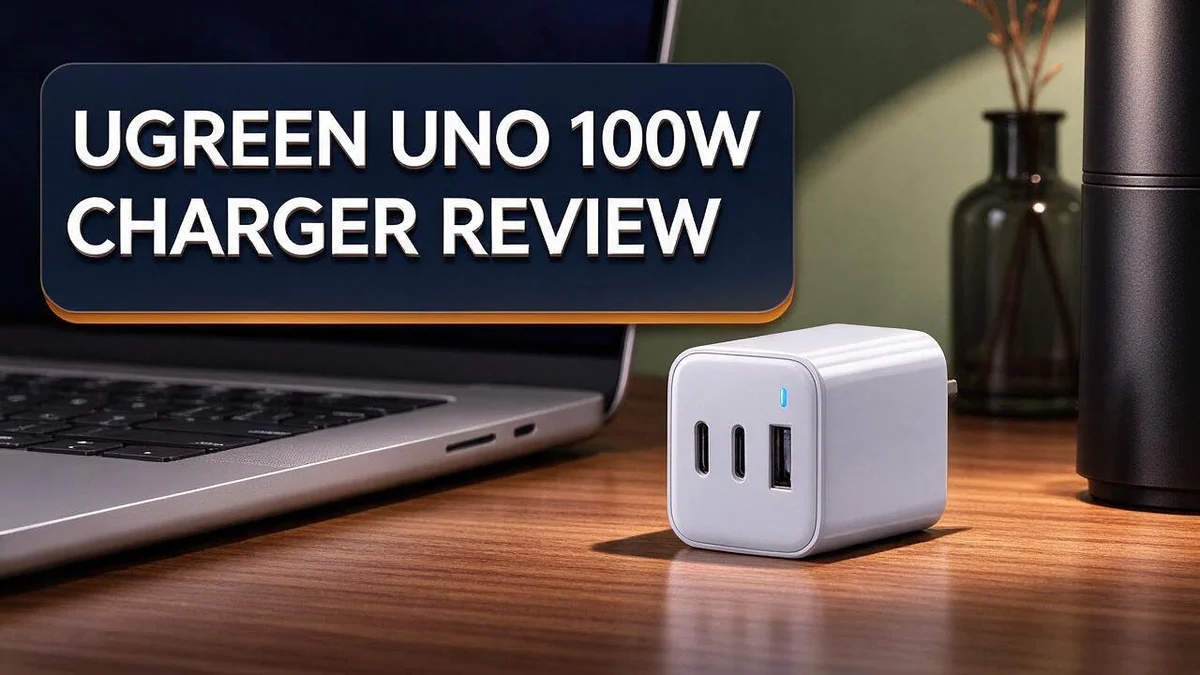
Ugreen Uno 100W Charger Review: Design, Ports, Display and Performance
Tired of carrying a pile of chargers everywhere? The Ugreen Uno 100W Charger may solve that problem. It packs four ports into one compact GaN body.
Most people want fast charging without the mess. This charger delivers up to 100W of total power across its ports. That means your laptop, tablet, and phone can charge at the same time.
What makes it stand out is the design. The TFT display shows animated faces, and the magnetic feet let you position it with ease. It looks more like a little robot than a plain brick.
Is it the right pick for you? Let’s look at what it offers, where it shines, and where it falls short. By the end, you will know if this charger fits your desk, bag, or travel kit.
In a Nutshell
-
Four ports let you charge several devices at once. You get a mix of USB C and USB A connections, so older and newer gear both fit.
-
Up to 100W of total output can power a laptop and phone together. Fewer chargers need to sit on your desk or fit in your bag.
-
GaN technology keeps the body compact for its power level. A smaller build makes it easier to pack for trips and hotel stays.
-
The TFT display shows charging details on a small screen. Display drawbacks exist, so read recent user feedback before you decide.
-
Magnetic feet add a little extra stability on a desk or shelf. They help the charger stay in place while cables are plugged in.
-
Plain alternatives such as the VERBATIM 100W 4 Port charger suit people who want a simple look. You still get four ports and high output in a more traditional body.
Design and Build

- Groovy Robot Design: UGREEN creative series charger, robot shape, TFT screen upgraded from LED, so it shows...
- 100W Fast charging: This GaN charger charges your MacBook Pro M3 2025 16-inch from 0 to 43% in just 30 minutes...
Last update on 2026-11-07 / Affiliate links / Images from Amazon Product Advertising API
The Uno does not look like a typical charger. Most chargers look like plain white bricks. This one has a playful robot style shape that grabs attention on any desk.
The first look can be surprising. Many people expect a boring block. The Uno shows some personality from the start, which can make it more fun to use every day.
Picking it up feels solid and well made. The body has a clean finish that fits well in a home office. You can tell the design team cared about how it looks during daily use.
Size is the main trade off. Power at this level needs room for internal parts. The Uno takes more space than a slim phone charger, so measure your spot first.
Port spacing matters more than you might think. The ports sit close together. Bulky cable heads may block a neighbor, so try slim cables first.
Heat is the next thing to watch. Any charger at this output warms up during heavy use. Give it open air and skip soft blankets or piles of papers.
The faces add personality. Kids and gamers may enjoy the cheerful look. Adults who want a quiet setup might prefer something more minimal.
Finish and cleaning need a little care. Smooth surfaces can show fingerprints and dust. A dry microfiber cloth keeps it looking fresh.
Travel use depends on your bag. Check that the charger fits a small pouch with your cables. A tidy pouch also keeps the ports clear of debris.
Where does it fit best? A desk, shelf, or entry table with extra space works well. Tight drawers or crowded bags may feel cramped.
Overall, the design earns its spot. It looks fun, feels sturdy, and suits a busy desk. Just plan the space before you plug in.
Port Layout and Power Delivery
Four ports give you plenty of options, but the layout deserves a closer look. The Uno uses a mix of USB C and USB A ports. USB C suits newer phones and laptops. USB A fits older gadgets and simple accessories.
Power gets shared across all connected devices. The charger has a total output limit, so every new plug takes a slice of the same pool. Plugging in one device may leave less power for the others.
Most modern devices use Power Delivery to request the right amount of power. Some phones also use PPS for faster charging. Check your device specs to confirm which standards it supports.
A simple test shows how the setup behaves. Connect your laptop first to the strongest USB C port. Then add your phone and watch how each device responds.
Low power gear works well alongside bigger devices. Earbuds, smart watches, and small lights draw very little power. They barely affect the speed of a laptop.
Your cable matters as much as the port. A thin or low quality cable can limit charging speed. Use a cable rated for high wattage to get the most from the Uno.
Here is a quick example. A laptop drawing 65W and a phone drawing 25W fit within the 100W total. Adding a tablet on top may slow charging for everything.
Overnight charging is where this layout shines. Speed matters less while you sleep, so sharing power across ports causes no real trouble. Your batteries will still be full by morning.
Think about your daily routine before you decide. List the devices you charge most often. Then count how many need high power at the same time.
Look for port labels or the manual for wattage details. Knowing which port delivers the most power saves time. This step helps you avoid frustration with a power hungry laptop.
Keep cables short for the best results. Long cables can add resistance and slow things down. A short cable keeps your desk tidy too.
Display and Animated Faces
Some chargers sit on a desk and simply do their job. The Uno takes a different path with its display and animated faces. This section explains how the screen fits into daily life.
Each face reacts to what the charger is doing. A cheerful look often signals normal charging. Other expressions help you spot changes at a glance. You do not need a manual to grasp the basic idea.
The screen shines in quiet rooms. Many people charge phones on a nightstand before bed. A soft glow lets you check progress without grabbing your phone.
Bright displays can bother light sleepers, though. Place the charger where its light will not reach your pillow.
Kids and visitors often find the faces fun. A friendly charger can make cable tidying feel less like a chore.
Families may also enjoy pointing out the expressions together. Placement matters more than many buyers expect.
The screen works best when you can see it from your seat. If the charger sits on a high shelf, the faces may be hard to read. A desk corner or an eye level shelf gives the clearest view.
Not everyone will love the animations. Some people prefer a calm, plain look in a shared office. In that setting, the expressions may feel distracting to coworkers.
Check how the screen looks in your own space before you commit. Think about light, distance, and who shares the room.
The research notes that the display has drawbacks, but the full details are not listed. Recent hands on reviews can fill that gap.
Look for comments on glare, brightness limits, and viewing angles. That way, you know what to expect before the charger arrives.
Top 3 Alternatives
Anker 737 Charger

- Power Through Your Day: With a 24,000mAh capacity, this laptop power bank can charge an iPhone 16 Pro...
- Intelligent Charge Monitoring: The smart digital display on this laptop power bank provides real-time insights...
Last update on 2026-11-07 / Affiliate links / Images from Amazon Product Advertising API
The Anker 737 Charger suits people who need serious power. It delivers up to 120W through two USB-C ports and one USB-A port.
Its GaN design keeps the body compact. Travelers appreciate that it packs more power than many older chargers.
Power sharing works smoothly. When you charge a phone and a laptop together, each device gets the right amount of energy.
Anker Nano II

- The Only Charger You Need: Say goodbye to your old power bricks. Anker 715 Charger (Nano II 65W) has the power...
- High-Speed Charging: Charge a 2020 MacBook Air in less than 2 hours, a MacBook Pro 13ʺ at full speed, an...
Last update on 2026-09-04 / Affiliate links / Images from Amazon Product Advertising API
The Anker Nano II is a compact option for daily travel. It offers USB-C fast charging in a small, light shape.
Its simple design makes it easy to pack and carry. Many people keep one in a backpack or purse for emergencies.
It works best for phones, earbuds, and smaller tablets. It may not match the output needed for big laptops.
Baseus GaN5 Pro

- 3-in-1 Intelligent Charging: Power a laptop, phone, and earbuds at once time with three USB-C ports. Support...
- Active Battery Care: Designed to help keep long-term battery health with smart power-off protection which...

Last update on 2026-11-07 / Affiliate links / Images from Amazon Product Advertising API
The Baseus GaN5 Pro focuses on multi-device charging. It supports USB-C power delivery for many gadgets at once.
Its gallium nitride build helps it run cooler and stay compact. It suits home offices, dorms, and shared spaces.
Great for desk setups. You can charge several devices in one spot without clutter.
Check the wattage on each port before you plug in a laptop.
Charging Performance and Safety
When you plug in a phone or laptop, you want fast and steady power. The Uno offers 100W, so it can handle bigger devices with ease.
Real charging speed depends on the device. A phone may accept only a set amount, while a laptop can pull much more. The charger simply supplies what each device requests.
GaN technology plays a big part here. Gallium nitride parts waste less energy as heat than older silicon designs. That lets the charger deliver strong output in a compact body.
Safety matters just as much as speed. A good charger protects itself and your devices from common problems. Look for protection against overcurrent, overvoltage, and short circuits.
Certification marks give you extra peace of mind. Symbols from recognized testing groups show that a product passed safety checks. Check the base or the packaging for these labels.
Watch for warning signs. A charger that smells odd, buzzes loudly, or cuts power often needs a rest. Unplug it and let it cool before you try again.
Testing gives you real answers. A USB meter shows the actual voltage, current, and wattage at each port. This helps you confirm that the charger delivers what the label promises.
Your cables need proper ratings too. A thin or worn cable can overheat even when the charger performs well. Pick cables built for high wattage charging.
Some owners have reported charging logic complaints on other Ugreen models. That means you should test the Uno with your own devices first. Plug in your most important gadget and watch how quickly it fills.
Good habits protect your charger over time. Keep the vents clear of fabric and paper. Give the unit open air, and unplug it when you leave home for long periods.
Safe charging also depends on where you plug in. Use a surge protected power strip with a solid ground connection. A steady power source protects the charger from voltage spikes.
In short, the Uno delivers strong power and sensible protections when you use it well.
Value for Money
Value starts with what you get in one box. The Uno offers 100W maximum output and four ports. That can replace several separate chargers.
Count how many gadgets you charge at once. Three or four devices is common for busy desks. One multi port charger saves space.
Fewer bricks also mean fewer tangled cords. Your power strip stays cleaner. Your desk looks tidier too.
Think about the chargers you already own. Many people keep one for a tablet, one for a laptop, and one for earbuds.
The Uno can handle all of those jobs from a single outlet. That makes it a practical pick for shared homes.
Compare it with rival options. The VERBATIM 100W 4 Port GaN Wall Charger also offers four ports. Port count alone does not set the Uno apart.
Its design and personality are the main differences. Some shoppers may prefer a plainer look for an office.
Check the box contents. Some competitor listings include a cable, which saves a trip to the shop. Read each listing carefully.
Plan for future gear. Newer laptops often ask for more power. A 100W ceiling gives your setup room to grow.
Be honest about the gaps. The available notes lack full drawback details. Read fresh user reviews for real world feedback.
Match the charger to your routine. If you only charge one phone, a simpler unit may suit you better.
The Uno fits people who need many ports in one tidy solution. Pick it if that describes your home or desk.
Small spaces gain the most from this setup. Dorm rooms and compact flats often run short on sockets.
A single charger that does the job of several keeps your plan simple. Less clutter often means less stress.
Try listing your devices before you buy. Write down how many ports you need each day. That simple step makes the decision clear.
Pros and Cons
Pros
– Magnetic feet help it stay put on a desk or shelf.
– The robot style looks different from plain black chargers.
– It turns a basic charging spot into a fun focal point.
– It suits a desk where you want one tidy charging hub.
Cons
– Some buyers may prefer a plain, low-key charger.
– Full display complaints are not listed in the current research.
– Fewer long-term owner reviews exist for the Uno so far.
– It may feel too playful for a strictly professional workspace.
Who Should Buy It
Busy homes often have a lot of gadgets to power. Phones, tablets, and laptops all need juice before the day starts. The Uno can handle that morning rush.
Students in small rooms can benefit too. Desk space is tight, and outlets are scarce. One charger can free up a socket for a lamp or router.
Gift shoppers looking for something fun may find this pick useful. The bold look makes it feel like a thoughtful present. Choose it for someone who enjoys quirky tech.
Gamers and content creators often run several devices at once. A console, a controller, a phone, and a headset can share one brick. That keeps a streaming corner neat and calm.
Home office workers often juggle a laptop, a phone, and earbuds. A single charging hub can keep all of them ready. It helps the workday start without stress.
Renters who cannot drill into walls may also like this charger. It sits on a shelf or desk without any setup work. That freedom suits people who move often.
Couples who share a bedside table may appreciate having extra charging spots. Each person can plug in a device without fighting for space. That small win can end many nightly arguments.
Families with teenagers often face a charging battle each night. Phones and tablets tend to disappear into bedrooms. A central charging hub in the kitchen can bring everyone back to one spot.
Some shoppers charge only one phone each night. For them, a single port charger could fit better. Simple habits often need simple tools.
Think about your daily routine before you decide. A charger should fit your life, not the other way around. Make a quick list of your devices. A clear list makes the choice much easier.
Final Verdict
Our final verdict is simple. The Uno suits people who want plenty of charging spots in one fun package. It can handle a busy desk or a shared room with ease.
The robot style and animated display make it stand out from plain black chargers. Not everyone wants that look, though. Some people prefer a low-key charger that blends into the background.
Performance is the biggest strength. A laptop can draw strong power while a phone and earbuds charge beside it. That kind of flexibility helps during hectic mornings and late work nights.
Still, some details remain unclear. Owner feedback is limited so far, and the research does not fully cover the display. Wait for more reviews if you want extra proof before you decide.
Who should buy it? Home office workers, gamers, and families with several gadgets will likely enjoy it most. Students in small rooms and renters who cannot drill into walls can also benefit.
Who should skip it? Anyone who needs a formal, quiet look may find the playful design too bold. Single device users may not need four ports at all. A simple charger could fit those people better.
The Uno earns a spot on any shortlist for shared charging. Look at your daily routine, count your gadgets, and check how the design fits your space. Your habits matter more than any trend.
Think about your next step. Write down every device you charge each night. Then compare that list with the ports and power you need. If the list is long, this charger may save you time each morning. If the list is short, a smaller model could work just as well.
Frequently Asked Questions
What makes the Uno different from other chargers?
The Uno uses GaN technology. This helps a charger stay compact while it delivers up to 100W.
Does the Uno have ports for older devices?
Yes. It includes USB-A ports alongside USB-C. This helps you charge older gadgets that still use a USB-A cable.
Will it power a high-wattage laptop?
Check your laptop’s wattage first. The Uno offers 100W max output, which suits many modern laptops. Current research does not explain how power splits when several ports run at once, so review the details before you buy.
What should I know about the display?
The display adds a fun touch, but the research does not list the full drawbacks. Read recent owner feedback to see what people actually notice during daily use.
Does the box include a cable?
Check the box contents before you order. Current research does not confirm whether a cable comes with the Uno. Some rival chargers include one, so it helps to know what you need.

DK is a technology expert who specializes in AI tools, software, and tech gadgets. He writes for How to Tech Info, providing detailed reviews and practical guides. DK helps readers discover the best AI applications, navigate new software, and choose the right tech gadgets.


