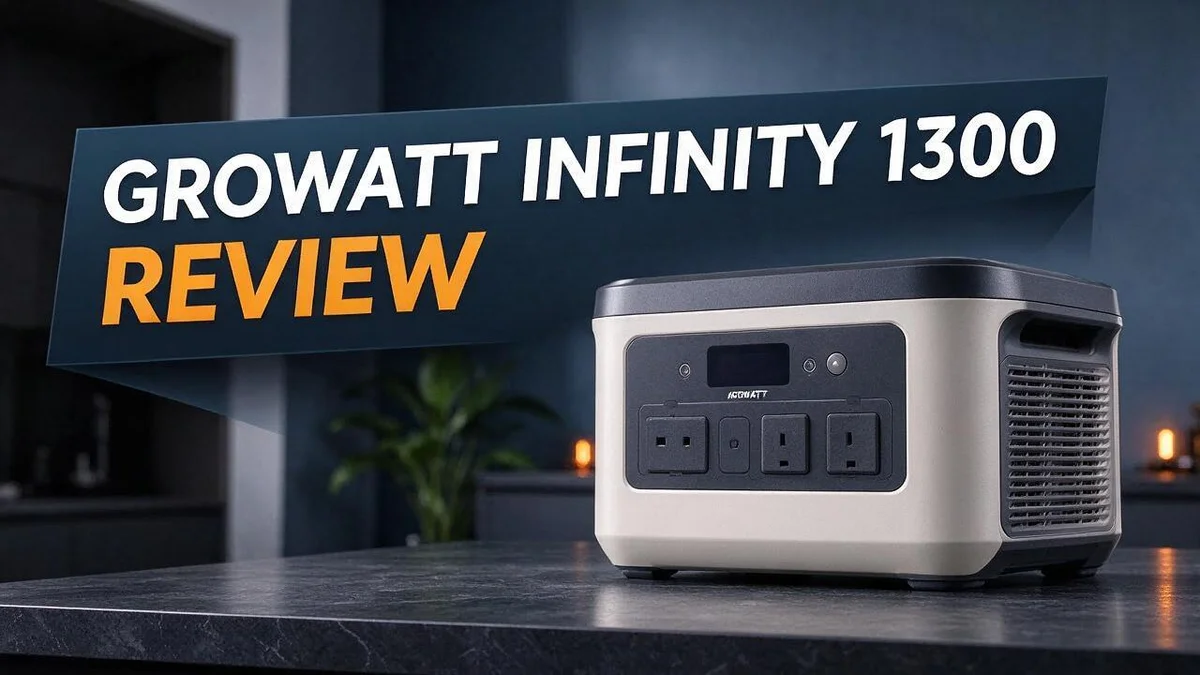
Growatt Infinity 1300 Review: Specs, UPS Performance, Known Issues and Alternatives
Power outages can strike at the worst time. A reliable power station keeps your phone, laptop, and fridge running when the lights go out. The Growatt Infinity 1300 aims to do exactly that.
This portable unit holds a 1382Wh battery and delivers up to 1300W of output power. It offers 14 outlets, including AC, DC, and USB. You can also recharge it with solar panels or a wireless charging pad.
Before you buy, you should know what some owners report. A few users say the unit shut down at high charge levels. Others say it only powers on when connected to a charger. Keep reading for an honest look at the strengths and weak spots.
In a Nutshell
-
Strong solar support: The unit accepts solar panels up to 800W, and a 200W solar kit comes bundled in one listing. This gives you a clear path to recharge off the grid.
-
Many ways to plug in: You get 14 outlets, including AC, DC, and USB ports, plus a 15W wireless charging pad for phones. This setup suits families and small worksites with several devices.
-
Quick backup switch: The UPS function switches over in 20ms, which helps protect sensitive devices during a sudden outage. Fast switching matters most for computers and networking gear.
-
Easy phone control: The app connects by Bluetooth first, then WiFi, so you can check and manage the unit from your phone. Remote checks make it simpler to track charge levels.
-
Reliability concerns: Some buyers report a BMS lockout at 99% charge, and others say the unit only powers on while plugged into a charger. Read the return policy before you commit.
-
Competitor check: Compare it with the Bluetti Elite 200 V2, Jackery Explorer 2000 v2, EcoFlow Delta 3 Ultra Plus, or the Growatt INFINITY 1500 before you decide.
Power Output and Battery Capacity

- 【Portable Solar Power Combo】This variant includes 1 set of 2000Pro main unit + 1 piece of solar panel...
- 【Efficient Solar Charging】The equipped solar panel can be directly connected to the main unit for...

Last update on 2026-11-05 / Affiliate links / Images from Amazon Product Advertising API
Power output and battery capacity decide what this unit can run for you. Think of the battery as a fuel tank. Think of the output as the engine size.
Start by listing your devices. Add up the wattage of everything you plan to plug in at the same time. Keep that total below the continuous output rating.
Laptops, lights, phone chargers, and routers use very little power. They fit easily within the limit.
Heavy appliances need extra care. A microwave or electric kettle can pull a large burst of power when it starts. Check the label on each device before you plug it in.
Plan for peak demand, not only average use. Motors and heating elements often need more power at startup than they do while running.
Runtime is simple math. Divide the battery size by the device wattage to get a rough estimate. A 50W laptop can run for many hours.
A 1000W heater would drain the battery much faster. Real results often fall short of the math.
Power conversion causes some loss. The inverter turns stored energy into usable AC power, and it releases part of that energy as heat.
Solar charging speed changes daily life. Sunny days let you refill the battery while you work or rest.
Cloudy days slow the process. Plan for a longer wait before a storm or camping trip.
Test your panel setup at home first. This shows you how long a full recharge really takes in your location.
Peak output matters during emergencies. Sensitive electronics need steady power without sudden drops. Confirm which devices need that level of care.
Capacity also shapes your choice against rivals. Other units in this class offer different storage and output levels.
Growatt also offers a larger sibling in the same brand family. Its higher capacity could suit heavier daily loads.
Compare these numbers side by side with your daily routine. The best fit depends on how you plan to use the power.
Solar and Wireless Charging Options
Solar charging works best with a little planning. Panels need direct sunlight to fill the battery well. Shade from trees or roof edges can cut output a lot.
Check your local sun hours before you rely on solar. Most areas get only a few strong hours of sun each day. Multiply the panel wattage by those hours to estimate daily energy gain. Real totals will land lower because of weather and heat.
Panel angle makes a real difference. Tilt the panels toward the sun. Adjust them every few hours if you can. Flat placement on a table often collects less energy than an angled stand.
Cloudy days slow everything down. Clouds reduce panel output, so plan for slower charging. Keep a wall outlet or car charger ready as a backup. Mixing sources keeps the battery topped up.
Plan for slower charging on overcast days. Expect the battery to fill slowly when clouds roll in. Check the charge level each morning so you know what you have.
Think about cable length too. Longer cables let you place panels in full sun while the unit sits in shade. Good cable routing keeps the setup tidy and safe.
Wireless charging adds convenience without extra cables. Place your phone on the pad and center it over the coil. A thin case usually works fine. Thick cases, metal plates, or magnetic wallets can block the signal.
Heat matters for wireless charging. Phones often warm up on charging pads. Avoid direct sun on the pad during charging. Remove heavy cases if your phone starts to feel hot.
Test the setup at home first. Run a trial day before a trip or a storm. You learn how long charging takes in your location. A test also helps you spot gaps in your setup early.
Solar and wireless charging make sense together on trips. Set up panels at camp during the day. Then charge your phone at night from the stored battery. Keep the unit in a shaded, dry spot to protect it from weather.
Outlet Variety and Port Layout
A smart port layout saves time on busy days. The Growatt Infinity 1300 gives you several connection types, so each device gets the right plug. Here is how that layout works in daily life.
Group devices by power need. Put heavy tools on the AC outlets. Send small items like fans and LED lights to the DC ports. This split keeps the main load in one place.
Use USB ports for phones and tablets. USB ports handle low power gadgets well. They keep chargers off the big outlets. Your phone, earbuds, and small tablet can charge at the same time.
Leave space between plugs. Bulky chargers can block the next outlet. Plan your setup so each plug has room to breathe.
Check the labels before use. Each port has a clear role on the panel. Read the label or manual first, so you do not overload a port by mistake.
Keep a simple map for emergencies. During a power cut, you may need the fridge and modem fast. Write down which outlet runs each key device. You will thank yourself later.
Watch total load across ports. Outlets share one battery, so many devices drain it faster. Using every port at once is rarely needed. Pick the ones you truly use.
Match plugs to room layout. Think about where you sit or work. Place the unit near the outlets you use most. This keeps extension cords short and safe.
Plan for mixed device types. A laptop needs a different plug than a fan or a light. Mixing types on one unit feels simple once you map them. Start with your daily list.
Some people like to test each outlet first. Plug in a small lamp and check it turns on. This quick test builds confidence before a real outage.
A clear layout makes the Growatt Infinity 1300 easier to live with. Good planning turns many ports into a real advantage.
Top 3 Alternatives
Looking for a different portable power station? These three options offer dependable backup power for camping, road trips, and home outages.
EcoFlow Delta 2

- Fuel up 80% in Only 43 Mins. With DELTA 2 Max's upgraded tech, combine up to 1000W solar input with AC for...
- 10-Year Long-Lasting LFP Battery. LFP battery chemistry provides 3000 cycles till it lowers to 80% capacity...
Last update on 2026-06-17 / Affiliate links / Images from Amazon Product Advertising API
The EcoFlow Delta 2 stores about 1024Wh of energy in a compact body. It uses LiFePO4 batteries, which handle many charge cycles over time. You can recharge it from a wall outlet, a car socket, or solar panels. With up to 1800W of continuous output, it runs fridges, lights, and small kitchen tools with ease.
Anker SOLIX C1000

- 49 Min UltraFast Recharging: With upgraded HyperFlash tech, fully recharge at 1,600W—for outage prepping...
- 2,000W Output via 10 Ports: Delivers 2,000W (3,000W peak) and 1,024Wh capacity. Power up to 10 devices—ideal...
Last update on 2026-06-29 / Affiliate links / Images from Amazon Product Advertising API
The Anker SOLIX C1000 holds about 1056Wh of capacity. Like the Delta 2, it uses LiFePO4 cells for a long working life. It supports fast recharging, so you spend less time waiting before your trip. Its 1800W continuous output handles laptops, CPAP machines, and mini refrigerators. Its design also suits indoor use during power cuts.
Bluetti AC200MAX

- [2600W Continuous & 3900W Power Lifting] - With BLUETTI's HyperWatt tech, the Elite 200 V2 delivers a robust...
- [Less Waste, More Usable Power] - An advanced energy management system and high-efficiency components reduce...
Last update on 2026-09-04 / Affiliate links / Images from Amazon Product Advertising API
The Bluetti AC200MAX offers the largest base capacity of this group at about 2048Wh. You can add extra battery packs to expand its storage over time. This makes it a strong pick for whole-home backup. It provides 2200W of continuous output, which handles small power tools and other compact appliances.
Each of these three models suits different power needs. Compare their capacity, output, and charging options before you decide. The right choice depends on where and how you plan to use it.
UPS Switchover and Backup Performance
The UPS function is the main reason many people look at this unit. When the grid fails, your devices should switch to battery power fast. The Growatt Infinity 1300 lists a 20ms switchover time.
Twenty milliseconds is a very short gap. Many desktop computers and modems can ride through a gap that small. Some sensitive gear may still restart, so test your setup first.
Switchover speed only helps if the battery is ready. Check the charge level often. This matters most before storm season or long winter nights.
Some user reports describe a battery protection lockout. One owner said the unit would not power on at 99% charge. Another said it only powered on when connected to a charger.
These reports teach one clear lesson. Test the unit before a real outage hits.
Run a short backup test. Unplug the unit from the wall for a few minutes. Watch how it responds. Connect a lamp or a router and see if the lights stay on. Note any delay, beep, or shutdown.
Think about which devices truly need power. Network gear and home office equipment often need the smoothest backup. Medical devices need extra planning and should follow the manufacturer guidance for backup power.
Keep the unit in a cool and dry spot. Heat can reduce battery performance during long backup periods. Good airflow helps the unit stay ready when you need it most.
Some buyers also reported defects and return requests. Save your warranty details and proof of purchase. Contact the seller quickly if the unit fails your first test.
A little preparation goes a long way. A tested unit, a charged battery, and a clear device list make outages far easier to handle.
Reliability and Reported Power Issues
Reliability matters most when the lights go out. Buyers want a unit that works on day one and every day after. This section looks at what users report and what it means for you.
Some owners say the unit would not power on at 99 percent charge. Others report that it starts only when a charger is plugged in. These are reports, not lab results. Read them with care.
One report does not define a product. Still, repeated patterns deserve your attention. Look for the same issue across many owners before you decide. Check the dates, too, to see whether the problem is recent.
Check the return policy before you open the box. Save the receipt and packaging for the first few weeks. A quick return is much easier with proof of purchase.
Test the unit on arrival. Power it on, check each outlet, and charge it fully from the wall. Note any startup trouble right away.
Keep a simple record of problems. Write down the date, the battery level, and what happened. Support teams can help faster when they see clear details.
Contact support before you give up. Ask whether firmware updates or replacement units are available for your model. Clear answers help you choose your next step.
Store the unit at a partial charge. Avoid leaving it empty for long periods. Top it up every few months if it sits as a backup.
Compare owner feedback across brands. The Bluetti Elite 200 V2, Jackery Explorer 2000 v2, and EcoFlow Delta 3 Ultra Plus all have owner reviews too. Look for the same patterns in each one.
Make the choice with clear eyes. Reliability reports are a useful warning, not a final verdict. If a backup unit powers medical or work equipment, pick the model with the strongest support history.
Pros and Cons
Pros
– Portable design lets you move it between rooms or outdoor spots.
– Solar input supports green charging when panels are connected.
– A 15W wireless charging pad keeps your phone ready to go.
– Fourteen outlets cover AC, DC, and USB devices.
– The 20ms UPS switchover helps your devices stay on during a short cut.
Cons
– Some users report a battery protection lockout.
– A few owners say it powers on only when a charger is connected.
– There is no official external battery expansion option.
– At least one buyer asked for a return over defects.
Who Should Buy It
Not every shopper needs this unit. The best buyer has a clear use case and a plan for testing it.
Remote workers often look for a backup for laptops and routers. This unit can keep those devices running during a short outage. You can save your files and finish a important call.
Weekend campers can power lights, fans, and small kitchen tools at a campsite. Many outlets make it easier to share the load between devices.
Renters in small apartments may not have room for a large generator. One unit with many outlets can replace a pile of power strips. That keeps desks and corners tidy.
Gamers and streamers who want a steady setup can use the backup feature for a console and router. Test the full setup before a live session.
Households with medical devices should speak with a doctor first. Check the wattage of each device before you plan any backup use. Never rely on one unit without a second plan.
Homeowners who need whole house backup should look elsewhere. At 1300W, this unit cannot run central air, an electric stove, or a water heater.
Buyers who want fewer open questions should compare other options. The Bluetti Elite 200 V2, Jackery Explorer 2000 v2, and EcoFlow Delta 3 Ultra Plus are common alternatives. Growatt’s own INFINITY 1500 is worth a look too.
Think about your outage pattern. Frequent short cuts need a different setup than rare long storms. Track how often your power drops for one month. That record shows what you really need.
Final tip: Read recent owner feedback and compare specs side by side. Pick the unit that fits your daily routine, not just the longest feature list.
Final Verdict
The Growatt Infinity 1300 is a capable portable power station, but it needs careful thought before you buy. It offers a large battery, many outlets, and a fast UPS switch. Still, the reliability reports make this a decision that deserves patience.
Think of this unit as a strong pick for a specific job. It suits short outages, weekend trips, and light desk work. It does not replace a whole home generator.
Compare rival models before you commit. The Bluetti Elite 200 V2, Jackery Explorer 2000 v2, and EcoFlow Delta 3 Ultra Plus each bring different strengths to the table. If you prefer the brand, check the Growatt INFINITY 1500 too.
Plan for support after the first month. Ask how warranty claims work and how fast the company replies. A quick answer can matter as much as the hardware.
Build a simple charging habit early. Keep the battery between 20 and 90 percent when you can. This habit may help the battery last longer.
Consider what happens if the unit fails during a storm. Keep a backup plan such as flashlights, a power bank, or a standby option. A single device should never be your only safety net.
Final check before you decide. Read recent user reviews and look for patterns. Sort reviews by date so you see the newest feedback first. Focus on the issues that match your outage needs. A clear match means a happier owner.
Our final take is simple. Choose this model if you accept some risk and want flexible backup for everyday loads. Pick a different brand if you need proven dependability for medical gear or whole home power.
Frequently Asked Questions
Can the Growatt Infinity 1300 run my whole house?
No, it cannot. This unit works best for small loads like a router, a laptop, or a few lights. Whole house backup needs a different system.
Can I recharge it with a wall outlet instead of solar?
Yes, you can. A wall charge before storm season gives you the most reliable starting point. Plug it in on a calm day so it stays ready when clouds roll in.
What about the Growatt Infinity 1500?
The Infinity 1500 comes from the same brand. Check its capacity, outlet count, and output rating side by side with this model. Match the unit to the devices you plan to power.
How much solar do I need to add?
The unit accepts solar panels up to 800W. One listing includes a 200W solar kit. Read the bundle details carefully so you know what arrives in the box.
What should I do if the unit stops working?
Keep your receipt and order details in one place. Contact support quickly and ask how warranty claims work. Fast action helps if a defect shows up during an outage.

DK is a technology expert who specializes in AI tools, software, and tech gadgets. He writes for How to Tech Info, providing detailed reviews and practical guides. DK helps readers discover the best AI applications, navigate new software, and choose the right tech gadgets.