
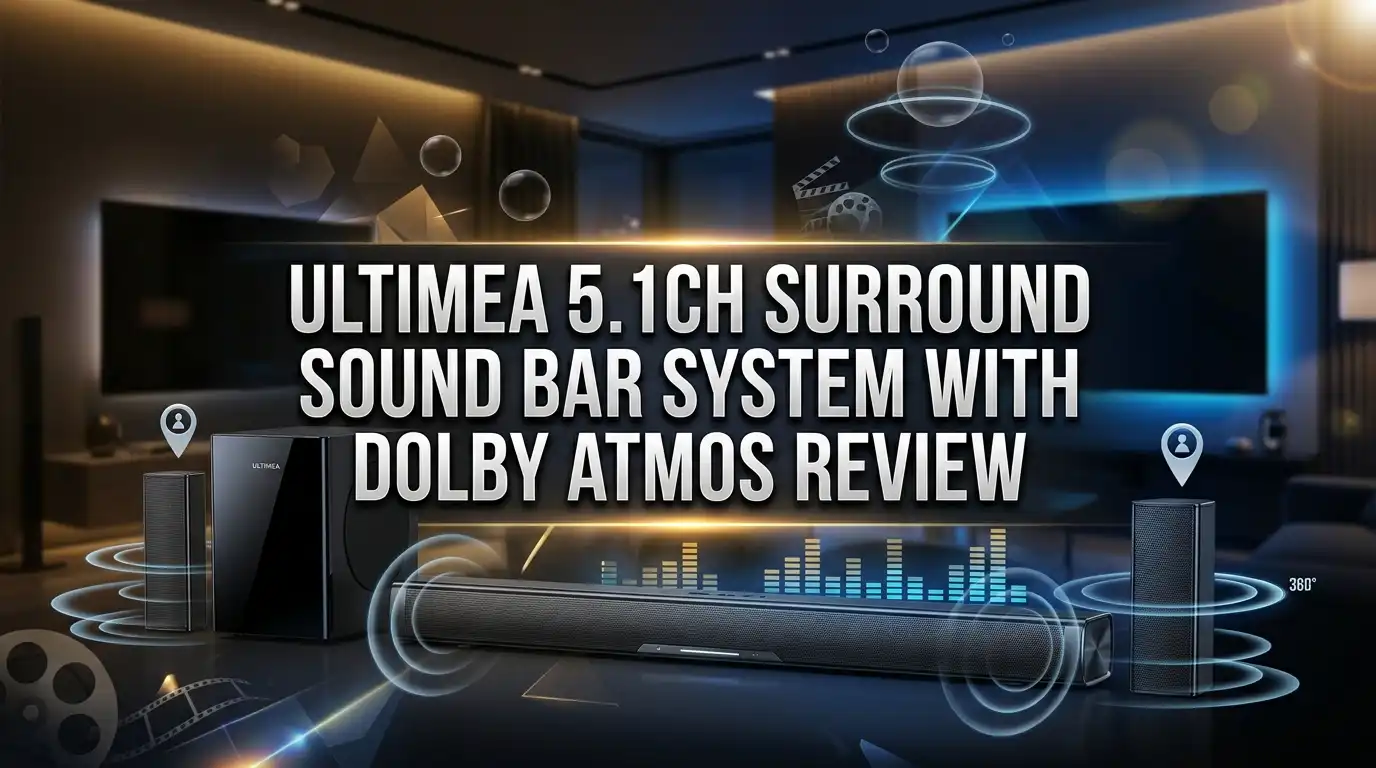
ULTIMEA 5.1CH Surround Sound Bar System with Dolby Atmos Review
Your TV looks amazing. Your TV probably sounds thin. That gap between picture and audio is exactly why sound bars exist, and the ULTIMEA 5.1CH Surround Sound Bar System with Dolby Atmos wants to close it for around the price of a few takeout dinners.
ULTIMEA has quietly become one of the most popular budget audio brands on Amazon. The Poseidon M60 sits near the top of the Surround Sound Systems chart, and shoppers keep asking the same question. Can a 5.1 channel Dolby Atmos system that costs under $200 actually sound like a home theater?
I dug through the official specs, owner feedback, hands on reviews from tech sites, and community discussions to answer that. This review covers the sound, the bass, the setup process, the app, the weak spots, and the three best alternatives if this one is not your match. Keep reading, because the answer is more interesting than a simple yes or no.
In a Nutshell
Short on time? Here is the fast version of everything covered below.
- Real Dolby Atmos decoding at a budget price. The system decodes Dolby Atmos and Dolby Digital signals over HDMI eARC, which is rare in this price bracket. The height effect comes from clever processing and side firing drivers rather than true up firing speakers, so expect width and space instead of sound crashing down from the ceiling.
- Six driver layout with 300W peak output. Five full range drivers sit inside the main bar and a dedicated subwoofer handles the low end. Frequency response runs from roughly 45Hz to 18kHz, which is deep enough for explosions and warm enough for music.
- Setup takes about ten minutes. One HDMI eARC cable, one power cable, and the subwoofer pairs itself. ULTIMEA includes optical, AUX, and mounting hardware in the box, so most people never need to buy anything extra.
- VoiceMX and BassMX make a real difference. VoiceMX lifts dialogue above the soundtrack, and BassMX pushes the subwoofer harder. Both are one button fixes for the two most common complaints about cheap audio gear.
- App control adds EQ, presets, and bass tuning. The ULTIMEA app is optional but genuinely useful, and it saves you from cycling through remote presets.
- Best for small and medium rooms. In a bedroom, apartment, or 12 by 15 foot living room, it punches far above its price. In a large open plan space it starts to run out of steam.
ULTIMEA 5.1CH Surround Sound Bar System with Dolby Atmos: A Quick Look

- Simplified 5.1ch Dolby Atmos Setup: Enjoy immersive 4D sound with real Dolby Atmos and 5.1-channel audio. Five...
- Voice Clarity Enhancement: VoiceMX technology uses advanced DSP algorithms to isolate and enhance vocal...
Last update on 2026-08-08 / Affiliate links / Images from Amazon Product Advertising API
The ULTIMEA Poseidon M60 is a 5.1 channel sound bar system built around one main bar and one subwoofer. There are no rear satellite speakers to place, and that is a deliberate design choice.
Instead of running long wires to the back of your room, ULTIMEA packs five drivers into the bar itself. Two of those drivers fire out to the sides, bouncing sound off your walls to widen the stage.
The result is a surround effect without the cable mess. You trade some rear channel accuracy for a setup that takes minutes and looks tidy under any TV.
Total peak output sits at 300W, split between the bar and the subwoofer. That number is peak rather than continuous, which is standard marketing practice in this category, so treat it as a rough guide rather than a lab measurement.
The bar decodes Dolby Atmos, Dolby Digital, and Dolby Digital Plus. It connects through HDMI eARC, optical, AUX, USB, and Bluetooth 5.3.
ULTIMEA also builds in two signature features. VoiceMX sharpens dialogue, and BassMX deepens low frequencies. Both work through the remote or the phone app.
Pricing usually lands between $130 and $180 depending on coupons and sales events. At that price the M60 competes with 2.1 channel bars from bigger brands, and it offers more channels and more features than most of them.
The honest framing is this. This is not a Sonos or Samsung flagship rival. It is a smart upgrade for anyone still using TV speakers, and that describes most households.
What You Get Inside the Box
ULTIMEA ships this system as a complete kit, and that matters more than people expect. Many sound bars arrive without an HDMI cable, forcing an extra purchase before you hear a single note.
Open the box and you will find the main sound bar, the subwoofer, and a power adaptor. ULTIMEA includes a subwoofer power cable so the sub runs independently.
Cables come next. You get an HDMI eARC cable, a digital optical cable, and a 3.5mm to RCA audio cable for older devices.
A full wall mounting kit is included. That means wall brackets, mounting screws, and a paper template, so you can hang the bar under a wall mounted TV on day one.
The remote control is a proper full size unit. Reviewers have specifically praised this, because tiny credit card remotes on cheap bars are a constant annoyance.
Finally, there is a printed user manual with a quick start section. It walks through eARC activation on common TV brands, which saves a lot of guesswork.
The packaging is molded foam rather than loose cardboard. Units arrive undamaged in the vast majority of owner reports, and the subwoofer in particular is well protected.
One small note. Check your TV before you order, because eARC delivers the full Dolby Atmos signal while standard ARC and optical do not. If your TV only offers optical output, you will still get Dolby Digital surround, just without the Atmos layer.
Design and Build Quality
The Poseidon M60 keeps things simple. It is a matte black rectangle wrapped in acoustic fabric, with a metal grille protecting the front drivers.
The profile is low enough to sit under most TVs without blocking the screen or the infrared sensor. Measure your TV stand clearance before ordering, since a few owners with very low set televisions had to raise the panel slightly.
Build quality feels better than the price suggests. The chassis has some weight to it, and there is no hollow rattle when you tap the housing.
Touch controls live on the top surface. You can power the unit on, switch inputs, enable Bluetooth, and adjust volume without hunting for the remote.
A small LED display sits behind the front grille. It shows input source, volume level, and the active sound mode, then dims after a few seconds so it never distracts during a dark movie scene.
The subwoofer uses a wooden cabinet rather than plastic. Wood matters here, because it reduces cabinet vibration and gives bass notes a tighter, less boomy character.
The sub houses a 5.25 inch driver with a ported design. It is compact enough to slide beside a couch or behind a chair without dominating the room.
Side firing drivers sit at each end of the bar, angled outward. These are the secret behind the widened soundstage, and they work best when the bar sits reasonably close to side walls.
Cable routing is clean. All ports face rearward in a recessed channel, so wires tuck away neatly against the wall.
Setup and Installation
This is where the M60 earns easy praise. Most owners report a complete setup in under fifteen minutes, including unboxing.
Start with the main bar. Connect the power adaptor, then run the included HDMI cable from the bar to the HDMI eARC port on your TV.
That port is usually labeled directly on the TV. It is often HDMI 2 or HDMI 3, and it is the only port that passes full Atmos audio back to the sound bar.
Next, open your TV audio settings. Set the audio output to HDMI eARC or external speaker, and set the digital audio format to Bitstream, Passthrough, or Auto rather than PCM.
This single setting is the most common reason people think Atmos is not working. PCM output strips the Atmos metadata before it ever reaches the bar.
Now plug in the subwoofer. It pairs with the bar automatically out of the box, and a solid indicator light confirms the connection.
Placement comes last. Put the bar centered under the TV, and place the subwoofer along the same wall or in a nearby corner.
Corner placement increases bass output noticeably. If the low end feels overwhelming, move the sub away from the corner rather than turning the bass down.
For wall mounting, use the included template and bracket set. Keep the bar at ear level when seated for the cleanest dialogue projection.
Finally, download the ULTIMEA app if you want EQ control. The app is optional, so skip it if you prefer to keep things simple with the remote.
Top 3 Alternative for ULTIMEA 5.1CH Surround Sound Bar System with Dolby Atmos
The M60 is not the only option in this space. If you want true rear speakers, up firing height channels, or a bigger brand name, these three deserve a look.

- Dolby Atmos Creates Three-dimensional Soundscape: ULTIMEA soundbar with Dolby Atmos provides a more immersive...
- True 5.1 surround sound system: This sound bar for smart tv has three main channels for a crystal-clear...
Last update on 2026-08-08 / Affiliate links / Images from Amazon Product Advertising API

- America's Sound Bar - VIZIO has been filling homes with truly immersive audio for over 10 years, and our sound...
- 11 High-Performance Speakers - With separate tweeters and woofers, deliver fuller, clearer and more powerful...
Last update on 2026-08-08 / Affiliate links / Images from Amazon Product Advertising API

- Q-SYMPHONY: Amp up your audio with the greatest duo of all time—Samsung TVs paired with Samsung soundbars...
- 3.1 CH DOLBY ATMOS SOUND: When you make the jump to three channels, your audio comes alive; Experience...
Last update on 2026-08-08 / Affiliate links / Images from Amazon Product Advertising API
The ULTIMEA Poseidon D60 is the closest sibling. It ships with two physical wired surround speakers plus a wireless subwoofer, so rear effects come from actual speakers behind you instead of wall reflections. Choose this one if you want stronger channel separation and you do not mind running speaker cable across the room.
The VIZIO M Series 5.1.2 steps up to genuine up firing drivers. Those drivers bounce sound off your ceiling, which produces a real overhead layer for Atmos films, and the package includes wireless rear speakers and a subwoofer. It costs more, but it is the true Atmos experience rather than a virtual approximation.
The Samsung HW Q60C takes a different path. It is a 3.1 channel bar with a wireless subwoofer, fewer channels than the ULTIMEA, but superior tuning, build quality, and Q Symphony support that lets it play in sync with Samsung TV speakers. Pick this one if refinement and brand support matter more than channel count.
All three sit in different price brackets. Match the choice to your room size, your tolerance for wiring, and your budget rather than the spec sheet alone.
Dolby Atmos Performance in Real Rooms
Let us be clear about what Atmos means on this system. The M60 decodes Dolby Atmos properly, but it renders height virtually.
There are no up firing drivers pointed at your ceiling. Instead, the bar uses psychoacoustic processing and its side firing drivers to trick your ears into perceiving space above and around you.
Does it work? Partly, and honestly that is a fair result at this price.
Rain scenes, spacecraft flyovers, and stadium crowd noise all gain a sense of openness that TV speakers cannot produce. Sound clearly extends past the edges of the screen.
What you do not get is a distinct object moving overhead. A helicopter in a true Atmos setup travels from front to back above your head, and here it stays in a wide band in front of you.
Room shape changes the result significantly. Rooms with flat side walls close to the bar reflect sound well and produce the strongest effect.
Open plan spaces with one missing side wall lose much of the width. If your living room opens into a kitchen on one side, expect an uneven stage.
Content matters too. Netflix, Disney Plus, and Max Atmos titles trigger the effect reliably when your TV passes Bitstream audio over eARC.
The bar shows the active format on its display. Seeing Dolby Atmos appear there confirms your chain is working correctly.
My honest summary is this. Treat the Atmos badge as a bonus rather than the headline reason to buy. The core 5.1 performance is what makes this system worth the money.
Movie and TV Sound Quality
Movies are where this system shines brightest. Action films in particular benefit from the extra channels and the dedicated subwoofer.
Explosions arrive with actual weight. The subwoofer digs down near 45Hz, which is low enough to feel a rumble through the floor in a normal sized room.
The midrange is clean and forward. Gunshots, footsteps, and door slams cut through the mix without smearing into the music underneath.
Dialogue sits at the front and center. With VoiceMX enabled, whispered lines in dramas stay intelligible without forcing you to grab the remote.
Volume headroom is generous for the price. Most owners report comfortable listening around forty to fifty percent volume in a medium room, leaving plenty of reserve.
Push past eighty percent and the picture changes. Treble starts to harden and the bar can sound thin or slightly strained, which is a common limit for budget class amplification.
Stay in the comfortable range and the system sounds genuinely impressive. That covers the vast majority of real listening situations.
Sports broadcasts sound lively. Crowd noise spreads wide across the room while commentary stays anchored in the middle.
Streaming shows in stereo get upmixed automatically. The surround processing adds width without making voices sound hollow, which cheaper systems often get wrong.
For late night viewing, the night mode compresses the dynamic range. It keeps dialogue audible while taming loud bursts, so nobody upstairs wakes up during the third act.
Music Listening and Bluetooth Streaming
Music is the most debated part of this system, and the feedback splits fairly evenly. Some owners love it, others find it less convincing than movie playback.
Here is why. Sound bars are tuned for dialogue and effects first, and that tuning shapes music reproduction in specific ways.
The good news is the bass. Hip hop, electronic music, and pop tracks land with a punch that no TV speaker can match.
Rock and acoustic recordings fare well too. Guitars sound full, and vocals stay clear rather than getting buried under the drums.
The limitation shows in stereo imaging. A dedicated pair of bookshelf speakers separates instruments more precisely, and the M60 keeps everything in a broad band across the front.
Classical music and detailed jazz recordings expose this most. You hear the performance, but not the individual seating positions of the players.
Bluetooth 5.3 handles wireless streaming. Pairing takes seconds, range covers a typical apartment, and connections stay stable during normal use.
Switch to the Music EQ preset for the best results. It flattens some of the movie oriented boosting and produces a more natural balance.
You can also fine tune bass and treble in the app. Dropping the bass one or two steps often cleans up muddy passages on bass heavy tracks.
For casual listening during dinner, parties, or background play, this system does the job well. For critical listening sessions, dedicated stereo gear remains the better tool.
Subwoofer Power and BassMX Bass Technology
The subwoofer deserves its own section, because it drives most of the value here. Many sound bars at this price ship with no subwoofer at all.
The M60 pairs its bar with a 5.25 inch woofer in a ported wooden cabinet. ULTIMEA calls the tuning BassMX, and it involves an optimized magnetic circuit and increased diaphragm excursion.
Translated into plain language, the driver moves farther and produces deeper notes than its size suggests. You feel the low end rather than just hearing it.
Bass extension reaches down to roughly 45Hz. That covers movie explosions, bass guitar, kick drums, and most electronic music fundamentals.
It will not reproduce the very lowest cinema rumble below 30Hz. Only larger and more expensive subwoofers handle that region.
BassMX mode adds an extra boost on demand. Press the button and the low end thickens noticeably, which suits action films and party playlists.
Leave it off for dialogue heavy dramas and most music. The default tuning is already generous, and stacking boost on boost creates muddiness.
Bass level is adjustable in six steps through the remote. This is important, because room acoustics vary enormously between apartments and houses.
Owners in apartments frequently run the bass two or three steps below default. That keeps neighbors calm while preserving impact.
Placement is your most powerful tool. Sliding the sub a foot or two along the wall can smooth out a boomy note far more effectively than any EQ setting.
VoiceMX and Dialogue Clarity
Muffled dialogue is the number one complaint about modern TV audio. Film mixes are built for cinemas, and small speakers simply cannot resolve quiet speech under a loud score.
ULTIMEA addresses this directly with VoiceMX. It is a dedicated processing mode that boosts the frequency range where human speech lives, roughly 1kHz to 4kHz.
The effect is immediate and obvious. Turn it on during a British crime drama and mumbled lines suddenly become clear.
Unlike crude treble boosting, VoiceMX leaves the rest of the mix mostly intact. Music and effects still carry weight underneath the dialogue.
There are multiple intensity levels available. Start at the lowest setting and increase only if you still miss words.
Overdoing it makes voices sound nasal and slightly artificial. Level one or two suits most content and most rooms.
This feature genuinely helps older listeners and anyone with mild hearing loss. Several owner reviews mention exactly this benefit, and it is arguably the most practical feature on the whole system.
It also helps in noisy households. Dialogue stays audible over a dishwasher, an air conditioner, or conversation in the next room.
The center channel handling deserves credit too. Because this is a 5.1 layout rather than a 2.1 bar, there is a dedicated center driver anchoring voices.
That anchoring is why dialogue sounds locked to the screen. Voices come from the actor rather than floating somewhere off to the side.
App Control, EQ Modes, and the Remote
Control options are more generous than expected at this price. You get touch buttons, a full size remote, and a smartphone app.
The ULTIMEA app connects over Bluetooth and requires no account signup for basic use. It is optional, so nothing breaks if you skip it.
Inside the app you can switch inputs, choose sound modes, and adjust bass and treble with sliders. The interface is simple and responsive.
Preset sound modes cover Movie, Music, News, Game, and 3D Surround. Each one reshapes the EQ curve for a specific type of content.
Movie mode widens the stage and lifts the bass. Music mode flattens things out. Game mode sharpens transients so footsteps and reloads land crisply.
Game mode also matters for latency. The system targets very low audio delay over HDMI, which keeps sound synced with fast paced action.
The physical remote handles everything without the phone. Shortcut buttons jump straight to VoiceMX, BassMX, input selection, and volume.
It is a full size remote with clearly labeled buttons, not a thin plastic strip. Owners consistently mention this as a small but welcome touch.
HDMI CEC works as well. Once eARC is active, your TV remote usually controls sound bar volume, so the ULTIMEA remote can stay in a drawer.
One limitation to note. There is no Wi Fi, no AirPlay, no Chromecast, and no voice assistant integration.
For a system in this price range, that omission is entirely reasonable. Bluetooth and HDMI cover what most people actually use.
Connectivity Options and Ports
The port selection is well judged. ULTIMEA covers modern and legacy sources without cluttering the rear panel.
HDMI eARC is the headline connection. It carries Dolby Atmos and Dolby Digital Plus, supports CEC volume control, and needs only one cable.
Digital optical is the backup. It transmits Dolby Digital and stereo PCM, which is plenty for older televisions and cable boxes.
AUX 3.5mm input handles turntable preamps, laptops, and portable players. The included RCA adapter cable expands compatibility further.
USB playback supports music files from a flash drive. It is a simple feature, but useful for anyone with a local music library.
Bluetooth 5.3 covers phones, tablets, and computers. The newer Bluetooth version improves connection stability and reduces dropouts compared with older 5.0 implementations.
Latency stays low across HDMI and optical. Lip sync problems are rare, and the app includes a delay adjustment if your specific TV needs it.
There is no HDMI input passthrough. You cannot route a game console through the bar to the TV, so all sources connect to the TV directly.
That is standard for this price class. Modern TVs handle switching perfectly well, so the practical impact is minimal.
Power draw is modest. Standby consumption is low, and the bar wakes automatically when it detects an audio signal.
Pros and Cons of the ULTIMEA 5.1CH Sound Bar
Here is the balanced summary after weighing specs, owner feedback, and hands on reviews.
Pros
- Real Dolby Atmos and Dolby Digital decoding at a price where most competitors offer stereo only, delivered over a proper HDMI eARC connection.
- Six driver 5.1 layout with a dedicated wooden cabinet subwoofer that reaches down to roughly 45Hz for genuine low end impact.
- VoiceMX dialogue enhancement works remarkably well and solves the most common frustration with modern TV audio.
- Setup takes ten to fifteen minutes with everything included, covering HDMI cable, optical cable, AUX cable, and a full wall mounting kit.
- Free app control adds EQ sliders, sound presets, and bass tuning without requiring an account or subscription.
- Side firing drivers create a wide soundstage without any rear speaker wiring across your room.
- Full size remote with dedicated shortcut buttons, which is unusual and welcome in the budget category.
Cons
- Height effects are virtual rather than produced by up firing drivers, so overhead sound is suggested instead of precisely placed.
- No rear satellite speakers included, which limits true rear channel separation compared with the D60 model or the VIZIO M Series.
- Audio can sound thin or slightly strained above roughly eighty percent volume, especially in large rooms.
- Music reproduction lags behind movie performance, with less precise stereo imaging than dedicated speakers offer.
- No Wi Fi streaming, AirPlay, Chromecast, or voice assistant support.
- Performance depends heavily on room shape, since the side firing design needs nearby walls to work properly.
Who Should Buy This Sound Bar System
This system fits some households perfectly and disappoints others. Knowing which group you fall into saves a return shipment.
Buy it if you are upgrading from TV speakers. The jump in clarity, bass, and width is dramatic, and you will notice it within the first minute.
Buy it if you have a small or medium room. Bedrooms, apartments, dens, and living rooms up to roughly 15 by 20 feet suit it well.
Buy it if dialogue clarity is your priority. VoiceMX combined with a dedicated center channel handles speech better than most 2.1 bars costing the same.
Buy it if you want zero wiring hassle. No rear speakers means no cables running along baseboards or under rugs.
Buy it if your budget caps around $200. At this price the feature list is hard to beat, and the value proposition is strong.
Skip it in these situations.
Skip it if you want authentic overhead Atmos. You need up firing drivers or ceiling speakers for that, which means spending considerably more.
Skip it if you have a large open plan space. The side firing design needs walls, and volume headroom runs short in big rooms.
Skip it if music is your main use. A quality stereo pair with an amplifier delivers better imaging for the same money.
Skip it if you need Wi Fi streaming or voice assistants. Those features live in a higher price tier.
Skip it if you own a premium 4K OLED and expect matching audio. A flagship TV deserves a flagship bar, and the gap will bother you.
Final Verdict: Is the ULTIMEA 5.1CH Sound Bar Worth It?
- Simplified 5.1ch Dolby Atmos Setup: Enjoy immersive 4D sound with real Dolby Atmos and 5.1-channel audio. Five...
- Voice Clarity Enhancement: VoiceMX technology uses advanced DSP algorithms to isolate and enhance vocal...
Last update on 2026-08-08 / Affiliate links / Images from Amazon Product Advertising API
Yes, for the right buyer, and that buyer describes a lot of people.
The ULTIMEA Poseidon M60 does something genuinely difficult. It packs a 5.1 channel layout, real Dolby Atmos decoding, a wooden cabinet subwoofer, app control, and dialogue enhancement into a package that usually sells under $180.
Judged against flagship bars, it has clear limits. Height effects are virtual, rear separation is simulated, and it runs out of headroom in large rooms.
Judged against its actual competition, it wins comfortably. Most bars at this price offer two channels, no subwoofer, and no Atmos support at all.
The features that matter daily all work well. Dialogue is clear, bass has real weight, setup is painless, and the remote does not frustrate you.
Owner sentiment reflects that. The model sits at the top of its Amazon category, and hands on reviewers have described the sound as impressive with depth and coverage that fills a room.
My recommendation is straightforward. If you are replacing TV speakers and you have a normal sized room, buy it with confidence.
If you want authentic overhead audio and true rear channels, spend more on the VIZIO M Series or step up to the ULTIMEA D60 with its physical surround speakers.
Either way, take advantage of the return window. Give the system a full week in your actual room, try the EQ presets, and move the subwoofer around before deciding.
Good audio is personal, and your room has the final vote.
Frequently Asked Questions
Does the ULTIMEA 5.1CH sound bar have real Dolby Atmos?
It decodes real Dolby Atmos signals, but it creates height effects virtually rather than with up firing drivers. You get a wider and more open soundstage, though sound will not appear to come directly from your ceiling. For authentic overhead audio you need a system with dedicated up firing speakers.
Do I need HDMI eARC to use this sound bar?
No, but eARC gives you the best results. HDMI eARC is the only connection that carries full Dolby Atmos to the bar. Optical and standard ARC still deliver Dolby Digital surround, which sounds very good, just without the Atmos layer.
Why is Dolby Atmos not showing on the display?
Check your TV audio format setting first. Set it to Bitstream, Passthrough, or Auto rather than PCM, because PCM strips the Atmos data. Also confirm the cable is plugged into the port labeled eARC and that the content you are playing actually has an Atmos track.
Does the subwoofer connect wirelessly?
The subwoofer pairs with the main bar and comes already synced from the factory in most units, so it works as soon as you plug it into power. Connection details vary slightly between ULTIMEA models and production batches, so check the specific listing before ordering if this matters to you.
Can I add rear speakers later?
Not to this specific model. The M60 uses side firing drivers inside the bar instead of separate rear units. If rear speakers matter to you, the ULTIMEA Poseidon D60 includes two wired surround speakers, and the VIZIO M Series includes wireless rears.
Is this sound bar good for music?
It handles music well for casual listening, parties, and background play, with strong bass and clear vocals. Stereo imaging is less precise than dedicated bookshelf speakers, so critical listeners will notice the difference. Switching to Music mode and trimming the bass one or two steps improves the balance noticeably.
How big a room can it fill?
It performs best in rooms up to roughly 15 by 20 feet. In larger or open plan spaces it can sound thin at high volume, and the side firing surround effect weakens without nearby walls to reflect off.
Can I wall mount the sound bar?
Yes, and ULTIMEA includes the brackets, screws, and template in the box. Mount it centered under your TV, ideally at seated ear level, and keep the recessed rear ports accessible for cable routing.
Does it work with any TV brand?
Yes. It works with Samsung, LG, Sony, TCL, Hisense, Vizio, Roku TVs, and others through HDMI eARC, optical, AUX, or Bluetooth. Any TV made in the last decade will connect through at least one of those options.

DK is a technology expert who specializes in AI tools, software, and tech gadgets. He writes for How to Tech Info, providing detailed reviews and practical guides. DK helps readers discover the best AI applications, navigate new software, and choose the right tech gadgets.


