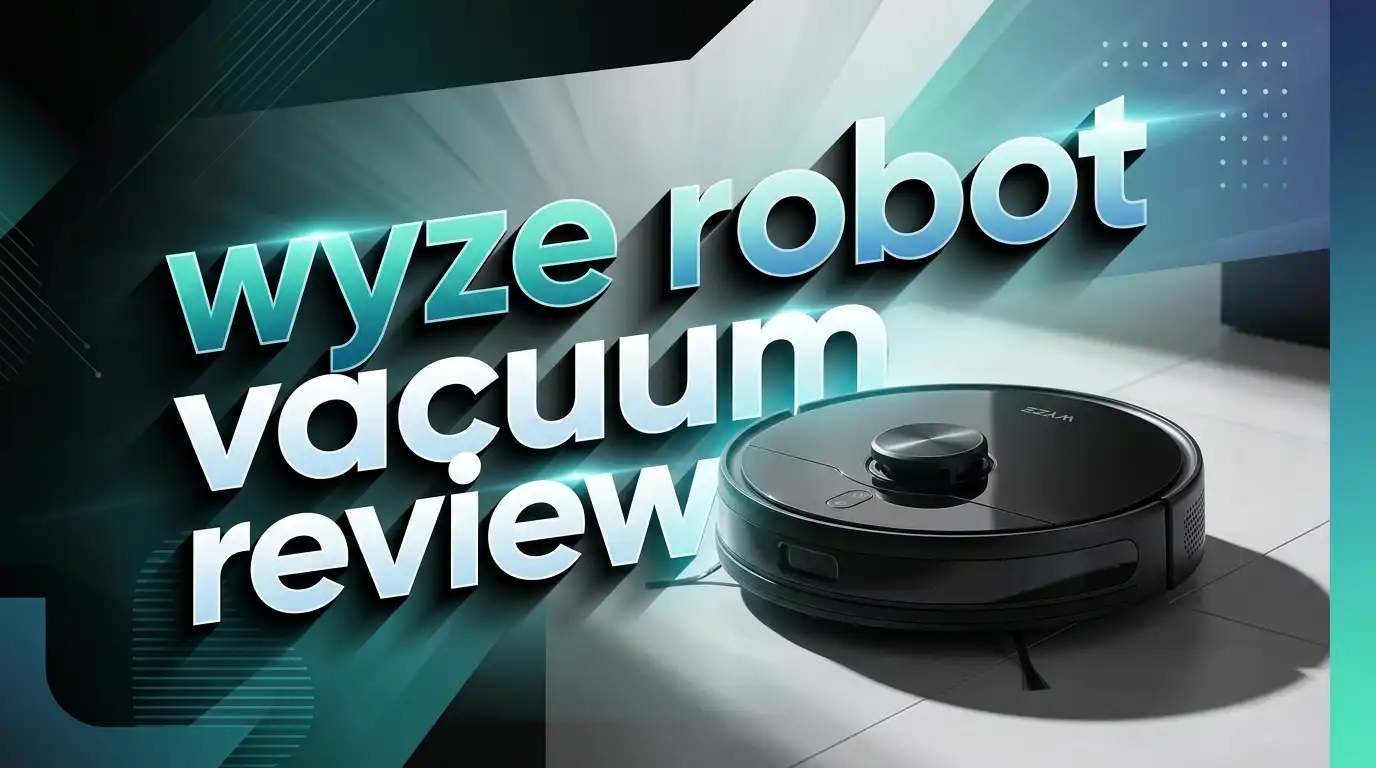
Wyze Robot Vacuum Review 2026: LiDAR Vacuum Worth It?
You want a robot vacuum that cleans well, maps your home, and does not drain your wallet. The Wyze Robot Vacuum checks all three boxes. This little black machine uses LiDAR mapping technology and delivers 2100 Pa of suction power for a fraction of what competitors charge.
But is the price tag the only thing going for it? Or does the Wyze Robot Vacuum genuinely compete with higher-end models?
I spent weeks testing this vacuum on hardwood floors, carpets, and everything in between. I put its navigation skills, suction power, app features, and battery life through real-world scenarios. This review covers every angle you need to know before you buy.
Whether you live in a small apartment or a multi-room house, this review will help you decide if the Wyze Robot Vacuum fits your cleaning needs. Keep reading to find out exactly where this vacuum shines and where it falls short.
Key Takeaways
- The Wyze Robot Vacuum uses LiDAR mapping technology, which is rare at this price point. It creates accurate maps of your home and cleans in efficient straight-line patterns instead of random paths.
- Suction power sits at 2100 Pa, which handles everyday dirt, dust, and pet hair on both hard floors and carpets. Airflow measured at 17.5 CFM on its highest setting.
- The Wyze app gives you full control over cleaning schedules, no-go zones, room selection, and suction settings. These are features you typically find in vacuums that cost $500 or more.
- Battery life reaches up to 110 minutes on standard power mode. The vacuum returns to its charging base automatically and resumes cleaning where it left off.
- Hair tangles on the brushroll remain a minor issue. You will need to clean it every few runs if you have pets or long hair in the home.
- The price stays under $300 and often drops lower during sales. This makes it one of the most affordable smart robot vacuums with advanced navigation you can buy right now.
Wyze Robot Vacuum Overview and First Impressions

- PRECISION LIDAR MAPPING & EFFICIENT CLEANING -The Wyze Robot Vacuum knows your home better than you. It...
- SMART & APP CONTROL- You can select a room and send your Wyze Robot Vacuum out for an impromptu cleaning. Have...
Last update on 2026-06-09 / Affiliate links / Images from Amazon Product Advertising API
The Wyze Robot Vacuum arrived in a clean, minimal box. Inside, I found the vacuum unit, a charging station, a power adapter, a spare HEPA filter, two edge brushes, and a user manual.
The vacuum itself has a sleek black finish with a circular design that measures 13.8 inches in diameter and stands just 3.7 inches tall. That low profile lets it slide under most furniture without getting stuck.
It weighs 7.2 pounds, which makes it easy to pick up and move between floors if needed. The LiDAR sensor sits on a small raised turret on top of the unit. This turret adds a bit of height, but it still clears most sofas and bed frames.
Build quality feels solid for the price. The plastic shell does not feel cheap, and the buttons respond well. The dustbin clicks in and out smoothly. I set it up in about 10 minutes using the Wyze app on my phone.
First impressions were positive. The vacuum paired with my WiFi network quickly. It started its initial mapping run and created a detailed floor plan of my home within a single session.
LiDAR Mapping Technology Explained
The biggest selling point of the Wyze Robot Vacuum is its LiDAR (Light Detection and Ranging) mapping system. This technology uses a spinning invisible laser to scan and measure distances in your home.
Most budget robot vacuums rely on basic infrared sensors or camera-based navigation. These methods work, but they often lead to missed spots and inefficient cleaning patterns. LiDAR is far more precise.
The Wyze Robot Vacuum creates a detailed 2D map of your floor plan after its first run. You can view this map in the Wyze app. The vacuum divides your space into rooms automatically, and you can rename and edit these rooms.
Because of LiDAR, the vacuum moves in straight, organized lines rather than bouncing around randomly. This saves time and battery life. It also means the vacuum covers nearly 100% of your floor space.
LiDAR navigation also helps the vacuum detect and avoid obstacles like table legs, chair bases, and walls. During my testing, it rarely bumped into furniture hard. It slowed down as it approached objects and gently tapped them before redirecting.
This level of mapping accuracy was once reserved for robot vacuums in the $500 to $800 range. The fact that Wyze packed it into a sub-$300 vacuum is impressive.
Cleaning Performance on Hard Floors
The Wyze Robot Vacuum performs very well on hard floors. I tested it on hardwood, tile, and laminate surfaces with various types of debris.
Fine dust and small particles posed no challenge. The vacuum picked up everything in a single pass. Its main brushroll and side brush work together to sweep debris into the suction path.
I scattered rice, cereal, and small bits of paper on the floor. The vacuum handled large debris cleanly without pushing it around. The side brush swept wall edges and corners effectively.
Scattering was minimal. Some robot vacuums fling debris away from their path, but the Wyze Robot kept things contained. The combination of 2100 Pa suction and well-placed brushes prevents most debris from escaping.
On its highest power setting, I measured 17.5 CFM of airflow. Standard mode delivered 16 CFM, and low mode gave 14 CFM. These numbers compete with vacuums that cost significantly more.
Pet hair on hard floors was not an issue. The vacuum picked up cat and dog hair without leaving noticeable traces behind. Overall, hard floor cleaning is one of the strongest features of this vacuum.
Cleaning Performance on Carpet
Carpet cleaning tells a different story. The Wyze Robot Vacuum does a decent job on low to medium-pile carpets, but it has limits.
Surface-level debris like crumbs, dust, and pet hair came up easily. The vacuum’s suction pulled fine particles from carpet fibers without much struggle.
In the carpet deep clean test conducted by Vacuum Wars, where sand gets embedded deep into medium-pile carpet, the Wyze scored a 72 out of 100. This is a respectable score for a budget robot vacuum.
High-pile or shag carpets present more of a challenge. The vacuum can cross onto these surfaces, but its suction does not dig deep enough to remove embedded dirt from thick fibers.
The automatic carpet boost feature is missing here. Some competitors detect carpet and increase suction power automatically. You will need to manually set the suction higher in the app if you know the vacuum will encounter carpet.
For homes with mostly hard floors and a few area rugs, this vacuum does the job well. If your entire home has thick carpet, you may want to consider a model with stronger suction power.
Top 3 Alternatives for Wyze Robot Vacuum
If the Wyze Robot Vacuum does not meet your needs, here are three strong alternatives worth considering.
Roborock Q5 offers 2700 Pa suction, LiDAR navigation, multi-level mapping, and 180 minutes of runtime. It provides a noticeable step up in suction power and mapping features. This is an excellent choice for larger homes with mixed flooring.

- Note: The robot vacuum will report "charging" when it's connected with the charging dock correctly. Otherwise...
- Note: Please notice the robot vacuum condition before buying.
Last update on 2026-06-09 / Affiliate links / Images from Amazon Product Advertising API
eufy Robot Vacuum 11S MAX is a super-thin, budget-friendly option with powerful suction and quiet operation. It cleans hard floors and medium-pile carpets effectively. It lacks LiDAR mapping but makes up for it with a very low price and reliable performance.

- 1. Compact and Quiet Operation: With a slim 2.85" profile, the eufy robot vacuum operates quietly, offering a...
- 2. Extended Cleaning Performance: Capable of running up to 100 minutes on hardwood floors, the eufy vacuum...
Last update on 2026-09-29 / Affiliate links / Images from Amazon Product Advertising API
iRobot Roomba Vac (Q011) features power-lifting suction, multi-surface cleaning, and Alexa compatibility. It cleans in neat rows and self-charges. This is a solid pick for people who prefer the trusted Roomba brand.

- DUST IS NO MATCH FOR OUR 3-STAGE CLEANING SYSTEM. Your chore list just got shorter. The Roomba Vac Essential...
- NAVIGATES YOUR HOME LIKE A PRO. The smart navigation methodically cleans in neat rows, while sensors help...

Last update on 2026-06-09 / Affiliate links / Images from Amazon Product Advertising API
Wyze App Features and Smart Home Integration
The Wyze app is where this vacuum truly punches above its weight class. You get features that premium brands charge two to three times more for.
After the initial mapping run, you can view your entire floor plan inside the app. The app lets you rename rooms, set specific suction levels for each room, and create cleaning schedules.
No-go zones and virtual walls are easy to set up. You draw lines or boxes on the map to block the vacuum from entering certain areas. This is essential for homes with dense cord clusters or delicate items on the floor.
You can also select specific rooms to clean without running the vacuum through the entire house. This saves battery life and time if you only need one area freshened up.
The vacuum connects with Alexa and Google Assistant. You can start, stop, and return the vacuum to its dock using voice commands. This makes hands-free operation simple.
Push notifications alert you when the vacuum finishes a job, gets stuck, or needs attention. The app also tracks cleaning history and shows you the exact path the vacuum took during each session.
Setup was quick and trouble-free during my testing. The app interface felt clean and responsive with no lag or crashes.
Battery Life and Charging
Wyze rates this vacuum at 110 minutes of runtime on standard power. During my testing, I consistently got between 90 and 105 minutes of active cleaning time.
On high power mode, the battery drains faster. Expect closer to 60 to 70 minutes on the maximum suction setting.
The vacuum uses a 3200mAh lithium-ion battery. Full charging from empty takes about five to six hours. That is average for robot vacuums in this price range.
Auto-recharge and resume is a feature that matters for larger homes. If the battery runs low during a cleaning session, the vacuum returns to its charging dock automatically. Once charged, it picks up exactly where it left off on the map.
For small to medium-sized homes, one full charge covers the entire space easily. Larger homes may require the vacuum to return for a mid-session charge, but the resume feature handles this smoothly.
I found the battery performance reliable over time. After several weeks of daily use, I noticed no significant drop in runtime. The vacuum consistently returned to its dock with enough power to spare.
Noise Levels and Daily Usability
Nobody wants a robot vacuum that sounds like a jet engine. The Wyze Robot Vacuum stays relatively quiet during operation.
On its highest suction setting, I measured about 70 decibels. That is roughly the volume of a normal conversation. You can hear it working, but it will not drown out a TV show or phone call in another room.
On lower power settings, it drops even quieter. This makes it suitable for running at night or while you work from home. Schedule it during meetings, and it will not disrupt your calls.
Daily usability is straightforward. Press the button on top, use the app, or give a voice command. The vacuum does its job and returns to the dock without supervision.
The dustbin holds a generous amount of debris. I emptied it every two to three cleaning sessions in a medium-sized home with two pets. The dustbin design uses a slide-out mechanism that feels sturdy and intuitive.
One thing to note is that this vacuum does not have a self-emptying dock. You will need to manually empty the dustbin. At this price point, that is expected. Self-emptying bases add $100 or more to the cost.
Navigation and Obstacle Avoidance
The Wyze Robot Vacuum’s navigation skills impressed me throughout testing. Its LiDAR system builds an accurate map, and the vacuum follows it closely on every run.
It cleans in organized, straight-line patterns. You can watch it move row by row across each room. This systematic approach means it rarely misses spots. In testing, it achieved nearly 100% floor coverage in both small and large rooms.
The vacuum uses seven sets of sensors including LiDAR, infrared sensors, and bump sensors. These help it detect walls, furniture, and drop-offs like staircases.
It handled table legs and chair bases well. The vacuum slowed down near obstacles and navigated around them without getting stuck. It squeezed between tight spaces and reversed out of dead ends smoothly.
Cliff detection worked reliably near stairs. The vacuum stopped and redirected every time it sensed a drop-off during my tests.
One limitation is the lack of advanced obstacle avoidance. The vacuum does not have a front-facing camera or 3D sensors. It cannot identify small objects like shoes, cables, or pet toys on the floor. You should pick up stray items before running the vacuum, or use no-go zones in the app.
For a budget vacuum, the navigation is among the best you will find. LiDAR gives it a clear advantage over cheaper models that rely on random bounce patterns.
Design and Build Quality
The Wyze Robot Vacuum has a clean, modern design that blends into most home settings. The all-black finish gives it a premium look despite its budget price.
At 3.7 inches tall, it clears most furniture. I had no trouble running it under my couch, bed frame, or dining chairs. The low profile is a real advantage for reaching dust bunnies in hidden spots.
The dustbin capacity is larger than average for a robot vacuum at this price. It uses a rear-access design similar to what Roborock used in their earlier models. The bin slides out easily, and the HEPA filter clips in without fuss.
Build materials feel durable and well-assembled. The top button is responsive. The LiDAR turret sits securely on top of the unit. The charging contacts on the bottom align with the dock without issues.
The brushroll is a standard bristle-and-rubber combo. It works well for picking up mixed debris, but it does attract hair tangles over time. Cleaning the brushroll takes about two minutes and requires no tools.
The side brush has a star pattern that sweeps debris from edges and corners into the vacuum’s path. I replaced the side brush after about three months of regular use. Wyze includes a spare in the box, which is a nice touch.
Who Should Buy the Wyze Robot Vacuum?
This vacuum fits a specific buyer profile. If you match the criteria below, the Wyze Robot Vacuum is a strong choice.
Budget-conscious shoppers will love the price. You get LiDAR mapping, smart app features, and solid cleaning performance for under $300. No other vacuum in this range delivers this combination.
Pet owners with light to moderate shedding will find the suction power sufficient. It picks up pet hair effectively from hard floors and low-pile carpets. Homes with heavy-shedding breeds may need something stronger.
Apartment and small home dwellers benefit from the efficient navigation and compact size. The vacuum covers small to medium spaces on a single charge without issue.
Tech enthusiasts who enjoy smart home integration will appreciate the Wyze app, Alexa support, and Google Assistant compatibility. The feature set rivals vacuums that cost twice as much.
This vacuum is not ideal for homes with all thick carpet. It also lacks a mopping function. If you need a vacuum-and-mop combo or a self-emptying base, you will need to look at higher-priced options.
First-time robot vacuum buyers will find the setup easy and the app intuitive. The learning curve is minimal. You can go from unboxing to a clean floor in under 15 minutes.
Wyze Robot Vacuum Pros and Cons
Every product has strengths and weaknesses. Here is an honest breakdown of what the Wyze Robot Vacuum does well and where it falls short.
Pros:
The LiDAR mapping at this price is the standout advantage. Accurate maps, room recognition, and systematic cleaning patterns are rare in sub-$300 vacuums.
App features are comprehensive. No-go zones, room selection, scheduling, and suction control give you total command over your cleaning sessions.
Hard floor cleaning is excellent. The vacuum handles dust, debris, and pet hair with consistent results. Minimal scattering keeps your floors looking clean after each run.
The vacuum runs quietly at about 70 decibels on high power. It will not disturb your daily activities or sleep.
Cons:
The brushroll tangles with hair more than competitors with rubber extractors. Regular cleaning of the brushroll is necessary.
No self-emptying dock means manual dustbin maintenance every few sessions.
Carpet deep cleaning is average. The vacuum handles surface debris well, but deep-set dirt in thick carpets remains partially untouched.
It requires WiFi to function. You cannot operate it as a standalone device without an internet connection. This may concern users who prefer offline operation.
How the Wyze Robot Vacuum Compares to the Competition
Pricing is where the Wyze Robot Vacuum stands apart. Most LiDAR robot vacuums from brands like Roborock, Dreame, and iRobot start at $350 and go up quickly.
The Roborock Q5 offers 2700 Pa of suction compared to Wyze’s 2100 Pa. It also supports multi-level mapping and has a longer 180-minute battery life. However, it costs noticeably more. If you need extra power and runtime, the Roborock Q5 justifies the price difference.
The eufy 11S MAX sits below the Wyze in price. It provides reliable hard floor cleaning but uses random navigation instead of LiDAR. For basic cleaning needs, it works. For smart mapping and room-specific cleaning, the Wyze wins.
The iRobot Roomba Vac offers the Roomba brand reputation and strong suction. It cleans in rows and supports Alexa. But it costs more and lacks the detailed mapping features the Wyze provides through LiDAR.
In the $200 to $300 bracket, the Wyze Robot Vacuum remains one of the best values. Its combination of LiDAR navigation, smart app features, and solid cleaning performance is hard to beat at this price point.
The biggest gap between the Wyze and premium models is the absence of a mopping feature and a self-emptying dock. If you can live without those, the Wyze saves you hundreds of dollars.
Final Verdict: Is the Wyze Robot Vacuum Worth Buying?
- PRECISION LIDAR MAPPING & EFFICIENT CLEANING -The Wyze Robot Vacuum knows your home better than you. It...
- SMART & APP CONTROL- You can select a room and send your Wyze Robot Vacuum out for an impromptu cleaning. Have...
Last update on 2026-06-09 / Affiliate links / Images from Amazon Product Advertising API
The Wyze Robot Vacuum delivers exceptional value for its price. It packs LiDAR mapping, a full-featured app, and solid cleaning power into a package that costs less than most competitors.
Hard floor cleaning is a clear strength. Navigation is accurate and efficient. The app gives you control over every aspect of the cleaning process. Battery life handles most homes without interruption.
It is not perfect. Hair tangles on the brushroll require regular attention. Carpet deep cleaning is average. The lack of a self-emptying dock means manual upkeep. And the WiFi requirement may not suit everyone.
But at this price, these trade-offs are reasonable. You are getting a smart, LiDAR-equipped robot vacuum that performs like models costing $400 to $500.
If you want a reliable, budget-friendly robot vacuum that does not sacrifice smart features, the Wyze Robot Vacuum is a smart buy. It cleans your floors, maps your home, and saves you money. That is a winning combination.
Frequently Asked Questions
Does the Wyze Robot Vacuum work without WiFi?
No. The Wyze Robot Vacuum requires a WiFi connection to operate. You need the Wyze app to set up the vacuum, create maps, and control its features. It does not have a standalone offline mode.
Can the Wyze Robot Vacuum clean multiple floors?
Yes. The vacuum creates a map for each floor. You will need to carry it to a different level manually and start a new mapping run. It saves multiple maps, so it recognizes each floor after the initial setup.
How often should I clean the Wyze Robot Vacuum brushroll?
You should clean the brushroll every three to five cleaning sessions. If you have pets or long hair in your home, cleaning it after every two sessions will prevent tangles and maintain strong suction.
Does the Wyze Robot Vacuum have a mopping feature?
No. The Wyze Robot Vacuum is a vacuum-only model. It does not include a mopping pad or water tank. If you need mopping, consider a vacuum-and-mop combo from Roborock or eufy.
Is the Wyze Robot Vacuum good for pet hair?
Yes. The vacuum picks up pet hair effectively from hard floors and low-pile carpets. Its 2100 Pa suction power handles regular shedding well. Homes with heavy-shedding large breeds may need a vacuum with stronger suction.
How loud is the Wyze Robot Vacuum?
The vacuum measures about 70 decibels on its highest setting. That is similar to the volume of a normal conversation. On lower power modes, it runs even quieter, making it suitable for nighttime or work-from-home use.
What is the warranty on the Wyze Robot Vacuum?
Wyze provides a one-year limited warranty on the robot vacuum. This covers manufacturing defects and hardware issues. Check the Wyze website for full warranty terms and customer support options.

DK is a technology expert who specializes in AI tools, software, and tech gadgets. He writes for How to Tech Info, providing detailed reviews and practical guides. DK helps readers discover the best AI applications, navigate new software, and choose the right tech gadgets.