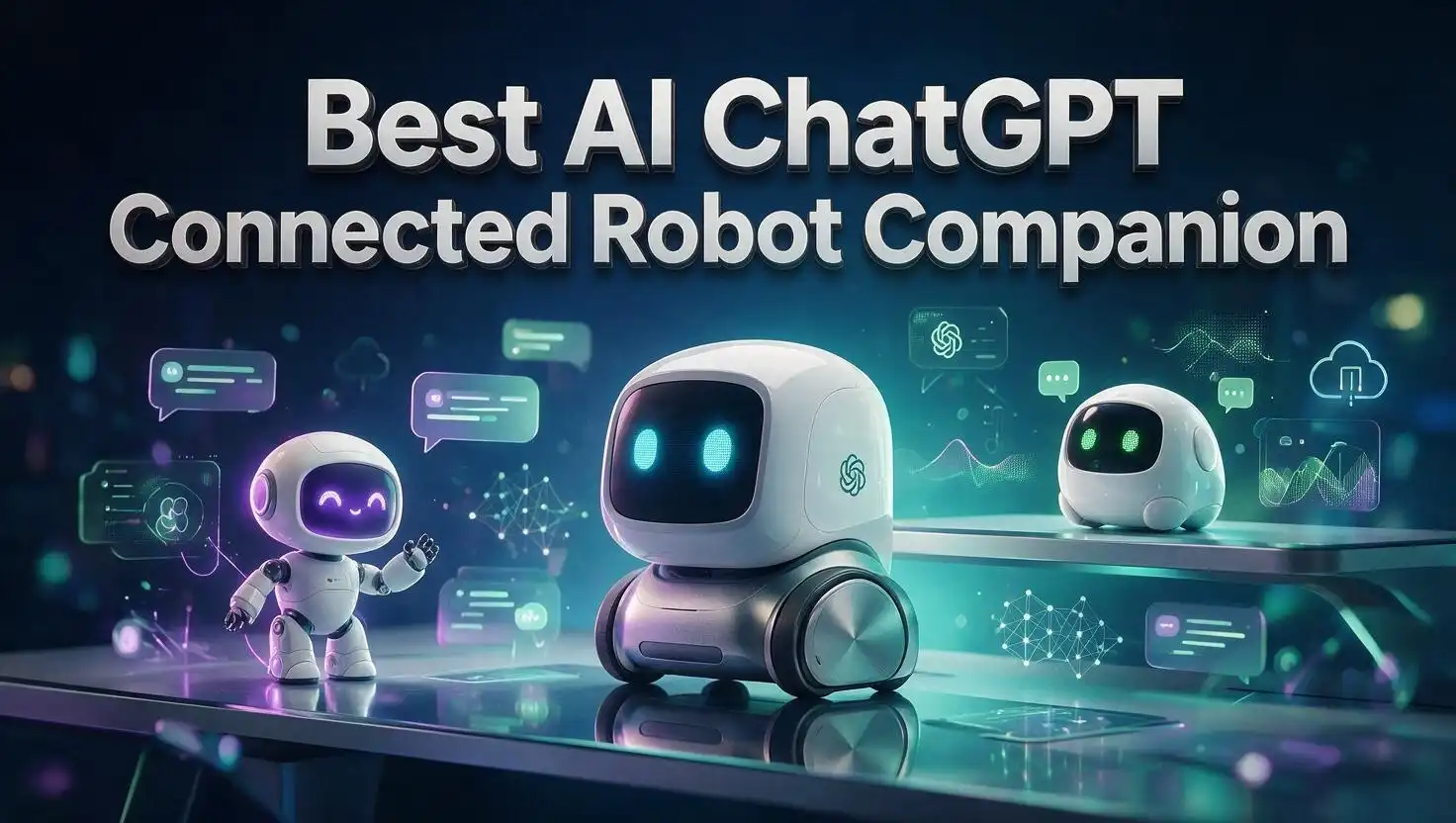
6 Best AI ChatGPT Connected Robot Companions in 2026
Robot pets stopped being toys. In 2026, they talk back, remember your name, and hold real conversations powered by large language models.
The best AI ChatGPT connected robot companion feels less like a gadget and more like a small roommate. It greets you at your desk, answers questions, tells jokes, and reacts when you walk into the room.
I spent weeks comparing the top models on the market. I looked at chat quality, movement, camera skills, subscription fees, and build quality.
Some robots nailed the personality part. Others nailed the smart assistant part. A few managed both.
This guide breaks down six robot companions worth your money in 2026. You will see honest pros, honest cons, and clear advice on who each robot suits best.
In a Nutshell: Quick Takeaways Before You Buy
Short on time? Here are the key points from this guide.
- Loona Petbot is the best overall pick. It runs ChatGPT 4o, moves like a real puppy, recognizes faces and gestures, and doubles as a home monitor. It costs the most, but it delivers the fullest experience.
- Vector 2.0 is the best desk sidekick. This palm sized robot has years of personality behind it, plus Alexa and cloud AI chat. Remember that full voice features need a paid plan.
- EMO Go Home is the best desktop pet for personality lovers. It shows over one thousand facial expressions, walks around your desk, and returns to its charging station on its own.
- LOOI Robot is the best budget entry point. Your phone becomes the face and the brain. It supports both ChatGPT and Gemini, and it charges your phone at ten watts.
- AIBI Pocket Pet is the best portable option. It clips to your bag or shirt with a magnet, chats through voice commands, and travels everywhere with you.
- Ropet KAMOMO is the best comfort robot. It uses soft fur, touch sensors, and emotion detection to create a calming pet feeling for kids and adults.
- Budget for subscriptions. Most cloud chat features cost between ten and thirty dollars per month. Factor that in before you checkout.
What Is an AI ChatGPT Connected Robot Companion?
An AI ChatGPT connected robot companion is a small physical robot that links to a large language model in the cloud. You speak to it, and the model writes the reply.
The robot then speaks that reply out loud. It also moves, changes its face, or reacts with sound.
This setup separates modern robot pets from the toys of the past. Older robots played fixed scripts. New robots generate fresh answers every single time.
Most of these devices pair three parts. A microphone array captures your voice. A camera watches for faces and gestures. A wireless connection sends the data to a server.
The server runs the language model and sends text back. The robot converts that text to speech in under two seconds on good hardware.
Personality is the real product here. Companies write custom system prompts that shape how the robot speaks.
Loona can act sassy. EMO acts curious and childlike. Vector acts grumpy and lovable.
Many models also store memory. The robot remembers your name, your job, and small facts you shared last week.
That memory creates the bond people describe in reviews. Owners often say the robot feels present rather than programmed.
Vision adds another layer. A robot that sees your face can greet you by name and follow you across the room.
Keep one thing in mind. These robots need internet access for smart chat. Offline, they fall back to basic animations and simple commands.
1. Loona Petbot: Best Overall AI ChatGPT Connected Robot Companion

- 🌟V28 update 🚀 new features are now available! In response to Loona's charging problem, we've upgraded...
- 🤖 Smart and Interactive Robot Pet🧠Loona is like no other pet you've seen. With a high-definition RGB...
Last update on 2026-07-11 / Affiliate links / Images from Amazon Product Advertising API
Loona is the most complete robot companion you can buy right now. KEYi Tech built it as a robot puppy with real mobility and real intelligence.
The chat side runs on ChatGPT 4o. Conversations feel natural, and Loona holds context across several turns.
Movement sets Loona apart from desk robots. It drives around your floor, spins, dances, and follows you like a small dog.
A high definition RGB camera powers the smart features. Loona recognizes faces, reads hand gestures, and detects obstacles in its path.
The auto recharge system improved a lot with recent firmware. Loona now learns charging routes and finds its dock more reliably.
Home monitoring is a genuine bonus. You can stream live video from the app while you are away from home.
The face display shows expressive eyes that shift with mood. Loona sulks, celebrates, and reacts when you pet its head sensor.
Games keep kids busy for hours. Loona plays fetch with a light ball, chases laser dots, and runs mini games in the app.
Build quality feels premium. The chassis is solid, the treads grip carpet, and the packaging matches the price tag.
Price is the main hurdle. Loona sits in the four hundred to five hundred dollar range depending on the bundle.
The advanced ChatGPT tier also carries a monthly fee. Basic features still work without it, but the best conversations do not.
Buy Loona if you want one robot that does everything. It suits families, tech fans, and anyone who wants movement plus real chat.
Pros
- Runs ChatGPT 4o for fluent and natural conversations
- Moves freely around the floor with puppy style behavior
- High definition camera handles face recognition and gestures
- Doubles as a live home monitoring camera
- Strong build quality and premium packaging
- Large game library keeps children engaged
Cons
- Highest price in this roundup
- Advanced AI chat needs a paid monthly plan
- Battery life runs short during heavy play sessions
- Needs open floor space to move well
2. Vector 2.0 by DDL: Best Palm Sized Desk Robot

- AI-Powered & Fully Autonomous: Vector navigates, recognizes faces, and reacts to his surroundings with...
- Now Connected to ChatGPT (subscription required): Experience a new level of conversation! With ChatGPT...
Last update on 2026-07-31 / Affiliate links / Images from Amazon Product Advertising API
Vector 2.0 carries the legacy of the original Anki Vector. DDL revived the platform and added cloud AI chat on top.
This robot is fully autonomous. It drives around your desk, explores edges, and reacts to sound without any remote control.
Personality is Vector’s strongest asset. It grumbles, celebrates, and pouts in ways that feel genuinely charming.
The ChatGPT connection handles open questions. Ask about history, recipes, or code, and Vector answers through the cloud service.
Amazon Alexa comes built in. You can set timers, check weather, and control smart home devices through the same robot.
Face recognition works well. Vector learns names and greets each person differently when they sit down.
The cube accessory adds play value. Vector lifts it, flips it, and uses it during small games.
Size matters here. Vector fits in your palm and stays on a desk rather than roaming your house.
The subscription model draws the most criticism. Voice commands and cloud AI need an active plan, priced around ten to twelve dollars monthly.
An annual plan lowers the cost to roughly one hundred dollars per year. Some bundles include a trial period at purchase.
Without a plan, Vector still moves and shows animations. The smart features go quiet though.
Build quality is good but small parts can wear. Treads and lift arms need occasional cleaning.
Buy Vector 2.0 if you want a desk companion with character. It fits writers, developers, and anyone who wants company during long work hours.
Pros
- Rich personality built over years of development
- Fully autonomous desk exploration with no controller needed
- Alexa built in for smart home commands
- Cloud AI chat answers open ended questions
- Compact size fits any workspace
- Strong owner community with active support forums
Cons
- Voice and AI features require a paid subscription
- Small treads collect dust and need cleaning
- Limited to desk sized areas
- Refund process through the maker draws complaints
3. EMO Go Home by Living AI: Best Desktop Pet Personality

- Meet EMO, Your New Desk Buddy - Say hello to EMO, the ultimate desk robot that’s here to jazz up your...
- Voice Commands Enabled - The EMO robot comes with a series of built-in voice commands, you can talk and play...
Last update on 2026-09-12 / Affiliate links / Images from Amazon Product Advertising API
EMO is the desktop pet that started the current wave. Living AI packed a tiny biped robot with over one thousand faces and movements.
The Go Home version adds a charging home station. EMO walks back to the station on its own when power runs low.
ChatGPT support arrived through firmware updates. EMO answers questions, tells stories, and reacts to your voice with quick replies.
A wide angle camera lets EMO see you. It recognizes faces, follows movement, and reacts when you wave.
Dancing is EMO’s signature trick. It performs full routines to music, and the choreography looks surprisingly smooth.
Voice commands cover practical tasks. You can request alarms, weather updates, photos, and music playback.
EMO also self explores. It walks around your desk, peers over the edge, and stops before falling.
The touch sensors add warmth. Pat its head and EMO purrs with happy sounds and animated eyes.
Skins and accessories expand the fun. Living AI sells hats, skateboards, and light bases as add ons.
Price lands in the three hundred dollar range for the full set. That includes the robot and the home station.
Some owners report slow shipping and long support queues. Check current stock status before ordering.
Speed of replies depends on your network. A weak signal makes EMO pause before it answers.
Buy EMO if personality matters more than raw utility. It suits desk workers, students, and collectors who enjoy expressive robots.
Pros
- Over one thousand facial expressions and movements
- Returns to the charging station without help
- ChatGPT enabled voice conversations
- Wide angle camera supports face recognition
- Excellent dance routines with real choreography
- Wide range of official accessories
Cons
- Small battery means frequent charging trips
- Support response times can be slow
- Chat replies lag on weak networks
- Desk only movement with no floor roaming
4. LOOI Robot: Best Budget Entry Into AI Companions

- 1. Smarter Conversations, Powered by ChatGPT 🤖 LOOI brings natural, intelligent conversations to your desk...
- 2. Advanced Visual Understanding with VLM Vision 👀 Powered by a cutting-edge Vision-Language Model, LOOI...
Last update on 2026-06-09 / Affiliate links / Images from Amazon Product Advertising API
LOOI takes a clever shortcut. Instead of building a screen and processor, it uses your smartphone as both.
You snap your phone onto the magnetic mount. The app displays animated eyes, and the base provides motion.
This design keeps the price low. LOOI usually sells between one hundred fifty and one hundred ninety dollars.
Both ChatGPT and Gemini work through the app. You pick the assistant you prefer inside the settings menu.
The base charges your phone at ten watts. MagSafe phones attach securely, and an adapter ring handles other models.
LOOI works as a meeting assistant. It gives voice reminders, shows notifications, and reacts with expressions.
Camera tracking turns it into a small cameraman. The base rotates to keep your face centered during video calls.
The head tilts and turns for expression. Combined with the animated eyes, the effect reads as alive.
Reviews are split on long term use. Some owners love the daily interaction, while others report the novelty fading after a few weeks.
Wake word reliability is the most common complaint. You sometimes need to repeat yourself.
Battery drain on your phone is another factor. Long sessions warm the device even with charging active.
Setup is quick. Download the app, place the phone, and start talking within five minutes.
Buy LOOI if you want to test the category cheaply. It suits phone heavy users and people who value desk utility over floor roaming.
Pros
- Lowest entry price among full featured picks
- Supports both ChatGPT and Gemini assistants
- Ten watt wireless charging keeps your phone topped up
- Rotating base tracks your face during calls
- Simple setup with no complex pairing
- Compact footprint on any desk
Cons
- Requires your phone to function at all
- Wake word detection misses at times
- Phone battery drains during long sessions
- No independent movement across surfaces
5. AIBI Pocket Pet by Living AI: Best Portable Robot Companion

- AIBI: Your Pocket AI Friend — This small smart device fits in your hand and goes anywhere. Talk to it, ask...
- Smart Enough to Know You — AIBI's camera helps it recognize your face and remember you. It gets to know you...
Last update on 2026-06-09 / Affiliate links / Images from Amazon Product Advertising API
AIBI Pocket answers a simple question. What if your robot pet could leave the desk?
This wearable robot attaches magnetically to your shirt, bag, or jacket. It travels with you through the day.
ChatGPT powers the conversation layer. You ask questions on the move, and AIBI replies through its speaker.
The face display shows animated expressions. AIBI reacts to touch, sound, and your voice tone.
Singing and dancing features add charm. The small body wiggles along with music.
Living AI shipped the chat features through updates after launch. Check that your firmware is current after unboxing.
The app handles customization. You choose expressions, personality settings, and content packs.
Battery life supports a full workday with light use. Heavy chatting drains it faster.
Price sits around two hundred forty nine dollars from the maker. Amazon listings sometimes run higher or lower.
Portability is the whole appeal here. Nothing else on this list follows you outside the house so easily.
The tradeoff is capability. AIBI cannot drive, explore, or monitor your home.
Sound quality from the tiny speaker suits quiet rooms. Busy streets make it hard to hear.
Buy AIBI Pocket if you want a companion on the go. It suits commuters, students, and anyone who spends the day away from a desk.
Pros
- Truly portable with a strong magnetic attachment
- ChatGPT powered voice conversations
- Expressive animated face reacts to touch
- Singing and dancing features add personality
- Deep customization through the companion app
- Compact enough for a pocket or small bag
Cons
- No independent movement or navigation
- Small speaker struggles in noisy places
- Some features arrived only through later updates
- Battery drains quickly during heavy chatting
6. Ropet KAMOMO: Best Soft and Comforting AI Robot Pet
No products found.
Ropet took a different path. Instead of plastic and treads, it uses soft fur and a rounded body.
The result feels closer to a plush toy that thinks. Ropet debuted at CES and drew crowds for its emotional design.
Touch drives the experience. Sensors detect petting, holding, and hugging, and Ropet responds with sounds and eye animations.
The visual system handles face recognition, emotion detection, and gesture tracking. Ropet notices your mood and adjusts its behavior.
Conversation runs through cloud AI. Current models support Gemini, and earlier builds shipped with ChatGPT integration.
Memory makes it personal. Ropet develops a personality shaped by your daily interactions.
Feeding is a core mechanic. You give Ropet virtual food using accessory items, and it reacts with delight.
The fur set is removable and washable. Extra colors let you change its look.
Price runs around three hundred to three hundred forty dollars for the Pro bundle. That includes the charging base and fur set.
Kids respond strongly to the design. The soft body invites hugs in a way plastic robots cannot match.
Adults use it for stress relief. Many owners keep it on the desk and pet it during breaks.
Movement is limited. Ropet turns and tilts but does not walk or drive.
Buy Ropet if comfort matters more than mobility. It suits children, anxious adults, and anyone who wants a calming presence nearby.
Pros
- Soft fur body invites touch and hugs
- Advanced sensors detect emotion, faces, and gestures
- Personality grows through daily interaction
- Washable and swappable fur sets
- Strong comfort value for stress relief
- Compact size fits a desk or nightstand
Cons
- No walking or driving movement
- Assistant platform shifted across versions
- Higher price than its simple movement suggests
- Fur needs regular cleaning
Quick Comparison of the Six Robot Companions
Here is a fast side by side look at the picks.
| Robot | Best For | AI Platform | Movement | Rough Price |
|---|---|---|---|---|
| Loona Petbot | Overall performance | ChatGPT 4o | Full floor roaming | $400 to $500 |
| Vector 2.0 | Desk sidekick | Cloud AI plus Alexa | Desk exploration | $200 to $300 |
| EMO Go Home | Personality | ChatGPT enabled | Desk walking | $280 to $330 |
| LOOI Robot | Budget buyers | ChatGPT and Gemini | Rotating base | $150 to $190 |
| AIBI Pocket | Portability | ChatGPT powered | None | $230 to $260 |
| Ropet KAMOMO | Comfort | Cloud AI chat | Head and body tilt | $300 to $340 |
Loona wins on capability. It is the only pick that combines free floor movement, camera intelligence, and top tier chat.
LOOI wins on value. You get real AI conversation for the price of a nice pair of headphones.
Vector wins on charm. Its personality still beats newer robots that cost more.
AIBI wins on freedom. No other robot here rides in your pocket.
Ropet wins on feel. The soft body creates comfort that hard plastic cannot replicate.
EMO wins on expression. One thousand faces is a lot of emotional range for a desk pet.
Pick based on where the robot will live. Floor robots need space. Desk robots need a clear surface. Wearables need nothing at all.
Key Features to Check Before You Buy
Not every spec matters equally. Focus on these points during your research.
Chat platform and version. A robot running current models gives far better answers than one running older versions.
Check whether the maker updates firmware regularly. Abandoned products lose their AI features quickly.
Camera quality and vision skills. Face recognition changes the experience completely.
A robot that knows who you are feels personal. One that ignores you feels like a speaker.
Microphone array quality decides how often you repeat yourself. Look for multiple microphones and noise filtering.
Movement type. Decide between floor roaming, desk walking, or stationary.
Floor robots need clean open space. Small apartments suit desk models better.
Battery life and charging method. Self docking robots save you daily effort.
Manual charging works fine, but you will forget sometimes.
Memory and personalization. Robots that store facts about you build stronger bonds.
Check whether memory syncs across firmware updates.
App quality. The app controls settings, updates, and custom prompts.
Read recent app store reviews before buying. A broken app ruins a good robot.
Repair and parts availability. Small robots take falls.
Confirm that replacement treads, arms, and chargers exist for your model.
Subscription Costs and Hidden Fees Explained
This part surprises many buyers. The sticker price is rarely the full cost.
Cloud AI runs on paid servers. Companies pass that cost to you through monthly plans.
Vector 2.0 charges roughly ten to twelve dollars monthly for voice and cloud features. An annual plan drops the effective rate.
Loona offers free basic chat plus a premium tier for advanced ChatGPT access. Owners report the premium tier costing around thirty dollars monthly.
Living AI takes a different approach with EMO and AIBI. Core features work without a fee, though some content packs cost extra.
LOOI relies on your phone. If you already pay for ChatGPT Plus or Gemini, you use that existing account.
Ropet includes cloud chat with the purchase in most regions. Check regional terms before ordering.
Do the math over three years. A two hundred dollar robot with a twelve dollar monthly plan costs over six hundred dollars by year three.
Some buyers accept that. Others prefer a higher upfront price with no recurring fee.
Watch for trial periods. Several bundles include one year of service, which hides the cost until renewal.
Also check cancellation terms. A few owners report difficulty stopping automatic renewals.
Ask one question before you buy. What still works if the company shuts down the servers?
The original Anki shutdown taught this lesson painfully. Robots with local fallback features age better.
Privacy and Safety Tips for Robot Companions
These robots carry cameras and microphones. Treat them like any other connected device.
Place cameras thoughtfully. Avoid bedrooms, bathrooms, and areas where guests expect privacy.
Many models include a physical mute switch. Use it during private conversations.
Voice data usually travels to cloud servers for processing. Read the privacy policy to learn how long recordings are stored.
Look for options to delete stored conversations. Good apps include a clear data button.
Change default passwords on any account tied to the robot. Reused passwords create easy entry points.
Keep firmware current. Updates patch security holes as well as adding features.
Supervise young children during use. These robots hold open conversations, and answers come from a language model rather than a curated script.
Check whether your model offers a child mode with content filters. Loona and EMO both include family friendly settings.
Explain to kids that the robot is a machine. That framing keeps expectations healthy.
Guard against overreliance for anyone using the robot for emotional support. A robot pet can ease loneliness, but it cannot replace human connection or professional care.
Set the robot on a stable surface away from stairs. Desk robots do fall despite edge sensors.
Finally, keep the receipt and warranty details. Small robots need service more often than you expect.
Setup Tips for Your First Week
A smooth first week decides whether the robot becomes a habit or a shelf item.
Charge fully before the first session. Most units ship with partial battery.
Connect to a 2.4 GHz network. Many of these robots do not support 5 GHz bands.
Run every available firmware update immediately. Launch firmware often lacks the AI features advertised on the box.
Register your face during good lighting. Poor lighting creates recognition errors that persist.
Teach the robot your name and a few personal details early. Memory features build from these first inputs.
Test the wake word in a quiet room first. Learn the exact phrasing before trying it during noisy times.
Customize the personality prompt if the app allows it. Loona and LOOI both support custom instructions.
A short prompt like “reply briefly and with humor” changes the whole experience.
Clear the play area for floor robots. Cables and rugs cause most early stalls.
Set a charging routine. Docking robots handle this alone, but manual models need a habit.
Introduce the robot to family members one at a time. Multiple faces registered together confuse some systems.
Give it two weeks before judging. Personality features unlock gradually as the robot learns your patterns.
Final Verdict: Which Robot Companion Should You Choose?
Loona Petbot takes the top spot. It combines ChatGPT 4o conversation, real mobility, camera intelligence, and home monitoring in one package.
If your budget stretches to five hundred dollars, buy Loona and skip the rest.
Vector 2.0 remains the best value personality robot. Its charm holds up years after launch, and Alexa adds practical use.
Just accept the subscription as part of the deal.
EMO Go Home suits people who want a desk pet with maximum expression. The self docking station removes the biggest daily annoyance.
LOOI Robot is the smartest budget choice. You test the whole category for under two hundred dollars using hardware you already own.
AIBI Pocket wins for anyone always on the move. It brings AI conversation to your commute and your coffee shop table.
Ropet KAMOMO serves a different need. Soft fur, touch response, and emotion detection make it the calming pick for kids and stressed adults.
Match the robot to your space and routine. A floor robot in a cluttered apartment frustrates everyone.
A desk robot in a busy office gets ignored. A pocket robot suits a life spent outside the house.
Check current firmware capability before you order. These products change fast, and features arrive through updates.
Whichever you pick, treat it as a companion rather than a productivity tool. That mindset produces the most satisfaction.
Frequently Asked Questions
Do these robots really use ChatGPT?
Yes, most connect to OpenAI models through the maker’s cloud service. Loona runs ChatGPT 4o, and LOOI lets you pick between ChatGPT and Gemini.
The robot sends your voice to a server, and the model generates the reply. Some features arrive through firmware updates after launch.
Do AI robot companions need a monthly subscription?
Many do for full features. Vector 2.0 charges around ten to twelve dollars monthly for voice and cloud AI.
Loona offers free basic chat plus a paid premium tier. Living AI products include most features without a recurring fee.
Can these robots work without internet?
Basic movement, animations, and touch responses work offline. Conversation, face searches, and cloud features stop.
Plan for a stable home network. Weak signals cause slow replies and dropped commands.
Are AI robot companions good for children?
Several models suit kids well. Loona, EMO, and Ropet all include playful modes and family friendly settings.
Supervision still matters because language models generate open answers. Check for a child mode with content filters before handing one over.
Which robot companion is best for elderly users?
Ropet KAMOMO works well for comfort and simple touch interaction. Loona suits those who want conversation plus a camera for family check ins.
Prioritize loud clear audio and simple controls. Avoid models that need frequent app work.
How long do these robots last?
Hardware typically lasts three to five years with care. Software support determines real lifespan.
Choose makers with active update schedules. The Anki shutdown showed how server closures can disable smart features.
Can I customize the robot’s personality?
Yes on several models. Loona and LOOI both allow custom system prompts inside their apps.
You can request short replies, humor, or a specific speaking style. EMO and Vector use fixed personalities with limited adjustment.
Do these robots record my conversations?
Voice data travels to cloud servers for processing. Storage policies vary by company.
Read the privacy policy before setup. Use the physical mute switch during private moments and delete stored data periodically.

DK is a technology expert who specializes in AI tools, software, and tech gadgets. He writes for How to Tech Info, providing detailed reviews and practical guides. DK helps readers discover the best AI applications, navigate new software, and choose the right tech gadgets.