Toybox 3D Printer Review 2026: Friendly 3D Printer?
Are you looking for a 3D printer that your kids can actually use on their own? The Toybox 3D Printer has been a go-to choice for families and classrooms since its launch. Now in its Alpha Three version, it promises faster printing, better detail, and an even simpler experience. But does it live up to the hype in 2026?
I spent several weeks testing this printer. I printed toys, miniatures, snap-together kits, and even imported custom STL files. The results surprised me. This review covers everything from setup and print quality to app features and filament costs.
Whether you are a parent, a teacher, or a beginner, this post will help you decide if the Toybox 3D Printer is right for you.

Key Takeaways
- The Toybox Alpha Three is built for kids ages 5 and up. It comes fully assembled and connects over Wi-Fi. There is no complicated setup. You can start printing in minutes.
- One-touch printing makes this printer stand out. You pick a toy from the app, hit “Print Me,” and the printer does the rest. No slicer software. No confusing settings.
- The build volume is small at 2.75 x 3.2 x 3.5 inches. This limits the size of prints you can create. Most prints are small toys, figurines, or accessories.
- Print quality is surprisingly good for a kid-focused machine. PCMag gave the Alpha Three an Editors’ Choice award. Reviewers noted smooth walls, clean details, and a 100% success rate on catalog prints.
- Filament costs are higher than third-party options. Toybox sells proprietary “Printer Food” spools at about 3.5 times the cost of generic PLA. You can use other 1.75mm PLA, but results may vary.
- The Toybox app offers access to over 7,000 free toy designs. It also supports STL imports, a built-in creator space, and optional AI-powered design with a Pro Membership.
Toybox 3D Printer Alpha Three Overview

- KID FRIENDLY: Built to be used by children, Toybox can be controlled with simple one-touch functions. No adult...
- UNLIMITED CATALOG OF TOYS: Thousands of awesome toys are available at your fingertips in our Toybox catalog...
Last update on 2026-06-09 / Affiliate links / Images from Amazon Product Advertising API
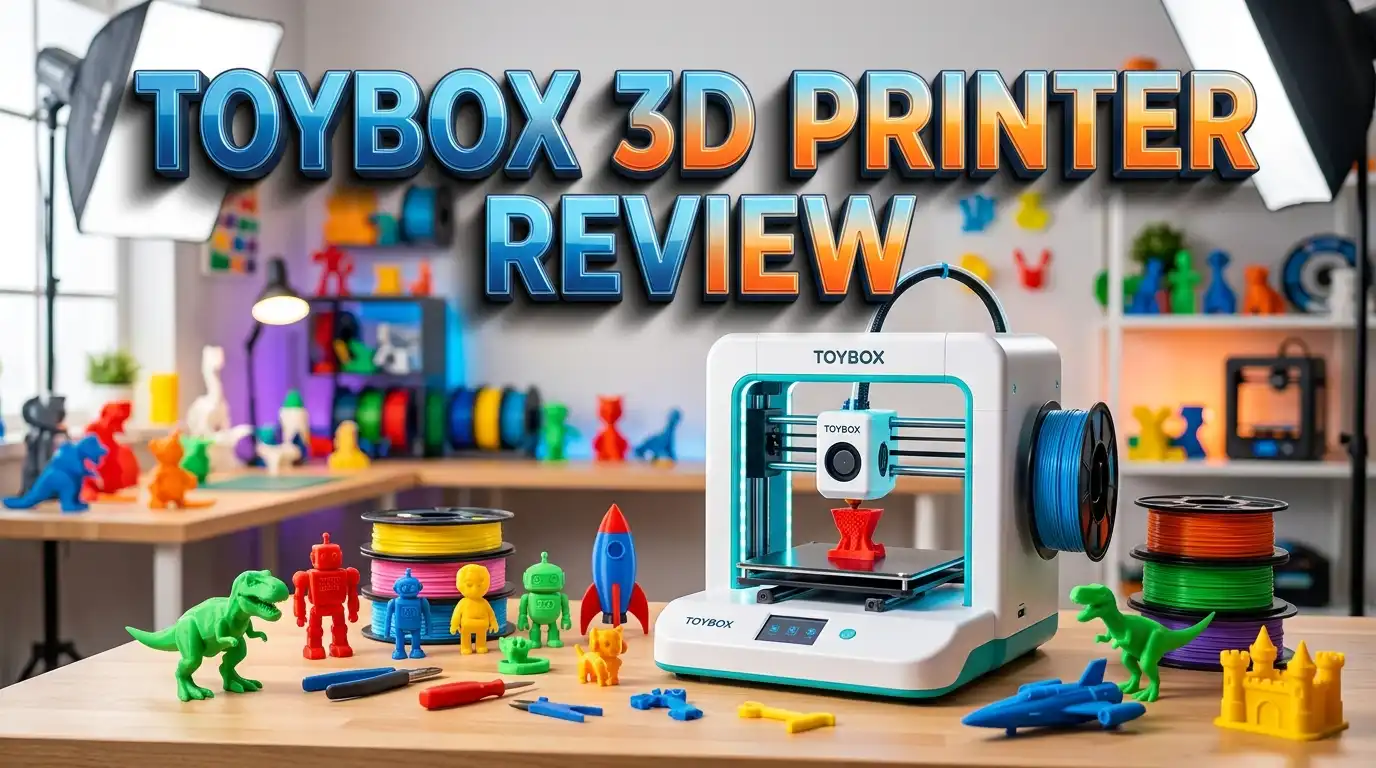
The Toybox Alpha Three is the latest model from Toybox Labs. It arrives fully assembled and ready to print out of the box. The printer measures about 9.5 x 7.75 x 7.5 inches and weighs around five pounds. It fits easily on a desk, countertop, or classroom shelf.
This printer uses a CoreXY-style motion system. The print bed moves only up and down. The print head handles all side-to-side movement. This design keeps the printer stable and compact. It also helps produce cleaner prints with less vibration.
The Alpha Three delivers up to 2x faster print speeds compared to the original Toybox. It also offers 1.5x finer print details, according to the company. These improvements make a real difference. Prints feel more detailed and take less time to finish. The printer uses 1.75mm PLA filament and includes one roll in the box.
Setting Up the Toybox 3D Printer
Setup is one of the best parts of owning a Toybox. You do not need to assemble anything. You take the printer out of the box, attach a filament spool to the back, and place the magnetic rubber print bed on the platform.
Power the printer on. The LCD screen prompts you to download the Toybox app on your phone or tablet. Create a free account, connect to Wi-Fi, and enter the six-digit code on the screen. The whole process takes about 10 to 15 minutes.
Loading filament is simple. You push it into the top of the extruder. The menu has a “Printer Food” option with easy load and unload controls. The nozzle heats up quickly. Changing colors mid-print is also possible. You will want to do this often since colorful prints look much better than single-color ones.
Print Quality and Reliability
The print quality on the Toybox Alpha Three is impressive for a kids’ printer. In professional reviews, testers completed nearly 100 prints from the Toybox catalog. Every single one finished successfully on the first try. That is a remarkable success rate.
Print surfaces come out smooth and consistent. There is very little Z-banding or visual artifacts on the finished models. Walls look clean. Details are sharp enough to make figurines, vehicles, and snap-together kits look great.
The automatic slicing in the app handles everything behind the scenes. You do not need to adjust layer height, infill, or support settings. The app does all of that for you. This is perfect for kids and beginners who do not want to learn slicer software. For more experienced users, the ability to import STL files and auto-slice them opens up many possibilities.
Top 3 Alternatives for Toybox 3D Printer
If you want to explore other options before buying, here are three strong alternatives to the Toybox 3D Printer.

- Effortless 3D Creation: Start your 3D printing journey with just one click using our smart app, perfect as a...
- Precision and Speed: Achieve professional-grade, kids 3D printer with 0.05 mm accuracy at speeds up to...
Last update on 2026-06-09 / Affiliate links / Images from Amazon Product Advertising API

- High-Speed Precision: Experience unparalleled speed and precision with the Bambu Lab A1 Mini 3D Printer. With...
- Multi-Color Printing with AMS lite: Unlock your creativity with vibrant and multi-colored 3D prints. The Bambu...
Last update on 2026-06-09 / Affiliate links / Images from Amazon Product Advertising API

- One-Click Automatic Printing: Experience hassle-free 3D printing with the Adventurer 5M Series. Enjoy...
- 12X Ultra Fast Printing: Featuring a CoreXY structure with 600mm/s travel speed and 20000mm/s² acceleration...
Last update on 2026-06-09 / Affiliate links / Images from Amazon Product Advertising API
The AOSEED X-Maker Joy is a great pick for kids aged 9 to 16. It offers AI-powered design tools, a larger print area, and an enclosed build chamber for safety. It prints at speeds up to 400mm/s and costs around $399 with no subscription fees.
The Bambu Lab A1 Mini is a popular choice for beginners of all ages. It prints at high speeds with automatic calibration. The build volume is larger than the Toybox. It costs around $199 and supports multi-color printing with the AMS Lite accessory.
The Flashforge Adventurer 5M is an excellent mid-range option. It offers 600mm/s print speeds, auto leveling, and a 220x220x220mm build volume. It costs around $300 and works well for families that want more flexibility and larger prints.
The Toybox App and Toy Catalog
The Toybox app is the control center for this printer. It is available on iOS, Android, and through a web browser. The interface is clean and easy for kids to use. On the bottom of the app, you will find icons for exploring the catalog, creating designs, and managing your printer.
The Explore section lets you browse over 7,000 free toy designs. Each toy shows an estimated print time in minutes. You pick a design and press “Print Me.” The app slices the model and sends it to the printer. The whole process takes just a few taps.
What surprised many reviewers is the STL import feature. You can bring in files from sites like Printables or MakerWorld. The app will auto-slice these files, let you scale them, and generate supports. This opens up tens of thousands of printable options beyond the curated catalog. The app also has a Creator Space with tools for building custom designs using basic shapes and text.
Build Volume and Size Limitations
The Toybox Alpha Three has a build volume of just 2.75 x 3.2 x 3.5 inches. This is small compared to most 3D printers on the market. The Bambu Lab A1 Mini, for example, has a build volume of approximately 180x180x180mm.
This small size means you cannot print large models. Most Toybox prints are small toys, figurines, accessories, and snap-together kits. If you want to print bigger items, you will need to look at a different machine.
However, the small build volume fits the target audience well. Kids do not usually need to print large objects. The compact size of the printer also makes it safe and easy to place in a child’s room or on a classroom desk. The small footprint is actually a feature for families with limited space. Just keep in mind that this is a toy-scale printer, and plan your projects accordingly.
Filament Options and Costs
The Toybox uses 1.75mm PLA filament, which Toybox calls “Printer Food.” PLA is a non-toxic, corn-based plastic. It is safe for children and produces very minimal fumes. This makes it the perfect choice for a kids’ printer.
Toybox sells its own branded filament in kid-sized spools. A pack of seven different colored rolls costs about $60. Individual spools range from $11 to $19. This is roughly 3.5 times more expensive per weight than generic PLA filament from other brands.
You can use third-party 1.75mm PLA filament. Overture PLA is a popular affordable choice that works well with this printer. However, Toybox warns that using non-branded filament may cause issues. The proprietary spools fit the machine perfectly and keep the experience simple. If cost is a concern, buying third-party PLA in bulk will save you a significant amount of money over time.
Who Should Buy the Toybox 3D Printer
The Toybox is ideal for families with children aged 5 to 12. It is designed so kids can operate it with little to no adult help. The one-touch printing system removes the learning curve that most 3D printers require.
Teachers and educators will also find great value here. The Toybox works well in classroom settings. Students can design and print their own creations using the Creator Space tools. This introduces them to 3D printing, design thinking, and basic engineering in a hands-on way.
This printer is not the best choice for hobbyists or experienced makers. The small build volume, limited material options, and closed ecosystem will feel restrictive for advanced users. If you want full control over slicer settings, support structures, and multi-material printing, a Bambu Lab A1 Mini or Flashforge Adventurer 5M will serve you better. The Toybox excels at one thing: making 3D printing fun and easy for beginners.
Toybox Subscription Plans and Pricing
The Toybox Alpha Three starts at around $309 for the Starter Bundle. The Pro Mega Bundle costs about $359 and includes extra filament, a Toybox Pro Membership trial, and in-app currency called Bolts.
The Toybox Plus subscription is optional. Without it, you still get access to the Creator Space and thousands of free toys. The subscription adds perks like exclusive toy designs, discounts on filament, and other extras.
The Toybox Pro Membership includes AI-powered model design tools. This lets kids describe a toy or idea and have the AI generate a printable 3D model. This is a fun and creative feature for older kids who want to push their imagination further. Pricing for subscriptions varies, so check the Toybox website for the latest deals. Overall, the base printer experience is solid even without any subscription.
Pros of the Toybox 3D Printer
The biggest advantage is simplicity. No other 3D printer on the market is this easy to use right out of the box. Kids can start printing within minutes. The fully assembled design saves you from hours of setup and calibration.
Print reliability is another strong point. Professional reviewers reported zero failed prints from the catalog. The curated app ensures that every design is optimized for this machine. This means fewer headaches and wasted filament.
The compact size is perfect for small spaces. The printer is light enough for a child to carry. The magnetic build plate makes removing prints easy and safe. The LCD screen provides clear feedback at every step. The app is well-designed and fun to use. These features combine to create a smooth and satisfying experience for kids and parents alike.
Cons of the Toybox 3D Printer
The small build volume is the most common complaint. At 2.75 x 3.2 x 3.5 inches, you are limited to small prints. Anything larger requires a different printer.
Filament cost is another drawback. Toybox’s branded spools cost significantly more than generic PLA. If your child prints frequently, those costs add up. Using third-party filament is possible but not officially supported.
The printer also lacks a heated bed and advanced controls. You cannot adjust temperature, speed, or support settings manually. The bed leveling process requires a small screwdriver and can be awkward to access. The adjustment screw sits in a rear corner that is hard to reach. Some users also note that the printer does not have an enclosure, though this is common for printers in this price range.
Toybox 3D Printer vs Competitors
Compared to the AOSEED X-Maker, the Toybox is simpler to use but has a smaller print area. The X-Maker targets slightly older kids (ages 9 to 16) and offers more design tools. It also runs at faster print speeds and includes an enclosed chamber.
The Bambu Lab A1 Mini offers a much larger build volume and supports more filament types. It requires a bit more technical knowledge but delivers better print quality and speed. It is a great step-up printer for families who outgrow the Toybox.
The Flashforge Adventurer 5M is a full-featured printer with a 220x220x220mm build volume and 600mm/s speeds. It is a strong choice for households with both kids and adults who want to print. The Toybox wins on ease of use and kid-friendliness, but competitors offer more power and flexibility for the same price range.
Is the Toybox 3D Printer Worth It in 2026
- KID FRIENDLY: Built to be used by children, Toybox can be controlled with simple one-touch functions. No adult...
- UNLIMITED CATALOG OF TOYS: Thousands of awesome toys are available at your fingertips in our Toybox catalog...
Last update on 2026-06-09 / Affiliate links / Images from Amazon Product Advertising API
The Toybox Alpha Three earned an Editors’ Choice award from PCMag in early 2026. That says a lot about how far this product has come. For families and classrooms, it remains one of the best entry points into 3D printing.
The printer delivers on its promise. It is easy to set up. It prints reliably. The app is fun and packed with content. Kids can go from idea to finished toy in under an hour. The small build volume and higher filament costs are real drawbacks, but they are acceptable trade-offs for the target audience.
If you want a plug-and-play 3D printing experience for your child, the Toybox Alpha Three is hard to beat. It removes every barrier that makes 3D printing frustrating for beginners. For around $309 to $359, you get a printer that sparks creativity, curiosity, and hands-on learning. That is a solid investment for any family.
Final Verdict on the Toybox 3D Printer
The Toybox Alpha Three is not trying to compete with hobbyist machines. It is a creative toy that happens to be a 3D printer. It excels at making the printing process fun, safe, and simple for children.
The 100% print success rate from the catalog is outstanding. The 7,000+ toy designs and STL import support give it long-term value. The compact size and one-touch operation make it ideal for young creators.
Buy it if your child is curious about making things. Buy it if you want a screen-free creative activity. Skip it if you need a full-featured 3D printer with a large build volume. The Toybox knows exactly what it is, and it does that job very well.
Frequently Asked Questions
What age is the Toybox 3D Printer designed for?
The Toybox 3D Printer is designed for children aged 5 and up with adult supervision for younger users. Older kids can operate it independently. The app and interface are built to be easy for children to understand.
Do you need a subscription to use the Toybox 3D Printer?
No. A subscription is completely optional. Without one, you still have access to the Creator Space and thousands of free toy designs. The Toybox Plus and Pro subscriptions add bonus features like exclusive toys, discounts, and AI-powered design tools.
Can you use third-party filament with the Toybox?
Yes. The Toybox accepts any 1.75mm PLA filament. Brands like Overture PLA work well. However, Toybox does not guarantee results with non-branded filament. Their proprietary spools are designed to fit the machine perfectly.
How long does a typical Toybox print take?
Print time depends on the size and complexity of the model. A small item like a ninja star can take less than 5 minutes. Larger, multi-part models like a Block Buddy can take up to 4 hours.
Can the Toybox 3D Printer print files from other websites?
Yes. The Toybox app supports STL, OBJ, 3MF, and GCODE file formats. You can import files from websites like Printables and MakerWorld. The app will auto-slice and prepare them for printing.
Is the Toybox 3D Printer safe for kids?
Yes. The printer uses non-toxic PLA filament made from corn-based plastic. The open-frame design keeps the moving parts visible, and the machine operates at relatively low temperatures. The app is curated with age-appropriate content to keep the experience G-rated and safe.

DK is a technology expert who specializes in AI tools, software, and tech gadgets. He writes for How to Tech Info, providing detailed reviews and practical guides. DK helps readers discover the best AI applications, navigate new software, and choose the right tech gadgets.