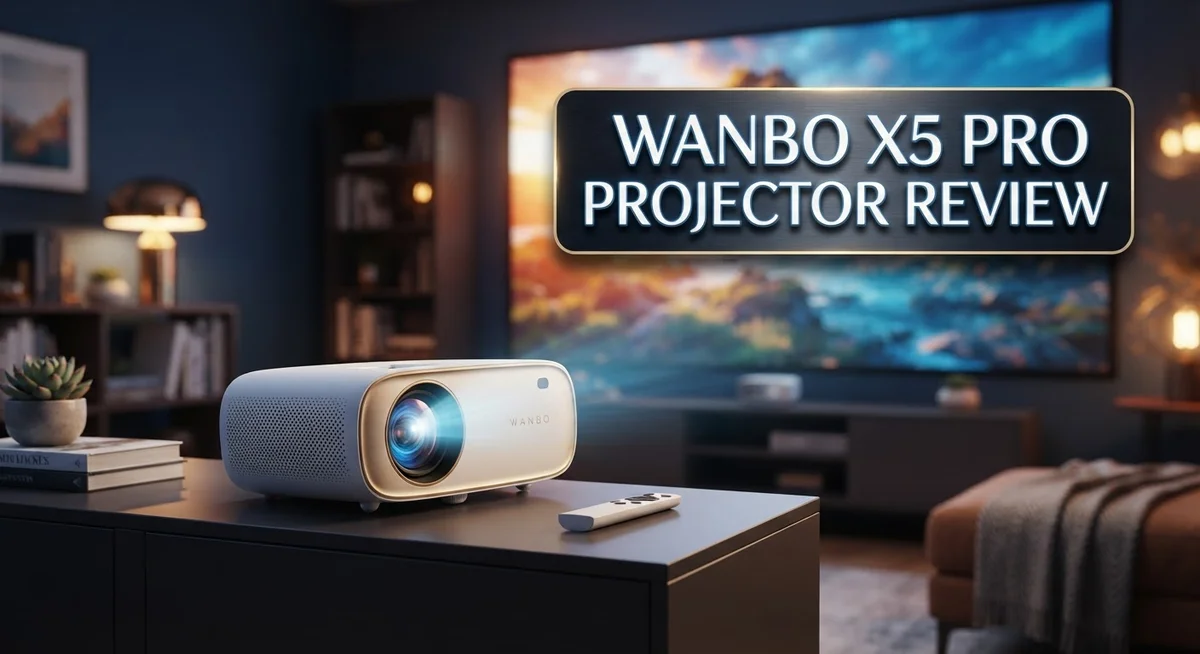
Wanbo X5 Pro Projector Review: Is It Worth Your Money?
Looking for a projector that lights up your movie nights? The Wanbo X5 Pro might catch your eye. This device packs 1100 ANSI lumens into a compact body.
It brings Full HD clarity to your living room or backyard. The screen stretches up to 100 inches, perfect for big game nights.
What makes it stand out? It runs on Android 11 right out of the box. You get streaming apps without plugging in extra devices.
This review digs into real performance. We test brightness, picture quality, and ease of use.
We also compare it against rivals like the Optoma CinemaX D2 and Formovie S5. By the end, you will know if this projector fits your home setup.
Let’s see how the Wanbo X5 Pro holds up under real viewing conditions.
In a Nutshell
Here is a quick snapshot of what the Wanbo X5 Pro offers:
-
Brightness: It delivers 1100 ANSI lumens. This makes evening movie nights and outdoor screenings look crisp.
-
Resolution: You get true Full HD at 1920×1080. Images stay sharp on screens up to 100 inches.
-
Smart Platform: Android 11 runs the show. You can stream apps directly without plugging in extra devices.
-
Focus Quirks: Some users notice focus issues. Only part of the screen stays sharp at times.
-
Durability Watch: A few owners report reliability concerns. Long term performance may vary from unit to unit.
-
Format Limit: This projector caps out at 1080p. 4K fans might want to look elsewhere.
Overall, the Wanbo X5 Pro packs solid brightness and a smart, standalone platform into one unit. It competes well against names like the Lumio Arc 7 and Pixpaq Ray. Just keep the focus and reliability notes in mind before you decide.
Key Features and Specifications
The Wanbo X5 Pro packs 1100 ANSI lumens of brightness. This output handles evening viewing and outdoor settings with ease.
You get Full HD resolution at 1920×1080. The LED LCD technology delivers clear images without the heat of traditional lamps. Colors remain stable across different content types.
Android 11 comes built in. You don’t need a separate streaming device or external box. Apps like Netflix, YouTube, and Plex install directly on the projector. This keeps your setup simple and clutter free.
The maximum projection size reaches 100 inches. Adjust your distance from the screen to dial in your preferred image size. Smaller rooms work fine with shorter throw distances.
One real world challenge emerges with focusing. The Wanbo X5 Pro can struggle to focus the entire screen uniformly. You might find the edges or corners stay soft while the center sharpens up. Manual focus adjustment helps, but perfection across the full frame takes patience.
LED technology means lower power consumption compared to traditional lamp based projectors. Your electricity bills stay reasonable during regular use. The light source also lasts longer than conventional options.
The projector handles multiple input types. HDMI ports connect gaming consoles, streaming boxes, and laptops. USB ports support file playback from external drives. Wireless connectivity lets you mirror content from phones and tablets.
Reliability feedback shows mixed results. Some users report solid performance over months of use. Others mention unexpected shutdowns or dimming issues. Your mileage may vary depending on unit quality and usage patterns.
Resolution tops out at 1080p. If you need 4K sharpness, this model won’t deliver it. For most casual viewing and gaming, Full HD remains more than adequate.
The compact form factor makes transport easy. You can move it between rooms or take it to a friend’s house without struggle. Weight stays manageable for one person to handle.
Overall, the Wanbo X5 Pro combines solid brightness, built in smarts, and practical features into one unit. Focus consistency and durability represent areas where buyers should set realistic expectations before committing.

- 【1500ANSI & MEMC – Day/Night Flexibility, Bright & Smooth Images Without Motion Blur】Featuring 1500 ANSI...
- 【Official Google TV 14– Ready to Use, No TV Stick Needed】Just power on & play: The outdoor movie...

Last update on 2026-10-07 / Affiliate links / Images from Amazon Product Advertising API
Brightness and Image Quality
The Wanbo X5 Pro delivers 1100 ANSI lumens, which puts it in a strong position for evening and outdoor viewing. This brightness level handles ambient light well without washing out your picture in darker rooms.
The projector uses LED LCD technology. This means you get consistent color performance and lower heat output compared to traditional lamp based systems. The image stays stable across longer viewing sessions.
Full HD resolution at 1920×1080 gives you sharp text and clear details. Movies and streaming content look crisp on screens up to 100 inches. You won’t see the pixelation that plagues lower resolution projectors.
One real challenge emerges with focusing. Users report that the Wanbo X5 Pro struggles to keep the entire screen in sharp focus at once. You might find the center looks perfect while edges appear softer. This is a known limitation worth considering before purchase.
Color accuracy sits at a respectable level for this class. The LED LCD panel handles saturation and contrast reasonably well. Reds don’t bleed into blacks, and whites stay clean. Dark scenes reveal shadow detail instead of collapsing into murk.
The contrast ratio performs adequately for casual viewing. Action movies show good separation between light and dark elements. Sports broadcasts maintain vibrant colors without excessive blooming.
Reliability concerns have surfaced among some owners. A small percentage report brightness degradation over time or unexpected shutdowns. Build quality feels acceptable but not premium. The plastic housing shows no obvious weak points, though long term durability remains uncertain.
Outdoor performance shines with the 1100 lumen output. Evening backyard movie nights work without heavy light blocking. You’ll see the image clearly even with patio lights on. Bright daylight viewing still requires significant light control.
The image processing handles standard streaming formats smoothly. Netflix, YouTube, and similar platforms display without stuttering. Upscaling from lower resolutions works competently, though native 1080p content always looks best.
Overall, brightness and image quality meet expectations for the category. The projector excels at evening entertainment but shows limitations in focus consistency and long term reliability.
Built-in Android Platform and Usability
The Wanbo X5 Pro runs Android 11 as its core operating system. This means you don’t need an external streaming device or media player. Everything works right from the projector itself.
The Android platform gives you direct access to popular apps. You can install Netflix, YouTube, Prime Video, and other streaming services straight on the projector. The interface feels familiar if you’ve used Android phones or tablets before.
Navigation happens through a remote control. The menu system responds quickly to your commands. App loading times stay reasonable for a projector in this class. You get a standalone experience without extra cables or boxes cluttering your setup.
The built in platform handles most common file formats. You can stream content wirelessly from your phone or tablet. USB connections work for local media playback. HDMI inputs remain available if you prefer connecting external devices anyway.
One practical advantage emerges here. You avoid compatibility headaches that come with different streaming devices. Everything runs on the same Android foundation. Updates roll out directly to the projector rather than requiring separate device updates.
The user experience stays simple for basic streaming and casual viewing. Menus respond to your inputs without significant lag. App switching feels smooth during normal use. The remote control design works well for one handed operation from your couch.
Some users report that app performance varies depending on what you’re running. Heavier apps occasionally show slight stuttering. Lighter streaming apps perform without issues. The processor handles everyday tasks without breaking a sweat.
The Android system also means you get access to Google Play Store. This opens doors to install lesser known apps beyond the major streaming platforms. You can download games, utilities, and other software to expand functionality.
Battery life doesn’t apply here since the projector needs wall power anyway. The Android system runs continuously without draining portable batteries. This setup works best when the projector stays in one location or moves between fixed spots.
Overall, the built in Android platform eliminates one piece of equipment from your entertainment setup. You get streaming, app access, and media playback without external devices. The experience feels complete and self contained for most viewing scenarios.
Top 3 Alternatives
Anker Nebula Capsule

- Super-Sized Screen, Portable Design: Capsule 3 is an all-new ultra-portable Google TV projector licensed by...
- Take the Big Screen Anywhere: With a max screen size of 120 inches, Capsule 3 delivers a cinema-level...
Last update on 2026-10-07 / Affiliate links / Images from Amazon Product Advertising API
The Anker Nebula Capsule is a compact portable projector that fits in your bag. This device delivers bright images in small spaces and works great for movie nights at home. The built-in speaker provides decent audio without needing extra equipment. Battery life lets you use it for hours away from outlets.
The Capsule connects easily to your phone or laptop. You get a sharp picture on walls or screens up to 100 inches. Auto-focus technology keeps everything clear automatically. The interface is simple, so anyone can start using it right away.
ASUS ZenBeam Latte

- High Image Resolution: ZenBeam E2 movie projector with up to 300 LED lumens output and 1280 x 720p resolution...
- Innovative Modern Design: This mini projector with Wi-Fi and Bluetooth not only enhances space aesthetics but...
Last update on 2026-10-07 / Affiliate links / Images from Amazon Product Advertising API
The ASUS ZenBeam Latte brings stylish design to projection. This projector looks different from typical models and sits on tables like a coffee maker. It produces vibrant colors and handles bright rooms well.
Connectivity options include wireless casting from phones and tablets. The projector supports multiple input types for different devices. Setup takes just minutes without complicated steps. The lamp lasts a long time, so you won’t replace it often. Sound quality is solid for casual viewing.
Epson EF-12 Projector

Last update on 2026-10-07 / Affiliate links / Images from Amazon Product Advertising API
The Epson EF-12 offers excellent brightness and clarity for home entertainment. This model works in various lighting conditions and produces detailed images. The compact size makes moving it between rooms simple.
Epson’s technology ensures colors stay accurate and vibrant. The projector includes built-in speakers with decent volume. Wireless connectivity lets you stream content from phones and computers easily. The lamp provides years of use before needing replacement. Setup is straightforward for beginners and experienced users alike.
Projection Size and Throw Distance
The Wanbo X5 Pro gives you flexibility when it comes to screen size. You can project anywhere from small displays up to the full 100 inch maximum. This range works well for different room setups and viewing distances.
Throw distance matters when you’re planning placement. The projector needs enough space between itself and your wall to reach larger sizes. In tight rooms, you’ll want to sit closer to the projector and use a smaller image. For spacious areas, you can move the unit farther back and expand the display.
The LED LCD technology helps keep the projector compact. You don’t need a massive device to achieve decent screen sizes. This makes repositioning and storage easier compared to traditional lamp based projectors. The smaller footprint also means less heat generation during operation.
Real world setup depends on your room layout. If you have 8 to 10 feet of throw distance, you can comfortably reach 80 to 100 inches. Shorter distances mean you’ll settle for 50 to 70 inch displays instead. Most living rooms and bedrooms offer enough space for the mid range sizes without issues.
One practical consideration emerges here. The focusing challenge mentioned elsewhere becomes more noticeable at larger sizes. When you push the projector to its 100 inch limit, keeping the entire image sharp becomes harder. You may find one section of the screen in focus while edges appear softer. This is a known limitation rather than a defect.
The brightness level of 1100 ANSI lumens supports these larger projections well. You won’t lose image quality just from pushing the size up. Evening and outdoor viewing remain strong options even at maximum dimensions.
For most users, the 80 to 90 inch sweet spot offers the best balance. You get an immersive experience without stretching the focusing capabilities too far. The projector performs reliably at these sizes with minimal image degradation. Smaller rooms can still enjoy 60 inch displays with excellent sharpness and detail.
Focusing and Display Consistency
The Wanbo X5 Pro’s focusing system presents a practical challenge that deserves your attention. The projector cannot achieve sharp focus across the entire screen simultaneously. Instead, you can only sharpen a section of the display at a time.
This limitation stems from the LED LCD optical design. The lens focuses light at a fixed distance, which means edges often blur while the center stays crisp. You’ll notice this most when displaying text or detailed graphics. If you’re watching movies or casual content, the effect becomes less noticeable.
Real world impact depends on your viewing distance and screen size. At smaller projections (60 to 70 inches), the unfocused areas matter less. Once you push beyond 80 inches, the focusing issue becomes more apparent. Users sitting closer to the screen detect the problem faster than those sitting farther back.
The focusing mechanism itself operates manually through a dial on the projector body. Adjustment takes seconds, but you must choose which portion of the screen matters most. Some users prioritize the center, while others focus on the upper portion where subtitles appear.
Display consistency across brightness levels remains decent for this class. The 1100 ANSI lumens output stays relatively stable during normal operation. Dark scenes maintain shadow detail without crushing blacks completely. Bright scenes don’t wash out the image, though color saturation varies slightly depending on ambient light.
The LED LCD panel delivers consistent performance over short viewing sessions. Thermal management keeps the projector stable during extended use. You won’t experience significant brightness fluctuation after the first 30 minutes of operation.
Color uniformity shows minor variations from corner to corner, which is typical for compact projectors. The center portion displays slightly warmer tones than the edges. This difference becomes noticeable only when you project solid color screens or test patterns.
For casual viewing and entertainment purposes, these display characteristics don’t significantly impact your experience. Movies, streaming content, and presentations work well despite the focusing limitations. The trade off between portability and perfect optical performance is intentional in this design.
Pros and Cons
Pros
- 1100 ANSI lumens deliver strong brightness for evening and outdoor viewing sessions
- Built-in Android 11 means no external streaming device required
- Direct access to Google Play Store and popular apps through the remote control
- Compact LED LCD design fits easily into most room setups
- Supports projection sizes up to 100 inches with decent image consistency
Cons
- Manual focus only adjusts part of the screen, leaving some areas soft at larger sizes
- 1080p resolution limits detail compared to 4K alternatives on the market
- Some users report reliability concerns with long-term durability
Who Should Buy It
The Wanbo X5 Pro works best for specific types of users. If you watch movies and shows mainly in the evening or outdoors, this projector fits your needs well. The 1100 ANSI lumens brightness handles darker rooms and outdoor spaces without struggle.
Casual viewers who want simplicity should consider this model. You get Android 11 built in, so you skip the hassle of connecting external devices. Just plug it in, grab your remote, and access Netflix, YouTube, or any Google Play app directly. No extra cables or setup steps required.
This projector suits people with modest room sizes or flexible placement options. You can project up to 100 inches, but the sweet spot lands between 80 and 90 inches for most viewers. If your room lets you position the projector at least 6 to 8 feet from your wall, you’ll get comfortable viewing distances.
Renters and people who move frequently appreciate the compact LED LCD design. The projector takes up minimal space and weighs less than many alternatives. You can easily transport it between apartments or rooms without heavy lifting.
However, skip this model if you demand perfect image sharpness across the entire screen. The manual focus system only sharpens part of the screen at larger sizes, leaving edges softer. If you sit close to your projection or care deeply about corner to corner clarity, look elsewhere.
People who need 4K resolution should explore other options. The 1080p display delivers solid detail for streaming and casual content, but it won’t match higher resolution projectors for fine details.
Buyers who value reliability above all else might want to research user reports first. Some customers mention durability concerns after extended use. If you plan heavy daily use or need a projector that lasts years without issues, consider this a secondary choice.
The Wanbo X5 Pro shines for evening entertainment, outdoor movie nights, and users who want hassle free streaming without extra gadgets.
Final Verdict
The Wanbo X5 Pro earns its place as a solid pick for casual home entertainment. It delivers bright, clear images that hold up well in dim rooms and backyard setups.
Its built in Android platform makes streaming simple. You get instant access to apps without juggling extra cables or devices.
This projector does have rough edges. The focus system needs patience, and some buyers have flagged long term durability issues.
If you want a plug and play experience for movie nights, this model fits the bill. Families and casual viewers will likely enjoy its simplicity and strong light output.
Who should think twice? Anyone chasing sharp, edge to edge clarity may find the focus quirks frustrating. If flawless detail matters most, look elsewhere.
Compared to rivals like the Optoma CinemaX D2 or Formovie S5, the X5 Pro holds its own in brightness. It doesn’t match their resolution ceiling, but it competes well in everyday usability.
The Lumio Arc 7 and Pixpaq Ray offer more polish in design, yet the X5 Pro counters with a no fuss setup. You won’t need extra streaming boxes or remotes.
Think about your space before buying. Smaller rooms benefit most from this projector’s balanced brightness and size range.
Outdoor movie fans will appreciate how well it performs once the sun goes down. Evening screenings look crisp enough for casual audiences.
For buyers who prioritize ease of use over cinematic perfection, the Wanbo X5 Pro makes a strong case. It’s a practical tool for relaxed, screen filled evenings.
In short, this projector suits people who want simple entertainment without technical hassle. It’s not the top choice for perfectionists, but it shines for everyday use.
If you can live with a few quirks, the X5 Pro delivers reliable value for casual watching. It remains a smart option within its category, especially for those who prioritize convenience over complex setup.
Frequently Asked Questions
Does the Wanbo X5 Pro work without a streaming device?
Yes, it does. The projector has Android 11 built in, so you can access Google Play Store directly from the remote. You don’t need to connect a separate streaming box or stick.
You get apps like Netflix, YouTube, and others right on the projector. This makes setup quick and simple for most users.
Can you focus the entire screen clearly?
No, this is a real limitation. The manual focus only adjusts part of the screen at once, leaving some areas soft when you project larger images.
At smaller sizes (under 80 inches), this issue matters less. At 100 inches, you may notice blurry edges or corners depending on your room layout.
Is 1080p resolution enough for movies?
For casual viewing, yes. Full HD looks good for evening entertainment and outdoor movie nights.
However, if you sit close to a large screen or watch a lot of 4K content, you’ll notice the lack of detail. Competitors like the Formovie S5 offer higher resolution if sharp images matter most to you.
How bright is this projector for daytime use?
At 1100 ANSI lumens, it handles evening and outdoor viewing well. You won’t get a clear picture in direct sunlight, but it works great for backyard movie nights or dimmed indoor rooms.
For bright living rooms during the day, you may need to close curtains or lower lights.
What reliability issues have users reported?
Some owners mention concerns with long term durability. Before buying, check recent user reviews on retailer sites to see current feedback on how the projector holds up over months of use.

DK is a technology expert who specializes in AI tools, software, and tech gadgets. He writes for How to Tech Info, providing detailed reviews and practical guides. DK helps readers discover the best AI applications, navigate new software, and choose the right tech gadgets.