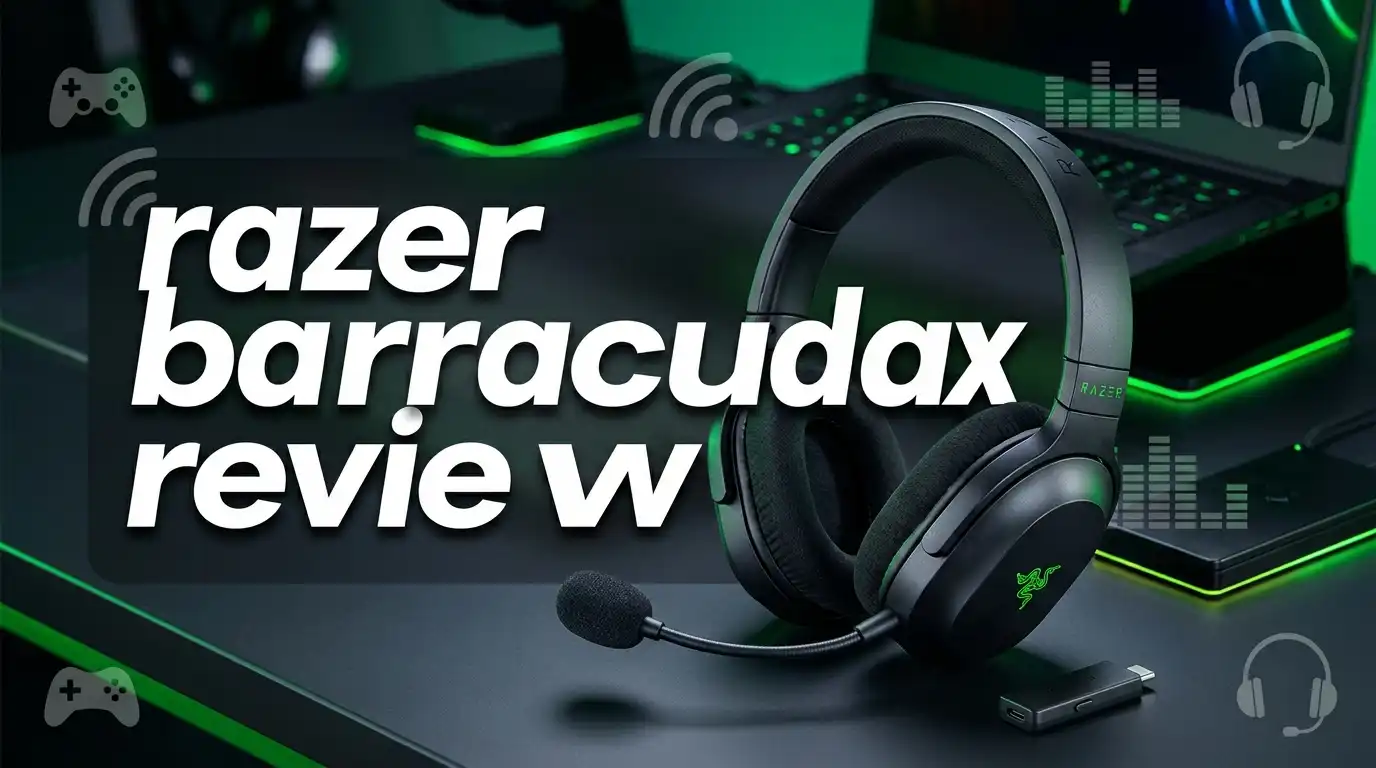
Razer Barracuda X Review: Wireless Headset Worth Buying?
Wireless gaming headsets used to cost a small fortune. The Razer Barracuda X changed that idea in a big way. It sits near the 100 dollar mark, weighs almost nothing, and connects to nearly every device you own.
I spent weeks with this headset across PC, PlayStation 5, and Nintendo Switch. Some parts impressed me right away. Other parts made me pause and think twice.
This review covers sound, comfort, microphone quality, battery life, and real gaming performance. You will also find honest weak points, because no headset at this price is perfect. By the end, you will know if the Barracuda X belongs on your desk.
In a Nutshell
Short on time? Here is the fast summary of everything this review covers.
- Battery life is the star. Razer claims 50 hours. Independent lab testing measured close to 60 hours at normal listening volume. You will charge this headset once or twice a month, not once a week.
- It weighs only 250 grams. That number matters more than you think. Long raid nights and weekend tournaments feel easy because the headset almost disappears on your head. Clamping force is gentle, which is a blessing and a small curse.
- Three connection types come in the box. You get a 2.4GHz USB C dongle, Bluetooth 5.2, and a 3.5mm cable. That combination covers PC, PS5, Switch, Steam Deck, phones, and tablets.
- Sound leans warm with boosted bass. Gunshots hit hard. Mids stay clean. Sub bass sits slightly under emphasized, so explosions feel a little softer than on pricier sets.
- The detachable microphone beats most rivals under 100 dollars. Voices come through clear on Discord and Zoom. Background noise stays low.
- You give up some features. No RGB lighting, no active noise cancelling, no Razer Synapse support, and Bluetooth uses SBC only.
What Is the Razer Barracuda X?

- SMARTSWITCH DUAL WIRELESS — Instantly switch between high-speed 2.4GHz or Bluetooth mode on the headset for...
- 250G ERGONOMIC DESIGN — Built for gaming marathons yet comfortable and portable enough for daily commutes...

Last update on 2026-07-25 / Affiliate links / Images from Amazon Product Advertising API
The Razer Barracuda X is a wireless gaming headset built for people who play on more than one device. Razer released the first version in 2021 and refreshed it in 2022 with better battery life, Bluetooth, and an upgraded microphone.
The design goal was simple. Razer wanted one headset that works with a gaming PC, a console, a handheld, and a phone without any fuss.
It succeeds at that goal better than almost anything else in this price bracket. You plug the USB C dongle into a PS5, and audio just works. You walk away from the desk, switch to Bluetooth, and keep listening on your phone.
The headset skips flashy extras. There is no lighting, no active noise cancelling, and no companion desktop software. Razer put the budget into the parts you actually hear and feel.
This is a utility headset, not a showpiece. The plain black shell looks so ordinary that you could wear it on a train and nobody would guess it came from a gaming brand.
Razer sells it in Black, Mercury White, and Quartz Pink. All three share the same drivers, the same battery, and the same feature set.
Razer Barracuda X Specifications at a Glance
Numbers tell part of the story, so here are the ones that matter most.
The headset uses 40mm dynamic drivers built with Razer’s three part driver design. Frequency response runs from 20 Hz to 20 kHz. Impedance sits at 32 ohms, which means your phone or console can drive it easily without an amp.
Total weight lands at 250 grams. For comparison, many wireless gaming headsets sit between 300 and 350 grams. That 60 gram gap is very noticeable after two hours.
Battery capacity supports a rated 50 hours of playback. Charging happens over USB C and takes roughly two to three hours from empty.
Wireless range on the 2.4GHz dongle covers a normal room and then some. I walked into my kitchen, about 25 feet away with one wall in between, and the signal stayed clean.
Bluetooth version 5.2 handles mobile duty. The codec support stops at SBC, so audiophile listening over Bluetooth is not the strong suit here.
The microphone is a detachable cardioid boom mic with a 9.9mm capsule. You pull it out when you want to use the headset in public.
Included accessories cover the USB C wireless dongle, a USB A adapter, a 3.5mm audio cable, and the boom microphone.
Design and Build Quality
The Barracuda X keeps things quiet and simple. The frame is plastic with a leatherette padded headband and fabric covered memory foam ear cushions.
Razer put its logo on each ear cup in a matte finish. In most lighting you barely see it. That subtle look is one reason this headset works well outside the house.
Build quality feels solid for the price. The headband flexes without creaking, and the size adjustment sliders click into place with confidence.
The ear cups swivel flat in one direction. This lets the headset rest comfortably around your neck between matches.
One design quirk stands out. The cups rotate so the drivers face upward when resting on your chest, which is the reverse of most headphones. It takes a few days to stop noticing it.
The cups do not fold inward toward the headband. That means the Barracuda X takes more bag space than a folding travel headphone.
All controls live on the left cup. You get a volume wheel, a mute button, a power button, an LED indicator, a 3.5mm jack, a USB C port, and the microphone port.
The volume wheel deserves praise. It has enough friction that you never bump it by accident, yet it turns smoothly with one finger.
Comfort Over Long Sessions
Comfort is where this headset earns its fans. At 250 grams it puts very little pressure on the top of your head.
The fabric ear pads breathe well. My ears stayed cool through a four hour session, while leatherette pads on other headsets leave me sweaty in half that time.
Glasses wearers will appreciate the soft foam. The pads compress around temple arms instead of pressing them into your skull.
The headband padding spreads weight evenly. There is no hot spot at the crown, which is a common complaint on cheaper wireless sets.
Now the honest part. Clamping force is light, maybe too light for some people.
If you lean forward to pick something off the floor, the headset can slide forward. Fast head movement during intense matches can shift it slightly.
This loose fit helps comfort but hurts stability. People with smaller heads notice it more than people with larger heads.
The pads use standard attachment clips, and Razer sells replacements directly. That matters because fabric pads wear out faster than leather ones after a year or two of daily use.
Top 3 Alternative for Razer Barracuda X
If the Barracuda X does not match your needs, these three headsets solve the same problem in different ways.

- Superior Gaming Headset Design - The SteelSeries Almighty Audio Nova Acoustic System gaming headset is...
- Designed for Gaming - This SteelSeries headset is equipped with the Nova Acoustic System, providing high...
Last update on 2026-07-25 / Affiliate links / Images from Amazon Product Advertising API

- LIGHTSPEED Wireless: Pro-grade LIGHTSPEED wireless technology provides 33 hours of battery life(1) and up to...
- Lightweight and Comfortable: At only 236 grams, G535 is smaller and lighter than the G733; reversible...
Last update on 2026-07-25 / Affiliate links / Images from Amazon Product Advertising API

- DTS Headphone:X Spatial Audio1: Unlock accurate 3D audio spatialization and localization through NGENUITY...
- Long-Lasting Battery Life: With up to 20 hours of battery life, you can power through those power-leveling...
Last update on 2026-07-25 / Affiliate links / Images from Amazon Product Advertising API
The SteelSeries Arctis Nova 7 costs more but adds simultaneous 2.4GHz and Bluetooth. You can hear game audio and a phone call at the same time. The ski goggle headband distributes weight beautifully, and the retractable microphone stays out of the way.
The Logitech G535 Lightspeed is the featherweight champion at around 236 grams. It runs on Lightspeed wireless with a 33 hour battery. There is no Bluetooth, so it works best for PC and PlayStation players who stay at one desk.
The HyperX Cloud Stinger 2 Wireless costs the least of the three. It brings 2.4GHz wireless, a swivel to mute microphone, and the famous HyperX comfort. Battery life sits around 20 hours, so nightly charging becomes part of the routine.
Each one trades something away. The Nova 7 costs more, the G535 drops Bluetooth, and the Stinger 2 gives up battery endurance. The Barracuda X sits in the middle and asks for very few compromises.
Sound Quality for Gaming
Gaming audio is where the Barracuda X feels most at home. The tuning boosts bass above a neutral target, which suits shooters and action games.
Gunfire in competitive shooters lands with real weight. Reload clicks, magazine drops, and weapon swaps all come through with useful detail.
Footstep audio is good but not elite. Heavy gunfire can briefly mask nearby steps because of the bass lift.
Sub bass sits slightly under emphasized. Big explosions feel present rather than overwhelming, and that trade actually helps you track quiet cues.
Directional imaging is honest and clean. You can place enemies left, right, and behind with confidence in games with solid audio engines.
Playing Zelda on Switch showed off the midrange. Footsteps, breathing, armor rustle, and the orchestral score all stayed separated.
Racing games sound lively. Engine notes, tire squeal, and item pickups sit in their own space without fighting each other.
There is one small annoyance worth knowing. Very quiet audio can cut out for a moment during long silent stretches, then return when sound picks up.
This happens because the headset drops into a low power state. It shows up mostly in menus and pause screens, not during actual gameplay.
Volume over the 2.4GHz dongle runs a little quieter than over Bluetooth or wired. Most people simply push the wheel up and forget about it.
Music and Movie Listening
Plenty of gaming headsets ruin music with cartoon bass. The Barracuda X avoids that trap.
The bass boost is moderate rather than extreme. Kick drums and bass lines feel full without drowning vocals.
Midrange accuracy is the pleasant surprise here. Vocals sit forward and clear, which makes rock, pop, and hip hop enjoyable.
Treble has a few peaks and dips. Cymbals occasionally sound slightly splashy, and very detailed acoustic tracks lose a little air.
For a 100 dollar gaming headset, the music performance is genuinely good. It will not replace dedicated audiophile headphones, but you will not rush to take it off either.
Movies and shows work well too. Dialogue stays intelligible, and action scenes get enough low end punch to feel cinematic.
The Razer Audio app adds EQ presets that help. The Music preset softens the bass lift slightly, and the Movie preset widens the sound a touch.
One limitation matters for mobile listening. Bluetooth runs on SBC only, so streaming quality falls short of AAC or aptX devices.
Wired listening through the 3.5mm cable sidesteps that issue completely. Plug into a phone or a Steam Deck and the sound tightens up.
Microphone Performance
The detachable boom microphone is a real strength. Razer clearly improved this part over the first generation.
Voices come through natural and full bodied. Teammates on Discord commented that I sounded closer to a desktop microphone than a headset.
Background noise rejection is solid for a cardioid boom. Keyboard clatter and a running fan stayed mostly out of the recording.
The microphone frequency response captures enough low end to avoid the thin, tinny sound that plagues budget headsets. Consonants stay crisp without harsh sibilance.
This microphone is more than good enough for remote work. Zoom calls, client meetings, and voice notes all sound professional.
The boom arm bends and holds its position. You can place it close to the corner of your mouth for the best pickup.
Muting works through a dedicated button on the left cup. It sits high enough that you never press it by mistake.
There is no microphone monitoring or sidetone. You cannot hear your own voice, which sometimes leads to talking louder than needed.
Removing the microphone turns the Barracuda X into a normal pair of headphones. That flexibility makes it a genuine commute option, not just a desk tool.
Connectivity: 2.4GHz, Bluetooth, and Wired
Connectivity is the headline feature. Three modes cover almost every device you own.
The 2.4GHz USB C dongle delivers low latency wireless with no setup. Plug it in and the headset connects automatically.
Razer includes a USB A adapter for older PCs and consoles. That small piece of plastic saves a lot of frustration.
Bluetooth 5.2 handles phones and tablets. Hold the power button until you hear the voice prompt, then pair from your device list.
An LED under the power button shows which mode is active. Green means 2.4GHz, and blue means Bluetooth.
You cannot use both connections at the same time. Rivals like the Arctis Nova 7 allow simultaneous audio, and that is a real advantage for people who take calls while gaming.
Switching modes takes a single button press. The change happens in about two seconds.
The 3.5mm analog cable is the safety net. It works with Xbox controllers, airplane seats, older laptops, and any device with a headphone jack.
Wired mode also works when the battery dies. That is a genuine advantage over wireless only headsets like the HyperX Cloud Alpha Wireless.
Range on the dongle holds up across a normal room. Walls cut into it, but you can reach a nearby kitchen without dropouts.
Battery Life and Charging
Battery endurance is the headline number, and it holds up under scrutiny.
Razer rates the Barracuda X at 50 hours. Independent testing at normal listening volume measured close to 60 hours before shutdown.
That result beats the rating by nearly 20 percent. Very few products overdeliver on battery claims.
Compare that to the 2021 model, which managed around 25 hours in the same test. The jump is enormous.
In practice, this means charging roughly once every three to four weeks with moderate use. Heavy daily players might charge every two weeks.
Charging happens over USB C and takes about two to three hours from empty. You can keep playing while it charges over the wired connection.
There is no fast charge marketing claim, but a short top up still buys several hours of playtime.
The Razer Audio app shows a battery percentage. Without the app you rely on voice prompts and the LED, which are less precise.
Bluetooth mode drains slightly slower than 2.4GHz mode. If you listen to music all day at work, expect the top end of the battery range.
Long battery life changes how you use a headset. You stop thinking about charging and start treating it like a wired product.
The Razer Audio App
The Barracuda X does not support Razer Synapse on desktop. Instead you get the Razer Audio app for iOS and Android.
The app connects over Bluetooth. That means PC and console players cannot adjust settings from the desktop.
Inside the app you get four EQ presets: Default, Game, Movie, and Music. Each one shifts the tuning in a sensible direction.
A custom 10 band equaliser gives finer control. Cutting the bass slightly around 100 Hz tightens the sound nicely for competitive shooters.
Gaming Mode is the most useful toggle. It lowers Bluetooth latency so mobile game audio lines up with the action on screen.
Do Not Disturb blocks incoming calls while you use the 2.4GHz dongle. Handy during ranked matches.
The app also displays battery percentage and handles firmware updates. Updates arrive rarely, but they do arrive.
Here is the catch. EQ settings saved through the app do carry over to other modes, but you must have a phone nearby to change anything.
Desktop players lose flexibility here. If deep software control matters to you, SteelSeries GG or Logitech G Hub offer far more.
For most people the presets are enough. Set it once, then forget the app exists.
Platform Compatibility
Multi device support is the reason many people choose this headset over cheaper options.
PC works perfectly with either the USB C dongle or the USB A adapter. Windows recognises it instantly with no drivers needed.
PlayStation 5 and PS4 support the dongle directly. Plug it into the front USB C port on a PS5 and you are done.
Nintendo Switch accepts the dongle in the dock or in handheld mode through the bottom USB C port. This is one of the few affordable headsets that handles Switch wireless audio well.
Steam Deck works the same way. Slot the dongle in and enjoy wireless audio on the go.
Mobile phones and tablets connect over Bluetooth 5.2 or through the USB C dongle.
Xbox is the exception. Microsoft consoles use a proprietary wireless standard, so the 2.4GHz dongle does not work there.
You can still use the Barracuda X on Xbox through the 3.5mm cable plugged into the controller. Sound and microphone both function normally in that setup.
Mac support works over both the dongle and Bluetooth. Video calls sound great through the boom microphone.
One headset, almost every screen. That flexibility is the real selling point.
Pros and Cons
Every product has trade offs. Here is the honest balance sheet.
What works well: The battery lasts far longer than advertised. The 250 gram weight makes long sessions painless. Three connection types cover nearly every device.
The detachable microphone outperforms most rivals under 100 dollars. Sound tuning suits both games and music. The plain design lets you wear it outside without looking like you left a tournament.
What falls short: Clamping force is loose, so the headset shifts during quick movement. Bluetooth supports SBC only, which limits mobile audio quality.
Passive isolation is average. You will still hear conversations and traffic through the fabric pads.
There is no active noise cancelling, no RGB lighting, and no virtual surround sound. Whether that bothers you depends entirely on your priorities.
Very quiet audio can briefly cut out during silent moments. It is a minor irritation rather than a dealbreaker.
The 2.4GHz dongle does not work on Xbox consoles. Xbox players need the wired connection.
Desktop software control is missing, so all adjustments happen through a phone app.
The pros clearly outweigh the cons at this price. Most complaints involve features that cost significantly more elsewhere.
Who Should Buy the Razer Barracuda X?
- SMARTSWITCH DUAL WIRELESS — Instantly switch between high-speed 2.4GHz or Bluetooth mode on the headset for...
- 250G ERGONOMIC DESIGN — Built for gaming marathons yet comfortable and portable enough for daily commutes...
Last update on 2026-07-25 / Affiliate links / Images from Amazon Product Advertising API
This headset fits some people perfectly and disappoints others. Here is how to tell which group you belong to.
Buy it if you game on multiple platforms. Switch, PS5, PC, and phone all work from one headset. Nothing else near this price does that as cleanly.
Buy it if comfort ranks above everything. The light weight and breathable pads make marathon sessions genuinely comfortable.
Buy it if you hate charging things. Sixty hours of real battery life means you charge it roughly monthly.
Buy it if you work from home and game at night. The microphone handles both jobs without needing a second device.
Skip it if you need active noise cancelling. Passive isolation only dampens higher frequencies, and voices still come through.
Skip it if you own the 2021 Barracuda X and mainly game on a dongle. The upgrades are real, but they may not justify a second purchase.
Skip it if you are an Xbox first player who wants wireless. Look at an Xbox certified headset instead.
Skip it if RGB lighting matters. Consider the Barracuda X Chroma, which adds lighting and a 70 hour battery for about 30 dollars more.
Final Verdict
The Razer Barracuda X remains one of the smartest buys in wireless gaming audio. It focuses on the things people use every day and ignores the things that look good on a box.
Battery life is exceptional. Comfort is excellent. Connectivity is the most flexible in its class.
Sound quality is warm, clear, and well judged for both games and music. The microphone genuinely surprises people who expect budget headset quality.
The weak points are real but modest. Loose clamping force, SBC only Bluetooth, and average isolation are the price of admission.
If you want one wireless headset that follows you from desk to couch to commute, this is an easy recommendation.
Rating: 4.5 out of 5.
At roughly 100 dollars, the Barracuda X delivers value that more expensive headsets struggle to match. Prices shift often, so check current listings before you buy.
Frequently Asked Questions
Does the Razer Barracuda X work with Xbox?
Not wirelessly. Xbox consoles use a proprietary wireless protocol, so the 2.4GHz dongle will not pair. You can connect the 3.5mm cable to your Xbox controller and both audio and microphone will work normally.
How long does the Razer Barracuda X battery actually last?
Razer rates it at 50 hours. Independent testing at normal listening levels recorded close to 60 hours. Real world results depend on volume, but three to four weeks between charges is typical for moderate use.
Does the Razer Barracuda X support Razer Synapse?
No. This headset has no Synapse support. All customisation happens through the Razer Audio mobile app on iOS and Android, which offers EQ presets, a custom 10 band equaliser, Gaming Mode, and battery status.
Is the Razer Barracuda X noise cancelling?
No. It offers passive isolation only. Higher frequency sounds like fans and running water get reduced noticeably. Lower sounds like traffic rumble and nearby conversation still come through.
Can I use the Razer Barracuda X for work calls?
Yes. The detachable boom microphone performs well on Zoom, Teams, and Discord. Voices sound clear and full, and background noise stays low. Removing the microphone turns it into a normal pair of headphones.
Does the Razer Barracuda X have Bluetooth?
The 2022 model and later versions include Bluetooth 5.2. The original 2021 model does not. Bluetooth supports the SBC codec only, so mobile audio quality is decent rather than outstanding.
Are the ear pads replaceable?
Yes. Razer sells replacement ear cushions and other parts directly. Fabric pads typically need replacing after a year or two of heavy daily use.
What is the difference between the Barracuda X and the Barracuda X Chroma?
The Chroma version adds customisable RGB lighting, a longer 70 hour battery, and an improved microphone. It drops the 3.5mm jack and uses USB C for wired listening instead. It costs roughly 30 dollars more.

DK is a technology expert who specializes in AI tools, software, and tech gadgets. He writes for How to Tech Info, providing detailed reviews and practical guides. DK helps readers discover the best AI applications, navigate new software, and choose the right tech gadgets.