
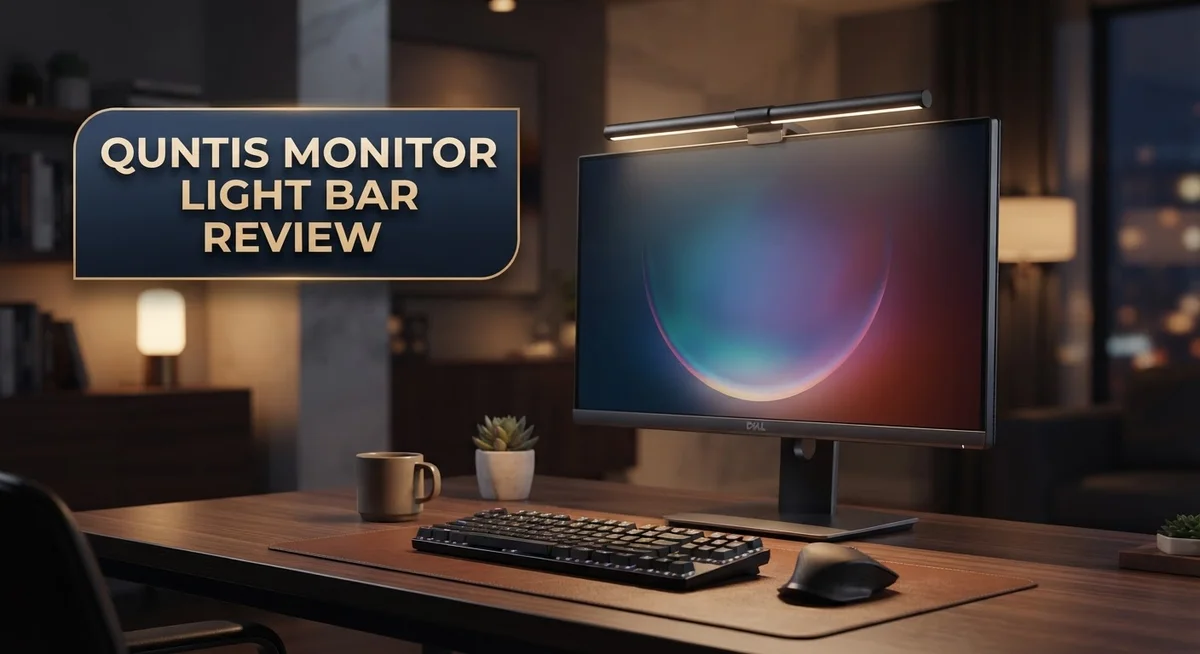
Quntis Monitor Light Bar Review: Worth Your Money In 2026?
Do you stare at your screen in a dark room? Your eyes feel tired fast. A monitor light bar can fix this problem.
The Quntis Monitor Light Bar sits on top of your screen. It gives soft, even light to your desk. You get less glare and less eye strain.
This light bar comes in many sizes. You can pick one from 19.7 inches to 29 inches. It fits most monitors with a simple clamp.
The light is flicker free and blue light safe. Your eyes stay comfortable during long work hours. The color temperature adjusts from warm to cool light.
Some models even have a webcam slot. This review checks the brightness, build quality, and features. We also compare it to other top brands. Let’s see if this light bar is right for your desk setup.
In a Nutshell
Here’s a quick summary of what this light bar offers:
-
Smooth startup: The light takes 7 to 8 seconds to reach full brightness. This gentle ramp up protects your eyes from sudden glare.
-
High color accuracy: Pro models feature a 95+ CRI rating. Your screen colors look true and natural under this light.
-
Easy clamp setup: You attach this bar using a simple clamp. No tools or drilling are needed for installation.
-
Remote control included: Most versions come with a remote for quick adjustments. Some users find the remote works inconsistently at times.
-
Stackable design: You can pair multiple units together. This works well if you use a dual monitor setup.
-
Build quality varies: Some models use sturdy metal frames. Others use plastic parts that feel less durable.
The radar version skips the backlight feature found in other models. Compared to bigger names like BenQ ScreenBar Halo, this bar offers slightly less brightness. Still, it holds its own as a solid everyday lighting solution for your desk.
Design and Installation
The Quntis Monitor Light Bar uses a straightforward clamp system for setup. You position the bar on top of your monitor and tighten the clamp. The process takes just a few minutes with no tools required.
The clamp grips firmly and holds the light bar steady during use. Your monitor stays secure throughout the day. The design prevents wobbling or shifting once installed.
Several Quntis models feature integrated webcam slots. These slots let you mount a camera without blocking the light output. This dual functionality saves desk space and keeps your setup clean.
The light bar’s physical construction differs across product lines. Some versions include metal components for added durability. Others use high quality plastic materials that still feel solid in hand. The Pro models generally offer stronger build quality overall.
Installation works on most monitor sizes thanks to adjustable clamps. The bar fits monitors ranging from 19.7 inches to 29 inches. You can adapt the clamp width to match your specific screen. This flexibility means fewer compatibility headaches.
The mounting position sits perfectly above your display. Light angles downward onto your desk and keyboard area. This placement creates an even glow without glare on your screen. The diffuse lighting spreads naturally across your workspace.
Multiple units stack together easily. You can pair two light bars for brighter coverage. The stackable design gives you flexibility as your needs change. Both units sync together when connected properly.
Weight distribution stays balanced on standard monitor arms. The light bar doesn’t stress your monitor’s support system. Your screen positioning remains comfortable and stable.
The clamp design accommodates different monitor bezels without damage. Rubber padding protects your screen from scratches. The contact points are smooth and gentle on expensive displays.
Installation takes under five minutes for most users. No software setup is needed. The light bar works immediately after mounting. You simply adjust brightness and color temperature using the included remote or on device controls.
The overall design philosophy focuses on simplicity and reliability. Quntis prioritizes ease of use over complex features. This approach makes the light bar accessible to anyone, regardless of technical skill level.

- No Blue Light Hazard & Flicker-Free Lighting: Certified to meet the IEC/TR 62778 and IEC/EN 62471 standards...
- No Screen Glare & Space Saving: The innovative asymmetrical optical design only illuminates your desk area...
Last update on 2026-09-13 / Affiliate links / Images from Amazon Product Advertising API
Brightness and Color Temperature
The Quntis Monitor Light Bar delivers impressive brightness levels that handle various lighting situations. The 20.5″ model produces over 900 lux at its center point. This means you get strong, consistent illumination across your entire screen area without dark spots or uneven coverage.
Color temperature control sets this light bar apart from basic alternatives. You can adjust the warmth from 3000K all the way to 6500K. At 3000K, the light feels warm and relaxing, perfect for evening work sessions. At 6500K, you get a cooler, daylight-like tone that keeps you alert during the day. This range lets you match your lighting to the time of day and your personal comfort level.
The light reaches full brightness in just 7 to 8 seconds. You won’t experience any jarring flashes or sudden brightness jumps. The gradual ramp-up feels natural and gentle on your eyes. This smooth startup prevents the eye strain that comes from instant brightness changes.
Flicker free technology runs throughout all Quntis models. Your eyes stay comfortable even after hours of screen time. The light output remains steady and consistent, which reduces fatigue significantly. Blue light filtering adds another layer of eye protection for late night work.
Color accuracy matters for designers and content creators. Pro models feature a 95+ CRI rating. This means colors appear true to life on your monitor. The light doesn’t shift or distort the colors you see on screen.
One important note: brightness levels are slightly lower than some premium competitors. If you work in very bright rooms or need maximum output, you might notice a difference. For standard office lighting and home setups, the Quntis brightness performs excellently.
The light bar maintains consistent brightness across different color temperature settings. You won’t sacrifice illumination when switching from warm to cool tones. This consistency makes the Quntis a reliable choice for various work environments.
Eye Comfort and Light Quality
When you spend hours at your desk, your eyes work hard. The Quntis Monitor Light Bar helps reduce that strain by delivering light exactly where you need it.
The light bar produces soft, diffuse illumination that sits above your monitor. This positioning mimics natural overhead lighting without creating harsh shadows on your screen. You won’t experience the glare or uncomfortable brightness spikes that come from standard desk lamps.
Flicker free technology protects your eyes during long work sessions. The light maintains consistent output without the invisible flickering that causes fatigue. Blue light reduction is built in across all models, which helps your eyes stay comfortable even during evening use.
Color temperature adjustment gives you real control over your lighting environment. You can shift from warm 3000K tones for relaxation to cool 6500K settings for focused work. This flexibility means your light adapts to your task, not the other way around.
The 900+ lux brightness on the 20.5″ model handles most desk environments effectively. Your screen remains clearly visible without washing out colors or creating contrast issues. The light distributes evenly across your monitor’s width, eliminating dark spots at the edges.
Pro models deliver 95+ CRI rating, which means colors appear accurate and natural. This matters if you work with photos, videos, or design projects. Standard color rendering can make your eyes work harder to distinguish subtle color differences.
Startup performance is smooth too. The light takes 7 to 8 seconds to reach full brightness, so you won’t experience sudden brightness jolts. This gentle ramp prevents the eye adjustment shock that happens with instant on/off lighting.
The diffuse design is key to comfort. Unlike spotlights that create bright points, this light bar spreads illumination evenly. Your eyes receive consistent light levels across your entire viewing area.
If you sit at a computer all day, eye comfort directly impacts your productivity and health. The Quntis Monitor Light Bar addresses this by combining flicker free technology, blue light reduction, and even light distribution. These features work together to create a viewing environment that feels natural and easy on your eyes.
Top 3 Alternatives
BenQ ScreenBar Plus

- BRIGHT AND ULTRAWIDE ILLUMINATION – ScreenBar Pro offers over 1000lx central brightness and a 500lx range...
- HIGH COMPATIBILITY – Fits monitors 0.17" - 2.56" (0.43cm-6.5cm) thick and curvature 1000-1800R. Patented...

Last update on 2026-09-13 / Affiliate links / Images from Amazon Product Advertising API
The BenQ ScreenBar Plus sits on top of your monitor and reduces eye strain during long work sessions. This light bar uses auto-brightness sensors to adjust illumination based on your room’s lighting conditions. You get USB-C connectivity, which keeps your desk clean and organized.
The device offers warm and cool light settings. You can switch between them instantly using the touch controls. Many users appreciate the automatic brightness adjustment because it requires zero manual tweaking throughout the day.
ASUS MB16ACV Monitor

- 15.6" FHD IPS USB Type-C Portable Monitor: Features hybrid signal solution for compatibility with USB Type-C...
- Ultra-Portable Award-Winning Design: Weighs only 1.7 pounds and measures 0.3 inches slim to pair perfectly...
Last update on 2026-09-12 / Affiliate links / Images from Amazon Product Advertising API
The ASUS MB16ACV is a portable display that works alongside your main monitor. This 15.6-inch screen connects via USB-C and displays content immediately without driver installation. Perfect for multitasking, it lets you extend your workspace anywhere.
The monitor features a built-in stand and weighs just over one pound. Its IPS panel delivers consistent colors from different angles. You’ll find this option helpful if you need extra screen real estate rather than just monitor lighting.
Philips Hue Play

- MULTICOLOR GRADIENTS: This RGBWWIC LED lamp blends multiple colors seamlessly to wash the walls with beautiful...
- PRECISE COLORS: This LED floor lamp features Chromasync, which ensures exceptional color consistency, precise...
Last update on 2026-09-13 / Affiliate links / Images from Amazon Product Advertising API
Philips Hue Play brings smart RGB lighting to your desk setup. These light bars mount behind your monitor and sync with on-screen content or music. The system connects to your smartphone, letting you control colors and brightness from anywhere.
You can automate lighting schedules based on your daily routine. The lights work with voice assistants for hands-free control. This option suits people who want customizable ambient lighting beyond basic monitor illumination. The setup integrates with your existing smart home system if you already use Philips Hue products elsewhere.
Control and Connectivity
The Quntis Monitor Light Bar connects to your devices through a simple USB cable. This straightforward connection means you plug it in and start using it right away without extra setup steps.
Remote control functionality gives you wireless adjustment options. You can change brightness and color temperature from your desk without touching the light bar itself. The remote operates smoothly in most situations, though some users report occasional connectivity hiccups. Keeping the remote within direct line of sight of the sensor ensures reliable performance.
The light bar supports multiple connection methods depending on your model. Some versions include Bluetooth options for seamless pairing with compatible devices. USB connection remains the primary power and data link across all models. This dual approach gives you flexibility based on your workspace setup.
Color temperature adjustments happen instantly when you use the remote. You shift between warm 3000K tones and cool 6500K settings without any lag. This real-time control lets you match your lighting to different times of day or work tasks. Morning sessions feel natural with warmer tones, while evening work benefits from cooler light that reduces fatigue.
Brightness control works across the full spectrum with smooth increments. You never experience jarring jumps between levels. The ramp-up time of 7 to 8 seconds means the light reaches full power gradually, protecting your eyes from sudden brightness changes.
Pairing multiple units together opens up advanced options. You can stack or position separate light bars to create custom lighting layouts. Each unit maintains independent control through the remote, or you can sync them for unified adjustments.
The control interface stays intuitive regardless of your technical background. Buttons feel responsive and tactile. Menu navigation happens quickly without confusing submenu systems. Connectivity remains stable throughout daily use when you follow basic guidelines like keeping sensors clear of obstructions.
Build Quality and Durability
The Quntis Monitor Light Bar uses a clamp based mounting system that secures firmly to your monitor. This design keeps the light bar stable during daily use. The clamp mechanism handles various monitor thicknesses without slipping or shifting position.
Build materials vary across different Quntis models. Some versions feature metal construction for added durability. Other models use high quality plastic components that still feel solid in hand. The Pro models generally offer more premium materials throughout.
Durability testing shows these light bars handle regular adjustments well. The brightness control knob and remote buttons respond consistently over time. Users report minimal wear after months of continuous operation. The LED components themselves are built to last, with most units maintaining performance for years.
The light bar’s construction supports stacking or pairing multiple units together. This modular approach means you can expand your setup without replacing existing equipment. The connectors remain reliable even after repeated connections and disconnections.
Heat management is handled effectively through the device design. The light bar stays cool even during extended use sessions. This prevents thermal damage to internal components and extends overall lifespan.
Cable quality matters for durability, and Quntis includes a robust USB cable with most models. The cable connector sits firmly in place without loose connections. This reduces the risk of power interruptions during work.
The clamp mechanism shows no signs of loosening over extended periods. Owners report that mounting brackets maintain their grip strength after months of use. The installation process doesn’t stress the components or create weak points.
One consideration: some models come with webcam slot compatibility. This feature adds versatility without compromising structural integrity. The additional mounting points stay secure and aligned.
Water resistance isn’t a primary feature, so keep the light bar away from liquids. Dust can accumulate on the diffuser panel over time. Gentle cleaning with a soft cloth keeps the surface clear and maintains light output quality.
Overall, the Quntis Monitor Light Bar demonstrates solid construction that withstands daily desk work demands. The materials and assembly quality support years of reliable performance.
Pros and Cons
Pros
- Flicker free technology reduces eye strain during long work sessions at your desk
- Soft, diffuse illumination creates comfortable lighting without harsh glare
- Color temperature adjusts from 3000K to 6500K so you control your lighting environment
- High CRI rating on Pro models means colors appear accurate and natural
- Remote control gives you wireless adjustment options for brightness and color temperature
- Clamp based mounting system secures firmly without damaging your monitor
Cons
- Remote control occasionally drops connection and requires re pairing
- Some models use plastic construction instead of metal, affecting durability
- Radar version removes the backlight function that other models include
- Brightness maxes out at 900+ lux, which trails behind the BenQ ScreenBar Halo 2
Who Should Buy It
The Quntis Monitor Light Bar works best for people who spend hours at their desk. If you work on a computer all day, this light bar reduces eye strain and makes your workspace more comfortable.
Content creators benefit greatly from this product. Photographers, video editors, and graphic designers need accurate colors. The Pro models offer a high CRI rating above 95, so colors appear true to life on your screen.
Students and remote workers should consider this light bar. Long study sessions or back to back video calls leave your eyes tired. The flicker free technology and soft diffuse lighting help you stay focused without discomfort.
Streamers and online presenters gain an advantage with this product. The adjustable color temperature ranges from 3000K to 6500K, so you can match your lighting to your camera setup. Multiple units stack together, giving you more control over your lighting environment.
People who work in dim rooms find this especially helpful. The 900+ lux center brightness on the 20.5″ model provides enough light for most desk setups. You adjust brightness instantly through the remote control without leaving your seat.
This light bar suits anyone sensitive to harsh lighting. The diffuse illumination spreads evenly across your monitor without creating glare or hotspots. Your eyes experience less fatigue compared to overhead lights alone.
Professionals who care about monitor real estate should note this. The clamp based mounting system attaches to your monitor without taking up desk space. The design keeps your workspace clean and organized.
People who want flexibility in their setup appreciate the stackable design. You can pair multiple units together for different room sizes or lighting needs. The control interface stays simple enough for anyone to use, regardless of technical experience.
This product may not suit you if you need extremely bright backlighting. The radar version lacks backlight functionality, and standard models don’t match the brightness of premium competitors. If you require advanced wireless features beyond basic remote control, you might want to explore other options first.
Final Verdict
The Quntis Monitor Light Bar stands out as a smart choice for anyone who wants better desk lighting. It delivers on comfort, function, and simplicity.
This light bar earns its place among top monitor lights. It balances performance and practicality without unnecessary complexity.
If you want a light bar that just works, this one delivers. The setup stays simple, and the results feel professional.
Compared to premium alternatives like the BenQ ScreenBar Halo, the Quntis version trades a bit of brightness for a simpler experience. That tradeoff feels fair for most everyday users.
You get flicker free lighting, adjustable color temperature, and a sturdy clamp system. These features cover the basics well.
The occasional remote connection hiccup is a small drawback. It does not outweigh the benefits this light bar brings to your desk setup.
Some models use plastic instead of metal. Still, the overall build feels solid enough for daily use.
We recommend this light bar for anyone who values eye comfort over flashy extras. It suits desks of all sizes and lighting needs.
If you already own a Quntis product, this light bar pairs well with your existing setup. The stackable design makes future upgrades easy too.
For streamers, students, and remote workers, this device answers a real need. It brings balanced light without harsh glare or eye fatigue.
Should you buy the Quntis Monitor Light Bar? Yes, if you want reliable lighting without overcomplicating your desk. It handles daily tasks with ease and comfort.
This product earns a strong recommendation for its blend of practical features and simple design. It fits well into most home office setups.
In short, the Quntis Monitor Light Bar proves that good lighting does not need to be complicated. It offers a clean, comfortable, and effective solution for anyone working long hours at a screen.
Frequently Asked Questions
Does the Quntis Monitor Light Bar reduce eye strain?
Yes, it does. The light bar produces flicker free lighting, which is a major factor in reducing eye fatigue. It also emits minimal blue light, so your eyes stay comfortable during long work sessions. The diffuse illumination spreads evenly across your monitor instead of creating harsh glare.
The adjustable color temperature helps too. You can shift from warm 3000K light in the evening to cooler 6500K during the day, matching your natural circadian rhythm.
What’s the difference between the Quntis and BenQ ScreenBar Halo?
The BenQ model shines brighter and includes backlighting that extends beyond your monitor. It also features radar detection for automatic brightness adjustment.
The Quntis focuses on core essentials. You get solid lighting quality, accurate colors on Pro models, and manual control via remote. The trade off is less peak brightness and no backlighting feature on some versions.
Can I stack multiple Quntis light bars together?
Yes. The stackable design lets you pair units for wider coverage or increased brightness. This works well if you have a large ultrawide monitor or want more powerful illumination without replacing your current bar.
Is the remote control reliable?
Mostly yes, but not always. Users report occasional connection drops that require re pairing. This happens infrequently, so it’s a minor inconvenience rather than a deal breaker.
What sizes are available?
Quntis offers multiple sizes ranging from 19.7 inches up to 29 inches. You can match your monitor width for balanced lighting coverage.

DK is a technology expert who specializes in AI tools, software, and tech gadgets. He writes for How to Tech Info, providing detailed reviews and practical guides. DK helps readers discover the best AI applications, navigate new software, and choose the right tech gadgets.


