LG 34GS95QE-B Review: OLED Gaming Monitor Worth It?
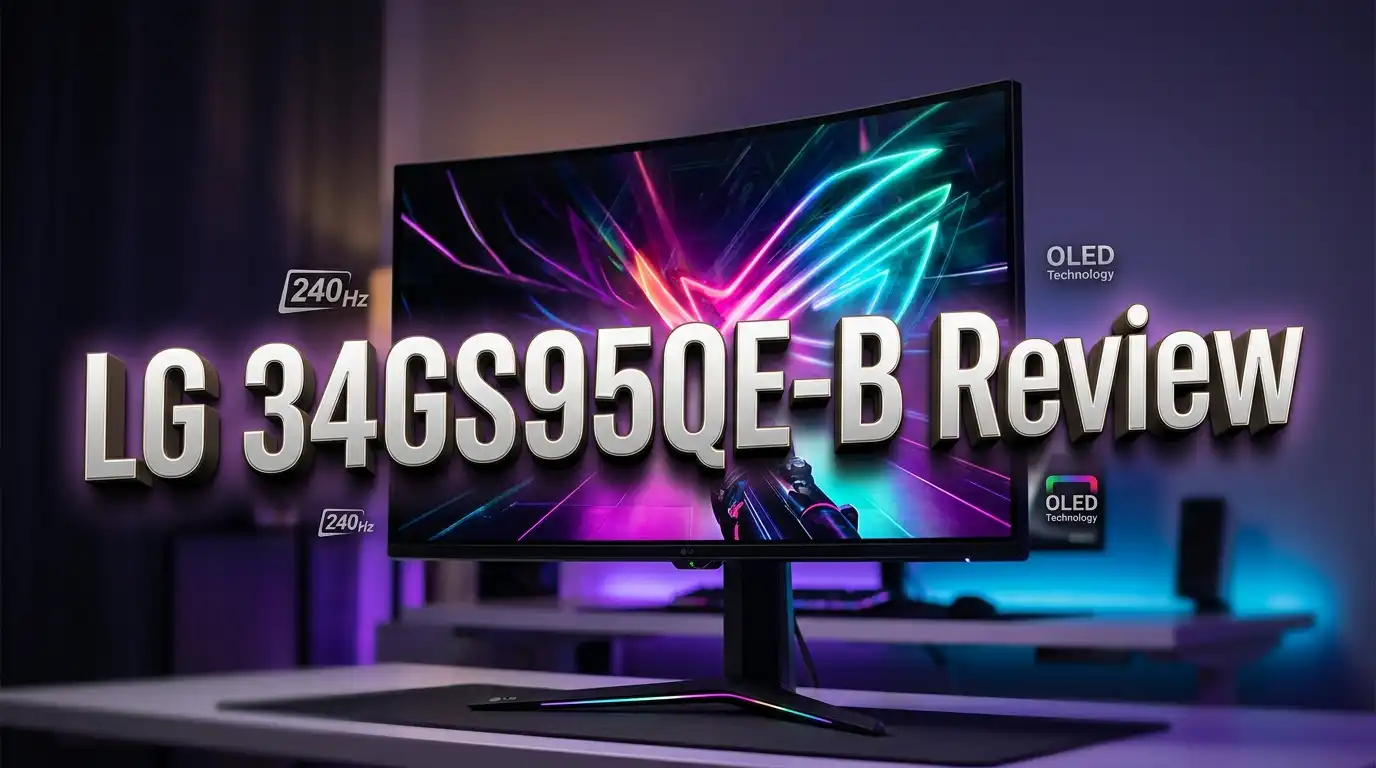
Are you looking for a gaming monitor that delivers jaw dropping visuals, ultra fast response times, and a true cinematic experience? The LG 34GS95QE-B might be the answer. This 34 inch UltraGear OLED curved gaming monitor packs a 3440×1440 resolution, a blistering 240Hz refresh rate, and a 0.03ms response time into an aggressive 800R curved panel.
OLED technology has changed how we look at monitors. The LG 34GS95QE-B sits at the top of LG’s ultrawide lineup. It promises perfect blacks, stunning HDR performance, and buttery smooth motion clarity. But does it live up to the hype? And more importantly, is it worth your hard earned money?
In this review, we will break down every aspect of this monitor. We will cover image quality, gaming performance, design, connectivity, and more. Whether you are a competitive gamer, a casual player, or someone who wants a premium display for work and entertainment, this guide will help you decide if the LG 34GS95QE-B deserves a spot on your desk. Let’s dive in.
Key Takeaways
- The LG 34GS95QE-B uses a W-OLED panel that delivers an infinite contrast ratio, 98.5% DCI-P3 color gamut coverage, and peak brightness up to 1300 nits at small windows. This makes it one of the best HDR monitors you can buy today.
- The 240Hz refresh rate paired with a 0.03ms response time makes this monitor a powerhouse for fast paced gaming. You get zero visible ghosting and incredibly low input lag of around 3ms.
- The 800R curvature is one of the steepest available. It wraps around your field of vision for a highly immersive experience. However, some users may find this curve too aggressive for daily use.
- Text clarity can be an issue. The W-OLED panel uses an RWBG subpixel layout instead of a standard RGB stripe. This can cause slight fringing on small text and fine details, which matters for productivity tasks.
- The monitor supports NVIDIA G-SYNC Compatible and AMD FreeSync Premium Pro. It also features HDMI 2.1 VRR for console gamers using PS5 or Xbox Series X.
- LG provides a 2 year warranty that covers burn-in. This is solid coverage, though some competitors now offer 3 year burn-in warranties on their QD-OLED models.
LG 34GS95QE-B Overview

- 34" Ultra-WQHD (3440 x 1440) 21:9 800R Curved OLED
- OLED with 240Hz refresh rate
Last update on 2026-07-11 / Affiliate links / Images from Amazon Product Advertising API
The LG 34GS95QE-B belongs to LG’s UltraGear series of gaming monitors. It features a 33.9 inch W-OLED panel with a 21:9 ultrawide aspect ratio. The resolution sits at 3440×1440 pixels, which gives you a pixel density of 110 PPI.
This monitor launched as a flagship ultrawide option from LG. It targets gamers who want the fastest OLED technology available in an ultrawide form factor. The combination of OLED blacks, high refresh rate, and wide color gamut makes it a strong choice for both gaming and media consumption.
LG positions this monitor against QD-OLED competitors from Dell, Samsung, and MSI. The key differentiator is the 800R curve and LG’s own W-OLED panel technology. The monitor also carries VESA DisplayHDR True Black 400 certification, which guarantees deep black levels and solid HDR performance.
At its core, this is a premium gaming display. It delivers outstanding color accuracy out of the box thanks to factory calibration. You also get a suite of gamer focused features like Black Stabilizer, crosshair overlays, and an FPS counter.
Display Quality and HDR Performance
The display quality on the LG 34GS95QE-B is exceptional. The OLED panel produces perfect blacks because each pixel can turn off completely. This gives you an infinite contrast ratio that no LCD panel can match.
Peak brightness reaches 1300 nits at small highlight windows below 3% of the screen area. At a full white screen, brightness drops to 275 nits typical. This is normal for OLED technology and still provides a comfortable viewing experience for SDR content.
The 98.5% DCI-P3 color gamut coverage means colors look vivid and lifelike. You get true 10-bit color depth support, which translates to 1.07 billion colors and smooth gradients without visible banding. HDR content looks spectacular on this panel.
However, there is a catch. The W-OLED panel uses an RWBG subpixel layout. This layout adds a white subpixel to boost brightness, but it introduces slight fringing on small text. You will notice this most during productivity tasks with lots of reading. For gaming and video playback, the fringing is invisible.
LG includes an sRGB emulation mode for users who need accurate SDR color representation. The anti-glare coating reduces reflections well, though it adds a slight graininess visible on solid colored backgrounds.
Gaming Performance at 240Hz
Gaming is where the LG 34GS95QE-B truly shines. The 240Hz refresh rate delivers incredibly smooth motion in every game. Fast paced shooters, racing games, and action titles all benefit from the high refresh rate.
The 0.03ms response time (GtG) is practically instant. OLED pixels switch states almost immediately, which means zero visible ghosting or smearing behind fast moving objects. This is a significant advantage over even the fastest IPS and VA panels.
Input lag measures at approximately 3ms, which is imperceptible to human perception. Competitive gamers will feel the difference compared to slower displays. Every click and mouse movement translates to on-screen action with no noticeable delay.
The monitor supports variable refresh rate through multiple standards. You get AMD FreeSync Premium Pro and NVIDIA G-SYNC Compatible certification. Console gamers benefit from HDMI 2.1 VRR support, which works with PS5 and Xbox Series X.
One downside is VRR brightness flickering. This is common on OLED panels and becomes noticeable in dark game scenes where the frame rate fluctuates significantly. Loading screens and some in-game menus can also trigger this flickering.
Top 3 Alternatives for LG 34GS95QE-B
If the LG 34GS95QE-B does not check all your boxes, here are three strong alternatives worth considering. Each offers a different take on the 34 inch ultrawide OLED formula.

- Ultrawide immersion for elite gameplay: Our expansive 34" QD-OLED monitor delivers seamless speed, and super...
- Sweeping visuals and color: Evolve your field of view with WQHD and an 1800R curve, combined with QD-OLED's...

Last update on 2026-07-11 / Affiliate links / Images from Amazon Product Advertising API
The Dell Alienware AW3425DW uses Samsung’s QD-OLED technology. It offers a wider color gamut, higher perceived brightness, and a more subtle 1800R curve. It also comes with a 3 year warranty that covers burn-in.

- New QD-OLED series gaming monitor features the latest generation QD-OLED panels. The sub-pixel arrangement...
- GRAPHENE FILM, CUSTOM HEATSINK: Optimizes QD-OLED display with efficient fanless heat dissipation.
Last update on 2026-07-11 / Affiliate links / Images from Amazon Product Advertising API
The MSI MPG 341CQPX QD-OLED is another excellent QD-OLED option. It delivers 240Hz, 0.03ms response time, and USB-C connectivity with 98W power delivery. This makes it a great option for laptop users who want a single cable connection.

- 34-inch 800R curved ultrawide (3440 x 1440) OLED gaming monitor with 240Hz refresh rate and 0.03 ms (GTG...
- Highly efficient custom heatsink and advanced airflow design for better heat management to reduce the risk of...
Last update on 2026-07-11 / Affiliate links / Images from Amazon Product Advertising API
The ASUS ROG Swift PG34WCDM uses the same W-OLED panel as the LG but adds USB-C with 90W power delivery, a passive heatsink instead of a fan, and ELMB support up to 120Hz. It is a premium option at a higher price point.
The 800R Curve Experience
The 800R curvature is one of the most defining features of the LG 34GS95QE-B. This is significantly more aggressive than the 1800R or 1500R curves found on most ultrawide monitors.
The steep curve wraps the screen edges closer to your peripheral vision. This creates a highly immersive gaming experience. You feel surrounded by the game world, which adds an extra layer of enjoyment to open world titles and racing games.
However, the 800R curve is not for everyone. Some users find it too aggressive for productivity work. Straight lines can appear slightly distorted at the edges, which bothers certain professionals. If you primarily use your monitor for design or CAD work, this curve may not suit you.
For gaming, the curve is a clear winner. It reduces the distance your eyes travel between the center and edges of the screen. This makes it easier to spot enemies in your peripheral vision during competitive matches.
The curve also helps with viewing angle consistency. Every part of the screen sits at a more equal distance from your eyes compared to a flat ultrawide. This reduces color shift and brightness falloff at the edges.
Design and Build Quality
The LG 34GS95QE-B features a sleek, modern design with virtually borderless bezels on three sides. The bottom bezel houses a directional joystick for OSD navigation. The overall aesthetic is clean and professional.
The monitor is surprisingly thin thanks to OLED technology. Without the stand, it weighs just 13 pounds. The slim profile makes it look elegant on any desk setup.
On the back panel, you will find RGB LED lighting in LG’s Unity Hexagon pattern. This adds a subtle glow to the wall behind the monitor. You can customize the lighting through the OSD menu or LG’s On-Screen Control software.
Build quality feels solid throughout. The materials are premium, and the panel sits securely on its stand. The one-click stand setup makes assembly quick and tool-free. You can have the monitor up and running in under five minutes.
The design uses an external power adapter rather than a built-in power supply. This keeps the monitor thin but adds an extra brick to manage on your desk or behind your setup.
Stand and Ergonomics
The included stand offers a good range of adjustments for comfortable viewing. You get 120mm of height adjustment, which is enough for most desk setups. The tilt range covers -10 to +15 degrees, and swivel spans -10 to +10 degrees.
There is no pivot or rotation option, which is expected for an ultrawide monitor. The stand base is compact and does not take up excessive desk space. This is a welcome feature for users with smaller desks.
The stand attaches with a one-click mechanism. You simply slide the panel onto the stand arm until it clicks into place. No tools are needed. Removing the stand is equally simple, which is convenient if you plan to use a VESA mount.
VESA compatibility is 100x100mm, which works with most standard monitor arms. Using a third party arm gives you even more flexibility in positioning and frees up desk space underneath.
The ergonomic adjustments make it easy to position the screen at the perfect height and angle. This matters for long gaming sessions and all day productivity use. A properly positioned monitor reduces neck and eye strain significantly.
Connectivity and Ports
The LG 34GS95QE-B provides a solid selection of ports for gamers. You get one DisplayPort 1.4 with DSC and two HDMI 2.1 ports with full 48 Gbps bandwidth. Both connection types support the full 240Hz refresh rate.
The HDMI 2.1 ports are especially useful for console gamers. They support 4K 120Hz upscaling and VRR, making this a great companion for PS5 and Xbox Series X. You can switch between your gaming PC and console without unplugging cables.
A dual USB 3.0 hub provides two downstream ports for peripherals. You connect the upstream USB cable to your PC, and the monitor becomes a USB hub. This is handy for connecting a mouse, keyboard, or headset directly to the monitor.
The headphone jack supports DTS Headphone:X, which provides virtual 3D surround sound through stereo headphones. This is a nice bonus for gamers who do not use dedicated surround sound headsets. The 4-pole headphone jack also carries a microphone signal.
One notable absence is a USB-C port. If you want USB-C connectivity with power delivery, you will need to look at the LG 34GX90SA variant or competing models like the ASUS PG34WCDM.
OSD Menu and Software Features
The on-screen display is easy to access through the joystick located under the bottom bezel. Navigation feels intuitive, and response to inputs is quick and lag-free.
LG also offers the On-Screen Control (OSC) desktop application. This lets you adjust monitor settings using your keyboard and mouse instead of the physical joystick. You can change brightness, contrast, gaming features, and more without reaching for the monitor.
The gaming features list is impressive. Black Stabilizer brightens dark areas in games to improve visibility. Crosshair overlays give you multiple reticle options for games that lack them. The FPS counter displays your current frame rate on screen.
Picture in Picture (PIP) and Picture by Picture (PBP) modes let you display two sources simultaneously. This is useful for streaming setups or monitoring a second input while gaming.
You also get hardware calibration support through LG’s True Color Pro software. This allows professionals to calibrate the monitor with a colorimeter for precise color accuracy. The calibration data stores directly in the monitor’s hardware LUT.
Additional settings include 6-axis hue and saturation control, three gamma presets, manual color temperature adjustment in 500K increments, and multiple display scaling options.
Burn-in Risk and Prevention
Burn-in remains a concern with OLED technology. The LG 34GS95QE-B includes several built-in prevention features to minimize this risk.
OLED Screen Saver activates after a set period of inactivity. It dims the screen or displays a moving pattern to prevent static elements from burning into the panel. This is your first line of defense.
Screen Move subtly shifts the entire image by a few pixels at regular intervals. You will not notice this movement during use, but it prevents any single pixel from displaying the same content continuously.
Image Cleaning runs a panel refresh cycle that helps even out pixel wear. LG recommends running this periodically, especially if you display static content like taskbars or browser bookmarks for extended periods.
LG backs the monitor with a 2 year warranty that covers burn-in. This provides peace of mind, though some competitors now offer 3 year burn-in coverage. If you are concerned about longevity, the warranty period is worth considering in your purchase decision.
The cooling fan inside the monitor also helps manage panel temperature. Higher temperatures accelerate OLED degradation, so the fan extends the panel’s lifespan. The good news is that the fan operates silently.
Ultrawide Experience for Work and Entertainment
The 21:9 aspect ratio provides a fantastic experience beyond gaming. Movies filmed in widescreen formats display without black bars at the top and bottom. This makes the LG 34GS95QE-B an excellent movie watching display.
For productivity, the extra horizontal space is a game changer. You can comfortably place two full size windows side by side. This eliminates constant window switching and boosts your workflow efficiency.
Video editors and audio producers benefit from the extended timeline view. You see more of your project at once, which reduces scrolling and speeds up editing. The accurate colors also mean you can trust what you see on screen.
However, some applications and games do not support ultrawide resolutions. Valorant and StarCraft II, for example, lock to 16:9. In these cases, black bars appear on the sides of the screen. Most modern games support 21:9 natively.
The 3440×1440 resolution strikes a good balance between visual sharpness and GPU performance demands. It requires less horsepower than 4K while still looking crisp at normal viewing distances. A mid-range to high-end GPU can push this resolution at high frame rates in most titles.
Who Should Buy the LG 34GS95QE-B?
The LG 34GS95QE-B is ideal for gamers who want the best OLED ultrawide experience with the steepest curve available. If immersion is your top priority, this monitor delivers it in spades.
Competitive gamers will appreciate the 240Hz refresh rate and near-instant response time. The combination of speed and OLED picture quality is hard to beat at any price. You get both stunning visuals and competitive performance.
Movie enthusiasts and content consumers will love the ultrawide format and HDR performance. OLED makes every scene pop with lifelike contrast and color. Streaming services that support HDR look incredible on this display.
This monitor is less ideal for heavy text-based productivity work. The RWBG subpixel layout causes slight text fringing that can bother sensitive eyes over long work sessions. If you split your time between gaming and office work, you may want to test this in person first.
Budget conscious buyers should also consider timing. The LG 34GS95QE-B has been available at various price points. Getting it closer to $750 makes it a strong value proposition. At full retail above $1000, QD-OLED alternatives may offer better overall value.
LG 34GS95QE-B vs QD-OLED Competitors
The biggest competition for the LG 34GS95QE-B comes from QD-OLED based monitors. Understanding the differences helps you make the right choice.
Color volume is higher on QD-OLED panels. While the LG has higher peak white brightness at 1300 nits, QD-OLED monitors produce brighter, more saturated colors. This results in a higher perceived brightness during HDR content.
The subpixel layout differs between the two technologies. QD-OLED panels use a triangular RGB subpixel arrangement that produces cleaner text than the LG’s RWBG layout. If text clarity matters to you, QD-OLED has an edge.
Screen curvature is another key difference. Most QD-OLED ultrawides use an 1800R curve, while the LG uses 800R. The gentler QD-OLED curve is less polarizing and works better for mixed use.
The LG does have advantages. Its anti-glare coating handles reflections better than the glossy finish on many QD-OLED panels. If your room has bright lights or windows behind you, the LG may be the better choice.
Warranty coverage leans in favor of QD-OLED competitors. Many now offer 3 year burn-in coverage compared to LG’s 2 years. This extra year of protection adds peace of mind for a technology with inherent longevity concerns.
Final Verdict
- 34" Ultra-WQHD (3440 x 1440) 21:9 800R Curved OLED
- OLED with 240Hz refresh rate
Last update on 2026-07-11 / Affiliate links / Images from Amazon Product Advertising API
The LG 34GS95QE-B is a stellar gaming monitor that delivers on its promises. The OLED panel produces breathtaking image quality with perfect blacks, vibrant colors, and stunning HDR performance. The 240Hz refresh rate and instant response time make every game feel incredibly smooth.
The 800R curve is bold and immersive. It sets this monitor apart from every QD-OLED competitor. If you game in a dedicated setup and want maximum immersion, nothing else curves this aggressively.
The downsides are real but manageable. Text fringing from the RWBG layout, VRR flickering in dark scenes, and the 2 year warranty are areas where competitors have a slight edge. The lack of USB-C is also a miss for laptop users.
Overall, we recommend the LG 34GS95QE-B for gamers who prioritize immersion and OLED picture quality. Grab it when the price drops below $800 for the best value. At that price, it competes head to head with QD-OLED options and offers a unique curved experience that no other monitor matches.
Frequently Asked Questions
Is the LG 34GS95QE-B good for everyday productivity work?
The LG 34GS95QE-B works for productivity, but it has some limitations. The RWBG subpixel layout can cause slight text fringing on small fonts. If you do heavy reading or coding for long hours, this may bother you. The ultrawide format is great for multitasking with side by side windows. For mixed gaming and light office use, it performs well.
Does the LG 34GS95QE-B have built-in speakers?
No, the LG 34GS95QE-B does not include built-in speakers. It has a headphone jack with DTS Headphone:X support for virtual 3D surround sound. You will need external speakers or headphones for audio output.
Can I use the LG 34GS95QE-B with a PS5 or Xbox Series X?
Yes, the monitor has two HDMI 2.1 ports that support VRR for consoles. The PS5 and Xbox Series X can output up to 120Hz with VRR enabled. However, consoles do not natively support the 21:9 ultrawide aspect ratio, so you will see black bars on the sides.
How long will the OLED panel last before burn-in becomes a problem?
OLED lifespan depends on your usage habits. With normal mixed use and the burn-in prevention features enabled, the panel should last many years without issues. LG includes Screen Move, OLED Screen Saver, and Image Cleaning features. The 2 year warranty also covers burn-in for added protection.
Is the 800R curve too aggressive for a 34 inch monitor?
This depends on personal preference. The 800R curve is the steepest curve available on a 34 inch monitor. Many gamers love the immersive wrap-around effect. Others find it too extreme for general use or productivity. If possible, try to see the monitor in person at a retail store before buying.
Does the LG 34GS95QE-B support USB-C connectivity?
No, the LG 34GS95QE-B does not have a USB-C port. It offers DisplayPort 1.4 and two HDMI 2.1 connections. If you need USB-C with power delivery, look at the LG 34GX90SA variant or the ASUS ROG Swift PG34WCDM as alternatives.

DK is a technology expert who specializes in AI tools, software, and tech gadgets. He writes for How to Tech Info, providing detailed reviews and practical guides. DK helps readers discover the best AI applications, navigate new software, and choose the right tech gadgets.