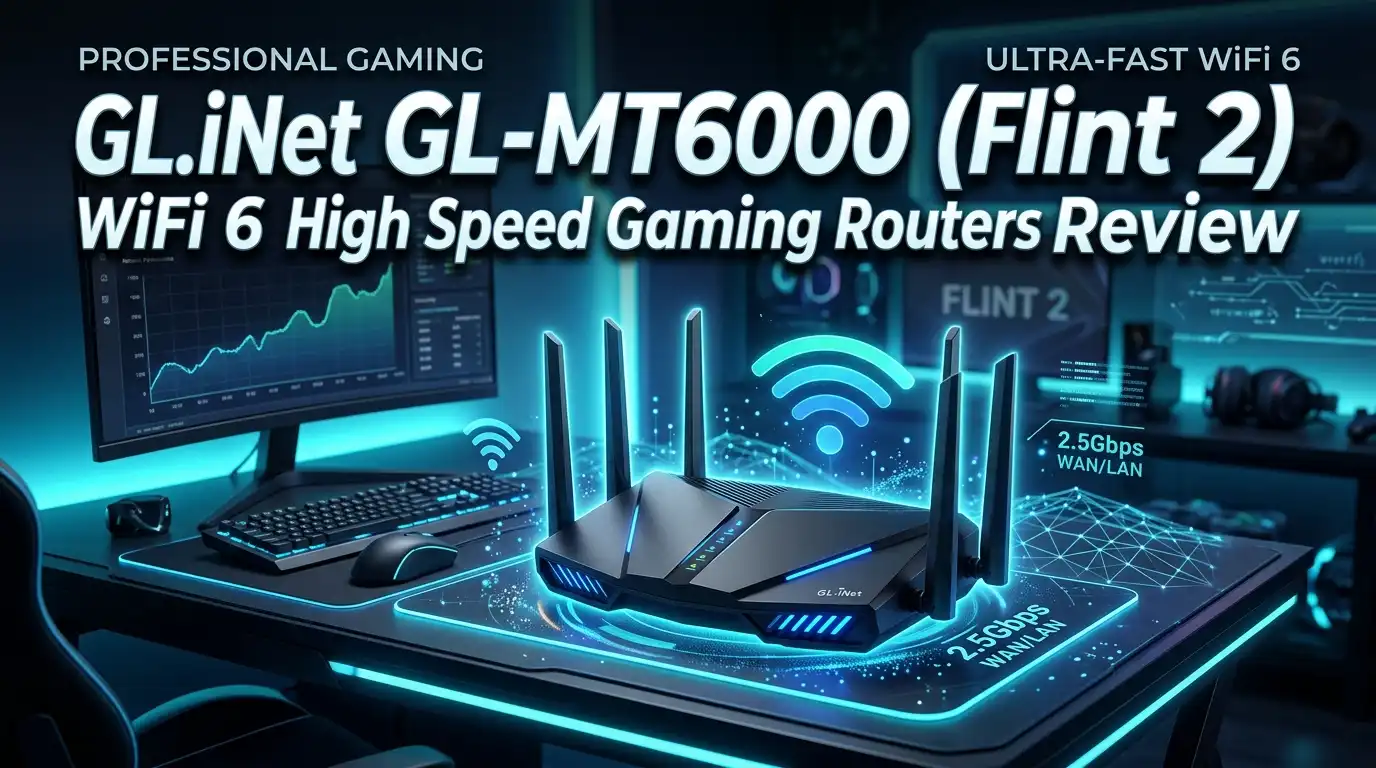
GL.iNet GL-MT6000 (Flint 2) WiFi 6 Gaming Router Review
Are you searching for a WiFi 6 router that handles gaming, streaming, and VPN use without slowing down? The GL.iNet GL-MT6000, also known as the Flint 2, might be exactly what you need. This router packs a MediaTek quad-core 2.0 GHz processor, dual 2.5G Ethernet ports, and built-in WireGuard VPN support into a compact and affordable package.
It runs on OpenWrt, giving you full control over your network. But does it truly deliver on its promises? In this detailed review, we break down everything from hardware specs and WiFi performance to VPN speeds and security features.
Whether you are a gamer, a remote worker, or a tech enthusiast, this review will help you decide if the Flint 2 deserves a spot in your home network setup. Keep reading to find out.
Key Takeaways: GL.iNet GL-MT6000 (Flint 2) In a Nutshell
- WiFi 6 AX6000 speeds deliver up to 1148 Mbps on the 2.4 GHz band and 4804 Mbps on the 5 GHz band, making it fast enough for 4K streaming, competitive gaming, and large file downloads across multiple devices at once.
- The Flint 2 features two 2.5G Ethernet ports and four 1G LAN ports. This gives you high-speed wired connections for your PC, NAS, or gaming console without bottlenecks.
- Built-in WireGuard VPN hits speeds up to 900 Mbps and OpenVPN reaches 880 Mbps. These are some of the fastest VPN throughput numbers in this price range.
- It runs on OpenWrt firmware out of the box. You can access the LuCI management interface for advanced network control, or stick with GL.iNet’s beginner-friendly admin panel.
- Parental controls powered by Bark let you filter content, set screen time limits, and monitor connected devices. This makes the router family-friendly as well.
- At around $140 to $150, the Flint 2 offers a rare combination of performance, flexibility, and value. It competes directly with routers priced two to three times higher.
GL.iNet GL-MT6000 (Flint 2) WiFi 6 Gaming Router Overview

- Please update the firmware upon initial setup of the router, as it greatly enhances the device's performance...
- 【High Speed Gaming Router】Dominate with uninterrupted performance with the ultimate MT6000 gaming internet...
Last update on 2026-07-11 / Affiliate links / Images from Amazon Product Advertising API
The GL.iNet GL-MT6000, branded as the Flint 2, is a dual-band WiFi 6 router built for speed and flexibility. GL.iNet designed it for gamers, power users, and privacy-focused individuals. It runs on a MediaTek MT7986AV quad-core processor clocked at 2.0 GHz. This chipset handles heavy network traffic, VPN encryption, and multiple client connections without lag.
The router supports the 802.11ax (WiFi 6) standard. It provides combined wireless speeds up to 6000 Mbps. The 2.4 GHz band runs at 1148 Mbps. The 5 GHz band reaches 4804 Mbps. These numbers translate into smooth online gaming, buffer-free video calls, and quick file transfers.
GL.iNet built the Flint 2 on OpenWrt, an open-source firmware platform. This gives advanced users full access to customize routing, firewall rules, DNS settings, and more. At the same time, the stock GL.iNet admin panel keeps things simple for beginners.
The physical design is clean and compact. Four external antennas fold up from the rear. The body measures 233 x 137 x 53 mm and weighs just 761 grams. Ventilation runs along both sides and the bottom to keep the router cool under load. This router delivers a lot of performance in a small footprint.
Hardware and Build Quality
The Flint 2 feels solid in hand. The black matte finish resists fingerprints. GL.iNet chose a practical design over flashy RGB lighting. The four antennas attach directly to the unit and fold upward during use.
On the rear panel, you find two 2.5 Gigabit Ethernet ports. One serves as the WAN port for your modem. The second works as a WAN or LAN port. Four additional 1 Gigabit LAN ports sit next to them. A USB 3.0 Type-A port sits on the side for external storage or WWAN modem connections.
The 12V DC power input and a reset button complete the rear layout. Rubber feet on the bottom provide stability on flat surfaces. Wall-mounting points are also present for vertical installation.
Inside, the MediaTek MT7986AV processor pairs with 1 GB of DDR4 RAM and 8 GB of eMMC storage. The generous storage capacity allows users to install additional OpenWrt packages without running out of space. A MT7531AE switch chip handles the four gigabit LAN ports. Power consumption stays under 20 watts, making it energy-efficient for a router of this class.
WiFi 6 Performance and Speed Tests
The Flint 2 uses 8-stream WiFi 6 technology across its dual bands. Four dual-band antennas support 4×4 MIMO on the 5 GHz band and 4×4 MIMO on the 2.4 GHz band. This setup provides wide coverage and fast throughput for medium-sized homes.
Real-world WiFi speed tests show strong results. Users report download speeds between 700 Mbps and 900 Mbps on the 5 GHz band at close range. The 2.4 GHz band delivers stable connections for IoT devices and smart home gadgets across longer distances.
DFS (Dynamic Frequency Selection) certification in the US, Canada, EU, and UK gives the Flint 2 access to additional 5 GHz channels. This reduces interference in crowded WiFi environments like apartment buildings. Fewer competing networks on the same channel mean better speeds and lower latency.
The router maintains backward compatibility with 802.11ac, 802.11n, and earlier standards. Older devices connect without issues. WiFi latency and jitter remain consistent, which matters for online gaming and video conferencing. Multiple devices can stream 4K video, play online games, and download files at the same time without noticeable slowdowns.
Top 3 Alternatives for GL.iNet GL-MT6000 (Flint 2)
If you want to compare the Flint 2 against other popular WiFi 6 routers, here are three strong alternatives.

- New-generation WiFi 6 - Enjoy ultrafast speeds up to 6000 Mbps with the latest WiFi 6 (802.11ax) and 160MHz...
- Dual 2.5G ports -Traffic via 2.5G ports has top priority; flexible WAN/LAN network port configurations.
Last update on 2026-07-11 / Affiliate links / Images from Amazon Product Advertising API
The ASUS RT-AX88U Pro is a dual-band WiFi 6 router with AX6000 speeds. It offers AiProtection Pro security, adaptive QoS, and a powerful quad-core processor. This router is a great pick if you prefer the ASUS ecosystem with features like AiMesh support. It costs more than the Flint 2, but it includes lifetime security updates and a polished mobile app experience.

- Tri-Band WiFi 6E Router - Up to 5400 Mbps WiFi for faster browsing, streaming, gaming and downloading, all at...
- WiFi 6E Unleashed – The brand new 6 GHz band brings more bandwidth, faster speeds, and near-zero latency...

Last update on 2026-06-09 / Affiliate links / Images from Amazon Product Advertising API
The TP-Link Archer AXE75 steps up to WiFi 6E with tri-band support and a dedicated 6 GHz band. It earned a PCMag Editors’ Choice award. This router suits users who want the latest wireless standard and plan to use WiFi 6E devices. It provides strong range and handles many devices well with its three separate bands.

- Coverage up to 2,500 sq. ft. for up to 25 devices.
- Fast AX5400 Gigabit speed with WiFi 6 technology for uninterrupted streaming, HD video gaming, and web...
Last update on 2026-07-11 / Affiliate links / Images from Amazon Product Advertising API
The NETGEAR Nighthawk RAX50 is a reliable dual-band WiFi 6 router with AX5400 speeds. It covers up to 2,500 square feet and supports 25 devices. This option works well for users who want a straightforward setup and solid performance without the advanced OpenWrt features of the Flint 2.
VPN Performance: WireGuard and OpenVPN
VPN performance is one of the Flint 2’s biggest strengths. GL.iNet built VPN support directly into the firmware. You do not need third-party software or complicated configurations.
WireGuard VPN delivers speeds up to 900 Mbps through the Ethernet connection. OpenVPN with DCO (Data Channel Offload) support reaches 880 Mbps. These numbers are impressive for a router at this price point. Most competing routers in the $100 to $200 range struggle to reach half those VPN speeds.
Setting up a VPN client takes just a few clicks in the GL.iNet admin panel. The router supports over 30 commercial VPN providers out of the box. You can also run the Flint 2 as a VPN server to access your home network remotely.
Every device connected to the router benefits from VPN protection automatically. This includes smart TVs, gaming consoles, and IoT devices that cannot run VPN apps on their own. For remote workers, gamers who want to reduce ping on specific servers, or anyone who values privacy, the Flint 2’s VPN capabilities stand out as a major selling point.
OpenWrt and LuCI Management Interface
The Flint 2 ships with a modified version of OpenWrt underneath GL.iNet’s custom firmware. This gives users two management options.
The GL.iNet admin panel is the default interface. It provides a clean, modern dashboard for basic tasks. You can set up WiFi networks, configure VPN clients, manage connected devices, and update firmware from here. It is beginner-friendly and works well for most users.
For advanced users, the LuCI interface is accessible through the Advanced Settings menu. LuCI is the standard management tool for OpenWrt routers. It opens up full control over routing tables, firewall zones, DNS configurations, VLAN setups, and package installation.
You can install additional OpenWrt packages directly from the LuCI interface. The 8 GB eMMC storage provides plenty of room for add-ons. Some users even replace the stock GL.iNet firmware with pure OpenWrt for maximum flexibility.
The ability to run OpenWrt makes the Flint 2 a favorite among networking enthusiasts. You can configure custom firewall rules, run ad-blocking services, set up guest networks with isolation, and monitor traffic in real time. This level of control is rare at this price range.
2.5 Gigabit Ethernet and Wired Connectivity
The Flint 2 includes two 2.5 Gigabit Ethernet ports on the rear. One serves as the dedicated WAN port. The other functions as either a second WAN port or a LAN port. Four additional 1 Gigabit LAN ports provide wired connections for your other devices.
The 2.5G ports matter for users with fiber internet plans above 1 Gbps. A standard gigabit WAN port caps your connection at around 940 Mbps. The 2.5G WAN port removes that bottleneck. You get the full speed of your ISP plan passed through to your network.
The second 2.5G port works well for connecting a NAS (Network Attached Storage) device. File transfers between your NAS and router happen at up to 2.5 Gbps, which speeds up backups, media streaming, and file sharing across your local network.
The USB 3.0 port adds more connectivity options. You can attach an external hard drive and share files across the network. GL.iNet also supports USB tethering and WWAN modems through this port for failover internet connections. This multi-WAN capability keeps you online even if your primary ISP goes down.
Gaming Performance and Latency
Gamers will appreciate the Flint 2’s low-latency performance. WiFi 6 technology reduces lag through features like OFDMA (Orthogonal Frequency Division Multiple Access) and BSS Coloring. These features allow the router to serve multiple devices at the same time with less interference.
The router maintains stable ping times during online gaming sessions. Tests show consistent latency with minimal jitter. This matters for competitive games where even a few extra milliseconds can affect gameplay.
QoS (Quality of Service) settings let you prioritize gaming traffic over other activities. You can assign higher bandwidth priority to your gaming console or PC. Background downloads and streaming on other devices will not affect your game’s connection quality.
The wired 2.5G Ethernet port provides the fastest and most stable connection for serious gaming. Plugging your PC or console directly into the 2.5G LAN port eliminates WiFi variability. You get a direct, high-speed link to your internet connection.
The OpenWrt firmware also allows advanced traffic shaping through custom QoS scripts. Power users can fine-tune bandwidth allocation to match their exact needs. This level of control gives competitive gamers an edge over those using basic consumer routers.
Security Features and Privacy Protection
The Flint 2 takes network security seriously. It supports WPA3, the latest WiFi encryption protocol. WPA3 protects against password brute-force attacks and encrypts individual sessions on public networks.
DNS over HTTPS (DoH) and DNS over TLS (DoT) encrypt your DNS queries. This prevents your ISP, hackers, or advertisers from seeing which websites you visit. You can configure these settings directly from the admin panel.
AdGuard Home comes built into the firmware. It blocks ads, trackers, and malicious domains at the router level. Every device on your network benefits from ad-blocking without installing separate software. This also speeds up page load times and reduces data usage.
The OpenWrt firewall provides granular control over incoming and outgoing traffic. You can set up firewall zones, port forwarding rules, and traffic filtering. The LuCI interface gives full access to iptables configurations for users who want maximum security control.
GL.iNet also releases regular firmware updates to patch vulnerabilities. The combination of VPN, encrypted DNS, ad-blocking, and WPA3 makes the Flint 2 one of the most security-focused routers at its price.
Parental Controls with Bark Integration
- Please update the firmware upon initial setup of the router, as it greatly enhances the device's performance...
- 【High Speed Gaming Router】Dominate with uninterrupted performance with the ultimate MT6000 gaming internet...
Last update on 2026-07-11 / Affiliate links / Images from Amazon Product Advertising API
Families will benefit from the Flint 2’s built-in parental controls. GL.iNet partnered with Bark, an award-winning child monitoring tool, to offer content filtering and screen time management.
You can filter specific websites and content categories from the router’s admin panel. Safe search enforcement works across your child’s search engine. This means inappropriate content gets blocked before it reaches any device on the network.
Screen time scheduling lets you set limits on internet access for specific devices. You decide when your children can go online and when the internet shuts off. This feature works at the router level, so it applies even if the child uses a different browser or clears their device history.
Device-level controls allow you to manage each child’s device individually. You can set different rules for different family members. A teenager might have more access than a younger child.
The parental controls integrate directly into the GL.iNet firmware. You do not need a separate app or subscription for basic filtering features. The Bark partnership adds extra monitoring capabilities for parents who want more detailed reporting on their child’s online activity.
Setup Process and User Experience
Setting up the Flint 2 takes about five to ten minutes. You connect the router to your modem using the WAN port. Then you access the admin panel through a web browser at the default IP address.
The initial setup wizard guides you through creating a WiFi network name and password. It also prompts you to set an admin password. The interface is clean and intuitive. You do not need technical knowledge to get started.
The GL.iNet mobile app provides remote management capabilities. You can monitor connected devices, check network status, and adjust settings from your phone. The app works on both Android and iOS.
Switching between the GL.iNet panel and the LuCI OpenWrt interface is seamless. The Advanced Settings section in the admin panel gives you a direct link to LuCI. You can jump between simple and advanced modes depending on what you need.
Firmware updates install through the admin panel with one click. GL.iNet also provides downloadable firmware files for manual installation. The 8 GB eMMC storage means updates install quickly without storage concerns. Overall, the user experience strikes a good balance between simplicity and power.
Value for Money: Is the Flint 2 Worth It?
At around $140 to $150, the GL.iNet GL-MT6000 delivers exceptional value. You get WiFi 6 AX6000 speeds, dual 2.5G Ethernet ports, blazing VPN performance, and full OpenWrt support. Many routers with similar specs cost $250 or more.
The MediaTek MT7986AV processor with 1 GB RAM and 8 GB storage matches or beats hardware found in routers priced twice as high. The VPN speeds alone justify the purchase for anyone who uses a VPN daily.
OpenWrt compatibility adds long-term value. The active community provides firmware updates, security patches, and new features. Your router does not become obsolete just because the manufacturer stops supporting it.
The main trade-off is the lack of WiFi 6E and the absence of a dedicated mobile gaming mode found in some competitors. The physical design is functional but not flashy. If you want RGB lights and aggressive styling, this is not that router.
For the price-to-performance ratio, the Flint 2 is hard to beat. It competes with routers in the $200 to $300 range on raw performance. It wins on VPN speed, OpenWrt flexibility, and overall value. This router is a smart investment for anyone who wants speed, control, and privacy without overspending.
Who Should Buy the GL.iNet GL-MT6000 (Flint 2)?
The Flint 2 fits several types of users. Gamers benefit from low latency, QoS controls, and fast wired connections. The 2.5G Ethernet ports provide a lag-free link for competitive play.
Remote workers and privacy-focused users get top-tier VPN speeds. Running WireGuard at 900 Mbps means your VPN connection feels as fast as your regular internet. You stay protected without sacrificing speed.
Tech enthusiasts and tinkerers love the OpenWrt support. Full LuCI access, package installation, and community-developed firmware give you unlimited customization potential. You can turn this router into a firewall, ad blocker, VPN server, or network monitoring tool.
Families benefit from Bark-powered parental controls. Content filtering and screen time management work at the router level. Every device in the home stays protected.
The Flint 2 may not suit users who want the absolute latest WiFi 6E standard. It also lacks mesh networking support out of the box. If you need whole-home mesh coverage across a very large house, a mesh system might serve you better. For everyone else, the Flint 2 is a versatile and powerful choice.
Pros and Cons of the GL.iNet GL-MT6000 (Flint 2)
The Flint 2 has many strengths. WiFi 6 AX6000 speeds cover most homes with fast and reliable wireless connections. The dual 2.5G Ethernet ports future-proof your wired network for high-speed fiber plans.
VPN performance leads its price class. WireGuard at 900 Mbps and OpenVPN at 880 Mbps are figures that many premium routers cannot match. The OpenWrt firmware gives advanced users complete network control.
The affordable price around $140 makes it accessible. Security features like WPA3, DNS encryption, and AdGuard Home add layers of protection. The Bark parental control integration is a nice bonus for families.
On the downside, the router does not support WiFi 6E. There is no 6 GHz band. The design is plain and utilitarian. Some users have noted that GL.iNet’s stock firmware updates can lag behind official OpenWrt releases.
There is no built-in mesh support. You cannot pair multiple Flint 2 units for seamless whole-home coverage. The router also lacks a dedicated gaming dashboard found in some ASUS or NETGEAR gaming routers.
Despite these limitations, the strengths far outweigh the weaknesses for most buyers. The Flint 2 delivers premium features at a mid-range price.
Frequently Asked Questions
Does the GL.iNet GL-MT6000 (Flint 2) support WiFi 6E?
No. The Flint 2 supports WiFi 6 (802.11ax) with dual-band operation on 2.4 GHz and 5 GHz. It does not include a 6 GHz band. If you need WiFi 6E, consider alternatives like the TP-Link Archer AXE75.
Can I install pure OpenWrt on the Flint 2?
Yes. The Flint 2 supports official OpenWrt firmware. You can flash a sysupgrade image through the GL.iNet admin panel. The OpenWrt Wiki has detailed instructions for this router model.
How fast is the VPN on the GL.iNet Flint 2?
WireGuard VPN reaches up to 900 Mbps. OpenVPN with DCO support reaches up to 880 Mbps. These speeds are measured in client mode over Ethernet. Real-world results depend on your VPN provider and internet speed.
Is the Flint 2 good for gaming?
Yes. The router provides low latency, stable connections, and QoS settings for traffic prioritization. The 2.5G Ethernet port gives gamers a fast and reliable wired connection. WiFi 6 features like OFDMA reduce lag for wireless gaming too.
Does the Flint 2 have parental controls?
Yes. GL.iNet partnered with Bark to offer built-in parental controls. You can filter content, block websites, enforce safe search, and set screen time limits for your children’s devices.
How many devices can the Flint 2 handle?
The Flint 2 supports over 100 connected devices thanks to its 1 GB RAM and 8 GB storage. WiFi 6 technology with 8 spatial streams allows multiple devices to transmit data at the same time without performance drops.
What is the price of the GL.iNet GL-MT6000 (Flint 2)?
The Flint 2 typically retails between $140 and $150 on Amazon. Prices may vary during sales events. Check the current listing for the most accurate pricing.

DK is a technology expert who specializes in AI tools, software, and tech gadgets. He writes for How to Tech Info, providing detailed reviews and practical guides. DK helps readers discover the best AI applications, navigate new software, and choose the right tech gadgets.