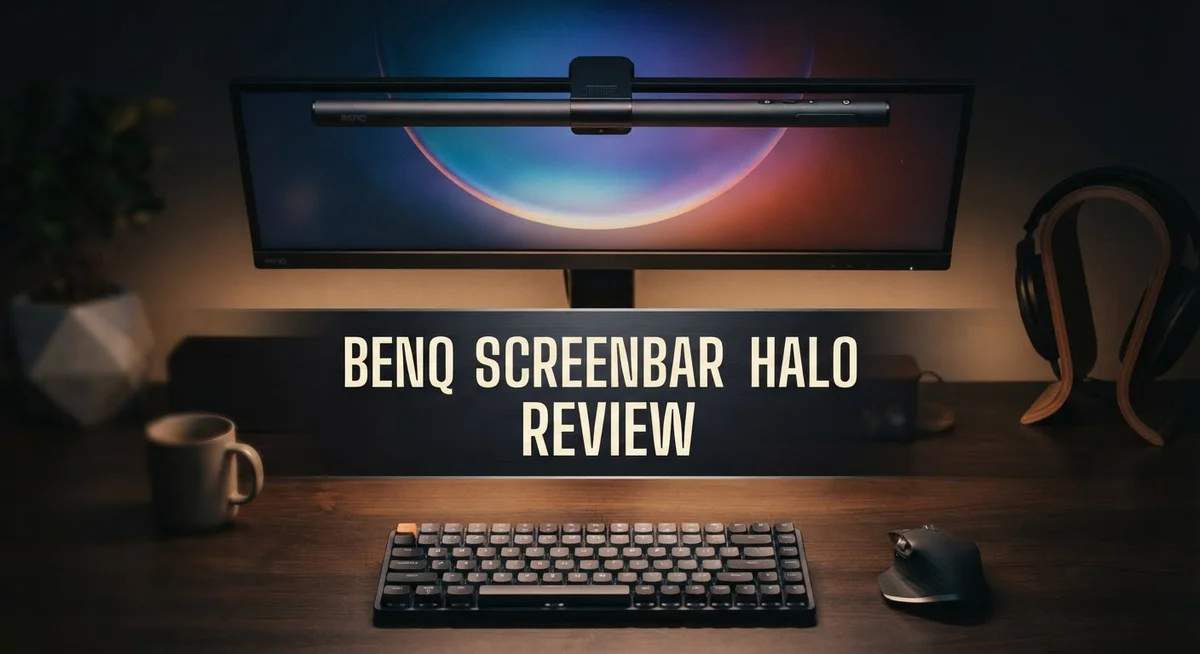
BenQ ScreenBar Halo Review: Premium Monitor Light Bar for Eye Care
Do you stare at your screen for hours? Your eyes probably feel the strain by evening. Harsh lighting or dark rooms make it worse.
The BenQ ScreenBar Halo offers a smart fix. This curved light bar sits on your monitor. It lights up your desk without any glare.
It comes with a wireless controller and a motion sensor. These features adjust brightness in real time. Your eyes stay comfortable all day long.
This light bar also has a backlight. It reduces the contrast between your screen and the room. That means less strain and more focus.
In this review, we break down every detail. We cover the design, the light modes, and the setup process. You will learn if this eye care tool fits your workspace.
Let’s find out if the ScreenBar Halo is worth the hype.
In a Nutshell
The BenQ ScreenBar Halo stands out as a smart lighting tool for desk setups. It fights eye strain with science backed features. Here is a quick summary of what makes it special.
-
Dual Lighting System: The front bar lights your desk. The backlight lights the wall behind your monitor. This reduces contrast between your screen and the room.
-
Smart Sensing Tech: A motion sensor detects when you leave your desk. It dims the light automatically to save energy.
-
Wide Coverage: It lights up a large desk area evenly. You get 500 lx of brightness across a wide span.
-
Effortless Control: The wireless puck lets you adjust settings without touching the bar. You can change brightness and color temperature instantly.
-
Sturdy Design: The build feels solid and premium. It clamps onto most monitors without blocking your view.
-
Eye Comfort Focus: Every feature centers on protecting your eyes. This makes long work sessions much easier on your vision.
This device offers a complete lighting solution. It goes beyond simple desk lamps to create a balanced viewing environment. Your eyes will thank you for the upgrade.
Design and Build Quality
The BenQ ScreenBar Halo features a curved aluminum construction that wraps around your monitor like a protective embrace. The bar itself measures 33.5 × 19.7 inches, making it compatible with most ultrawide and standard monitors on the market today.
The mounting system impresses with its flexibility. You get a sturdy clamp that attaches firmly to your monitor without leaving marks or damage. The aluminum body feels smooth and premium to the touch. It doesn’t wobble or shift once installed, which matters when you’re working long hours.
The device weighs just enough to feel solid without being bulky. The curved design follows your monitor’s natural contour, creating a seamless look on your desk. The cable management stays clean thanks to the minimalist design and wireless controller approach.
The backlight feature adds depth to your setup. It casts a soft glow behind your monitor, which reduces the harsh contrast between your screen and the surrounding room. This design choice goes beyond looks—it actually helps your eyes relax during extended work sessions.
The wireless control puck sits comfortably in your hand. Its buttons feel responsive and intuitive. You won’t need to reach for your monitor or fumble with tiny switches. The motion sensor sits at the top of the bar and detects your presence automatically.
Build quality stands out as a major strength here. BenQ uses premium materials throughout, and the finish resists fingerprints and dust buildup. The bar remains stable even when you adjust your monitor or move items around your desk.
The three light modes give you flexibility for different tasks. You can switch between modes using the wireless puck without any lag or delay. The brightness and color temperature controls feel responsive and precise.
Overall, the design prioritizes both function and appearance. It doesn’t look like an afterthought on your desk. Instead, it integrates smoothly with modern monitor setups and blends into your workspace naturally. The construction quality suggests this device will last through years of daily use.

- ENHANCED BACKLIGHT FOR VISUAL COMFORT: Wide and adjustable ambient backlight reduces contrast between your...
- GLARE-FREE FRONT LIGHT (ASYM-Light Technology): Precision front lighting at an 18° anti-glare angle...
Last update on 2026-09-13 / Affiliate links / Images from Amazon Product Advertising API
Lighting Performance and Eye Care Features
The ScreenBar Halo delivers impressive lighting performance across your entire desk. Its curved design wraps around your monitor and casts light downward at an optimal angle. This positioning eliminates glare on your screen while brightening your work surface evenly.
The light bar covers a substantial area. At 500 lux intensity, it illuminates approximately 33.5 × 19.7 inches of desk space. This means your keyboard, mouse, and documents all receive consistent lighting without harsh shadows.
Real-time auto-dimming is where the eye care magic happens. The motion sensor detects your presence and adjusts brightness automatically. When you step away, the light dims to save energy. When you return, it brightens to match your previous settings. This adaptive lighting reduces eye strain caused by sudden brightness changes.
The three light modes offer flexibility for different tasks. You can switch between focused work mode, reading mode, and ambient mode using the wireless controller. Each mode uses different color temperatures to support your natural circadian rhythm. Warmer tones in the evening reduce blue light exposure. Cooler tones during the day boost alertness and focus.
Color temperature adjustments range smoothly from warm to cool. This flexibility lets you customize lighting for morning work sessions or late-night projects. The wireless puck makes these changes instant and effortless. You never need to reach up to the monitor bar itself.
The backlight feature adds another dimension to eye comfort. It creates ambient lighting behind your monitor, reducing the contrast between your bright screen and dark surroundings. This contrast reduction is crucial for preventing eye fatigue during extended work sessions.
Brightness levels adjust incrementally, so you can find the perfect intensity for your space. The sensor responds quickly to movement, preventing annoying delays. Overall, the ScreenBar Halo prioritizes eye health through intelligent design. Every feature works together to create a comfortable viewing environment. Your eyes will notice the difference within the first day of use.
Ease of Use and Control
The wireless control puck makes adjustments feel natural. You hold it in your palm and tap the buttons without reaching for your monitor. The layout keeps things simple with brightness and color temperature controls within arm’s reach.
Pairing the device takes just a few minutes. The manual walks you through each step clearly. Once connected, the puck responds instantly to your commands. There’s no lag or delay when you adjust settings.
The motion sensor adds a layer of convenience you’ll appreciate. It detects when you step away from your desk and dims automatically. This means you don’t need to remember to turn off the light. When you return, the sensor wakes the bar back up to your previous settings. This feature works reliably in most office environments.
The three light modes let you switch between different lighting styles. Task mode provides bright, focused illumination for work. Reading mode offers softer light for less eye strain. Ambient mode creates a gentle glow for relaxed viewing. Switching between modes takes one button press on the puck.
Color temperature adjustment happens smoothly with incremental steps. You can warm up the light for evening sessions or cool it down during the day. The range moves gradually, so you find your ideal setting without jumping between extremes.
The backlight control sits on the same puck. This means you manage both front and rear lighting from one device. The separation between these controls prevents accidental adjustments during normal use.
Battery life on the puck lasts several weeks before needing a charge. A USB cable comes included for recharging. The indicator light shows when the battery runs low.
Mounting and positioning happen once, then you forget about it. The flexible bracket adjusts to different monitor sizes and angles. After setup, the device stays put and requires no regular repositioning.
Overall, the control system prioritizes ease over complexity. Every feature serves a purpose, and nothing feels unnecessary.
Top 3 Alternatives
ASUS PA148CTC Monitor

- Display Specifications: 27-inch QHD (2560 x 1440) display with 178 wide-view IPS panel
- Color Accuracy and Gamut: Wide 97% DCI-P3 and 100% sRGB gamut to meet international color standards, Calman...

Last update on 2026-09-13 / Affiliate links / Images from Amazon Product Advertising API
The ASUS PA148CTC offers a portable display with built-in lighting features. This monitor includes an adjustable stand and USB-C connectivity for easy setup. The screen delivers accurate color reproduction, making it useful for design work and content creation.
The monitor’s integrated lighting helps reduce eye strain during extended work sessions. You get a compact form factor that works well for professionals on the move. The display supports multiple input options, giving you flexibility in how you connect your devices.
Dell P2423DE Monitor

- 16:9 widescreen resolution perfect for watching movies, playing video games and getting on with office work
- The QHD monitor highlights QHD display with resolution up to 2560 x 1440 pixels
Last update on 2026-09-13 / Affiliate links / Images from Amazon Product Advertising API
The Dell P2423DE is a compact 24-inch display built for office environments and creative professionals. This monitor features USB-C connectivity with power delivery, simplifying your desk setup. The stand allows height adjustment and pivot rotation for your preferred viewing angle.
The display uses IPS panel technology for consistent color accuracy and wide viewing angles. Dell included a USB hub functionality, reducing cable clutter around your workspace. The monitor’s energy-efficient design helps lower power consumption during daily use.
LG UltraFine Monitor

- Stunning Image Quality in 4K Display - The 27-inch UHD 4K (3840 x 2160) display reproduces clear images and...
- 4K UHD HDR - To more fully realize content creators vision, this monitor is compatible with VESA DisplayHDR...
Last update on 2026-09-13 / Affiliate links / Images from Amazon Product Advertising API
The LG UltraFine series provides high-resolution displays with exceptional color accuracy for professional work. These monitors feature USB-C connectivity with upstream data transfer capabilities. The adjustable stand offers height, tilt, and pivot adjustments for ergonomic positioning.
The UltraFine monitors use IPS panels that deliver precise color representation across the entire screen. Built-in calibration tools help maintain color accuracy over time. The displays support various input connections, making them compatible with multiple devices and setups.
Each option provides different advantages depending on your workspace needs and workflow requirements.
Monitor Compatibility and Installation
The BenQ ScreenBar Halo works with most modern monitors on the market. Its curved design accommodates screens ranging from 24 to 34 inches. This wide compatibility means you likely won’t face mounting issues with your existing setup.
Installation takes just a few minutes. The mounting bracket uses a simple clamp system that attaches to the top of your monitor. You don’t need tools or permanent modifications. The curved aluminum bar slides into place smoothly and grips securely without wobbling.
Positioning matters for optimal lighting coverage. The bar sits centered above your display. This placement ensures light spreads evenly across your desk and peripheral areas. You can adjust the angle slightly to match your monitor’s curve. Flat monitors work just fine too, though curved panels receive a more natural fit.
The wireless controller pairs automatically with the light bar. You’ll see a pairing indicator flash once during setup. Battery insertion takes seconds. After that, you’re ready to adjust brightness and color temperature from your desk or chair.
Cable management stays simple. The light bar connects to power via a USB cable. Most users route this cable behind their monitor or along existing cable runs. The short cable length means you won’t have excess wiring cluttering your workspace. USB power draws minimal electricity, so a standard adapter works fine.
Removing the ScreenBar Halo is equally straightforward. The clamp releases without leaving marks or damage on your monitor. This reversibility appeals to users who rent their workspace or change setups frequently.
The motion sensor activates automatically once you’ve installed the unit. It detects movement in your workspace and adjusts lighting accordingly. You can disable this feature if you prefer manual control only.
Compatibility extends beyond monitor type. The ScreenBar Halo works with curved monitors, flat displays, ultrawide panels, and even portable screens. Desk depth matters more than monitor model. Your desk needs enough surface area to accommodate the bar’s curved profile. Most standard desks handle this without issues.
Installation quality determines long term satisfaction. The solid mounting system prevents sagging or shifting over months of use. Your monitor remains stable and the light bar stays perfectly positioned.
Real-World Usage and Glare Reduction
When you sit at your desk for hours, screen glare becomes your biggest enemy. The ScreenBar Halo tackles this problem head on. The light bar eliminates the harsh contrast between your bright monitor and dark room. This reduction in contrast is what makes your eyes feel less strained.
The real magic happens with real-time auto-dimming. The motion sensor detects when you’re at your desk and adjusts brightness automatically. When you move away, the light dims. This feature prevents sudden brightness spikes that tire your eyes. You don’t need to manually fiddle with settings all day.
The backlight feature plays a crucial role in glare reduction. Instead of light bouncing directly off your screen, the backlight creates ambient illumination behind your monitor. Your eyes receive softer, indirect light. This setup mimics professional studio lighting. The contrast between your screen and surroundings becomes much gentler.
The three light modes give you control over how the light behaves. Screen light mode focuses illumination on your display area. Ambient mode spreads light across your entire desk. Task mode brightens everything for detailed work. You can switch between these modes depending on your activity.
Color temperature adjustments add another layer of glare control. Warm light (lower color temperature) reduces blue light in the evening. Cool light works better during daytime hours. This flexibility lets you match your lighting to natural daylight cycles. Your eyes adapt better to gradual changes than sudden shifts.
The wireless controller makes adjustments instant and effortless. You don’t need to reach behind your monitor or fumble with buttons. Grab the puck and adjust brightness or color temperature in seconds. This ease of use means you’ll actually use the features instead of leaving them on one setting.
The curved design of the light bar ensures even coverage across your entire monitor width. No dark spots appear in corners. The light distributes uniformly from edge to edge. This consistent illumination is what prevents localized glare and eye strain.
Pros and Cons
Pros
- Eliminates glare and reduces the contrast between your screen and room lighting
- Wireless controller puck makes brightness and color temperature adjustments instant and simple
- Premium build quality with flexible mounting that works on curved, flat, and ultrawide displays
- Motion sensor adds convenience by activating automatically when you approach your desk
- Eye care focused design with real-time auto-dimming that protects your vision during long work sessions
Cons
- Sits at a higher price point compared to generic monitor light alternatives on the market
- Original model offers limited color temperature options for users wanting more customization
- Requires USB power connection, so cable management matters depending on your desk setup
- Motion sensor may need adjustment if your desk has inconsistent lighting or frequent movement nearby
Who Should Buy It
The BenQ ScreenBar Halo works best for people who spend long hours at their desk and notice eye strain or fatigue. If you work on content creation, coding, design, or any screen-intensive task, this light bar becomes a practical investment in your comfort.
You should consider buying the Halo if you’ve struggled with glare on your monitor. The real-time auto-dimming feature adapts to your room’s lighting conditions without you lifting a finger. Your eyes will thank you during those marathon work sessions.
Students and remote workers benefit from the motion sensor feature. The light activates automatically when you approach your desk and dims when you step away. This hands-free convenience saves time and keeps your workspace consistently lit.
Gamers and video editors appreciate the three light modes and adjustable color temperature. You can switch between warm light for evening sessions and cooler tones for focused daytime work. The wireless controller makes these changes instant, so you’re never stuck with lighting that doesn’t match your mood or task.
The Halo suits anyone with a non-standard monitor setup. Whether you use a curved display, ultrawide panel, or flat screen, the flexible mounting adapts to your setup. The curved light bar design ensures even coverage across your entire monitor width, regardless of size.
Professionals who care about eye health should prioritize this purchase. The light bar reduces the contrast between your bright screen and dark room, which is a major cause of digital eye strain. The backlight approach is fundamentally different from traditional desk lamps.
You may skip the Halo if you already have excellent ambient lighting in your workspace or if you rarely experience screen glare. Budget-conscious buyers who want basic monitor lighting without premium features might explore other options first.
The Halo makes the most sense for people who value convenience, eye care, and seamless integration with their existing monitor. If your desk setup matters to your productivity and comfort, this light bar delivers on both fronts.
Final Verdict
The BenQ ScreenBar Halo stands out as a smart lighting tool for anyone who stares at screens all day. It solves a simple problem: harsh glare that tires your eyes. This device does that job well.
Throughout this review, we looked at how the Halo performs in real desk setups. The motion sensor, wireless puck, and light modes all work together smoothly. Nothing feels clunky or hard to use.
Build quality is where BenQ truly shines. The bar feels solid, and it mounts easily on many monitor types. You will not worry about it slipping or wobbling during long work sessions.
Compared to other lighting options on the market, the Halo offers more thoughtful engineering. Brands like Xiaomi or Quntis provide basic lighting, but they miss the fine tuning BenQ brings. Auto dimming and motion detection make daily use simpler.
That said, this product is not for everyone. If your room already has good lighting, you may not notice a big difference. Casual users who spend an hour or two at their desk might not need this level of detail.
For heavy desk users, though, the story changes completely. Writers, coders, designers, and students who log long hours will feel the benefit fast. Eye strain drops, and focus improves during extended sessions.
We also appreciate how BenQ designed this for flexibility. It fits curved screens, flat monitors, and even unusual setups without extra hassle. That versatility adds real value beyond just lighting.
In short, the BenQ ScreenBar Halo delivers what it promises. It reduces glare, protects your eyes, and adds convenience through smart features. The build quality and design support long term use without frustration.
If you spend most of your day facing a screen, this light bar deserves serious consideration. It is a practical upgrade for your workspace, built with real user comfort in mind. For heavy desk users, it is one of the smarter additions you can make to your setup this year.
Frequently Asked Questions
Does the ScreenBar Halo work with my curved monitor?
Yes, it does. The Halo features flexible mounting that adapts to curved, flat, and ultrawide displays. You can adjust the angle and position to fit your specific screen without any hassle.
How does the motion sensor actually work?
The motion sensor detects when you approach your desk and automatically activates the light. This means you don’t need to manually turn it on every time. It’s especially useful for people who move in and out of their workspace throughout the day.
Can I adjust the color temperature, or is it fixed?
You can adjust the brightness and color temperature using the wireless controller. The three light modes let you switch between different settings based on your task. This flexibility helps reduce eye strain whether you’re working in the morning or late at night.
What makes this better than a basic desk lamp?
The ScreenBar Halo sits directly above your monitor, which eliminates glare and reduces the contrast between your screen and the room. A standard desk lamp won’t give you this specific angle or the real-time auto-dimming feature that protects your eyes during long sessions.
Is the wireless controller easy to use?
Absolutely. The control puck is intuitive and sits right on your desk. You can adjust brightness and color temperature with simple button presses. No complicated menus or apps required.

DK is a technology expert who specializes in AI tools, software, and tech gadgets. He writes for How to Tech Info, providing detailed reviews and practical guides. DK helps readers discover the best AI applications, navigate new software, and choose the right tech gadgets.