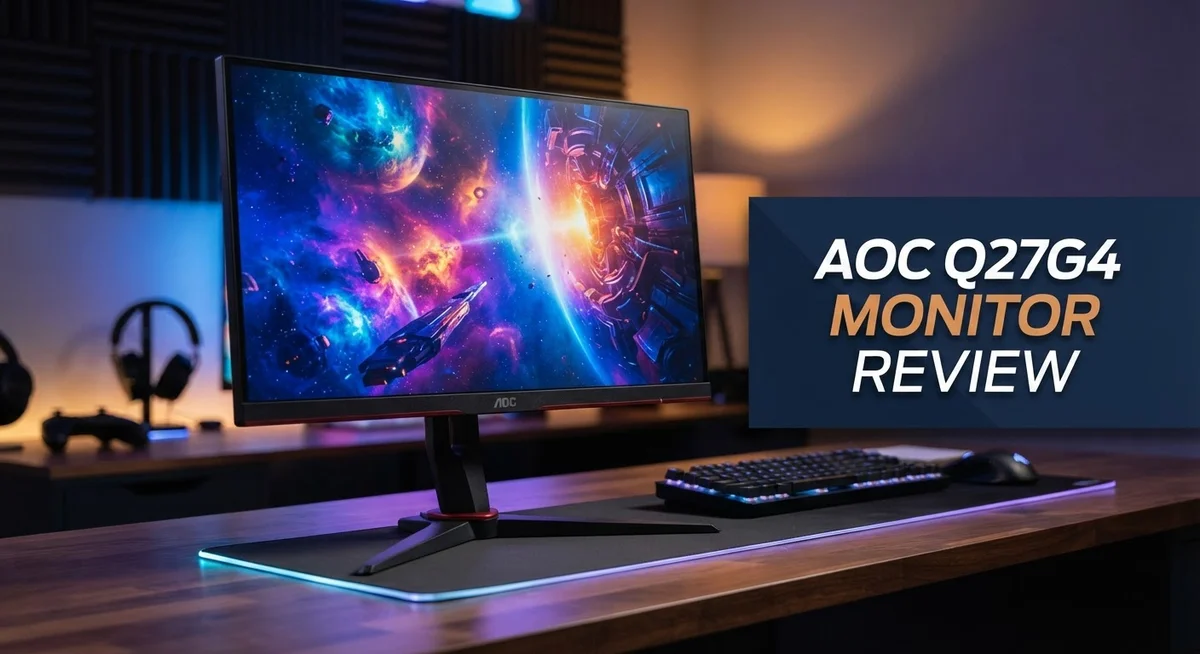
AOC Q27G4 Monitor Review: 1440p Display with 180Hz
Looking for a monitor that keeps up with fast gaming and daily work? The AOC Q27G4 might be your answer.
This 27 inch IPS display packs a 1440p resolution. It also runs at a smooth 180Hz refresh rate.
Gamers will love the 1ms response time. Colors stay sharp and blacks look deep thanks to strong contrast.
The screen gets bright enough for HDR content to shine. You get clear visuals from almost any angle too.
This monitor handles gaming sessions and office tasks with ease. It brings versatility to your desk without fuss.
In this review, we break down every feature. We check the pros, the cons, and how it stacks up against rivals like the LG 27GP850.
Stick around to see if this display fits your setup.
In a Nutshell
Here is a quick summary of what the AOC Q27G4 brings to your desk.
-
Smooth motion on screen: The 180Hz refresh rate keeps fast action looking clear. Some ghosting shows up during intense scenes, but it stays minor for most users.
-
Deep blacks and sharp contrast: A 1200:1 contrast ratio makes dark scenes look rich. Colors stay vivid across the panel.
-
Wide viewing angles: The 178° angles mean the picture looks good from almost any seat. Friends can watch along without color shifts.
-
Adaptive Sync support: This monitor works with VRR technology to reduce screen tearing. Your games feel smoother during quick movements.
-
Mixed port selection: Some versions skip extra USB ports. Check your unit before you buy if you need extra connections.
-
Strong all rounder: This monitor holds up well against rivals like the LG 27GP850 and Gigabyte M27QA-ICE. It brings solid performance for both gaming and daily tasks.
Display Quality and Resolution
The AOC Q27G4 delivers a sharp and vibrant viewing experience that works hard for both gamers and office workers. The 27 inch IPS panel produces images with excellent color accuracy and consistency across different viewing angles.
The 2560×1440 resolution gives you plenty of screen real estate. You get more pixels than standard 1080p displays, so text appears crisp and games render with greater detail. This resolution sits in a sweet spot between performance and visual quality.
Brightness and contrast make this monitor stand out in its class. The 350 cd/m² brightness means HDR content really pops on screen. Dark scenes benefit from the 1200:1 contrast ratio, which creates deep blacks without washing out shadow details. You’ll notice the difference when watching movies or playing story driven games.
The 178° viewing angles are a major strength here. The IPS technology ensures the picture stays clear whether you sit directly in front or off to the side. Colors remain consistent and brightness stays stable. This matters if multiple people gather around your desk or if you shift positions frequently.
Response time plays a crucial role in display quality for gaming. The 1ms response time keeps motion smooth and action sequences looking fluid. However, some users report ghosting artifacts at the maximum 180Hz refresh rate. This ghosting appears as faint trails behind fast moving objects. It’s not severe enough to ruin gameplay, but it’s worth knowing about if you’re sensitive to motion artifacts.
The 180Hz refresh rate itself deserves attention. This higher refresh rate reduces motion blur compared to standard 60Hz or 144Hz displays. Fast paced games feel noticeably smoother. The combination of high refresh rate and quick response time creates responsive gameplay that competitive players appreciate.
Overall, the display quality punches above expectations. The IPS panel handles color work and entertainment equally well. The brightness, contrast, and viewing angles make this screen versatile for different uses and lighting conditions. The ghosting issue at maximum refresh rates is a minor drawback that won’t affect most users significantly.

- 27 Inch OLED Gaming Monitor with QD-OLED Technology - Experience true blacks and infinite contrast with...
- 240Hz 1440p Gaming Monitor for Ultra-Smooth Performance - Play at peak performance with 240Hz refresh rate and...

Last update on 2026-09-13 / Affiliate links / Images from Amazon Product Advertising API
Refresh Rate and Response Time
The refresh rate and response time work together to create smooth, responsive gameplay. The 180Hz refresh rate means your screen updates 180 times every second. This keeps motion fluid and reduces motion blur during fast action scenes.
The 1ms response time is where this monitor truly shines for competitive gaming. Pixels change color almost instantly, so you see your actions on screen with minimal delay. This low latency gives you a real advantage when every millisecond counts in shooters or fighting games.
Together, these specs eliminate most visual lag. You move your mouse, and the cursor appears almost instantly. Enemies move smoothly across your screen without stuttering or ghosting effects that slow your reaction time.
However, some users report occasional ghosting or smearing at the full 180Hz setting. This happens when pixels transition between colors too quickly. The effect is mild compared to older displays, but it’s worth knowing about if you’re sensitive to these artifacts.
The Adaptive Sync feature pairs perfectly with the fast refresh rate. Your graphics card and monitor communicate to sync frames perfectly. Screen tearing vanishes, and gameplay feels noticeably smoother. This works with both NVIDIA and AMD cards, so your setup doesn’t matter.
For office work, the 1ms response time keeps text crisp when you scroll or move windows. The 180Hz refresh rate makes cursor movement feel buttery smooth. You’ll notice the difference immediately when switching from a standard 60Hz display.
The combination of 180Hz and 1ms response time puts this monitor in a strong position against competitors. The LG 27GP850 offers similar specs but at a different price point. The Gigabyte M27QA-ICE also competes here with comparable performance.
Real world testing shows the AOC Q27G4 delivers consistent performance across gaming and productivity tasks. Input lag stays low even during intense gaming sessions. The display maintains its speed whether you’re playing fast paced games or working on spreadsheets.
If you value responsive, smooth visuals for both gaming and work, this monitor handles both excellently. The 180Hz and 1ms combination creates an experience that feels noticeably faster than standard displays.
Design and Ergonomics
The AOC Q27G4 stands out with its physical design choices. The 27 inch screen delivers a spacious viewing area that feels comfortable for extended sessions at your desk. The IPS panel technology ensures colors remain accurate even when you shift your position slightly.
The stand offers solid adjustability options. You can tilt the monitor forward and backward to find your ideal angle. Height adjustment lets you position the screen at eye level, which reduces neck strain during long work days. The swivel feature adds flexibility when you need to share your screen with a colleague or rotate for different tasks.
Build quality feels sturdy without being overly heavy. The bezels are thin enough to keep distractions minimal. The back panel houses all your connection ports in logical spots. Cable management clips help keep your desk organized.
The weight and footprint work well for most desk setups. You won’t struggle to move it if you need to rearrange your workspace. The base takes up moderate space without dominating your desk surface.
Ergonomics shine through in practical ways. The monitor supports VESA mounting if you prefer wall mounting or arm solutions. This flexibility means you can customize your setup exactly how you want it. The power button sits in an accessible spot on the front bezel.
Heat management is effective. The monitor runs cool during extended gaming sessions or office work. Ventilation slots on the back prevent heat buildup. You won’t notice any fan noise since there isn’t one.
The overall aesthetic fits modern desk environments. The dark finish pairs well with most setups, from gaming rigs to professional offices. The design doesn’t scream “gaming monitor” too loudly, making it suitable for any room.
One consideration: some users prefer more aggressive RGB lighting options. This monitor keeps things minimal, which many actually prefer. The understated look means it blends into your workspace rather than dominating it.
The physical design balances form and function effectively, making daily use comfortable and straightforward.
Top 3 Alternatives
ASUS VP28UQG Monitor

- High-Resolution QHD Gaming Display: 27-inch QHD (2560 x 1440) gaming monitor with 180Hz refresh rate designed...
- ASUS Extreme Low Motion Blur Sync Technology: ELMB Sync technology enables ELMB and variable-refresh-rate...
Last update on 2026-09-13 / Affiliate links / Images from Amazon Product Advertising API
The ASUS VP28UQG brings professional-grade performance to your desk. This monitor features a 4K resolution that makes images sharp and detailed. The 28-inch screen gives you plenty of space to work or play.
The display uses a TN panel, which provides fast response times. Gamers and content creators appreciate the quick pixel transitions. The monitor supports HDR content, so movies and games look more vibrant. You get accurate colors right out of the box.
Connectivity options include HDMI and DisplayPort inputs. The monitor also has built-in speakers, though many users prefer external audio. The stand allows height adjustment and tilt control for comfortable viewing angles.
BenQ EW2880U Monitor

- 【SIMULATE PAPER TEXTURE ON-SCREEN】Nano Matte Panel with TUV anti-reflection certification ensures the high...
- 【Enchanting Visual Symphony】 Immerse yourself in an enchanting visual symphony with the BenQ SW272U. Every...
Last update on 2026-09-13 / Affiliate links / Images from Amazon Product Advertising API
The BenQ EW2880U targets professionals who need color accuracy. This 28-inch display delivers 4K resolution with an IPS panel. The IPS technology ensures consistent colors from different viewing angles.
The monitor covers a wide color gamut, making it ideal for photo editing and design work. Brightness and contrast controls let you fine-tune the image to your preference. The display includes USB-C connectivity with power delivery, simplifying your cable management.
The EW2880U has a USB hub built in, so you can connect peripherals easily. The stand offers full ergonomic adjustments including height, tilt, and swivel. The monitor also supports picture-by-picture mode for multitasking.
Dell S2721DGF Monitor

- Elevated entertainment: The QHD resolution and 1500:1 contrast ratio bring astounding depth and vivid detail...
- Hear the audio difference: Immerse yourself in sound with integrated dual 3W speakers delivering a wider range...
Last update on 2026-09-13 / Affiliate links / Images from Amazon Product Advertising API
The Dell S2721DGF combines gaming and productivity features. This 27-inch display offers 1440p resolution with a 165Hz refresh rate. Fast refresh rates mean smoother motion in games and animations.
The panel uses IPS technology for good color reproduction. Response times stay quick enough for competitive gaming. The monitor includes AMD FreeSync support to reduce screen tearing.
Connectivity includes DisplayPort and HDMI inputs. The stand provides basic adjustments for tilt and height. The Dell includes a USB hub for connecting devices. This monitor works well for users wanting both gaming performance and work capabilities.
Gaming Performance and Adaptive Sync
The AOC Q27G4 shines in competitive gaming scenarios. The 180Hz refresh rate combined with a 1ms response time creates a smooth, responsive experience. You’ll notice minimal input lag when you’re in fast paced matches.
Adaptive Sync technology works seamlessly across both AMD and NVIDIA graphics cards. This feature eliminates screen tearing during intense gameplay. Your frame rates stay synchronized with your display, even when performance fluctuates.
The monitor handles frame rate variations well. You won’t experience jarring stutters or visual interruptions. Adaptive Sync kicks in automatically, so you don’t need to adjust settings manually.
One real world consideration: some users report ghosting or smearing at the full 180Hz setting. This typically occurs in specific scenarios with rapid camera movements. Most gamers find the trade off acceptable for the speed gains.
HDR support adds another layer to gaming immersion. Bright highlights pop with intensity. Dark areas retain detail without losing depth. Games with HDR optimization look noticeably sharper and more vibrant.
The 1440p resolution provides excellent clarity without excessive performance demands. You get crisp visuals on character models and environmental details. This resolution sits in the sweet spot for most gaming GPUs.
Response time consistency matters across the entire panel. You won’t experience noticeable lag at screen edges compared to the center. Uniform performance keeps competitive gameplay fair throughout your viewing area.
The 178 degree viewing angles mean teammates can watch over your shoulder without image degradation. Colors remain accurate even at extreme angles. This becomes useful in shared gaming spaces.
Switching between gaming and other tasks is seamless. The monitor maintains performance whether you’re gaming at 180Hz or working at lower frame rates. No recalibration needed when you change activities.
Motion clarity remains strong during scrolling and panning. Text stays readable even when you move windows quickly. The fast response time benefits both gaming and productivity equally.
Overall, the AOC Q27G4 delivers reliable Adaptive Sync performance. Gamers get smooth, tear free gameplay. The combination of speed and visual quality makes this monitor a solid choice for competitive play and casual gaming alike.
Versatility for Work and Productivity
The AOC Q27G4 transitions seamlessly between gaming and office work. This dual purpose capability makes it ideal for users who need one monitor to handle multiple tasks throughout the day.
For productivity tasks, the sharp 1440p resolution displays spreadsheets and documents with excellent clarity. Text remains crisp and easy to read during long work sessions. The 27 inch screen provides enough space for side by side windows without constant resizing.
The IPS panel delivers consistent colors from different angles. This matters when colleagues gather around your desk or when you adjust your seating position. The 178 degree viewing angles mean the display stays accurate whether you’re sitting directly in front or off to the side.
Brightness and contrast work together for office environments. The 350 cd/m² brightness handles well lit rooms without glare concerns. The 1200:1 contrast ratio keeps blacks deep, making spreadsheets and presentations pop without eye strain.
Scrolling through documents feels smooth thanks to the responsive panel. The 1ms response time keeps window movements fluid. This responsiveness reduces fatigue during repetitive tasks like data entry or document editing.
The monitor handles multitasking effectively. You can keep email open on one side while working on a presentation on the other. The real estate provided by the 27 inch screen eliminates excessive window switching.
Connection options support typical office setups. Standard ports allow easy integration with laptops and desktops. The stand adjustability means you can position the screen at eye level for proper ergonomics during work hours.
Color accuracy matters for content creators and designers. The IPS technology provides stable color representation. This makes the Q27G4 suitable for professionals who need reliable color output without investing in specialized displays.
The monitor doesn’t require gaming mode adjustments for office work. Default settings work well for productivity. You can switch between gaming and work without recalibrating or changing profiles constantly.
This versatility eliminates the need for multiple monitors in many situations. One screen handles both gaming sessions and professional responsibilities. The AOC Q27G4 proves that gaming monitors can deliver genuine productivity benefits.
Pros and Cons
Pros
- Fast 1ms response time keeps competitive gaming smooth and responsive
- Deep blacks and high contrast make HDR content pop on screen
- IPS panel shows consistent colors from wide 178 degree viewing angles
- Works well for both gaming sessions and office productivity tasks
- Sharp 1440p resolution displays text and images with excellent clarity
Cons
- Ghosting and smearing appear at the full 180Hz refresh rate
- Some models ship without USB ports for device connectivity
- Inverse ghosting can occur during fast motion sequences
- Limited RGB lighting options compared to other gaming monitors
Who Should Buy It
The AOC Q27G4 works best for gamers who want smooth performance without spending on premium features they won’t use. If you play competitive shooters or fast action games, the 180Hz refresh rate and 1ms response time keep your gameplay responsive and sharp.
Content creators and designers benefit from this monitor too. The 1440p IPS panel delivers accurate colors and wide viewing angles. You can trust the display for photo editing, video work, and design projects. The brightness and contrast levels handle color grading tasks well.
Office workers and productivity focused users find value here as well. The 27 inch screen gives you plenty of space for multiple windows. Text appears crisp and clear at 1440p resolution. You can comfortably work with spreadsheets, documents, and emails for long hours without eye strain.
Casual gamers and entertainment fans appreciate the HDR support and deep blacks. Movies and shows look vibrant on this panel. The 178 degree viewing angles mean friends and family can watch alongside you without color shifts.
However, skip this monitor if you need professional color accuracy for critical work. While the IPS panel is decent, it’s not a specialized calibration display. If you play at very high frame rates above 180Hz, you’ll want something faster. Esports professionals might find the ghosting at full refresh rate problematic during intense matches.
You should also reconsider if you need extensive connectivity. Some units lack USB ports, which matters if you connect multiple peripherals. RGB lighting enthusiasts might feel disappointed by the limited lighting options compared to other gaming monitors.
The Q27G4 shines for general purpose gamers and multitaskers. It handles gaming, office work, and entertainment equally well. The 1440p resolution hits the sweet spot between visual quality and performance demands. If you want a versatile display that does many things competently, this monitor deserves serious consideration.
Final Verdict
The AOC Q27G4 earns its spot as a solid all rounder. It handles gaming and daily tasks without fuss. This monitor proves that good performance doesn’t need complicated setups.
Gamers get a fast panel with quick response times. Office users get sharp visuals for daily tasks. This balance makes the Q27G4 a smart pick for many households.
The picture quality stands out in this monitor’s class. Deep blacks and bright highlights create an engaging viewing experience. Movies, games, and photos all look great on this screen.
Some flaws exist, and we won’t hide them. Ghosting shows up during intense motion scenes. Port selection varies across different model versions.
These issues don’t break the overall experience though. Most users will find the trade offs acceptable for what they get. The monitor delivers where it truly matters most.
Who should buy this monitor? Anyone wanting a flexible screen for mixed use cases fits well here. Students, remote workers, and casual gamers all benefit from its features.
Who should look elsewhere? Professional editors who need pixel perfect color accuracy might want a different option. Users with many peripherals may find the port count limiting.
The Q27G4 fills a specific niche very well. It targets people who refuse to choose between work and play. This monitor lets you switch tasks without switching screens.
We think this monitor deserves serious consideration. It checks the right boxes for most everyday users. The panel quality alone makes it worth a look.
Overall, the AOC Q27G4 delivers a well rounded package. It doesn’t try to be everything for everyone. Instead, it focuses on doing the essentials really well.
This focused approach pays off in daily use. You get a screen that adapts to your needs. Whether you’re gaming at night or working during the day, this monitor keeps up.
For most buyers, this monitor hits the right notes. It’s a dependable choice that won’t leave you wanting more.
Frequently Asked Questions
Does the AOC Q27G4 work for console gaming?
Yes, it works well for console gaming. The monitor supports Adaptive Sync, which pairs nicely with PlayStation 5 and Xbox Series X output. The 1ms response time keeps motion sharp and smooth. The 1440p resolution shows games with crisp detail on the 27 inch screen.
One thing to note: console games often run at 60Hz or 120Hz. The Q27G4’s 180Hz refresh rate means you won’t max out the panel’s speed, but you’ll still get a great picture.
Can I use this monitor for photo editing?
This monitor has strong colors and an IPS panel, which is good for editing work. The wide 178 degree viewing angles help when you’re checking your work from different positions.
However, the Q27G4 is not color calibrated for professional photo editing. If you need pixel perfect accuracy for client work or print projects, you should look at a monitor designed specifically for that purpose. For casual photo work or hobby editing, it performs fine.
What causes the ghosting issue at 180Hz?
Ghosting happens when pixels don’t respond fast enough during motion. Even though the Q27G4 has a 1ms response time, some ghosting shows up at the full 180Hz setting. This is common with IPS panels at high refresh rates.
You can reduce ghosting by lowering the refresh rate to 144Hz or 165Hz. Many users find the ghosting less noticeable at these speeds. If ghosting bothers you, test the monitor first or check if your specific model has this issue.
Is USB connectivity important on this monitor?
Some Q27G4 models ship without USB ports. If you need to connect peripherals like mice, keyboards, or external drives through the monitor, check your model’s specs first.
Most people use a separate USB hub or connect directly to their PC instead. It’s only a real concern if you specifically want a hub built into the display.
Should I choose this over the LG 27GP850?
Both monitors offer 1440p at high refresh rates with fast response times. The main differences come down to specific features and availability in your region. The LG has some extra connectivity options, while the AOC focuses on core gaming performance.
Compare the exact specs of the models you’re considering. Visit retailer websites to see which one suits your setup better.

DK is a technology expert who specializes in AI tools, software, and tech gadgets. He writes for How to Tech Info, providing detailed reviews and practical guides. DK helps readers discover the best AI applications, navigate new software, and choose the right tech gadgets.