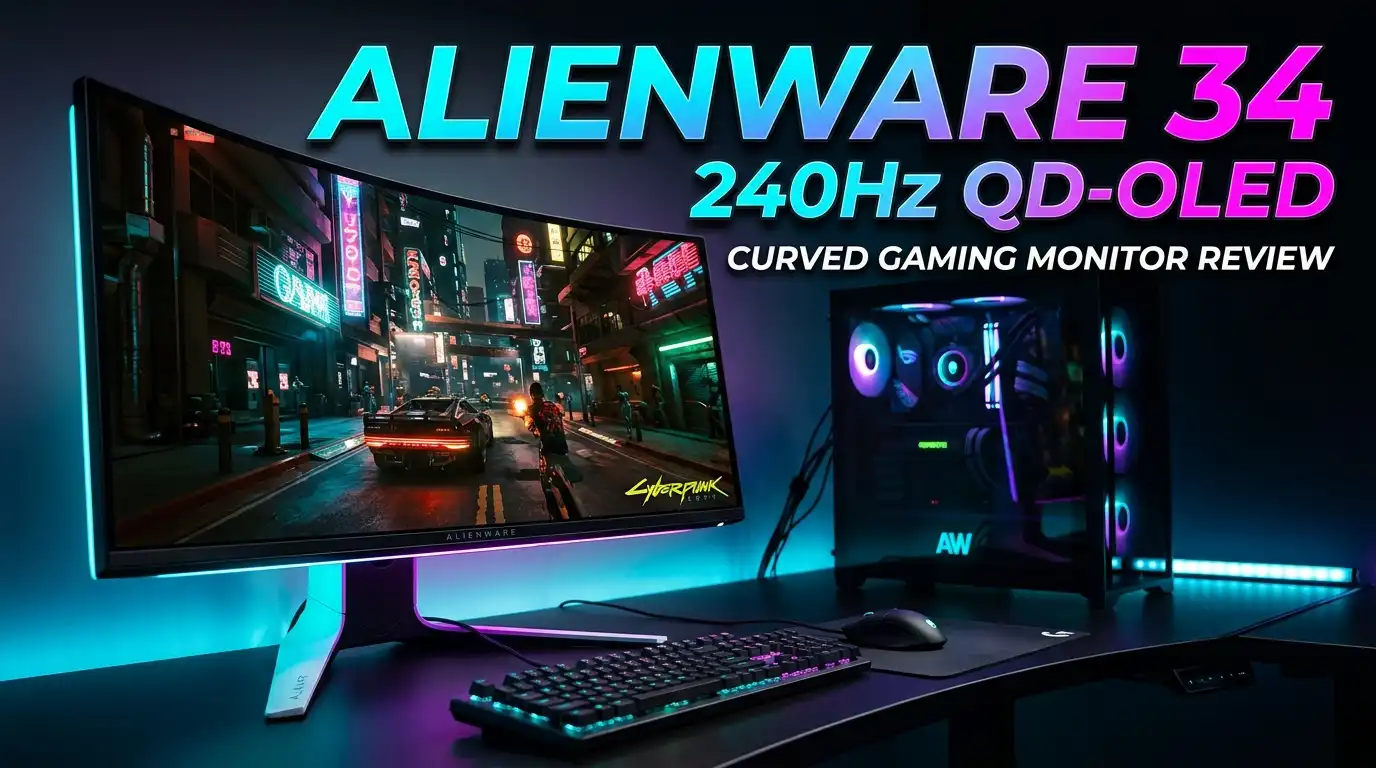
Alienware AW3425DW Review: 34″ 240Hz QD-OLED the Best?
If you have been searching for the perfect ultrawide gaming monitor, your search might end right here. The Alienware 34 240Hz QD-OLED Curved Gaming Monitor (AW3425DW) delivers a stunning 34-inch QD-OLED panel with a 240Hz refresh rate, 0.03ms response time, and WQHD resolution.
It combines jaw-dropping color accuracy with a price tag that undercuts every major rival. This monitor is an upgraded version of Alienware’s original QD-OLED legend, now with a faster panel, deeper blacks, and smarter burn-in protection.
But does it actually live up to the hype? Is it worth your hard-earned money? In this detailed review, we break down everything from image quality and gaming performance to design, HDR capabilities, and value. Whether you are a competitive gamer, a content creator, or someone who simply loves gorgeous visuals, this review will give you the full picture. Let’s dive in.
Alienware AW3425DW In a Nutshell
- The Alienware AW3425DW uses a Gen 2 QD-OLED panel that covers 99% of DCI-P3 and 100% of sRGB. Out-of-the-box color accuracy is among the best in its class with a Delta E of just 0.49.
- The 240Hz refresh rate paired with a 0.03ms response time makes this monitor a dream for competitive and casual gaming alike. Motion clarity is superb.
- HDR performance is strong with 1,000 nits peak brightness in a 1% window and VESA DisplayHDR TrueBlack 400 certification. Blacks are truly infinite thanks to per-pixel dimming.
- The price is aggressive. At around $750 to $800, it undercuts competitors like the Corsair Xeneon 34 ($1,200) and LG UltraGear 34 OLED ($1,300) by a significant margin.
- The USB hub and connectivity are limited. You get just one USB-A and one USB-C port (15W), no USB-C video input, and no KVM switch. This is the monitor’s biggest weakness.
- Alienware includes a 3-year warranty that covers burn-in, making it one of the most consumer-friendly warranties available on any OLED gaming monitor today.
Alienware 34 240Hz QD-OLED Curved Gaming Monitor Overview

- Ultrawide immersion for elite gameplay: Our expansive 34" QD-OLED monitor delivers seamless speed, and super...
- Sweeping visuals and color: Evolve your field of view with WQHD and an 1800R curve, combined with QD-OLED's...

Last update on 2026-07-11 / Affiliate links / Images from Amazon Product Advertising API
The Alienware AW3425DW is a 34.2-inch ultrawide gaming monitor with a 21:9 aspect ratio and a WQHD resolution of 3440 x 1440. It uses Samsung’s second-generation QD-OLED panel. This is the same panel technology that made the original Alienware 34 QD-OLED a massive hit among gamers and reviewers.
The monitor runs at 240Hz, which is a big jump from the 175Hz limit on the previous model. The 0.03ms gray-to-gray response time means ghosting and motion blur are almost non-existent. It supports NVIDIA G-Sync Compatible, AMD FreeSync Premium Pro, and VESA AdaptiveSync for tear-free gaming.
The 1800R curve wraps the screen around your field of vision. This gives you a more immersive experience in games, movies, and productivity tasks. The matte coating helps reduce glare, though the panel itself leans toward a glossy finish that enhances color vibrancy.
Design and Build Quality
Alienware has refined its “Legend 2.0” design language over several generations. The AW3425DW benefits from every lesson learned. The monitor comes in an Interstellar Indigo (black) finish that looks sleek and professional on any desk.
The stand is monolithic and sturdy. It offers tilt (-5 to 21 degrees), swivel (-20 to 20 degrees), and height adjustment. A cable routing channel runs through the center of the stand. This keeps your desk setup clean and organized.
The build quality feels premium from every angle. The bezels are thin, and the overall footprint is reasonable for a 34-inch ultrawide. You can remove the stand and mount the monitor on a VESA 100x100mm compatible arm if you prefer a floating setup.
Display Quality and Color Accuracy
This is where the AW3425DW truly shines. The QD-OLED panel delivers some of the best color performance available on any gaming monitor. It covers 100% of the sRGB color space and an incredible 99% of DCI-P3. It also reaches 94% of AdobeRGB, which is unusual for a gaming-focused display.
Color accuracy is outstanding. The default Standard mode produces a Delta E of just 0.49. Most monitors aim for a Delta E under 2, so the AW3425DW far exceeds that target. Colors look vivid yet true to life.
Every shade of red, blue, and green pops with a richness that IPS and VA panels simply cannot match. The infinite contrast ratio, a hallmark of OLED technology, means blacks are perfectly dark. There is no backlight bleed, no IPS glow, and no halo effect around bright objects on a dark background.
HDR Performance and Brightness
The AW3425DW carries VESA DisplayHDR TrueBlack 400 certification. In HDR mode, the panel reaches approximately 1,022 nits of peak brightness with a 1% window. At a 5% window, it still holds strong at around 974 nits.
Full-screen brightness in HDR settles around 283 nits. This is a natural limitation of OLED technology. The panel conserves energy by dimming larger bright areas. However, highlights in games and movies still pop with impressive intensity.
Alienware offers multiple SmartHDR modes through the OSD. A “Peak Brightness” mode pushes the panel to its limits for the most dazzling HDR experience. SDR brightness sits at around 252 nits, which is comfortable for everyday use in most lighting conditions.
HDR content on this monitor looks spectacular. Sunsets in open-world games glow with warmth. Explosions light up the screen with fiery intensity. The infinite contrast ratio gives HDR scenes a depth that traditional LCD monitors cannot achieve.
Top 3 Alternatives for Alienware 34 240Hz QD-OLED Curved Gaming Monitor
If the AW3425DW does not match your exact needs or budget, here are three excellent alternatives worth considering.

- 34” OLED Display with 21:9 Aspect Ratio - With a large 34” display, 21:9 aspect ratio and a dramatic...
- 800R Curved Screen - This UltraGear OLED monitor's dramatic and steep 800R curve draws you in with game play...
Last update on 2026-07-11 / Affiliate links / Images from Amazon Product Advertising API

- This Bundle Includes: Samsung Odyseey OLED G8 34'' Curved Ultrawide Gaming Monitor, Cleaning Kit, Fiber Cloth...
- Immersive Ultrawide Curved Display: The 34" Samsung Odyssey OLED G8 features a 3440 x 1440 QHD screen with a...
Last update on 2026-07-11 / Affiliate links / Images from Amazon Product Advertising API

- 34-inch 800R curved ultrawide (3440 x 1440) OLED gaming monitor with 240Hz refresh rate and 0.03 ms (GTG...
- Highly efficient custom heatsink and advanced airflow design for better heat management to reduce the risk of...
Last update on 2026-07-11 / Affiliate links / Images from Amazon Product Advertising API
The LG 34GS95QE uses an 800R curve WOLED panel and offers 240Hz at the same resolution. It trades some color accuracy for higher brightness. The Samsung Odyssey OLED G8 (34-inch) brings Samsung’s own OLED panel with 175Hz refresh rate and smart TV features built in. The ASUS ROG Swift PG34WCDM is a 240Hz OLED ultrawide with a custom heatsink, superior USB-C connectivity, and a KVM switch. Each offers a unique set of trade-offs compared to the Alienware.
Gaming Performance at 240Hz
The jump from 175Hz to 240Hz is immediately noticeable. Games feel smoother and more responsive. Fast-paced titles like Valorant, Counter-Strike 2, and Marvel Rivals benefit the most from the higher refresh rate.
The 0.03ms response time means pixel transitions happen almost instantly. There is virtually no ghosting or smearing, even during rapid camera movements. Combined with the high refresh rate, this creates an exceptionally clear image during fast motion.
Adaptive sync support through G-Sync Compatible, FreeSync Premium Pro, and VESA AdaptiveSync eliminates screen tearing. You can pair this monitor with either an NVIDIA or AMD GPU and enjoy a smooth, stutter-free experience.
Frame generation technologies like DLSS Multi-Frame Generation and FSR 3/4 make it easier than ever to push frame rates past 200 FPS. The AW3425DW is well-equipped to take full advantage of these features.
Ultrawide Immersion: The 21:9 Experience
The 21:9 aspect ratio gives you significantly more horizontal screen space than a standard 16:9 monitor. This wider field of view is a game-changer for open-world RPGs, racing games, and flight simulators.
In productivity, the extra width lets you place two full documents or browser windows side by side. It works beautifully for video editing timelines, spreadsheet work, and multitasking.
However, not every game supports 21:9 natively. Older titles and some notable modern games like Elden Ring default to 16:9 with black bars on the sides. Tools like Flawless Widescreen and community mods can fix this for many games, but it remains a minor inconvenience.
The 1800R curvature strikes a good balance between immersion and natural viewing. It is less aggressive than the 800R curve on some competing models, which means straight lines appear more natural. For gaming, the wrap-around effect still pulls you into the action.
Response Time and Input Lag
The AW3425DW delivers one of the fastest response times in the monitor market. The 0.03ms GtG figure is not just a marketing claim. OLED pixels turn on and off individually, which allows for near-instant color transitions.
Input lag at 240Hz is extremely low. This makes the monitor suitable for competitive gaming where every millisecond counts. Your clicks, key presses, and mouse movements register on screen with minimal delay.
There is no need to enable an overdrive mode. Unlike IPS monitors that require aggressive overdrive to achieve fast pixel transitions (often introducing inverse ghosting), the AW3425DW achieves its speed naturally. This results in clean, artifact-free motion at all times.
Connectivity and Ports
The port selection on the AW3425DW is functional but limited. On the input side, you get two HDMI 2.1 ports and one DisplayPort 1.4 connection. These are located on the bottom of the monitor, facing downward for a clean cable setup.
A USB-B upstream port connects the monitor to your PC. This enables the small USB hub built into the front lip of the monitor. The hub consists of just one USB-A 5Gbps port and one USB-C 5Gbps port with 15W power delivery.
There is no USB-C video input and no KVM switch. This is a significant omission for users who switch between multiple devices or want to connect a laptop with a single cable. Competitors like the ASUS ROG Swift PG34WCDM offer much better connectivity options.
If you only connect a single gaming PC and do not need extensive USB passthrough, the port selection is adequate. But power users and multi-device setups will feel the pinch.
OSD and Software Controls
The AW3425DW uses a four-way joystick on the back of the monitor for navigating the on-screen display (OSD). The menu system is clean and well-organized. You can adjust brightness, contrast, color presets, and gaming features like variable refresh rate settings.
Alienware also offers control through the Alienware Command Center software on your PC. This requires connecting the USB-B cable. The software gives you access to the same settings available through the OSD, but in a more user-friendly interface.
Picture presets include Standard, Creator, Game, and several custom modes. The Creator mode locks the color space to sRGB, which is useful for content creation where accurate color representation matters. The Standard mode delivers the best all-around performance out of the box.
Burn-In Protection and Panel Longevity
Burn-in is a common concern with OLED displays. Alienware addresses this with several built-in features. The AW3425DW includes an “enhanced anti-burn-in AI algorithm” that works in the background. Features like pixel shifting and taskbar detection run automatically.
A graphite thermal sheet behind the panel helps dissipate heat, which is one of the primary causes of burn-in over time. The monitor prompts you to run a pixel refresh cycle after extended periods of continuous use.
The OSD includes a “Panel Health” indicator that shows the time elapsed since your last panel refresh. Keeping this indicator in the green zone helps maintain your panel’s long-term health.
Most importantly, Alienware backs the AW3425DW with a 3-year warranty that explicitly covers burn-in. If burn-in does occur within the warranty period, Dell will send you a replacement monitor. This is one of the best OLED monitor warranties on the market.
Who Should Buy the Alienware AW3425DW?
The AW3425DW is ideal for gamers who want the best possible image quality in an ultrawide format without spending over $1,000. It suits both casual and competitive players thanks to its high refresh rate and low input lag.
Content creators who need accurate color reproduction will appreciate the near-perfect DCI-P3 and sRGB coverage. The dedicated Creator mode adds extra value for photo and video work.
This monitor is NOT ideal for users who need a full-featured USB-C hub, KVM switching, or extensive USB connectivity. It is also not the best choice for users in extremely bright rooms, as the SDR brightness of 252 nits may feel insufficient in direct sunlight.
If you have a lower-end GPU that cannot push high frame rates at 3440 x 1440, you may not fully benefit from the 240Hz panel. A 1080p or 1440p 16:9 monitor might offer better value in that scenario.
Pricing and Value Comparison
The AW3425DW is priced at approximately $749 to $799, and Alienware frequently runs discounts that bring the price even lower. At this price point, it is one of the most affordable 34-inch OLED ultrawide monitors available.
For comparison, the Corsair Xeneon 34 uses the same panel but costs around $900 to $1,200. The LG UltraGear 34 OLED sits at around $1,300. The ASUS ROG Swift PG34WCDM commands a premium for its superior connectivity and cooling features.
Dollar for dollar, the AW3425DW offers the best combination of image quality, gaming performance, and warranty protection in the 34-inch OLED ultrawide category. Alienware has clearly prioritized aggressive pricing to establish dominance in this segment.
The monitor’s value is further enhanced by its 3-year burn-in warranty, which competitors often charge extra for or do not offer at all.
Pros and Cons Summary
The Alienware AW3425DW has many strengths. The QD-OLED panel delivers exceptional color accuracy and coverage right out of the box. The 240Hz refresh rate and 0.03ms response time provide a top-tier gaming experience. The price significantly undercuts every major competitor. The 3-year burn-in warranty offers peace of mind.
On the downside, the USB hub is limited to just two low-speed ports with no KVM switch. There is no USB-C video input. SDR brightness at 252 nits is adequate but not impressive. Some games still do not support the 21:9 aspect ratio natively.
Despite these shortcomings, the pros far outweigh the cons for most gamers. The AW3425DW focuses on what matters most: stunning visuals, fast performance, and an honest price. It sacrifices extra features rather than image quality, which is the right trade-off for a gaming-first monitor.
Final Verdict: Alienware AW3425DW
- Ultrawide immersion for elite gameplay: Our expansive 34" QD-OLED monitor delivers seamless speed, and super...
- Sweeping visuals and color: Evolve your field of view with WQHD and an 1800R curve, combined with QD-OLED's...
Last update on 2026-07-11 / Affiliate links / Images from Amazon Product Advertising API
The Alienware AW3425DW is one of the best gaming monitors you can buy right now. It combines a gorgeous QD-OLED panel with a high refresh rate, near-instant response time, and a price that makes competitors look overpriced.
If you want the best ultrawide OLED gaming experience without breaking the bank, this is your monitor. The limited USB hub is a genuine weakness, but it does not diminish the core experience. For pure gaming and visual quality, the AW3425DW sets the standard in the 34-inch ultrawide class.
Alienware has proven once again that it leads the QD-OLED gaming monitor market. The AW3425DW earns a strong recommendation.
Frequently Asked Questions
Is the Alienware AW3425DW worth it for competitive gaming?
Yes. The 240Hz refresh rate and 0.03ms response time make this monitor excellent for competitive gaming. Input lag is extremely low, and adaptive sync support ensures smooth, tear-free gameplay. The ultrawide aspect ratio also gives you a wider field of view in supported games, which can provide a tactical advantage.
Does the Alienware AW3425DW have burn-in issues?
All OLED monitors carry some burn-in risk with prolonged exposure to static content. However, the AW3425DW includes built-in burn-in prevention features like pixel shifting, a graphite heat sink, and an AI-driven mitigation algorithm. Alienware also provides a 3-year warranty that covers burn-in, so you are protected even if it does occur.
Can I use the Alienware AW3425DW for content creation?
Absolutely. The monitor covers 99% of DCI-P3 and 100% of sRGB with outstanding color accuracy. A dedicated Creator mode locks the display to sRGB for accurate content work. Photographers, video editors, and graphic designers will find the color performance more than sufficient for professional tasks.
Does the Alienware AW3425DW support HDMI 2.1?
Yes. The monitor includes two HDMI 2.1 ports, which support higher bandwidth for gaming consoles like the PS5 and Xbox Series X. You also get one DisplayPort 1.4 port for PC connections.
What GPU do I need for the Alienware AW3425DW?
To take full advantage of the 240Hz refresh rate at 3440 x 1440, you will need a mid-to-high-end GPU. An NVIDIA RTX 4070 Ti or AMD RX 7800 XT can push high frame rates in most games at this resolution. Frame generation technologies like DLSS and FSR can help bridge the gap if your GPU falls short of 240 FPS.
How does the Alienware AW3425DW compare to the LG 34GS95QE?
The LG 34GS95QE uses a WOLED panel with an 800R curve, which offers higher peak brightness but slightly lower color accuracy compared to the AW3425DW’s QD-OLED panel. The LG also costs significantly more at around $1,300. The Alienware wins on color, price, and warranty, while the LG wins on brightness and curvature aggressiveness.
Disclosure: This content is part of an Amazon Creator Connections campaign, meaning I earn a commission from qualifying purchases. Using these links costs you nothing extra but directly supports my blog and future content.

DK is a technology expert who specializes in AI tools, software, and tech gadgets. He writes for How to Tech Info, providing detailed reviews and practical guides. DK helps readers discover the best AI applications, navigate new software, and choose the right tech gadgets.