
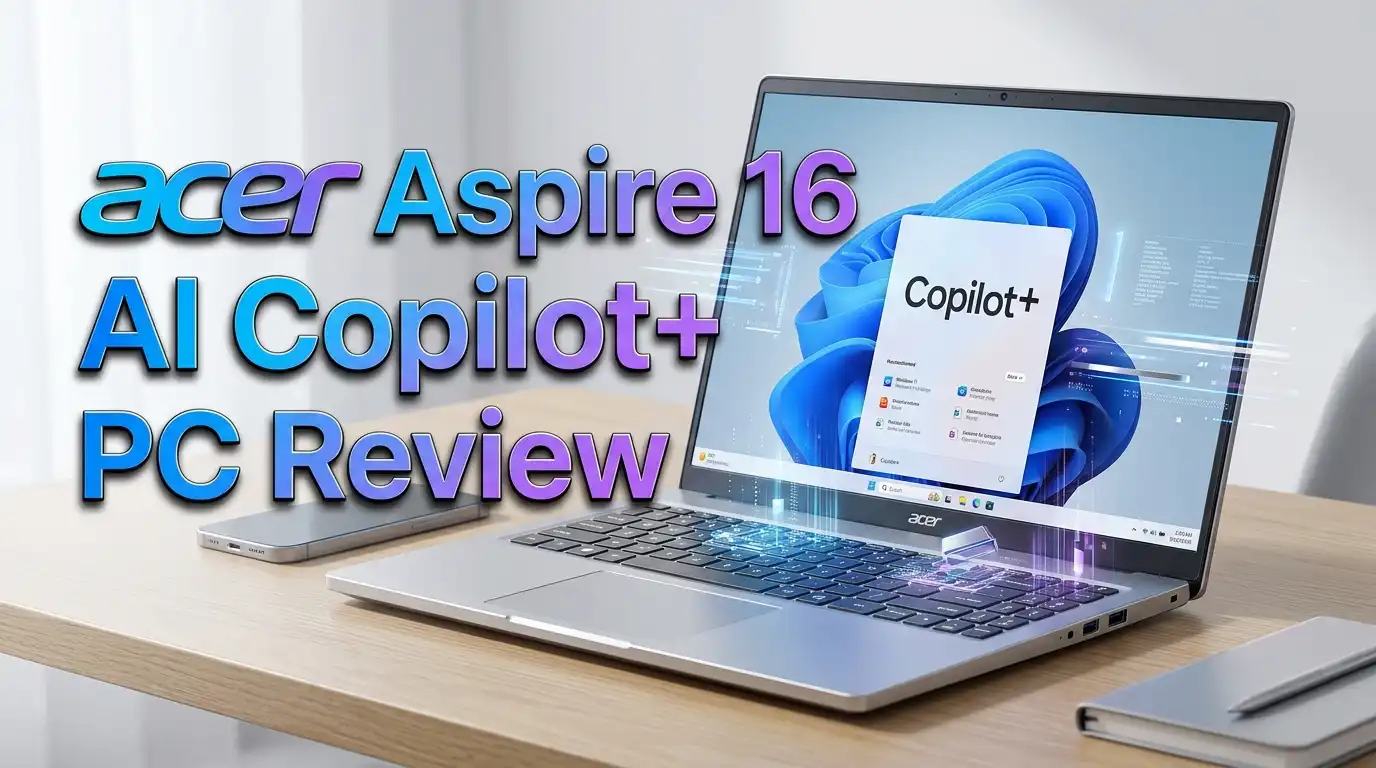
Acer Aspire 16 AI Copilot+ PC Review: Worth Trying in 2026?
Are you searching for a 16 inch AI laptop that does not burn a hole in your wallet? The Acer Aspire 16 AI Copilot+ PC might be exactly what you need. This laptop promises next level AI features, a smooth 120Hz touchscreen display, and all day battery life at a price that undercuts most of its rivals. But does it actually deliver on those promises?
I spent weeks digging into every detail of this machine. I looked at its performance benchmarks, display quality, keyboard feel, battery endurance, and real world usability. The result is a laptop that surprised me in some areas and fell short in others.
Whether you are a student, a remote worker, or someone who simply wants a reliable everyday machine with modern AI capabilities, this review will help you decide if the Acer Aspire 16 AI is worth your money.
Stick around because I will break down everything from specs to real world performance, and even share three solid alternatives if this one does not fit your needs perfectly.
Acer Aspire 16 AI Copilot+ PC in a Nutshell
Before we dive deep into the review, here is a quick summary of what makes this laptop stand out and where it falls short.
- The Acer Aspire 16 AI delivers strong value for its price point. With the Snapdragon X processor, 16GB of LPDDR5X RAM, and a 512GB PCIe Gen 4 SSD, you get capable hardware starting around $549 to $699 depending on the configuration. The Intel Core Ultra 9 288V variant with 32GB RAM and 1TB SSD retails around $1,099.
- The 16 inch WUXGA 120Hz touchscreen display is a highlight. It covers 100% of the sRGB color space and provides sharp, vibrant visuals for both productivity and media consumption. The matte finish reduces glare and reflections effectively.
- AI features are functional and practical. The built in NPU delivers 45 TOPS of AI processing power. This qualifies the laptop as a certified Copilot+ PC with access to features like Recall, Windows Studio Effects, and Click to Do.
- Battery life is decent but not class leading. Real world battery life falls between 10 to 15 hours depending on the configuration. The Snapdragon variant lasts longer than the Intel version, but neither matches the advertised claims of up to 22 hours.
- Build quality is solid for a budget friendly laptop. The plastic chassis feels sturdy and the laptop weighs only about 3.4 pounds. It is surprisingly portable for a 16 inch machine.
- Port selection is generous and modern. You get USB C, USB A, HDMI 2.1, a microSD card reader, and a combo audio jack. Wi Fi 7 and Bluetooth 5.4 round out the connectivity options.
Acer Aspire 16 AI Copilot+ PC: Design and Build Quality

- Step Up to Next-Level Performance - Redefine your laptop experience with the Acer Aspire 16 AI. Powered by the...
- New AI Superpowers - Discover the power of Recall (preview), improved Windows search, and Click to Do...
Last update on 2026-07-01 / Affiliate links / Images from Amazon Product Advertising API
The Acer Aspire 16 AI Copilot+ PC does not try to win you over with flashy aesthetics. It comes in a Steel Gray finish that looks professional and understated. The chassis is made of plastic, which is expected at this price point. But do not let that fool you.
The build quality is surprisingly good. There is minimal flex in the keyboard deck and the lid feels solid. The hinge holds the screen firmly in place and allows the display to open a full 180 degrees. This is useful if you want to lay the laptop flat on a table for group viewing.
At just 3.4 pounds and 0.63 inches thin, this is a portable machine for a 16 inch laptop. You can toss it into a backpack and carry it around campus or to a coffee shop without much strain.
Acer clearly allocated more of its budget toward internal hardware rather than a premium metal chassis. That trade off makes sense for buyers who care more about performance and features than luxury materials. The overall design is clean, minimal, and functional. It will not turn heads, but it will not embarrass you either.
Display: 16 Inch WUXGA 120Hz Touchscreen That Impresses
The display is one of the strongest selling points of the Acer Aspire 16 AI. It features a 16 inch WUXGA (1920 x 1200) IPS panel with a 120Hz refresh rate. Scrolling through web pages and documents feels incredibly smooth compared to standard 60Hz screens.
The screen covers 100% of the sRGB color space, which means colors look accurate and vibrant. Photos, videos, and general content all appear crisp and well saturated. If you work with documents, spreadsheets, or web browsing all day, this display size and resolution provide plenty of real estate.
Brightness peaks at around 350 nits. This is adequate for indoor use and even works decently outdoors in indirect sunlight. The matte finish is a practical touch because it reduces reflections and glare. Most touchscreens use glossy panels, so Acer’s choice of a matte touchscreen is a welcome decision.
The touchscreen itself is responsive and accurate. Tapping, swiping, and pinch to zoom gestures all register without delay. For anyone who likes interacting directly with the screen, this is a nice bonus. However, if you want deeper blacks and more vivid contrast, you would need to step up to an OLED panel, which Acer offers on some higher end configurations.
Processor and AI Performance: Snapdragon X Powers the Experience
The heart of this laptop is the Qualcomm Snapdragon X (X1-26-100) processor. This chip is built on ARM architecture and delivers a strong balance of performance and power efficiency. It handles everyday tasks like web browsing, document editing, video calls, and media streaming without breaking a sweat.
The integrated GPU delivers up to 1.7 TFLOPs of graphical power. This is enough for casual photo editing, light video editing, and even some older or less demanding games. Do not expect to run AAA titles at high settings, but for everyday use, it performs well.
The real standout is the NPU (Neural Processing Unit) with 45 TOPS of AI processing power. This qualifies the Aspire 16 AI as a certified Microsoft Copilot+ PC. The NPU handles AI tasks locally on the device, which means faster processing and better privacy for AI features.
Windows Studio Effects use the NPU to power background blur, auto framing, and eye contact correction during video calls. These features work in real time and make a noticeable difference for remote workers. The NPU also supports Recall and Click to Do, which let you search your past activity and interact with on screen content using AI.
For the Intel variant, the Core Ultra 9 288V pushes performance even higher with 48 TOPS from its NPU and a much stronger Intel Arc 140V GPU. That model scored 8,923 on PCMark 10 and achieved a 3DMark Time Spy score of 4,621, which is impressive for integrated graphics.
Top 3 Alternatives for the Acer Aspire 16 AI Copilot+ PC
If the Acer Aspire 16 AI does not quite match your needs, here are three strong alternatives worth considering. Each one offers Copilot+ PC features and a 16 inch display.
1. HP Pavilion 16 Touchscreen Laptop

- 【Power When Things Get Busy】 This HP laptop runs on a 10-core Intel Core 7 150U processor—offering up to...
- 【See More, Scroll Less】 The 16" WUXGA touchscreen on the HP laptop offers 11% more vertical space than...
Last update on 2026-07-01 / Affiliate links / Images from Amazon Product Advertising API
The HP Pavilion 16 comes with an Intel Core 7 150U processor, 32GB RAM, and a 1TB SSD. It features a 16 inch WUXGA touchscreen display and supports AI Copilot. The HP brand offers reliable build quality and solid customer support. This is a great option if you prefer Intel hardware and want more RAM out of the box.
2. Lenovo IdeaPad 5 16 2 in 1 Copilot+ PC

- ESET Home Security Essential (3 Year, 1 Device): Get peace of mind with 24/7 real-time protection blocking...
- AI-Driven Performance: AMD Ryzen AI 7 350 2.0GHz Processor with 50 TOPS NPU delivers 17% faster processing for...
Last update on 2026-07-01 / Affiliate links / Images from Amazon Product Advertising API
The Lenovo IdeaPad 5 16 features an AMD Ryzen AI 7 350 processor with a 16 inch WUXGA IPS touchscreen. It is a 2 in 1 convertible, which means you can flip the screen around and use it as a tablet. With 16GB of LPDDR5x RAM and a 1TB SSD, it offers solid specs at a competitive price. The Radeon 860M integrated GPU handles everyday graphical tasks well.
3. Dell 16 Plus 2 in 1 AI Laptop

- AI-POWERED 2-IN-1 VERSATILITY - The Dell 16 Plus (next-gen Inspiron 7640) delivers next-generation AI...
- POWERFUL PERFORMANCE - Powered by an Intel Core Ultra 7 256V Processor with 8-cores for superior efficiency...
Last update on 2026-07-01 / Affiliate links / Images from Amazon Product Advertising API
The Dell 16 Plus pairs an Intel Core Ultra 7 256V processor with 16GB DDR5 and a 1TB SSD. Dell claims up to 21 hours of battery life, which beats most competitors in this class. It also features a 16 inch FHD+ touchscreen and Copilot+ PC certification. This is a strong pick if long battery endurance is your top priority.
Battery Life: Good but Not Best in Class
Battery life is a mixed bag on the Acer Aspire 16 AI. The laptop ships with a 65 watt hour battery, which is standard for this class of device. Acer advertises up to 18 to 22 hours of battery life depending on the configuration, but real world results tell a different story.
The Snapdragon X variant delivers around 15 to 16 hours in controlled video playback tests. In typical mixed use with Wi Fi on, web browsing, and document editing, expect closer to 10 to 12 hours. That is still enough to get through a full workday without plugging in.
The Intel Core Ultra 9 288V variant uses more power and delivered about 12 hours in a standardized video playback test. In real world mixed use, that drops to around 8 to 10 hours. The higher power draw of the Intel chip trades battery endurance for stronger performance.
Charging is handled through USB C, and the laptop comes with a charger that gets you back to usable levels quickly. If battery life is your absolute top priority, the Snapdragon version is the better choice. But if you value raw performance and plan to stay near an outlet most of the time, the Intel model makes more sense.
Keyboard and Trackpad: Comfortable for All Day Typing
The Acer Aspire 16 AI features a full size keyboard with a number pad on the right side. This is a welcome addition for anyone who works with spreadsheets or needs quick number entry. The keys have a satisfying amount of travel and provide clear tactile feedback when pressed.
The keyboard is backlit in white, which helps with visibility in dim environments. Key spacing is comfortable and the layout feels natural. You will not need much time to adjust to this keyboard if you are coming from another laptop.
Some users may find the number pad shifts the main keyboard slightly to the left. This is a common trait on 16 inch laptops with number pads. It takes a bit of getting used to, but most people adapt within a day or two.
The trackpad is impressively large for a laptop at this price point. The surface is smooth and responsive. Multi touch gestures like three finger swipe to switch apps and four finger swipe for Task View work reliably. The trackpad also has a satisfying click with good feedback. Overall, Acer did a solid job with the input experience on this machine.
Webcam and Microphone: Ready for Video Calls
The Acer Aspire 16 AI comes with a 1080p webcam that delivers clear and detailed video. Image quality is noticeably better than the 720p cameras found on many budget laptops. Colors look natural and there is enough detail for professional video calls.
A physical privacy shutter lets you block the webcam when it is not in use. This is a simple but important feature for anyone concerned about privacy. You do not need tape or a sticker to cover your camera.
The built in microphone captures clear audio and does a decent job filtering out background noise. It is good enough for Zoom calls, Teams meetings, and casual voice chats. For podcasting or professional audio work, you would still want an external microphone.
Because this is a Copilot+ PC, you also get access to Windows Studio Effects. These AI powered features include background blur, automatic framing, and eye contact correction. They all run on the NPU, so they do not slow down the CPU during video calls. The eye contact feature is especially useful because it makes you appear to look directly at the camera even when you are reading from the screen.
Connectivity and Ports: Everything You Need
Port selection is an area where the Acer Aspire 16 AI truly shines. Many budget laptops cut corners on connectivity, but Acer was generous here.
On the left side, you get two USB C ports (USB4 or Thunderbolt 4 on the Intel model), one USB A (USB 3.2 Gen 1) port, and one HDMI 2.1 output. The HDMI 2.1 port supports 4K external monitors, which is great for desk setups.
On the right side, there is a second USB A port, a microSD card reader, a combo audio jack, and a security lock slot. The microSD reader is handy for photographers and content creators who need to transfer files from cameras.
Wi Fi 7 and Bluetooth 5.4 provide fast and modern wireless connectivity. Wi Fi 7 delivers faster speeds and lower latency compared to Wi Fi 6E, which is a real benefit if your router supports it. Bluetooth 5.4 ensures stable connections with wireless headphones, mice, and other peripherals.
The laptop charges through USB C, so you can use a compatible third party charger or power bank in a pinch. This flexibility is a nice bonus for travelers who do not want to carry bulky proprietary chargers.
Software and AI Features: Copilot+ PC in Action
- Step Up to Next-Level Performance - Redefine your laptop experience with the Acer Aspire 16 AI. Powered by the...
- New AI Superpowers - Discover the power of Recall (preview), improved Windows search, and Click to Do...
Last update on 2026-07-01 / Affiliate links / Images from Amazon Product Advertising API
The Acer Aspire 16 AI runs Windows 11 Home out of the box. The software experience is mostly clean, though there is some preinstalled bloatware. You will find shortcuts to services like Booking.com and trial software like McAfee. These are easy to remove with a few right clicks.
Acer includes its own AcerSense utility, which lets you monitor system performance, adjust power modes, and manage battery charging settings. It is a useful tool that does not get in the way.
The star of the software experience is the Copilot+ PC functionality. With the NPU delivering 45 TOPS of AI power, you get access to features like Recall, which helps you find past content on your PC using natural language searches. Click to Do lets you interact with text and images on your screen using AI commands.
Windows Studio Effects enhance video calls with background blur, auto framing, and eye contact correction. These features run entirely on the NPU, so they do not impact overall system performance.
The Photos and Paint apps also gain AI powered editing capabilities. You can remove objects from photos, generate backgrounds, and apply creative filters directly within the built in apps. For casual users, these tools reduce the need for third party editing software.
Storage and Memory: Enough for Everyday Tasks
The base Snapdragon model ships with 16GB of LPDDR5X RAM and a 512GB PCIe Gen 4 SSD. The Intel variant bumps this to 32GB of RAM and a 1TB SSD at the $1,099 price point.
16GB of RAM is the current standard for most laptop tasks. It handles web browsing with many tabs, office productivity, video streaming, and light creative work without issues. If you frequently run heavy multitasking with dozens of browser tabs, large spreadsheets, and video editing simultaneously, the 32GB Intel model is the safer bet.
The LPDDR5X memory runs at high speeds, which benefits overall system responsiveness. Apps launch quickly, file transfers feel snappy, and the system does not stutter under moderate workloads.
The 512GB SSD provides decent storage for the average user. You can store a reasonable number of documents, photos, and apps. However, if you download a lot of games or work with large video files, you may fill it up quickly. The 1TB option on the Intel model gives you much more breathing room.
SSD read and write speeds are solid for a Gen 4 drive. Boot times are fast and applications load without noticeable delays. The drive is not the fastest on the market, but it is more than adequate for this price range.
Thermal Management and Fan Noise
The Acer Aspire 16 AI stays cool under typical workloads. Web browsing, document editing, and video playback generate minimal heat. The fans stay quiet or completely off during these tasks, which creates a pleasant and distraction free experience.
Under heavier loads, like video encoding or extended multitasking, the fans spin up to a moderate level. The noise is audible but not intrusive. You can still have a conversation or listen to music without the fans being a major distraction.
The Snapdragon X chip runs cooler than the Intel variant due to its ARM architecture and lower power consumption. This means the Snapdragon model stays quieter more often and produces less heat overall.
The Intel Core Ultra 9 288V draws more power and generates more heat. During sustained heavy workloads, the Intel model can get warm around the center of the keyboard deck. However, it never reaches uncomfortable temperatures. Acer’s cooling system does a reasonable job managing the thermals given the thin chassis.
For most users who stick to everyday productivity tasks, thermal performance is a non issue on either variant. The laptop stays cool, quiet, and comfortable for hours of continuous use.
Who Should Buy the Acer Aspire 16 AI Copilot+ PC?
This laptop fits several types of users well. Students will appreciate the large 16 inch display for reading, writing, and research. The lightweight design makes it easy to carry between classes. The long battery life on the Snapdragon model lasts through a full day of lectures.
Remote workers and office professionals benefit from the solid webcam, AI powered video call features, and comfortable keyboard. The generous port selection means you can connect external monitors, drives, and accessories without needing a dock.
Casual content consumers will enjoy the 120Hz touchscreen for watching videos, browsing social media, and reading. The speakers are better than average for a budget laptop, though you will still want headphones for the best audio experience.
Budget conscious buyers who want modern AI features without paying a premium will find great value here. The Snapdragon model starts at around $549 to $699, which is hard to beat for what you get.
This laptop is not ideal for serious gamers, professional video editors, or users who need heavy multithreaded CPU performance. It lacks a discrete GPU, and the CPU cores are limited. For those needs, a gaming laptop or a workstation class machine is a better fit.
Pros and Cons: The Honest Summary
What the Acer Aspire 16 AI does well: The display is excellent for the price with its 120Hz refresh rate, 100% sRGB coverage, and matte touchscreen. The AI features powered by the NPU are genuinely useful and not just marketing gimmicks. The port selection is among the best in this price range. Build quality is solid despite the plastic chassis. The keyboard and trackpad are comfortable for extended use.
Where it falls short: Battery life does not match Acer’s advertised claims, though it is still reasonable for real world use. The plastic chassis looks and feels budget compared to aluminum alternatives. Multithreaded CPU performance on the Intel variant is limited by Lunar Lake’s eight core design. The base 512GB storage fills up fast for heavy users.
The value proposition is strong. You get a lot of laptop for the money, and the AI features add genuine utility rather than serving as marketing fluff. The Copilot+ PC certification gives you access to a growing ecosystem of AI tools that will become more useful over time.
Final Verdict: Is the Acer Aspire 16 AI Copilot+ PC Worth It?
The Acer Aspire 16 AI Copilot+ PC is one of the best value AI laptops available right now. It delivers a beautiful 16 inch 120Hz touchscreen, practical AI features, solid everyday performance, and a generous set of ports at a price that makes its competitors look expensive.
The Snapdragon X model is the better pick for most people. It offers excellent battery life, cool and quiet operation, and enough performance for everyday tasks. Starting around $549 to $699, it is an outstanding deal.
The Intel Core Ultra 9 288V model at $1,099 targets buyers who want stronger single threaded CPU performance and better integrated GPU power. It can even handle some gaming. But you trade battery life for that extra performance.
Neither model is perfect. Battery life falls short of advertised claims, multithreaded performance is limited, and the plastic build feels budget. But at this price, those are acceptable compromises.
If you want a large screen AI laptop that handles everyday tasks well, supports modern Copilot+ features, and does not demand a premium price, the Acer Aspire 16 AI Copilot+ PC earns a strong recommendation.
Frequently Asked Questions
Is the Acer Aspire 16 AI Copilot+ PC good for students?
Yes, it is an excellent choice for students. The 16 inch display provides plenty of screen space for research, writing, and multitasking. The Snapdragon model offers long battery life that can last through a full day of classes. The lightweight design at 3.4 pounds makes it easy to carry in a backpack. The affordable price also fits a student budget well.
Can you play games on the Acer Aspire 16 AI?
The Intel Core Ultra 9 288V model with Intel Arc 140V graphics can handle casual and older games at moderate settings. It scored 4,621 on 3DMark Time Spy, which is strong for integrated graphics. The Snapdragon model is more limited for gaming. Neither variant replaces a dedicated gaming laptop, but both can run less demanding titles.
How long does the battery actually last on the Acer Aspire 16 AI?
Real world battery life is around 10 to 12 hours for the Snapdragon model and 8 to 10 hours for the Intel model under mixed use. Controlled video playback tests show up to 15 hours for the Snapdragon variant and about 12 hours for the Intel version. These numbers are lower than Acer’s advertised claims but still solid for a 16 inch laptop.
Does the Acer Aspire 16 AI support Microsoft Copilot+ features?
Yes, both the Snapdragon and Intel variants are certified Copilot+ PCs. They include a dedicated NPU with at least 45 TOPS of AI processing power. You get access to features like Recall, Click to Do, Windows Studio Effects, and AI powered editing tools in the Photos and Paint apps.
What is the difference between the Snapdragon and Intel models?
The Snapdragon X model focuses on power efficiency and battery life. It starts at a lower price with 16GB RAM and 512GB storage. The Intel Core Ultra 9 288V model offers stronger single threaded CPU performance, better integrated graphics with Intel Arc 140V, 32GB RAM, and 1TB storage at $1,099. The Intel model uses more power and has shorter battery life but delivers better overall performance for demanding tasks.
Disclosure: This content is part of an Amazon Creator Connections campaign, meaning I earn a commission from qualifying purchases. Using these links costs you nothing extra but directly supports my blog and future content.

DK is a technology expert who specializes in AI tools, software, and tech gadgets. He writes for How to Tech Info, providing detailed reviews and practical guides. DK helps readers discover the best AI applications, navigate new software, and choose the right tech gadgets.


