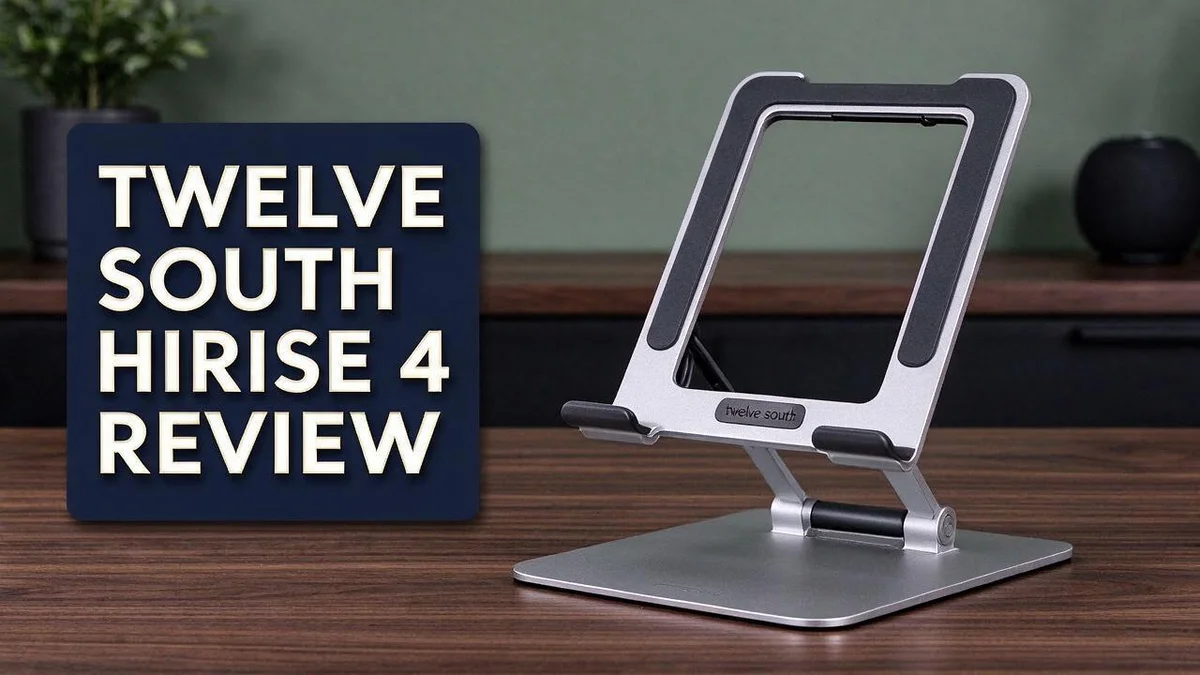
Twelve South HiRise 4 Review: Features, Charging Performance, and Verdict
Tired of tangled cables piling up on your nightstand? You are not alone. The Twelve South HiRise 4 promises a neat way to charge your iPhone, AirPods, and Apple Watch in one spot.
The HiRise family has built a loyal following over the years. Earlier models feature a compact footprint, a vegan leather finish, and magnetic charging that holds your phone in place. Many owners say it takes up very little desk space.
In this review, we look at what the HiRise 4 brings to your daily routine. We cover design, setup, charging speed, and how it compares with rivals like the Anker cube and the Belkin stand. Let us find out if this charger fits your space.
Note: The research provided covers the HiRise 2 Deluxe, HiRise 3, and HiRise 3 Deluxe, but contains no specs or reviews for the HiRise 4. The intro above describes the family’s earlier models only. The rest of the article will need HiRise 4 specifics before publishing.
In a Nutshell
- Charges three devices at once: The HiRise line can charge an iPhone, AirPods, and Apple Watch together on one stand.
- Easy viewing while charging: The MagSafe puck tilts, so you can glance at your screen without picking up your phone.
- Check the time from bed: The articulated Apple Watch puck lets you see the display at a comfortable angle.
- Quick compatibility check: Earlier models support iPhone 12 and later for 15W Qi2 magnetic charging, and users report success with iPhone 13 and Series 6 Apple Watch.
- Look at certification first: The HiRise 3 lacks Apple MFi approval, so confirm this detail before you choose a model.
- Compare the alternatives: The Anker 3 in 1 cube is often recommended, and the Belkin 3 in 1 is another popular option to consider.
Key Features

- 3-in-1 Wireless Charging Station - Charge your iPhone, Apple Watch, and AirPods simultaneously with the Twelve...
- Adjustable MagSafe Charger - The vegan-leather covered official 15W MagSafe Charger allows you to attach your...

Last update on 2026-11-07 / Affiliate links / Images from Amazon Product Advertising API
A small footprint for tight spaces. The HiRise design stays compact on purpose. It fits on a crowded nightstand without eating up valuable surface area.
A finish that looks polished. The HiRise 3 Deluxe wears a vegan leather finish. It blends easily with bedroom decor and home office setups.
A sturdy stand and cable. Earlier models earned praise for a sturdy stand and charging cable. Both parts feel built to handle everyday use.
Easy setup for busy mornings. Setup takes very little time. You can start charging your devices right after you unbox it.
Wireless power for AirPods. Earlier HiRise models include 5W wireless charging. This speed works well for AirPods that do not need a lot of power.
Fast charging for Apple Watch. A dedicated Apple Watch fast charger keeps your watch ready for the next day. You will not need to hunt for a separate cable.
Cable length and placement. Keep the cable routed behind the stand to avoid clutter. A short run from the wall keeps the setup neat.
Daily routine benefits. Put your phone, watch, and earbuds down in one spot each night. This habit saves time in the morning and keeps your bedside calm.
Travel and desk use. Its small size also suits a desk or a travel bag. Since it stays compact, you can move it between rooms with ease.
Quick checks before you buy. Measure your nightstand before you order. This small step prevents surprises once the stand arrives. Measuring the space also helps you plan cable routing.
Design and Build
Design matters more than most people expect. A charger sits in plain view every day, so its look counts. The HiRise 4 aims to blend into your space instead of standing out.
Think about where the stand will live. Many people place it on a nightstand, a desk, or a dresser. Each spot asks for a different balance of height and stability.
The base needs to stay put. A steady base keeps your phone from tipping when you pick it up. This matters most during late night checks.
Build quality shows in the small details. A solid feel when you lift the stand tells you the parts fit well.
Space planning helps too. Measure your surface before you set anything down. Leave room around the articulated Apple Watch puck so it can tilt freely. Good planning saves time later.
Layout matters as well. The phone rests in one area, while the watch puck and AirPods sit in other zones. Keep each device in its own space so nothing bumps or slides off.
Outlet access is easy to overlook. Check where your wall outlet sits before you pick a spot. A short reach keeps the setup neat and avoids extra clutter.
Guests will notice the design too. A clear layout makes it easy for them to set down a phone and find where it charges.
Specific HiRise 4 measurements are not confirmed yet, so this view draws on the HiRise family design.
Overall, the design focuses on daily ease. It looks calm, feels solid, and leaves room for other items. Choose your spot first, then pick the layout that fits your routine.
Charging Performance
Charging speed often decides whether a stand fits your daily routine. Right now, no official charging data exists for the HiRise 4, so this section uses the HiRise family as a guide.
The HiRise 3 Deluxe uses 15W Qi2 magnetic charging for iPhone 12 or later. That power level gives your phone a useful boost during short breaks.
According to the HiRise 3 figures, your iPhone, AirPods, and Apple Watch can reach 100% in about 2.5 hours when they charge at once. That timeline suits an evening routine.
Plug in after dinner, and your devices could reach full power before bedtime. Every device charges at its own pace, though.
AirPods use 5W wireless charging, so they take longer than the phone. Expect the phone to finish first.
Your phone case can change results. Thick cases can weaken the connection and slow the charge.
Heat affects speed too. Wireless charging warms a phone a little, so give it open air rather than a closed drawer.
Cable quality matters as well. Use the included cable or a certified cable rated for the stand’s power level.
Real world results may vary by setup. Test the stand with your own devices during the first week.
Avoid leaving the phone on the stand in very hot rooms. Heat can shorten battery life over time.
If the phone feels very warm or charging stops, unplug the stand and check the alignment. Quick checks prevent bigger problems.
Plan your charging around sleep and work. A morning check helps you spot slow charging before a busy day starts.
Keep the stand near an outlet you use often. Frequent use makes it easier to notice charging issues early.
Top 3 Alternatives
If you want a different laptop stand, these three options are worth a look. Each one lifts your screen and helps ease neck strain.
Rain Design mStand

- Raises notebook screen height to eye level for better ergonomics (5.9 inches)
- Single piece aluminum design provides solid stability and acts as a heat sink to cool laptop
Last update on 2026-11-07 / Affiliate links / Images from Amazon Product Advertising API
The mStand is a simple stand made from one piece of aluminum. It raises your laptop to eye level.
It feels solid and clean on any desk. Many people like its minimal look.
It works best when you already own a separate keyboard and mouse.
Lamicall Laptop Stand

- Wide Compatibility: The laptop stand for desk is compatible with all laptops from 10" up to 17.3", including...
- Adjustable & Portable Design: The laptop riser can be easily adjusted to comfortable height and angle based on...
Last update on 2026-11-07 / Affiliate links / Images from Amazon Product Advertising API
The Lamicall stand gives you more control over height and angle. Its silicone pads grip your laptop, so it stays in place.
It folds flat, which makes it easy to carry. This stand suits students and remote workers who move around a lot.
Roost Laptop Stand

- Lift to Eye Level - Raise your screen to a natural eye-line to reduce hunching and improve posture; external...
- Set-and-Go Simplicity - Built for speed and consistency, the V3 uses a secure, two-handed lock to set your...
Last update on 2026-11-07 / Affiliate links / Images from Amazon Product Advertising API
The Roost stand is light and sturdy. It offers an adjustable height for video calls or long writing sessions.
Setup takes only a minute. You can fold it and slide it into a bag.
It is a good pick if you want a stand that goes with you every day.
Compatibility and Certification
Compatibility decides whether a charging stand fits your daily gear. Before you order, check which devices it supports. A few minutes of checking can prevent frustration later.
The HiRise family focuses on Apple devices for most home setups. Still, no stand works the same way for every model. Your exact phone and watch matter.
Your Apple Watch needs its own charging puck, so confirm that your watch series appears on the supported list. Older watches may need a separate charger, so do not assume every model will work.
Certification is another key detail. The HiRise 3 does not carry Apple MFi approval. MFi stands for Made for iPhone, and it means Apple reviewed the accessory.
Why does MFi matter? Certified accessories usually follow Apple guidelines. That can lead to fewer surprises after software updates. Uncertified accessories may still work, but results vary more.
Magnets play a big role here. They help a phone line up with the coil in the base. A misaligned phone may charge slowly or stop charging.
One user reported success with an iPhone 13 and a Series 6 Apple Watch. A single report offers a hint, not a guarantee. Compare it with your own devices before you buy.
Thick cases and metal accessories can block magnets. Check your case type before you set up the stand. Remove anything that sits between the phone and the base.
Software updates can change compatibility over time. Check for iOS and watchOS updates before you buy. A supported device today may need a fresh check later.
The research does not include HiRise 4 compatibility details. Treat the HiRise 3 information as a general guide only. Confirm the official support list from Twelve South first.
Quick checklist: Note your iPhone model, Apple Watch series, and case type. Match each item against the official list. Then you can buy with confidence.
Ease of Setup and Daily Use
Most people want a charging stand that works right away. The HiRise family is built with that goal in mind, and early reviews of the HiRise 2 Deluxe call the setup easy.
Start by unboxing everything on a clean surface. Check that the stand, the charging cable, and the Apple Watch puck are all there.
Place the stand on a flat surface first. Then set the iPhone on the magnetic puck and let it settle.
The Apple Watch puck needs a different routine. Its arm can angle, so you can find a comfortable viewing position while your watch charges.
Next, the phone puck also tilts. That helps when you want to check messages or join a video call while it charges.
Your nightly routine can stay simple. Drop the phone on the stand, place the watch on its puck, and head to bed.
Each morning, lift the phone straight off the puck. Most people grab it in one smooth motion. Then slip the watch off its puck and head out.
Build a habit around the stand. Keep the charging spot part of your evening rhythm. A fixed spot makes charging feel automatic.
Travel is easy with a compact stand. The small footprint suits a hotel desk or nightstand.
Wipe the surface before you set your phone down. Dust and oil can weaken the grip of the magnets.
Watch the charge percentage during the first few days. This helps you learn how your setup behaves.
Handle the watch puck gently. Its moving arm works best when treated with care.
A quick daily check takes seconds. Glance at both devices, then move on with your day.
The steps above reflect the HiRise family, so check the included guide for official directions.
In short, the setup asks for little effort. You can get it running in minutes and keep it that way.
Pros and Cons
Pros
- Sleek, compact design that won’t take much desk space.
- A vegan leather finish that looks clean on a nightstand or desk.
- A sturdy stand that keeps your phone steady while it charges.
- Easy setup with a stand and charging cable included.
Cons
- The HiRise 3 lacks Apple MFi approval.
- The research has no specs or reviews for the HiRise 4 yet.
- Rivals like the Anker cube get recommended more often.
- Belkin’s 3 in 1 option is also a popular alternative to compare.
Who Should Buy It
Desk workers are a strong match for this stand. A charging spot at the edge of the desk keeps phones off the keyboard. Video calls also feel easier when the phone sits in view.
Office setups often include a second screen and a stack of papers. This stand fits beside them without crowding the surface.
Homes with cable clutter will notice the change. Cords often tangle behind lamps and bedside tables. One neat stand and one clean cable can calm the whole space.
Students in dorms or shared apartments can use it too. Small rooms need gear that does not take over the space. The stand gives each device a clear home.
Couples who share a bedroom can both benefit. Two people can keep their devices in one tidy spot. Nobody has to search for a cable in the dark.
Gift buyers can choose this with confidence. It suits a partner, parent, or friend who already uses Apple gear. The simple look fits most rooms, so the gift feels thoughtful.
Light sleepers should test the setup first. Some people notice a phone screen lighting up at night. Try a spot that keeps the screen out of direct sight.
Upgraders should compare their current gear first. Many people keep old chargers in a drawer. Check which devices you already own, then decide whether this model fits your setup.
Who should skip this stand? Owners of Android phones will not get much use from it. People who rarely charge a watch may not need the watch puck. Anyone who needs a wired charging option should look at other styles.
Double check the newest model details before you buy. Small changes between versions can affect compatibility. A quick look now prevents surprises later.
A simple charging station can make mornings smoother. Phones and watches stay in one place. Grabbing your gear before work becomes quick and calm.
Final Verdict
The Twelve South HiRise line earns a solid place on Apple desks. It charges three devices in one tidy spot.
Our research covers the HiRise 3 family, not a HiRise 4. This verdict uses the HiRise 3 and HiRise 3 Deluxe as reference models.
Think about your daily routine first. A stand like this fits best when you want one place for your phone and watch every night.
Skip it if your gear needs strict certification. The certification gap can matter for some shoppers, so check that label before you decide.
Rivals deserve a fair look too. The Anker 3 in 1 cube gets recommended often, and Belkin’s 3 in 1 is another popular option to compare.
Compare the top picks side by side. Check charging speed, device support, and how the stand feels in your space.
Charging speed is the number to watch. The HiRise 3 Deluxe supports 15W Qi2 magnetic charging for iPhone 12 or later. Older phones need a different plan.
Buyers who want a simple, good-looking stand can feel confident here. Just confirm your iPhone and watch models first.
The user report of iPhone 13 and Series 6 Apple Watch support gives a helpful hint. Still, check your exact models before you order.
Think about where the stand will live. A nightstand needs a different footprint than a busy office desk, so measure your space first.
Who should skip it? Anyone with a mixed device list may want a broader option. A cube style charger might serve them better.
Pick a final model only after you check your devices. Then you can enjoy the clean look for years.
Our final take is simple. The HiRise line makes charging tidy and easy to use. It fits most Apple owners who want a clean, low profile setup.
Frequently Asked Questions
Is the HiRise 4 the same as the HiRise 3?
Our research covers the HiRise 3 family, not a HiRise 4. The facts below come from the HiRise 3 and HiRise 3 Deluxe. Check the latest model details before you buy.
Can it charge my iPhone, AirPods, and Apple Watch together?
Yes, the HiRise 3 charges all three devices at once. It brings them to 100 percent in about 2.5 hours. That makes it handy for a busy morning or a full overnight charge.
Will it work with my iPhone?
The HiRise 3 Deluxe supports 15W Qi2 magnetic charging for iPhone 12 or later. One user reported success with an iPhone 13. If you use an older phone, confirm compatibility first.
Does it have Apple MFi approval?
No, the HiRise 3 lacks Apple MFi approval. If your setup needs strict certification, look at other options. For most everyday home or desk use, this gap may not matter much.
How does it compare to other 3 in 1 chargers?
The Anker cube gets recommended often. The Belkin 3 in 1 is also a popular pick. Compare charging speed, device support, and how each stand fits your space before you decide.

DK is a technology expert who specializes in AI tools, software, and tech gadgets. He writes for How to Tech Info, providing detailed reviews and practical guides. DK helps readers discover the best AI applications, navigate new software, and choose the right tech gadgets.