Retroid Pocket 6 Review: Specs, Performance, and Retro Gaming Verdict
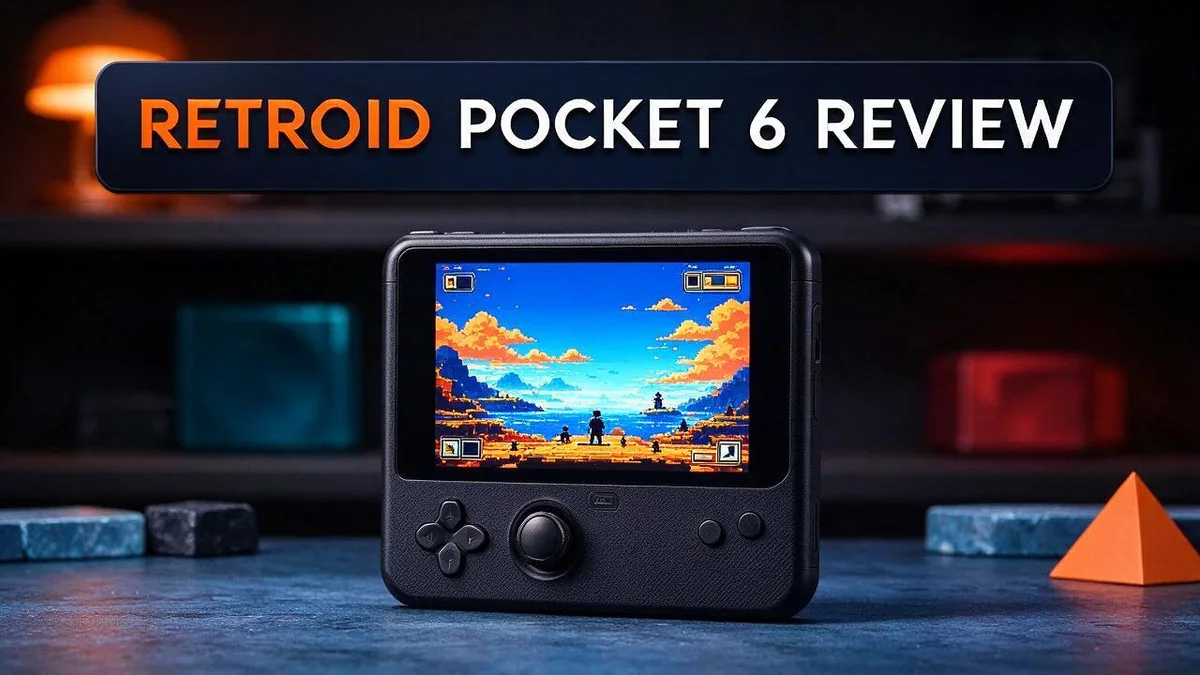
Are you hunting for a handheld that runs your favorite retro games with ease? The Retroid Pocket 6 could be the device you need. It packs a Snapdragon 8 Gen 2 chip and a bright 5.5 inch AMOLED screen.
Gamers love how smooth the games look on this 1080p display. The screen refreshes at 120Hz, so motion stays crisp during fast action. A large 6000mAh battery keeps you playing for longer sessions.
In this review, we break down the design, performance, controls, and battery life. You will also see how it compares with rivals like the AYN Odin 2 Portal and the Retroid Pocket G2.
Let us see if this handheld earns a spot in your bag.
In a Nutshell
-
Strong performance for retro fans: The Snapdragon 8 Gen 2 chip runs retro games and emulators with ease. Many reviewers praise how well it handles classic titles, so your favorite games feel fresh again.
-
Sharp and smooth display: The 5.5 inch AMOLED screen runs at 1080p and 120Hz. Motion stays crisp and clear, so older games look great on the go.
-
Long play sessions: A 6000mAh battery and active cooling help the handheld stay comfortable. You can keep playing for longer without the device heating up too much.
-
Precise and responsive controls: The 3D hall effect sticks, hall effect slider, and clickable triggers give you a solid feel. Every button press feels accurate, which helps during fast action games.
-
Custom setup and reliable updates: You can choose your storage and D pad layout to match your style. A 12GB RAM version adds extra room for demanding emulators, and official OTA support keeps the Android 13 system current.
-
A design trade off: Thin bezels make the body look wider than many handhelds. This may feel unusual at first, but it does not change how the device plays.
Display and Visual Quality

- NO PRELOAD GAMES - Please note that no games are preloaded on Retroid Pocket 5. Before first use or after a...
- Powerful Performance – Equipped with a high-performance quad-core processor and advanced GPU, the Retroid...
Last update on 2026-11-06 / Affiliate links / Images from Amazon Product Advertising API
Retro fans care deeply about how old games look. The Retroid Pocket 6 handles this job with real skill. Its AMOLED panel delivers a look that differs from many LCD handhelds.
Deep black levels come from AMOLED technology. Each pixel can switch off fully in dark scenes. This makes dungeons and night levels feel moody and easy to follow.
Colors look vivid without seeming fake. Bright sprites and classic palettes stand out on the glass. Many players will enjoy this lively style during long sessions.
The 16:9 shape brings one challenge. Many classic consoles used 4:3 screens. So older games often show black bars on the sides. Some players will not mind this at all, but others might want a different look.
Integer scaling can help here. Emulators can scale pixels in whole steps. This keeps edges sharp and avoids muddy lines. Check your emulator settings to find this option.
Viewing angles stay steady when you shift the device. A friend can lean in to watch your run without losing detail. Colors hold their shape even at a slight tilt.
Text looks crisp in menus and game guides. Small fonts remain easy to read. This helps when you browse your library or adjust settings.
Movies and streaming apps also look rich. Dark scenes keep their depth, and bright scenes keep their punch. This makes the handheld a fun pick for more than games.
Glare can appear on very bright days. Shade or a dim room will give the cleanest view. Most indoor play should look comfortable.
Overall, the screen gives retro games a strong stage. Old favorites look fresh and colorful here. Your eyes will feel fine after a long night of play.
Controls and Ergonomics
Good controls matter just as much as a sharp screen. Your hands work hard during long play sessions, so comfort counts.
Many players find that the handheld rests well in the palms. The grip feels steady, even when you play for an hour or more.
A good layout keeps your thumbs close to the main inputs. You can move quickly without stretching your fingers too far.
Shoulder buttons should fall under your index fingers. Quick presses feel natural during fast action games and tough platform jumps.
Every hand is different, though. Some players have larger palms, while others prefer a smaller frame. Trying the device in person is the best way to know.
Your personal feel matters most here. A handheld that looks perfect on paper can still feel awkward in your hands.
Left and right thumbs often share the workload in fast games. Balanced spacing helps both sides feel equal.
Fighting games demand quick, precise presses. Shooters need a comfortable reach so your hands can stay relaxed.
Wireless play adds flexibility. Bluetooth 5.3 lets you pair a compatible controller when you want a different feel.
Pairing a controller can help during shooters or fighting games. Your hands can rest in a different position, which may ease strain during marathon sessions.
Long sessions can bring hand fatigue. Take short breaks every hour and stretch your fingers and wrists.
Firm presses help you know an input registered. Clear feedback reduces doubt during tight moments.
Menus also respond to these inputs, so scrolling feels smooth. Small adjustments can make a big difference over time.
Consider your typical games before deciding. Pick the layout that suits your habits.
Overall, the controls feel practical for most players. The grip, reach, and wireless options give you room to find your own style.
Performance and Emulation
Raw speed is only half the story. Many handhelds run fast for a few minutes, then slow down. The real test comes after an hour of play.
The Retroid Pocket 6 handles heavier systems with a steady pace. PlayStation, Nintendo 64, and Dreamcast titles look smooth in most cases. Some demanding games still need a little tuning.
Throttling is the main enemy during long sessions. A chip slows itself down when it gets too hot. This can cause sudden stutters right when the action gets exciting.
The 12GB RAM variant gives extra breathing room. More memory keeps background apps open and helps emulators handle save states. Players who run heavy setups will notice the difference most.
Android 13 gives emulator apps a solid base to run on. Most popular emulators work well with this software foundation.
Frame pacing matters as much as raw frame count. Even timing makes motion feel natural, while uneven timing feels jittery. Many fans judge a handheld by this feel more than any number on a chart.
Settings give you real control over the picture. You can raise internal resolution for older consoles or add light shader filters. Each change costs some speed, so test one setting at a time.
Try this: Start with the default settings for each game. Then adjust one option and play for ten minutes. This method shows you exactly what your device can handle.
Frame rate counters help you spot trouble fast. Turn on the counter in your emulator menu. If the number dips below the target speed, you know which setting to lower.
Load times feel quick on this handheld. Short waits keep you in the game instead of staring at a loading screen. That flow helps when you jump between several titles in one evening.
Overall, performance suits serious retro fans. Most classic libraries run with confidence. A few demanding titles may ask for patience, but the results still feel satisfying.
Top 3 Alternatives
Anbernic RG35XX Plus
No products found.
The Anbernic RG35XX Plus is a compact handheld made for retro gaming. It runs classic games from many older consoles with ease. Its small size fits easily in a pocket or bag.
The screen looks bright and clear for its class. Setup takes very little time, so you can start playing right away. Players who want a simple device for favorite classics will enjoy this model.
Ayn Odin 2

- No Preload Games: Please note that no games are preloaded on AYN consoles. Odin 2 Portal runs the Android...
- Elite Gaming Performance: Powered by the Snapdragon 8 Gen 2 processor and Adreno 740 GPU, the Odin Portal...
Last update on 2026-11-06 / Affiliate links / Images from Amazon Product Advertising API
The Ayn Odin 2 offers more power for demanding emulation. It has a larger display and a well-built body. Many players choose it for classic and mid-range retro titles.
It can also run Android apps. The controls feel comfortable during long play sessions. Fans of handheld gaming often pick it for the balance between power and size.
Steam Deck OLED

Last update on 2026-06-21 / Affiliate links / Images from Amazon Product Advertising API
The Steam Deck OLED is a powerful option for modern PC games. Its OLED display shows deep blacks and vivid colors. It runs SteamOS, which gives you access to a large game library.
It also plays many older titles through emulation tools. Battery life suits long trips, and the device feels solid in your hands. Choose it if you want one handheld for almost everything you play.
Battery, Cooling and Connectivity
The battery packs 6000mAh of power. That capacity suits long play sessions away from a wall outlet. Plan a charge before a road trip, though.
Heavy games drain power faster than light puzzles. Lower brightness or a shorter session can stretch your time away from a charger. Small habits add up over a day.
Active cooling keeps the internals in check. A small fan moves air through the body. You will hear it during demanding games, especially in a quiet room.
Keep the vents clear of dust and fingers. Blocked airflow forces the fan to work harder. A clean handheld also stays more comfortable to hold.
Heat control matters for comfort. Warm palms can ruin a long session. The fan and vent layout work together to keep the surfaces cooler.
Battery health also deserves attention. Avoid leaving the device in hot cars or direct sun. Store it at moderate temperatures when you take a break from play.
Charging habits affect long term power. Use the charger that came with the unit when possible. Avoid draining the battery to zero on a regular basis.
Connectivity goes beyond controllers. The latest wireless standard helps with large downloads, cloud saves, and system updates. Big files arrive without long waits.
Fast links also keep cloud saves current. Your progress syncs without manual copying. Set up the connection once and let it run.
Bluetooth 5.3 adds a useful audio option. Pair wireless earbuds for private late night play. Audio can lag slightly, so test your favorite game first.
Your network setup changes the experience. Place the router in a central room for a steadier signal. Walls and metal objects can weaken the connection.
Wireless play works well for couch sessions. Keep the handheld near the TV or a host device. Clear space around you prevents dropped signals.
Strong connections matter most when you travel. Stable signals keep downloads and updates moving in the background. Check your network before a long trip.
Software and Update Support
Software shapes how your handheld feels every day. The Retroid Pocket 6 runs Android 13, so the menus and app store feel familiar to most users.
Good software support keeps your device safe and working well. This handheld offers official OTA update support, so fixes arrive directly from the maker.
OTA means over the air. Updates download over Wi-Fi, so you do not need a computer or cable for most installs.
Check for updates often. Open the system settings and look for the software update menu. A quick check once a month helps you catch fixes early.
Release notes deserve a quick read too. They list fixes and new features. Reading them tells you whether a change affects your favorite games.
Back up your save files first. Emulator saves live in device storage. Copy them to a cloud drive or a computer before any major update starts.
Updates can change how apps behave. A new system version may shift controller mapping or emulator performance. Test your favorite games after each install to spot changes.
Keep your emulator apps current too. Newer versions often improve compatibility with recent games and fix crashes. Update them through their own store pages or the app store.
Security patches matter for any connected device. The handheld links to Wi-Fi and Bluetooth, so regular patches close gaps that bad actors could exploit.
Think about the long run. Android 13 is an older base, so check how long the maker plans to supply updates. Clear support timelines help you plan for the next few years.
Avoid unofficial firmware unless you understand the risks. Custom builds can void support or break features. Stick with official files from the maker for a stable and safe experience.
Pros and Cons
Pros
– The 1080p AMOLED screen runs at 120Hz for smooth motion.
– The hall effect sticks and slider help reduce stick drift.
– Clickable triggers give a firm, satisfying press.
– You can change the D pad and storage layout to suit your style.
– Many reviewers praise its fit for classic retro games.
Cons
– The body looks wide because of the thin bezels.
– The wide frame can feel awkward in small hands.
– Setup takes time to match your preferred layout.
– Light games gain little from this much power.
Who Should Buy It
Retro fans with a big game list are the best match for this handheld. If you own a shelf of old favorites, this device can bring them together in one small place. They can revisit childhood classics anytime.
Emulation enthusiasts also gain a lot here. People who love replaying classic systems will find the library setup easy to explore. Those who collect old cartridges will feel right at home.
Collectors who want one device may like it most. Instead of carrying several old consoles, you can keep your whole retro lineup in one bag.
Travelers form another strong group. A single handheld fits in a jacket pocket, so you can play on trains, flights, or long waits without hauling a bulky setup.
Players who want a second screen for their main setup might also enjoy it. It works well as a comfortable companion when the television is busy.
Owners of an older handheld may see this model as a natural next step. The newer hardware gives room for heavier emulation and smoother play.
However, this handheld is not ideal for everyone. Casual players who mostly tap through phone games may not need this kind of hardware.
Fans of modern demanding games should look closer first. The chip handles many Android titles, but a gaming PC or current console still offers a bigger library for new releases.
Anyone who prefers a smaller device may want to compare other options. Models like the Anbernic RG556 or Retroid Pocket G2 may suit people who want a simpler or more compact handheld.
The right buyer is simple to spot. Someone who loves retro games, wants one device, and enjoys tweaking settings will likely feel at home. Reading this checklist before buying can save time.
Final Verdict
The Retroid Pocket 6 earns a strong recommendation for the right player. It handles retro games with ease. It also runs emulation smoothly, which makes it a solid pick for classic fans.
Your final choice comes down to one question. Do you want one handheld that covers most of your gaming? If the answer is yes, this device deserves a close look.
The AYN Odin 2 Portal pushes performance further. Players who want more raw power may lean that way. The Anbernic RG556 takes a simpler path, so it suits people who want a basic setup. Each rival serves a different kind of player.
Current Retroid owners should also compare the lineup. The Retroid Pocket 5 and Pocket G2 still have fans. Look at your own habits before you decide whether the upgrade fits.
Check release status before you order. A recent headline described a similar Snapdragon 8 Gen 2 handheld that was put on hold after backlash. Buy only from sellers who show clear stock and shipping details.
Think about how you play. If retro games and emulation drive your choice, this handheld fits well. If you mostly play modern, demanding titles, or you want a small device for your pocket, look at other options first.
Our verdict is simple. This handheld rewards retro fans who enjoy tweaking settings and want one device for their whole library. For everyone else, compare carefully and choose the model that matches your daily play.
Frequently Asked Questions
Does the Retroid Pocket 6 stay cool during long sessions?
Yes, it uses active cooling to manage heat. This helps the Snapdragon 8 Gen 2 chip keep steady performance. Long emulation sessions feel more comfortable in your hands.
Can I connect my own Bluetooth controllers and headphones?
Yes, the handheld supports Bluetooth 5.3. You can pair wireless controllers, earbuds, or speakers. Pairing usually takes just a few taps in the settings menu.
Is the screen good for watching videos?
Yes, the 16:9 AMOLED display suits movies and shows. Colors look rich, and the sharp panel keeps text clear. Dark scenes look deep, which helps during night viewing.
Does it handle modern games well?
It works best with retro and emulated titles. Newer, heavy games may need lower settings to run smoothly. Check your favorite titles first so you know what to expect.

DK is a technology expert who specializes in AI tools, software, and tech gadgets. He writes for How to Tech Info, providing detailed reviews and practical guides. DK helps readers discover the best AI applications, navigate new software, and choose the right tech gadgets.