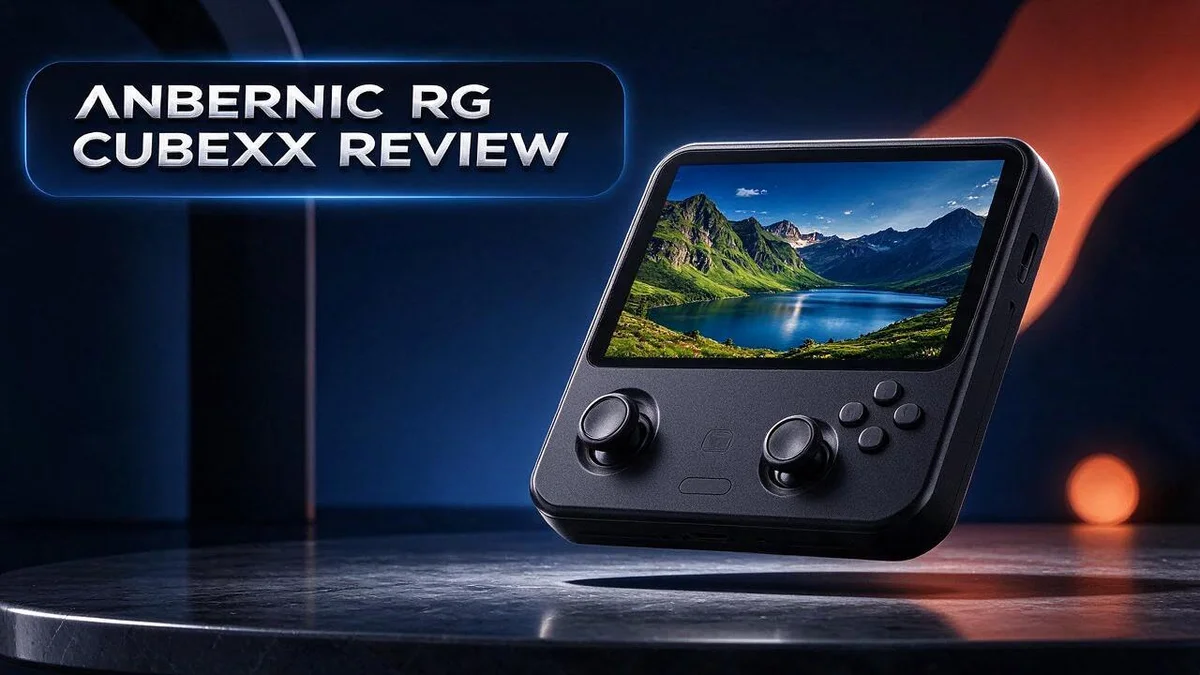
Anbernic RG CubeXX Review: Square-Screen Retro Handheld Tested
Retro gaming fans love small handhelds that feel good in the hand. The Anbernic RG CubeXX is one of those devices that gets people talking.
It packs a 3.95-inch IPS screen with a square 720×720 display. This square screen changes how classic games look.
Systems like the NES, Game Boy, and PICO-8 fit the frame nicely. The device also boots faster than older models. Its hibernate support feels smoother, too.
Dreamcast games run at about 50 to 55 frames per second, which feels surprisingly smooth.
In this guide, we look at what works, what does not, and who should pick it up.
In a Nutshell
-
Faster startup: The RG CubeXX boots quicker than earlier Anbernic models. Players spend less time waiting and more time playing their favorite titles.
-
Better sleep mode: Hibernate support works better here. You can pause a game and pick it up later without fuss, which helps on busy days.
-
Cleaner design: The interface feels more elegant and simple. Theme support lets you change the style to match your taste, so the device feels personal.
-
Comfortable feel: Many reviewers say this handheld sits well in the hands during long sessions. Its screen is often called the best in its class.
-
Shared hardware: It uses the same chip as the RG40XXV and RG35XX SP. Fans of those models will feel right at home with the performance.
-
Things to watch: The default interface is not the most attractive out of the box. Dreamcast play also has some rough edges. Rivals like the Powkiddy RGB30, Powkiddy RGB20SX, and Anbernic RG Cube are worth comparing before you decide.
Display and Screen Quality

- 【RG CubeXX Portable Retro Handheld Game Console】Anbernic RG Cube XX handheld game console has a 3800mAh...
- 【Excellent System】RGCube XX portable game console adopts H700 quad-core ARM Cortex-A53 CPU and dual-core...
Last update on 2026-11-06 / Affiliate links / Images from Amazon Product Advertising API
The screen shapes almost every moment you spend with the RG CubeXX. Your eyes stay on this small panel for every game, menu, and setting you open.
Because the screen is square, the picture takes a different form than most handhelds use. Widescreen games show black bars above and below the image. This is normal for a square panel, so you should expect it before you start playing.
At 720 by 720 pixels, the image looks sharp on a screen this size. The pixels pack tightly together, so small text and icons stay easy to read. Menus feel clear even when you scroll through a long game library.
The IPS panel keeps colors steady when you tilt the handheld. Friends sitting beside you can see the same bright image without a washed out look. This helps when you share a game on the couch or pass the device around the room.
Brightness deserves a closer look. Bright rooms can make dark scenes hard to follow, so check the brightness settings before a long session. Small changes can make a big difference in how easy the screen feels to use.
Classic pixel art also looks lively on this panel. Bright palettes and sharp sprites pop with warm color, which gives older games a fresh feel. Many players will enjoy how the colors bring back memories of their favorite titles.
The Powkiddy RGB20SX uses the same 1:1 screen, so the panel alone will not separate these two models. Buyers should compare the interface and overall feel to decide which one fits their style best.
Retro fans who care about crisp pixels will appreciate this display most. Players who want a wide screen for modern games may want to look elsewhere. For most classic game lovers, the screen is a strong reason to pick this handheld.
Performance and Emulation
Emulation is the real test for any retro handheld. Smooth play matters most, because retro fans notice slowdowns quickly. The RG CubeXX handles lighter systems with ease, and classic games feel natural from the first press.
Heavier titles ask more from the chip. Some Dreamcast scenes may stutter, so you might need to adjust a few settings.
Try lowering the internal resolution or enabling frameskip. These tweaks can lift the pace without changing the game itself. Test each change to see what works best.
Save states also help with tough sections. You can save your progress at any moment and return later. This feature takes pressure off difficult boss fights.
Choosing the right emulator core matters too. Different cores for the same system can perform in different ways. Swap cores when a game runs poorly, and check community forums for suggested settings.
Fast platformers and shooters need quick responses. Look for the run ahead option in your emulator if the core supports it. This feature can cut input lag and make each jump feel precise.
Sound quality also plays a role in immersion. Set audio levels early so music and effects stay clear during long play sessions.
Organization helps more than most people expect. Keep ROMs sorted into folders for each system. A clean library loads faster and makes browsing less frustrating.
Patience pays off when you tune a new handheld. Spend an evening testing your favorite games. You will learn which titles run best and which need extra care.
Who gets the most from this performance? Fans of 2D games, classic consoles, and the fantasy console PICO-8 will feel right at home. Heavier 3D titles call for realistic expectations.
Ergonomics and Build Comfort
Comfort does more than feel nice. It decides how long you can play before your hands start to ache. Small details shape that experience more than most people expect.
Weight and balance matter most. A handheld that feels light in a store can feel heavy after an hour. Check whether the weight sits near the center or pulls toward one side.
Hold the unit for at least ten minutes before you decide. Short tests can hide problems that only appear later.
Your thumbs do most of the work. They move across the face buttons, the directional pad, and the analog sticks again and again. If they stretch or cramp, you will notice it quickly.
Shoulder buttons deserve attention too. Your index fingers rest on them during fast action. Reachable triggers keep your wrists relaxed during racing games and shooters.
Posture changes the feel as well. Some players rest the unit on a table, while others hold it on a couch with their arms bent. Try both positions before you settle on a habit.
Hand size plays a role in the fit. Large hands may want more room along the sides, while smaller hands may prefer a snug grip. Neither choice is wrong, but each one changes how the device feels.
Heat can also affect comfort. Warm spots near your palms make a session less pleasant. Give the device a short break if the back or grips start to feel hot.
Breaks help more than most players realize. Pause every half hour, stretch your fingers, and roll your shoulders. Your hands will thank you later.
Finally, test the device with your own favorite games. Play a fast platformer and a slow puzzle title. Notice how your hands respond to each style before you commit to long sessions.
Top 3 Alternatives
Anbernic RG35XX Plus
No products found.
The Anbernic RG35XX Plus is a small handheld that fits easily in your pocket.
It has a bright screen and a comfortable grip. Many players enjoy it for smooth classic gaming.
It supports a wide range of older systems. You can build a large library fast.
Its clean layout makes menus easy to learn. If you want a simple retro device, this model is a strong choice.
Miyoo Mini Plus

- Compatible with multi retro game: Miyoo mini plus support dozens of emulation multi classic game, support open...
- Immersive experience: Stereo sound effects, 3.5'' IPS screen; Linux optimized game system with higher running...
Last update on 2026-11-06 / Affiliate links / Images from Amazon Product Advertising API
The Miyoo Mini Plus is a compact console with a sharp display.
It feels light in your hands, so long sessions stay comfortable. Many fans choose it for excellent emulation of 8-bit and 16-bit classics.
Its simple button layout helps new users start fast. You can also add your own games with a basic memory card.
It also fits nicely into a bag. Overall, it offers a fun and easy experience for beginners.
Retroid Pocket 3+

- NO PRELOAD GAMES - Please note that no games are preloaded on Retroid Pocket 5. Before first use or after a...
- Powerful Performance – Equipped with a high-performance quad-core processor and advanced GPU, the Retroid...
Last update on 2026-11-06 / Affiliate links / Images from Amazon Product Advertising API
The Retroid Pocket 3+ is a larger handheld with a bright, sharp screen.
It runs a wide range of systems, including some newer ones. Players who want more power often pick this model.
Its ergonomic shape supports long gaming sessions. The device also lets you play on a TV with a cable.
Many gamers rate its build quality highly. If you want a powerful device with room to grow, this one is a smart upgrade.
Interface, Themes and Ease of Use
The interface is the first thing you see on the RG CubeXX. You spend most of your time in the menus before any game starts, so it pays to set them up well.
Themes make a big difference. Theme packs change colors, icons, fonts, and the layout of each console list. Many players swap themes until the menu feels like their own space.
Start with a theme that suits your taste. Try a bright option for daytime sessions and a darker one for night play. Simple changes like this keep the experience fresh.
Ease of use depends on how the menu handles long lists. Scrolling through a big library can feel slow if the layout is crowded. Grid views and folder sorting often help you find games faster.
Button mapping also shapes how smooth the menu feels. Remap the face buttons so confirm and back sit where your thumb expects them. Many players skip this step, yet it prevents small mistakes.
Hotkey combinations save time. They open menus, adjust volume, and return you to the home screen without a full reset. Learn these combinations early. They cut down on frustration when you switch between games.
Favorites and recent lists help too. Mark your top titles so they appear at the top of the list. Recently played sections let you return to a game in seconds.
Scaling options matter as well. Adjust them so retro games fill the screen without odd borders. Small tweaks like this make the whole interface feel polished.
Updates can change the interface, too. Check for new firmware or theme releases now and then. Read the release notes first, because a new version may reset your custom settings. Back up your save files before any update.
Ease of use grows with practice. Most players feel lost during the first day. After a few sessions, moving through menus becomes second nature. Write down the shortcuts you use most, and the whole setup will feel smooth.
Retro System Compatibility and Sleep Behavior
The RG CubeXX runs a wide mix of classic systems with ease. Its square screen suits many older games built for a 4:3 shape. NES and Game Boy titles look especially clean on this display.
Other systems need more care. Some newer consoles ask more from the chip, so performance can vary. The Dreamcast runs at about 50 to 55 frames per second, which feels smooth for most players. Still, it does not run every title perfectly.
Because it shares its chip with the RG40XXV and RG35XX SP, you can expect similar behavior across those models. Owners of those handhelds may already know how these systems respond.
Sleep behavior matters more than many players expect. A quick wake keeps your place in a game and saves time. The CubeXX offers better hibernate support than earlier models, so resuming play feels smoother.
Hibernate stores your current session. When you press the power button, the system saves the game state and rests. Later, the game returns to the exact spot you left.
Short breaks call for a different approach. Suspend mode turns off the screen while the system stays ready. This option saves power during quick pauses.
Long idle periods drain the battery even when the screen stays dark. Power down fully before you store the device for several days.
Test sleep and wake with your favorite titles. Start a game, put the device to sleep, and wait ten minutes. Then check whether the picture, sound, and controls return cleanly.
Some emulators need a moment to restore audio. Note any delay or glitch so you know what to expect. Keep notes on each system you use most.
Firmware updates can change sleep results. Read the release notes after each update and test again. Small changes can make a big difference in daily use.
Good habits protect your saves too. Keep a backup of important files on a computer or microSD card. You will feel more confident when you travel or switch games.
Pros and Cons
Pros
- Boots up quicker than many earlier Anbernic models.
- Classic systems like NES and Game Boy look right on the square screen.
- PICO-8 games fit the 1:1 display neatly.
- Dreamcast games run at about 50 to 55 frames per second.
- The display stands out as one of the best in its class.
Cons
- The default interface looks plain next to rival designs.
- Dreamcast results are good but not flawless.
- Players who want a wide screen may need to look elsewhere.
Who Should Buy It
The RG CubeXX suits a specific kind of player. If you love classic handhelds and puzzle games, this device fits your style well. It rewards people who care about how a game looks in the hand.
Collectors of Game Boy and NES titles will feel at home right away. Those games look neat on the square screen. Short play sessions suit those systems very well. Fans of PICO-8 also get a natural match, since those cartridges fit the 1:1 display.
Think about your daily life too. Commuters and frequent travelers often need a small device that slides into a bag. The compact body makes it easy to carry on a train or during a flight. Many people use it while waiting for appointments. Long sessions stay comfortable because the grip feels relaxed in the hands.
Casual Dreamcast fans should consider it as well. The system handles those titles at a pace that feels smooth for relaxed play. You may notice small dips now and then. Players who want flawless frame timing may feel let down.
Some players should look elsewhere, though. If you want a wide screen for modern handheld games, the square display will feel limiting. Widescreen fans often miss the extra space on the sides. Players who expect a flashy menu right out of the box may feel let down at first.
Those who play Dreamcast at full speed every day may also want a stronger machine. Power users often chase perfect performance across every title. Simple titles often shine on it for that reason. This device serves a different purpose.
Need a quick check? Ask yourself three simple questions. Do you enjoy systems that fit a square screen? Do you want a comfortable handheld for trips? Are you happy to tweak the look with themes? If you answered yes to most of them, this handheld could become your favorite companion.
Final Verdict
The Anbernic RG CubeXX finishes strong in our review. It offers a clear identity and a pleasant hands-on feel. Most fans of retro handhelds will enjoy it from day one.
This device does not try to be everything at once. Instead, it focuses on classic gaming. That focus keeps the experience clean and easy to understand.
Comfort is a major reason to choose this device. Long play sessions feel natural in the hands. Your fingers rest well without much effort.
The biggest strength is the screen. The square panel makes older games feel fresh and sharp. Few rivals in this size range match that clarity.
Still, the device has trade offs. The default look needs work, and demanding Dreamcast titles are not always flawless. Buyers should accept these limits before they commit.
Theme support gives you a way to fix the plain default look. Many players will enjoy customizing their setup over time.
Who should buy it? Retro collectors and puzzle fans can build a favorite library here. Casual Dreamcast players can also enjoy it.
Compare before you decide. Check the Powkiddy RGB30 if you want a different screen shape. Look at the Powkiddy RGB20SX if you want the same square panel in another body. Compare the standard RG Cube to see which upgrades matter to you.
Our final take is simple. The RG CubeXX suits players who love square screens and classic libraries. Anyone seeking a wide display for modern games should look elsewhere.
A quick word on expectations. Think of this handheld as a focused classic player. Most buyers will find the trade offs easy to live with. The strengths outweigh the flaws for fans of classic gaming. If you decide yes, enjoy the experience.
Frequently Asked Questions
What chip does the RG CubeXX share with other devices?
The RG CubeXX uses the same chip as the RG40XXV and the RG35XX SP. This means these devices share a similar core setup. If you already know one of them, the RG CubeXX will feel familiar. You can also expect similar results with the same game libraries.
How does it compare to the regular RG Cube?
The RG CubeXX is the XX version of the RG Cube family. The regular RG Cube is the non-XX model. Check which features matter most to you. Look at the boot speed, the hibernate support, and the interface before you choose. Each model fits a slightly different player.
What does better hibernate support mean for you?
Hibernate support lets you pause a game and return to it later. This saves time when you switch between games. It also helps you keep your place in a long session. The RG CubeXX handles this feature better than many earlier Anbernic models.
Which rival also has a square screen?
The Powkiddy RGB20SX uses the same 1:1 screen as the RG CubeXX. Compare both devices side by side. Look at the feel in your hands, the menu design, and the games you play most often. Your favorite systems will help you decide which one suits you best.

DK is a technology expert who specializes in AI tools, software, and tech gadgets. He writes for How to Tech Info, providing detailed reviews and practical guides. DK helps readers discover the best AI applications, navigate new software, and choose the right tech gadgets.