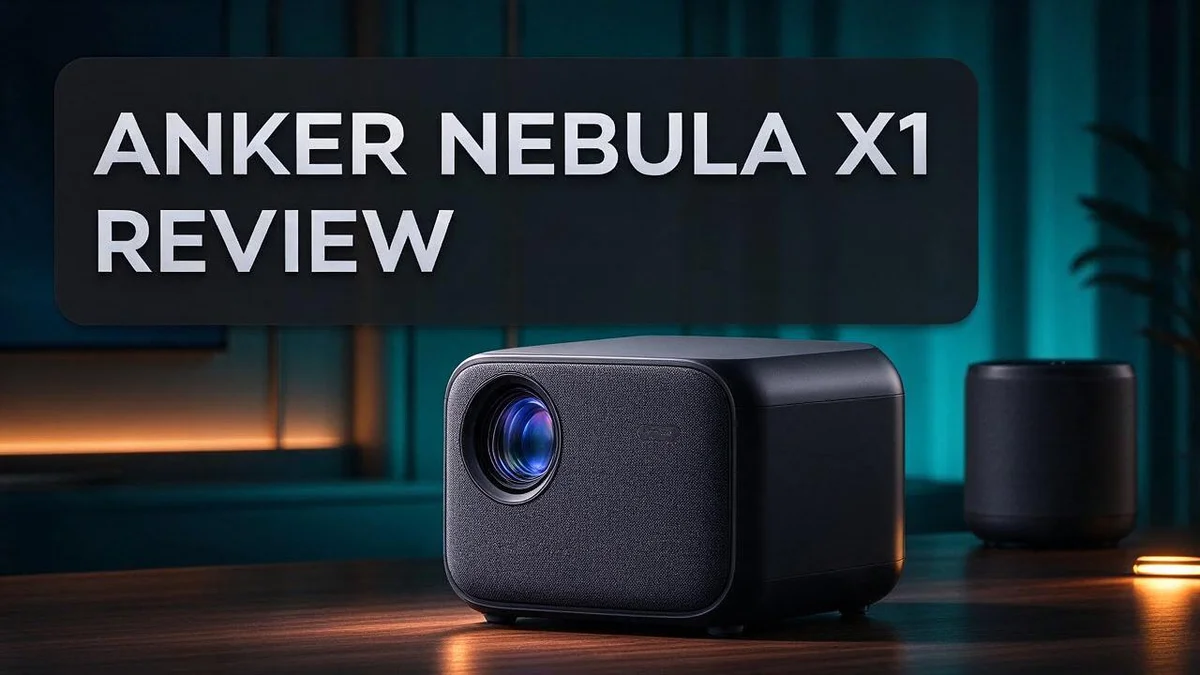
Anker Nebula X1 Review: Picture Quality, Brightness, Sound and Verdict
Looking for a projector that feels like a real home cinema? The Anker Nebula X1 might be the answer you need.
Setup is quick. Most of the work happens on its own, so you can start watching sooner.
Triple RGB laser light brings bright, vivid pictures into your room. Autofocus and keystone correction help the image fit your wall without fuss.
The build feels solid from the first touch. The internal speakers add surprising depth for movie nights.
Here is what this review covers. We look at picture quality, sound, daily use, and where the projector falls short. You will get a clear view before you decide.
In a Nutshell
-
Sound comes built in: The X1 uses four internal speakers, plus two woofers and tweeters for fuller audio. Many viewers may skip extra speakers for movie nights and still enjoy rich sound.
-
Smart adjustments happen on their own: Autofocus, keystone correction, zoom, and obstacle avoidance adjust the picture for you. Placement becomes far less of a chore, especially in rooms where you cannot place the projector in an ideal spot.
-
Dolby Vision support: The projector handles Dolby Vision content, so compatible films and shows display the way their creators intended. This makes it a strong pick for fans who watch HDR titles often.
-
Color modes stand out: MOVIE and ISF DAY modes earn top marks for HDR10 color accuracy. They offer a great starting point for most viewers before any manual tweaks.
-
Reds need extra care: Mid-tones in reds and yellows can look compressed. Bright reds sometimes appear oversaturated, so test your settings with familiar footage before settling on a favorite mode.
-
Some sharpening issues appear: A few images look overly sharpened. The color management system also follows an unusual workflow, which may take time to learn.
Picture Quality and Color Accuracy

- Certified Cinema-Grade Color: Dolby Vision brings the contrast and depth that streaming services encode but...
- See Every Shade Of Darkness With Ultra-High Contrast: Experience deeper blacks and sharper shadow detail for...
Last update on 2026-11-05 / Affiliate links / Images from Amazon Product Advertising API
Picture quality shapes how much you enjoy every movie night. The X1 aims for lifelike images, but color behavior deserves a closer look. Let us break down what you can expect.
Faces draw the most attention. Viewers notice skin tones first, so small shifts stand out quickly. Test a few scenes with people before you settle on your final settings.
Room lighting changes everything. A bright room can wash out colors, even with strong output. Dim the lights and close the curtains for the richest look. Your eyes judge color far better in a darker space.
Calibration takes patience. The color management system follows an unusual workflow. You cannot rely on typical calibration guides. Plan extra time for trial and error, and write down your favorite settings.
Geometry needs a fresh check. Saved geometry does not work as expected, so each setup may need a manual review. Check the image edges after you move the projector. Straight lines help keep colors clean along the borders.
Screen choice matters more than many people expect. A bright white wall can make colors look flat. A light gray or dedicated projector screen often helps the image pop with more depth.
Distance changes the look too. Placing the projector at the right throw distance keeps the image crisp. Measure your space first, then pick a spot that gives a comfortable picture size.
Content quality makes a difference. Streaming sources with higher quality settings often look smoother. Disc releases and well mastered HDR files usually show the projector at its best. Choose your sources with care.
Your final verdict on color. The X1 delivers vivid, lively images with solid HDR10 results. With a little tuning, most viewers will feel happy with the picture. Test it in your own room before you decide.
Brightness and Projection Performance
Brightness decides whether a projected picture feels lively or flat. The X1 lists an output of up to 3500 ANSI lumens on paper.
Lumen ratings only tell part of the story. Some listings mix the X1 and X1 Pro, so the real output may differ by model.
Light output matters most as the image grows. A larger picture spreads the same light over more space, so it can look dimmer.
Big screens need extra punch. At 100 inches or more, the extra output keeps fine details easy to see.
HDR content gains the most from strong light. Bright highlights like sunlight, fire, and neon signs stand out with more sparkle.
Contrast matters just as much. Deep shadows depend on how well the projector controls black levels, so dark scenes may look slightly gray in some setups.
Seating angles matter too. Guests sitting at the sides see a dimmer image, so strong output helps everyone enjoy the same picture.
Sports and cartoons also benefit. Fast motion and bright colors look crisp when the projector delivers enough light.
Measure your room before deciding how much output you need. Larger spaces often call for more light to keep the picture clear.
Light levels can shift while the projector warms up. Give it a few minutes before judging the picture.
Brightness also affects comfort. Lower output works better for late night viewing, when a softer picture feels easier on the eyes.
Lower settings may also help the light source last longer. Owners who watch often can balance comfort and lifespan over time.
The front glass lens uses fourteen elements to shape how light leaves the projector. A quality lens helps keep edges clean and colors even across the screen.
Good brightness sets the stage for every other feature. Once the light feels right, color and sharpness settings become easier to judge.
Overall, the X1 delivers bright pictures for large walls and movie nights. Its output suits viewers who want a cinema feel at home.
Sound and Built-In Speakers
Sound matters just as much as the picture during movie night. The Nebula X1 includes its own speaker system, so you can start watching right away.
Inside the body, you find four internal speakers. They work together to fill the room with sound from several directions.
The system also includes two 15W woofers. These handle low tones like rumbling engines and soft bass lines.
Bright sounds such as chimes, voices, and sharp effects come from the 5W tweeters. Together, the parts create a fuller and more balanced mix than a single small speaker could manage.
Dialogue often comes through clearly. Voices sound natural in most scenes, so you can follow the story without straining your ears.
Built in audio works well for casual viewing. A small group can gather around the screen and enjoy a show without any extra gear.
Deep bass may still feel light. Large action scenes can lack the punch you get from a dedicated sound bar. Many viewers connect an outside speaker for a bigger low end.
Placement changes the sound too. Keep the projector away from corners and heavy curtains, since these can make the audio sound boxy or muffled. Try a few spots before you settle on the final position.
Volume also needs balance. Turning the sound up high can cause harsh peaks, so keep the level comfortable and let the speakers do their job.
Setting up the audio takes only a moment. Open the onscreen menu and choose the sound mode that fits your room. Small changes often make a big difference.
Background noise matters too. Fans and room hum can hide quiet dialogue, so pick a quieter fan mode when one is available.
Streaming apps also give you control. Many apps let you choose an audio track, so pick the one that sounds best to you.
Family movie nights benefit most from built in sound. Kids and adults can hear the same lines without any extra cables or setup.
Wireless speakers or a sound bar can join the setup when you want fuller sound. Good sound makes every scene feel more real. Try the built in speakers first, then decide if you want an upgrade.
Top 3 Alternatives
Anker Nebula Capsule II

- Super-Sized Screen, Portable Design: Capsule 3 is an all-new ultra-portable Google TV projector licensed by...
- Take the Big Screen Anywhere: With a max screen size of 120 inches, Capsule 3 delivers a cinema-level...

Last update on 2026-10-07 / Affiliate links / Images from Amazon Product Advertising API
The Anker Nebula Capsule II is a small, portable projector that fits in a pocket. It runs on Android TV, so you can stream apps like Netflix and YouTube without a laptop. Its built-in speaker delivers clear sound for movie nights in any room.
It offers autofocus and auto keystone correction. These features help you set up the screen in seconds. Many users pick it for camping trips, dorm rooms, or quick backyard shows.
XGIMI MoGo 2 Pro

- Multi-angle Rotation: 120° Adjustable Angle. Easily switch your projected image from the wall to the ceiling.
Last update on 2026-11-05 / Affiliate links / Images from Amazon Product Advertising API
The XGIMI MoGo 2 Pro is a compact projector with a bright, sharp picture. It also uses Android TV, so app access is simple. Its battery lets you watch for hours away from a wall outlet.
This model includes a rotating lens cap and smart screen fit tools. It adjusts the image to fit your wall. Families often choose it for weekend movies and gaming sessions.
Samsung Freestyle Projector

- POINT & PLAY: Pick a spot, place it, tilt it and watch content come to life with the smart theater that makes...
- EASY SET UP: Let The Freestyle 2nd Gen with Gaming Hub do the work with its Auto Leveling, Auto Focus and Auto...
Last update on 2026-06-09 / Affiliate links / Images from Amazon Product Advertising API
The Samsung Freestyle Projector stands out for its flexible design. You can point it at the ceiling, a wall, or the floor. Its Smart TV platform gives you access to many streaming services.
It also works with Bixby voice control and Samsung SmartThings. Many people use it as a bedroom or kitchen display. It turns plain spaces into a casual viewing area.
Check each option’s specs before you decide. Look at brightness, battery life, and sound quality. The right choice depends on where you plan to watch. Pick the one that fits your daily routine and viewing habits.
Build Quality, Setup and Automated Features
The Nebula X1 feels solid from the moment you lift it out of the box. Its outer shell looks neat and feels firm in your hands.
The front lens also draws attention. It uses a 14 element glass design that gives the projector a polished look. Sturdy parts matter more than many people expect. A firm body keeps the internal motors and sensors in place over time.
Setup begins with the automated features. Most of the hard work happens on its own. Autofocus locks the picture into sharp focus within moments. Keystone correction straightens the image when the projector sits at an angle.
Obstacle avoidance helps when a chair, lamp, or wall blocks part of the beam. The projector reshapes the picture to work around it.
Zoom and motorized controls let you adjust image size without tools. You spend less time crouched beside the unit and more time watching.
Automation works best with a steady base. Place the projector on a level surface so the sensors can read the wall clearly. A stable frame also handles regular moves between rooms with less stress on the parts.
Frequent movers will appreciate how the body holds its shape during transport. Give the picture one quick look after any move. A short check helps you spot small shifts before movie night starts.
Keep the lens clean for the best view. A soft cloth removes dust that can soften the image.
Some users may still want to tweak the final picture by hand. That extra control is simple to reach through the menus.
The X1 suits people who want quick results. It turns a basic setup into a short and easy task. Anyone who prefers less manual adjusting will likely enjoy how the automation handles the early steps.
Pros and Cons
Pros
- Movie and ISF Day modes show accurate colors for HDR10 films.
- Triple RGB laser light offers a wide range of colors.
- Dolby Vision support adds detail to compatible movies.
- Reds and yellows stay bold in standard viewing modes.
Cons
- Reds and yellows can lose detail in the midtones.
- Bright reds can look too intense.
- Some scenes look oversharpened.
- Saved geometry settings do not work as expected.
Who Should Buy It
The Nebula X1 suits families who watch together. It fits a living room where kids, parents, and grandparents gather for weekend shows. Anyone can start a movie without reading a long manual.
Renters and frequent movers also gain a lot. You can carry the unit to a new room without drilling holes. Pair it with a portable screen, and your home theater travels with you.
Movie nights also feel more social. A large image draws the group onto the couch. Everyone shares one screen instead of crowding around a small tablet.
Small spaces can benefit too. If your room lacks space for a large television, a projector can throw a big picture across a bare wall. Measure the throw distance first so the image fits your layout. Placing the unit on a shelf or table can also save floor space.
Casual viewers will likely enjoy it most. Streaming fans who watch films, sports, or series on weeknights get an easy routine. They do not need perfect color control to enjoy a good evening in.
Sports fans can enjoy a big screen during live matches without buying a huge television.
Buyers who need strict color workflows should look elsewhere. The unusual CMS workflow makes precise tuning harder. Professional editors and reviewers need a process they can trust. Compare options like the BenQ TK700STI or the Epson 2350 4K before you decide.
Gamers should check one detail first. The research does not cover input lag, so verify it before planning any gaming sessions.
Viewers sensitive to sharpness or intense reds should test the picture in person. Watch a few familiar scenes and judge the tone for your own eyes. Look at reds in bright scenes, and check the sharpness in faces. A quick look can prevent disappointment later.
Choose it for a simple, flexible projector. Skip it if strict color accuracy tops your list.
Final Verdict
So, is the Nebula X1 worth your time? Overall, yes for most home viewers. It delivers a bright, fun picture with very little fuss.
The projector suits anyone who wants an easy start. You plug it in, let the sensors work, and start watching. Few projectors make the first night this simple.
However, this is not a tool for perfectionists. Color experts will feel held back by limited controls. The calibration steps also differ from standard methods.
Think about how you plan to watch. A dim room and family films suit this projector well. If you want a neutral, accurate image, look at other models.
Keep in mind that some sources mix up the X1 and X1 Pro. Always confirm the exact model before you buy. Listed specs, such as the weight, may not match your unit.
Before you decide, compare the X1 with a few rivals. The XGIMI Horizon Ultra and BenQ TK700STI each offer different strengths. Check their color modes, brightness, and sound against your own needs.
Room size matters too. A large, pale wall gives the best result. A cramped space may limit the image, so measure first.
If you plan to upgrade later, think about future needs. Streaming apps, game consoles, and sound systems change over time. Choose a projector that fits your next few years, not just tonight.
Expect a learning curve for the color settings. Spend a few evenings testing modes. Small tweaks can make the picture feel more natural.
In short, the Nebula X1 earns a spot in a casual home theater. It suits families, renters, and sports fans. Serious color editors should keep looking.
A quick demo shows how the picture handles your lighting. Test it in person if you can.
Bottom line: pick the Nebula X1 for fun, easy movie nights. Skip it if accurate color matters most. Your room, habits, and patience will decide the result.
Most households will find it a fun, practical pick. Then choose with confidence.
Frequently Asked Questions
Do I need separate speakers with the Nebula X1?
The built-in audio handles everyday viewing well. The projector uses four internal speakers, plus woofers and tweeters for fuller sound. For a bigger theater feel, pair it with a soundbar. Casual movie nights usually need nothing more.
How bright is the Nebula X1 in a lit room?
The unit reaches up to 3500 ANSI lumens. That output helps in rooms with some daylight or lamps on. Still, dim lighting gives you the richest contrast. Close the curtains for the best results.
Can I trust the weight listed online?
Some listings show a weight of 72.4 lbs. That number looks wrong and has not been verified. Check the seller’s spec sheet before you plan your mount or shelf. A quick measurement at home also gives you peace of mind.
Does the lens affect picture quality?
The projector uses a 14-element front glass lens. This design helps the image stay sharp from edge to edge. Keep the lens clean and free of dust. A simple wipe with a soft cloth can make a visible difference.

DK is a technology expert who specializes in AI tools, software, and tech gadgets. He writes for How to Tech Info, providing detailed reviews and practical guides. DK helps readers discover the best AI applications, navigate new software, and choose the right tech gadgets.