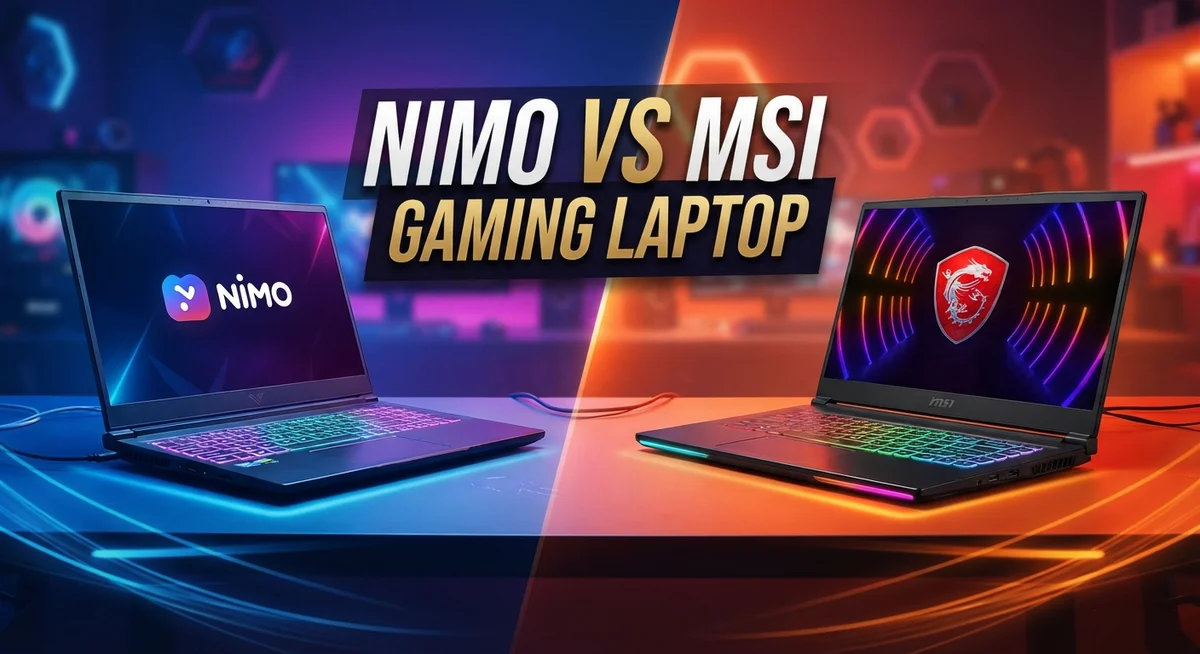
NIMO vs MSI Gaming Laptop: Specs & Performance Comparison
Picking a new laptop can feel tricky. Two names often come up in this search: Nimo and MSI.
These two laptops serve very different needs. One focuses on light, everyday tasks.
The other targets serious gaming power.
Nimo laptops offer a simple, portable design. They work well for students and casual users who want a reliable machine for daily tasks.
MSI gaming laptops bring high-end hardware to the table. They pack strong processors and dedicated GPUs for demanding games and creative work.
This guide breaks down both options side by side. We will look at their displays, performance, and build quality.
By the end, you will know which laptop fits your lifestyle. Let’s explore what makes each one stand out.
Quick Comparison: Nimo vs MSI Gaming Laptop
| Feature | Nimo | MSI Gaming Laptop |
|---|---|---|
| Display | 15.6″ IPS FHD | 17.3-18″ FHD-QHD+ 240Hz |
| Processor | Ryzen 5/Intel, up to 3.7GHz | Intel Core Ultra 9 185H |
| Graphics | Integrated, light gaming | NVIDIA RTX 4080/GTX options |
| RAM/Storage | 16-32GB RAM, 512GB-1TB SSD | High-capacity configs available |
| Battery Life | ~5 hours average | Shorter, high-performance drain |
| Build & Design | Lightweight, clean aesthetics | Bulky, ergonomics criticized |
| Cooling/Thermals | Efficient, low heat | Thermal concerns noted |
| Warranty | 2-year warranty | Standard manufacturer warranty |
Nimo Review

- 【Immersive 15.6" FHD Anti-Glare Display – Work & Study with Visual Comfort】 Features a 15.6-inch Full HD...
- 【Unmatched 16GB RAM & Massive 1TB SSD – Seamless Multitasking & Massive Storage】 Packed with 16GB DDR...
Last update on 2026-08-16 / Affiliate links / Images from Amazon Product Advertising API
The Nimo is a lightweight, portable laptop designed for everyday computing and casual users. It brings a clean aesthetic with solid build quality that won’t weigh you down during commutes or travels.
Under the hood, you’ll find either an AMD Ryzen 5 or Intel processor paired with up to 32GB RAM and 1TB SSD storage. The 15.6″ IPS FHD display delivers crisp visuals for work, streaming, and light gaming tasks.
This machine handles everyday applications smoothly thanks to its power-efficient architecture and 65W Type-C charging. Battery life sits around 5 hours, making it practical for a school day or office shift without constant searching for outlets.
Real-world performance shines for browsing, document editing, and casual gaming—not demanding AAA titles. The 2-year warranty provides peace of mind, and the overall package appeals to students, remote workers, and anyone seeking a no-fuss computing companion.
Pros
- Lightweight and travel-ready design fits easily into backpacks
- Clean aesthetics with solid build quality feel premium for the segment
- Power-efficient performance handles daily tasks and light gaming well
- Includes 2-year warranty for added protection
Cons
- Battery life maxes out around 5 hours on typical use
- Limited GPU means demanding games run poorly
- Entry-level processors won’t handle heavy multitasking or professional software
MSI Gaming Laptop Review

- Intel Core i9 HX Power for Elite Gaming: Dominate demanding titles with the Intel Core i9-14900HX and its...
- GeForce RTX 5070 With Ray Tracing & DLSS 4: Powered by NVIDIA Blackwell, the RTX 5070 delivers stronger ray...

Last update on 2026-07-10 / Affiliate links / Images from Amazon Product Advertising API
The MSI Gaming Laptop is a high-performance machine built for serious gamers and content creators. It combines cutting-edge hardware with display technology that demands attention from anyone seeking genuine gaming power.
Under the hood, you get an Intel Core Ultra 9 185H processor running at 3.8GHz paired with an NVIDIA RTX 4080 graphics card featuring 12GB GDDR6 memory. This combination handles demanding AAA titles, video editing, 3D rendering, and streaming without breaking a sweat.
The display options range from FHD to QHD+ with 240Hz refresh rates and 100% DCI-P3 color accuracy. These screens deliver smooth, vibrant visuals that serious gamers and professionals genuinely need for competitive play and creative work.
Build quality reflects its positioning as a premium gaming system, though some users report ergonomic design choices feel uninspired. Real-world performance excels in resource-heavy applications where raw GPU and CPU power matter most.
Pros
- Dedicated NVIDIA RTX 4080 GPU handles AAA gaming and professional workloads with ease
- High refresh rate displays (up to 240Hz) provide smooth, responsive visuals for competitive gaming
- Intel Core Ultra 9 185H delivers consistent performance across demanding applications
- QHD+ color-accurate screens benefit content creators and designers
Cons
- Design and ergonomics received criticism for lacking refinement
- Thermal management concerns noted in some usage scenarios
- Overkill specifications for casual browsing or everyday computing tasks
Head to Head: Key Differences
The processor choice marks the first major split between these two laptops. Nimo uses AMD Ryzen 5 or Intel chips with up to 3.7GHz and 4 cores, while MSI equips its machine with an Intel Core Ultra 9 185H running at 3.8GHz with significantly more cores.
For everyday tasks like email and web browsing, both handle the workload fine, but MSI pulls ahead for multitasking and heavy applications.
Graphics capability reveals the biggest performance gap. Nimo relies on integrated graphics built into its processor, which means casual gaming and video playback work smoothly.
MSI includes a dedicated NVIDIA RTX 4080 GPU with 12GB of memory, transforming the laptop into a powerhouse for demanding games and professional software like 3D rendering.
Display quality differs substantially between the two. Nimo offers a 15.6 inch IPS FHD screen with solid color accuracy for everyday use.
MSI provides larger 17.3 to 18 inch displays with options reaching QHD+ resolution and 240Hz refresh rates, delivering sharper images and ultra smooth motion for competitive gaming.
Portability and design take opposite approaches. Nimo prioritizes lightweight construction and clean aesthetics, making it ideal for students and travelers who move between locations frequently.
MSI focuses on gaming performance over mobility, resulting in a heavier system optimized for stationary desk setups.
Battery endurance shows practical differences too. Nimo achieves around 5 hours of real world use with its power efficient design.
MSI gaming sessions drain the battery much faster due to the high performance GPU and large display constantly drawing power.
The choice depends on your actual needs. Pick Nimo for portability and everyday computing.
Choose MSI if you demand serious gaming or professional grade performance.
Which One Should You Buy
The MSI Gaming Laptop stands out as the overall winner in this comparison. It offers a high-end processor, dedicated RTX graphics, and a premium high-refresh display.
These features give it vastly superior performance for demanding tasks. Some minor ergonomic and thermal drawbacks exist, but they don’t outweigh its strengths.
For users who need raw power and visual quality, the MSI Gaming Laptop is the clear choice. The Nimo still holds value for a different type of user.
Best for each buyer
- Nimo: Best for students and casual users who want a lightweight, portable laptop for everyday computing and light gaming.
- MSI Gaming Laptop: Best for serious gamers and content creators who need top-tier graphics performance and premium display quality.
Frequently Asked Questions
Which laptop is better for gaming?
The MSI Gaming Laptop wins for serious gaming. It packs an NVIDIA RTX 4080 GPU with 12GB memory, which crushes demanding games at high settings.
The 240Hz display option keeps gameplay smooth and responsive.
The NIMO handles light gaming fine. Think indie games and older titles.
For AAA games at high framerates, MSI is the clear choice.
Can I use NIMO for schoolwork and streaming?
Yes, NIMO works great for school tasks. It runs email, web browsing, and document editing smoothly.
The lightweight design makes it perfect for carrying between classes.
For streaming or content creation, MSI pulls ahead. Its Intel Core Ultra 9 185H processor and RTX 4080 handle video encoding without breaking a sweat.
NIMO would struggle with live streaming or video rendering.
Which laptop lasts longer on battery?
NIMO offers around 5 hours of battery life. That gets you through a school day or work shift with a midday charge.
MSI focuses on performance over battery longevity. Gaming laptops drain batteries faster due to high-power components.
Expect shorter sessions away from outlets.
What if I travel frequently?
NIMO is the travel champion. At 15.6 inches, it fits easily in backpacks.
The lightweight build means less strain during long trips.
MSI’s 17.3 to 18 inch display is bigger and heavier. It’s better suited for a stationary desk setup or occasional transport in a dedicated laptop bag.
Should I pick based on display quality?
MSI offers superior displays. QHD+ resolution with 100% DCI-P3 color accuracy serves content creators and gamers beautifully.
NIMO’s 15.6 inch FHD IPS screen is sharp and clean for everyday work. It won’t impress photo editors, but it’s perfectly fine for browsing and documents.

DK is a technology expert who specializes in AI tools, software, and tech gadgets. He writes for How to Tech Info, providing detailed reviews and practical guides. DK helps readers discover the best AI applications, navigate new software, and choose the right tech gadgets.