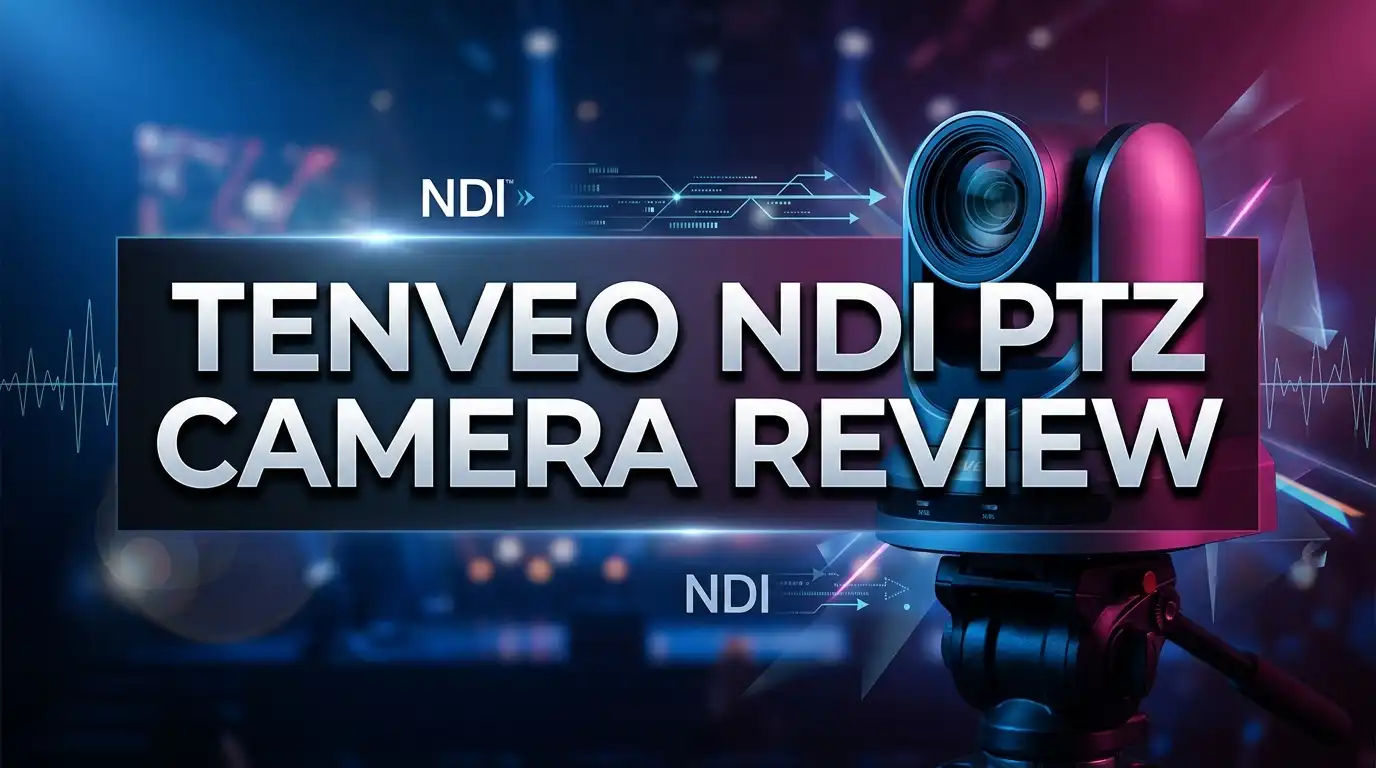
Tenveo NDI PTZ Camera Review: 4K Streamer Worth Your Money?
Live streaming used to demand a truck full of gear. Today one small camera on a wall mount can feed a whole production. The Tenveo NDI PTZ camera sits right in that sweet spot, and it costs a fraction of what the big broadcast names charge.
You have probably seen these cameras in churches, lecture halls, and city council rooms. They pan, they tilt, they zoom, and they push video across an ordinary network cable. No long HDMI runs. No capture card. Just one wire doing every job at once.
But cheap PTZ cameras have a reputation. Soft images. Laggy control. Firmware that fights you. So the real question is simple. Does Tenveo actually deliver broadcast style results at a street price?
I dug into the specs, the user feedback, the NDI workflow, and the real world quirks. This review covers image quality, tracking accuracy, connectivity, setup time, and the alternatives worth comparing before you spend a dollar. By the end you will know exactly who this camera fits and who should walk away.
Let us get into it.
In a Nutshell
Short on time? Here is the fast summary of everything this review covers.
- The core hardware is strong for the price. The flagship model pairs a Sony 1/2.8 inch CMOS sensor with 20X optical zoom, and it outputs 4K at 30fps or 1080p at 60fps. That sensor choice is the single biggest reason the image looks cleaner than most budget rivals.
- NDI is the headline feature. One network cable carries video, audio, control, and power over PoE. You place the camera anywhere your LAN reaches, then pull it into OBS, vMix, or Zoom with a couple of clicks. This alone saves hours of cable routing.
- AI auto tracking works, with limits. Humanoid and face tracking follow a single presenter across a stage without an operator. It handles a pastor or lecturer well. It gets confused in crowded frames.
- Connectivity is generous. HDMI, USB, LAN, and SDI on select models mean the camera fits into almost any existing rig. You are not locked into one workflow.
- The value is the real story. Street prices hover near $380 to $430, while comparable NDI cameras from established brands often start at double that. You trade some polish and support depth for serious savings.
- It is not a broadcast truck camera. Low light performance softens, and the menu system feels utilitarian. Know that going in and you will be happy.
Tenveo 4K NDI PTZ Camera: The Main Event

Last update on 2026-08-06 / Affiliate links / Images from Amazon Product Advertising API
This is the model most buyers land on, and for good reason. It packs the full feature list into one body without asking for a professional budget.
The headline spec is a Sony 1/2.8 inch CMOS sensor with 8.29 megapixels of effective resolution. That sensor drives 4K output at 30 frames per second, or smooth 1080p at 60 frames per second when motion matters more than pixel count.
Zoom range reaches 20X optical. Focal length runs from roughly 4.95mm at the wide end to 99mm at full telephoto. You can frame a whole sanctuary or pull tight on a single face from the back of the room.
Pan and tilt motors are quiet. The camera sweeps a wide horizontal range and a generous vertical range, so ceiling mounting and rear wall mounting both work without dead zones.
AI humanoid and face auto tracking runs onboard. No external computer needed. The camera locks onto a subject and keeps them framed while they move.
Outputs include HDMI, LAN with PoE, and USB. The network port handles NDI video, camera control, and power on a single run of Cat5e or Cat6.
Build quality feels solid. The matte black housing measures roughly 9.7 inches wide, 6.5 inches deep, and 6.7 inches tall. It looks professional on a wall bracket rather than like a toy.
At its typical price point near $381, this camera undercuts most NDI competitors by a wide margin.
What NDI Actually Does for Your Setup
NDI stands for Network Device Interface. It is a protocol that sends video, audio, and metadata across a standard IP network in real time.
Think of it this way. Traditional video needs one dedicated cable per signal. NDI turns your ordinary office network into a video highway that carries everything at once.
The practical benefits stack up fast. You run one Cat6 cable to the camera. That cable delivers power through PoE, carries the video back to your switcher, and passes pan tilt zoom commands in the other direction.
Compare that to an HDMI run. Past about 50 feet HDMI needs extenders, and every extender is another box that can fail during a service or a keynote.
NDI also scales beautifully. Add a second camera and you add one cable to the same switch. Add a fifth and nothing changes. Your software sees every source on the network automatically.
Latency stays low. On a clean gigabit network you are looking at roughly a frame or two of delay, which is invisible for streaming and fine for most live switching.
The Tenveo camera appears as a discoverable source in NDI Studio Monitor, OBS Studio, vMix, Wirecast, and Resolume. You do not install drivers. The network finds it and lists it by name.
One caution. NDI eats bandwidth. Full NDI on multiple 4K cameras wants a dedicated gigabit switch. NDI HX compresses harder and runs comfortably on shared networks.
Design, Build, and Mounting Options
Pick up the Tenveo and the first impression is heft. The chassis feels dense rather than hollow, which matters because a light PTZ head wobbles when it moves fast.
The finish is matte black. It disappears against dark walls and does not throw reflections back at stage lighting. A white variant exists in some listings for bright rooms.
Motor noise is genuinely low. During slow presets you hear a faint whir at close range. From ten feet away with any room tone present, it vanishes.
The lens assembly sits behind a clean glass front. Tenveo includes a built in tally indicator on several models so on air status is visible to talent.
Mounting is flexible. The base accepts a standard tripod thread, and the included hardware supports wall brackets. Ceiling mounting works too, with an image flip setting in the menu.
Rear panel layout is sensible. Ports sit in a recessed channel, which keeps cables tidy and reduces strain when the camera is wall mounted.
The bundled infrared remote handles basic pan, tilt, zoom, and preset recall. It is functional rather than luxurious. Serious users will want a joystick controller.
Presets are the real workflow win. You can store dozens of framings and recall them instantly, so a single operator runs multiple looks from one camera.
One small gripe. The power supply brick is bulky. If you use PoE you never touch it, which is another argument for the network route.
Top 3 Alternative for Tenveo NDI PTZ Camera
Before you commit, look at what else the money buys. These three cameras compete directly and each one wins in a different area.

- Auto-Tracking and Auto-Framing: The PTZOptics Move 4K 20x Auto-Tracking PTZ Camera in White enable...
- Multiple Control Options: The PTZOptics Move 4K 20x Camera provides IR remote, network connection, RS...
Last update on 2026-08-06 / Affiliate links / Images from Amazon Product Advertising API

- 【Small in Size, Big on Performance】OBSBOT Tail Air - the smallest 4K PTZ camera that packs a punch in...
- 【Sreaming Like a Pro with NDI】With NDI, you can effortlessly stream your footage to a local network...
Last update on 2026-06-09 / Affiliate links / Images from Amazon Product Advertising API

- AVKANS 4K NDI PTZ CAMERA: Up to 4K High Resolution at 30FPS, Brilliantly designed with exclusive features...
- 4K NDI PTZ Camera with 20X. This Official NDI Products that is Compatiable with vMix, OBS, Zoom, Skype and...
Last update on 2026-08-06 / Affiliate links / Images from Amazon Product Advertising API
The PTZOptics Move 4K is the establishment pick. It brings 4K at 60fps, native NDI HX, SDI plus HDMI plus USB plus IP outputs, and a support ecosystem that has served houses of worship for years. It costs considerably more, but firmware updates arrive reliably and the tracking is refined.
The OBSBOT Tail Air goes the opposite direction. It is tiny, roughly the size of a soda can, and it runs 4K at 30fps with genuinely excellent AI subject tracking. It is portable, battery friendly, and app driven. Choose it for mobile shoots, solo creators, and pop up events rather than permanent installs.
The AVKANS 4K NDI PTZ is the closest head to head rival to Tenveo. Similar 20X zoom, similar 4K30 output, similar price bracket, similar church focused marketing. Buyers often cross shop these two directly, and the deciding factor usually comes down to which one is discounted that week.
My honest take. Pick Tenveo for value in a fixed install. Pick PTZOptics if downtime costs you real money. Pick OBSBOT if you move your gear every weekend.
Image Quality in Real Rooms
Specs tell you what a camera can do. Rooms tell you what it will do.
In good light the Tenveo produces a clean, neutral image. Skin tones lean slightly cool out of the box, and a quick white balance adjustment fixes that in under a minute.
Detail at 4K30 is genuinely sharp across the middle of the zoom range. Text on a whiteboard reads clearly from a mid room position, which is a fair benchmark for a lecture capture camera.
The 1080p60 mode is the one I would use most. Motion looks smoother, bandwidth stays sane, and most streaming platforms cap out below 4K anyway.
Low light is where the compromise lives. Push into a dim venue and noise creeps in as the gain climbs. The 3D noise reduction helps, though it softens fine detail when it works hard.
For a lit stage, a classroom, or a conference room, this is a non issue. For a candlelit evening service, plan on adding light.
Auto exposure reacts sensibly to changing conditions. It does hunt a little when someone in white crosses a dark background, so manual exposure is worth locking for critical productions.
Color matching between two Tenveo units is close but not perfect. Budget for a few minutes of manual tweaking if you run a multi camera cut.
Backlit windows remain the classic enemy. The backlight compensation setting recovers a usable face, but it is not magic.
The 20X Optical Zoom in Practice
Twenty times optical zoom sounds like a marketing number until you use it in a large room. Then it becomes the feature you rely on constantly.
At the wide end you capture an entire platform, a full band, or a boardroom table. Nothing gets cropped and nobody sits outside the frame.
At full telephoto you fill the frame with one face from the back of a two hundred seat room. That is the shot that makes a stream feel produced rather than recorded.
Optical zoom preserves every pixel, which separates this camera from webcams that fake reach with digital crop. Digital zoom is available on top, but I would leave it off.
Zoom speed is adjustable. Slow settings give you a cinematic creep. Fast settings snap between presets when you need to reframe during a live cut.
Focus tracking during zoom holds well. The autofocus keeps up through most of the range, with a brief hunt at the extreme telephoto end in low contrast scenes.
Preset recall combines position and zoom together. Store a wide, a medium, and a tight shot, then trigger them from a controller or from NDI Studio Monitor.
One practical tip. Long zoom amplifies any vibration. Mount the camera on a solid wall, not on a hollow partition or a lightweight tripod near foot traffic.
AI Humanoid and Face Auto Tracking Tested
Auto tracking is the feature that sells budget PTZ cameras, and it is also the feature most likely to disappoint. Tenveo does better than I expected.
The camera offers two modes. Humanoid tracking follows a whole body. Face tracking locks onto facial features for tighter framing.
Humanoid mode is the reliable one. Give it a single presenter on a stage and it keeps them centered while they walk, gesture, and turn away from the lens.
Movement is smooth rather than jerky. The camera eases into pans instead of snapping, which looks far more natural on a stream.
Face mode works best for seated presenters and for close talking head framing. It struggles when the subject turns fully away, since there is no face left to lock.
Where does it break down? Crowded frames. Put five people in shot and the tracker can jump between them. A congregation standing up behind a speaker can pull focus too.
Fast lateral movement across the frame also outruns the motors at high zoom. Zoom out a little and tracking stability improves immediately.
You can define tracking zones and set a home position. When the subject leaves frame the camera returns to a safe wide shot instead of wandering.
For a one person operation this is a genuine staff replacement. For a dynamic multi presenter show, keep a human on the joystick.
Connectivity: HDMI, USB, SDI, and LAN
The port selection is one of the strongest arguments for this camera. You are not forced into a single workflow.
LAN with PoE is the star. One cable carries NDI video, control commands, and power. This is how the camera is meant to be used.
HDMI output feeds a local monitor, a hardware switcher, or a capture card. It is the fallback that always works when the network misbehaves.
USB turns the camera into a UVC device. Plug it into a laptop and Zoom, Teams, or Google Meet see it as a webcam with no software layer in between.
Select models add 3G SDI, which matters for permanent installs with existing coax runs and for long distance signal integrity.
RTMP and SRT streaming are supported on higher tier models, letting the camera push directly to a platform without a computer in the chain.
Audio input on some variants lets you embed a line level feed into the video stream. That means one NDI source carries synced sound and picture.
Control protocols cover VISCA, Pelco D, and Pelco P over serial, plus VISCA over IP. Existing controllers in your rack will likely just work.
PoE is the detail that saves installs. No electrician, no outlet near the ceiling, no power brick dangling from a bracket.
Setup and First Day Workflow
Getting the camera live took me less time than unboxing it carefully. That is a compliment.
Start simple. Run a network cable from a PoE switch to the camera. The unit powers on and completes a self calibration sweep in about thirty seconds.
Install the free NDI Tools package from the official NDI site. This gives you Studio Monitor, NDI Webcam, and Bridge.
Open Studio Monitor, right click, and your camera appears by name. Click it and live video fills the window immediately. No IP address hunting required.
Studio Monitor also gives you on screen pan, tilt, zoom, and preset buttons. For a small operation you may never need anything else.
For Zoom, launch NDI Webcam, select the camera, then choose NDI Webcam Video inside Zoom settings. Your PTZ now behaves like an ordinary webcam.
For OBS Studio, add a source, pick the NDI source or the video capture device, and select the camera. Frame it and you are streaming.
NDI Bridge handles the advanced case. It extends NDI across the internet so a remote operator can view and control the camera from another city.
Firmware updates arrive through the web interface. Do the update before your first real event, not the night of.
The web admin page exposes exposure, white balance, sharpness, tracking behavior, and network settings in one place.
Tenveo NDI PTZ Camera with Joystick Controller Bundle

Last update on 2026-08-06 / Affiliate links / Images from Amazon Product Advertising API
If you run more than one camera, a joystick changes everything. Software control is fine for a static shot and frustrating for live operation.
This bundle pairs the camera with a dedicated controller featuring a 7 inch LCD quad screen preview. You see four camera feeds at once on the desk in front of you.
The 4D joystick handles pan, tilt, and zoom with a single hand. Twist for zoom, push for direction. Muscle memory forms in about an hour.
Preset buttons sit under your fingers, so recalling a framing is instant rather than a mouse hunt through a menu.
The controller speaks NDI, VISCA over IP, and serial, so it drives cameras from other brands too. That protects your investment if you mix hardware later.
PoE support means the controller and cameras can share the same switch infrastructure. Fewer power supplies, cleaner desk.
An NDI license is included in the package on current listings, which removes a cost that catches some buyers by surprise.
Who needs this? Any venue running two or more cameras with a live operator. A church cutting between wide and tight. A school streaming sports.
Who can skip it? Solo creators with one camera and auto tracking doing the work. The software controls handle that scenario perfectly well.
The bundle typically saves money against buying both pieces separately.
Pros and Cons
Here is the honest scorecard after digging through specs, user reports, and hands on impressions.
Pros
- Outstanding price to feature ratio. You get 4K, 20X optical zoom, NDI, PoE, and AI tracking for roughly what a single lens costs on professional gear.
- Sony CMOS sensor delivers clean images in properly lit rooms, with accurate color after a quick white balance and sharp detail across most of the zoom range.
- NDI over PoE simplifies installation dramatically. One cable per camera means faster installs, fewer failure points, and easy expansion to multiple units later.
- Genuinely useful auto tracking for single presenter scenarios, smooth enough that viewers do not notice a robot is operating the camera.
- Broad connectivity covering HDMI, USB, LAN, and SDI on select models, so the camera drops into existing rigs without adapters.
- Fast setup with plug and play NDI discovery, no driver installs, and a clear web based control panel.
Cons
- Low light performance softens noticeably as gain rises, with visible noise in dim venues and noise reduction that trades detail for cleanliness.
- Tracking struggles in busy frames and can jump between subjects when several people share the shot.
- Menu design feels utilitarian compared with premium brands, and some settings are buried deeper than they should be.
- Support depth is thinner than established names, so troubleshooting often means forums and video guides rather than a phone call.
- Color matching across multiple units requires manual adjustment for a consistent multi camera look.
- 4K caps at 30fps, so fast motion at maximum resolution is not this camera’s strength.
Who Should Buy This Camera
Not every buyer is the right buyer. Here is where this camera genuinely shines and where it does not.
Houses of worship are the perfect fit. A lit platform, a single speaker, a fixed wall mount, and a tight budget describe exactly what this camera was built for.
Schools and universities come next. Lecture capture demands reach, reliability, and low cost per room. Twenty times optical zoom covers a large hall from a single position.
Corporate meeting rooms benefit from the USB output alone. Staff plug into Teams or Zoom without training, and the PTZ presets frame the table properly.
Small production companies can use these as B cameras and locked off angles where a manned camera is not worth the labor.
Sports streaming at the amateur level works well too, with 1080p60 handling motion and long zoom reaching across a field or court.
Who should look elsewhere? Broadcast professionals with color critical workflows. The image is good, not calibrated to a network standard.
Anyone shooting regularly in low light should budget for either better lighting or a larger sensor camera.
Traveling creators will find the OBSBOT style compact cameras far more practical than a full size PTZ head in a case.
If your production earns revenue where an outage is catastrophic, pay the premium for a brand with same day support.
Price and Long Term Value
Value is the whole argument here, so let us be specific about the numbers.
The 4K 20X NDI model sits near $381 at typical street pricing, with the 1080p 20X variant often lower and 30X models climbing higher.
Compare that to the established NDI competition. Similar specification cameras from legacy broadcast brands commonly start around $1,500 and climb past $3,000.
That gap buys a lot. For the price of one premium camera you could install three Tenveo units and cover every angle in a room.
Running costs stay low. PoE means no separate power supplies to replace, and the network infrastructure you already own does double duty.
Resale value is modest, as it is with all budget video gear. Buy this to use, not to flip.
The real risk is longevity. Motors in PTZ cameras wear, and cheaper motors wear sooner. Heavy daily preset cycling shortens life on any brand.
Mitigate that by limiting unnecessary movement. Use presets rather than constant manual repositioning, and let the camera rest between events.
Firmware support is the other question mark. Tenveo does issue updates, though the cadence is slower than the market leaders.
My verdict on value is straightforward. For fixed installs with a real budget ceiling, this is one of the strongest dollar for dollar picks available today.
Final Verdict
The Tenveo NDI PTZ camera does something that used to be impossible. It puts a full NDI workflow, real optical zoom, and working AI tracking into a package almost anyone can afford.
Is it perfect? No. Low light softens, tracking gets confused in crowds, and the software polish trails the premium brands.
Is it good enough? For the overwhelming majority of churches, schools, boardrooms, and small studios, absolutely yes.
The NDI over PoE workflow alone justifies the purchase. One cable, instant discovery, and painless expansion to a second and third camera later.
Pair it with decent room lighting and a joystick controller, and you have a production setup that looks far more expensive than it is.
I would buy it for a fixed install without hesitation. I would think harder about it for a touring rig or a color critical broadcast.
Score: 4.2 out of 5. Excellent value, strong core hardware, minor rough edges around software and low light.
If your budget stretches comfortably past $1,000 per camera, look at PTZOptics for the support ecosystem. If it does not, this is the camera to buy.
Frequently Asked Questions
Does the Tenveo NDI PTZ camera need a separate NDI license?
Most current Tenveo NDI models ship with NDI activated out of the box, and the joystick controller bundle explicitly includes an NDI license. Always check the specific listing before purchase, since some manufacturers sell NDI as a paid unlock. Contact the seller directly if the listing is unclear.
Can I use this camera with OBS Studio?
Yes. Install the free NDI Tools package, then add the camera as an NDI source inside OBS. You can also use NDI Webcam and select it as a standard video capture device. Both routes work reliably on Windows and macOS.
How many cameras can I run on one network?
A single gigabit switch comfortably handles several NDI HX cameras. Full bandwidth NDI at 4K is far more demanding, so a dedicated switch and VLAN are recommended for three or more units. Isolate video traffic from general office traffic whenever possible.
Does it work with Zoom and Microsoft Teams?
Yes. Use the USB output for the simplest connection, which makes the camera appear as an ordinary webcam. Alternatively run NDI Webcam and select it inside the application video settings. Both methods require no special drivers.
What is the maximum cable distance for PoE?
Standard Ethernet supports runs up to 100 meters, roughly 328 feet, from switch to camera. Beyond that you need a network switch or extender in the middle. Use Cat6 cable for the best headroom on long runs.
Is the auto tracking good enough to replace a camera operator?
For a single presenter on a stage, yes in most cases. For multi person panels, moving crowds, or fast paced events, keep an operator available. Tracking handles predictable movement well and unpredictable movement poorly.
Can I control the camera remotely over the internet?
Yes, using NDI Bridge. Configure port forwarding on the host router, set an encryption key, and a remote operator can view and control the camera from another location. This suits hybrid events and distributed production teams.

DK is a technology expert who specializes in AI tools, software, and tech gadgets. He writes for How to Tech Info, providing detailed reviews and practical guides. DK helps readers discover the best AI applications, navigate new software, and choose the right tech gadgets.