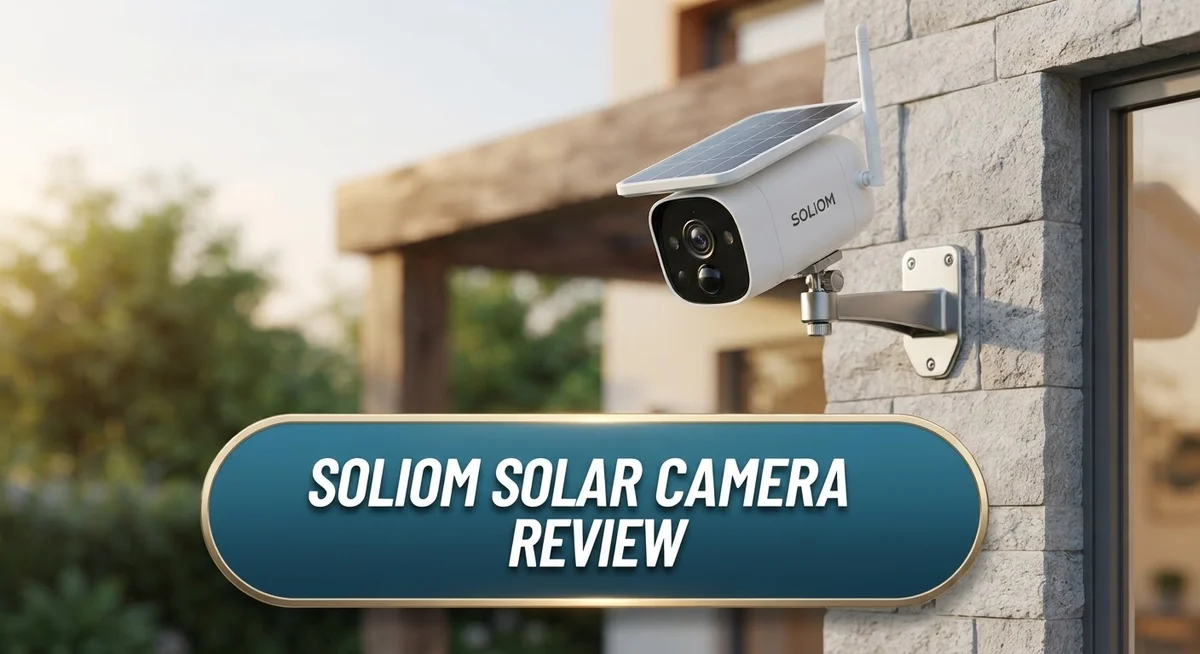
Soliom Solar Camera Review: Is It Worth Your Money?
Want a security camera that never needs a cable? The Soliom Solar Camera promises just that. It runs on solar power and a battery. You get constant protection without plugging it in.
This camera comes in several models. These include the S600, S70, S90, and SH501. Each one offers HD resolution, night vision, and motion detection.
Soliom cameras work well outdoors. They carry an IP65 water resistance rating. Rain or shine, they keep watching your home.
But does this camera truly stand out? Some users love its long battery life. Others complain about customer support and missing features.
In this review, we break down everything you need to know. We look at specs, performance, and real user feedback. By the end, you will know if Soliom fits your home security needs.
In a Nutshell
Here is the quick rundown of what the Soliom Solar Camera offers. We look at the good and the bad in simple terms.
-
Solar power works great. You get a camera that charges itself. This means less time worrying about batteries.
-
Night vision covers 32 feet. The four LED lights help you see clearly in the dark. This keeps your property watched at all times.
-
Wi-Fi is limited to 2.4GHz. This camera does not support 5GHz networks. Some users find this frustrating with modern routers.
-
Customer service gets poor marks. Many reviewers report slow or unhelpful support. This is a real downside to consider.
-
Durability stands out. Several users report these cameras lasting four years or more. That is impressive for an outdoor device.
-
Competitors offer more features. Brands like Reolink and Eufy often beat Soliom on performance. You may want to compare before deciding.
Overall, the Soliom Solar Camera works best for simple outdoor monitoring. It is not the most advanced option on the market today.
Key Features and Specifications
The Soliom Solar Camera lineup includes four main models: the S600, S70, S90, and SH501. Each one delivers 2K to 5MP HD resolution, giving you clear footage during daylight hours and making it easy to identify details in your yard or driveway.
Motion detection works through a PIR sensor with an 18 foot range and 120 degree angle. This means the camera picks up movement across a wide area without false alerts from passing cars or distant activity. The sensor responds quickly, so you get alerts when someone actually approaches your property.
Night vision performance reaches 32 feet in complete darkness thanks to four white LED lights built into the camera. You can see what happens after sunset without upgrading to expensive infrared models. The lights activate automatically when motion triggers or when you request live view at night.
All models connect via 2.4GHz Wi-Fi only. This matters if your router runs a 5GHz band exclusively. You may need to adjust your router settings or use a dual band network to make the connection work smoothly.
Storage options vary by model. Most units accept SD cards for local recording, while select models support 4G LTE connectivity. This means you can access footage even if your Wi-Fi goes down or if you place the camera far from your router.
Power comes from a combination of solar panels and a rechargeable 3.7V battery. The solar component charges during daylight, so you rarely need to manually recharge the battery. This setup keeps the camera running for months without touching it.
The camera body meets IP65 water resistance standards. Rain, dust, and moisture won’t damage the unit, making it suitable for exposed outdoor locations like fence posts, trees, or building corners.
Two way audio lets you speak through the camera, so you can communicate with visitors or deter unwanted activity. Alexa compatibility means voice commands work if you use Amazon’s ecosystem. These features make the Soliom Solar Camera practical for everyday security monitoring.

- 【Pan Tilt Broader & Flexible View】The solar camera outdoor wireless features a 355° horizontal and...
- 【2K Full HD + Color Night Vision】This wireless security camera delivers 2K Full HD daytime recording and...
Last update on 2026-09-13 / Affiliate links / Images from Amazon Product Advertising API
Solar Power and Battery Performance
The solar panel integration is the main draw here. Your Soliom camera charges itself using sunlight, which means you rarely need to plug it in manually. This works especially well if you live in a sunny climate where the panel gets consistent light throughout the day.
The battery itself is a 3.7V rechargeable unit with 18.5W power output. In real conditions, users report the battery lasts several weeks between full discharges. During winter or cloudy periods, the solar charging slows down, so the backup battery becomes more important.
Battery performance varies by season. In summer, many users see their camera stay charged indefinitely thanks to the solar panel. Winter performance drops noticeably. Cloudy regions may require you to manually charge the battery every few weeks during darker months.
The camera draws power differently depending on what it does. Motion detection uses less energy than recording video. Night vision with the four LED lights drains the battery faster than daytime operation. If your camera triggers motion alerts frequently, expect faster battery depletion.
One real advantage is durability through extended battery life. Several owners report their Soliom cameras lasting four years or more without battery issues. The solar panel itself holds up well against rain and UV exposure thanks to the IP65 rating.
Charging time matters too. A fully drained battery takes roughly eight to ten hours to charge completely via solar panel on a sunny day. If you manually charge through USB, it’s faster but defeats the solar purpose.
The 2.4GHz Wi-Fi connection doesn’t drain the battery excessively, though constant streaming or live viewing does use more power than passive monitoring. Storing footage on the SD card is more battery friendly than cloud uploads.
For users in sunny areas who don’t need constant recording, the solar plus battery system works great. For those in cloudy regions or with high activity areas, you’ll need to accept more frequent manual charging or consider competitors with larger solar panels.
Video Quality and Night Vision Capability
The Soliom Solar Camera delivers solid video clarity through its 2K to 5MP HD resolution. You get sharp daytime footage that captures details clearly. The image quality remains consistent across the S600, S70, S90, and SH501 models.
Night vision is where this camera shows real strength. The four white LED lights illuminate up to 32 feet in complete darkness. You can identify people and objects even when there’s no ambient light. The LEDs activate automatically when motion triggers the camera or when you switch to night mode manually.
The infrared capability works alongside the LED lights to enhance visibility. This dual approach gives you better detail than LED alone. You won’t see a grainy or washed out image like some budget cameras produce. The night vision quality remains functional and reliable across different weather conditions.
Motion detection uses a PIR sensor with an 18 foot range and 120 degree angle. This means the camera catches movement in its field of view consistently. Once motion triggers the system, the camera records immediately. The LED lights turn on at the same time, so you capture well lit footage of the intruder or visitor.
Recording quality stays steady even during active monitoring. The camera doesn’t drop frames or pixelate when someone moves quickly through the scene. This reliability matters when you need clear evidence of what happened on your property.
One limitation appears in the 2.4GHz Wi-Fi connection. This older standard can struggle with interference from other devices. Your video stream might lag slightly during peak usage times. The camera handles local storage through SD cards, so recordings save even if your Wi-Fi drops temporarily.
Low light performance distinguishes the Soliom from cheaper alternatives. You get usable footage at night, not just dark blurs. This makes it practical for monitoring entryways, driveways, and yards after sunset. The combination of solar charging and reliable night vision creates a camera that works around the clock without constant maintenance.
Top 3 Alternatives
Reolink Go 2

- Stunning 4K Imaging: The 4K solar-powered cellular camera delivers exceptional detail in every shot...
- 4G LTE & Truly Wireless: Powered by continuous solar energy and connected via 4G LTE, it operates anywhere...
Last update on 2026-09-13 / Affiliate links / Images from Amazon Product Advertising API
The Reolink Go 2 offers wireless security without monthly fees. This camera works anywhere you place it, even in remote locations. It has a strong 4MP resolution that captures clear details day and night. The battery lasts months between charges, making it perfect for areas far from power outlets.
You control everything through a simple mobile app. The camera sends alerts when motion happens. Two-way audio lets you talk to visitors or warn intruders. Local storage keeps your footage private without cloud subscriptions.
Wyze Cam Pro

- 2K Full HD with Color Night Vision - Clear and detailed footage that captures every important moment, day or...
- Two-Way Audio - Communicate with anyone on the other end of the camera, whether it's to say hello to your pets...
Last update on 2026-09-13 / Affiliate links / Images from Amazon Product Advertising API
The Wyze Cam Pro brings smart features at an accessible price point. This camera includes night vision and person detection. It works indoors and outdoors in most weather conditions. The app gives you live streaming from anywhere you have internet.
AI technology helps reduce false alerts from pets or passing cars. You get event recordings that save automatically. The camera integrates with other smart home devices easily. Voice control works with Alexa and Google Home.
Arlo Essential Solar

- Keep your Arlo Pro 5S 2K, Pro 4, Pro 3, Floodlight, Ultra 2, and Ultra Camera's battery charged with direct...
- Weather resistant design
Last update on 2026-09-13 / Affiliate links / Images from Amazon Product Advertising API
The Arlo Essential Solar camera combines reliability with solar charging convenience. The weatherproof design handles rain, snow, and extreme temperatures. It records in 1080p HD with night vision capability. Motion detection triggers instant notifications on your phone.
The solar panel keeps the battery charged continuously. No wires needed for installation or power. The camera stores footage in the cloud with optional local backup. Arlo’s app shows multiple camera feeds on one screen. You can customize activity zones to focus on specific areas. Two-way talk lets you communicate through the camera speaker.
Connectivity and Smart Home Integration
Soliom Solar Cameras connect to your home network through 2.4GHz Wi-Fi. This single frequency band keeps things simple but also limits your options compared to cameras that offer dual band support.
The connection process is straightforward. You download the Soliom app, scan a QR code on the camera, and enter your Wi-Fi password. Most users report the setup takes just a few minutes.
Alexa compatibility is a major feature here. You can view your camera feed on any Alexa enabled device. This means you can check your camera on your Echo Show or ask Alexa to show you the live stream. The integration works smoothly once you enable the skill in your Alexa app.
However, there’s an important limitation. The camera only supports 2.4GHz networks. If your router uses 5GHz exclusively, you’ll need to enable a dual band setup or create a separate 2.4GHz network. Many modern routers support both frequencies simultaneously, so this usually isn’t a dealbreaker.
Smart home integration goes beyond Alexa. Some Soliom models support 4G LTE connectivity as an alternative to Wi-Fi. This means the camera can work even if your internet goes down. You get alerts and can view footage using cellular data instead.
SD card storage is standard across all models. The camera records locally to the card, so you don’t rely entirely on cloud services. This keeps your footage private and accessible without monthly subscription fees.
The app itself offers basic controls. You can enable motion alerts, adjust sensitivity settings, and view live streams. Two way audio lets you speak through the speaker and listen to sounds near the camera.
One real drawback is that the 2.4GHz connection can struggle in homes with many wireless devices competing for bandwidth. If your Wi-Fi feels crowded, the camera might experience lag or disconnection issues.
Overall, connectivity works reliably for most users. The Alexa integration adds genuine value. The Wi-Fi limitation is manageable if you plan your network setup carefully.
Installation and Ease of Use
Installing a Soliom Solar Camera takes just a few minutes. Most users complete the setup without technical experience or special tools.
The mounting process is straightforward. You pick a location with good sunlight exposure for the solar panel. The camera comes with basic hardware to attach it to walls, fences, or poles. Aim the lens toward your target area and secure it firmly. The solar panel should face south in the Northern Hemisphere for maximum charging efficiency.
Connecting to your Wi-Fi happens through the mobile app. You download the Soliom app, create an account, and scan the QR code on the camera. The app guides you through each step. Your camera connects to your 2.4GHz network within seconds. The entire process takes under five minutes for most people.
One thing to note: the 2.4GHz connection works well in most homes. If you have many wireless devices competing for bandwidth, you might experience occasional delays. The connection remains stable for typical use like motion alerts and live viewing.
The app interface is simple and intuitive. You can access live video, adjust motion detection settings, and review recordings without confusion. Two-way audio lets you speak through the camera and hear responses clearly. This feature works smoothly during real-time monitoring.
Battery installation is easy too. The rechargeable 3.7V battery slides into a compartment on the camera body. No special knowledge is needed. Once installed, the solar panel handles most charging automatically.
SD card insertion is straightforward. You slot the card into the designated port on the camera. The camera recognizes it immediately and begins storing footage. Some models support 4G LTE as an alternative to Wi-Fi, which you can activate during setup if needed.
The biggest ease of use advantage is the minimal ongoing maintenance. Solar power means you rarely need to manually charge the battery. Just position it correctly and let the sun do the work. The camera handles everything else automatically.
Pros and Cons
Pros
- Solar powered design means you skip frequent manual charging sessions
- Durability track record shows these cameras last 4+ years in real-world use
- Night vision reaches 32 feet with white LED lights for clear darkness footage
- Two-way audio lets you speak through the camera to visitors or intruders
- Alexa compatibility connects your camera to smart home routines instantly
Cons
- 2.4GHz Wi-Fi only creates bandwidth issues in homes with many wireless devices
- Customer service scores are low, making support difficult when problems arise
- Limited features compared to competitor models in the solar camera market
- Mixed user reviews describe performance as inconsistent rather than reliable
Who Should Buy It
Soliom Solar Cameras work best for homeowners who want security without constant charging hassles. If you live somewhere sunny and hate plugging in cameras every few days, this system fits your needs perfectly.
Renters and people who move frequently should seriously consider Soliom models. The cameras mount quickly and remove easily without damaging walls. You can take them with you when you relocate, which beats permanent installation options.
Property owners with multiple buildings benefit from solar power most. Barns, sheds, and detached garages sit far from outlets. Soliom cameras run independently for months on solar energy alone. This makes them ideal for monitoring remote areas of your property.
Security conscious homeowners who already own Alexa devices will appreciate the integration. You can view live feeds on your Echo Show or Echo Dot instantly. Two-way audio lets you communicate through the camera from anywhere. This works great for checking on deliveries or greeting visitors.
People in areas with decent sunlight should prioritize Soliom. The solar panels charge efficiently in full sun conditions. If you live in a consistently cloudy climate, you’ll rely more on the battery, which reduces the main advantage.
Homeowners seeking basic monitoring without complex features fit this camera well. Soliom offers straightforward motion detection and night vision. You get simple app controls and SD card storage. If you want advanced AI features or person detection, look elsewhere.
Budget conscious buyers who value simplicity over cutting edge technology make good candidates. The cameras deliver reliable footage and solid durability. You won’t get premium features, but you get dependable performance.
Families with small properties or single entry points work well with Soliom. The 120 degree motion detection angle covers typical doorways and gates. Multiple camera setups suit larger properties better.
Skip Soliom if you need 5GHz Wi-Fi or live in crowded wireless environments. Homes with many connected devices may experience connection issues on 2.4GHz only. Also avoid these cameras if you demand premium customer support. The low support ratings mean help is hard to get when problems occur.
Final Verdict
Soliom Solar Camera delivers on its core promise. It gives you solar powered security without constant hassle. The camera stays true to its main purpose.
This device shines brightest for specific situations. Simple monitoring needs fit this camera perfectly. Complex surveillance setups should look elsewhere.
The verdict depends heavily on your expectations. Soliom works great as a basic security tool. It struggles when compared to feature rich alternatives like Reolink Argus 3 Pro or Eufy SoloCam S340.
Customer service remains a real concern. Support issues can leave you stuck if problems occur. This factor alone pushes some buyers toward competitors with better track records.
The technology itself holds up well over time. Four plus years of durability speaks volumes. Solar panels keep working, batteries stay charged, and the camera keeps running.
Wi-Fi limitations matter less than you might think. Most homes handle 2.4GHz connections just fine. Only users with crowded wireless networks notice real problems.
Should you buy this camera? The answer depends on your priorities. Choose Soliom if you want straightforward security without fuss.
Skip this camera if you need advanced features or dependable customer support. Competitors offer more functionality for users who need it.
Soliom succeeds at being simple. It fails at being impressive or innovative. This honest trade off defines the entire ownership experience.
Think about your actual needs before deciding. Do you want a basic, reliable camera? Soliom fits that description well.
Do you need cutting edge features or responsive support? Look at other brands instead.
The final judgment is clear. Soliom Solar Camera works as a dependable, no frills security option. It won’t amaze you, but it won’t let you down either for basic monitoring tasks.
Frequently Asked Questions
Does the Soliom Solar Camera work in cloudy weather?
Yes, it works in cloudy conditions. The solar panel still charges during overcast days, though more slowly than in direct sunlight. The built-in battery stores power for nighttime use. In very cloudy regions, you may need to supplement with manual charging occasionally.
Can I use this camera without Wi-Fi?
No. The Soliom Solar Camera requires a 2.4GHz Wi-Fi connection to function. You cannot view footage or receive alerts without an active internet connection. The camera stores clips on an SD card, but you need Wi-Fi to access them remotely.
How often do I need to charge the battery?
Rarely, if placed in good sunlight. The solar panel charges the battery during daylight hours. Most users report needing manual charging only a few times per year, or even less frequently. Placement matters greatly. Cameras in shaded areas need more frequent charging.
Is the night vision clear enough for identification?
The 32-foot range with white LED lights produces visible footage in darkness. However, image quality depends on distance and lighting conditions. Very dark areas may show less detail than daytime footage. For facial identification at distance, you might want a higher-end model.
What happens if my Wi-Fi is 5GHz only?
The camera won’t connect. Soliom Solar Cameras only support 2.4GHz Wi-Fi. If your router uses 5GHz exclusively, you’ll need to enable a 2.4GHz band or use a dual-band router. This is a real limitation for newer homes with advanced wireless setups.

DK is a technology expert who specializes in AI tools, software, and tech gadgets. He writes for How to Tech Info, providing detailed reviews and practical guides. DK helps readers discover the best AI applications, navigate new software, and choose the right tech gadgets.