
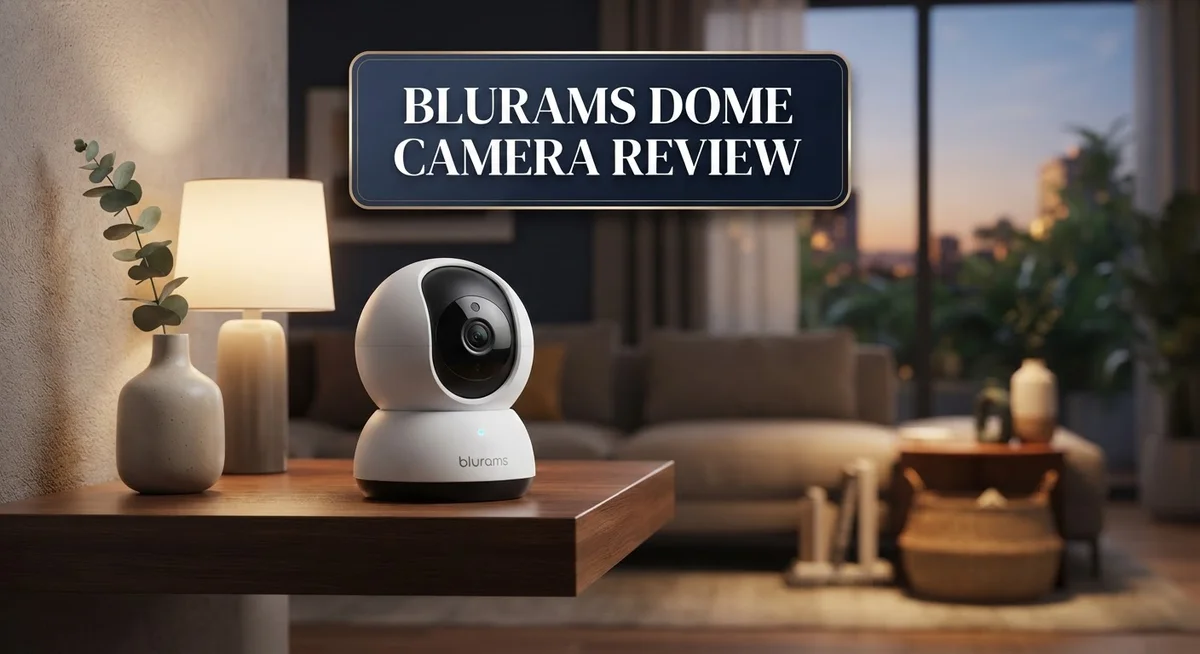
Blurams Dome Camera Review: Is It Worth Your Money?
Looking for a smart way to watch your home? The Blurams Dome Camera might be your answer.
This camera packs serious features into a small dome shape. It offers 1080p or 2K resolution, depending on the model you pick.
You get AI powered detection for humans, motion, and sound. This means fewer false alarms and more useful alerts.
The 360° pan tilt zoom feature lets you see every corner of a room. Night vision keeps you covered even in the dark.
Setup feels simple with the app interface. You also get 2 way audio to talk with family or visitors from anywhere.
Want a camera that does more than just record? This review breaks down everything about the Blurams Dome Camera. We cover specs, pros, cons, and how it stacks up against competitors like Google Nest and Laview.
Let’s find out if this little dome camera deserves a spot in your home.
In a Nutshell
Here is the quick lowdown on the Blurams Dome Camera before you decide:
- Night vision reaches up to 30ft, so dark rooms stay visible.
- It connects through 2.4GHz WiFi and works with Alexa and Google Assistant.
- You get two way audio, letting you talk to family or pets from anywhere.
- A microSD card supports local storage, so you can record around the clock.
- Facial recognition adds another smart layer to home security.
- The camera handles temperatures from -10°C to 50°C, making it useful indoors or in covered outdoor spots.
Some users note possible security gaps, so check firmware updates often.
Cloud storage details stay a bit unclear, which may concern cautious buyers.
Setup can feel tricky for anyone new to smart home gear.
Compared to names like Google Nest or Laview, this dome camera still holds its own with solid features.
If you want an easy to use camera packed with smart detection tools, the Blurams Dome Camera fits right in.
Key Features and Specifications
The Blurams Dome Camera comes in two main configurations to suit different needs. The 1080p model delivers sharp Full HD video with a 129° field of view. The 2K model steps up the game with higher resolution and a full 360° pan-tilt-zoom capability that lets you monitor an entire room without blind spots.
Power consumption stays minimal at DC 5V/1A, making this camera easy to integrate into most home setups. The device operates reliably across a wide temperature range from minus 10°C to 50°C. This flexibility means you can install it indoors or in covered outdoor areas without worrying about extreme conditions.
AI-powered detection forms the core of this camera’s intelligence. It recognizes humans, detects motion, and identifies sounds with enough accuracy to cut down false alarms. The facial recognition feature adds an extra layer by learning who enters your space. Two-way audio lets you communicate directly through the camera, whether you’re checking in on family or deterring unwanted visitors.
Connectivity happens through 2.4GHz Wi-Fi, and the camera integrates seamlessly with Alexa and Google Assistant. Voice commands let you control the camera hands-free from anywhere in your home. Local storage via microSD card supports continuous 24/7 recording without relying on cloud services.
Night vision reaches out to 30 feet, keeping dark areas visible even without ambient light. The dome design offers a sleek appearance that blends into most home environments. Installation follows a straightforward process with an intuitive mobile app that handles configuration and live viewing.
One important consideration involves security. Firmware updates should be applied regularly to maintain protection against potential vulnerabilities. The dome camera performs best when you stay proactive about maintenance and keep your network secure.
The combination of smart detection, flexible viewing angles, and local storage makes this camera a capable option for home monitoring. Whether you need basic motion alerts or advanced facial recognition, the Blurams Dome Camera delivers features that adapt to your specific requirements.

- 360°Coverage with 2K Resolution - blurams security camera automatically tracks the motion if detect motion...
- Smart AI Detection & Instant Alerts - Receive instant alerts on your phone if human, motion or abnormal sound...

Last update on 2026-07-11 / Affiliate links / Images from Amazon Product Advertising API
Video Quality and Night Vision Performance
The Blurams Dome Camera delivers solid performance in both daylight and low light conditions. The 1080p models capture clear video with a 129° field of view, while 2K variants offer even sharper detail. Resolution matters when you need to identify faces or read details from security footage.
Night vision performance stands out as a real strength. The infrared system reaches up to 30 feet in complete darkness. You can monitor hallways, entryways, and outdoor covered areas without any visible light source. The camera switches automatically between day and night modes based on available light. This means you get smooth transitions without manual adjustments.
AI powered detection significantly improves video quality in practical terms. Instead of constant recording of empty rooms, the camera identifies humans, motion, and sound events. This smart filtering reduces false alarms from pets, shadows, or moving branches. You only receive alerts when the camera detects actual activity worth reviewing.
The 360° pan tilt zoom capability on select models changes how you monitor spaces. You can cover an entire room with one camera instead of purchasing multiple units. The motorized movement lets you track activity across different areas in real time.
Local storage through microSD cards means your video stays on the device. The camera supports 24/7 recording without relying on cloud services. You maintain direct access to your footage whenever you need it.
One important note: some users have reported security concerns with certain firmware versions. Regular firmware updates help protect against vulnerabilities. Check the manufacturer’s support page often for the latest patches.
The camera operates in temperatures from minus 10°C to 50°C. This makes it suitable for indoor use and covered outdoor locations. You can place it in entryways, garages, or patios without worrying about extreme heat or cold.
Overall, video quality meets expectations for a dome style camera. Night vision performance handles dark environments reliably. The combination of clear imaging and smart detection features makes this camera practical for home security monitoring.
Smart Detection and AI Capabilities
The Blurams Dome Camera uses AI-powered detection to identify what matters most. The system recognizes humans, motion, and sound separately. This smart approach cuts down on false alarms you’d normally get from pets or wind.
Facial recognition adds another layer to your security. The camera learns faces over time and can alert you when it spots someone new. This feature works best when lighting is good, but it gives you real control over who enters your space.
The detection system runs locally on the camera itself. You don’t need to wait for cloud processing or internet delays. This means faster alerts and more privacy since your video analysis stays on your device.
Motion detection operates in multiple zones. You can set specific areas to monitor and ignore others completely. This flexibility keeps notifications focused on what actually matters to you.
Sound detection picks up unusual noises like breaking glass or loud voices. The camera listens for these events and sends you alerts. Combined with video detection, this creates a more complete picture of activity around your home.
The camera processes all this information in real time. You get instant notifications on your phone when something happens. The app shows you exactly what triggered the alert with video clips attached.
One thing to note: detection accuracy depends on lighting and camera placement. Position the camera where it has a clear view of entry points. Good lighting improves facial recognition and motion detection performance.
The AI continues learning from your setup. Over time, the system gets better at understanding what’s normal for your space. This reduces nuisance alerts while keeping you informed about genuine activity.
Updates to the detection software happen through the app. Blurams releases improvements regularly to enhance accuracy. Keeping your firmware current ensures you get the latest detection features and security fixes.
The combination of multiple detection types makes this camera practical for real homes. You get flexibility to customize alerts based on your specific needs and lifestyle.
Top 3 Alternatives
Wyze Cam v3

- Motion & Sound Detection: Wyze Cam sends an alert to your phone when baby is crying. 24/7 Continuous video...
- Indoor/Outdoor: Wyze Cam v3 is a wired video camera with an IP65 rating so you can confidently install it...
Last update on 2026-08-22 / Affiliate links / Images from Amazon Product Advertising API
The Wyze Cam v3 offers clear night vision and works both indoors and outdoors. This camera streams live video to your phone anytime, anywhere. You get two-way audio so you can talk through the camera. The app lets you set up motion alerts and sound detection. Battery backup keeps it running during power cuts. Setup takes just a few minutes without special tools.
TP-Link Kasa Cam

- Person/Motion/Sound Detection in Real-Time. Day or Night: With cutting-edge AI algorithms, KC410S can detect...
- Secure Your Videos Locally or with AWS Cloud: As an indoor security camera, KC410S continuously records and...
Last update on 2026-06-09 / Affiliate links / Images from Amazon Product Advertising API
TP-Link Kasa Cam brings smart home control to your security system. The camera connects easily to your Wi-Fi network. You receive instant alerts when motion happens near your home. Night vision works clearly even in complete darkness. The Kasa app groups all your smart devices in one place. You can view multiple cameras at once on your phone screen.
Reolink E1 Pro

- 5MP QHD RESOLUTION: The professional 3K 5MP lens offers a resolution of 2880x1616 for crystal-clear images and...
- DUAL-BAND WI-FI: Stay connected with 2.4/5 GHz Wi-Fi, ensuring seamless frequency switching for a smooth live...
Last update on 2026-06-09 / Affiliate links / Images from Amazon Product Advertising API
Reolink E1 Pro stands out with its motorized pan and tilt features. You control the camera direction from your phone app. The lens zooms in and out to catch fine details. Person and vehicle detection reduces false alarms from pets or leaves. Cloud storage keeps your footage safe online. Local storage options work too if you prefer keeping videos at home.
Each option gives you different strengths. Wyze focuses on simple setup and affordability. TP-Link emphasizes smart home integration. Reolink provides advanced tracking and zoom capabilities. Your choice depends on what matters most for your security needs.
Installation, Setup, and App Interface
Getting your Blurams Dome Camera up and running takes just a few minutes. The physical setup involves mounting the camera on your ceiling or wall, connecting the DC 5V/1A power adapter, and ensuring a stable 2.4GHz Wi-Fi connection. Most users complete this step without calling for help.
The app interface is where things get really simple. Download the Blurams app on your smartphone, create an account, and scan the QR code on the camera. The app walks you through each step clearly. You’ll see live video feed within seconds of completing setup.
Navigation through the app feels intuitive. The main screen shows your live camera view with obvious buttons for recording, taking snapshots, and accessing settings. Swipe controls let you pan and tilt on compatible models. The menu structure avoids unnecessary layers, so you find what you need quickly.
Setting up detection zones takes a few taps. You can customize motion detection areas directly in the app. Sound detection settings appear in a separate menu. Facial recognition requires you to add faces you want to recognize, which the app handles through simple photo uploads.
One thing to know: setup complexity depends on your technical comfort level. Tech-savvy users finish in under five minutes. Those less familiar with apps might need 15 to 20 minutes, but the process remains straightforward. The app includes helpful tooltips that explain each setting.
Cloud storage and local storage options appear in settings. You can enable microSD card recording for 24/7 backup. The app lets you review footage from both storage sources easily. Playback controls feel responsive and reliable.
Alexa and Google Assistant integration happens through the app too. Link your smart home account, and voice commands work immediately. You can ask your assistant to show the camera feed on compatible displays.
Firmware updates download automatically through the app. The camera notifies you when updates are available. Installation happens in the background without interrupting your monitoring.
Overall, the installation and app experience removes frustration from security camera setup. Most people appreciate how straightforward everything feels from start to finish.
Storage Options and Cloud Reliability
The Blurams Dome Camera offers multiple storage pathways to keep your footage safe and accessible. Your first option is local storage through a microSD card slot. This method lets you record 24/7 directly onto the device without relying on internet connectivity.
Local storage works independently from cloud services. Your video stays physically on the camera. This means even if your Wi-Fi drops, recording continues uninterrupted. You control exactly how much footage you keep by choosing your card size.
Cloud storage integration happens through the app. The system connects to Blurams’ cloud servers for backup and remote access. You can review footage from anywhere using your smartphone. This adds convenience when you’re away from home.
Here’s what matters most: the research shows limited information about Blurams’ cloud storage reliability. This is an important consideration before committing to cloud backup. Some users have reported concerns about consistency and uptime with their cloud service. You should test the cloud connection during your first week of use.
The app lets you switch between local and cloud storage easily. You don’t have to choose just one option. Many users combine both methods for maximum protection. Local storage keeps immediate backups on the device. Cloud storage provides off-site redundancy.
One practical note: microSD card reliability depends on quality and brand. Using reputable cards prevents data corruption issues. Check the app for compatibility recommendations before purchasing.
The camera’s AI detection system works with both storage types. Motion alerts and sound detections trigger recordings regardless of your storage choice. You receive notifications instantly on your phone when events occur.
For users prioritizing security, the dual storage approach offers peace of mind. Your footage has two separate backup locations. If one fails, the other still protects your recordings. Test both storage options during setup to understand which works best for your situation.
The flexibility here lets you customize storage based on your needs and comfort level with cloud services.
Pros and Cons
Pros
- 360° pan-tilt-zoom on select models gives you complete room coverage without blind spots
- AI detection (human, motion, sound) runs locally on the camera to reduce false alarms and protect your privacy
- Facial recognition capability adds an extra layer of security for your home
- 2-way audio lets you communicate through the camera in real time
- microSD card storage supports 24/7 recording without cloud dependency
Cons
- Security vulnerabilities have been noted, so you should stay updated on firmware patches
- Cloud storage reliability information is limited, making long-term backup plans unclear
- Setup can feel overwhelming for users without tech experience, especially smart home integration
Who Should Buy It
The Blurams Dome Camera works best for homeowners who want straightforward security without complicated setup processes. If you prefer simple installation and intuitive app controls, this camera fits your needs.
You should consider this model if you need 360° coverage in a single room. The pan-tilt-zoom capability on select models eliminates blind spots. This matters most for living rooms, kitchens, or garages where you want complete visibility.
Tech-savvy users will appreciate the AI detection system. It identifies humans, motion, and sound separately. This reduces false alarms from pets or moving shadows. The facial recognition feature adds value if you want to track specific people entering your home.
Renters benefit from the easy installation process. You don’t need professional help or permanent mounting. The dome design fits most ceiling types quickly. Local storage through microSD cards means you keep footage without relying on cloud services.
The 2-way audio feature appeals to parents and pet owners. You can speak through the camera to check on your kids or pets while away. This real-time communication happens instantly through the app.
Smart home enthusiasts should note the Alexa and Google Assistant compatibility. Voice commands let you control the camera hands-free. Integration happens directly in the app without extra hardware.
Avoid this camera if security vulnerabilities concern you greatly. The research shows potential security issues exist. You’ll need to monitor firmware updates regularly. Users uncomfortable with tech troubleshooting may find this frustrating.
The camera isn’t ideal for users who need extended cloud backup reliability. Information about Blurams’ cloud storage performance remains limited. If you absolutely require guaranteed long-term cloud access, other brands offer clearer documentation.
Budget-conscious buyers will find this option reasonable. You get 1080p or 2K resolution depending on your model choice. The microSD card storage supports 24/7 recording without monthly subscriptions.
Finally, this camera suits people who value privacy. Local AI processing means your footage stays on the device first. You control what gets uploaded to the cloud, if anything.
Final Verdict
The Blurams Dome Camera stands out as a smart choice for home security. It combines solid features with simple daily use.
AI detection and smooth app control make this camera easy to recommend. Many users will find it fits right into their daily routine without fuss.
When you compare it to Google Nest, Laview, Honic HN-IRDN200F, or Anpviz IPC-D250W-S, Blurams holds its own. Each brand offers different strengths, but Blurams focuses on giving users flexible storage options and smart detection that works well for most homes.
This camera suits families, renters, and smart home fans best. It offers a good mix of features without forcing you into a complicated setup. If you want a camera that just works, this one delivers.
Still, you should weigh the noted security concerns before you buy. Firmware updates matter a lot here. Staying on top of patches helps keep your system safe over time.
If you already use smart home devices, this camera will likely fit right in. Alexa and Google Assistant support makes voice control simple and quick.
For buyers who want strong local storage with the option for cloud backup, Blurams checks that box. The camera gives you flexibility without locking you into one method.
On the other hand, if cloud reliability is your top priority, you might want to look elsewhere first. The research shows gaps in long term cloud performance that are worth noting.
Overall, the Blurams Dome Camera earns a solid recommendation for everyday home security needs. It handles common tasks well and keeps setup simple for most users.
Think about your specific needs before deciding. If you want wide coverage, smart detection, and flexible storage, this camera is worth your attention. Just remember to stay updated on security patches to keep your home protected.
In the end, this camera offers real value for people who want dependable security features without overcomplicating their setup.
Frequently Asked Questions
Does the Blurams Dome Camera work with smart home systems?
Yes, it does. The camera connects to Alexa and Google Assistant. You can control it through your existing smart home setup. Voice commands let you check feeds or adjust settings without opening the app.
What’s the difference between the 1080p and 2K models?
The 1080p model has a 129° field of view and 30ft night vision range. The 2K model offers 360° pan-tilt-zoom capability, which means you can rotate and zoom to cover more area. Choose 1080p for single-angle monitoring or 2K if you need full-room coverage.
Can I record 24/7 without paying for cloud storage?
Yes. The camera supports microSD card storage for local recording. You can run continuous 24/7 recording on a card without any cloud subscription. This keeps your footage private and accessible anytime.
How secure is the Blurams Dome Camera?
The camera has AI detection features that reduce false alarms by recognizing humans, motion, and sound. It also includes facial recognition. However, security vulnerabilities have been noted, so you should stay updated on firmware patches and use strong passwords for your account.
Is setup difficult for non-technical users?
Setup is fairly simple for most people. The app walks you through connection steps. Wi-Fi pairing takes just minutes. Smart home integration requires a bit more effort, but the process remains straightforward compared to other cameras.

DK is a technology expert who specializes in AI tools, software, and tech gadgets. He writes for How to Tech Info, providing detailed reviews and practical guides. DK helps readers discover the best AI applications, navigate new software, and choose the right tech gadgets.


