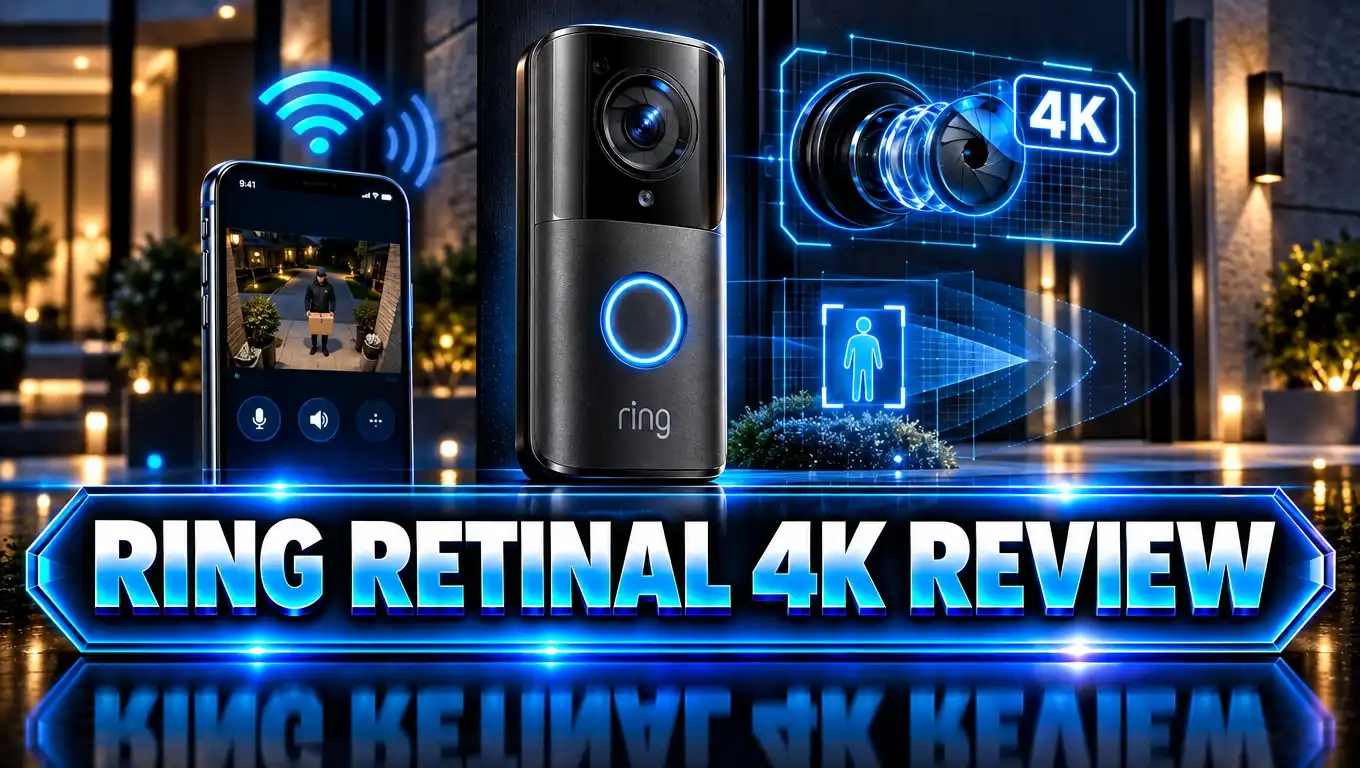
Ring Retinal 4K Review: Is Ring’s Sharpest Camera Worth It?
Your front door sees a lot every day. Delivery drivers drop off boxes, friends stop by, and sometimes a stranger walks up at night. A blurry camera can’t tell you who any of them are.
Ring Retinal 4K is Ring’s answer to that problem. It is the company’s first true 4K imaging system, and it powers the newest doorbells and outdoor cameras.
In this review, I explain how Retinal 4K works and how it performs in daylight and at night. I also cover what it costs to run each month. If you want to know whether upgrading makes sense, keep reading. The answer may surprise you.
In a Nutshell
- Sharper Video: Retinal 4K records at 2880 x 2880 resolution on the Wired Doorbell 4K Pro. That is four times more detail than 1080p HD, so faces, badges, and labels are much easier to read.
- Better Night Performance: The biggest upgrade is low light. Reviewers found the mixed light performance under streetlights night and day better than older Ring models.
- 10x Enhanced Zoom: You can zoom in up to 10 times. The Guardian’s tester could read a license plate from about 30 feet away, day or night.
- Faster WiFi 6: The new devices use dual band WiFi 6. Live View starts faster, and connections hold up better at the front door. Ring recommends a 15 Mbps upload speed.
- Subscription Needed: Without a plan, you get live view and alerts only. There is no local storage. Recordings, package alerts, and AI features need a Ring Home plan.
- Great Value on Sale: The Wired Doorbell 4K Pro lists at $249.99 but often drops to $149.99. At that price, it is one of the best doorbells Ring has ever sold.
What Is Ring Retinal 4K?
Ring Retinal 4K is not a single product. It is the name of Ring’s newest imaging technology. Ring announced it in late 2025 as part of its biggest hardware refresh in years.
Retinal Vision covers the whole imaging chain. It uses better camera sensors, AI image tuning, and improved processing in the Ring app. Ring says the goal is video that looks closer to what your eyes see.
The Retinal 4K lineup includes several devices. These are the main ones:
- Wired Doorbell 4K Pro at $249.99 list price
- Battery Doorbell 4K Pro at $249.99 list price
- Floodlight Cam 4K Pro at $279.99
- Spotlight Cam 4K Pro at $249.99
- Outdoor Cam 4K Pro at $199.99
- Wired Doorbell 4K Elite with Power over Ethernet at $499.99
Ring also makes a cheaper Retinal 2K tier. It appears on models like the Wired Doorbell 2K Plus and Indoor Cam Plus. These give you sharper video than older 1080p models at a lower price.
Before this refresh, many Ring users felt the hardware was falling behind. One Reddit user put it simply: Ring’s cameras were running on five year old technology. Retinal 4K is Ring’s attempt to catch up with rivals like Eufy, Reolink, and Google Nest.
For this review, I focus mostly on the Wired Doorbell 4K Pro. It is the flagship Retinal 4K device, and it shows the technology at its best. I also cover the Floodlight Cam 4K Pro for readers who want 4K coverage beyond the front door.
Ring Wired Doorbell 4K Pro: The Flagship Retinal 4K Device

- Capture it all with Retinal 4K video — See your home or business in the ultimate clarity with Retinal 4K.
- Zoom in up to 10x — Catch details at a distance with up to 10x Enhanced Zoom.

Last update on 2026-09-25 / Affiliate links / Images from Amazon Product Advertising API
The Ring Wired Doorbell 4K Pro is the star of the Retinal 4K lineup. Ring first called it the Wired Doorbell Pro (3rd Gen). The company later renamed it, but the features stayed the same.
This doorbell records in 2880 x 2880 resolution. It uses a square 1:1 aspect ratio, and the lens covers 140 degrees both horizontally and vertically. That means you see visitors from head to toe, plus any packages sitting on your mat.
Here are the key specs:
- Dimensions: 1.95 x 1.02 x 5.45 inches
- Power: Hardwired, 16 or 24VAC, or 24VDC 12W
- Connectivity: WiFi 6, dual band 2.4GHz and 5GHz
- Audio: Two way talk with Audio+
- Motion: Radar powered 3D Motion Detection
- Operating Range: Minus 4°F to 120°F
The box includes the doorbell, a Chime Kit Mini, a corner kit, a mounting plate, and tools. Ring estimates the installation takes about 15 minutes.
The doorbell comes in four finishes: Deep Silver, Polished Night Navy, Polished Mocha, and Polished Sandstone. The faceplates are swappable, so you can match your door trim.
The list price is $249.99. Ring often discounts it to $149.99, which makes it a strong deal. Ring promises security updates until at least December 31, 2030. That gives you over four years of support from today.
Ring Floodlight Cam 4K Pro: Retinal 4K for Your Yard

- Capture it all with Retinal 4K video — See every detail of your home or business in full view — powered by...
- See, hear and speak to visitors on camera — With Live View & Two-Way Talk with Audio+, you’ll be able to...
Last update on 2026-09-25 / Affiliate links / Images from Amazon Product Advertising API
A doorbell covers your front step. The Ring Floodlight Cam 4K Pro covers your driveway, backyard, or side gate. It pairs Retinal 4K video with two bright 2000 lumen floodlights.
This camera costs $279.99. It is hardwired, so you need an existing outdoor light junction box. Most homes already have one near the garage or back door.
The floodlights do double duty. They scare off intruders and give the camera enough light for full color video at night. One reviewer said the lights brighten the scene without blowing out the highlights. That is a common problem with cheaper floodlight cams.
Like the doorbell, the Floodlight Cam 4K Pro has 10x Enhanced Zoom and 3D Motion Detection. The radar lets you set exact distances for alerts. You can watch your driveway but ignore cars passing on the street.
Reviewers praise the build quality. One contractor who tested it said the 4K clarity was the best he had seen from any floodlight camera. He also liked how the radar cut down on junk alerts.
The same Wi-Fi rule applies here, though. Your 4K video depends on a steady upload connection. If your router is far from the backyard, you may need a mesh node or extender. Otherwise, the camera will drop to a lower resolution to stay connected.
Top 3 Alternative for Ring Wired Doorbell 4K Pro
Ring is not the only choice. Some buyers dislike monthly fees. Others use Google Home instead of Alexa. Here are three strong alternatives worth a look.
1. eufy Security Video Doorbell E340

Last update on 2026-07-01 / Affiliate links / Images from Amazon Product Advertising API
The eufy E340 has two cameras in one doorbell. The top camera watches visitors, and the bottom camera watches packages on the ground. It records in 2K and saves clips locally, so you pay no subscription fee. It works with a battery or with doorbell wires.
2. Google Nest Doorbell (Wired, 2nd Gen)

- The wired Nest Doorbell can tell the difference between a person, package, animal, and vehicle; get alerts...
- Get peace of mind knowing you can check your video doorbell 24/7 without having to recharge batteries[1]
Last update on 2026-09-25 / Affiliate links / Images from Amazon Product Advertising API
The Nest Doorbell Wired is the best pick for Google Home users. It tells people, packages, animals, and vehicles apart. It also supports 24/7 recording with a Nest Aware plan. The video is not 4K, but the smart alerts are excellent.
3. REOLINK Video Doorbell WiFi

- 2K Super HD Day & Night! Incredible 2K HD, with advanced HDR/3D DNR and distortion correction technologies...
- 2.4/5GHz WiFi & Waterproof! No worry about network disconnection; its 5GHz WiFi ensures a stable and fluent...
Last update on 2026-07-01 / Affiliate links / Images from Amazon Product Advertising API
The Reolink Video Doorbell WiFi is a budget favorite. It records in 2K+ with a wide 4:3 view. It saves footage to a microSD card, so there are no monthly fees. It also works with Reolink NVRs if you run a larger camera system.
Each of these costs less to own over time. None of them match Ring’s 4K detail, though. They also lack Ring’s polished app, which many users say is still the best in the market.
Design and Build Quality
Ring completely redesigned its doorbell for the Retinal 4K generation. The new shape is slimmer and more rounded. It still keeps the classic Ring look, with a glowing blue ring around the button.
The Guardian noted something funny. The new doorbell looks slimmer, but it is actually slightly larger than the 2021 model. The rounded edges trick your eye.
The build feels solid and premium. The faceplates use polished finishes that look good up close. The device is also made from 25% recycled materials, including aluminum and plastic.
Ring includes both a straight mount and a corner kit in the box. The corner kit helps if your door sits at an odd angle to your walkway. Ring also sells a $9.99 Wedge Kit for stairs and angled siding.
The doorbell is weather resistant. It works from minus 4°F to 120°F. Ring warns that long exposure to direct sunlight can heat up the device, and heat may affect performance. If your door faces the afternoon sun, keep this in mind.
The Floodlight Cam 4K Pro also feels sturdy. It has a clean design that blends well with most home exteriors. It comes in white and black.
Overall, the design is a clear step up. These devices look like modern home hardware, not gadgets stuck to a wall. That matters for something that sits at your front door every day.
Video Quality in Daylight
Daytime video is where you first notice the 4K jump. The Wired Doorbell 4K Pro captures far more fine detail than older Ring doorbells.
Small text is now readable. You can see name badges, logos on uniforms, and labels on packages. With older 1080p models, those details were a blurry mess.
Colors look natural too. Ring uses AI tuning to balance color accuracy and sharpness. Grass looks green, not neon. Skin tones look real.
The square 1:1 frame is a smart choice. Most cameras use wide 16:9 video, which cuts off feet and packages. Ring’s square view shows the whole person from head to toe. It also shows the doormat, so you can confirm a delivery at a glance.
The 10x Enhanced Zoom works well in daylight. The Guardian’s reviewer could read a car license plate from about 30 feet away. That kind of detail can help a lot if you ever need footage for a police report.
One Reddit user who upgraded from the older Doorbell Pro noticed the difference right away. A lamppost 15 yards away looked noticeably sharper. He also said motion detection felt about a second faster.
There is one catch. 4K quality depends on your internet. If your upload speed drops, the camera lowers the resolution to keep the stream stable. On a weak connection, you won’t get true 4K.
Night Vision and Low Light Performance
This is where Retinal 4K really shines. Many reviewers say the low light upgrade matters even more than the extra pixels.
Most doorbells struggle in mixed lighting. Picture a porch light, a streetlight, and dark shadows all in one frame. Cheaper cameras either blow out the bright spots or lose the dark ones.
Ring’s new system handles this far better. The Guardian called the street lit performance night and day better than earlier models. Faces stay visible even with a bright porch light behind the visitor.
Ring uses two night modes:
- Low Light Sight: Shows full color video in near darkness. A nearby streetlight is often all it needs.
- Adaptive Night Vision: Switches to black and white infrared in total darkness. It also reduces glare on faces that come close to the lens.
The infrared mode is crisp. One reviewer said he could see every movement of foxes crossing his path at night. That is impressive detail for a doorbell.
Not every Retinal 4K device performs the same, though. Some Best Buy reviewers of the Outdoor Cam 4K Pro said night vision was just okay and hoped updates would improve it. Cameras with built in lights, like the Floodlight Cam 4K Pro, do better because they add their own light.
The wired doorbell also records six seconds of color HD preroll with sound. It works in low light too. You see what happened before motion triggered the recording. The battery model only gets four seconds of lower quality preroll, and it has no sound.
3D Motion Detection and Smart Alerts
Too many alerts can drive you crazy. A car drives by, and your phone buzzes. A tree branch moves, and your phone buzzes again. Ring’s 3D Motion Detection fixes much of this.
The feature uses radar to measure how far away an object is. You can set a distance limit. For example, you get alerts for your walkway but not for the sidewalk.
The Ring app also shows a Bird’s Eye View. It draws the path a person walked on an aerial map of your property. The Guardian’s reviewer found it less useful on his short driveway. People with long driveways or large yards will get more out of it.
You also get these tools:
- Custom Motion Zones: Draw the areas you want to watch.
- Privacy Zones: Black out parts of the view, such as a neighbor’s window.
- Modes: Switch between Home, Away, and Disarmed.
- Package Alerts: Get notified when a box lands on your step. This needs a subscription.
Smart alerts can tell people, packages, and vehicles apart. You can choose which types send a notification to your phone.
With the top plan, Ring adds Single Event Alerts. These group related motion into one notification. There is also an Unusual Event Alert feature that learns what normal activity looks like. It only pings you when something odd happens.
One tester cut his alerts from about 30 a day to just a few. For anyone tired of constant buzzing, that is a huge win.
Installation and WiFi Requirements
Installing the Wired Doorbell 4K Pro is fairly easy if you already have a wired doorbell. Ring estimates about 15 minutes for a typical setup.
The Ring app walks you through each step. You turn off power at the breaker, remove the old doorbell, and connect two wires. Then you install the Chime Kit Mini near your existing chime box.
The doorbell needs 16 or 24VAC from a standard doorbell transformer. Ring recommends 30 to 40VA for best performance. Halogen and garden lighting transformers will not work. You can also use Ring’s plug in adapter, sold separately.
If you don’t have doorbell wires, you have two choices. You can hire a Ring installation partner, which starts at $129. Or you can buy the Battery Doorbell 4K Pro instead. It costs the same and needs no wiring.
WiFi matters a lot with 4K. Ring recommends at least 15 Mbps upload speed. It suggests 20 Mbps or higher for the best results.
The good news is the new WiFi 6 chip. Older Ring doorbells used WiFi 5. The Guardian’s reviewer no longer needed a WiFi booster after upgrading. Live View also loaded much faster.
WiFi has one weakness. It can be jammed, which could cut the feed. If this worries you, look at the Wired Doorbell 4K Elite. It uses Power over Ethernet for a fully wired connection. One Reddit user said Ring’s 4K doorbells are fantastic when connected this way.
Ring Subscription Plans and Costs
Here is the part many buyers overlook. Ring does not store video locally. Without a subscription, you only get live view, doorbell rings, and motion alerts.
You cannot watch past recordings without a plan. For most people, that makes a subscription almost essential.
Every Ring doorbell comes with a free 30 day trial. After that, these are the main US plans:
- Basic: About $4.99 per month or $49.99 per year for one device. It includes 180 days of video history and smart alerts.
- Standard: About $9.99 per month. It covers all devices at one location.
- Premium: About $19.99 per month. It adds AI features like video descriptions, smart video search, and Familiar Faces.
You can also add extras to the lower plans. AI features cost about $5 per month per camera. Continuous 24/7 recording costs about $3 per month per camera.
One Reddit user made a helpful point. He said the basic plan is enough for most people. The new 4K doorbell rarely misses motion, so 24/7 recording is less needed now.
Let’s do the math. Over four years, the Basic plan adds about $200 to your cost. That can double the price of the doorbell. Rivals like Eufy and Reolink store video for free.
Still, cloud storage has benefits. Thieves can’t steal your footage by grabbing the doorbell. Your clips stay safe online even if the device is damaged.
AI Features: Familiar Faces, Alexa+ Greetings, and Search Party
Retinal 4K is not only about sharper video. Ring says clearer images make its AI features work better. Here are the main ones.
Familiar Faces lets you tag family and friends in the Ring app. Your camera then names them in alerts, such as “Amanda at Pathway.” You can also mute alerts for people you know, like yourself coming home from work. The Guardian noted one oddity: you can’t search your videos by a person’s name yet.
Video Descriptions turn motion alerts into short text summaries. For example, an alert might say “a black car driving past.” You know what happened without opening the app.
Smart Video Search lets you type a phrase like “red car” and find matching clips. This saves a lot of scrolling.
Alexa+ Greetings turns Alexa into a doorbell attendant. It can ask a visitor why they are there. It can give delivery drivers instructions and send solicitors away. Then it keeps you informed.
Search Party helps find lost dogs. When a neighbor reports a missing dog, nearby Ring cameras scan for matches. If your camera spots a possible match, you get an alert. You choose whether to share the footage.
Most of these features need the Premium plan or the AI add-on. They are the best reason to pay for a higher tier. Try them during your free trial to see if they are worth it for your home.
Pros and Cons
Here is a quick summary of what I like and what I don’t.
Pros
- Sharp 4K video makes faces, badges, and license plates much easier to read than older Ring models.
- Excellent low light performance, especially in tricky mixed lighting with streetlights or porch lights.
- 10x Enhanced Zoom keeps details clear even from 30 feet away.
- Head to toe square view shows visitors and packages in one frame.
- WiFi 6 gives faster Live View and a more stable connection than older Ring devices.
- 3D Motion Detection uses radar to cut down on false alerts from the street.
- Six seconds of color preroll with sound on the wired model helps you see the full event.
- Modern design with swappable faceplates in four finishes.
- Strong Alexa integration with Echo Show and Fire TV devices.
- Great value when on sale at $149.99.
Cons
- No local storage means you need a subscription to save and review video.
- Monthly fees add up over the years and can double your total cost.
- 4K needs a strong upload speed of at least 15 Mbps, or video quality drops.
- No Ethernet option on the standard Pro model. You need the pricey $499.99 Elite for that.
- Best AI features sit behind the $19.99 Premium plan.
- Tied to the Ring and Alexa ecosystem, which is less ideal for Google Home users.
- Direct sun and heat can affect performance on some installations.
Who Should Buy Ring Retinal 4K?
Retinal 4K is a great fit for many homes, but not for everyone. Here is how to decide.
Buy it if you already use Ring. Your existing chimes, cameras, and plan will work with the new devices. You also keep using the Ring app, which many users call the most polished app in home security.
Buy it if you use Alexa. You can see visitors on an Echo Show or Fire TV. Echo speakers can also act as chimes. The new Alexa+ Greetings feature adds even more value.
Buy it if your door faces a busy or poorly lit street. The low light upgrade is the biggest reason to choose this doorbell. Mixed lighting is where older cameras fail, and Retinal 4K handles it well.
Buy it if you want to read small details. Faces, license plates, and uniform logos are clear. That can matter if you ever need to share footage with police.
Skip it if you hate subscriptions. Eufy and Reolink store video locally for free. You give up some sharpness and app polish, but you save money every month.
Skip it if your WiFi is weak at the door. Without enough upload speed, you won’t see true 4K. Check your speed at the door first. Or consider a mesh WiFi upgrade.
Choose the battery version if you lack doorbell wires. It costs the same. You lose a bit of preroll quality, but installation is much simpler.
Final Verdict
Ring Retinal 4K is the biggest upgrade Ring has made in years. The company finally caught up with its rivals in video quality. In low light, it may even pull ahead.
The Wired Doorbell 4K Pro is the best example. It delivers sharp 4K detail, a smart square view, and faster WiFi 6. Its night performance in mixed lighting is the real highlight.
Radar motion detection and AI alerts cut down on the noise. You get fewer pointless buzzes and more useful alerts. For busy homes, that alone can make daily life calmer.
The downside is clear, though. You need a subscription to get the most out of it. Budget about $50 per year for the Basic plan. Budget more if you want the AI tools.
Price is the other key factor. At the full $249.99, the doorbell is a solid buy. At the frequent $149.99 sale price, it is an easy recommendation for Ring and Alexa homes.
If you want 4K coverage beyond the front door, the Floodlight Cam 4K Pro is a great partner. Its bright floodlights and sharp video make your yard much safer after dark.
My advice is simple. Check your upload speed first. Then grab the doorbell on sale and test the Premium features during your free trial. You will quickly see if Retinal 4K is right for your home.
Frequently Asked Questions
What does Ring Retinal 4K mean?
Retinal 4K is Ring’s newest imaging technology. It combines 4K camera sensors with AI image tuning and better processing. The goal is sharp, true to life video with better color in low light.
Which Ring devices have Retinal 4K?
The main devices are the Wired Doorbell 4K Pro, Battery Doorbell 4K Pro, Floodlight Cam 4K Pro, Spotlight Cam 4K Pro, Outdoor Cam 4K Pro, and Wired Doorbell 4K Elite. PoE versions of some cameras are also available.
Is the Wired Doorbell 4K Pro the same as the Wired Doorbell Pro 3rd Gen?
Yes. Ring changed the name, but the features stayed the same. Both names refer to the 2025 release.
What resolution does the Ring Wired Doorbell 4K Pro record?
It records at 2880 x 2880 in a square 1:1 frame. This gives you four times more detail than 1080p HD and a full head to toe view.
What internet speed do I need for Ring 4K?
Ring recommends at least 15 Mbps upload speed. For the best results, aim for 20 Mbps or higher. The camera lowers resolution on its own if your speed drops.
Does Ring Retinal 4K work without a subscription?
Yes, but with limits. You get live view, doorbell rings, and motion alerts. You cannot save or replay recordings without a Ring Home plan, because there is no local storage.
How much does a Ring subscription cost?
The Basic plan costs about $4.99 per month for one device. The Standard plan costs about $9.99 per month for all devices at one address. The Premium plan costs about $19.99 per month and adds AI features.
Can I install the Wired Doorbell 4K Pro myself?
Yes. Most people finish in about 15 minutes if they have existing doorbell wires. The Ring app guides you step by step. You can also book professional installation starting at $129.
Does the Ring 4K doorbell work with Google Home?
Ring works best with Amazon Alexa. You can view your doorbell on Echo Show and Fire TV devices. Google Home users should look at the Google Nest Doorbell instead.
How long will Ring support the Wired Doorbell 4K Pro?
Ring promises software and security updates until at least December 31, 2030. That gives you several years of support.

DK is a technology expert who specializes in AI tools, software, and tech gadgets. He writes for How to Tech Info, providing detailed reviews and practical guides. DK helps readers discover the best AI applications, navigate new software, and choose the right tech gadgets.