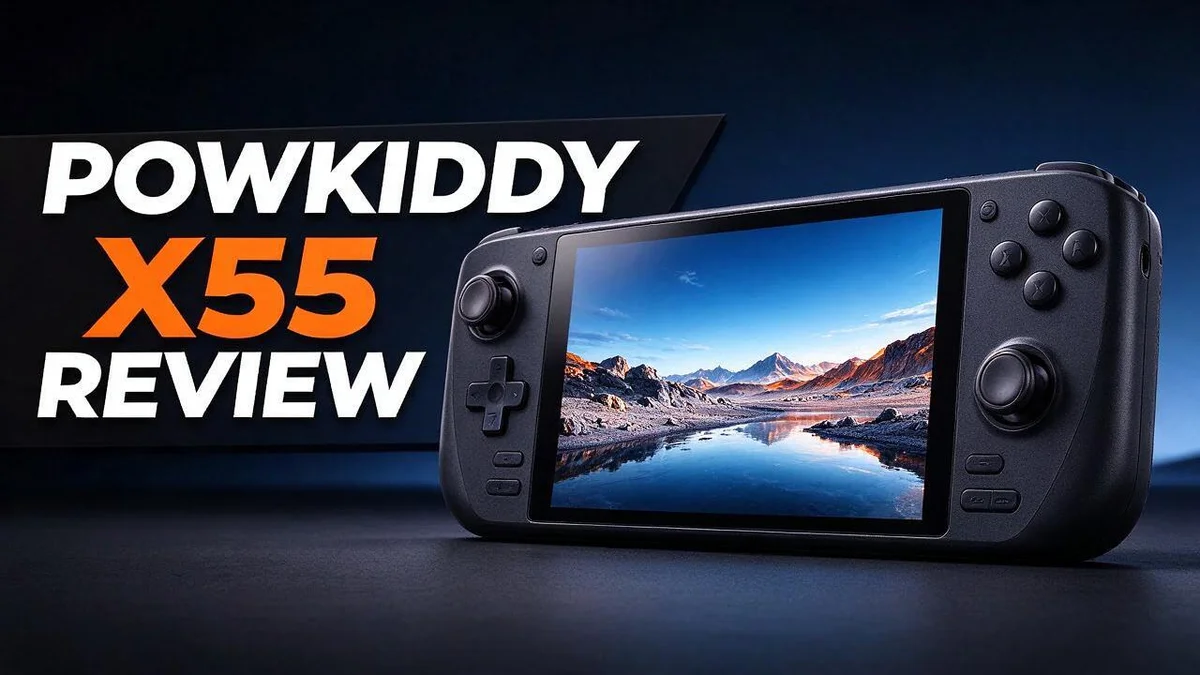
Powkiddy X55 Review: Screen, Performance, Specs and Verdict for Retro Gamers
Are you looking for a handheld that brings your favorite classic games to life? The Powkiddy X55 might be the device you need. It offers a large, vibrant screen that makes retro games shine.
Look closely at the 5.5 inch IPS display with 1280 x 720 resolution. Text stays sharp, and colors pop on most units. Early batches had a color issue, but newer models look much better.
Inside, the X55 runs on an RK3566 chip. It supports over 30 emulators and more than 22,000 classic games. You also get a 4000mAh battery, WiFi, Bluetooth, gyroscope support, and HDMI TV output.
Is it the right pick for you? In this review, we explore the good, the bad, and everything in between. You will learn how it performs, where it struggles, and who should buy it.
In a Nutshell
This handheld packs a lot into a compact body. Here is what matters most for everyday players.
- Long play sessions: The 4000mAh battery helps you keep playing longer between charges.
- Massive game library: Over 30 emulators support more than 22,000 classic games. You can explore consoles from many different eras in one place.
- Room to grow: Storage expands up to 64GB, so your collection can keep growing. The device also runs Linux instead of Android, which gives it a focused gaming feel.
- Big screen fun: HDMI TV output lets you switch from handheld play to the living room.
- Built to last: Hall sticks can be replaced, so repairs stay simple over time.
- Know the limits: Early units showed a screen color issue, so check the batch before you buy. Performance tops out around PS1, with some PSP titles running less smoothly.
Overall, the X55 suits players who want variety and a bright display. Keep these points in mind as you decide.
Display and Visual Quality

- Lightning-Fast Performance: The RK3566 quad-core CPU with a FPS up to 60HZ ensures smooth gameplay without any...
- Function: With wifi and Bluetooth capabilities, it can connect to multiplayer games and support Bluetooth...
Last update on 2026-11-06 / Affiliate links / Images from Amazon Product Advertising API
Picture quality often decides whether a handheld feels fun or frustrating. The X55 aims to make classic games look sharp on a compact screen. Good visuals matter most when you play for hours.
Sharpness at arm’s length matters because handheld screens sit close to your eyes. At this size, pixels blend together, so pixel art looks clean and detailed. Most retro titles were built for small displays, so they often look right on this screen.
Viewing angles are another strong point. IPS panels keep colors steady when you tilt the device or share it with a friend. You will not lose contrast as quickly as you might on some other panels. Long sessions also feel easier on the eyes when the image stays crisp.
Brightness plays a big role outdoors or near a window. The screen gets bright enough for most indoor rooms. Bright sunlight can still wash out the image, so find some shade when you play outside.
Screen tuning gives you control over the look. Brightness and color settings let you adjust the image for each game. Dark rooms may need less light, while bright rooms need more.
Colors pop in games with bold palettes. Fighting games, platformers, and colorful RPGs benefit most from the vivid output. Older 2D titles especially shine because their art depends on clear color contrast.
Text readability deserves attention too. Menus, save screens, and dialogue boxes stay easy to read. Font sizes in many RPG titles look crisp, so you spend less time squinting.
Screen size also changes how you see the action. Five and a half inches gives enough room for detail without feeling bulky. Many players find this size comfortable for long sessions.
Overall, the display delivers a pleasant experience for most retro fans. Adjust brightness in settings to match your room and battery needs.
Build, Controls and Ergonomics
Holding the X55 feels comfortable from the first moment. The body is compact, so it sits well in both palms. Most adults will find the grip steady during quick matches.
The layout leans on familiar retro habits. You get a directional pad, four face buttons, and shoulder buttons arranged the way classic consoles taught you. Muscle memory kicks in fast.
The buttons are the real test. Early batches felt a bit loose under the thumb. Newer batches reportedly feel firmer, with clearer clicks and better response.
Your thumbs rest on the sticks and face buttons most of the time. Fighting games and platformers need quick, crisp presses. This device handles them well.
Shoulder buttons matter more than many buyers expect. They control racing games, shooters, and advanced menu options. The X55 places them within easy reach, so your index fingers stay relaxed.
Scrolling through menus feels quick. The directional pad responds with short, clean strokes. Finding a game in a large library takes little effort.
Weight also plays a role. The handheld feels light enough to hold for an hour. Yet it still has enough heft to feel solid in your hands.
The analog sticks offer a smooth sweep for movement. Their position sits near the thumbs without crowding the face buttons. Your thumbs can move between controls without stretching.
Small hands may need an adjustment period. The spacing between controls is tight in places. Players with larger hands might feel cramped during intense sessions.
Overall, the X55 delivers solid ergonomics for retro fans. The controls respond well, and the grip stays secure. Give the buttons a few days, and the device will feel like a natural extension of your hands.
Emulation Performance
Emulation is where the Powkiddy X55 really shows its strengths. The device runs Linux and supports more than 30 emulators, so most classic systems have a home here.
Older consoles and handhelds usually run smoothly on the RK3566 chip. Games from the early generations feel fast and responsive during play.
The sweet spot sits around PS1 games. Most PlayStation 1 titles run at a steady pace. Many players can finish their favorite classics without major slowdowns.
PSP games are a mixed bag on this handheld. Some titles run well, while others stutter during busy scenes or heavy effects.
Performance depends on the game you choose. Simple 2D titles often feel great. Fast 3D action may need a few tweaks to look and feel its best.
Emulator settings matter more than many buyers expect. Many players change the core or resolution to balance speed and visuals. Small changes can make a noticeable difference.
Memory card speed also plays a part. A fast card helps games load quicker and reduces wait times between levels. Choose a reliable brand for your collection.
Heat can build up during long sessions of demanding games. Give the handheld a short break now and then to keep things running smoothly.
Before you start, test your favorite systems. A quick check of your most played games shows how the handheld handles them. This simple step saves time and avoids surprises later.
Emulation performance can also change with software updates. Future firmware may improve speed or add better options for tougher titles.
Overall, emulation on the X55 suits players who care most about classic consoles. It delivers a solid experience for PS1 fans and light PSP players. Set your expectations with care, and you will likely enjoy the ride.
Top 3 Alternatives
Anbernic RG35XX Plus
No products found.
The Anbernic RG35XX Plus is a small handheld that many retro fans love. It has a bright 3.5-inch screen and runs games from older consoles with ease. It fits in a pocket, so you can play on the go.
Its built-in TV output lets you play on a big screen at home. The buttons feel comfortable, and the layout works well for long play sessions. Setup is simple, so beginners can start playing fast.
Miyoo Mini Plus

- Compatible with multi retro game: Miyoo mini plus support dozens of emulation multi classic game, support open...
- Immersive experience: Stereo sound effects, 3.5'' IPS screen; Linux optimized game system with higher running...
Last update on 2026-11-06 / Affiliate links / Images from Amazon Product Advertising API
The Miyoo Mini Plus focuses on clean design and easy use. It has a sharp screen and a compact body that feels light in your hands. Many players pick it for its classic handheld feel.
It handles retro games from many systems with smooth performance. The menu is easy to learn, so you spend less time setting things up. It is a great choice if you want a no-fuss retro device.
Retroid Pocket 4

- High-Performance Computing: Equipped with a Mediatek Dimensity 1100 Octa Core CPU, featuring 4xA78 cores at...
- Expansive and Flexible Storage Options: With a generous 128GB of UFS 3.1 internal storage, the Pocket 4 Pro...
Last update on 2026-11-06 / Affiliate links / Images from Amazon Product Advertising API
The Retroid Pocket 4 offers a larger screen and a more modern feel. It runs on Android, so you can install many apps beyond classic games. This flexibility appeals to users who want more than retro emulation.
Its touchscreen and strong processor make menus and games feel fluid. Many people enjoy its premium build and wide range of features. If you want power and variety, this device stands out.
Software, Storage and Emulator Library
The Powkiddy X55 runs on Linux, not Android. That means the software stays focused on classic games instead of apps you never open.
The library covers over 30 emulators. Together, they support more than 22,000 classic games across many consoles and handhelds.
Setting up your library is simple. Place each system’s games in its own folder. The device then reads the folders and organizes your list for you.
Storage is where your collection grows. The device supports up to 64GB of storage. Many players add a memory card to hold a large set of game files.
Folder order matters. Keep every system in a clear folder with a clear name. This habit prevents confusion when you scroll through a long list of games.
Some emulators need BIOS files to start. Add these files to the correct folder before you launch the game. Otherwise, the game may refuse to load.
Save states offer a handy safety net. You can save your progress at almost any moment. Then you can return later without searching for in-game save points.
Keep backups of your save files. A copy on a computer protects your progress if a memory card fails. This simple habit saves a lot of frustration.
The HDMI output also depends on software settings. Adjust the output options before you connect the device to a TV. The picture then fills the screen in a clean way.
Updates keep the system fresh. Check for firmware updates from time to time. New releases can bring fixes and better emulator support.
A quick test helps too. Launch a few games from each system you love. This shows whether the library fits your taste and how the menus feel in daily use.
Legal copies matter as well. Use game files from cartridges or discs you own. This approach keeps your collection fair and your library easy to manage.
Organizing takes a little time at first. A tidy library makes every session easier, so give your games a clear layout and enjoy the ride.
Battery Life, Wireless and TV Output
Start every trip with a full charge. Keep the charger in your bag, because a quick top up during a break can save the day.
The Powkiddy X55 packs a 4000mAh battery. That size suits trips, commutes, and lazy afternoons on the couch. Real playtime changes with the game you choose. Demanding titles drain power faster than simple 2D games.
Screen brightness plays a big role. Lowering it often adds more time to each charge. Turning the volume down helps too. Dim settings help most during long sessions.
Battery health also matters over time. Avoid leaving the device hot on the charger. Store it somewhere cool when you take a long break.
WiFi on the 5GHz band gives you a faster link. You can move game files from a computer with less waiting. A strong connection also makes large transfers feel smooth.
Bluetooth opens up more options. You can pair compatible controllers for a different feel. Some headphones may also connect, though success depends on your accessories and software.
Wireless features use extra power. Switch WiFi off when you do not need it. Turn Bluetooth off during long offline sessions. This small habit protects your playtime.
Playing on a bigger screen feels special. The HDMI port lets you connect the X55 to a TV. Friends can gather around for local multiplayer. Retro racing and fighting games look great on a large display.
Bigger screens also show more detail in pixel art. Have a second controller ready for local multiplayer.
Pick an HDMI cable that suits your TV. Set the TV to the correct input after you plug in. A moment of patience often helps the picture appear.
Keep the charger plugged in during TV sessions. The handheld still uses power while it sends video to the screen. This keeps the battery from running low mid game.
Pros and Cons
Pros
- Newer batches reportedly have better buttons and no screen color issue.
- The Hall sticks can be replaced when they wear down.
- The sharp 720p screen makes classic games look lively.
- Wide emulator support covers a huge library of retro games.
- The gyroscope and vibration add extra fun to some games.
Cons
- Early units had a screen color issue that some players noticed.
- Performance tops out around PS1 games.
- Some PSP titles may stutter or lag.
- The Linux system can feel unfamiliar to new users.
Who Should Buy It
Retro collectors will feel right at home.
The huge library of 22,000+ classic games gives you plenty to explore. You can browse old favorites and discover forgotten titles.
Casual players also get a lot here.
Short sessions on a bus or during a lunch break feel easy. The bright screen does most of the heavy lifting.
Nostalgic adults often enjoy this device most.
Childhood memories come alive when familiar games load up. Every boot can feel like a small trip back in time.
Tinkerers are another great match.
Hands on owners can tinker, learn, and customize their setup over time. The device rewards patience.
Travelers and commuters often appreciate the compact body.
It slides into a bag with ease. Long trips become easy gaming sessions.
Before you decide, ask yourself a few questions.
Do you enjoy classic consoles? Can you accept a few rough edges? Are you happy to learn a new menu system?
Who should skip it?
Buyers who want modern 3D games or Android apps should look elsewhere. Those seeking a plug and play experience may need extra patience.
Parents may find it useful too.
Kids can explore classic adventures without the noise of modern feeds. A parent should still supervise screen time as usual.
Emulation fans may enjoy testing many systems in one place.
Switching between platforms takes seconds once your folders feel organized. That convenience keeps many players coming back.
Try a short session at a friend’s place if you can. Hands on time reveals whether the grip and buttons truly suit your hands.
Final thoughts for the right owner.
If your wish list matches the strengths above, the X55 can deliver long hours of fun. Stay honest about your needs before you buy, and you will likely feel satisfied.
Final Verdict
The Powkiddy X55 earns a strong spot among retro handhelds. It gives you a large, vibrant screen and a huge emulator library. Most players will enjoy it for years.
The biggest win is the sheer range of games. With over 30 emulators, you can play everything from arcade classics to classic console favorites. Performance stays strong through PS1 titles.
The device has clear limits too. Some PSP games may run slowly, so set your expectations early. If heavy PSP play matters most, look at other models.
Buyers should check the batch first. Early units had a screen color issue, while newer batches reportedly fix it. Look for batch details in the listing before you commit.
Owners who keep devices for years will appreciate that the X55 can be fixed rather than tossed. That keeps it useful long after the first few months.
Competitors matter too. The Retroid Pocket Flip, Anbernic RG552, and Trimui Smart Pro S all chase the same crowd. Compare screen size, controls, and software before you choose.
Our verdict is simple. If you love classic games and want a fun, flexible device, the X55 is a great pick. If you need strong PSP support, look at another model.
The X55 also makes a thoughtful gift for a retro fan. Pair it with a quality memory card and a case, and the package feels complete. Gift givers can skip the guesswork because the library already covers many favorites.
Think about your gaming habits before you buy. Some players want deep settings and endless tweaks. Others prefer a device that works right out of the box.
Good accessories can also make a real difference. A screen protector keeps the bright display clean from fingerprints and scratches. A protective sleeve guards the body during daily carry.
Overall, the X55 is a fun and flexible retro companion. Its strengths outweigh its rough edges for most people. Give it a try if classic games keep your attention.
Frequently Asked Questions
Can I connect the Powkiddy X55 to a TV?
Yes, the X55 supports HDMI TV output. You can plug it into a big screen and play with friends. The handheld screen still works as your main display.
How much storage can I add?
The X55 supports up to 64GB of storage. You can load a large set of games and save files. Keep your favorite titles on the device so they load fast.
How long does the battery last?
The X55 has a 4000mAh battery for longer play sessions. Actual battery life depends on the game you play and the screen brightness. Lower brightness helps you play for more time.
Can I download games over WiFi?
Yes, the X55 supports 5GHz WiFi for faster connections. It also has Bluetooth, so you can pair a wireless controller. This makes it easier to set up your library and play with a favorite controller.
How does it compare to other handhelds?
Rivals like the Retroid Pocket Flip, Anbernic RG552, and Trimui Smart Pro S also appeal to retro fans. Each device suits different players. Compare screen size, controls, and emulator support before you choose.

DK is a technology expert who specializes in AI tools, software, and tech gadgets. He writes for How to Tech Info, providing detailed reviews and practical guides. DK helps readers discover the best AI applications, navigate new software, and choose the right tech gadgets.