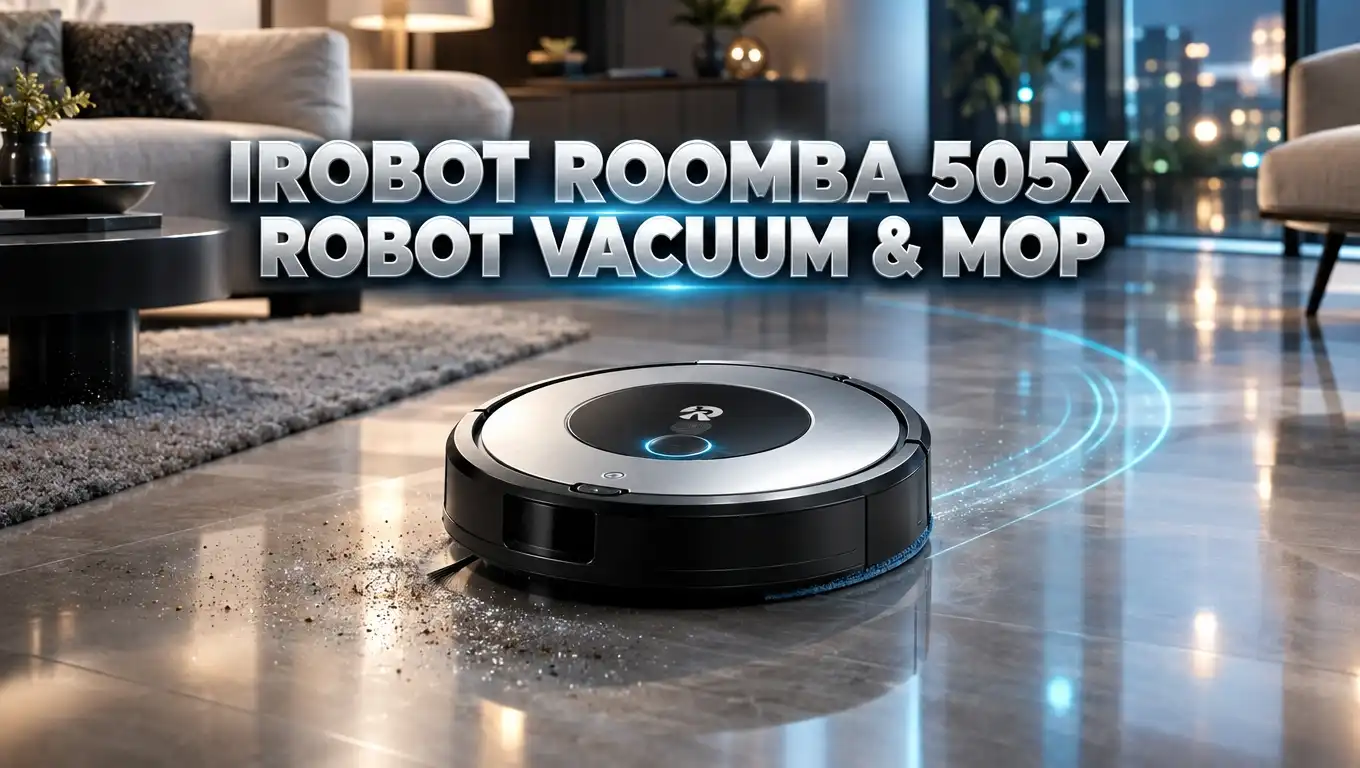
iRobot Roomba 505X Robot Vacuum and Mop Review 2026
Floor cleaning used to eat up a full evening. You vacuumed, then you filled a bucket, then you mopped, then you rinsed everything out. The iRobot Roomba 505X Robot Vacuum & Mop promises to take that entire routine off your plate.
This model sits in the middle of iRobot’s new lineup. It pairs a LiDAR guided robot with an AutoWash dock that empties the bin, washes the mop pads, and dries them with heat. In plain terms, it cleans itself after it cleans your floors.
But does it actually earn its price tag? I dug through hands on reviews, owner feedback, and iRobot’s own spec sheet to find out. Below you will get the honest picture: what this robot nails, where it stumbles, and whether it fits your home.
Keep reading. By the end you will know exactly whether the 505X belongs in your kitchen or whether your money belongs somewhere else.
In a Nutshell
Short on time? Here are the six things that matter most about this robot.
- Strong hard floor cleaner, average carpet cleaner. The 505X delivers 7,000 Pa of suction, which iRobot markets as 70x more power than older Roomba models. It picks up crumbs, dust, and pet hair in one pass on tile, vinyl, and wood. Thick pile carpet is its weak spot.
- Mopping is the real highlight. Two spinning pads turn at 200 RPM while pressing down on the floor. PerfectEdge extends one pad outward, which adds 18% more mopping coverage along walls and into corners.
- The AutoWash dock does almost everything. It self empties for up to 75 days, washes the pads mid clean, drains dirty water, refills the robot, and dries the pads with warm air. You handle water tanks roughly once a month.
- Navigation and obstacle avoidance work well. ClearView Pro LiDAR maps a floor in about 15 minutes. PrecisionVision AI uses a front camera to dodge cords, socks, and pet messes with good reliability.
- It is loud, and the app has quirks. Bin emptying hits around 87 dB. The Roomba Home app occasionally lags or shows the wrong status.
- Price swings a lot. List price is $999.99, but it has dropped to the $480 to $600 range during major sale events. At the discounted price it becomes a genuinely strong buy.
iRobot Roomba 505X Robot Vacuum and Mop

- A DEEPER CLEAN—EVEN WHERE DIRT LOVES TO HIDE. With advanced DualClean Mop Pads and PerfectEdge technology...
- THE DOCK THAT HANDLES THE DIRTY WORK. The AutoWash Dock empties debris for up to 75 days and washes...

Last update on 2026-09-28 / Affiliate links / Images from Amazon Product Advertising API
The Roomba 505X is a combo robot. That means one machine vacuums and mops, either at the same time or in separate passes.
It arrived as part of iRobot’s full lineup reset. The brand dropped its old bumper and camera navigation and moved to a top mounted LiDAR turret, the same approach rivals have used for years.
The robot measures 13.8 inches across and 4.2 inches tall. It weighs 9.44 pounds, which you notice if you carry it upstairs.
Underneath you will find a single rubber multi surface brush and one edge sweeping brush. Two spinning DualClean mop pads sit at the back and extend outward during mopping.
The AutoWash dock is the other half of the package. It holds a clean water tank, a dirty water tank, and a bagged dust bin with 75 days of capacity.
Four status lights on the dock tell you what needs attention. One for charging, one for clean water, one for dirty water, and one for the bag.
You get four mop pads and a spare dust bag in the box. Setup takes minutes, and the QR code on the guide sends you straight to the Roomba Home app.
The short version: this is a full featured combo robot with a genuinely capable dock, wrapped in a design that finally looks modern.
What Makes the Roomba 505X Stand Out
Three features separate the 505X from cheaper Roomba models. Each one changes how the robot behaves day to day.
PerfectEdge mop extension comes first. One of the two spinning pads pushes outward when the robot hugs a wall. That single change adds 18% more mopped floor area, and you can see the difference along baseboards and inside corners.
SmartScrub is second. The robot moves back and forth over a stubborn spot while applying extra downward pressure. iRobot rates this as 2x deeper scrubbing, and it helps with dried footprints and sticky kitchen spills.
PrecisionVision AI is third. A forward facing RGB camera works with the LiDAR sensor to recognise cords, socks, shoes, and pet waste. It also spots wet and dry messes and adds extra passes where needed.
Cheaper models in the range skip these. The 405 places its mop pads closer to the center, so edge mopping suffers. The 105 and 205 have no dock washing at all.
Heated pad drying is another 505X exclusive within the mid range lineup. Wet pads sitting in a dock start to smell fast, so warm air drying matters more than it sounds.
The 505X also uses dirt tracking data. It learns which rooms get messy fastest and prioritises them with stronger settings.
Design, Build Quality and First Impressions
The 505X looks nothing like the Roombas you remember. The disc shape stays, but the top panel gets layered textures and a matte finish.
Only two physical buttons sit on the body. One sends the robot home, the other powers it on and off.
It comes in black or white. Both blend into most kitchens and living rooms without shouting for attention.
The LiDAR turret pushes total height to 4.2 inches. That means it will not slide under low sofas or cabinets the way slimmer rivals can, so check your furniture clearance first.
Build quality feels solid. The dock is sturdy, clearly labelled, and the water tanks slide in and out without fuss.
Both tanks and the bin lift out from the top. You never need to move the dock once you place it.
iRobot recommends generous clearance on each side of the dock. Reviewers who gave it less space still saw the robot dock reliably, so the guidance is cautious rather than strict.
The single rubber roller replaced the old dual roller system. Testers ran it for weeks with a shedding dog and found zero hair wrapped around the brush, which is a real win for pet owners.
One small annoyance: spare mop pads do not store neatly inside the dock. You will need a drawer for them.
Top 3 Alternative for iRobot Roomba 505X Robot Vacuum and Mop
If the 505X does not fit your home or your budget, these three models cover the main gaps. Each one beats the Roomba in at least one area.
The first option brings far higher suction and a roller mop system, which suits homes with heavy carpet. The second focuses on obstacle crossing and raw power for mixed floor layouts. The third delivers most of the same convenience at a noticeably lower price.

- 20,000 Pa Powerful Suction & Tangle-Free Design: This robot vacuum and mop delivers 20,000 Pa suction power to...
- Compatible with: Designed exclusively for Roborock Qrevo Curv 2 Flow models, ensuring a secure and stable fit...
Last update on 2026-09-28 / Affiliate links / Images from Amazon Product Advertising API

- Cross Thresholds and Barriers: X50 Ultra utilizes robotic retractable legs to conquer door tracks, thresholds...
- Easily Clean Under Sofas and More: VersaLift Navigation lowers X50 Ultra height to 3.5 in, allowing it to...
Last update on 2026-06-09 / Affiliate links / Images from Amazon Product Advertising API

Last update on 2026-06-09 / Affiliate links / Images from Amazon Product Advertising API
Pick based on your floors. Mostly hard floors with a few rugs? The Roomba 505X holds up well and mops better than its price suggests.
Wall to wall carpet or thick rugs? Choose one of the high suction alternatives above, since 7,000 Pa runs out of steam on deep pile.
Tight budget? The eufy option gives you a self washing dock and solid mopping for less money, with a simpler app experience.
Vacuum Performance on Hard Floors
This is where the 505X performs better than its spec sheet suggests. On paper, 7,000 Pa looks modest next to rivals advertising 18,000 Pa or more.
In practice the results are strong. Reviewers reported that dust, crumbs, and everyday debris disappeared in a single pass on tile and hardwood.
Edge cleaning improved sharply over older Roombas. The fixed side brush sweeps debris from along baseboards into the suction path.
The robot adjusts suction on its own. When it detects a heavier mess, it steps up power without you touching the app.
You get four suction levels if you prefer manual control. You also get repeat pass options for hallways and entryways that take the most traffic.
Threshold crossing caused no trouble in testing. The robot moved between rooms and over door strips smoothly.
Pet hair handling deserves a mention. One tester used it more than 20 times in a home with a shedding pug and found no tangles on the roller at all.
Spot clean mode is the weak link. When faced with a large pile of dry oatmeal, the robot flagged it as a hazard and pushed debris outside the 1 metre square zone.
Lesson learned: send it to clean a whole room rather than a single spot for bigger spills.
Carpet and Rug Performance
Be honest about your floors before buying. The 505X is tuned for hard surfaces first.
Low pile rugs come out fine. The robot detects carpet automatically and boosts suction as it climbs on.
Testers found their low pile rugs looked as clean as after a stick vacuum pass. Edge transitions never caused the robot to get stuck.
Thicker carpet tells a different story. Deep pile exposes both the suction ceiling and the limited mop pad lift height.
This creates a second problem. Some owners reported thick rugs getting damp even with the pads lifted, which is why a no mop zone matters.
The fix is simple. Draw a no mop zone over any deep rug inside the app, then let the robot vacuum that area only.
That workaround handles it well in practice. The robot still vacuums the rug during the same routine while mopping the rest of the floor.
If your home is mostly carpeted, step up to a model with a roller mop and higher lift, or choose a vacuum only robot. The 505X shines in kitchens, hallways, bathrooms, and open plan hard floor spaces.
Mopping Power, DualClean Pads and SmartScrub
Mopping is the star feature. Old Roombas dragged a damp cloth behind them, which barely counted as cleaning.
The 505X uses two spinning pads that rotate at 200 RPM while pressing into the floor. That combination actually scrubs rather than smears.
You can see the difference on a dirty kitchen floor. Testers reported light spills, dried footprints, and general grime coming up cleanly.
Water dosing impressed reviewers. Floors came out neither soaked nor barely damp, and you can adjust water level in the app before a run.
SmartScrub adds a back and forth motion for tougher areas. It doubles down on one patch instead of gliding past it.
PerfectEdge pushes one pad outward near walls. Kitchens and hallways benefit most, since those edges collect the most grime.
Manage your expectations on baked on stains. This is an excellent surface clean, not a substitute for a steam mop and elbow grease.
One practical tip from owners: add a splash of disinfectant to the dirty water tank. After two weeks of regular mopping, that tank starts to smell, and emptying it is not pleasant.
iRobot also asks you to use only approved cleaning solutions. Using other liquids can affect your warranty.
AutoWash Dock and Hands Off Cleaning
The dock carries this product. It handles nearly every chore you would otherwise do yourself.
After each run the robot returns and empties its bin into a sealed bag. That bag holds up to 75 days of debris.
Next the dock drains unused clean water back into its tank. Then it pumps dirty water into the waste tank.
Pad washing happens both mid clean and after the job. The robot can return to rinse its pads partway through a large area, then continue where it left off.
Heated drying finishes the cycle. Warm air dries the pads so they do not sit wet and sour between runs.
The dock also runs self cleaning passes on its own tray. That stops grime from building up inside the base.
Water tanks last about four weeks of mopping before you need to refill and empty them. That is genuinely low effort.
The four dock lights make maintenance obvious. A glowing symbol tells you exactly which task needs your hands.
This is the part of the 505X that feels worth the money. You go from daily chores to a monthly ten minute reset.
ClearView Pro LiDAR Navigation and Mapping
LiDAR is new territory for Roomba, and it makes a visible difference. The spinning turret builds an accurate floor plan quickly.
Mapping an open plan ground floor took around 15 minutes in testing. Some reviewers saw it finish in five to seven minutes for smaller layouts.
The map arrives detailed. Testers were surprised to see furniture placed correctly, including a dining table and a sofa.
Room naming sometimes needs a correction. The robot guessed a dining room was an entryway, which took seconds to fix.
Once the map exists, control gets precise. You can split rooms, merge them, rename them, and add no go or no mop zones.
Room by room and zone cleaning both work. You can tell it to clean the kitchen only, or a small area near the couch.
Cliff sensors stop it from tumbling down stairs. LiDAR also means it navigates in complete darkness without issue.
Coverage patterns follow a sensible order. It traces the room edges first, then fills the middle in neat rows.
One quirk worth knowing: when cleaning the whole floor, it starts with the room furthest from the dock. Clean rooms one at a time if you want a specific order.
PrecisionVision AI Obstacle Avoidance
The 505X is the only model in its lineup tier with dedicated obstacle avoidance. That alone justifies the step up from the 405 for many households.
A front facing camera works alongside the LiDAR data. Together they identify objects before the robot reaches them.
Charging cables, socks, and shoes were avoided reliably in testing. Pet waste recognition is also part of the system, which matters enormously if you have a puppy.
Small toys occasionally slipped through. Reviewers with kids noted the odd tiny item still tripped it up.
The camera does more than dodge things. It identifies wet and dry messes, then repeats passes over the dirtier areas.
Getting stuck was rare. One tester reported a single incident across weeks of use, caused by floor length curtains.
You still benefit from a quick tidy. Lift dog beds, cords, and loose shoes before a run, and the robot works faster and cleaner.
The app shows you where obstacles were detected after each job. That feedback helps you fix recurring trouble spots.
Compared with older Roombas that bumped into everything, this feels like a different product entirely.
Cleaning Modes and Roomba Home App
You get four cleaning modes. Vacuum only, mop only, vacuum and mop together, or vacuum first then mop.
That last mode is useful. Dry debris gets collected before any water touches the floor, which avoids muddy streaks.
On top of that sit four intensity levels. Smart clean, light clean, normal clean, and deep clean each change duration and thoroughness.
Add four suction levels, adjustable water flow, repeat passes, and SmartScrub. Customisation is one of the 505X strengths.
The app splits into clear sections. My Home shows the live map, Robots covers device health, Automations handles schedules, and Support holds guides.
Robot Health is genuinely handy. It tracks remaining life for the filter, dust bag, mop pads, edge brush, and main brush, with reorder links.
Voice control works through Alexa, Google Assistant, and Siri. You can ask it to mop the kitchen without opening your phone.
Now the honest part. Multiple reviewers found the app glitchy, with slow map updates, missing robot position, and status messages that said “connecting” while the robot was clearly online.
Some testers could not reliably save custom routines. Force closing and reopening the app fixed most issues, but the experience needs polish.
Battery Life, Noise and Daily Living
Battery life is generous. The 505X runs for up to three hours on a charge, which covers large single floor homes comfortably.
If the battery runs low mid job, the robot recharges and resumes. You do not need to restart the routine manually.
Now the noise. This is the most common complaint, and the numbers explain why.
Measured levels during testing came out like this: normal vacuum and mop operation around 65 dB, water transfer between 68 and 69 dB, dock self cleaning between 68 and 70 dB, pad drying a quiet 42 dB, and bin emptying a jarring 87 dB.
That bin emptying burst lasts only seconds, but it is loud. Parents of nappers and anyone taking calls nearby will want to schedule runs carefully.
Maximum suction is also noisy. Reviewers described it as hard to ignore while watching television in the same room.
Scheduling solves most of this. Set the robot to clean while you are out, and the noise becomes irrelevant.
The tradeoff feels fair. Two spinning mop heads and a self emptying dock simply cannot operate silently.
Pros and Cons of the iRobot Roomba 505X
Here is the balanced view after weighing every hands on report.
Pros
- Excellent mopping for the price. Two spinning pads at 200 RPM plus SmartScrub deliver real scrubbing, not damp smearing.
- PerfectEdge reaches corners. The extending pad adds 18% coverage, and edge results are visibly better than mid mounted pad designs.
- The AutoWash dock is genuinely hands off. Self emptying for 75 days, pad washing, hot air drying, and dock self cleaning all included.
- Reliable obstacle avoidance. PrecisionVision AI dodges cords, socks, and pet waste, and getting stuck is rare.
- Fast, accurate LiDAR mapping. A full floor maps in around 15 minutes with furniture recognition and easy zone editing.
- Tangle free roller. Pet owners reported no hair wrapped around the brush after weeks of use.
- Long three hour battery with automatic recharge and resume.
- Deep discounts appear often, with prices dipping to roughly half of list during major sales.
Cons
- Weak on thick carpet. 7,000 Pa and limited pad lift make deep pile a poor match.
- Very loud bin emptying at around 87 dB, plus high noise at maximum suction.
- App stability issues, including crashes, wrong status reports, and unreliable custom routine saving.
- Tall at 4.2 inches, so it will not fit under low furniture.
- Heavy at 9.44 pounds, which makes carrying it between floors awkward.
- Spot clean mode underperforms with larger dry spills.
- Dirty water tank develops an odour within a couple of weeks.
- Approved cleaning solutions only if you want to keep the warranty intact.
Price, Value and Who Should Buy It
List price sits at $999.99 in the United States. At that number, the value argument gets difficult.
Discounts change everything. The 505X has dropped to around $480 to $600 during Prime Day and similar events, sometimes a 52% cut.
At roughly $500, this becomes a strong recommendation. You get a full self washing dock, LiDAR, AI obstacle avoidance, and the best mopping in iRobot’s mid range.
At full price, rivals offer higher suction and more polished apps for similar money. Waiting for a sale is the smart play here.
Think about who this suits. Homes dominated by hard floors with a few low pile rugs get the most benefit.
Pet owners should pay attention. The tangle free roller and pet waste avoidance remove two of the biggest robot vacuum headaches.
Busy families gain the most time back. Testers with toddlers described coming downstairs to already clean floors as the selling point.
Skip it if your home is mostly carpeted. Skip it too if noise sensitivity is high or you need a robot that slides under very low furniture.
Also worth knowing: iRobot went through a restructuring process with its manufacturing partner Picea. Consider warranty support alongside the hardware when you compare options.
Final Verdict on the iRobot Roomba 505X
- A DEEPER CLEAN—EVEN WHERE DIRT LOVES TO HIDE. With advanced DualClean Mop Pads and PerfectEdge technology...
- THE DOCK THAT HANDLES THE DIRTY WORK. The AutoWash Dock empties debris for up to 75 days and washes...
Last update on 2026-09-28 / Affiliate links / Images from Amazon Product Advertising API
The Roomba 505X is a good robot with one outstanding feature and a few rough edges. Mopping and dock convenience carry the package.
On hard floors it performs above its suction rating. Crumbs, dust, and pet hair vanish in a single pass, and the edges come out cleaner than most combo robots manage.
The spinning pads genuinely scrub. PerfectEdge and SmartScrub turn mopping from a token gesture into something you can rely on.
The AutoWash dock is the reason to choose this over cheaper models. Emptying, washing, draining, refilling, and heated drying all happen without you.
Navigation and obstacle avoidance are dependable. Fast mapping, precise room control, and camera based object recognition make daily use smooth.
The complaints are real but manageable. Carpet performance is limited, bin emptying is loud, and the app needs software work.
Buy it if you have mostly hard floors, pets or kids, and you catch it on sale. That combination makes the 505X excellent value.
Look elsewhere if you need serious carpet power or a flawless app. The high suction alternatives listed earlier will serve you better.
Overall, this is the most modern feeling Roomba in years, and the first one where the mopping alone justifies the purchase.
Frequently Asked Questions
How much suction does the iRobot Roomba 505X have?
The 505X delivers 7,000 Pa of suction. iRobot markets this as 70x more suction than its older Roomba models.
Four suction levels let you dial power up or down. The robot also boosts power automatically when it senses carpet or a heavier mess.
Does the Roomba 505X empty itself?
Yes. The AutoWash dock empties the robot bin into a sealed bag after each run.
That bag holds roughly 75 days of debris before you replace it. The dock also washes and heat dries the mop pads.
Can the Roomba 505X avoid pet waste and cords?
Yes. PrecisionVision AI combines a front facing camera with LiDAR data to identify obstacles.
It reliably avoided cables, socks, shoes, and pet waste in hands on testing. Very small toys occasionally slipped past it.
Is the Roomba 505X good on carpet?
It handles low pile rugs well and boosts suction automatically when it climbs on. Thick pile carpet is a weak spot.
Set a no mop zone over deep rugs inside the app. Some owners reported thicker rugs getting damp even with pads lifted.
How long does the Roomba 505X battery last?
Up to three hours per charge. If the battery runs low during a job, the robot returns to the dock, recharges, and resumes automatically.
How often do I need to refill the water tanks?
About once every four weeks with regular mopping. The dock lights up to tell you when the clean tank is empty or the dirty tank is full.
Rinse the dirty water tank each time you empty it. A small amount of disinfectant helps control odour.
Is the Roomba 505X noisy?
Yes, more than most robot vacuums. Normal cleaning measures around 65 dB, while bin emptying spikes to roughly 87 dB.
Pad drying is quiet at around 42 dB. Scheduling runs while you are out solves most of the noise problem.
What is the difference between the Roomba 505X and the Roomba 405?
Both share the AutoWash dock and DualClean spinning pads. The 505X adds PrecisionVision AI obstacle avoidance and heated pad drying.
Pad placement also differs. On the 505X the pads extend outward for better edge and corner coverage.
Does the Roomba 505X work with Alexa and Google Assistant?
Yes. It supports Alexa, Google Assistant, and Siri for voice commands.
You can start a job, send it home, or ask it to clean a specific room. Matter support has also been added through software updates.
Can I use any floor cleaner in the Roomba 505X?
No. iRobot specifies approved cleaning solutions only.
Using other liquids risks damaging the dock pump and can affect your warranty coverage. Check the app for the current approved list.

DK is a technology expert who specializes in AI tools, software, and tech gadgets. He writes for How to Tech Info, providing detailed reviews and practical guides. DK helps readers discover the best AI applications, navigate new software, and choose the right tech gadgets.