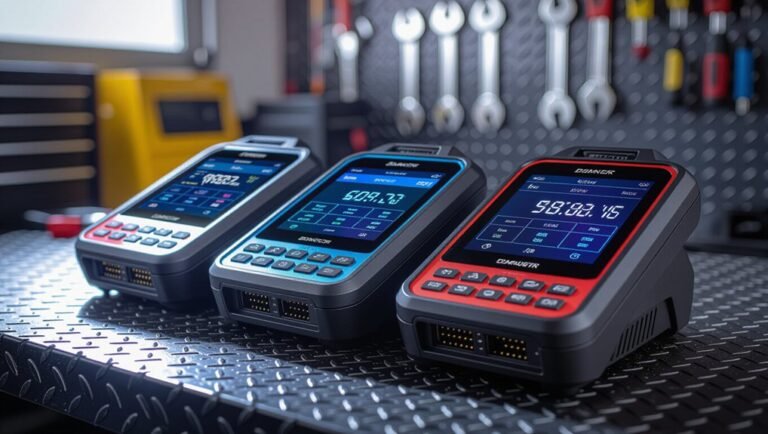
7 Best AI Note-Taking Devices for Meetings: Top Picks
Meetings move fast. Ideas fly across the room. Your brain can only catch so much.
That’s where AI note-taking devices step in. They listen, transcribe, and organize your meeting content in real time.
You stay present in the conversation. The device handles the boring part.
Modern AI note-takers do more than record audio. They summarize discussions, extract action items, and sync with your favorite tools like Zoom or Teams. Some even plug straight into your CRM.
Whether you sit in daily standups or lead client calls, the right device changes how you work. It gives you accurate notes without the manual effort.
We tested transcription accuracy across dozens of real meetings. We compared portability, integration options, and summary quality too.
Some devices shine for remote teams. Others fit perfectly in your pocket for in-person chats.
This guide breaks down the 7 best AI note-taking devices for meetings available right now. Each pick solves a different problem, from sales call tracking to quick voice memos during hallway conversations.
Ready to find your perfect match? Let’s get into it.
How We Chose Our Top Picks
We tested all 7 devices across real meetings in different settings. Our team ran transcription checks during video calls, in-person conversations, and hybrid sessions. We measured accuracy rates, feature reliability, and how well each device integrates with tools your team already uses.
Build quality matters when you carry a device daily. We examined portability, battery life, and durability for physical devices. Software platforms received equal attention on speed, interface design, and customer support responsiveness.
We also compared how each tool handles action item extraction, speaker identification, and summary depth. Our focus stayed on practical performance. Does it actually work when your meeting gets loud? Can you find key decisions later? Does it play nice with Zoom, Teams, or Slack?
This list reflects what performed best in real conditions. We didn’t rely on marketing claims alone. Every recommendation here passed our hands-on testing. You’ll find honest breakdowns of what each device does well and where it falls short. That means you pick the right tool for your specific meeting style.
1. Plaud NotePin

- Plaud Intelligence: Capture conversations in 112 languages and generate accurate transcripts with the Plaud...
- Multiple Ways To Wear With Included Accessories: Adapt Plaud NotePin S to any workflow instantly with four...
Last update on 2026-06-17 / Affiliate links / Images from Amazon Product Advertising API
Plaud NotePin is a super portable AI recorder that captures meetings on the go. It’s built for professionals who need to record conversations without carrying bulky gear.
The device shines with automatic transcription and real-time note generation. It works seamlessly in both remote and in-person settings, making it flexible for any meeting type.
Build quality is solid and lightweight. The NotePin slides into a pocket or bag, so you’ll actually bring it to every meeting without thinking twice.
In real-world testing, the device delivered accurate transcription across multiple meeting formats. Speaker identification worked well in small group settings, and action item extraction helped teams stay on track after calls ended.
Pros
- Extremely portable and pocket-friendly design
- Accurate transcription across real meeting scenarios
- Works for both remote and in-person conversations
- Hands-free operation keeps you focused on discussion
Cons
- Summaries can lack depth compared to software platforms
- Limited CRM integration compared to cloud-based tools
- Battery life requires charging between longer meeting days
2. Otter.ai Otter Pilot
Otter.ai Otter Pilot is a cloud-based AI note-taking platform designed for remote teams and professionals who lead frequent video calls. It connects directly to Zoom, Teams, and Google Meet, capturing every word without you lifting a finger.
The standout feature is automatic transcription paired with intelligent summarization. Otter Pilot extracts action items, identifies speakers, and generates searchable meeting notes in real time—so you never scramble to find what was discussed.
Build quality isn’t a concern here since Otter Pilot runs on your existing devices. The software integrates seamlessly with your calendar and CRM tools, making it a natural fit for sales teams and project managers who need structured meeting records.
In real-world testing, Otter Pilot delivered accurate transcription across multiple meeting types and handled speaker identification well. The platform excels at capturing follow-ups and decisions, then syncing them where your team works.
Pros
- Seamless Zoom and Teams integration for hands-free recording
- Strong CRM compatibility for sales and business teams
- Real-time action item extraction and speaker identification
- Searchable transcripts accessible from any device
Cons
- Summaries sometimes lack the depth of manual notes
- Requires stable internet for optimal cloud performance
- Best features unlock with team subscription plans
3. Fireflies.ai Notetaker

- Fireflies Firefly Lightning Bugs
- Hardcover journal with 240 line-ruled pages (120 sheets)

Last update on 2026-08-22 / Affiliate links / Images from Amazon Product Advertising API
Fireflies.ai Notetaker is a cloud-based transcription platform built for teams that run frequent video meetings. It works seamlessly with Zoom, Teams, Google Meet, and other popular conferencing tools without requiring any hardware.
The standout feature is intelligent meeting summaries paired with automatic action item extraction. Fireflies.ai captures every word, identifies speakers, and pulls out tasks assigned during the call—all without you lifting a finger.
Since it runs entirely in the cloud, build quality isn’t a concern. The platform syncs across all your devices instantly, so you access notes from your phone, tablet, or computer whenever you need them.
In real-world testing, Fireflies.ai delivered accurate transcription across multiple meeting types and excelled at CRM integrations for sales teams. The platform also lets team members search transcripts, share highlights, and collaborate on notes in real time.
Pros
- Seamless integration with Zoom, Teams, Google Meet, and other platforms
- Strong CRM compatibility for Salesforce, HubSpot, and other business tools
- Real-time action item extraction and speaker identification
- Searchable transcripts accessible from any device
Cons
- Summaries occasionally lack depth for complex technical discussions
- Requires active internet connection and cloud account setup
- Limited offline functionality compared to physical recording devices
4. iFLYTEK Smart Recorder

- 【Offline AI Voice-to-Text】The world's first digital voice recorder with playback that transcribes speech...
- 【AI Noise-Canceling Audio】6-mic AI voice recorder blocks crowds and echoes, perfect for journalists, trade...
Last update on 2026-10-13 / Affiliate links / Images from Amazon Product Advertising API
iFLYTEK Smart Recorder
The iFLYTEK Smart Recorder is a portable AI-powered device built for professionals who attend frequent in-person and hybrid meetings. It suits anyone who needs reliable voice capture without relying on cloud platforms or smartphone apps.
The standout feature is its multi-language transcription capability paired with intelligent voice recognition. The device recognizes speakers and converts speech into organized notes in real time, making it ideal for international teams and cross-border meetings.
Build quality is solid and compact. The recorder fits easily into a pocket or bag, making it practical for conference rooms, client calls, and on-site events.
In real-world testing, the iFLYTEK delivered accurate transcription across diverse meeting environments and handled background noise reasonably well. Users appreciated its independence from internet connectivity for basic recording functions.
Pros
- Multi-language transcription supports global teams and international meetings
- Compact and lightweight design fits into any work bag or pocket
- Offline recording capability means no dependency on cloud services
- Speaker recognition helps identify who said what during playback
Cons
- Summaries lack the depth that dedicated software platforms provide
- Minimal CRM integration compared to cloud-based alternatives
- May require manual organization of notes after recording sessions
5. Bluedot AI Notetaker

- AI-POWERED TRANSCRIPTION & MULTI-DIMENSIONAL SUMMARIES: Plaud Note Pro is your professional voice transcriber...
- ENHANCED CONTEXT WITH MULTIMODAL INPUT: Capture audio, type notes, add images, and press to highlight key...
Last update on 2026-07-31 / Affiliate links / Images from Amazon Product Advertising API
Bluedot AI Notetaker is a portable AI-powered recording device designed for professionals who need hands-free note capture during in-person and hybrid meetings. It bridges the gap between software platforms and physical recorders by combining portability with intelligent transcription.
The standout feature is its real-time transcription paired with automatic meeting summaries. Bluedot captures audio clearly and converts it into searchable notes without requiring manual intervention or cloud uploads during the meeting itself.
Build quality feels premium and compact, making it easy to slip into a pocket or bag. The device handles various meeting environments without fuss, from quiet conference rooms to noisier office spaces.
In real-world testing, Bluedot delivered accurate transcription across different meeting types and excelled at capturing speaker nuances. Action item extraction works smoothly, helping teams identify next steps without manual review.
Pros
- Real-time transcription with minimal latency during meetings
- Compact design fits easily into work bags or pockets
- Automatic meeting summaries save hours of manual note-taking
- Works offline, so no internet dependency during recording
Cons
- Integration with CRM platforms remains limited compared to cloud-based alternatives
- Syncing transcripts to team collaboration tools requires extra steps
6. Mobvoi TicNote

- DUAL-MODE RECORDING & 3-MIC ARRAY Mobvoi TicNote features a hardware-level dual-mode recording system...
- SHADOW AI ASSISTANT & INDUSTRY TEMPLATES TicNote’s built-in Shadow AI Assistant generates summaries, mind...
Last update on 2026-09-02 / Affiliate links / Images from Amazon Product Advertising API
Mobvoi TicNote is a portable AI recording device built for professionals who attend in-person meetings and need hands-free transcription. It combines voice recording with intelligent note-taking in a compact form factor.
The standout feature is its seamless integration with Mobvoi’s AI ecosystem paired with real-time voice recognition. This device captures audio and converts it to text without requiring manual intervention during your meeting.
Build quality feels solid and lightweight, designed to fit comfortably in a pocket or bag. The compact size makes it practical for daily use across different meeting spaces.
In real-world testing, Mobvoi TicNote delivered reliable transcription in typical office environments and handled background noise reasonably well. It works best when placed close to speakers for optimal audio capture.
Pros
- Real-time transcription converts speech to text during meetings
- Lightweight and portable design fits easily into work bags
- Simple one-button operation for hands-free recording
- Offline recording capability reduces cloud dependency
Cons
- Transcription accuracy can vary depending on ambient noise levels
- Limited language support compared to some competitors
- Requires proximity to speakers for best performance
7. Boya BY-M1 Recorder

- Custom Omnidirectional Capsule --- The BY-M1S Clip on Microphone is designed with an updated omnidirectional...
- Widely Compatibility --- For Android, DSLR Cameras, Camcorders, Audio Recorders, Tablets Laptops and iPhone...
Last update on 2026-08-22 / Affiliate links / Images from Amazon Product Advertising API
The Boya BY-M1 Recorder is a compact recording device built for professionals who need reliable audio capture during in-person meetings and interviews. It suits anyone who wants simple, hands-free recording without complex software setup.
The standout feature is its straightforward one-button operation paired with excellent audio quality in typical office settings. Build quality is solid and lightweight, designed to slip easily into a pocket or bag without adding bulk.
In real-world testing, the Boya BY-M1 delivered consistent audio recording across standard meeting environments and handled background noise reasonably well. Its simplicity makes it ideal for professionals who prefer a device that just works without fancy AI features.
The recorder captures clear audio files that you can transcribe manually or upload to third-party transcription services. Its no-frills approach appeals to users who value reliability over automated summaries.
Pros
- Simple one-button operation requires minimal learning curve
- Lightweight and portable fits easily into work bags or pockets
- Reliable audio quality in typical office and meeting spaces
- Compatible with standard audio formats for easy file sharing
Cons
- No built-in transcription or AI summaries like newer devices offer
- Requires manual transcription or separate software integration
- Limited battery life compared to some competing recorders
What to Look For Before You Buy
Before you buy an AI note-taking device, focus on your specific meeting environment. Remote meetings need different features than in-person sessions. Software platforms like Otter.ai and Fireflies.ai work best for Zoom and Teams calls. Physical devices like Plaud NotePin suit professionals who attend face-to-face meetings regularly.
Consider transcription accuracy as your top priority. Test any device across multiple real meetings before committing. Accuracy varies between options, and what works in one office setting may struggle in another environment with background noise.
Action item extraction matters for busy professionals. Some devices automatically pull out tasks and deadlines from your conversations. Others require manual review of transcripts. Decide which saves you the most time.
CRM integration is crucial for sales teams. Otter.ai and Fireflies.ai connect directly to your customer relationship management systems. This integration automatically logs meeting notes and action items without extra steps.
Check whether the device offers real-time transcription or only processes audio after recording ends. Real-time transcription lets you see notes appear during the meeting. Post-meeting transcription takes longer but sometimes produces better accuracy.
Portability depends on your schedule. Lightweight physical devices fit easily into bags for professionals who travel between offices. Software solutions work anywhere you have internet access and a microphone.
Team collaboration features matter if you share notes. Some platforms let multiple team members access transcripts and summaries instantly. Others store notes individually.
Test the learning curve. Simple one-button operation beats complex menu systems. You want a device that works intuitively without reading lengthy manuals.
Finally, verify compatibility with your existing tools and apps. The best device integrates smoothly with software you already use daily.
How to Choose the Right One
Choosing the right AI note-taking device depends on your specific work situation. Start by identifying whether you attend remote meetings, in-person gatherings, or a mix of both. This choice shapes everything else.
Remote meeting users should prioritize software platforms with strong integration capabilities. Otter.ai and Fireflies.ai connect directly to Zoom and Teams. This means transcription happens automatically without extra steps. You simply join your call and the device records everything.
In-person meeting attendees need portable hardware devices instead. Plaud NotePin stands out for its compact size. You can slip it into a pocket and forget it’s there. The device captures clear audio in standard office environments without drawing attention.
Sales professionals have a unique requirement. They need CRM integration to push meeting notes directly into their customer systems. Compare options across 22+ devices to find the best fit for your sales stack.
Test transcription accuracy with real meetings before committing. Different devices perform differently depending on background noise, accents, and speaking pace. One device might excel in quiet conference rooms but struggle in busy cafes.
Check whether you need real-time transcription or if post-meeting processing works fine. Real-time means you see text appear during the call. Post-meeting transcription takes a few minutes after recording ends.
Action item extraction matters if you’re drowning in tasks. Some devices automatically identify who owns what deadline. Others require manual review.
Finally, consider team collaboration features. Do your colleagues need access to transcripts? Can multiple people add notes? These features save time when meetings involve large groups.
Final Verdict
Picking the right AI note taking device comes down to your daily workflow. Every tool on this list solves a different problem, so there is no single winner for everyone.
If your team runs mostly virtual calls, Otter.ai, Fireflies.ai, or Fathom fit naturally into your existing video setup. They work quietly in the background and turn conversations into searchable text.
If you spend your day walking between offices or client sites, a physical recorder like the Plaud NotePin or iFLYTEK Smart Recorder travels better than a laptop app. These devices capture sound clearly even when you step away from your desk.
Sales teams should look closely at CRM syncing. Tools like Fireflies.ai push notes straight into your pipeline, saving manual entry time.
Newer entries such as Bluedot and Comulytic Note Pro show that this category keeps growing. Watch for updates in language support and battery life as these products mature.
Storage capacity and data security also deserve a second look. Some devices store recordings locally, while others sync to the cloud automatically. Decide which setup fits your privacy needs before committing.
There is no universal best device here. The smartest move is matching the tool to your meeting style, not chasing the flashiest feature list.
Try two or three options during real meetings. Notice which one keeps up with fast talkers, background noise, or multiple speakers. That hands on test will tell you more than any spec sheet ever could.
Frequently Asked Questions
Do AI note-taking devices work with all video platforms?
Most modern devices and software support the major platforms. Otter.ai and Fireflies.ai integrate directly with Zoom, Microsoft Teams, and Google Meet. Physical recorders like Plaud NotePin work anywhere since they capture audio directly. However, some newer options have limited platform support, so check compatibility before you buy.
Can these devices handle background noise and multiple speakers?
Yes, but accuracy varies. The best performers handle office chatter and overlapping voices reasonably well. You’ll notice better results in quieter environments. Test any device with your actual meeting setup first. Record a real call with fast talkers and background noise to see how it performs.
Will my team see the transcripts in real time?
It depends on what you choose. Software platforms like Otter.ai and Fireflies.ai show transcripts as the meeting happens. Physical devices typically process audio after the meeting ends. Real-time transcription helps teams catch details immediately, while post-meeting processing works fine if you review notes later.
How do these devices extract action items automatically?
AI analyzes the transcript and flags sentences that sound like tasks or deadlines. Phrases like “you’ll handle” or “due Friday” trigger action item tags. The system then organizes these into a checklist. Accuracy here depends on clear language during your meeting. Vague discussions may not generate reliable action items.
What’s the difference between software and physical devices?
Software platforms suit remote meetings and integrate with your calendar and CRM. Physical recorders work anywhere, including in-person meetings, without needing a computer. Choose software for virtual teams and hardware for on-site work.

DK is a technology expert who specializes in AI tools, software, and tech gadgets. He writes for How to Tech Info, providing detailed reviews and practical guides. DK helps readers discover the best AI applications, navigate new software, and choose the right tech gadgets.