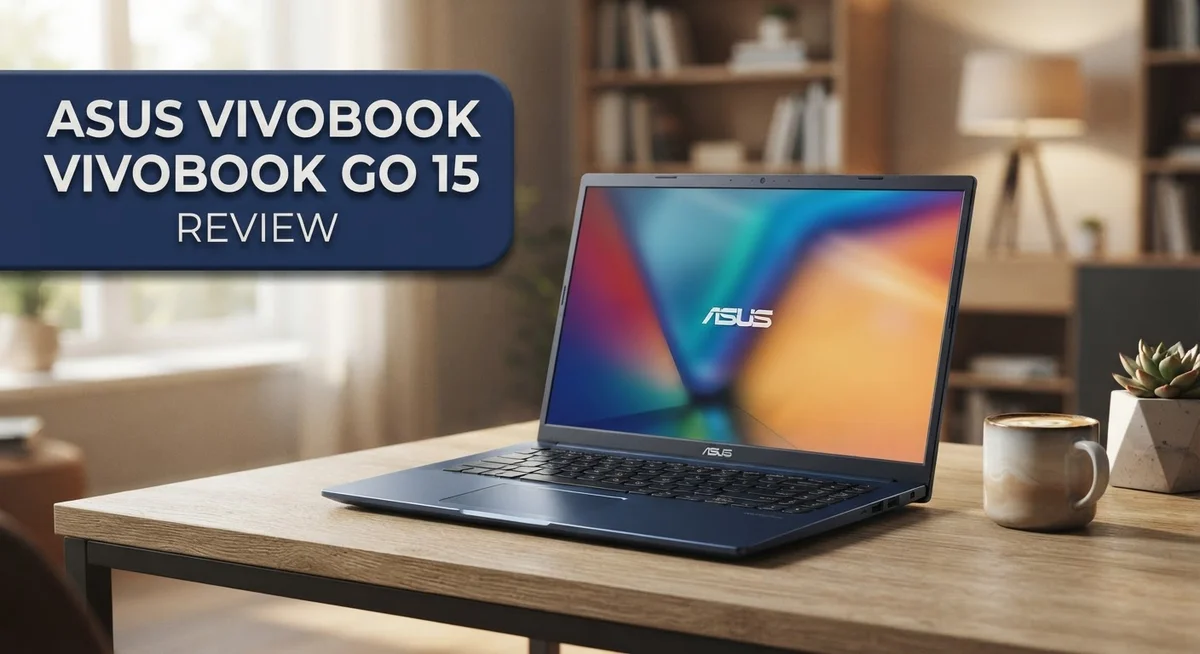
ASUS Vivobook Go 15 Review: Worth Your Money In 2026?
Looking for a simple laptop for daily tasks? The Asus Vivobook Go 15 might be your answer.
This laptop targets students and everyday users. It handles browsing, email, and light work with ease.
The design feels light and premium. You also get a 180° lay flat hinge and a physical webcam shield for privacy.
Some models offer a stunning OLED display. Colors pop, and details look sharp on the 15.6 inch screen.
Startup speed impresses many users. Setup also stays quick and simple, so you can get working fast.
But does this laptop fit your needs? It depends on your workload.
This review covers specs, performance, and design. We also discuss who should consider this laptop and who should look elsewhere.
Let us explore what makes the Vivobook Go 15 a solid pick for simple computing tasks.
In a Nutshell
Here is the quick summary for anyone short on time.
-
Processor choice matters. You can pick an AMD Ryzen chip or an Intel N150 model. Pick based on your daily tasks.
-
Memory and storage scale up. RAM goes from 8GB to 16GB. Storage ranges from 128GB to 512GB SSD.
-
The hinge is a nice touch. It folds flat to 180 degrees. This makes sharing your screen simple.
-
Privacy gets a boost too. A physical webcam shield covers the camera when you are not using it.
-
The keyboard feels comfortable. Typing long documents does not strain your hands.
-
Heavy tasks are not its strength. Video editing or gaming will slow this machine down fast.
-
Everyday users will feel at home. Browsing, emails, and schoolwork run smoothly on this laptop.
This laptop suits simple needs well. It skips heavy performance for light, reliable use.
Design and Build Quality
The Asus Vivobook Go 15 presents a slim and lightweight chassis that feels genuinely premium in hand. The aluminum construction gives it a solid, refined appearance that belies its entry-level positioning. You’ll notice the laptop weighs very little, making it perfect for students and commuters who move between classes or coffee shops.
The 180-degree lay-flat hinge is a standout feature. This design choice lets you position the screen at virtually any angle you prefer. Whether you’re working at a desk or relaxing on a couch, the hinge accommodates your needs without feeling stiff or cheap.
The bezels around the display are reasonably thin, which maximizes screen real estate on the 15.6-inch panel. The overall footprint remains compact despite the larger screen size. This balance makes the laptop easy to fit into bags and backpacks without taking up excessive space.
Build quality feels consistent throughout. The keyboard deck has minimal flex, and the trackpad responds smoothly to your gestures. The materials don’t feel plasticky or flimsy. Everything appears to be assembled with care, which is impressive at this price point.
One practical addition is the physical webcam shield. You get a small lever that covers the camera when you’re not using it. This simple feature adds a genuine privacy layer that many users appreciate, especially in shared spaces or when working from home.
Port placement is logical and accessible. You won’t struggle to connect USB devices or external displays. The ports sit on the sides rather than the back, so cables don’t interfere with your workflow.
The display hinge also supports a full 180-degree opening, meaning the laptop can sit completely flat if needed. This flexibility is useful for presentations or when you want to share the screen with someone sitting across from you.
Overall, the design philosophy prioritizes practicality and portability. The Vivobook Go 15 doesn’t try to be a gaming beast or a professional workstation. Instead, it focuses on being a reliable, easy-to-carry companion for everyday tasks. The build quality reflects this honest approach without unnecessary frills.

- Stunning Full HD Display: 15.6" Full HD screen with an 84% screen-to-body ratio brings your videos, games, and...
- Power to Get Things Done: Intel Processor N150, 4GB RAM, and 128GB storage let you breeze through...
Last update on 2026-10-07 / Affiliate links / Images from Amazon Product Advertising API
Display and Visual Performance
The Asus Vivobook Go 15 gives you two display options that serve different needs. You can choose between a standard FHD panel or step up to an OLED screen. This flexibility lets you pick what works best for your daily tasks.
The FHD display delivers crisp text and clear visuals for browsing, email, and document work. Colors appear accurate for everyday computing. Brightness levels handle indoor environments well. The 60Hz refresh rate keeps scrolling smooth without any jarring motion. For students taking notes or professionals handling spreadsheets, this panel performs reliably.
The OLED variant transforms the viewing experience entirely. You get perfect blacks because OLED pixels emit their own light. Contrast ratios reach infinite levels, making images pop off the screen. Colors become more vibrant and true to life. If you watch videos or edit photos, the OLED option reveals details that standard panels miss. Viewing angles improve dramatically too. You can tilt the screen at extreme angles without color shift or loss of clarity.
The 15.6 inch size strikes a nice balance. The screen feels spacious enough for comfortable work sessions without making the laptop bulky. The thin bezels maximize usable space on the display. You get more screen real estate compared to laptops with chunky frames around the edges.
Brightness remains consistent across both display options. Indoor lighting conditions don’t cause glare or eye strain during extended use. The anti glare coating helps reduce reflections from overhead lights and windows.
Color accuracy matters for creative work. The OLED display handles this better than the FHD option. If you’re just browsing and checking email, both screens serve you equally well. The choice depends on what you do most often.
The display experience reflects the laptop’s mission. It prioritizes everyday comfort over extreme performance. Whether you pick FHD or OLED, you’re getting a screen that supports productive work without fatigue. The visual quality matches what casual users expect from a modern laptop.
Processor and Performance
The processor you choose shapes how smoothly this laptop runs your daily tasks. The Asus Vivobook Go 15 comes with three main options: AMD Ryzen 5 7520U, AMD Ryzen Athlon Gold 7220U, or Intel N150. Each processor handles everyday computing well.
The Ryzen 5 7520U is the strongest choice here. It powers through web browsing, email, document editing, and video streaming without lag. You get smooth multitasking when you switch between multiple browser tabs and applications. This processor performs admirably for light creative work too.
The Athlon Gold 7220U sits as the entry-level option. It still manages basic tasks easily. Streaming videos, checking email, and word processing feel responsive. However, it shows its limits if you push demanding software.
The Intel N150 variant offers another path for users who prefer Intel chips. Performance sits between the other two options. It handles standard computing needs without problems.
Real world performance impresses most users. Startup speed feels noticeably quick. The laptop boots up fast and launches applications smoothly. This responsiveness makes daily work feel effortless.
RAM and storage directly impact performance too. With 8GB of RAM, you handle typical tasks fine. Moving to 16GB RAM gives you extra breathing room for heavy multitasking. The SSD options range from 128GB to 512GB, which affects how many files and programs you can store.
Here’s the honest truth: this laptop excels at everyday computing but struggles with heavy workloads. Video editing, 3D rendering, and intensive gaming push these processors beyond their comfort zone. If your work involves demanding software, look elsewhere.
For students writing papers, professionals answering emails, and casual users browsing the web, performance feels genuinely solid. The processor choice depends on your specific needs. The base Athlon Gold handles simple tasks perfectly. The Ryzen 5 7520U offers more headroom if you multitask frequently.
Overall, the Vivobook Go 15 delivers reliable performance for its intended audience. You get responsive computing without unnecessary power you won’t use.
Top 3 Alternatives
HP Pavilion 15

- Efficient Performance for Everyday Computing Powered by Intel N150 processor (4-core, 4-thread, up to 3.6GHz...
- Portable 14-Inch HD Display with Micro-Edge Design Work and learn comfortably on the 14-inch diagonal HD...

Last update on 2026-10-07 / Affiliate links / Images from Amazon Product Advertising API
The HP Pavilion 15 offers solid performance for everyday computing tasks. This laptop features a bright display that makes watching videos and browsing enjoyable. The keyboard feels responsive, and the trackpad responds well to your inputs.
Battery life runs for a reasonable amount of time during normal use. The build quality feels sturdy, and the design looks modern without being flashy. You get plenty of ports for connecting your devices and peripherals.
Lenovo IdeaPad 3

- SMOOTH MULTITASKING: Powered by the 11th Gen Intel Core i5-1135G7 with 4 cores and 8 threads plus 12GB RAM, it...
- CRISP FHD TOUCHSCREEN: The 15.6-inch IPS display delivers sharp 1920 x 1080 detail with 300-nit brightness...
Last update on 2026-10-07 / Affiliate links / Images from Amazon Product Advertising API
The Lenovo IdeaPad 3 brings reliable everyday functionality to budget-conscious users. This machine handles email, web browsing, and document editing without breaking a sweat. The screen delivers clear visuals for streaming content and video calls.
The keyboard layout is comfortable for extended typing sessions. Storage space accommodates your files and applications well. The laptop stays cool during regular use, and fans remain relatively quiet.
Dell Inspiron 15

- [Intel Intel 13th Gen Processor Performance]**Powered by the 13th Gen Intel 10-Core i5 processor (10 cores...
- [15.6" FHD Touchscreen Experience]**Enjoy clear visuals and intuitive control with the 15.6-inch Full HD...
Last update on 2026-10-07 / Affiliate links / Images from Amazon Product Advertising API
The Dell Inspiron 15 combines practical features with accessible performance. This laptop runs smoothly for common tasks like word processing and online research. The display provides good color accuracy for photo viewing and creative work.
The cooling system keeps temperatures under control during moderate use. You’ll appreciate the variety of connectivity options available on this model. The overall design feels lightweight enough for carrying between rooms or to a coffee shop.
All three alternatives share similar positioning in the budget laptop category. Each one handles basic computing needs without unnecessary complications. Your choice depends on which specific features matter most to your daily routine.
Keyboard, Trackpad, and Input Devices
The keyboard on the Vivobook Go 15 delivers a satisfying typing experience for everyday work. Keys offer decent travel and feedback without feeling mushy or overly stiff. You’ll notice the keys respond quickly to your input, making long email sessions or document editing feel natural and comfortable.
The key spacing follows a standard layout, so your fingers won’t need adjustment time if you’re switching from another laptop. Backlighting comes standard, which helps during low light conditions. The keyboard doesn’t have any quirky design choices that might frustrate you.
The trackpad gives you plenty of surface area to work with on a 15.6 inch laptop. Precision feels solid when moving your cursor across the screen. Multi gesture support works smoothly, so two finger scrolling and pinch zoom respond as expected.
Responsiveness matters when you’re navigating between windows or editing documents. The trackpad handles both light taps and deliberate clicks without confusion. Surface texture provides good friction, preventing your fingers from sliding around unexpectedly.
The overall input experience reflects the laptop’s focus on practical everyday computing. Nothing feels premium or gaming focused, but that’s intentional. The keyboard and trackpad work together to create a reliable, no nonsense interface that handles your daily tasks.
For students taking notes during lectures, the keyboard performs admirably. Writers working on longer pieces will appreciate the consistent key response. Office workers managing spreadsheets and email find the trackpad responsive enough for productivity work.
The Vivobook Go 15 doesn’t try to reinvent input devices. Instead, it offers solid, dependable performance that matches the laptop’s overall mission. You get a straightforward typing experience without distractions or unusual learning curves.
One detail worth noting: the keyboard placement leaves adequate space for your wrists to rest comfortably on the palm rest area. This ergonomic consideration matters during extended work sessions. The trackpad sits at a natural distance from the keyboard, reducing awkward hand repositioning.
Overall, the input devices on this laptop serve their purpose effectively. They won’t impress gaming enthusiasts or design professionals seeking premium feel, but they absolutely deliver for everyday users who simply need reliable, functional input that gets the job done.
Storage, RAM, and Upgrade Options
The Asus Vivobook Go 15 comes with RAM options ranging from 8GB to 16GB. The 8GB base model handles everyday browsing, email, and document editing without trouble. If you plan to run multiple applications at once or work with heavier programs, the 16GB variant gives you more breathing room.
Storage starts at 128GB and scales up to 512GB SSD. The base 128GB model fills up quickly if you store many files locally. Most users benefit from stepping up to 256GB or 512GB for photos, videos, and applications. The SSD technology means your system boots fast and files load quickly regardless of which capacity you choose.
Here’s what matters most: both RAM and storage directly affect how smoothly your laptop runs. More RAM lets you keep more browser tabs open without slowdowns. Larger storage prevents that frustrating “disk full” message from appearing mid-project.
Upgrade options on this model are limited. You cannot easily swap out the RAM or storage yourself. This means your initial configuration choice becomes more important than on some competing laptops. Think carefully about your needs before purchasing. Will you store large video files? Do you multitask with many applications open? Your answers shape which configuration makes sense.
The good news is that external storage solves some limitations. You can connect USB drives or external hard drives for extra space. Cloud storage services like Google Drive or OneDrive extend your capacity without opening the laptop.
For students taking notes and light work, 8GB RAM with 256GB storage works well. For professionals juggling multiple projects, the 16GB RAM option provides better stability. The storage choice depends on how many files you plan to keep locally versus in the cloud.
Think of these specs as building blocks. Each configuration tier serves different user needs. The Vivobook Go 15 gives you flexibility in choosing what works for your specific situation rather than forcing everyone into one option.
Pros and Cons
Pros
- OLED display option delivers stunning colors and sharp visuals for everyday viewing
- Lightweight design with 180° lay flat hinge makes it easy to carry and position however you need
- Ryzen 5 7520U processor handles daily tasks smoothly without slowdowns
- Physical webcam shield gives you privacy control when you’re not on video calls
- Fast startup and quick operation keep you moving through your workday
Cons
- Base model comes with only 128GB storage, which fills up faster than you’d expect
- Upgrade options are limited, so you’re mostly stuck with what you buy initially
- Heavy workloads like video editing or gaming will cause performance to struggle significantly
- Entry level specs mean this laptop works best for light tasks, not demanding software
Who Should Buy It
This laptop works best for people who spend most of their time on everyday computing tasks. If you browse the web, check email, and use office apps regularly, the Vivobook Go 15 fits your needs perfectly.
Students benefit greatly from this machine. The keyboard feels great for taking notes during lectures. You get a solid display for reading textbooks and watching educational videos. The lightweight design means you can carry it between classes without fatigue.
Content creators working with light projects will find value here too. Photo editing for social media, basic video viewing, and document creation all run smoothly. Just know that heavy rendering or complex effects will slow things down.
Remote workers who focus on communication and productivity software should consider this option. Video calls work well with the built in camera and physical privacy shield. Spreadsheets, presentations, and cloud based documents perform without issues.
This laptop is NOT for you if you need serious processing power. Gamers looking for smooth frame rates will be disappointed. Professional video editors, 3D designers, and software developers should look elsewhere. Your workload demands more than what this machine delivers.
People who need lots of local storage right now should think carefully. The base model comes with limited space, and upgrades are tough after purchase. If you store hundreds of movies or massive project files locally, you’ll run into problems fast.
Professionals running multiple heavy applications simultaneously won’t get the performance they need. The processor handles one or two apps fine, but pushing it further causes stuttering and delays.
Budget conscious users who want simplicity will appreciate this device. No complicated setup required. Everything starts quickly and works intuitively. You get a premium feeling build without unnecessary complexity.
Travelers love the thin profile and lay flat hinge. The design works on airplane tray tables and in tight spaces. Battery life supports a full workday of light tasks.
In short, buy this if you want reliable performance for daily browsing, work, and learning. Skip it if you demand high performance processing or heavy multitasking capabilities.
Final Verdict
The Asus Vivobook Go 15 earns its spot as a solid everyday companion. It handles simple tasks with ease and looks good doing it.
This laptop shines brightest in moments that matter most to regular users. Checking email, writing documents, and streaming shows all feel smooth and effortless.
Build quality surprises many first time buyers. The slim frame and sturdy hinge make this machine feel more premium than expected.
Testing shows the device holds up well under normal daily pressure. It boots quickly and stays responsive through typical work sessions.
The OLED screen option stands out as a genuine highlight. Colors pop and text stays crisp, making long reading or viewing sessions enjoyable.
Should you buy this laptop? That depends entirely on your daily habits and goals. Think about what you actually do on a computer most days.
If your routine involves writing, browsing, video calls, and light multitasking, this machine fits perfectly. It covers those bases without fuss or complicated setup.
However, this laptop will not replace a workstation. Anyone editing large video files or running demanding software should look elsewhere.
The verdict comes down to matching expectations with reality. This device excels as a secondary machine or a primary tool for light computing needs.
Families often find this laptop ideal for shared household use. Kids doing homework and parents checking emails both get a smooth experience.
Small business owners handling basic admin work will also appreciate its simplicity. The learning curve stays flat, and setup takes minutes.
Reliability matters more than raw power for many buyers. This laptop delivers consistent performance for the tasks it was built to handle.
In short, the Asus Vivobook Go 15 succeeds at being exactly what it promises. It offers a clean, capable experience for everyday digital life.
Choose this laptop if simplicity and portability top your list. Skip it if heavy computing power sits at the center of your needs.
Frequently Asked Questions
Does the Asus Vivobook Go 15 work well for students?
Yes, this laptop is excellent for students. The lightweight design makes it easy to carry between classes. The keyboard feels comfortable for typing long essays and notes.
Battery life keeps you working through a full day of lectures. The OLED display option makes reading textbooks and watching educational videos a pleasure. Performance handles web research, document editing, and light multitasking without lag.
Can I upgrade the RAM or storage later?
Upgrades are limited on this model. The base configuration comes with 128GB storage, which fills quickly with apps and files. You should choose your RAM and storage amount carefully at purchase time.
If you think you’ll need more space soon, select a higher storage option upfront. This approach saves you frustration down the road.
Is the OLED display worth choosing?
The OLED screen is a genuine highlight. Colors pop with incredible vibrancy. Black levels appear truly black, not gray like standard LCD panels.
If you watch videos, edit photos, or simply enjoy sharp visuals, the OLED option delivers real value. For basic web browsing and email, the standard FHD display works fine too.
Who should NOT buy this laptop?
Skip this model if you need serious processing power. Video editors, programmers running heavy software, and gamers will hit performance limits quickly.
People who work with large file sizes or run multiple demanding applications simultaneously should look elsewhere. This laptop excels at everyday tasks, not intensive workloads.
How long does the battery last?
Real world battery life depends on your usage. Light tasks like browsing and email give you a full workday of use. Video streaming drains the battery faster.
The thin design keeps the battery modest, so expect typical results for a 15.6 inch laptop in this category.

DK is a technology expert who specializes in AI tools, software, and tech gadgets. He writes for How to Tech Info, providing detailed reviews and practical guides. DK helps readers discover the best AI applications, navigate new software, and choose the right tech gadgets.