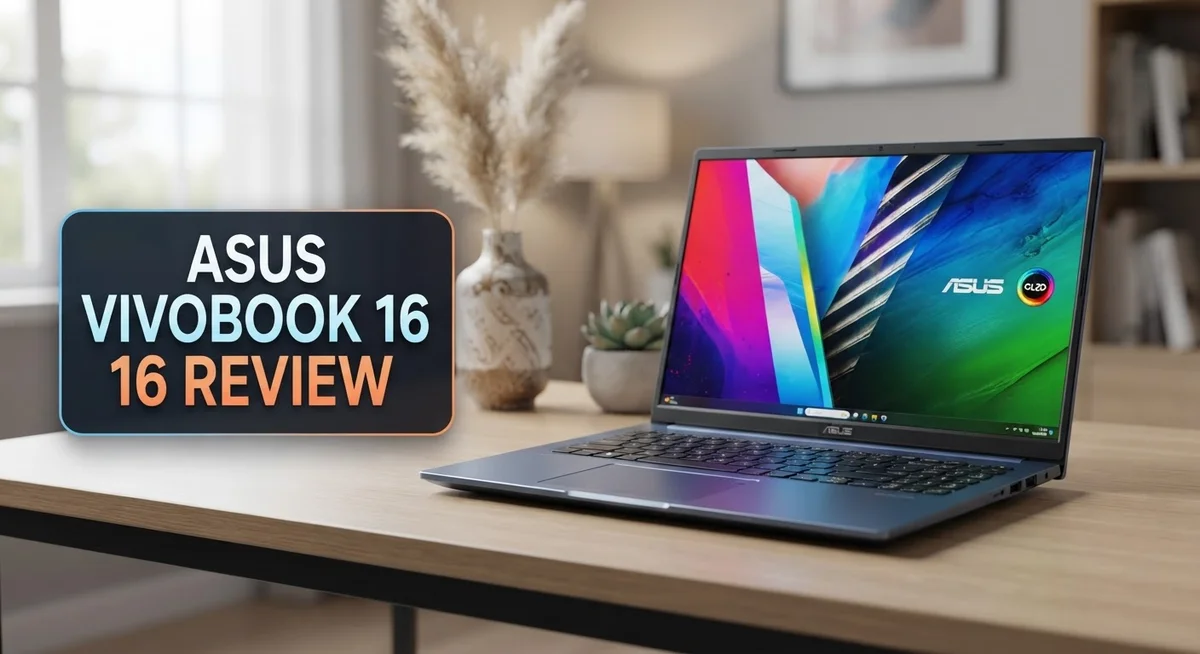
ASUS Vivobook 16 Review: Is It Worth Buying In 2026?
Looking for a laptop that fits your daily grind? The Asus Vivobook 16 might catch your eye.
This laptop offers a big 16 inch screen. Some models even come with a stunning OLED display option.
Under the hood, you get options like Intel Core 9 Series 2 or Snapdragon X chips. Pair that with up to 24GB of RAM and a 1TB SSD, and you have serious power for daily tasks.
Battery life stands out as a strong point here. You can work, edit videos, or code for hours without hunting for an outlet.
The 180 degree lay flat hinge adds flexibility. A physical webcam shield gives you extra privacy too.
But does it shine in every situation? Not quite. This review breaks down where the Vivobook 16 excels and where it falls short.
In a Nutshell
Here’s the quick lowdown on the Asus Vivobook 16 before you decide:
-
Storage and Memory: It packs a 1 TB SSD and up to 24 GB RAM. This combo handles multitasking and large files with ease.
-
Connectivity: WiFi 6E keeps your connection fast and stable. Streaming and downloads feel smooth.
-
Privacy First: A physical webcam shield gives you peace of mind. Slide it shut and stay private.
-
Keyboard Feel: The keys feel a bit squishy. Typing marathons might not feel as crisp as you’d like.
-
Screen Visibility: The display can look dim in bright rooms. Working near windows may need some curtain magic.
-
Gaming Limits: Base models struggle with heavy gaming. This laptop shines more for work than play.
Overall, the Vivobook 16 fits coders, editors, and office folks well. It’s not a gaming beast, but it gets everyday tasks done smoothly. Think of it as your reliable work partner, not your gaming rig.
Key Features and Specifications
The Asus Vivobook 16 packs impressive hardware that handles everyday computing with ease. You get your choice of processors: either an Intel Core 9 Series 2 chip or a Snapdragon X processor, depending on your configuration. Both options deliver smooth performance for work and creative tasks.
Memory and storage work together to keep things snappy. The laptop comes with 16 to 24 GB of LPDDR5X RAM, which means multitasking feels effortless. Your files load quickly thanks to the 1 TB PCIe 4.0 SSD. This combination works well for video editing, coding, and juggling multiple browser tabs without slowdowns.
Connectivity matters when you’re always on the move. WiFi 6E support keeps your internet speeds competitive, whether you’re at home or in a cafe. You’ll notice faster downloads and more stable video calls compared to older WiFi standards.
The 16 inch display gives you plenty of screen real estate for spreadsheets and design work. OLED versions offer richer colors if you want that upgrade. However, the standard display struggles in bright sunlight. If you work outdoors often, you may find yourself adjusting angles or working in shade.
The 180 degree lay flat hinge opens completely, letting you use the laptop in different positions. This flexibility helps when you want to share your screen with someone nearby or prop it up for video calls.
Security gets attention here too. A physical webcam shield lets you block the camera completely. No software can override this protection, so your privacy stays in your hands.
The keyboard feels somewhat soft underfoot, which some users find less satisfying than mechanical keys. If you type for hours daily, you might want to test it first. Overall, the specifications support productivity work, content creation, and general computing without breaking a sweat.

- Power On Tap Make light work of any task with ASUS Vivobook 16, your stylish everyday companion. Powered by an...
- Clearly Superior Display Enjoy a vivid visual upgrade with the 16” WUXGA (1920 x 1200) display, delivering...

Last update on 2026-09-13 / Affiliate links / Images from Amazon Product Advertising API
Design and Build Quality
The Asus Vivobook 16 feels premium without being heavy. The chassis uses aluminum and plastic materials that keep the weight down while maintaining durability. You can easily carry this laptop between rooms or take it to coffee shops without strain.
The thin profile makes it stand out among 16 inch laptops. The bezels around the screen stay minimal, so you get more display space without a bulky frame. This compact design doesn’t sacrifice sturdiness. The lid closes firmly, and the overall build feels solid when you hold it.
The hinge deserves special attention. It opens to a full 180 degrees, letting you flip the screen flat on a table. This flexibility works great for presentations or when you want to share your screen with someone sitting across from you. The hinge mechanism moves smoothly without wobbling.
The port layout makes sense for daily use. You’ll find USB Type C ports, USB Type A slots, and a headphone jack positioned conveniently around the edges. This means you can connect peripherals without awkward cable arrangements.
The keyboard deck sits at a comfortable angle. Keys respond when you press them, though the travel distance feels shallow. Some users prefer this for quick typing, while others miss deeper key feedback. The touchpad remains smooth and responsive, handling gestures and clicks without lag.
The webcam shield adds a nice security touch. You can physically slide it to cover the camera when you’re not using video calls. This gives you real privacy control beyond just software settings.
Heat management stays reasonable during normal work. The laptop doesn’t get uncomfortably warm on your lap during web browsing or document editing. Fans run quietly most of the time, only ramping up during heavier tasks.
Overall, the design prioritizes portability and practicality. It suits professionals and students who move around frequently and need a laptop that won’t weigh them down.
Display and Visual Experience
The display on the Asus Vivobook 16 gives you plenty of room to work. You get a generous 16 inch screen that spreads content across a wide viewing area. This size works great for spreadsheets, video editing, and coding projects where you need to see more at once.
OLED options are available on select models. An OLED panel delivers deeper blacks and more vibrant colors compared to standard LCD screens. The contrast really pops when you’re watching videos or editing photos. Color accuracy matters here, especially if you work with visual content regularly.
However, brightness presents a real limitation. The display tends to run dim, which creates challenges in bright rooms or outdoors. You may need to adjust your workspace or close nearby windows to see the screen clearly. This dimness doesn’t affect indoor office work as much, but it’s worth knowing before you buy.
The 16 inch format also means the bezels stay relatively thin. More screen space means less wasted area around the edges. This design choice keeps the overall laptop footprint reasonable despite the large display size.
Refresh rates on standard models sit at typical levels for productivity work. If you plan heavy gaming or fast paced tasks, the refresh rate won’t impress you. The screen performs well for everyday computing, document editing, and streaming content.
Color reproduction works well for office applications and general use. The display doesn’t struggle with basic tasks like web browsing or spreadsheet work. Video playback looks pleasant, though the brightness issue may bother you in certain lighting conditions.
The matte finish on the screen reduces glare from overhead lights. This coating helps reduce reflections during long work sessions. Anti glare treatment keeps your eyes more comfortable throughout the day, even if brightness remains a concern in bright environments.
Top 3 Alternatives
Dell Inspiron 16

- 💻 Powered Performance: Featuring the Intel 10-Core Core 7 150U processor (up to 5.4GHz), this Dell Inspiron...
- 🖥️ Expansive 16 inch Touchscreen: The FHD+ 1920x1200 WVA IPS panel with ComfortView Plus reduces eye...
Last update on 2026-09-13 / Affiliate links / Images from Amazon Product Advertising API
The Dell Inspiron 16 brings solid performance to your daily tasks. This laptop features a large 16-inch display that makes work and entertainment enjoyable. You get reliable processing power that handles multitasking without lag.
The keyboard feels comfortable for long typing sessions. Battery life keeps you productive throughout the day. Dell includes useful software and updates that enhance your experience.
HP Pavilion 16

- [Upgraded Memory & Storage & OS] Upgraded to 32GB DDR5 SDRAM 4800 MHz 1TB PCI-E NVMe,Solid State Drive for...
- [Processor and Graphics] Intel Core 7 150U 10-Core Processor (Up to 5.4 GHz with Intel Turbo Boost Technology...
Last update on 2026-09-13 / Affiliate links / Images from Amazon Product Advertising API
HP Pavilion 16 offers a vibrant display perfect for creative work and streaming. The laptop runs smoothly with modern processors that manage heavy applications well. You’ll notice the sleek design that looks professional in any setting.
Audio quality stands out with speakers that deliver clear sound. The touchpad responds accurately to your gestures. HP’s cooling system keeps the device running cool during intensive tasks.
Lenovo IdeaPad 16

- A LEVEL OF PERFORMANCE – Experience best-in-class processing power as well as stunning visuals with your...
- 【1TB SSD & 16GB RAM】Enjoy up to 15x faster performance than a traditional hard drive with 1 TB PCIe NVMe...
Last update on 2026-09-13 / Affiliate links / Images from Amazon Product Advertising API
Lenovo IdeaPad 16 combines practical features with user-friendly performance. This model excels at balancing power and efficiency for everyday computing needs. The screen provides excellent color accuracy for content creators.
The build quality feels sturdy and durable. Lenovo includes helpful software that improves productivity. The laptop stays quiet during normal operation, making it ideal for offices or libraries.
Each of these alternatives delivers different strengths. Dell focuses on reliability and comfort. HP emphasizes audio and visual quality. Lenovo prioritizes durability and practical features. Your choice depends on which aspects matter most to your workflow. Consider what tasks you perform daily. Think about whether you need superior audio, display quality, or keyboard comfort. All three options provide solid 16-inch laptop experiences for various user needs.
Performance and Processing Power
The Asus Vivobook 16 delivers solid performance for everyday computing tasks. Intel Core 9 Series 2 processors handle multitasking smoothly without breaking a sweat. You can work with multiple browser tabs, office documents, and communication apps simultaneously without lag.
The Snapdragon X option brings an alternative for users who prefer ARM based architecture. Both processor choices keep your system responsive during typical work sessions. You won’t experience frustrating delays when switching between applications or loading files.
RAM configurations reach up to 24 GB with LPDDR5X technology. This means your laptop stays quick even when you’re juggling heavy workloads. Video editors, coders, and content creators benefit from the extra memory headroom. The system handles 4K video editing and software development environments without stuttering.
Storage comes with a 1 TB PCIe 4.0 SSD as standard. File transfers happen fast, and your operating system boots quickly. You get plenty of space for projects, media files, and applications without constantly managing storage.
Real world usage shows the Vivobook 16 excels at productivity work. Spreadsheets load instantly. Design software runs without hiccups. Programming environments compile code efficiently. The combination of processor, RAM, and storage creates a balanced system.
Gaming performance varies by configuration. Base models struggle with demanding titles at high settings. If you play casual games or older titles, you’ll have a fine experience. Serious gamers should look at higher end configurations for better graphics performance.
Heat management stays reasonable during normal operation. The laptop doesn’t get excessively warm during video calls, browsing, or document editing. Fans remain quiet for most everyday tasks, only ramping up during intensive work.
Battery life complements the processing power well. You can work for hours without hunting for a power outlet. This makes the Vivobook 16 genuinely portable for professionals on the move. The processing power combines with efficiency to keep you productive throughout the day.
Battery Life and Portability
The Asus Vivobook 16 shines when it comes to battery endurance. You get long battery life that easily carries you through a full workday without hunting for a power outlet. This means you can move between meetings, coffee shops, and home without constant charging anxiety.
The laptop’s portability stands out among 16 inch models. Despite the large screen, the device remains surprisingly light and compact. You can slip it into a backpack or carry bag without feeling weighed down. The thin profile works in your favor here, making it practical for frequent travelers and remote workers.
Weight matters when you’re carrying your laptop daily. The Vivobook 16 hits a sweet spot. It’s substantial enough to feel solid, yet light enough that your shoulder won’t protest after an hour of carrying. This balance makes it genuinely portable for a 16 inch machine.
The 180 degree lay flat hinge adds flexibility to how you use the laptop. You can adjust it to different angles depending on where you are. This adaptability helps you find a comfortable position whether you’re at a desk, in a car, or relaxing on a couch.
Battery performance combines with the lightweight design to create a truly mobile experience. You’re not tethered to your desk or constantly searching for outlets. The long runtime means you can work through the afternoon without interruption.
Connectivity remains solid with WiFi 6 and 6E options available. This ensures fast, stable internet wherever you go. You won’t experience lag or dropped connections during important video calls or file uploads.
For anyone who moves around frequently, this laptop delivers real freedom. The combination of extended battery life and light weight removes common frustrations. You get a machine that works as hard as you do, without slowing you down or dragging you down.
Keyboard, Touchpad, and User Experience
The keyboard on the Asus Vivobook 16 feels soft when you press the keys. This squishy response takes some getting used to if you’re coming from a firmer typing experience. The keys still register accurately, so productivity doesn’t suffer. However, long typing sessions might leave your fingers wanting more tactile feedback.
The key travel distance sits at a moderate level. You won’t find the shallow switches of ultraportable machines here. The layout follows a standard design that feels familiar. Spacing between keys remains generous, which helps reduce accidental presses during fast typing.
The touchpad deserves genuine praise. It responds smoothly to your gestures and tracks movement with precision. Multi finger actions work reliably. Scrolling feels natural, and clicking engages without requiring excessive pressure. The surface texture prevents your fingers from slipping around during use.
The overall user experience balances comfort with practicality. The keyboard deck sits at an angle that feels natural for typing without straining your wrists. Your hands rest comfortably on the palm rest during extended work sessions. The spacing between the keyboard and screen edge gives you room to move without feeling cramped.
For office work and coding, this setup performs well. Writers and developers will find the keyboard adequate for daily tasks. The touchpad handles navigation smoothly, reducing your need to reach for an external mouse. The combination creates a solid foundation for productivity work.
The keyboard’s squishy feel remains the main trade off here. If you demand premium mechanical feedback, you might feel disappointed. Yet for a laptop in this category, the typing experience sits above average. The touchpad quality actually exceeds expectations and ranks among the best you’ll find on 16 inch laptops.
Overall, the keyboard and touchpad work together to create a functional work environment. Neither component feels like a weakness that would hold you back from daily computing tasks.
Pros and Cons
Pros
- Long battery life keeps you working all day without hunting for an outlet
- 16 inch OLED display option delivers vibrant colors and deep blacks for creative work
- Lightweight and thin design makes daily travel easy and comfortable
- 180 degree lay flat hinge gives you flexible positioning for any workspace
- Snapdragon X or Intel Core 9 Series 2 processors handle coding, video editing, and office tasks smoothly
Cons
- Standard display sits dim in bright rooms and struggles with outdoor visibility
- Keyboard feels squishy with less satisfying key feedback than competitors offer
- Base model configurations lack the GPU power needed for serious gaming or 3D rendering
- Limited upgrade options once you buy since storage and RAM are not user replaceable
Who Should Buy It
The Asus Vivobook 16 works best for people who need a laptop that moves with them. If you spend your day jumping between meetings, coffee shops, and home offices, this machine fits your lifestyle perfectly.
Content creators and video editors should look at this laptop seriously. The 16 inch OLED display option gives you accurate colors and deep blacks. You get the screen real estate to edit timelines and see details without squinting. The Snapdragon X or Intel Core 9 Series 2 processors handle video rendering smoothly without constant lag.
Programmers and developers find this laptop reliable for their work. The keyboard and touchpad, while not premium, work well enough for long coding sessions. You get enough performance for compiling code and running development tools without frustration. The 16 to 24 GB of RAM handles multiple applications running at once.
Students and remote workers benefit from the all day battery life. You can attend classes or work through a full shift without hunting for outlets. The lightweight design means you actually want to carry it around campus or between locations.
Skip this laptop if you game seriously. The base models lack the graphics power for modern games at high settings. You will feel disappointed if 3D rendering or intensive gaming is your main goal.
The 180 degree lay flat hinge appeals to anyone who needs flexible positioning. Set it up for presentations, video calls, or comfortable viewing angles. The physical webcam shield adds privacy when you need it.
The display has one real weakness: it sits dim in bright sunlight. If you work outdoors frequently or in very bright rooms, you might struggle with visibility. The keyboard’s squishy feel bothers some people, though others adapt quickly.
Overall, this laptop suits people who value portability and battery endurance over gaming power or keyboard feel. You get solid performance wrapped in a thin, light package that actually goes places with you.
Final Verdict
The Asus Vivobook 16 earns its place as a solid everyday laptop. It handles daily tasks with ease and travels well thanks to its slim build.
Battery life stands out as a major strength. You get a full day of work without searching for a charger.
The large screen makes multitasking simple. Whether you edit documents or watch videos, the extra space helps.
Performance stays steady for most users. Coding, browsing, and light editing all run smoothly on this machine.
Two areas need improvement though. The display brightness falls short outdoors, and the keyboard feel lacks crispness compared to rivals.
If you game often or need heavy graphics power, look elsewhere. The base models simply cannot keep up with demanding titles or 3D work.
But if you want a reliable companion for office tasks, writing, or moderate creative work, this laptop delivers real value.
Students will appreciate the portability. Remote workers will love the long battery runtime during busy days.
Content creators get a bonus with the OLED display option. Colors pop, and blacks look deep on that upgraded panel.
Compared to the Vivobook Pro 16X, this standard model trades raw power for better battery efficiency and lighter weight. That tradeoff suits people who prioritize mobility.
Build quality feels solid despite the light frame. Nothing feels flimsy, and the hinge mechanism adds real flexibility for different work setups.
In short, the Asus Vivobook 16 fits a specific type of user well. It rewards people who value comfort, endurance, and portability over raw gaming muscle.
Skip this model only if gaming performance tops your priority list. For everyone else focused on productivity and daily reliability, this laptop makes a smart choice.
It balances practicality with genuine usability, making it a dependable pick for work, study, and creative projects alike.
Frequently Asked Questions
Does the Asus Vivobook 16 work well for gaming?
The base models are not ideal for serious gaming. They lack the GPU power needed for modern games at high settings. You’ll face frame rate drops and lower visual quality on demanding titles.
If you game occasionally or play older titles, you might get by. Heavy gamers should look at laptops with dedicated graphics cards instead.
Can I use this laptop outdoors?
The display sits quite dim in bright sunlight. You’ll struggle to see the screen clearly in outdoor environments or very bright rooms.
Indoor use works great. If you spend most time at a desk or in offices, this won’t be a problem for you.
What makes the keyboard feel different?
The keyboard has a squishy feel with less satisfying key feedback than competitors offer. Some users find it soft and mushy rather than crisp and responsive.
If you type for hours daily, you might notice this more. Test it in person before buying if keyboard feel matters to you.
Is the 180 degree hinge useful?
Yes. The lay flat hinge lets you position the screen at almost any angle. This works great for presentations, video calls, or collaborative work where others need to see your screen.
The flexibility helps you adapt to different workspaces quickly. You can tent it, lay it flat, or angle it however feels comfortable.
Who should buy this laptop?
This laptop suits programmers, content creators, and students who need portability and all day battery life. It handles coding, video editing, and office work smoothly.
Skip it if you game seriously or need maximum graphics power. It shines for people who value mobility and endurance over raw performance.

DK is a technology expert who specializes in AI tools, software, and tech gadgets. He writes for How to Tech Info, providing detailed reviews and practical guides. DK helps readers discover the best AI applications, navigate new software, and choose the right tech gadgets.