
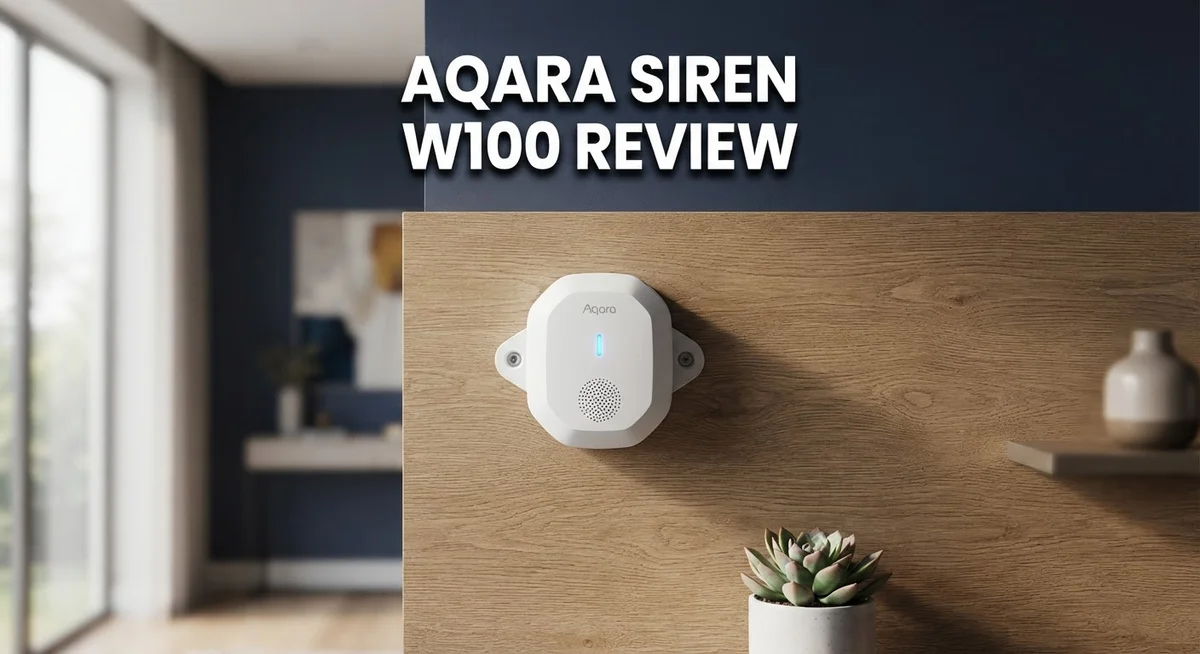
Aqara Siren W100 Review: Smart Home Climate Monitoring?
Want a smart home device that actually does more than one job? The Aqara W100 steps up as a climate sensor and remote control in one small package.
This little device tracks temperature and humidity with great accuracy. It shows readings right on its LCD display, so you never need to open an app just to check the room’s climate.
The W100 also works as a smart button. You get three multifunction buttons that let you trigger scenes, control devices, and build automations with ease.
It connects through Matter, Thread, and Zigbee. That means it plays nicely with Apple Home, Home Assistant, and other popular platforms.
Simple setup and reliable performance make this device stand out. Let’s explore what makes the Aqara W100 worth your attention.
In a Nutshell
Here’s the quick rundown on the Aqara W100 before you decide:
- Three programmable buttons let you trigger scenes, control lights, or adjust devices with a single tap.
- The sensor doubles as an AC controller, so you can manage your air conditioner directly from the app.
- You get custom alarm and comfort range settings for temperature and humidity, perfect for nurseries or greenhouses.
- It pairs smoothly with Home Assistant, giving you extra flexibility beyond Apple Home.
- Automation options are wide and varied. You can chain multiple triggers together for smarter routines.
- One small catch: some functions, like disabling the siren, need an extra automation step to set up.
The W100 packs a lot into a small device. It handles climate monitoring, remote control, and smart automation without feeling overloaded. If you want a single gadget that pulls double or triple duty in your smart home, this one delivers real value beyond the basics.
Key Features and Specifications
The Aqara W100 packs several capabilities into one compact device. It combines climate monitoring with control functions, making it useful for multiple automation scenarios in your home.
An LCD display shows real time temperature and humidity readings. The sensor captures these measurements with solid accuracy, so you can trust the data for your automations. This works especially well if you need precise climate tracking in specific rooms or zones.
The device features three multifunction buttons on its body. You program each button to perform different actions. One button might trigger a scene, another could control lights, and a third might adjust other smart devices. This button functionality transforms the W100 into a physical remote control for your setup.
Connectivity options give you flexibility in how you integrate this device. The W100 supports Matter, Thread, and Zigbee protocols. This means you can use it with Apple Home, Home Assistant, or other compatible platforms. The Matter integration particularly simplifies initial setup on Apple devices.
Climate control becomes easier with the built in AC management feature. You can command your air conditioner directly through the app or automations. This eliminates the need for a separate AC remote or controller in many cases.
Custom alarm ranges let you set specific temperature and humidity thresholds. When readings move outside your chosen range, the device can trigger alerts or automations. This proves valuable for protecting sensitive items, monitoring nurseries, or maintaining ideal conditions in greenhouses.
The W100 plays nicely with Home Assistant users. If you run a Home Assistant setup, this sensor integrates smoothly and opens up advanced automation possibilities beyond what standard apps offer.
One practical note: some functions require additional automation steps to work fully. For example, disabling the siren function needs you to set up an extra automation rule. This is not complicated, but it requires a quick configuration on your end.
The range of automation options available makes the W100 adaptable to different household needs. Whether you want simple climate monitoring or complex multi device scenes, this device can support your goals.

- [Matter Compatibility with Zigbee & Thread] The W100 supports both Zigbee and Thread protocols, ensuring...
- [Customizable Smart Buttons for Automation] The W100 features 3 programmable buttons that support single...
Last update on 2026-09-13 / Affiliate links / Images from Amazon Product Advertising API
Design, Display, and Build Quality
The Aqara W100 presents a compact design that fits seamlessly into any room. The device measures small enough to sit on a shelf or nightstand without drawing attention. Its understated appearance means it blends with modern home decor.
The front features an LCD display that shows temperature and humidity readings at a glance. The screen updates in real time, so you always know your indoor climate. Text appears clear and easy to read from across the room.
Three physical buttons sit on the device body. These buttons serve multiple functions beyond basic control. You can program each one to trigger different actions in your smart home setup. Long presses and short taps offer additional command options.
Build quality feels solid throughout. The plastic casing withstands daily handling without creaking or flexing. The buttons respond with satisfying clicks when pressed. Materials appear durable enough for long term use in various environments.
The device connects through Matter, Thread, and Zigbee. This triple connectivity approach gives you options for integration. You’re not locked into a single protocol or ecosystem. The flexible connection methods mean the W100 works with different smart home platforms.
The AC control functionality adds practical value to the design. You manage your air conditioner directly from the device or app. The buttons make quick temperature adjustments simple without reaching for the remote.
Mounting options keep placement flexible. The W100 can sit on a surface or mount on a wall. This adaptability lets you position it wherever climate monitoring matters most. Nurseries, home offices, and living rooms all benefit from strategic placement.
The overall package reflects thoughtful engineering. Every element serves a purpose without unnecessary bulk. The combination of display, buttons, and connectivity creates a device that does genuine work. Form and function align well here. The W100 proves you don’t need flashy design to build something genuinely useful for smart home automation.
Connectivity and Smart Home Integration
The Aqara W100 connects to your smart home through multiple pathways, making it flexible for different setups. You get Matter, Thread, and Zigbee support all in one device. This means you can choose the connection method that works best with your existing ecosystem.
Setting up with Apple Home is straightforward thanks to Matter integration. The device pairs quickly and begins reporting data almost immediately. You don’t need to hunt for obscure settings or complicated pairing codes.
Home Assistant users will appreciate the seamless compatibility this sensor offers. The device communicates reliably with Home Assistant, opening up countless automation possibilities. You can create custom routines that respond to temperature and humidity changes in real time.
The three multifunction buttons serve as local control points within your smart home. You can trigger scenes, adjust lighting, or control other devices without touching your phone. These buttons work independently of your internet connection, so they function even during network outages.
Automation options expand significantly once you integrate the W100 into your system. Temperature thresholds can trigger AC adjustments automatically. Humidity alerts can activate fans or humidifiers based on your custom settings. The device sends data continuously to your hub, enabling responsive smart home reactions.
One practical consideration emerges during setup: certain functions like siren management require additional automation steps. You won’t find a simple toggle to disable the alarm. Instead, you’ll need to build an automation rule within your app. This approach gives you more control but demands a bit of initial configuration work.
The W100 communicates frequently with your smart home hub, ensuring your automations stay current. Temperature and humidity readings update regularly, so your routines respond to actual conditions rather than stale data.
Integration feels natural across different platforms. Whether you prefer Apple Home, Home Assistant, or another system, this device adapts to your choice. The multiple connectivity options mean you’re not locked into one ecosystem, giving you genuine flexibility as your smart home grows.
Top 3 Alternatives
Eve MotionBlinds

- Enjoy the convenience of smart shading: upgrade your existing blinds and control them conveniently via voice...
- Effortlessly set automations to open and close your blinds according to your daily routine, and combine...

Last update on 2026-08-22 / Affiliate links / Images from Amazon Product Advertising API
Eve MotionBlinds brings smart control to your existing blinds. You attach this device to your current window coverings, and it transforms them into automated shades. The system works with HomeKit, so you can open or close blinds from your phone or voice commands.
The installation process is straightforward. You don’t need to replace your entire blind system. Eve MotionBlinds fits most standard roller blinds and motorized shades. The battery lasts several months before needing replacement. You get scheduling options, so blinds adjust automatically based on time of day or sunrise and sunset.
Philips Hue Bridge

- WHAT’S IN THE BOX - Includes one Hue Solo 10ft Lightstrip and one Hue Bridge that unlocks the full potential...
- BRILLIANT LIGHT: Experience 1700 lumens of superior light with the LED lightstrip, comfortable to touch with a...
Last update on 2026-09-13 / Affiliate links / Images from Amazon Product Advertising API
Philips Hue Bridge serves as the central hub for your smart lighting ecosystem. This device connects all your Hue bulbs and accessories to one system. The bridge enables remote access, so you control lights from anywhere using your smartphone.
The bridge unlocks advanced features like scenes, routines, and automation rules. You can sync lights to music, create custom color combinations, and set up complex schedules. The system supports voice assistants including Alexa and Google Assistant. Installation requires connecting the bridge to your router with an ethernet cable. Once set up, adding new Hue products becomes simple through the app.
LIFX Color A19

- SUPERCOLOR. INCOMPARABLE BRIGHTNESS. — LIFX SuperColor color changing light bulbs deliver 800 lumen light...
- MORE THAN LIGHT. IT'S AN EXPERIENCE. — Explore 200+ Themes for mood lighting across Art, Music, Sports, and...
Last update on 2026-08-22 / Affiliate links / Images from Amazon Product Advertising API
LIFX Color A19 is a smart bulb that works without needing a hub or bridge. You screw it into any standard light socket, then connect it directly to your Wi-Fi network. The bulb produces 16 million colors and adjustable white tones.
Control happens through the LIFX app from your phone or tablet. You set schedules, create scenes, and automate lighting routines. The bulb responds to voice commands through Alexa and Google Assistant. LIFX Color A19 has a long lifespan and uses less energy than traditional incandescent bulbs. Setup takes just minutes without complicated installation steps.
Accuracy and Sensor Performance
The Aqara W100 delivers accurate sensor readings that you can rely on for daily smart home operations. Temperature measurements stay consistent across different room conditions. Humidity readings update in real time on the LCD display. This precision matters when you set automation rules based on sensor data.
The device performs well in typical home environments. You get reliable feedback without the drift that plagues cheaper sensors. The accuracy holds steady even when the W100 sits in corners or near walls. This means your automations trigger at the right moments, every time.
Sensor response time is quick enough for practical use. When temperature or humidity changes, the W100 detects it promptly. Your smart home responds without noticeable delays. This speed becomes important if you use the device for climate control adjustments.
The three multifunction buttons add a local sensing element to your setup. You can trigger actions directly on the device without relying solely on wireless commands. This redundancy improves reliability. If your network hiccups, the buttons still work.
The LCD display shows both readings simultaneously. You can glance at the screen and instantly know the temperature and humidity levels. No squinting at tiny icons or waiting for app refreshes. This direct feedback builds confidence in the sensor’s accuracy.
One thing to note: the W100 performs best when you avoid extreme locations. Placing it near air vents or direct sunlight can skew readings temporarily. Position it in a central room area for the most representative measurements. This simple placement strategy maximizes sensor accuracy.
The device integrates with Home Assistant smoothly. Users report that sensor data appears correctly in their dashboards. Automations based on W100 readings execute reliably. This consistency matters when you’re building complex smart home scenes.
Accuracy remains the W100’s strongest point. The combination of precise readings, fast response times, and reliable button controls makes this device a solid performer. You won’t second guess the data it provides. Your automations will run as intended, based on trustworthy sensor information.
Setup and User Experience
Getting the Aqara W100 up and running takes just a few minutes. The setup process feels intuitive whether you choose Matter integration with Apple Home or opt for Zigbee connectivity. Most users complete the initial configuration without consulting the manual.
The device pairs quickly through Apple Home using the Matter protocol. You scan the code on the back, select your network, and the W100 joins your ecosystem. Thread support means the sensor can relay signals through compatible devices, extending your network range. Home Assistant users follow a similarly smooth path, with the W100 appearing in their devices list almost immediately after pairing.
Once connected, the three multifunction buttons become your local control interface. You can press them to trigger specific actions without opening an app. This hands-on approach appeals to people who prefer physical controls alongside digital automation.
The LCD display makes daily interaction effortless. Temperature and humidity readings appear instantly on the screen. You don’t need to open your phone to check current conditions in that room. The display updates frequently enough to feel responsive during real-time monitoring.
One setup consideration involves automation for certain features. The siren functionality, for example, requires you to build automation rules within your chosen platform. This isn’t difficult, but it means the W100 doesn’t work as a standalone alarm device right out of the box. You’ll spend a few extra minutes configuring these automations based on your specific needs.
The AC control functionality integrates smoothly into your climate automation. You can set comfort ranges and trigger air conditioning based on temperature thresholds. Setting these parameters happens through your smart home app with clear, simple options.
The overall experience prioritizes simplicity over complexity. Aqara designed this sensor to work smoothly across different smart home platforms. Whether you use Apple Home, Home Assistant, or another compatible system, the W100 adapts to your existing setup without friction. First-time smart home users find the setup approachable, while experienced users appreciate the flexibility that Matter and Zigbee provide.
Pros and Cons
Pros
- Delivers accurate temperature and humidity readings you can trust for daily smart home decisions
- Sets up in minutes with seamless Matter integration into Apple Home
- Works smoothly with Home Assistant and other smart home platforms
- Three multifunction buttons give you local control without needing your phone
- LCD display shows both temperature and humidity at a glance
Cons
- Some functions like siren disable need extra automation steps to work properly
- Limited local control options compared to devices with more physical buttons
- Requires proper placement to avoid extreme locations for best sensor accuracy
Who Should Buy It
The Aqara W100 fits perfectly into homes where you want smart climate monitoring without excessive complexity. If you own an Apple Home setup, this device becomes an obvious choice. Matter integration means you connect it in minutes and start receiving accurate temperature and humidity data right away.
You should consider this sensor if you already use Aqara devices in your home. The W100 works smoothly alongside other Aqara products. Your existing automations expand easily when you add this new sensor to your ecosystem.
Home Assistant users benefit greatly from the W100. The device communicates reliably through Zigbee or Thread, giving you flexibility in how you connect it. If you run a Home Assistant system, you get powerful automation options without fighting compatibility issues.
Renters and apartment dwellers appreciate the W100’s simplicity. You need no permanent installation. The device sits on a shelf or table and provides immediate value. When you move, you take it with you and set it up just as easily in your new place.
The W100 suits people who want local control options. The three multifunction buttons let you adjust settings without reaching for your phone. This matters when you’re busy or your phone is across the room.
You’ll enjoy this sensor if you prefer straightforward devices. It does one job well: measuring climate conditions and letting you automate responses. You won’t find unnecessary features that complicate your daily experience.
Consider the W100 if you need a second climate sensor for a different room. Placing one in your bedroom and another in your living room gives you complete visibility into temperature variations throughout your home. Each sensor feeds data into your automations independently.
The device works well for people building their first smart home. Beginners appreciate that setup takes minutes, not hours. You start seeing real benefits immediately without learning complex protocols or configurations.
Skip this sensor only if you need extensive local control buttons or if you prefer non Apple Home ecosystems exclusively. For everyone else seeking reliable climate monitoring that integrates smoothly into modern smart homes, the W100 delivers what matters most.
Final Verdict
The Aqara W100 does what it promises. It gives you clear, accurate readings and fits into your smart home without a fuss.
This sensor shines for people who want simple climate monitoring. You get temperature and humidity data you can rely on daily.
The Matter integration makes this device stand out. Apple Home users get a smooth setup process that just works.
Home Assistant fans get even more value here. The platform flexibility opens doors to creative automation setups that fit your specific home.
We think this device earns its spot in most smart homes. It handles climate tracking without demanding constant attention or technical knowledge.
The multifunction buttons add a nice touch too. You get physical control right on the device, which many similar sensors skip entirely.
Some limitations exist, sure. The siren disable function needs extra automation steps, and this might frustrate users who want instant control.
But these are minor speed bumps, not roadblocks. Most users report smooth experiences once they set up their preferred automations.
Compared to bulkier alternatives like Frient sensors, the W100 wins on convenience. Its compact size means it fits anywhere without becoming an eyesore.
The lack of clarity around naming conventions (Climate Sensor vs Siren W100) might confuse some shoppers. We recommend checking product listings carefully before buying.
Should you get this sensor? Yes, if you value simplicity and accuracy over advanced features. Yes, if you already trust the Aqara ecosystem.
This device works best as part of a larger smart home setup. It’s not trying to be everything. It’s trying to measure climate data well, and it succeeds at that single job.
For anyone building out smart home coverage room by room, the W100 makes sense. It’s a solid, dependable addition that won’t overcomplicate your setup.
Overall, this sensor delivers on its core promise. Simple, effective climate monitoring that just works.
Frequently Asked Questions
Does the Aqara W100 work with Apple Home?
Yes, it does. The W100 integrates smoothly with Apple Home through Matter support. Setup is straightforward. You connect the device, scan the code, and it appears in your Home app within seconds. The Thread connectivity ensures reliable communication between your phone and the sensor.
Can I use this sensor with Home Assistant?
Absolutely. Home Assistant users report excellent compatibility with the W100. The device works well through Zigbee connections. You get full access to automation features and sensor data. Many users appreciate the flexibility that Home Assistant offers compared to standard apps.
What happens if I need to disable the siren function?
The W100 can disable its alarm, but you’ll need to set up automation rules to do it. This isn’t a one-tap process. You create a routine in your smart home system that tells the siren to stop under certain conditions. It takes a few minutes to configure, but once done, it works automatically.
Is the W100 good for renters?
Yes, it’s perfect for renters. The device requires no permanent installation. You simply place it on a shelf or table. The three multifunction buttons give you local control without needing to touch your phone. When you move, you take the sensor with you. No drilling, no damage deposits lost.
How accurate are the temperature and humidity readings?
The sensor delivers accurate measurements. The LCD display shows both values clearly. Placement matters though. Keep it away from direct sunlight, heating vents, or air conditioners for the best results. A central location in your room works best.

DK is a technology expert who specializes in AI tools, software, and tech gadgets. He writes for How to Tech Info, providing detailed reviews and practical guides. DK helps readers discover the best AI applications, navigate new software, and choose the right tech gadgets.


