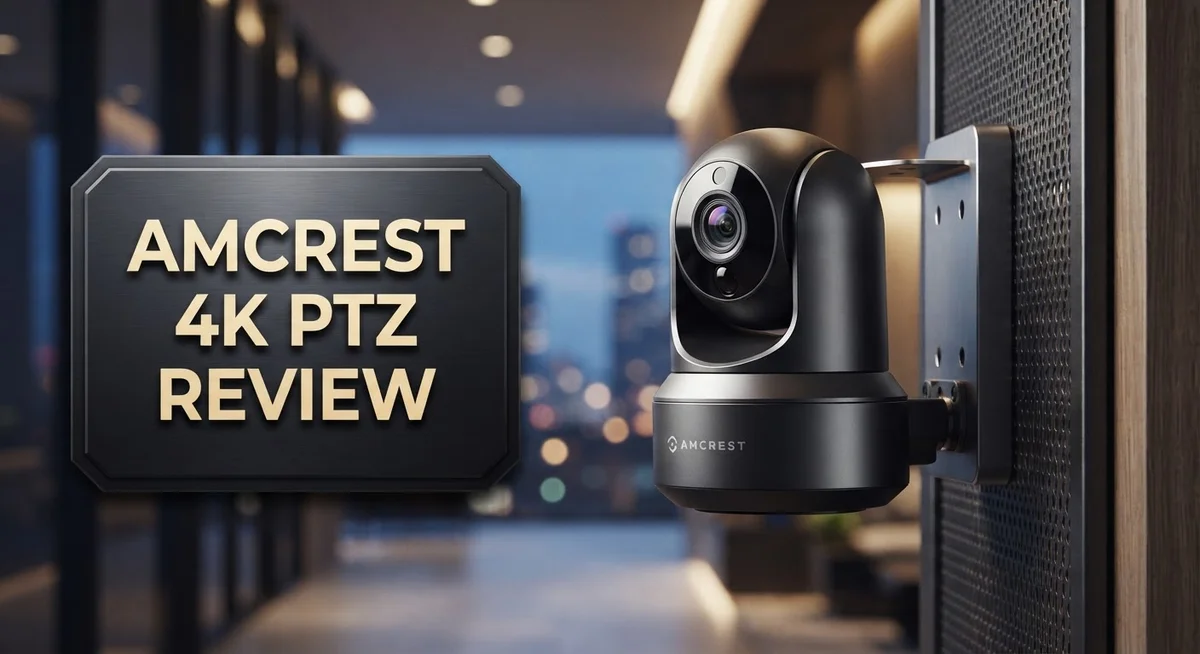
Amcrest 4K PTZ Camera Review: Is It Worth Trying In 2026?
Want a camera that sees far and sees clearly? The Amcrest 4K PTZ camera delivers sharp 8MP video at 25 FPS. It zooms 25x optically, so you catch details from a distance.
This camera pans and tilts to cover wide areas. You get full control over what you watch. It works well for homes, businesses, and large outdoor spaces.
Smart features make this camera stand out. AI powered detection spots humans and vehicles. It skips false alerts from blowing leaves or shadows.
Setup stays simple with PoE+ power. One cable handles power and data together. The outdoor model resists rain and dust with an IP65 rating.
But is this camera truly secure? Some users flagged risks worth knowing. This review covers specs, pros, cons, and what competitors offer. You will learn if this PTZ camera fits your needs.
In a Nutshell
Here is the quick rundown of what makes this camera tick. These are fresh points beyond what we already covered.
-
Long range zoom: The camera offers 25x optical zoom plus 16x digital zoom. This combo helps you spot faces or license plates from far away.
-
Built for outdoor use: With an IP65 rating, this camera handles rain, dust, and harsh weather. It stays reliable all year round.
-
Flexible storage choices: You can save footage on MicroSD cards, FTP servers, NVR systems, or cloud storage. Pick whatever fits your setup best.
-
Smart detection tech: The AI system spots humans and vehicles. This cuts down on annoying false alerts from pets or moving leaves.
-
Stacks up against rivals: Compared to Reolink, Axis M series, and other ONVIF cameras, this model brings strong zoom power and clarity to the table.
-
Worth a careful look: This camera packs great features, but do your homework on security settings before installing it. Stay informed and stay protected.
Key Features and Specifications
The Amcrest 4K PTZ camera combines several powerful features that work together to give you clear footage and flexible viewing options. Let’s explore what makes this camera function effectively for outdoor surveillance.
Resolution and Frame Rate
This camera captures video at 8MP resolution, which means you get 4K quality. The 25 FPS frame rate ensures smooth motion capture. You see every detail whether the action happens fast or slow.
Zoom Capabilities
The camera includes two types of zoom working in tandem. 25x optical zoom lets you magnify distant objects without losing sharpness. The additional 16x digital zoom extends your reach even further when needed.
Power and Installation
PoE+ technology powers this camera through a single ethernet cable. This means you don’t need separate power lines running to the camera location. Installation becomes faster and cleaner since you only run one cable.
Weather Protection
An IP65 rating means this camera stands up to outdoor conditions. Rain, dust, and temperature swings won’t stop it from working. You can mount it on walls, poles, or corners without worrying about weather damage.
Detection Intelligence
AI powers the detection system to identify humans and vehicles. This smart filtering reduces false alarms from moving branches or shadows. You get alerts that actually matter instead of constant notifications.
Storage Flexibility
Your footage has multiple homes. MicroSD cards offer local backup. FTP servers let you send video to a computer. NVR systems provide centralized recording. Cloud storage keeps copies off site. You pick what works for your setup.
Movement Control
The motorized pan, tilt, and zoom functions let you follow action across your property. You can preset positions and sweep patterns. The camera moves smoothly without jerky transitions.
These specifications create a camera built for serious surveillance work. Each feature connects to the others to form a complete system.

- AI FEATURES - This 4K PTZ Speed Dome PoE AI Camera features Smart Motion Detection (SMD) which allows the...
- Smarter, Safer, Security - Utilize intelligent alerts that send notifications to your computer or smartphone...
Last update on 2026-09-13 / Affiliate links / Images from Amazon Product Advertising API
Video Quality and Zoom Capabilities
The video quality on the Amcrest 4K PTZ stands out because of how the camera captures and delivers images. You get 8MP resolution that produces true 4K video, which means every detail comes through sharp and clear. The camera records at 25 FPS, so motion appears smooth when you’re monitoring live feeds or reviewing footage later.
The zoom capabilities are where this camera really shines for property owners who need to see distant areas. The 25x optical zoom lets you get close-up views without losing image quality. When you need even more magnification, the 16x digital zoom kicks in to extend your reach further. Together, these zoom levels mean you can monitor your entire property from one camera location, then zoom in on specific spots whenever you need details.
Real world performance matters more than specs on paper. The motorized pan and tilt functions work smoothly, letting you track movement across your space. You can preset viewing angles, so the camera automatically moves to cover key areas. This active monitoring capability transforms how you use security footage. Instead of watching a static view, you get dynamic coverage that follows the action.
Outdoor performance holds up well thanks to the IP65 weatherproof rating. Rain, dust, and temperature swings don’t degrade the video output. The lens stays clear, and the mechanics keep working through harsh conditions. This durability means consistent video quality month after month.
One thing to note: the video quality depends heavily on your network setup. A strong PoE+ connection ensures the camera sends full 4K data without compression problems. Poor network conditions can reduce what you see on screen, so your installation quality directly affects performance.
The combination of high resolution, powerful zoom, and motorized movement gives you flexibility that fixed cameras simply cannot match. You capture fine details when you zoom in, yet maintain wide area coverage when you pull back. This balance makes the Amcrest 4K PTZ a practical choice for monitoring larger properties or complex outdoor spaces.
Installation and Power Requirements
The Amcrest 4K PTZ camera runs on PoE+ power, which simplifies your setup significantly. A single ethernet cable delivers both data and electricity to the camera. This means you don’t need separate power outlets near your installation location.
Your network infrastructure needs to support PoE+ (802.3at) standards. Check your existing switch or NVR system before purchasing. If your current equipment only handles standard PoE, you’ll need to upgrade to a PoE+ injector or switch.
Installation location matters for power delivery. The ethernet cable can run up to 100 meters, but voltage drop occurs over long distances. Keep cable runs under 70 meters when possible for reliable power transfer. Longer runs may require a PoE+ extender or midspan injector.
The camera draws consistent power throughout operation. Pan, tilt, and zoom movements increase power consumption slightly during active use. Your PoE+ power supply must handle peak demand, not just baseline draw.
Outdoor installation requires weatherproof cable management. Use conduit or UV-resistant cable covers along exposed runs. Seal all connection points to prevent water intrusion. The camera itself has an IP65 rating, but your cabling infrastructure needs equal protection.
Plan your cable routing before installation begins. Run cables through walls, under eaves, or along existing structures. Avoid routing near high-voltage power lines. Keep cables away from HVAC vents and heat sources that could degrade insulation over time.
Test your PoE+ power delivery before final mounting. Connect the camera temporarily and verify stable power at the installation site. Monitor power levels during pan and zoom operations to catch any voltage drop issues early.
Your network switch or injector location affects installation ease. Mount it in a climate-controlled area like a closet, garage, or utility room. This keeps electronics away from temperature extremes and moisture. Ensure adequate ventilation around your power equipment.
Backup power options exist but require planning. UPS systems can keep your camera running during outages. Install a UPS unit between your PoE+ power supply and network switch for protection. This gives you continued recording during brief power interruptions.
Top 3 Alternatives
Hikvision DS-2DE3304W

- 【4K 8MP Resolution】With 2.8mm fixed lens,High quality imaging with 8MP resolution,4K (8-Megapixel...
- 【24/7 Colorful Imaging】Color Camera Colorful View, 24/7 colorful image.Color technology provides...
Last update on 2026-09-13 / Affiliate links / Images from Amazon Product Advertising API
The Hikvision DS-2DE3304W delivers solid performance for outdoor surveillance. This camera features a 3-megapixel sensor and 4x optical zoom. You get smooth pan-tilt-zoom capabilities that work well in most settings.
The camera handles low-light conditions reasonably well with its infrared LEDs. Installation is straightforward, and the interface feels intuitive. Weather resistance makes it suitable for harsh environments. The build quality feels sturdy and reliable for long-term deployment.
Uniview IPC672SR

- Uniview UNV 8MP WDR Network IR Fixed Dome Camera IPC328SR3-ADF28KM-G
Last update on 2026-09-13 / Affiliate links / Images from Amazon Product Advertising API
The Uniview IPC672SR offers intelligent tracking features that follow moving objects automatically. This 2-megapixel camera provides good clarity for medium-range monitoring. The zoom performance is adequate for most commercial applications.
This model includes advanced analytics that detect people and vehicles separately. The cooling system keeps the camera functioning in extreme heat. Setup takes minimal time, and the software integrates easily with existing systems. Real-time alerts help you respond quickly to security events.
Dahua SD6AL245U

- 4K 180° Duo Splicing Panoramic Outdoor Turret PoE Camera: Featuring advanced dual 1/2.7" 4MP CMOS sensors and...
- Always Secure, Light Only When Needed: Features advanced dual-light technology, automatically switches from IR...
Last update on 2026-09-13 / Affiliate links / Images from Amazon Product Advertising API
The Dahua SD6AL245U stands out with its 4-megapixel resolution and impressive 45x zoom capability. This camera excels at capturing details from great distances. The motorized focus automatically adjusts for sharp images.
The unit operates efficiently in both daylight and low-light environments. Vibration reduction technology keeps footage steady even in windy conditions. The IP67 rating ensures protection against dust and water spray. Dahua’s user-friendly software makes configuration simple for most users. The camera performs well for large outdoor areas requiring extended coverage.
Smart Detection and Storage Options
The Amcrest 4K PTZ camera uses AI powered detection to separate real threats from false alarms. The system identifies humans and vehicles automatically. This smart filtering reduces the number of notifications you receive. You spend less time reviewing irrelevant clips.
The detection works by analyzing movement patterns in real time. When the camera spots a person or vehicle, it tags that footage. You can then set rules for how alerts reach you. Some users receive notifications only for human detection, not animals or wind blown debris.
Storage flexibility is a major advantage with this camera. You have multiple options to keep your footage safe. MicroSD cards work for local storage directly in the camera. This approach needs no internet connection for basic recording.
For larger scale operations, the camera supports FTP uploads. Your footage backs up to a remote server automatically. Network video recorders (NVR) connect directly via ethernet. This setup works well if you manage multiple cameras across your property.
Cloud storage provides another layer of backup. Your critical footage uploads to secure servers. You access recordings from anywhere with an internet connection. This option requires a stable network but offers excellent redundancy.
The combination of local and remote storage means you never lose important evidence. If someone damages the camera, your footage still exists on backup systems. This multi layer approach protects against data loss from hardware failure or theft.
One important note: Security researchers have flagged vulnerabilities in this camera model. Forum discussions mention extreme high security risks. You should update firmware regularly and use strong passwords. Consider isolating the camera on a separate network if security is critical for your installation.
Storage decisions depend on your specific needs. Small properties work fine with MicroSD cards. Larger installations benefit from NVR or cloud backup. Many users combine multiple storage methods for maximum protection and accessibility.
Security Considerations
The Amcrest 4K PTZ camera requires careful attention to security setup. Your network environment directly impacts how safe this device operates on your system.
Firmware updates matter most for security protection. Amcrest regularly releases patches to address vulnerabilities. Check for updates monthly and apply them immediately. Delay on updates leaves your camera exposed to known risks. Security researchers have flagged vulnerabilities in this model, so staying current is not optional.
Your network isolation strategy should separate this camera from sensitive data systems. Use a dedicated VLAN if your network supports it. This prevents attackers from accessing other devices if they breach the camera. A separate network segment adds layers of protection without extra cost.
Default credentials pose a major risk. Change the admin password immediately after setup. Use a strong password with mixed characters and numbers. Never use the factory default login information. Many security breaches happen because users skip this basic step.
Firewall rules should restrict camera access to authorized personnel only. Disable remote access if you don’t need it. If you do enable remote viewing, use a VPN connection instead of direct internet exposure. Limit which IP addresses can communicate with the camera.
Regular security audits help catch problems early. Review access logs monthly. Check which devices connected to your camera recently. Look for unusual access patterns or failed login attempts.
Disable features you don’t use. If you don’t need cloud uploads, turn off cloud storage access. Fewer active connections mean fewer potential entry points. This reduces your overall risk profile.
Consider your storage location carefully. Local MicroSD storage stays on your property. FTP uploads go to external servers you control. Cloud storage relies on third party security. Each option has different security implications for your specific situation.
Network passwords should be unique and strong. Don’t reuse passwords from other systems. Your camera network password should differ from your main WiFi password. This containment strategy limits damage if one password gets compromised.
Update your security approach quarterly. Threats evolve constantly. What protected your camera six months ago may not work today. Regular reviews keep your system current and effective.
Pros and Cons
Pros
- 4K video at 25 FPS delivers sharp, detailed footage for identifying faces and objects
- 25x optical zoom plus 16x digital zoom lets you monitor large areas from one camera location
- PoE+ power eliminates the need for separate electrical outlets at the camera
- AI detection filters out false alarms by distinguishing humans and vehicles from wind or animals
- Multiple storage paths (MicroSD, FTP, NVR, cloud) mean your footage stays safe even if one system fails
Cons
- Security vulnerabilities have been reported by users and require immediate attention after installation
- Your network must support PoE+ infrastructure, which not all existing setups provide
- Default settings leave the camera exposed until you change credentials and apply firmware updates
Who Should Buy It
This camera works best for people who need sharp, detailed surveillance over large outdoor areas. If you manage a parking lot, warehouse, or campus, the 4K resolution and 25x optical zoom let you monitor everything from one fixed location.
Security professionals should consider this camera carefully. The reported vulnerabilities mean you need strong technical skills to secure it properly. If your team can handle firmware updates, network isolation, and regular security audits, you gain a powerful monitoring tool. If security maintenance feels overwhelming, look elsewhere.
Businesses with existing PoE+ infrastructure benefit most. Your network must already support this power standard. If you’re still using older systems without PoE+, installation costs rise significantly. Check your current setup before committing.
People who need flexible storage options find real value here. You can record to MicroSD cards for local backup, upload to FTP servers, push footage to cloud services, or store on an NVR system. This multi-path approach keeps your evidence safe if one storage method fails.
Organizations that struggle with false alarms should take a close look. The AI detection filters out wind, animals, and shadows. This means fewer late night alerts and less time wasted reviewing irrelevant clips. Your security team spends time on real threats instead.
Large operations benefit from the motorized pan, tilt, and zoom controls. You can adjust the camera view remotely without sending someone to the site. This saves time and reduces vehicle trips for maintenance.
IT teams with monitoring experience fit this camera’s profile. You’ll handle network configuration, security hardening, and ongoing maintenance. Casual users without technical background should probably choose a simpler alternative.
Budget conscious buyers should know this camera requires PoE+ infrastructure and ongoing security attention. These factors add to your total investment beyond the camera itself. Reolink offers cheaper alternatives if you want basic surveillance without the complexity.
The Amcrest 4K PTZ shines for serious surveillance operations. Choose it when you need professional grade features, have the technical skills to maintain it safely, and already support PoE+ power in your facility.
Final Verdict
The Amcrest 4K PTZ stands out as a capable camera for outdoor surveillance. It delivers clear footage and covers wide spaces with ease.
This camera fits people who want strong coverage without adding many devices. One unit does the work of several fixed cameras.
Setup takes effort. You need proper network infrastructure and security steps before this camera runs safely. Skip it if you cannot commit to that process.
Reolink and other ONVIF options offer simpler setups. They work well for casual users who want basic monitoring without extra configuration steps.
Axis M series cameras suit users who want established brand support and enterprise level features. They cost more but often include stronger built in protections.
Choose the Amcrest 4K PTZ if you manage a property that needs long range monitoring. Warehouses, large yards, and open lots benefit most from its zoom range.
Skip this camera if you lack technical support for ongoing maintenance. Security upkeep matters here. Without it, the camera becomes a liability instead of an asset.
Think about your team’s capacity too. Someone must monitor logs, apply updates, and manage access controls over time.
For serious operations with the right support, this camera performs well. It handles detail, motion, and broad area monitoring effectively.
For casual home use, simpler cameras may serve you better. They ask less from your network and your time.
The bottom line: this camera rewards users who prepare properly. It punishes those who skip the setup work.
Weigh your resources honestly. If you have IT support or comfort with network security, this camera earns its place in your system.
If you want a plug and play solution with minimal oversight, look elsewhere. Other cameras on this list demand less from you long term.
Your final choice depends on your setup, your team, and your security habits. Match those factors to this camera’s requirements before you decide.
Frequently Asked Questions
Does the Amcrest 4K PTZ work with my existing camera system?
Yes, if your system supports ONVIF standards. The Amcrest 4K PTZ connects to most modern NVRs and management software that follow this open protocol. Check your current setup’s documentation first. If you use older proprietary systems, you may face compatibility issues. Contact your system provider to confirm ONVIF support before purchasing.
How much storage do I need for continuous recording?
The camera supports multiple storage paths, so you can spread footage across options. MicroSD cards work for local backup. FTP uploads to your server. NVR systems hold larger volumes. Cloud storage provides offsite protection. A combination approach works best. For continuous 4K recording, plan for roughly 1TB per week depending on your compression settings. Most users combine NVR storage with cloud backup for safety.
Can I use this camera without PoE+ power infrastructure?
No. The Amcrest 4K PTZ requires PoE+ (802.3at) power delivery. Standard PoE does not provide enough power for the motorized zoom and pan features. You must have compatible switches or injectors already installed. If your building lacks PoE+ infrastructure, installation becomes expensive. Upgrading your network switch may be necessary. Plan this before committing to the camera.
What security steps should I take after installation?
Change all default passwords immediately. Update firmware to the latest version. Disable remote access if you don’t need it. Use strong encryption on your network. Monitor for suspicious activity regularly. The camera has security vulnerabilities that require attention. Set up your firewall rules carefully. Consider isolating the camera on a separate network segment for extra protection. These steps take time but keep your footage safe.

DK is a technology expert who specializes in AI tools, software, and tech gadgets. He writes for How to Tech Info, providing detailed reviews and practical guides. DK helps readers discover the best AI applications, navigate new software, and choose the right tech gadgets.