
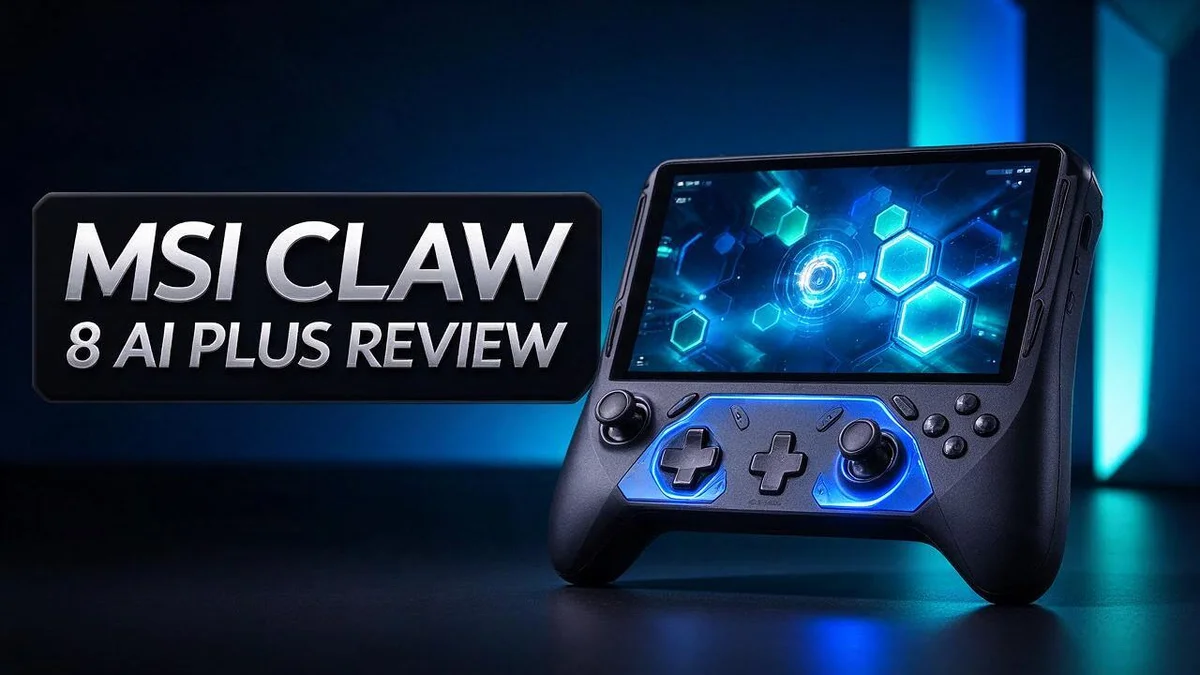
MSI Claw 8 AI+ Review: Performance, Battery Life, and Is It Worth It?
Looking for a handheld that can also work like a laptop? The MSI Claw 8 AI+ might be the device you need. It packs an Intel Ultra 7 258V chip, 32GB of LPDDR5 memory, and a 1TB SSD into a compact body.
The 8-inch FHD touch screen runs at 120Hz, so motion looks smooth. Reviewers say its performance beats other devices they tested, though the margins vary.
Beyond gaming, this machine works as a mini PC. It runs Windows 11 Home and qualifies as a Copilot+ PC. The brand claims up to 19 hours of usage from its 80Wh battery.
Still, some reviewers point to one “glaring” issue. One user also found that the device needs settings tuning and has problems tied to Windows updates. In this guide, we look at what the MSI Claw 8 AI+ does well and where it falls short.
In a Nutshell
-
Fast performance: The Intel Ultra 7 258V chip powers this device. Reviews say it beats many rival devices, often by clear margins. Gamers will notice the difference in demanding titles.
-
Generous memory: The 32GB of LPDDR5 RAM helps with multitasking. Many alternatives offer only 24GB, so this model gives you extra room.
-
Long battery life: The 80Wh battery supports up to 19 hours of use. One reviewer also found it runs quieter and more efficiently than expected.
-
Copilot+ AI tools: This device carries the Copilot+ PC label. It brings built-in AI features to everyday tasks. Windows 11 Home comes preinstalled, so setup feels simple.
-
Precise gaming controls: Hall Effect analog triggers improve accuracy. The D-pad and the M1 and M2 macro buttons let you customize your inputs.
-
Ample storage and ports: A 1TB NVMe SSD holds large game libraries. Thunderbolt 4 and a MicroSD reader add flexible connections for accessories and extra files.
Design and Build

- Display: 8" FHD+ (1920x1200) 120Hz 100% sRGB IPS-level Touch Screen
- Processor: Intel Core Ultra 7-258V 8 Cores (2.2GHz-4.8GHz, 12MB Intel Smart Cache)
Last update on 2026-11-07 / Affiliate links / Images from Amazon Product Advertising API
The MSI Claw 8 AI+ has a sleek look that stands out. Its clean shape fits well in your hands.
Design plays a big role in handheld gaming. You may hold this device for hours at a time.
Ergonomics feel solid for most players. Reviewers describe the grip as decent, which suits long play sessions.
The device includes a directional pad, along with L and R bumpers. These controls help with classic gaming inputs.
Macro buttons add extra control. The M1 and M2 buttons let you assign custom actions.
A dedicated M button opens MSI Center. Quick access saves time when you tweak settings.
Haptic feedback adds another layer to the experience. Subtle vibrations can signal events in your game.
A six axis IMU sits inside the body. It tracks tilt and movement during play.
Motion controls can add a fun layer to some games.
Each button has a clear role during play. That clarity helps you react faster.
Button placement takes a little practice. New users may need a few sessions to learn each control. Muscle memory builds over time.
A balanced layout may help reduce strain on your hands. Take short breaks if your fingers start to tire.
Grip size matters for comfort. Larger hands may feel the shape differently than smaller hands. Try the device in person if you can.
Reviews describe the look as sleek, which many buyers appreciate. Clean lines also suit use outside of gaming.
The 8 inch screen keeps the frame compact. That size fits easily into a bag.
The device includes a MicroSD reader. It gives you a simple way to add files.
Some players may prefer a different button feel. Test the directional pad before you commit.
In short, the design feels modern and practical. It fits gamers who want comfort, control, and portability.
Gaming Performance
Gaming performance decides whether a handheld feels worth carrying. The MSI Claw 8 AI+ aims to deliver strong results in demanding titles. Reviewers say it generally outperforms other devices they tested.
The lead is not the same in every game. Some titles show a big jump. Others show only a small gain. Players who chase high frame rates will notice this difference quickly.
Frame rate targets shape the experience a lot. Some players prefer a steady 60 frames per second over peak speeds. Others push for higher numbers in fast shooters. Choose a target that fits your favorite genre.
Power efficiency plays a quiet but important role here. One review notes that the system runs more efficiently and stays quieter. That mix helps during long sessions on the couch.
Quiet operation matters when you play late at night. Calm fans keep the focus on the screen. Efficient hardware also supports longer play between charges.
Game choice also affects results. Lighter titles usually run with fewer compromises. Heavy open world games may need lower graphics settings to stay smooth. Adjust presets to match each game.
Settings matter more than many players expect. One user reports that the device needs some tuning before it runs at its best. Plan extra time in the settings menu after setup.
Windows updates can also shift performance. One user mentions problems tied to recent updates. Check your frame rates after each major update to spot changes early.
The 120Hz screen pairs well with variable refresh rate support. VRR keeps motion steady when frame rates rise and fall during busy scenes. This combination feels smoother than a fixed refresh display.
Real world testing matters more than spec sheets. Compare results with other handhelds you may own. A side by side test shows whether the gains feel real. Keep notes on frame rates, battery use, and noise for each game you test.
Overall, gaming performance looks strong for a handheld. Players who tune settings and keep software current will likely see the best results. Test your favorite games first to see how they run.
Battery Life and Power Efficiency
Battery life matters a lot on a handheld. Nobody wants to hunt for a charger halfway through a match. The MSI Claw 8 AI+ aims to keep you playing for longer stretches.
One review calls this device more power efficient than some of the systems it was compared against. That efficiency helps the battery stretch further during demanding sessions. Every watt saved gives you more time before the charge runs low.
Your play style shapes how fast the battery drains. A graphics heavy game pushes the processor hard, so it uses more energy. Lighter tasks like browsing, note taking, or watching videos use far less power. The real result depends on what you run.
The screen also plays a big role. A bright display uses more power than a dimmer one. Lowering brightness is a simple habit that saves charge without much change to your experience. You can also lower the refresh rate when you do not need the smoothest motion.
Power profiles give you control over this balance. Balanced modes keep the system responsive while limiting waste. Performance modes deliver more speed, but they drain the battery faster. Switch modes based on the moment, not out of habit.
Here is a simple way to plan your sessions. Save intense gaming for times near a power outlet. Use the handheld for shorter rounds when you are on the move. Keep a charger in your bag for longer trips.
Spec sheets rarely match daily life exactly. Your results will vary based on games, settings, and background tasks in Windows. Test the device for a week and track how long each charge lasts. That record gives you a clearer picture than any number printed on a box.
Overall, the battery and efficiency story looks promising. Smart habits can stretch every charge even further. You get more playtime with less stress about the power level.
Top 3 Alternatives
Looking for a different handheld gaming option? These three picks are strong alternatives, and each one offers a unique feel.
ROG Ally X

- DISPLAY SPECS: 7-inch FHD screen with impressive 120Hz refresh rate delivers smooth, responsive gaming visuals...
- PROCESSING POWER: Equipped with AMD Ryzen AI Z2 Extreme processor for high-performance mobile gaming and...
Last update on 2026-11-07 / Affiliate links / Images from Amazon Product Advertising API
The ROG Ally X is a handheld built for gamers who want strong performance. It has a bright screen and a large battery for longer play.
Games run smoothly on it, even demanding ones. Its grip feels comfortable during long sessions. You can also play many PC titles with ease, so your library goes with you. Many players like it for quick trips or cozy nights on the couch.
Legion Go
The Legion Go stands out with its detachable controllers. You can use it like a tablet or slide the controllers off for a split setup.
Its large screen makes menus and games easy to read. It suits players who enjoy flexible play styles at home or on the go. Friends can even share the controllers for couch play.
Steam Deck OLED

Last update on 2026-06-21 / Affiliate links / Images from Amazon Product Advertising API
The Steam Deck OLED offers a sharp display with deep colors. Its interface makes it simple to find and launch games.
Many titles run well on this device. It also works great for players who already own a Steam library. Your saved games and settings sync across devices, so you can pick up where you left off.
Display and Controls
The screen is the first thing you notice. The MSI Claw 8 AI+ uses an 8 inch Full HD touch display with IPS technology. IPS panels keep colors steady when you view the screen from the side.
Touch input adds a second way to control the system. You can tap, swipe, and scroll directly on the glass. This feels natural when you browse your game library or open an app.
Touch works well for quick menu changes. It saves time when you adjust a setting before a match starts. Many players still prefer buttons during fast action.
Analog triggers give you finer control. The device uses Hall Effect analog triggers. These sensors read position with a magnetic field, so they can offer consistent readings over long sessions.
A light press can steer a car gently. A full press can accelerate hard. This range helps in racing games, shooters, and flight titles.
The D-pad suits classic and fighting games. A directional pad gives crisp input for precise moves. Retro titles and menus also feel easier to control with it.
Bumpers add extra options for quick actions. Pairing bumpers with triggers lets you switch weapons or camera views without moving your thumbs far.
Controls need a short learning period. Your hands may need time to find the right spots. Practice with a few favorite games to build comfort.
Settings shape how the controls feel. The research notes that tuning may be needed. Check the controls menu after each Windows update to confirm your choices still work.
Overall, the display and controls make a capable handheld setup. Touch, analog triggers, and a D-pad cover many styles of play.
Software, Setup, and Windows Updates
The first boot sets the tone for your whole experience. Windows 11 Home comes ready to use, so you only need to follow the setup screens. Take your time and read each prompt.
Sign in with a Microsoft account to save your settings. This also helps you sync files and game progress across other devices. Keep your login details somewhere safe.
Next, connect to a strong wireless network. Let the system check for updates before you install anything else. A stable connection makes this step faster and reduces errors.
Install the latest drivers before you play. Graphics, chipset, and audio drivers keep the handheld running smoothly. Check MSI Center first, since it is the easiest place to look for updates for this model.
Create a restore point before major changes. If an update causes trouble, you can roll back to a safe state. This small habit can save you hours of frustration.
Copilot+ features need a quick review after setup. Check the permissions, then decide which AI tools you want to keep. Turn off anything you never use.
Storage fills up fast on a handheld. The 1TB SSD gives plenty of room at first, but large game libraries grow quickly. The MicroSD reader adds a simple way to expand space for game files.
Remove preinstalled apps you never open. This frees space and keeps the start menu clean. Move large game folders to the drive you use most often.
Pause updates during busy weeks. Windows lets you delay updates for a set period. Use that window for tournaments or big releases, then resume when you feel ready.
Install your game launchers once and sign in to each one. Keep them updated so titles open without delay. Store your login details in a password manager for easy access.
Review your settings after every big update. Confirm that your refresh rate, power mode, and controller mapping still match your preferences. A quick check keeps every session feeling consistent.
Pros and Cons
Pros
- Strong performance: It often beats other devices it was compared against.
- Plenty of memory: Its 32GB of RAM handles heavy games and multitasking with ease.
- Works as a mini PC: You can use it at a desk for everyday computing tasks.
- Decent ergonomics: The sleek body feels practical during longer play sessions.
- Copilot+ ready: It supports AI features built into Windows 11.
Cons
- One glaring issue: Reviews point to a major problem but do not name it.
- Needs tuning: Some users must adjust settings before it runs at its best.
- Update trouble: One user reports problems linked to Windows updates.
Who Should Buy It
The MSI Claw 8 AI+ suits players who want one device for gaming and everyday computing. It fits people who play on the go but still need a real Windows computer.
Gamers who care about smooth motion may enjoy it most. The 120Hz display and Intel Ultra 7 258V chip handle many titles with ease.
Students and remote workers also make good matches. The device works as a mini PC at a desk, so study tasks, office work, and games share one machine. That saves space and reduces clutter.
Multitaskers gain the most from 32GB of memory. Browser tabs, chat apps, and game sessions can run together without constant juggling.
Players who switch between genres will appreciate the controls. Hall Effect analog triggers help with racing, while the D-pad suits fighting games. The bumpers and M1 and M2 macro buttons add quick shortcuts.
Travelers who want long sessions away from an outlet may value the 80Wh battery. The device claims up to 19 hours of usage, so it can keep up on a long trip.
Fans of AI features may also like the Copilot+ support. It brings AI tools built into Windows 11 to a handheld form factor.
Some buyers should think twice. Reviews mention one glaring issue without naming it. One user also needed settings tuning and faced problems after Windows updates.
If you want a plug and play experience, this device may frustrate you. It rewards patience and a willingness to adjust settings.
Casual players who only want simple handheld gaming might prefer an easier option. Setup takes time, so plan an afternoon for drivers and updates.
Ultimately, readers who enjoy tinkering and want power in a compact body will feel at home. Think about your daily habits before you decide.
Final Verdict
Performance is the biggest reason to consider it. Reviewers say it generally beats the devices it was tested against. The size of the lead changes with each comparison.
Efficiency is a quiet win too. Per one review, it uses power more efficiently and runs quieter than rival devices. Lower noise makes long sessions more pleasant.
Still, one major flaw remains a question mark. Reviewers call it glaring, but specifics are hard to pin down. Check recent feedback before you decide.
Think about your daily routine first. The device shines when gaming and desk work both matter. If you only game on the couch, other options may fit better.
Look at the bigger picture. The MSI Claw 8 AI+ brings a lot into one handheld. Its memory, battery, and ports cover a wide range of needs without extra accessories.
Weigh the tradeoffs carefully. Strong speed and efficiency sit beside an unclear flaw and occasional software hiccups. For many players, the upside still wins.
Our final take: The MSI Claw 8 AI+ suits people who want power in a compact design. It asks for some effort, yet it rewards that effort.
Future updates could change the picture. Windows and driver improvements may fix current issues. Watch for news from MSI as well.
Anyone chasing a simple handheld experience should look elsewhere. Otherwise, this device earns a spot on a short list. Compare it with current rivals before you commit.
Ultimately, the choice depends on your habits. Test your priorities against what the device offers, and the answer often becomes clear.
Frequently Asked Questions
How long does the battery last?
The MSI Claw 8 AI+ has an 80Wh battery. The maker claims up to 19 hours of usage. Real results depend on your settings and the games you play. Lower screen brightness helps you stretch each charge.
Can I add more storage?
Yes, the device includes a 1TB NVMe SSD and a MicroSD reader. Large game libraries fill space fast. A MicroSD card gives you an easy way to add more room.
Does the screen suit fast-paced games?
The eight inch FHD display runs at 120Hz with VRR support. This helps motion look smoother during action titles. The IPS panel also offers wide viewing angles for sharing the screen with friends.
What should I do before my first session?
Create a restore point before you install updates. Then adjust your settings in MSI Center to match your favorite games. This step helps you avoid the update issues one user reported.
Can I connect it to a bigger screen?
The device includes Thunderbolt 4, which helps you connect an external monitor or dock. A desk setup turns it into a compact workstation. Check your monitor ports before you start.

DK is a technology expert who specializes in AI tools, software, and tech gadgets. He writes for How to Tech Info, providing detailed reviews and practical guides. DK helps readers discover the best AI applications, navigate new software, and choose the right tech gadgets.


