
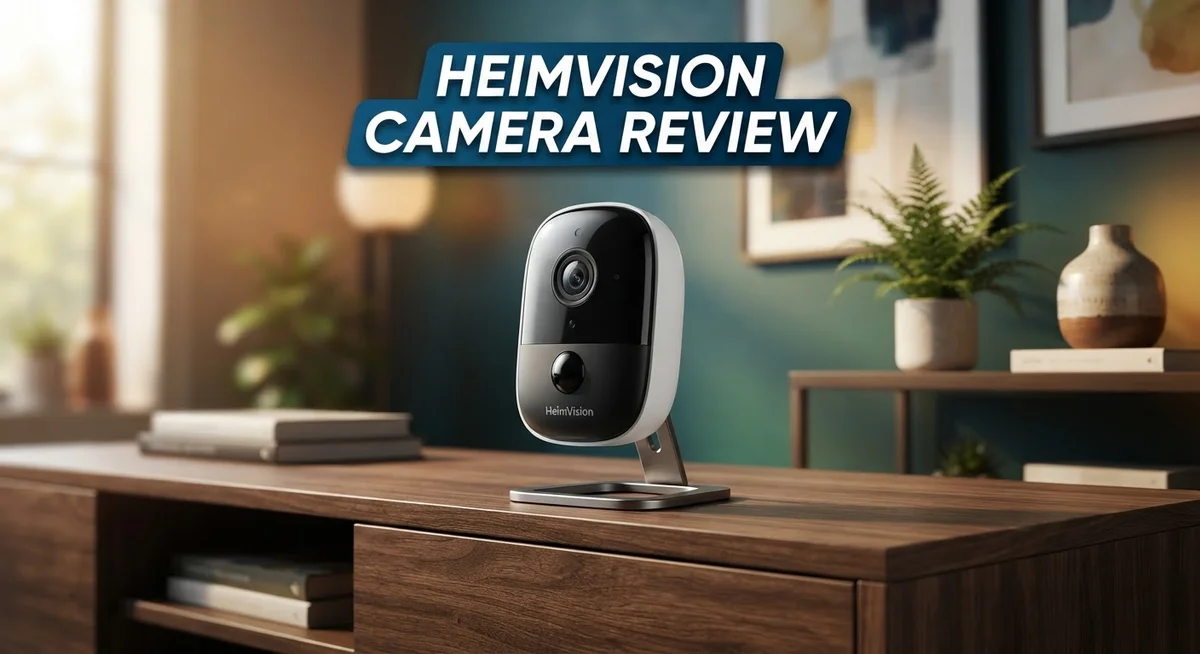
Heimvision Camera Review: Wireless IP Security Cameras?
Looking for a home security camera that actually works? Heimvision cameras might catch your eye. These wireless IP cameras promise clear video and smart night vision.
But do they deliver on that promise? We put Heimvision models like the HM241, HM203, and Protect B2 to the test.
This review digs into real performance. We check image quality, night vision clarity, and ease of setup.
You will also see how Heimvision stacks up against big names like Hikvision, Reolink, and Eufy. No fluff, just facts you need.
Good news first: no monthly subscription fees are required to use these cameras. That alone makes them worth a closer look.
Stick around. We break down every pro and con so you can decide if Heimvision fits your home security needs.
In a Nutshell
Here is your quick takeaway on Heimvision cameras.
-
Image quality stands out as a strong point. Footage stays clear and recognizable, even in tricky lighting.
-
Night vision performs well across tested models. You get useful footage after dark, not just dark blobs.
-
The Protect B2 model brings a dual lens design. This gives you wider coverage than single lens options.
-
Setup can feel tricky for some users. VPN and port forwarding steps may trip up beginners.
-
Review quality varies by model. Some Heimvision cameras shine, while others show more mixed feedback.
-
Compared to Hikvision, Reolink, and Eufy, Heimvision holds its own on core features. It may lack some premium extras these brands offer.
-
Overall, Heimvision suits users who want solid basics. Simple monitoring without extra complexity is the main draw here.
Key Features and Specifications
Heimvision cameras pack several core features that make them stand out in the home security market. The 2MP 1080P resolution delivers clear footage you can actually use. When you review the footage later, you will recognize faces and read license plates without squinting at the screen.
Night vision is a major strength across the lineup. The cameras use infrared technology to capture usable video even in complete darkness. You get the same level of detail at night as you do during the day. This means your property stays monitored 24/7 without any gaps.
The wireless IP design gives you flexibility with placement. You do not need to run cables through walls or ceilings. Installation happens faster, and you can move cameras if your security needs change. This matters if you rent or want to test different angles before committing.
Several models make up the Heimvision family. The HM241 and HM203 serve as solid entry points with their 1080P specs. The HM132C and HM202A offer alternatives depending on your space. The Protect B2 stands out with its dual lens design, giving you wider coverage from a single unit.
One feature that saves you money over time is the lack of mandatory subscriptions. You own the footage and access it without paying monthly fees. Cloud storage remains optional, so the choice stays in your hands. Local storage options work just fine if you prefer keeping data on your property.
The wireless connectivity means you can monitor feeds from your phone anywhere. Live viewing happens in real time. You receive alerts when motion triggers the camera, so you know immediately when something happens.
Setup does require some technical knowledge, particularly if you want remote access outside your home network. VPN and port forwarding configurations can intimidate beginners. However, the process becomes manageable once you follow the steps carefully.
Build quality feels solid on all tested models. The cameras withstand outdoor conditions without falling apart after a few months. Weather resistance ensures they keep working through rain, heat, and cold.
These specifications combine to create a camera system that handles the basics exceptionally well. You get reliable monitoring without unnecessary complexity or ongoing fees eating into your budget.

- 【Only Works with Hiseeu wireless security camera system】1296P/ 1080P Security Camera can't work...
- 【2K HD& Night Vision】Hiseeu security IP camera Full HD video quality -resolution images in...

Last update on 2026-10-07 / Affiliate links / Images from Amazon Product Advertising API
Video Quality and Night Vision Performance
Heimvision cameras deliver solid image clarity that you can rely on. The 2MP 1080P resolution captures recognizable details in normal daylight conditions. Faces appear distinct, and you can identify objects from a reasonable distance. The footage quality remains consistent across different lighting situations during the day.
Night vision stands out as a genuine strength. Heimvision models use infrared technology to produce usable footage when darkness falls. The camera switches automatically to night mode without requiring manual adjustments. You get clear black and white images even in complete darkness. Movement detection remains accurate, so you won’t miss activity happening outside business hours.
The Protect B2 dual lens model takes night vision a step further. This design lets you monitor two different areas simultaneously. The dual setup provides wider coverage without blind spots. Night performance on this model matches or exceeds the single lens options.
Indoor and outdoor models both handle low light situations well. The infrared range extends far enough to cover typical driveways and entryways. You won’t experience the washout effect that cheaper cameras produce. Details stay visible instead of becoming washed out white blobs.
Color reproduction during daytime is accurate and natural. Shadows don’t crush into pure black, so you retain detail in darker areas of the frame. Bright areas don’t blow out either. This balance makes the footage useful for security purposes and general monitoring.
The wireless IP design means you can position cameras where they work best. You’re not limited by cable runs or power outlet locations. This flexibility helps you capture the angles that matter most for your property.
Video quality varies slightly between models, but the core performance remains dependable. The HM241 and HM203 both perform similarly in testing. The HM132C and HM202A deliver comparable results to the newer models.
One thing to note: image quality depends partly on your internet connection and network setup. A stable connection ensures smooth playback without lag or buffering. Proper network configuration helps you get the best possible footage from your camera.
Overall, Heimvision cameras produce footage that serves real security needs. You get clear daytime video and functional night vision without paying for premium features you don’t need.
Setup, Installation, and Connectivity
Getting your Heimvision camera up and running is straightforward for most users. The wireless IP design means you skip the hassle of running cables through walls or drilling holes. You simply power on the camera, connect it to your WiFi network, and you’re ready to start monitoring.
The initial connection process takes just a few minutes. Download the Heimvision app on your smartphone. Open the app and follow the on screen prompts to add your camera. The app guides you through scanning a QR code on the device itself. This method works smoothly and reduces setup errors.
WiFi connectivity is key to smooth operation. Make sure your router is close enough to the camera for a strong signal. Most Heimvision models work well within standard home WiFi ranges. If you place the camera far from your router, signal strength may drop and affect video streaming quality.
For basic local viewing within your home network, setup ends here. You can watch live feeds on your phone right away. This is perfect if you only need monitoring when you’re home or on the same network.
Remote access requires extra steps. You’ll need to enable remote viewing through the app settings. This lets you watch your camera from anywhere when you’re away from home. The process involves some technical configuration. Port forwarding or VPN setup may be necessary depending on your router and network preferences.
The app interface is user friendly once everything connects. You can switch between cameras instantly if you have multiple devices. Adjusting settings like motion detection and night vision happens right in the app. Notifications arrive on your phone when motion triggers an alert.
One helpful tip: test your WiFi signal strength before final camera placement. Use your phone to check signal bars where you plan to mount the device. This prevents connectivity problems after installation.
Some users find the remote access configuration challenging. If networking feels overwhelming, focus on local viewing first. You can always enable remote features later once you’re comfortable with the basics.
The wireless setup flexibility makes Heimvision cameras ideal for renters and homeowners alike. No permanent installation required means you can reposition cameras whenever needed.
Top 3 Alternatives
Wyze Cam v3

- Motion & Sound Detection: Wyze Cam sends an alert to your phone when baby is crying. 24/7 Continuous video...
- Indoor/Outdoor: Wyze Cam v3 is a wired video camera with an IP65 rating so you can confidently install it...
Last update on 2026-08-22 / Affiliate links / Images from Amazon Product Advertising API
The Wyze Cam v3 offers clear night vision with its advanced infrared technology. This camera works both indoors and outdoors, making it flexible for your needs. You get 1080p resolution that captures sharp details of your space.
The setup process is simple and fast. You download the app, scan a code, and connect to your Wi-Fi. The camera starts recording immediately. Two-way audio lets you speak through the device to visitors or family members.
Reolink PoE Camera

- INDUSTRY-LEADING 12MP VISUAL EXPERIENCE: With the 12MP (4512x2512) resolution, this security camera provides...
- FULL-COLOR NIGHT VISION WITH SPOTLIGHTS: Gain more detailed and convincing evidence at night with the color...
Last update on 2026-10-07 / Affiliate links / Images from Amazon Product Advertising API
Reolink PoE cameras use Power over Ethernet technology. This means one cable delivers both power and data. You don’t need separate power outlets near your camera location.
These cameras deliver excellent video quality in various lighting conditions. The PoE system makes installation cleaner and more professional. You get reliable performance without wireless connection issues. Wired connections mean your footage stays consistent and stable.
TP-Link Tapo Camera

- 【2K High Definition】Capture every detail inside your home with crystal-clear 2K high definition video with...
- 【Up, Down, All Around】This Pan/Tilt camera see everything across an entire room or walkway with the...
Last update on 2026-10-07 / Affiliate links / Images from Amazon Product Advertising API
TP-Link Tapo cameras focus on smart home integration. They work seamlessly with other smart devices in your home. The app interface is user-friendly and intuitive.
These cameras offer motion detection alerts that notify you instantly on your phone. You can customize detection zones to reduce false alarms. Night vision captures activity even in complete darkness. The Tapo system provides affordable monitoring without complicated setup steps.
Each option serves different needs. Wyze works great for budget-conscious users. Reolink suits those wanting professional wired solutions. TP-Link appeals to smart home enthusiasts. Choose based on your space, budget, and integration preferences.
Subscription Costs and Storage Options
Heimvision cameras stand out because they eliminate recurring subscription fees. You don’t need to pay monthly charges to access your footage or use basic features. This approach saves you money over the camera’s lifetime.
The storage options work in different ways depending on your setup. Local storage through microSD cards gives you direct control. You insert a card into the camera, and footage saves directly to that device. This method keeps your data on your property, not in the cloud.
Cloud storage is optional, not mandatory. Some users prefer uploading footage to remote servers for extra safety. If your local storage fills up, you can delete old footage and record new material. The microSD card approach means you’re not locked into any service.
Network attached storage (NAS) systems work well if you have multiple cameras. You can connect your Heimvision devices to a NAS unit on your home network. This gives you centralized storage without subscription costs. It’s ideal for users who want more advanced storage management.
The app lets you review footage from your phone whenever you need it. You access recordings stored locally or in the cloud through the same interface. Playback is smooth once your connection is stable. The app shows you exactly how much storage space you’re using.
Different Heimvision models support varying storage capacities. Check your specific camera’s manual to see maximum microSD card size compatibility. Most modern cards work reliably, but some users report better performance with certain brands.
No mandatory subscriptions means you control your costs completely. You choose whether to use cloud backup, and you decide how much local storage you need. This flexibility appeals to users who want simplicity without ongoing fees.
Setting up storage takes just minutes. Insert your microSD card, format it in the app, and recording begins automatically. The camera manages space by overwriting old footage when the card fills up. You can also manually delete specific recordings to free up space.
Heimvision’s storage model gives you freedom and transparency. You know exactly where your footage lives and how long you can keep it. This approach works well for homeowners who value independence from subscription services.
Pros and Cons
Pros
- Clear, recognizable video footage across all models with accurate daytime colors
- Night vision performs reliably on both indoor and outdoor cameras, with the Protect B2 dual lens offering enhanced low light performance
- No monthly subscription fees required, so you control your storage and viewing costs completely
- Wireless IP design lets you place cameras wherever you need them in your home or property
- User friendly app interface makes reviewing footage from your phone quick and simple
Cons
- Remote access setup requires extra configuration steps like VPN or port forwarding, which some users find challenging
- Image quality depends partly on your internet connection strength and network setup quality
- Review quality varies across different Heimvision models, so experiences differ between users
- WiFi signal strength must be adequate at camera placement locations for smooth operation
Who Should Buy It
Heimvision cameras work best for people who want straightforward home monitoring without complicated setups. If you need basic security footage, these cameras deliver what you need.
You should buy a Heimvision camera if you have a reliable WiFi network at home. The wireless design means you can place cameras anywhere your signal reaches. Strong connectivity matters because it affects both live viewing and recording quality.
Homeowners who dislike subscriptions find Heimvision appealing. You get no mandatory monthly fees. This means you control storage costs completely. You decide whether to use cloud storage, local storage, or a network attached storage system.
Entry level users benefit most from Heimvision cameras. If you are testing home security for the first time, these cameras let you experiment without major financial commitment. The user friendly app makes it easy to review footage from your phone.
Renters should consider Heimvision models too. The wireless design means no permanent installation. You can mount cameras temporarily and remove them when you move. This flexibility works well for people who cannot drill holes or modify walls.
People who want night vision capability should look at Heimvision options. The night vision performs reliably indoors and outdoors. You get clear footage even in low light conditions. The Protect B2 model offers dual lens technology for enhanced nighttime performance.
If you prefer local control, Heimvision fits your needs. You can view footage within your home network without internet access. Remote viewing requires extra setup steps like VPN or port forwarding, but local viewing works immediately after installation.
Families monitoring multiple rooms benefit from Heimvision’s straightforward approach. You can add several cameras and manage them all through one app. The interface stays simple even with multiple devices connected.
However, skip Heimvision if you want premium features or professional grade equipment. These cameras serve basic security needs, not advanced surveillance. If you need complex analytics or specialized functions, other brands might serve you better.
Skip Heimvision if your WiFi signal is weak or unstable. Poor connectivity causes video lag and recording failures. Test your signal strength before purchasing.
Heimvision cameras suit people who want simple, honest home security. No hidden fees. No complicated features. Just reliable monitoring that works when you need it.
Final Verdict
Heimvision cameras deliver solid performance for everyday home monitoring. They capture clear footage and handle low light conditions well across different models. This makes them a smart pick for anyone starting their home security journey.
The brand stands out because it keeps things simple. You get dependable features without extra complications. That approach appeals to people who want security cameras that just work.
Compared to bigger names like Hikvision or Reolink, Heimvision focuses on core functionality rather than extra bells and whistles. This keeps the experience straightforward for first time buyers. You will not feel overwhelmed by unnecessary settings or features.
Setup requires some patience if you want remote access through VPN or port forwarding. Once configured, the system runs smoothly. This small learning curve pays off with reliable long term performance.
Heimvision earns its place among solid entry level security options. It serves people who want camera coverage without complicated contracts or confusing interfaces. The straightforward design makes it accessible to almost anyone.
We recommend Heimvision for homeowners who value simplicity. It suits renters who need flexible setups too. Families who want basic monitoring across multiple rooms will find it practical.
However, this brand may not satisfy users who need advanced analytics or professional grade features. Those users should look at premium competitors like Eufy or Annke instead. Heimvision focuses on core security needs rather than cutting edge technology.
If you want a camera that covers the basics well, Heimvision delivers. The image quality and night vision performance make it a dependable choice for everyday use. You get a system that protects your property without unnecessary complexity.
Overall, Heimvision proves that simple security solutions can still perform well. It fits people who want peace of mind without overthinking their setup. For most home monitoring needs, this brand gets the job done reliably.
Frequently Asked Questions
Does Heimvision require a monthly subscription to view footage?
No. Heimvision cameras do not charge monthly subscription fees. You store and access your footage without ongoing costs. This approach gives you full control over your data and viewing expenses.
Which Heimvision models offer night vision?
Most Heimvision models include night vision capability. The HM241 and HM203 are popular 2MP 1080P options with this feature. The Protect B2 dual lens model also delivers night vision performance. Check your specific model’s documentation for exact night vision range and clarity details.
How difficult is remote access setup?
Remote viewing requires extra configuration steps. You may need to set up VPN or port forwarding on your home network. Some users find these steps straightforward. Others prefer to skip remote access entirely and only view footage locally. Your comfort level with network settings matters here.
Can I use Heimvision cameras in rental properties?
Yes. Wireless IP cameras work well for renters. They mount easily without permanent installation. You can remove them when you move. This flexibility makes Heimvision a practical choice for temporary monitoring needs.
How does Heimvision compare to Hikvision or Reolink?
Heimvision focuses on simple, straightforward operation. Hikvision and Reolink offer more advanced features and professional grade options. If you want core monitoring without complexity, Heimvision fits your needs. If you need advanced analytics or enterprise features, those competitors may suit you better.

DK is a technology expert who specializes in AI tools, software, and tech gadgets. He writes for How to Tech Info, providing detailed reviews and practical guides. DK helps readers discover the best AI applications, navigate new software, and choose the right tech gadgets.


