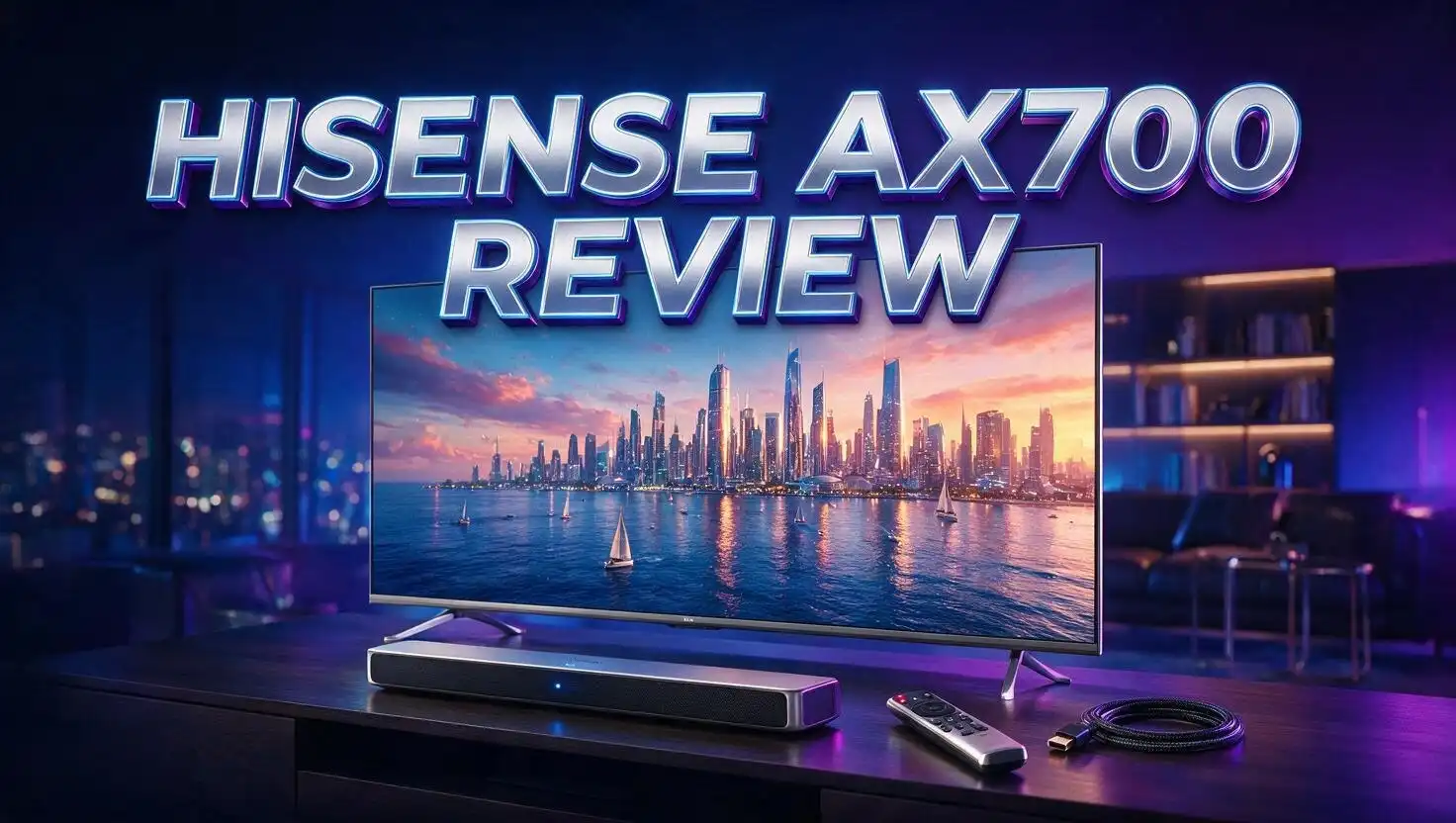
Hisense AX700 Review: 5.1.4 Dolby Atmos Soundbar Worth It?
Your TV speakers are probably letting you down. Thin dialogue, no bass, and zero surround effects make even the best movies feel flat.
The Hisense AX700 promises to fix that for around the price of a decent pair of headphones. It ships as a full 5.1.4 system with a soundbar, a wireless subwoofer, and two wireless rear speakers.
That channel count matters. Four up firing drivers handle the height layer for Dolby Atmos and DTS:X, which is something most budget bars simply skip.
I dug through owner reports, spec sheets, and hands on impressions from people living with this system daily. Some of what I found surprised me.
This review covers sound quality, setup, best settings, weak spots, and the honest answer to one question. Does the AX700 deserve a spot under your TV?
Hisense AX700 At A Glance

- 5.1.4 CHANNEL SURROUND SOUND – Experience immersive multi-dimensional audio with a 5.1.4-channel speaker...
- DOLBY ATMOS AUDIO – Dolby Atmos technology creates expansive, cinematic sound that enhances movies, TV...
Last update on 2026-08-03 / Affiliate links / Images from Amazon Product Advertising API
The AX700 is a 5.1.4 channel home theater package. Hisense builds it as a value focused sibling to the AX5140Q, and it often sells for far less.
The bar measures 40 inches wide, 4.25 inches tall, and 2.24 inches deep. It weighs just 4.9 pounds, so wall mounting is easy.
The subwoofer is a compact cube at roughly 13 inches square and 6.3 inches deep. It weighs 12.1 pounds and connects wirelessly.
Each rear speaker stands 7.9 inches tall and weighs 3.1 pounds. Both include wall mount hardware in the box.
Rated frequency response runs from 50Hz to 20kHz. Maximum speaker output sits at 500W, with typical power draw closer to 152W.
Format support covers Dolby Atmos, DTS:X, and virtual surround processing. You also get seven EQ presets including Movie, Music, News, Sport, Game, Night, and a standard mode.
Connections include one HDMI input with 4K HDR passthrough, HDMI eARC with CEC, optical, 3.5mm AUX, and USB. Bluetooth handles wireless music.
There is no Wi Fi. That means no AirPlay, no Chromecast, and no app based streaming, which is the clearest sign of where Hisense cut costs.
In A Nutshell
Short on time? Here is everything that matters, compressed into six points.
- The value is genuinely hard to beat. You get a true 5.1.4 layout with four height drivers, a wireless sub, and wireless rears for a price most brands charge for a plain 2.1 bar. Owners repeatedly call it the best value in budget surround sound.
- Setup takes minutes, not hours. The subwoofer and rear speakers pair automatically out of the box. Plug each one into a wall outlet, run a single HDMI cable to your TV, and you are watching movies.
- Atmos effects are real but scene dependent. Quiet dialogue scenes feel ordinary. Then a flyover or storm sequence hits and the height channels come alive. Expect impressive moments rather than constant immersion.
- Dialogue clarity is the main weakness. At low apartment volume, voices and mids can sound slightly muddled until you raise the center and treble levels manually. The Voice mode helps a lot here.
- Bass hits hard for the size. The compact sub reaches down to 50Hz and delivers real punch in action films, though it will not shake the floor like a large 10 inch driver.
- Smart features are missing. No Wi Fi, no room calibration, and no voice assistants. If you want app control and multiroom audio, look elsewhere.
What Comes Inside The Box
Hisense packs the AX700 well. The box weighs about 30 pounds, so grab a helping hand when carrying it inside.
Inside you find the 40 inch soundbar, the wireless subwoofer, and two wireless surround speakers. Nothing important gets sold separately.
You also get a remote with two AAA batteries already included. That small touch saves an annoying trip to the store.
Cables are covered too. Hisense supplies an HDMI cable, an optical cable, and a power cable, each about 4.9 feet long.
That cable length is the first real complaint. Owners consistently mention the power cords feel short, especially for the rear speakers.
If your couch sits away from a wall outlet, plan for extension cords or a longer replacement cable rated for the job.
A wall mount kit ships with the system as well. The rear speakers include their own brackets, though they only mount flat against the wall.
Several owners bought articulating brackets separately so they could angle the rears slightly downward and inward. That tweak reportedly improves the surround effect.
The quick start guide gets you running fast. The full user manual is thin on detail, and it never explains what the AI sound mode actually does.
One more note on the rear speakers. Each one uses a fairly large power brick, which looks untidy if your outlets sit in plain view.
Overall the packaging feels complete for the money. You are not forced into extra purchases just to make the system work.
Design And Build Quality
The AX700 keeps things simple. You get a black matte finish, rounded corners, a horizontal mesh grille, and a low profile chassis.
At 4.25 inches tall, the bar sits low enough to avoid blocking most TV screens. Check your stand height anyway if your TV sits very low.
The 40 inch width pairs nicely with 55 inch and 65 inch televisions. It looks slightly small under a 75 inch panel but still works.
Build quality feels light rather than premium. The 4.9 pound bar uses plastic construction, which is normal at this price.
The subwoofer feels sturdier thanks to its 12.1 pound weight. Its cube shape tucks behind furniture without much fuss.
The front display is the oddest design choice. Hisense placed the five digit screen off center rather than in the middle of the bar.
Owners have a theory about why. The AX700 includes a dedicated center channel driver, so the display got pushed aside to make room.
You can turn the display off. Set the DIM level to 0 and the screen goes dark after a few seconds of inactivity.
Setting DIM to 1 only dims it. That confuses plenty of new owners, so remember the zero.
The rear speakers look tidy and small enough to sit on stands, shelves, or wall brackets. They blend into most rooms easily.
Nothing here screams luxury. The design is clean, quiet, and inoffensive, which is exactly right for a budget home theater system.
Top 3 Alternative for Hisense AX700
Not sold on the AX700? These three systems cover the most common upgrade and sidestep paths.
The Hisense AX5140Q is the closest relative. It shares the same 5.1.4 layout but adds Hisense specific extras like Hi Concerto and room calibration, plus more detailed EQ controls.

- 【5.1.4 CHANNELS】With six front-firing, two up-firing and four surround speakers plus a powerful...
- 【QUICK TOUCH EQ MODES】Get the best audio performance from music, movies, and news with a simple touch of...

Last update on 2026-08-03 / Affiliate links / Images from Amazon Product Advertising API
The Vizio Elevate SE takes a different approach. Its adaptive height speakers physically rotate upward when Atmos or DTS:X content plays, and owners praise it for dialogue heavy TV shows.

- Soundbar remote control sold separately
- Receive the latest product updates and adjust advanced soundbar settings by downloading the VIZIO mobile app...
Last update on 2026-06-09 / Affiliate links / Images from Amazon Product Advertising API
The TCL Q85H steps up to 7.1.4 channels with Ray Danz acoustic reflectors for a wider front soundstage. It costs more but adds two extra surround channels.

- Why Choose TCL: TCL is a global leader in TVs and audio, combining innovative technology with reliable...
- 7.1.4 Surround with Enhanced Rear Speakers: Experience next-level immersion with a full 7.1.4 channel system...
Last update on 2026-08-03 / Affiliate links / Images from Amazon Product Advertising API
Each one trades something different. The AX5140Q gives you smarter tuning, the Elevate SE gives you moving drivers and vocal clarity, and the Q85H gives you a bigger channel count.
If budget is your top priority, the AX700 still wins. It usually undercuts all three by a wide margin while keeping the four height drivers intact.
Setup And First Impressions
This is where the AX700 shines brightest. Owners describe setup as effortless, and the reports are remarkably consistent.
You unbox everything, plug each unit into a power outlet, and the sub and rears pair on their own. No manual sync button dance required.
One HDMI cable handles the TV connection. Run it from the bar to your TV eARC port and audio starts flowing immediately.
CEC support means your TV remote controls volume and power. That keeps the Hisense remote in a drawer most of the time.
First listen usually produces a grin. Coming from TV speakers, the jump in scale and impact feels dramatic.
Rear speaker placement changes everything though. Owners who left the rears sitting on the back of the couch reported weaker results than those who wall mounted them.
One user mounted the rears one to two feet higher than couch level and described a clear improvement. Height and angle both matter.
Room shape matters too. A person with vaulted ceilings struggled to dial in the height channels and eventually returned the system.
That is worth knowing before you buy. Up firing drivers bounce sound off a flat ceiling, and unusual ceilings weaken the effect.
Expect to spend an evening adjusting levels. The default tuning is decent, but this system rewards a little tinkering.
Movie Sound Quality And Dolby Atmos Performance
Movies are the reason to buy the AX700. This is a system built for popcorn nights rather than critical music listening.
Owners tested it with Top Gun Maverick, Interstellar, Sinners, and The Lord of the Rings. The reactions were overwhelmingly positive.
The rears add genuine dimension. Effects move behind you, ambience fills the room, and action scenes gain a sense of scale that no single bar produces.
Dolby Atmos and DTS:X both decode natively. The four up firing drivers handle the height layer.
Here is the honest part. Atmos impact varies wildly by scene and by movie.
Some sequences feel like the height speakers are switched off. Then a specific moment hits and it startles you into looking up.
One owner rewatched a film he already knew and heard details he had completely missed the first time. That is a good sign for the mix accuracy.
Pure Surround mode gets recommended often by owners. Some also found that turning surround processing off produced louder, more cinematic results with certain DTS tracks.
Dynamic range is the limit. Loud peaks compress somewhat, and the system does not hit the effortless power of a premium bar.
For the price though, movie performance lands well above expectations. Most viewers will simply enjoy the film and stop analyzing the sound.
Dialogue Clarity And Voice Mode
This section deserves your attention because dialogue is the AX700 weak point.
The bar includes a dedicated center channel, which is a real advantage over cheaper 2.1 designs. Voices come from the middle of the screen rather than a vague blur.
Some owners describe the sound as super clear, especially in games and animated films. Others tell a different story.
Low volume listening exposes the problem. One apartment dweller found voices and mids muddled at quiet levels, and called clarity the main issue with the system.
Another review noted the same pattern. Dialogue clarity could be better, though the overall surround effect stayed impressive.
There is good news. Manual level adjustments fix most of it.
Raising the center channel and treble makes a clear difference. Owners report the center at plus three and treble at plus five as a solid starting point.
The Voice mode on the remote also helps. It thins the bass slightly and pushes speech forward.
Night mode works well for late viewing. It compresses loud effects so dialogue stays audible without waking the house.
Some owners mention a break in period. One person disliked the mids initially and stopped noticing the issue after a few weeks.
Take that with mild skepticism. Ear adjustment is more likely than driver break in, but the practical result is the same.
Bass Response From The Wireless Subwoofer
The subwoofer punches harder than its size suggests. Hisense rates the system down to 50Hz.
That is not deep enough for the lowest movie rumble. Sub 40Hz content in films like Dune or Blade Runner 2049 simply will not register fully.
Within its range though, the bass feels full and satisfying. One owner expected disappointment based on other reviews and found the bass adequate and rich instead.
Another described the low end as boomy, which is a fair criticism. The tuning leans toward impact rather than accuracy.
The 12.1 pound cabinet keeps things stable during heavy scenes. Place it in a corner if you want more perceived output.
Sub level adjustment is your best tool. Owners commonly run the sub at plus one to plus three depending on room size and taste.
Apartment dwellers should go the other way. Dial the sub down and switch to Night mode to keep neighbors friendly.
The wireless connection stayed reliable in owner reports. No dropouts or sync issues came up repeatedly.
Compared to premium systems, this sub gives up depth and control. Compared to your TV speakers, it transforms the experience completely.
For gaming explosions, action films, and hip hop bass lines, it does the job. Just do not expect it to rattle picture frames.
Music And Bluetooth Streaming
Music is the AX700 second priority. It handles casual listening well and serious listening less well.
Bluetooth connects quickly from phones, tablets, and laptops. Supported file formats include WAV, WMA, MP3, and FLAC through USB.
Stereo playback sends audio to the front channels by default. The rear speakers can carry stereo content too, depending on your source settings.
One quirk catches Bluetooth users off guard. Volume steps from a phone can jump dramatically, making the lowest phone setting still too loud.
The fix lives in your phone Bluetooth menu. Turn off absolute volume sync, then control volume with the soundbar remote instead.
Apple TV owners hit a similar snag. The Continuous Audio setting forces an Atmos signal, which locks stereo content to the front speakers only.
Turning Continuous Audio off restores proper channel behavior. Then 2.1, 5.1, and 7.1 sources play as intended.
Sound signature in Music mode leans warm with a forward bass. Vocals sit slightly behind instruments compared to a dedicated stereo setup.
Reviewers rate its music performance as acceptable rather than impressive. That is normal for surround focused bars at this price.
The lack of Wi Fi hurts here most. Without AirPlay or Chromecast, you rely on Bluetooth compression for everything.
If music is your primary use, a stereo pair of powered speakers serves you better. If music is occasional background listening, the AX700 is fine.
Connectivity And Ports Explained
The port selection covers the basics without extras. Let me walk through what each one does.
HDMI eARC is your main connection. It carries lossless Dolby Atmos from your TV apps down a single cable and enables remote control passthrough.
Standard ARC works too, but with limits. One owner using ARC found the difference between ARC and eARC dramatic once he upgraded his TV.
That detail matters. If your TV only supports basic ARC, you may not receive full Atmos, and the system will underperform.
The single HDMI input includes 4K HDR passthrough. Plug a console or streaming box directly into the bar if your TV lacks eARC.
Optical input handles older televisions. It supports compressed surround formats but not Atmos.
A 3.5mm AUX jack covers analog sources. The USB port plays music files and handles service updates.
There is no Wi Fi and no coaxial input. Standby power draw stays under 0.5W, which is efficient.
Auto power on triggers when the bar detects a signal. Auto power off saves energy when the signal stops.
Some owners hit a handshake bug where audio stopped after a power cycle. Reseating the HDMI cable solved it, and one user swapped units and had no further trouble.
Keep your receipt for the first few weeks. Most people report zero issues, but the occasional lemon exists.
Best Sound Settings For The Hisense AX700
Default settings leave performance on the table. These owner tested values give you a strong starting point.
Set the subwoofer to plus one for balanced listening, or plus three if you want more slam. Leave Bass at 0 and raise it only if the room swallows low end.
Push Treble to plus five. This single change does the most for clarity and detail.
Set the center channel to plus three. Dialogue immediately moves forward and sits more clearly in the mix.
For the height and surround channels, try front height at plus three, rear surround at plus five, and rear height at plus three.
Set the left and right channels to plus five to widen the front soundstage. Then set DIM to 0 so the display turns itself off.
Leave the hidden advanced menu alone. Press Level, hold Play or Pause for three seconds, then press fast forward to reveal LT, DRC, and DCL values, which most owners found no reason to change.
Pure Surround mode gets the most praise for Atmos content. Movie mode suits general viewing, and Night mode saves late sessions.
Try switching surround processing off for stubborn DTS tracks. Some owners found this produced louder, more cinematic results.
Finally, mount your rears at ear level or slightly above. Angle them inward toward the seating position for the tightest surround image.
Small changes compound here. Twenty minutes of tuning genuinely changes how this system sounds.
Hisense AX700 vs Hisense AX5140Q
These two systems confuse a lot of shoppers, so let me clear it up.
The AX700 is widely believed to be the AX5140Q with Hisense specific features stripped out. Both share the 5.1.4 layout, four up firing drivers, wireless sub, and wireless rears.
The price gap is large. The AX5140Q typically lists between 349 and 399 dollars, while the AX700 has sold for 249 dollars and dropped as low as 199 dollars on sale.
The AX5140Q rates higher on output. Retail listings quote up to 600W total power versus 500W maximum for the AX700.
Feature differences matter more than watts. The AX5140Q supports Hi Concerto, which syncs the bar with compatible Hisense TV speakers for a wider soundstage.
It also includes room calibration and a graphic EQ. That EQ lets you adjust front and rear height channel levels independently.
The AX700 spec sheet lists no room calibration. Owner reports on Hi Concerto support are mixed and unconfirmed.
So the decision is simple. Own a recent Hisense TV and want Hi Concerto plus calibration? Pay more for the AX5140Q.
Own any other TV brand? The AX700 delivers nearly identical hardware for far less money.
Owners running the AX5140Q with Hisense U7QG and U8QG televisions report excellent results with Hi Concerto enabled. That feature is the real reason to upgrade.
Pros And Cons of the Hisense AX700
Here is the balanced summary after weighing every owner report and spec detail.
Pros
- True 5.1.4 channel layout with four up firing height drivers, which most budget bars omit entirely
- Wireless subwoofer and wireless rear speakers included, so no speaker wire runs across your floor
- Effortless setup with automatic pairing and single cable HDMI eARC connection
- Native Dolby Atmos and DTS:X decoding for streaming and disc content
- Seven EQ presets plus detailed manual channel level control for fine tuning
- HDMI input with 4K HDR passthrough for consoles and streaming boxes
- Wall mount kit, HDMI cable, optical cable, and remote batteries all included
- Outstanding price to performance ratio, often half the cost of similar channel counts
Cons
- Dialogue and mids can sound muddled at low listening volumes until you adjust the center and treble
- No Wi Fi, meaning no AirPlay, Chromecast, app control, or multiroom audio
- Bass extends only to 50Hz, so the deepest movie rumble goes missing
- Power cables measure just 4.9 feet, which limits placement flexibility
- Off center front display looks unusual and confuses first time owners
- Rear speakers use bulky power bricks that are hard to hide
- Atmos impact varies by scene and struggles in rooms with vaulted ceilings
- Bluetooth volume steps can jump sharply without disabling absolute volume sync
- No room calibration, unlike the pricier AX5140Q
Who Should Buy The Hisense AX700
- 5.1.4 CHANNEL SURROUND SOUND – Experience immersive multi-dimensional audio with a 5.1.4-channel speaker...
- DOLBY ATMOS AUDIO – Dolby Atmos technology creates expansive, cinematic sound that enhances movies, TV...
Last update on 2026-08-03 / Affiliate links / Images from Amazon Product Advertising API
Buy this system if you are upgrading from TV speakers or a basic 2.1 soundbar. The jump in immersion will feel enormous.
It suits bedrooms, apartments, and small to medium living rooms best. Owners consistently recommend it for budget home theater builds in modest spaces.
It works well for movie fans who want real rear channels without running wires or buying a receiver. Gamers get the same benefit for spatial audio in shooters and racing titles.
Families will appreciate the plug and play nature. Nobody needs to read a manual to make it work.
Skip it if you have vaulted or angled ceilings. The up firing drivers need a flat surface to bounce sound off, and one owner returned the system for this exact reason.
Skip it also if you want smart features. No Wi Fi means no AirPlay, no voice assistants, and no app based control.
Serious music listeners should look elsewhere too. This system prioritizes surround effects over stereo accuracy.
If you can stretch your budget significantly, the Samsung Q990F remains the reference point for premium performance. Several AX700 owners called it their dream buy before choosing value instead.
Nobody who bought the AX700 for movies regretted the price. That says a lot.
Final Verdict
The Hisense AX700 is the rare budget product that overdelivers rather than merely gets by.
You get a genuine 5.1.4 system with four height drivers, a wireless subwoofer, and wireless rears for money that usually buys a plain stereo bar.
Setup is the easiest part. Plug it in and it works, which removes the biggest barrier for first time surround buyers.
Movie performance is the highlight. Rear channels add dimension, Atmos moments genuinely surprise you, and bass hits with real weight for the cabinet size.
The flaws are honest ones. Dialogue needs manual tuning, deep bass is limited, and smart features are absent.
None of those flaws break the experience. Twenty minutes with the level controls addresses the main complaint entirely.
Costco shoppers gave it a 4.0 rating across dozens of reviews, and Reddit owners called it the best value in soundbars. That consensus is hard to ignore.
Set expectations correctly and you will love it. This is not a premium reference system, and it never pretends to be.
It is a smart, well equipped, easy to live with home theater package that makes movies feel bigger. At its usual selling price, that combination is difficult to beat.
Prices and availability shift often, especially at warehouse retailers, so check current listings before you buy.
Frequently Asked Questions
Is the Hisense AX700 the same as the AX5140Q?
They appear to be near identical hardware. The AX700 is widely understood to be the AX5140Q with Hisense specific features removed, including room calibration and the graphic EQ, which explains the lower price.
Does the Hisense AX700 support Dolby Atmos?
Yes. It natively decodes both Dolby Atmos and DTS:X, and it uses four up firing drivers to create the height layer. You need HDMI eARC on your TV to receive full quality Atmos from streaming apps.
How do I turn off the display on the Hisense AX700?
Set the DIM value to 0 using the remote. The screen then switches off after a few seconds of inactivity. Setting DIM to 1 only dims the display rather than turning it off.
Why does dialogue sound unclear on the AX700?
The default tuning underemphasizes the center channel. Raise the center level to around plus three and the treble to around plus five, then try Voice mode for speech heavy content.
Can the Hisense AX700 fill a large room?
It performs best in small to medium rooms. Owners with standard flat ceilings and normal room sizes report excellent results, while one owner with vaulted ceilings struggled to achieve consistent surround imaging.
Does the AX700 have Wi Fi or app control?
No. Connectivity is limited to HDMI eARC, one HDMI input, optical, 3.5mm AUX, USB, and Bluetooth. There is no Wi Fi, so AirPlay, Chromecast, and multiroom audio are unavailable.
Are the rear speakers really wireless?
The audio connection is wireless, but each rear speaker still needs a power outlet. The supplied power cables measure about 4.9 feet, which some owners found too short for their room layout.
Is the Hisense AX700 good for gaming?
Yes. Owners specifically praised game audio clarity and the surround effect from the rear channels. The HDMI input also supports 4K HDR passthrough for consoles.

DK is a technology expert who specializes in AI tools, software, and tech gadgets. He writes for How to Tech Info, providing detailed reviews and practical guides. DK helps readers discover the best AI applications, navigate new software, and choose the right tech gadgets.